
Fin Sync Pro | Budget and Expense Tracker App with Laravel Admin Panel
Description
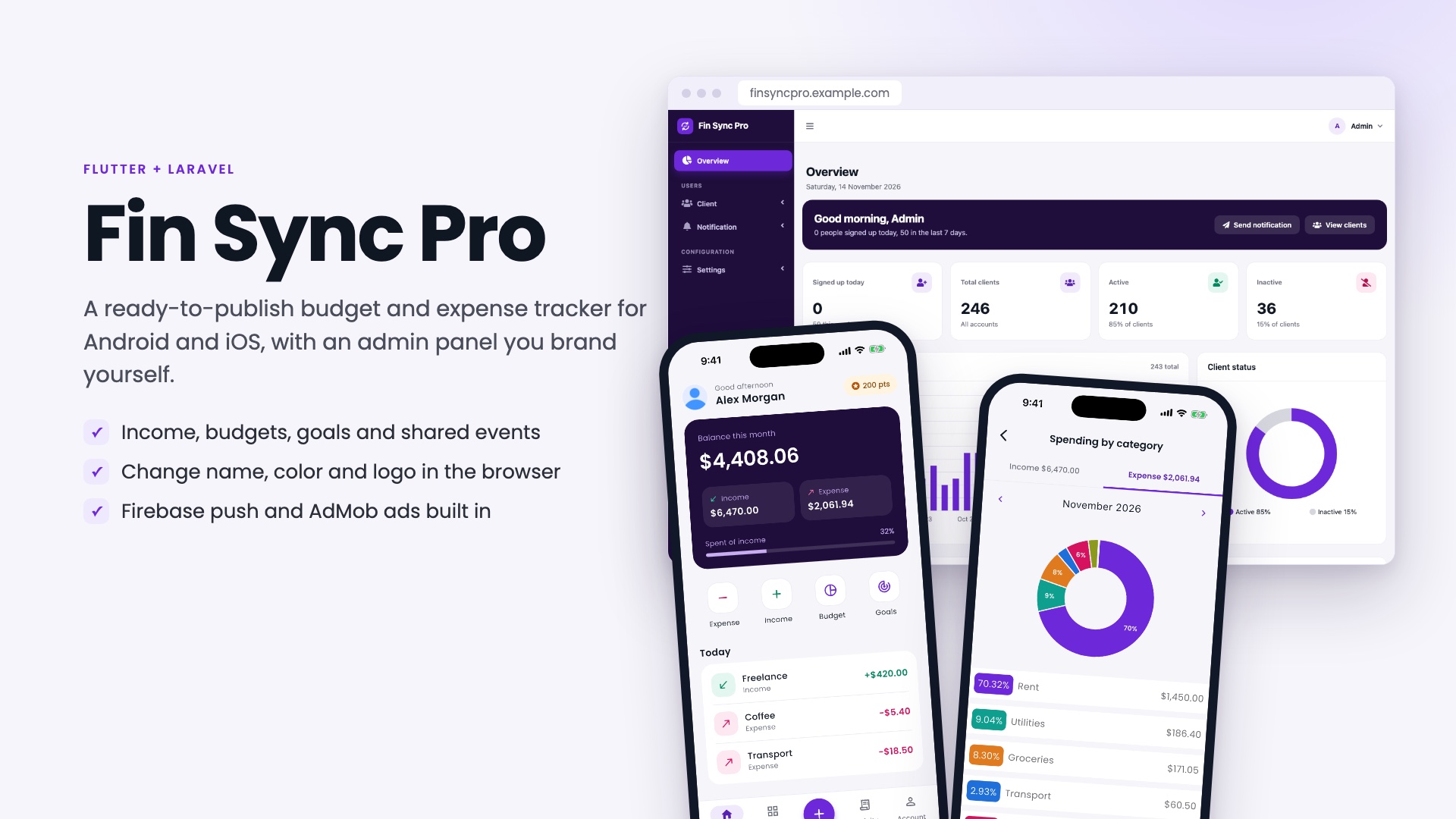
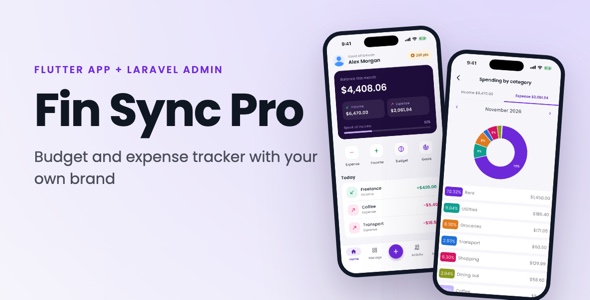
Everything in one package, no paid add-ons: a Flutter mobile app for Android and iOS, a Laravel backend with a web admin panel, a web installer and full documentation, all with complete source code.
Launch your own budget and expense tracking app
Fin Sync Pro is a complete personal finance app you can rebrand and publish as your own. Your users record income and spending, set monthly budgets, save toward goals, split costs with friends and get reminders before bills are due. You run it from a web admin panel where you also set the app’s name, color and logo, upload your Firebase key, enter your AdMob IDs and send push notifications to everyone, without touching code.
It is built for any country: every user sees amounts in their own currency, and the app, admin panel and installer are ready for your own brand.
Why buyers choose Fin Sync Pro
- Your brand, set in the browser: change the app name, color and logo in the admin panel. The app picks it up the next time it opens, with no rebuild.
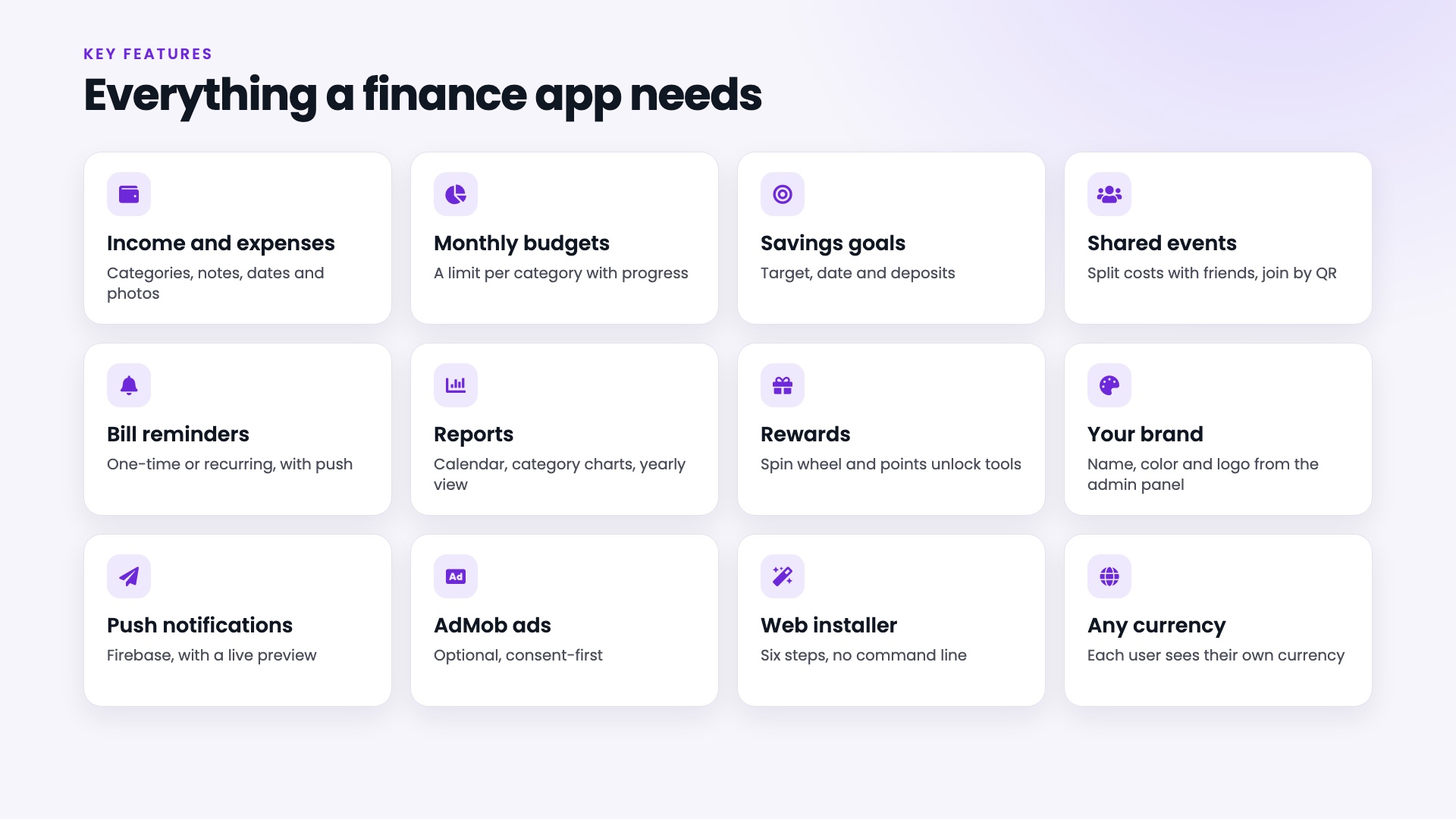
- A real finance app, not a template: income and expenses, monthly budgets, savings goals, bill reminders, shared events and reports, all connected to one backend.
- Web installer: six steps in the browser check your server, set up the database and create your own admin account. There is no default password and no purchase-code check.
- Firebase and AdMob without code: upload your Firebase service-account key and enter your AdMob app IDs in the admin panel. The app-ads.txt file is served for you.
- Consent first: an alerts sheet before the notification prompt, Google’s consent form and Apple’s tracking prompt before any ad, and account deletion inside the app, as the app stores ask.
- Read-only demo mode: one setting turns the admin panel into a safe public demo, with sample data that resets every hour.
- Quality you can check: backend and app tests are included, and the Flutter analyzer reports no issues.
- Clean code and clear documentation: small widgets, one place for colors and messages, and an HTML guide with screenshots.
Watch the 83-second video tour
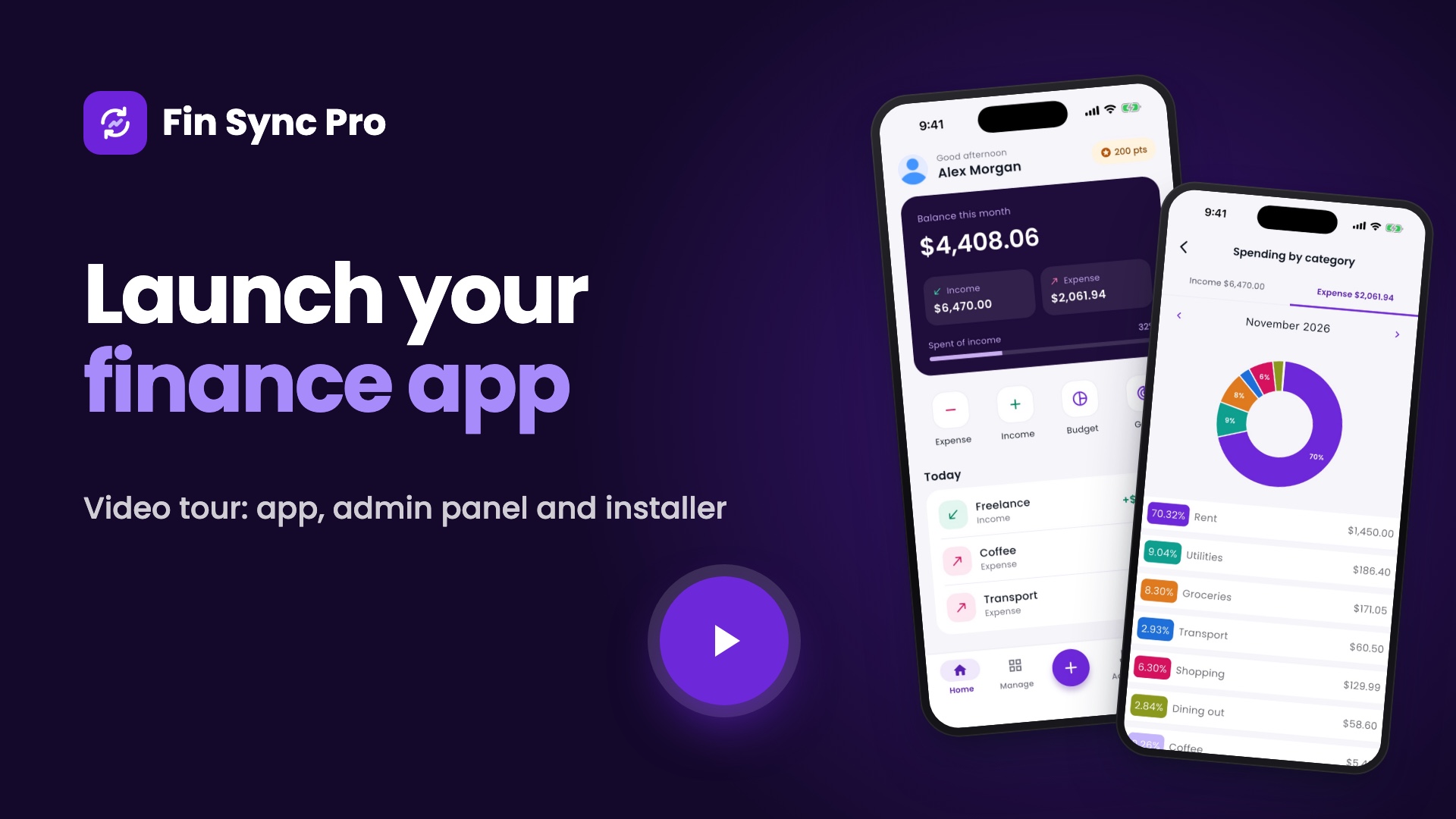
▶ Watch the Fin Sync Pro video tour on YouTube (1:23): see how the app, admin panel, branding and installer fit together.
Live demo
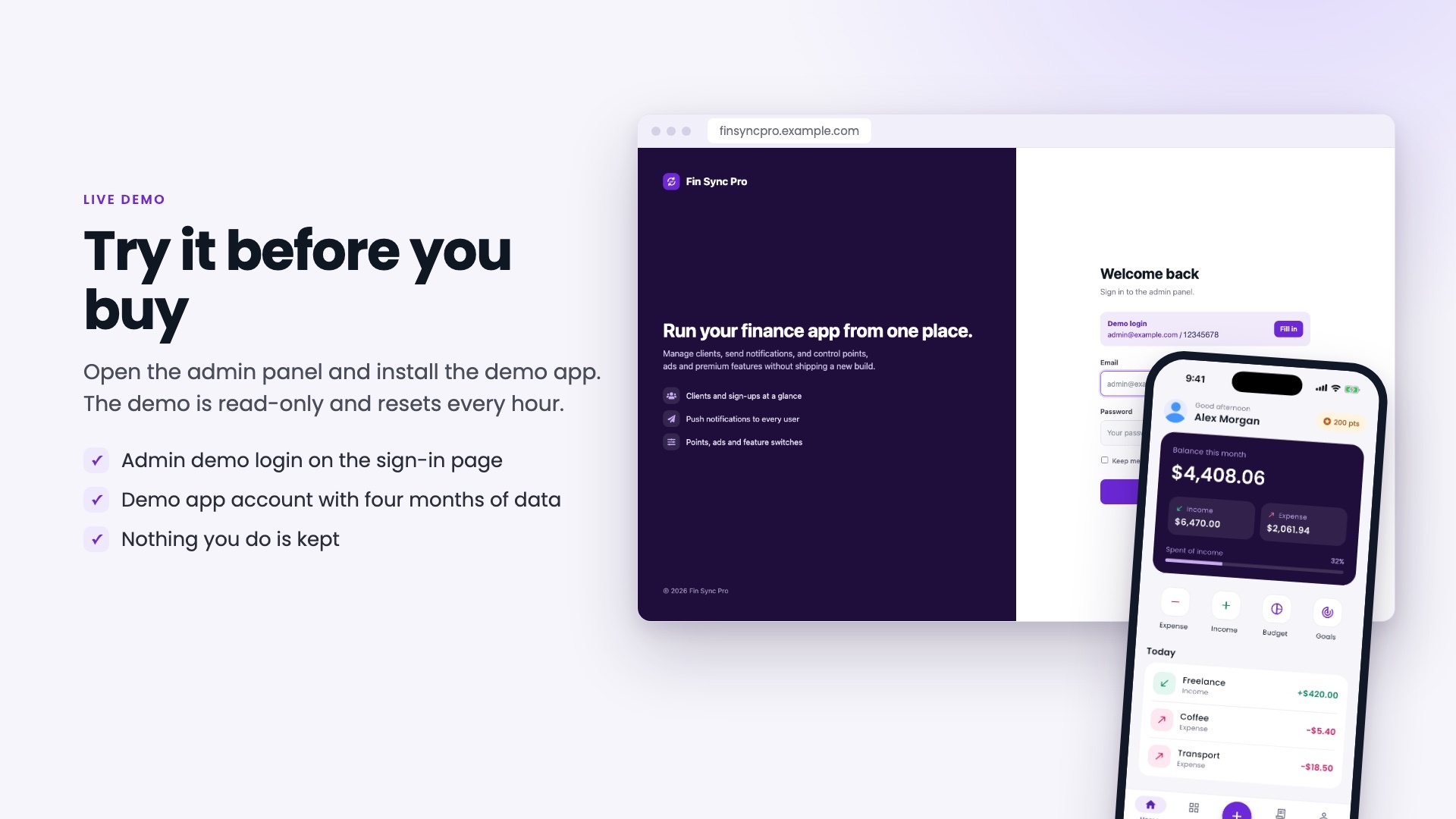
Sign in with the details below and look around. The admin panel demo is read-only: you can open every page, but nothing can be changed. In the demo app you can add and edit entries of your own, and the demo data is restored every hour.
Demo sign-in details
- Admin panel:
admin@example.com/12345678(the sign-in page has a Fill in button) - Demo app account:
demo@example.com/demo1234
Install the demo app on your phone
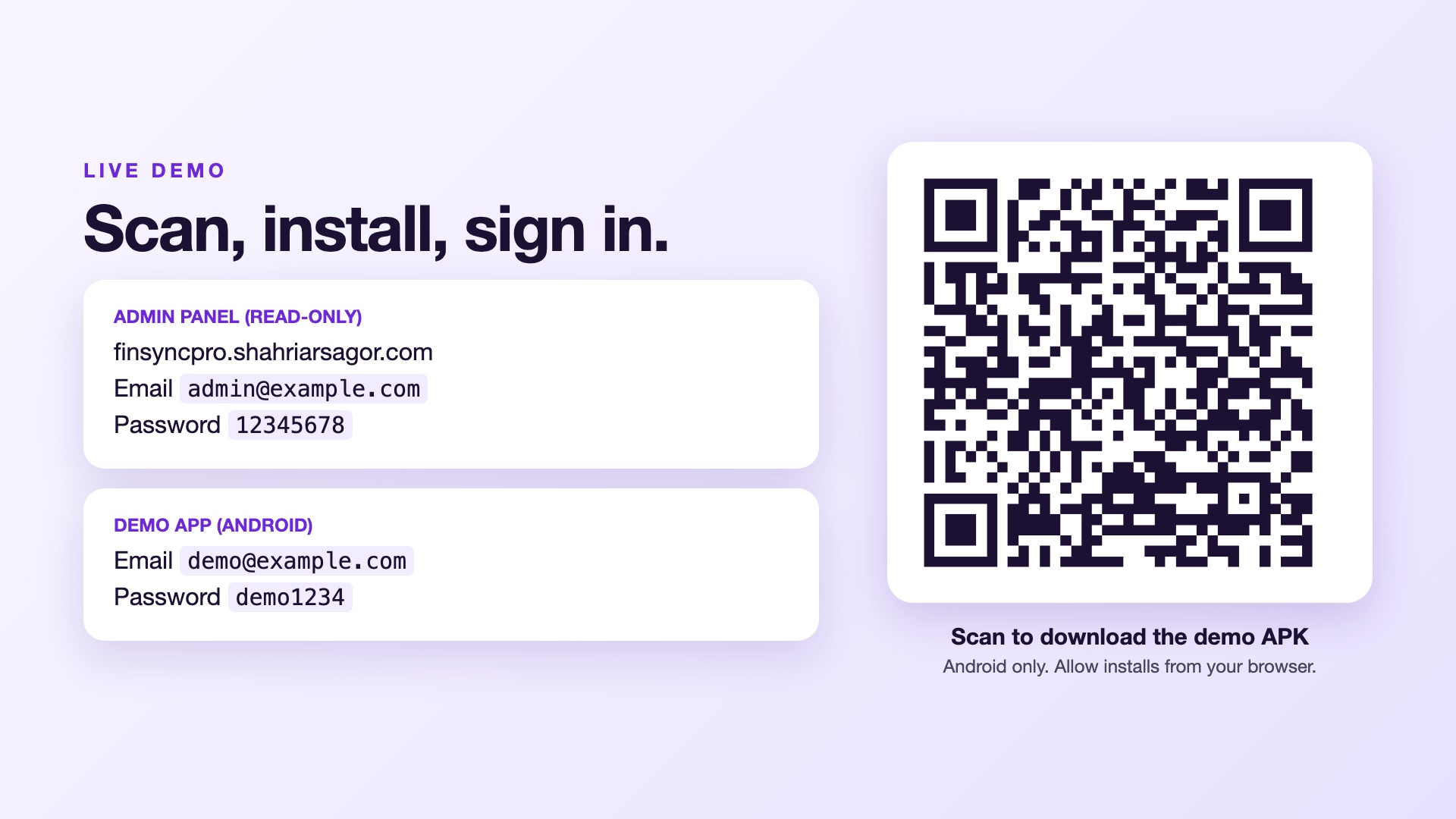
Download the APK on an Android phone, allow installs from your browser if Android asks, install it and sign in with the demo app account above. If you installed an older Fin Sync Pro demo, uninstall it first.
Demo links
- Admin panel: finsyncpro.shahriarsagor.com
- Mobile app (Android APK): Download
- Documentation: finsyncpro.shahriarsagor.com/docs/index.html
Mobile app (Flutter, Android and iOS)
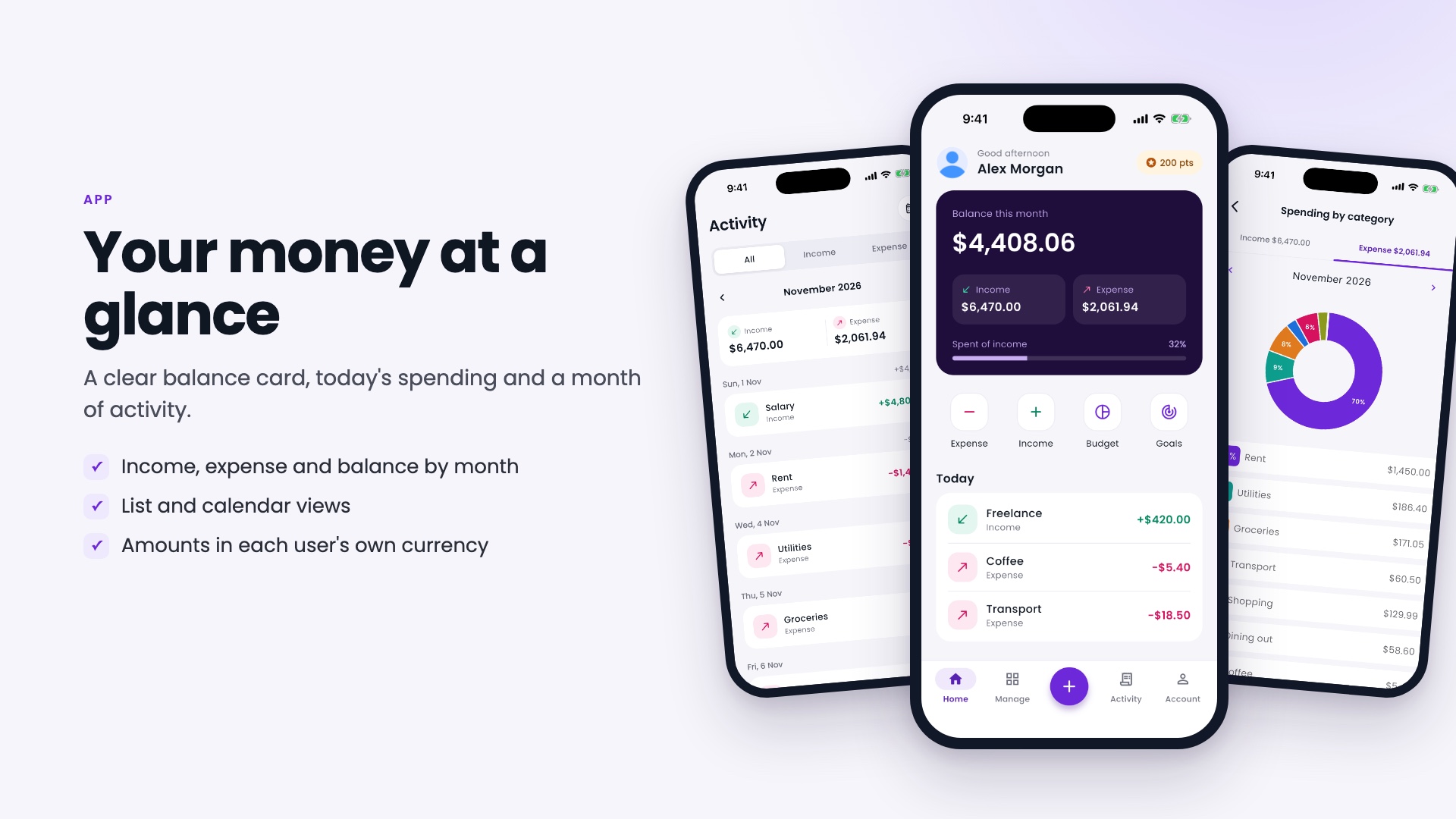
Home, activity and reports
- Home: this month’s balance, income and spending, how much of your income is spent, quick actions and today’s entries.
- Activity: every entry grouped by day, in a list or a month calendar that shows each day’s income and spending. Filter by income or expense.
- Reports: income and spending by category as a chart with percentages, and a year-by-month report.
- Your currency: amounts follow the user’s own currency and are formatted for it.
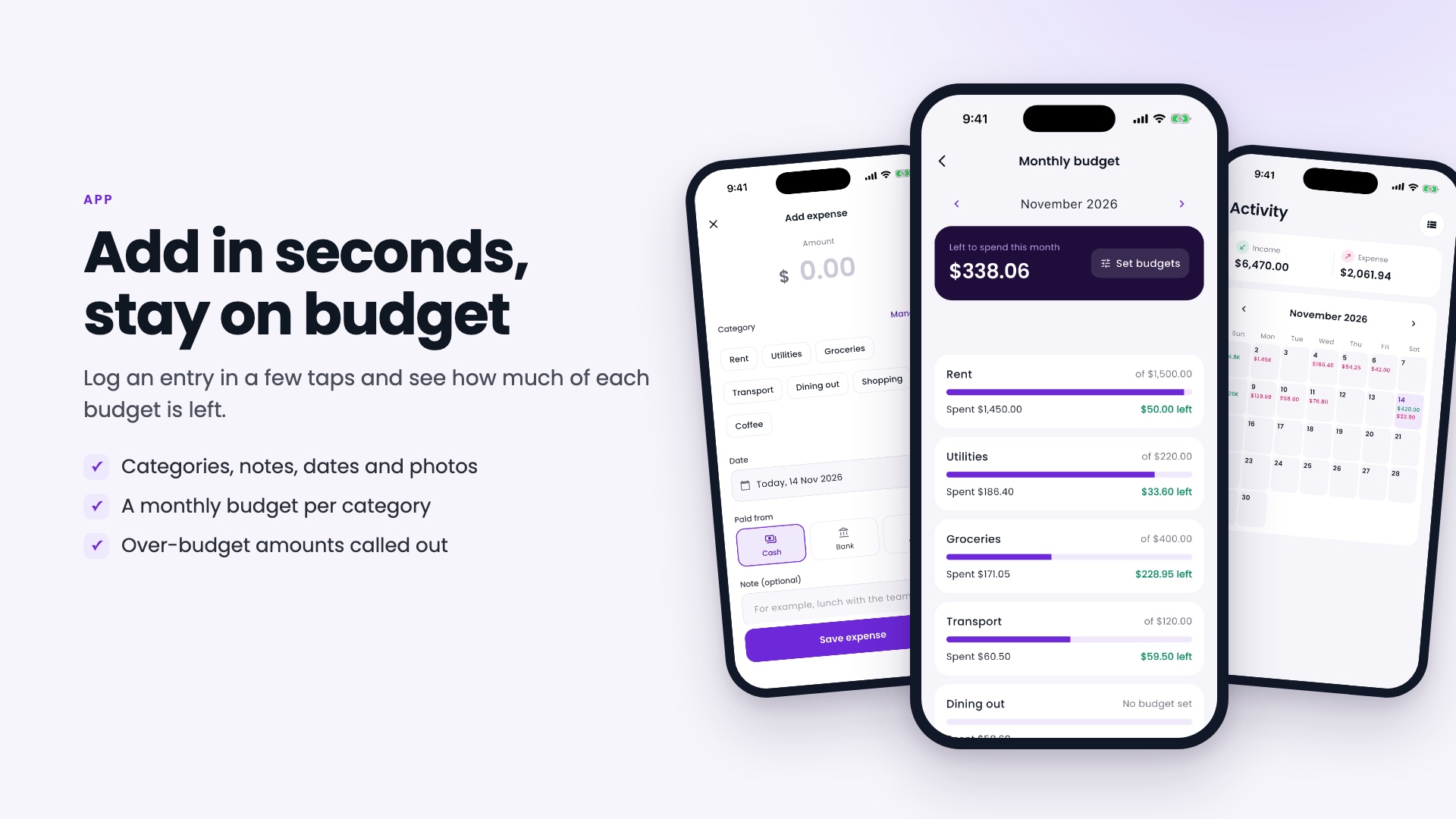
Add entries and stay on budget
- Income and expenses: amount, category, date, payment source (cash, card or bank), a note and an optional photo or receipt.
- Categories: create your own for income and for expenses and switch them on or off.
- Monthly budgets: a budget per category, with the amount left, the amount spent and a clear “over by” when you go past it. Budgets can carry over each month.
- Bill reminders: one-time or recurring, with a push notification when a bill is due.
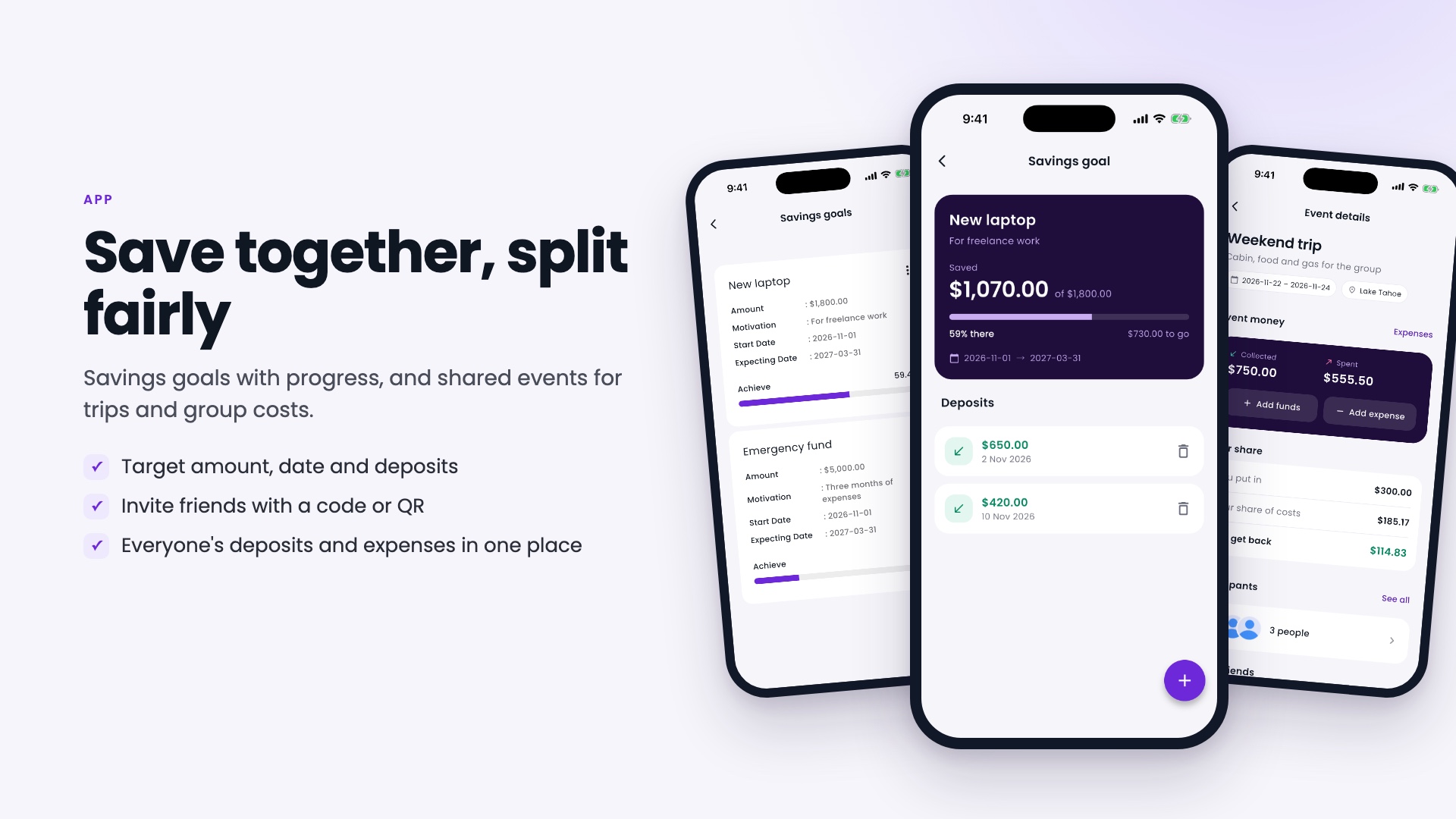
Savings goals and shared events
- Savings goals: a target amount and dates, deposits you add or remove, and a progress bar showing how much is saved and how much is left.
- Shared events: plan a trip or a group cost. Invite friends with a code or a QR code, record everyone’s deposits and the group’s expenses, and see who gets money back.
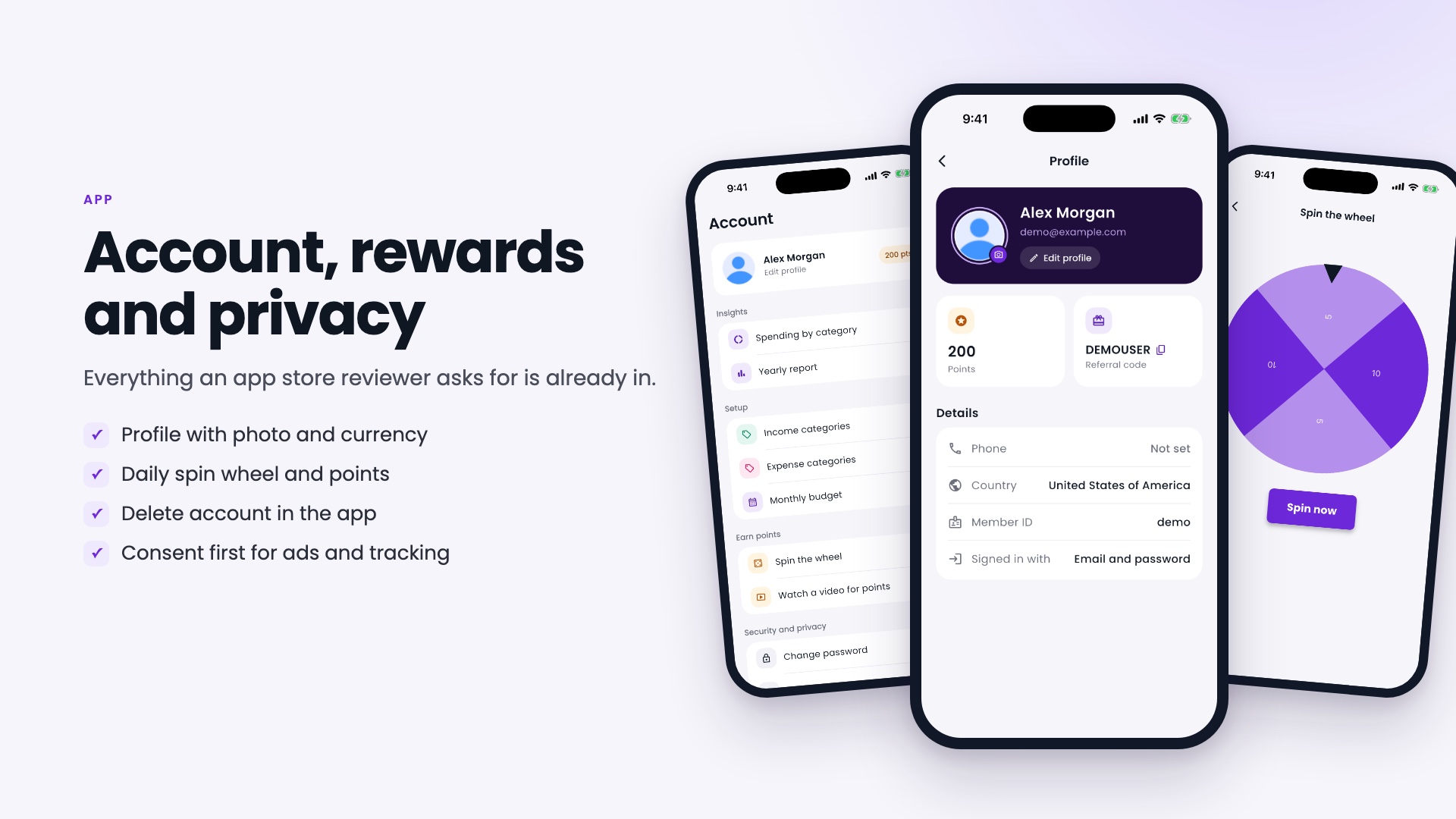
Account, rewards and privacy
- Sign-in: email and password with a one-time code for resets, or Google sign-in.
- Profile: name, photo, country and a referral code.
- Rewards: a daily spin wheel and optional rewarded ads earn points. Points can unlock reminders, savings goals and shared events, or you can switch the unlock off in the admin panel and make them free.
- Privacy: delete the account from inside the app, and consent is asked before notifications, ads and tracking.
Admin panel (Laravel)
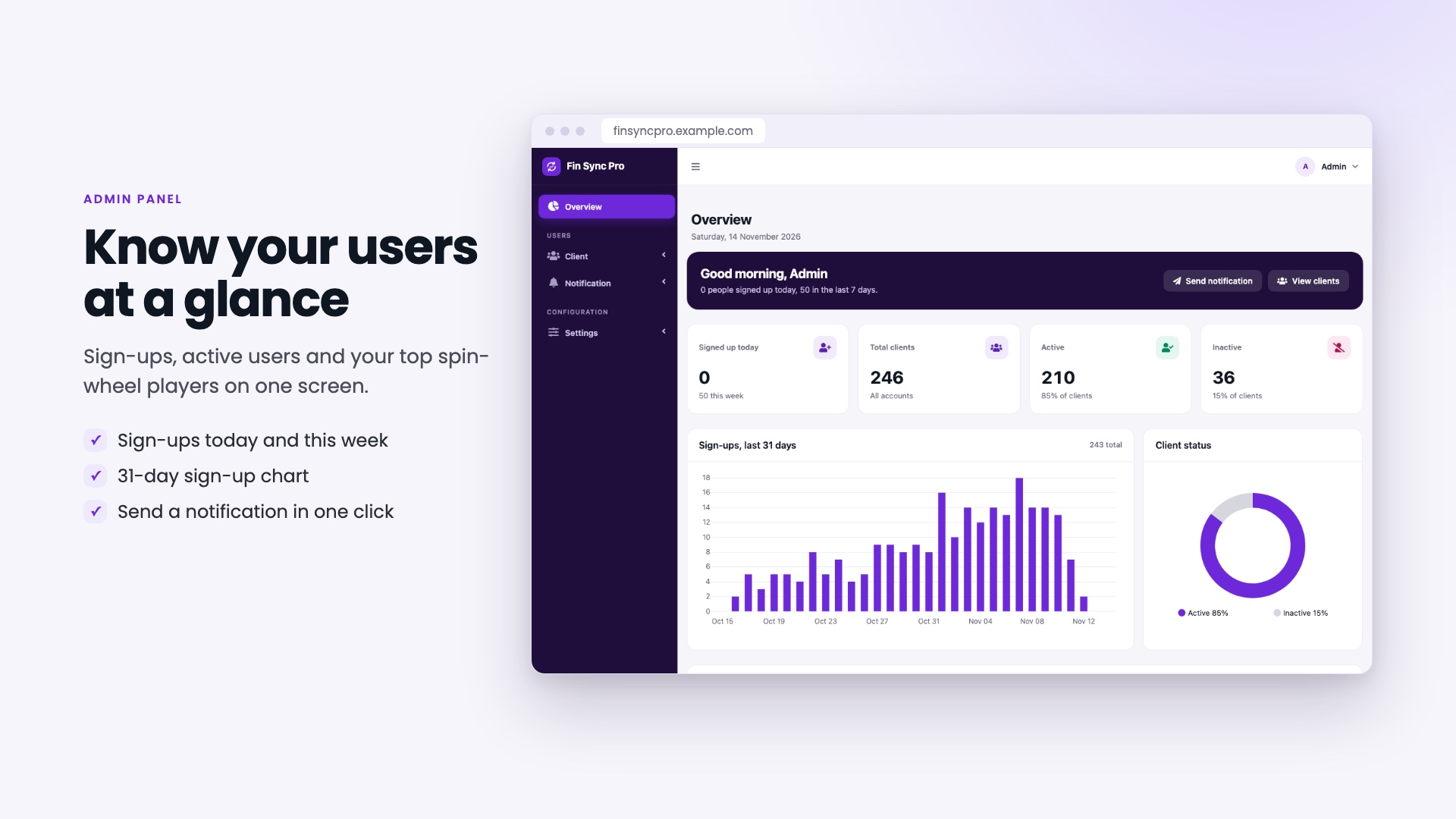
Overview and users
- Overview: sign-ups today and this week, total, active and inactive users, a 31-day sign-up chart, and your top spin-wheel player.
- Users: search the list and activate or deactivate an account.
Branding
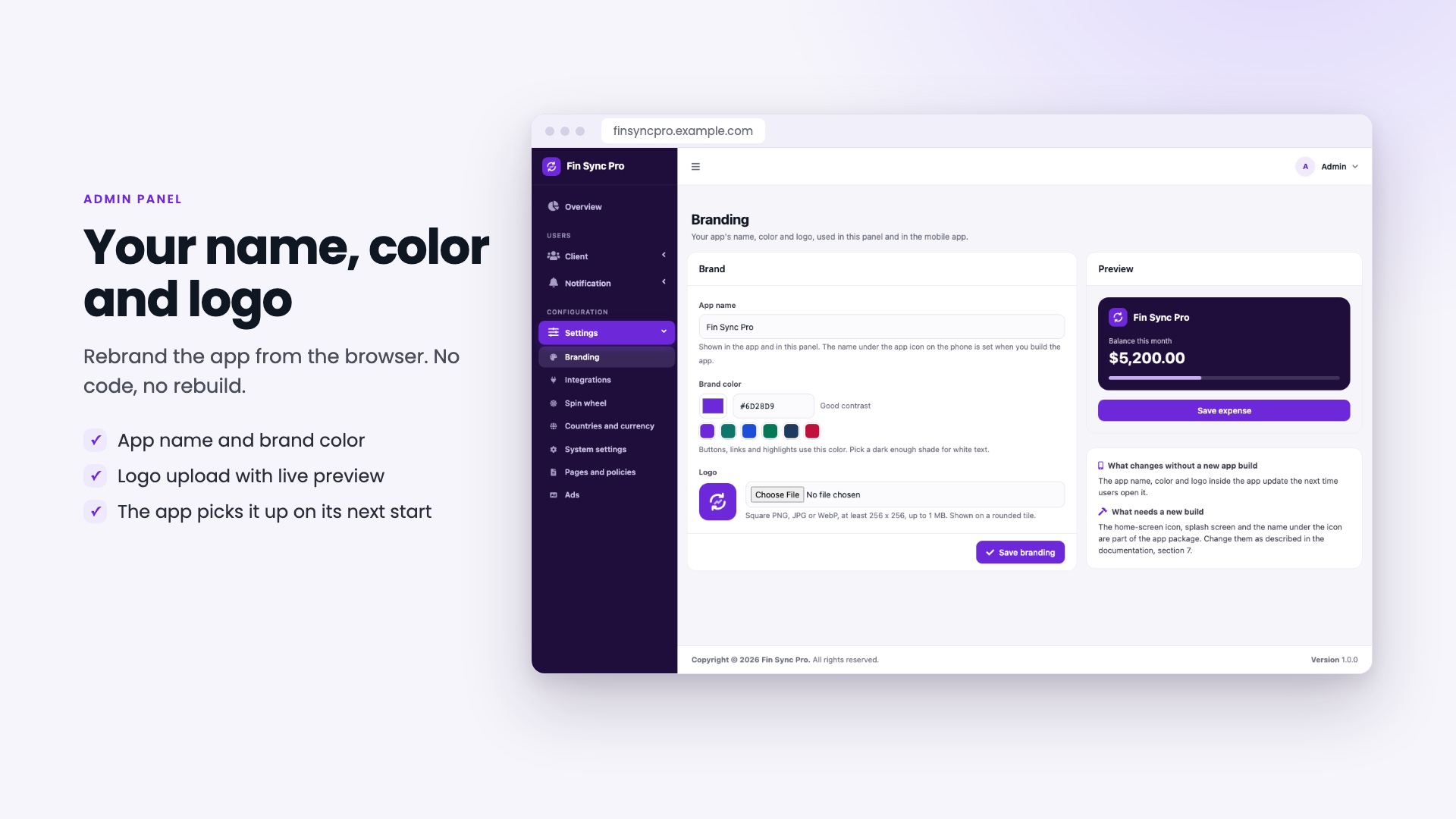
- Set the app name, a brand color (checked so white text stays readable) and a logo, with a live preview.
- The admin panel changes at once and the mobile app picks it up the next time it opens.
- The home-screen icon, splash screen and the name under the icon are part of the app package, and the documentation shows how to change them.
Integrations
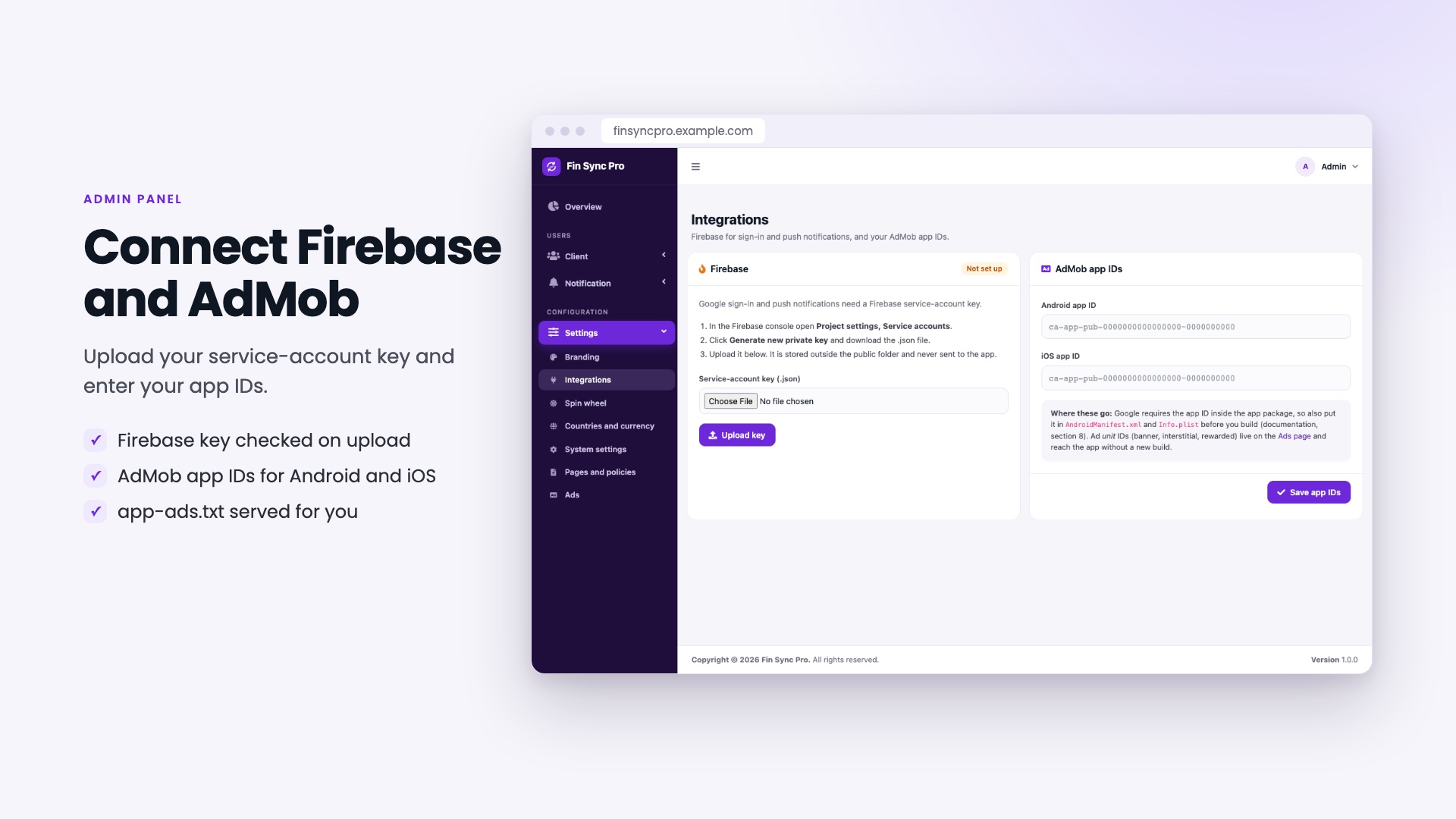
- Firebase: upload your service-account key. It is checked on upload and used for push notifications and Google sign-in.
- AdMob: enter your app IDs for Android and iOS and your ad unit IDs, and switch ads on or off. The app-ads.txt file is built from your publisher ID.
Notifications and settings
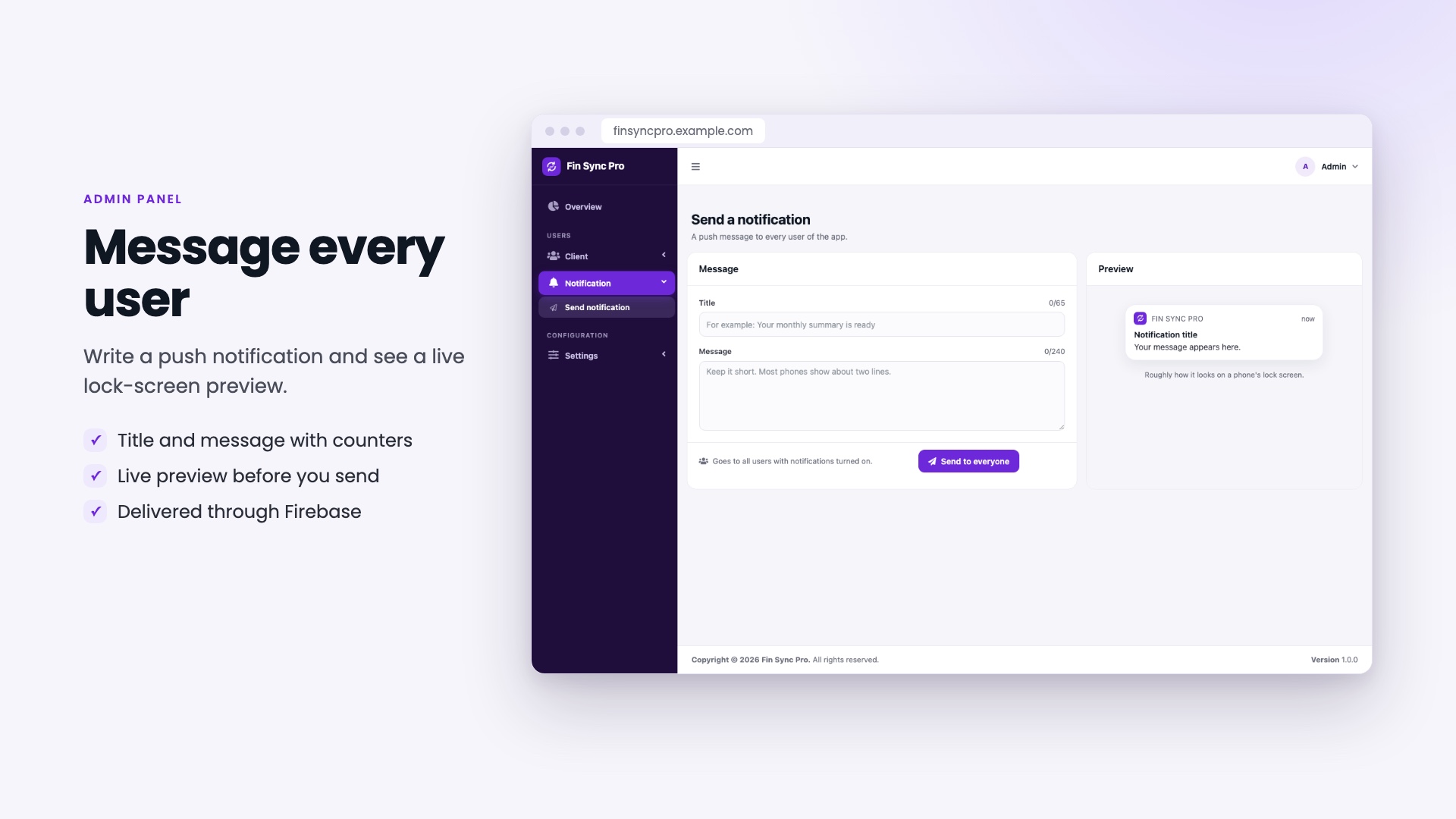
- Send notification: a title and a message to every user with notifications on, with counters and a live preview.
- Scheduled reminders: daily and event reminders, budget alerts and goal reminders go out on their own once the cron job is set.
- Settings: spin-wheel points and limits, points per ad and per referral, premium switches, countries and currencies, the privacy policy and the account-deletion page.
Earn from your app
Fin Sync Pro is ready for the ways a free finance app usually earns, using your own accounts:
- AdMob ads: banner, interstitial and rewarded ad units for Android and iOS, entered in the admin panel under Settings, Ads. Switch ads on or off at any time; the app asks for consent before showing them.
- Rewarded videos: users watch a short video to earn points. You set the points per video and the wait between videos, and points unlock reminders, savings goals and shared events.
- Referral rewards: users earn points when a friend joins with their referral code, which helps the app grow.
- Your own brand: publish the app under your name, color and logo in the app stores.
Ad revenue depends on your users and your own AdMob account. Neither the author nor this item promises any earnings.
Installation and support
Installation
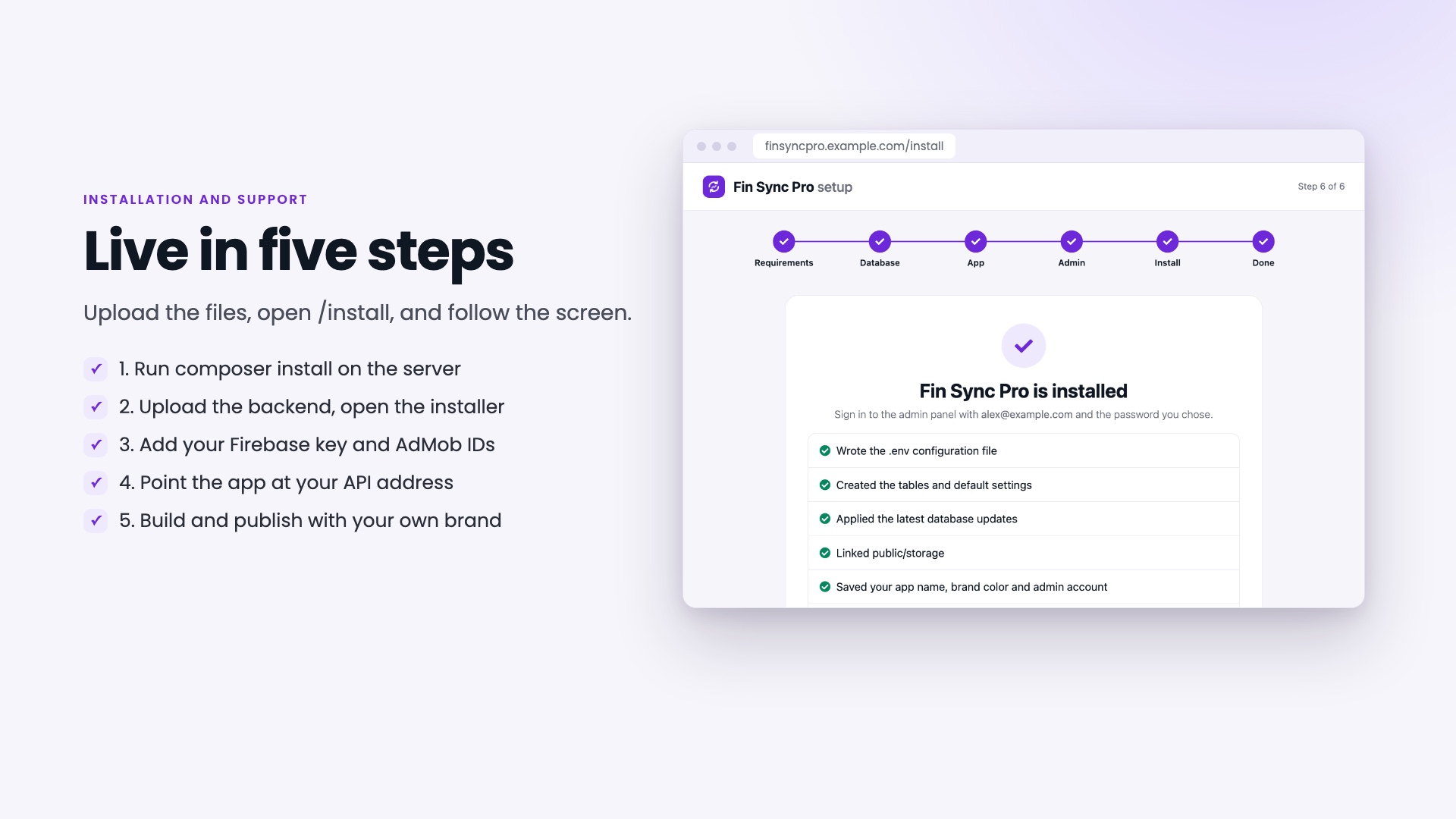
- In the backend folder run
composer install --no-dev --optimize-autoloader(on the server, or on your own computer before uploading). - Upload the backend to your PHP 8.3 server with an empty MySQL database and point your domain at its
publicfolder. - Open
/installin your browser. It checks your server, tests the database, creates the tables and creates your admin account. - Upload your Firebase key and enter your AdMob IDs in the admin panel, and add the cron job for reminders.
- Point the app at your API address, add your own Firebase files, then build and publish with your own brand.
The included HTML documentation walks through every step with screenshots, including release signing for Android and iOS.
Server requirements
- PHP 8.3 or newer with the usual Laravel extensions (pdo_mysql, mbstring, openssl, tokenizer, xml, ctype, fileinfo, json, curl and bcmath)
- MySQL 8.0 or newer (tested on 9.6) or a compatible MariaDB
- Apache or Nginx, with HTTPS for production
- Cron, for the scheduled reminders
- Composer 2, to install the backend packages once
- Flutter 3.47 or newer (Dart 3.13), Android Studio, and a Mac with Xcode for iOS builds
- The app runs on Android 7.0 (API 24) or newer and iOS 15 or newer
Third-party accounts you need
Fin Sync Pro uses a few services run by other companies. You create and pay for your own accounts, and most have a free tier:
- Firebase (Google): push notifications and Google sign-in. The backend uses the
kreait/firebase-phppackage with your project’s service-account key. Cloud Messaging is free; Google sets the quotas. - Google AdMob: optional ads. Free to join; it pays you for ads shown.
- An email (SMTP) service: to send the sign-up and password-reset codes. Any provider works.
- Apple Developer and Google Play: only to publish the app.
No license checks: Fin Sync Pro has no purchase-code verification and sends nothing to the author. It only connects to the services above, which you set up yourself. The admin panel and installer carry their own scripts, icons and fonts, and nothing loads from a CDN. The documentation lists every outbound connection.
The download does not include the backend’s vendor/ folder (marketplace rules). It is created by the Composer command above; composer.json and composer.lock are included for that.
Support
- Item support is provided through Envato, as described in Envato’s item support policy.
- We help with installation questions, setup issues and bugs in the included features.
- Free updates with improvements and fixes.
- Please use the item’s support tab or comments so every buyer benefits from the answers.
Technology
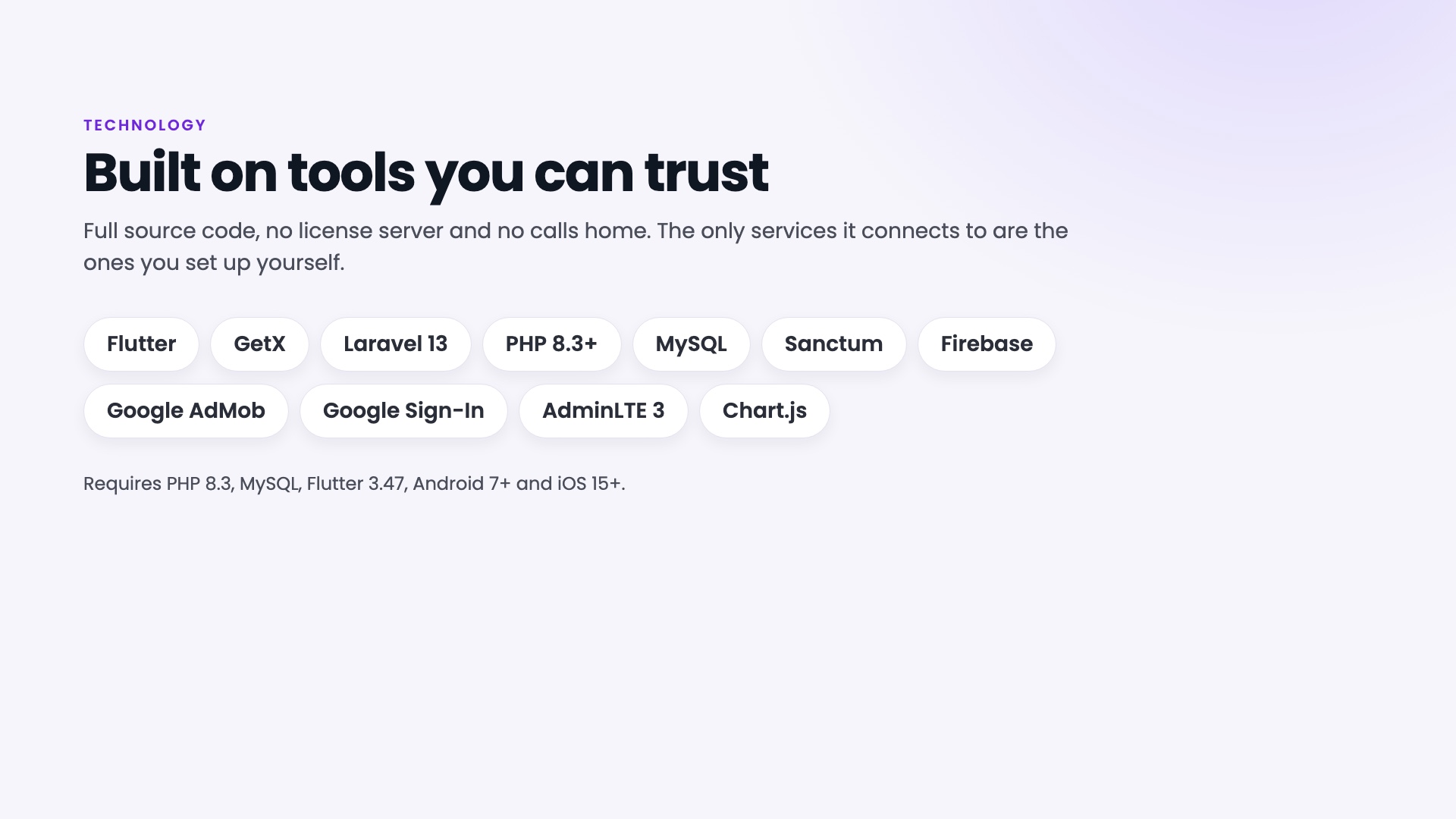
- Mobile app: Flutter with GetX for state and routing, a single color file for the whole look, and the Poppins font bundled in the app.
- Backend: Laravel 13 with Sanctum tokens, a REST API, and scheduled jobs for reminders.
- Admin panel: AdminLTE 3 and Bootstrap 4 with Chart.js, bundled in the package.
- Security: each user can only see and change their own data, passwords are hashed, API tokens expire, sign-in and reset requests are rate limited, and uploads are checked.
What’s in the download
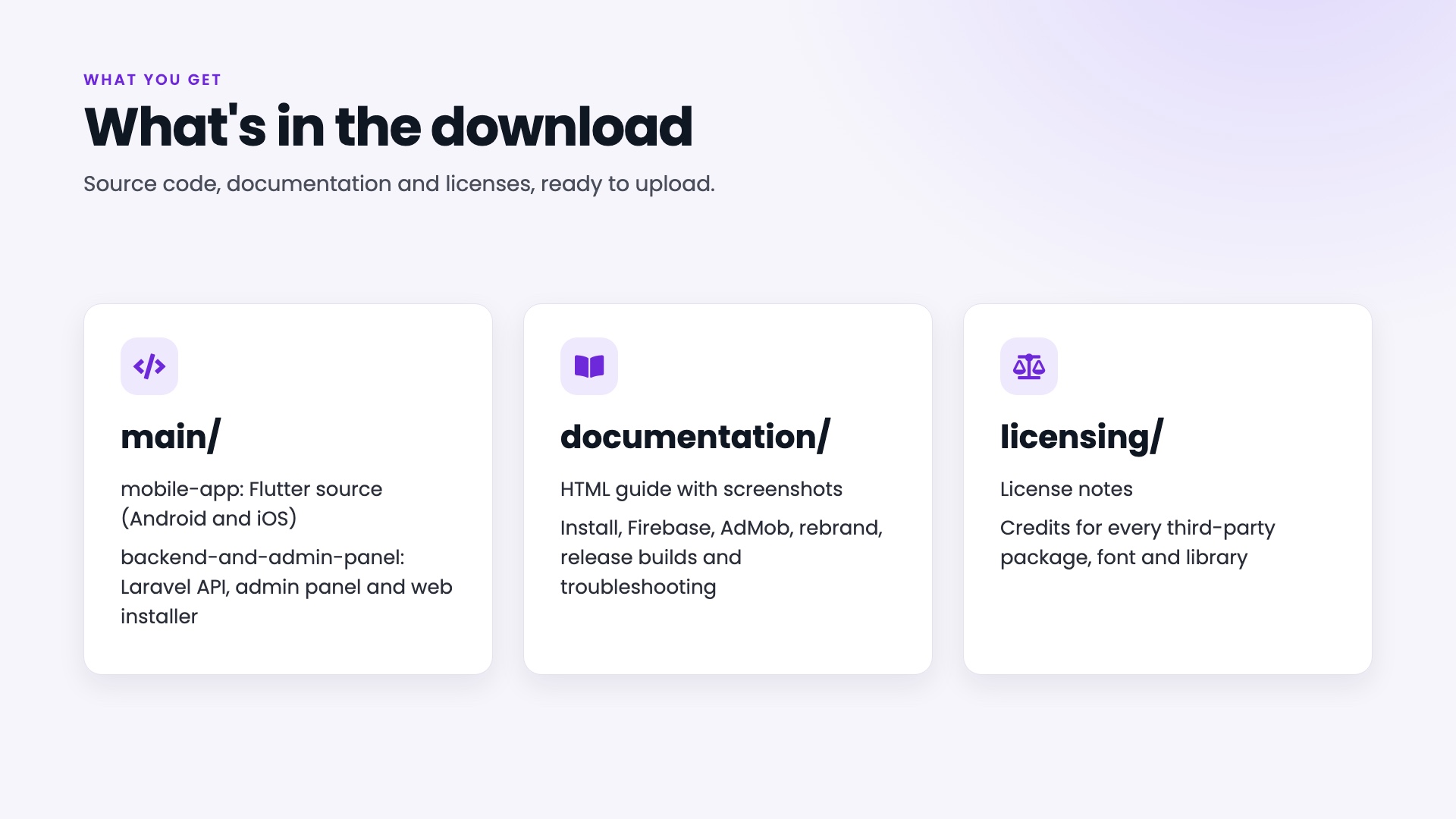
- main/: the source code of both parts (backend and admin panel with the web installer, and the Flutter mobile app)
- documentation/: the HTML documentation with screenshots
- licensing/: license notes and credits for third-party packages and assets
Good to know
Important: extra costs that are not included in the purchase price. Firebase, Google AdMob, your email (SMTP) service, your web hosting and domain, and the Apple and Google store accounts can have fees. These are set by the providers and paid by you directly to them; none of them is covered by the price of this item.
- The app, admin panel and installer are in English. There is no built-in translation system in this version.
- The app records what users enter by hand. It does not connect to banks or payment gateways, and it does not move money.
- Notifications are sent by push and email. There is no SMS feature.
- The admin panel manages users, notifications and settings. It does not edit users’ entries.
- The demo APK uses a sample package ID and the sample Firebase project. Use your own package ID and Firebase files for your published app, as the documentation explains.
AI disclosure
AI tools were used to create this item. This is also stated in the documentation (section 14).
- Code: yes. The app and the backend were written with the help of Claude (Anthropic) as a coding assistant, then reviewed, tested and run by the author.
- Documentation: yes. It was drafted with the help of Claude (Anthropic) and checked against the shipped code.
- Graphics: yes. The layouts of the listing images were written with the help of Claude (Anthropic). The app and admin screens in them are real screenshots with fictional sample data.
- Explainer video: yes. It is built from code, the narration comes from the open-source Kokoro text-to-speech model, and the music is generated by a script.
No AI service runs inside the product, and it sends nothing to an AI provider.
Changelog
Version 1.0.0 (initial release)
- Initial release
Credits
Third-party packages, fonts, icons and libraries are listed with their licenses in the licensing/ folder. Firebase, Google, AdMob, Apple and Android names and logos belong to their owners and are used only to identify the service.
| Author | Appifly |
|---|---|
| Price | $29 |
| Sales | 0 |
| Rating | 0 (0) |
| Published | Nov 17, 2026 |
| Last Update | Nov 17, 2026 |
| Compatible Software | Flutter 3.x |
| Demo Url | https://finsyncpro.shahriarsagor.com |
| Mobile Files Included | Dart, YAML, .kotlin, .swift, JavaScript JS, CSS, PHP, HTML |
Categories
Tags
External listing. code.market does not sell this product and does not process payment for it. Pricing, payment, delivery, licensing, refunds, and support are handled by the third-party merchant on its own website. We may earn an affiliate commission from a referral. Details.
Products of the Week.
Submit🥇

Perceptle
Perceptle is a daily browser-based game that challenges you to test your sensory intuition through five quick estimation and rhythm-based rounds.
Other · 1,800 views · 11 clicksOther · Week 47 · 1,800 views · 11 clicks
🥈

Free LinkedIn Likes From Real
Get free LinkedIn likes on your posts from real members who react by hand. No
SaaS · 1,935 views · 11 clicksSaaS · Week 47 · 1,935 views · 11 clicks
🥉

STOP GUESSING WHAT TO POST
AI that learns your brand voice and builds a month of consistent, on-brand social content: carousels, posts and hooks that sound like you, not like everyone else's AI.
SaaS · 9,478 views · 76 clicksSaaS · Week 47 · 9,478 views · 76 clicks
#4

aaas.market
407 reliable micro tools for solo founders, marketers and creators. They work in your browser
SaaS · 1,899 views · 5 clicksSaaS · Week 47 · 1,899 views · 5 clicks