
FAT Event - WordPress Event and Calendar Booking
Description


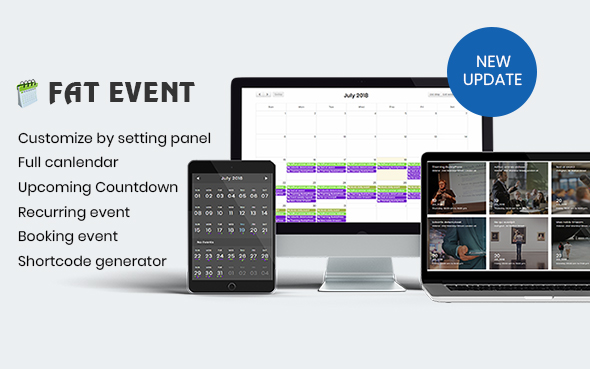
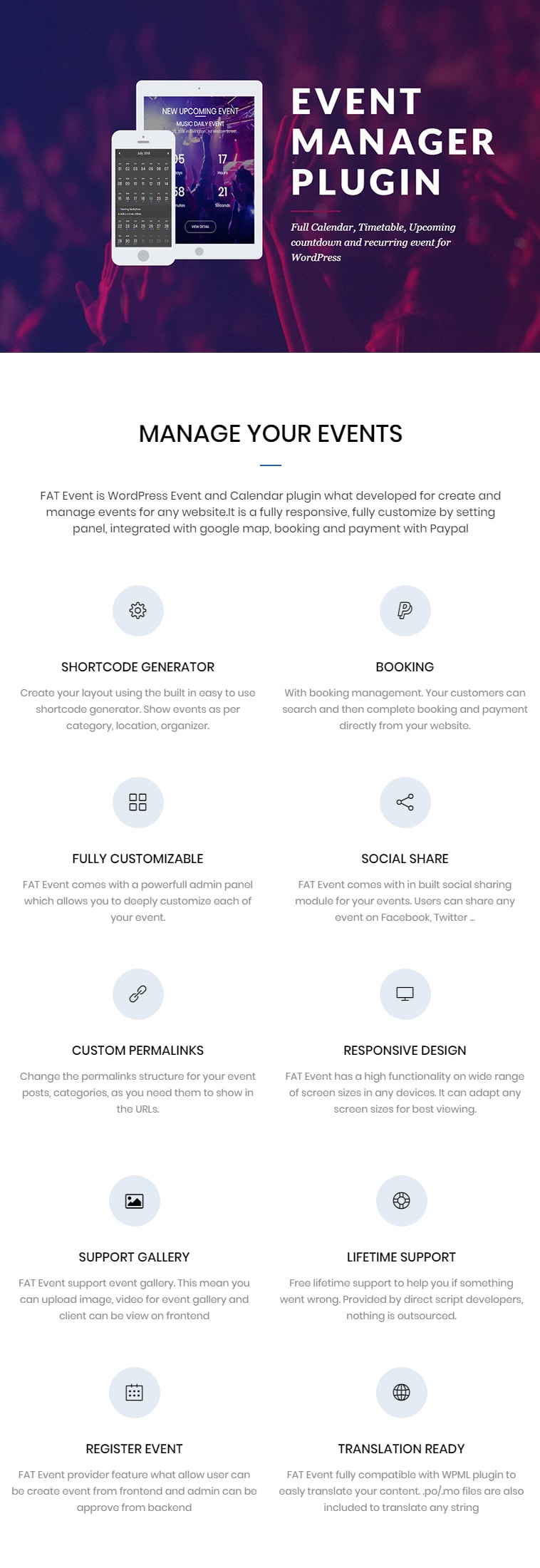
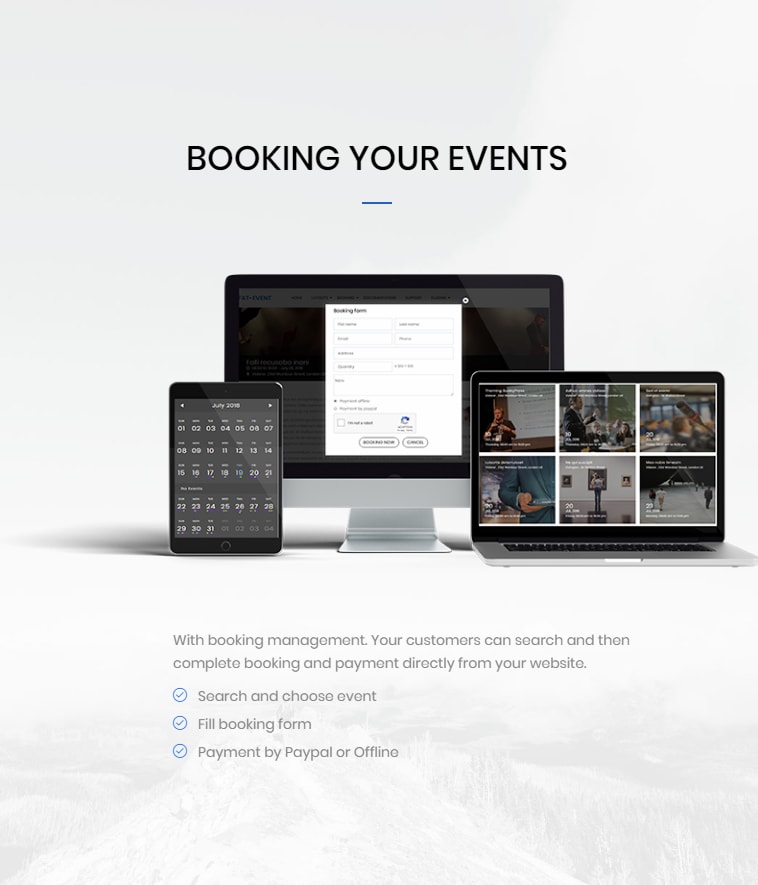
FAT Event is WordPress Event and Calendar plugin what developed for create and manage events for any website. It is a fully responsive, fully customize by setting panel, integrated with google map, booking and payment with Paypal
Frontend demo / Backend demo . (user : demo/demo)
BIG UPDATE
- Email reminder: set up sending reminders when the event is about to take place
- Email notification for admin and main organizer: send email notification to admin or main organizer when have new booking
- QRCode: attach QRCode in email notification. The QRCode will be include booking information (example: Full name, phone, email, event name, start date, end date, ...)
- WooCommerce Integrated: FAT Event provider WooCommerce ingtegarted what allow admin can config booking via WooCommerce’s cart and checkout page. View demo here or view video here
- Booking Event Variations (Ticket Classification, Fees Package) via WooCommerce
- Coupon code: A coupon code consists of letters or numbers that consumers enter into a promotional box on a checkout page to obtain a discount on the purchase. View video here
- Ticket classification: In some case or some event, the fixed fees isn’t enough, because admin need classification for ticket (ex: Economy, Premium or VIP ticket) or set fees base on quantity (ex: with 1 ticket then fees is 10$, with 2 ticket then fees is 18$, with 3 ticket then fees is 25$,...) . View video here
Key Features
- Fully responsive clean design
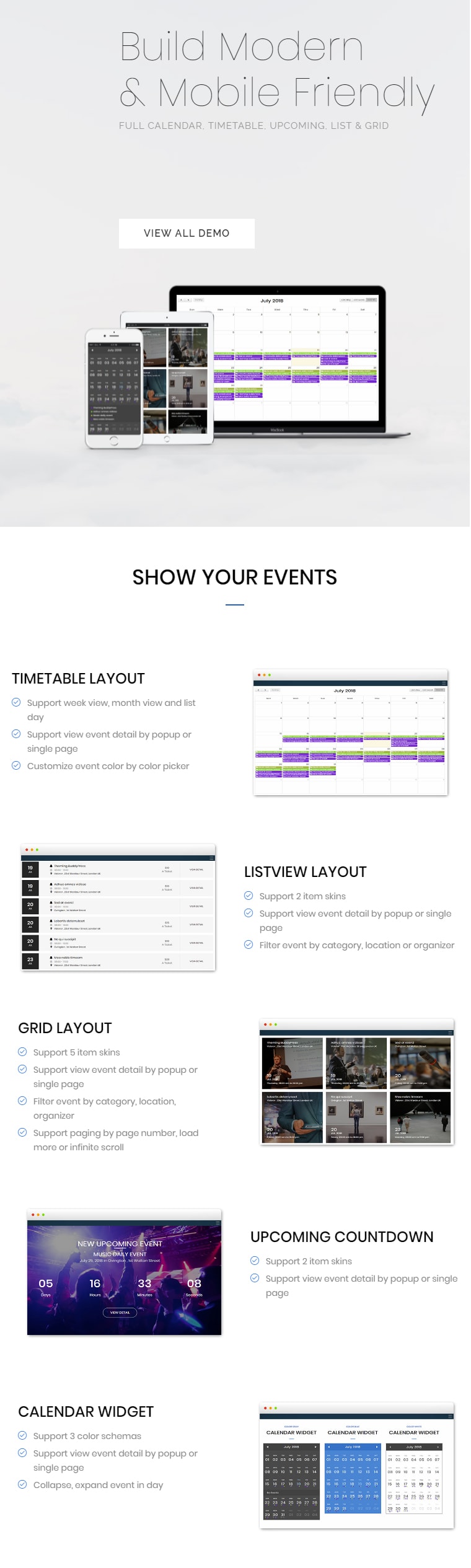
- Fully Calendar
- Upcoming event countdown
- Timetable event view
- Conference event view
- Image size, colors,font sizes, spacings, are changable via settings panel.
- 07 shortcode event view:
- 05 item skins
- Support gallery (image and video) for event
- Appear animation effect
- Compatible with WPBakery Page Builder
- Integrated Paypal and Stripe gateway
- Shortcode builder
- QRCode attach in email notification
- Email reminder
- Create event at frontend. View demo here: https://plugins.roninwp.com/demo-events/register-event/. Please login with account: demo/demo before test register event page
- Ready for translation (.mo file is included)
- Well Documented
- Cross Browser Support
Change Log
v.5.22(04-March-2026)- Add option to change first day of week for Timetable layout
- Allow override event popup detail template via child theme
- Fix recurring for custom day
v.5.19(26-Jan-2026)
- Fix ‘Repeat number display’ for Custom day repeat
v.5.18(20-Jan-2026)
- Fix seat available for single event page
- Fix recurring event for custom day
- Update option ‘Repeat event display’ in shortcode
v.5.16(19-Dec-2024)
- Fix seat available for Skin 05
v.5.15(17-Dec-2024)
- Fix Cross Site Scripting (XSS)
v.5.14(13-June-2024)
- Fix WooCommerce Integrated with WooCommerce 8.9.3
v.5.13(19-March-2024)
- Fix filter by date in shortcode generator
v.5.12(28-April-2023)
- Fix filter by location and organizer in shortcode generator
v.5.11(28-Feb-2023)
- Added the option to allow reservations when the event has already started
| Type | WordPress Plugin |
|---|---|
| Author | roninwp |
| Category | Wordpress / Calendars |
| Price | $39 |
| Sales | 771 |
| Rating | 4.60 from 50 ratings |
| Published | Jul 25, 2018 |
| Last Update | Mar 4, 2026 |
| Compatible Browsers | IE11, Firefox, Safari, Opera, Chrome, Edge |
| Compatible Software | WordPress 6.7.x, WordPress 6.6.x, WordPress 6.5.x, WordPress 6.4.x, WordPress 6.3.x, WordPress 6.2.x, WordPress 6.1.x, WordPress 6.0.x, WordPress 5.9.x, WordPress 5.8.x, WordPress 5.7.x, WordPress 5.6.x, WordPress 5.5.x, WordPress 5.4.x |
| Compatible With | WPML, Bootstrap 4.x |
| Gutenberg Optimized | Yes |
| Source Files Included | JavaScript JS, CSS, PHP |
Categories
Tags
External listing. code.market does not sell this product and does not process payment for it. Pricing, payment, delivery, licensing, refunds, and support are handled by the third-party merchant on its own website. We may earn an affiliate commission from a referral. Details.
Products of the Week.
Submit🥇

STOP GUESSING WHAT TO POST
AI that learns your brand voice and builds a month of consistent, on-brand social content: carousels, posts and hooks that sound like you, not like everyone else's AI.
SaaS · 4,712 views · 45 clicksSaaS · Week 45 · 4,712 views · 45 clicks
🥈

Conversational Backlinks for Busy Founders
Place Backlink Relevant Conversation for your domain across Forums and Conversations
Website · 42,612 views · 225 clicksWebsite · Week 45 · 42,612 views · 225 clicks
🥉

upvote.club
Free Social Media Engagement that Helps Boost Your Content. Upvote Club supports 19 social networks with 100+ engagement actions in one dashboard. Add links to your posts and get free engagement from real users.
SaaS · 40,657 views · 120 clicksSaaS · Week 45 · 40,657 views · 120 clicks
#4

Substack Posting API
Onboard your Agent to Substack. Write Publish on Substack via API
SaaS · 59,614 views · 200 clicksSaaS · Week 45 · 59,614 views · 200 clicks
#5

Seenshot App
Free, Fast, MacOS Screenshot app. Make Screenshot cmd+shift+2 and send it via link
Desktop App · 28,991 views · 124 clicksDesktop App · Week 45 · 28,991 views · 124 clicks
#6

Hand-Placed Backlinks $9.99 per link. Flat rate.
Buy hand-placed forum, Q-A and directory backlinks. Flat $9.99 per link, no subscriptions — you only pay for approved listings.
Website · 4,783 views · 19 clicksWebsite · Week 45 · 4,783 views · 19 clicks
#7

Free Invoice Generator - PDF Invoices in Your Browser, No Sign-Up
A free invoice maker for freelancers and small businesses: fill in the invoice, check the live preview, and download a PDF that looks exactly like it. Any currency, tax per item, three templates, no sign-up, and nothing leaves your device.
3,441 views · 17 clicksWeek 45 · 3,441 views · 17 clicks
#8

Merge PDF Files Free - Combine PDFs in Your Browser, No Upload
A free PDF merger for office workers, students, and freelancers: combine PDFs and images into one file in the browser, reorder files and pages, pick page ranges, keep bookmarks, and open password-protected PDFs. Nothing is uploaded, no sign-up, no watermark.
3,178 views · 14 clicksWeek 45 · 3,178 views · 14 clicks