
Falys | File Integrity Monitoring and Threat Detection Platform
Description
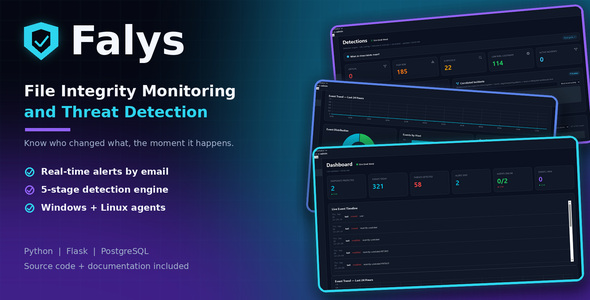
FALYS
Know When Critical Files Change.
File Integrity Monitoring (FIM) and Security Dashboard for Windows and Linux
Monitor file activity, investigate suspicious changes, and receive security alerts from one self-hosted dashboard.
WINDOWS + LINUX | REAL-TIME MONITORING | SEARCHABLE AUDIT TRAIL
TRY LIVE DEMO | READ DOCUMENTATION
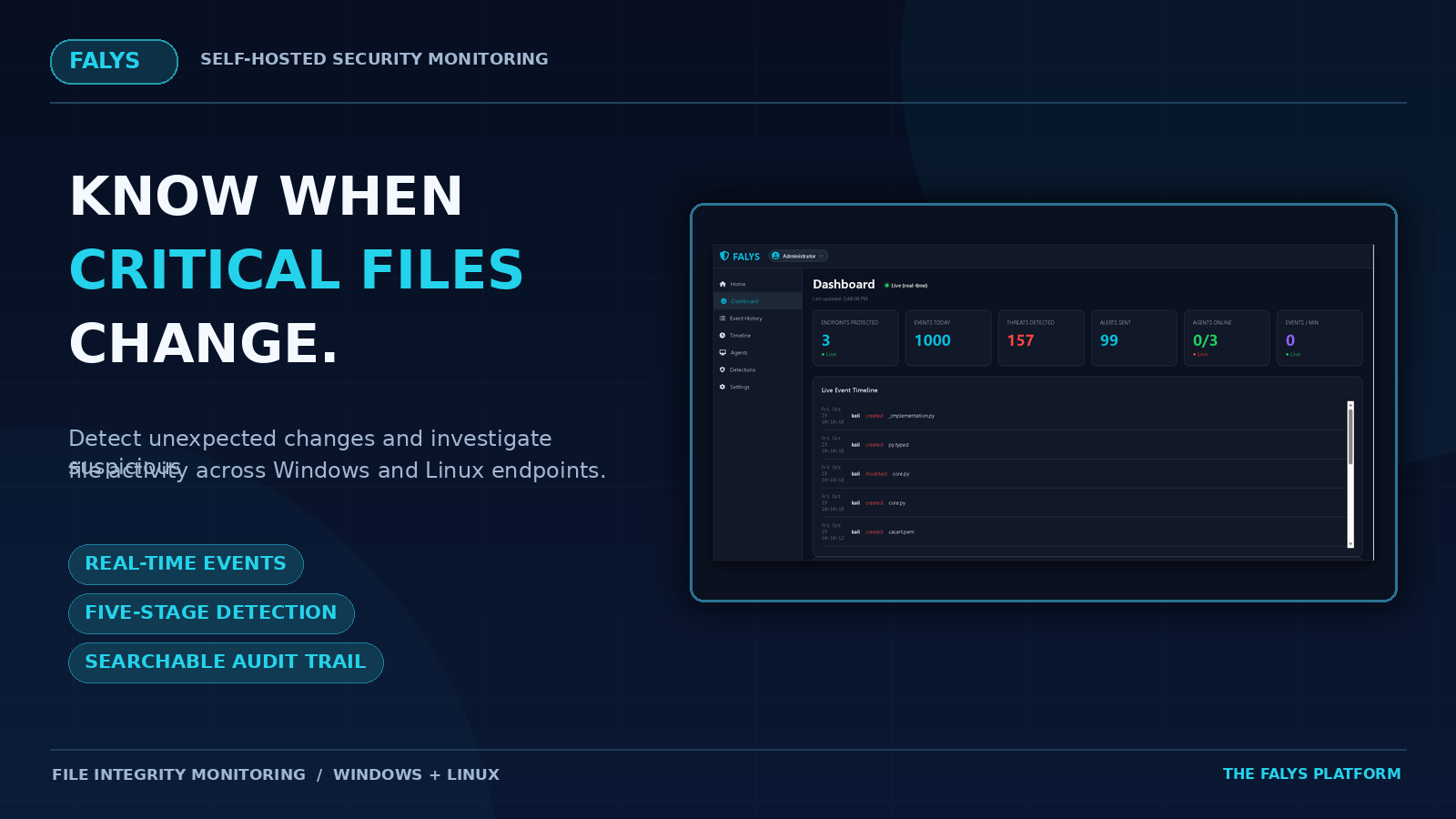
SEE FALYS IN ACTION
Experience the Falys security dashboard, including live monitoring, file event history, threat detections, timeline analysis, agent management and system settings.
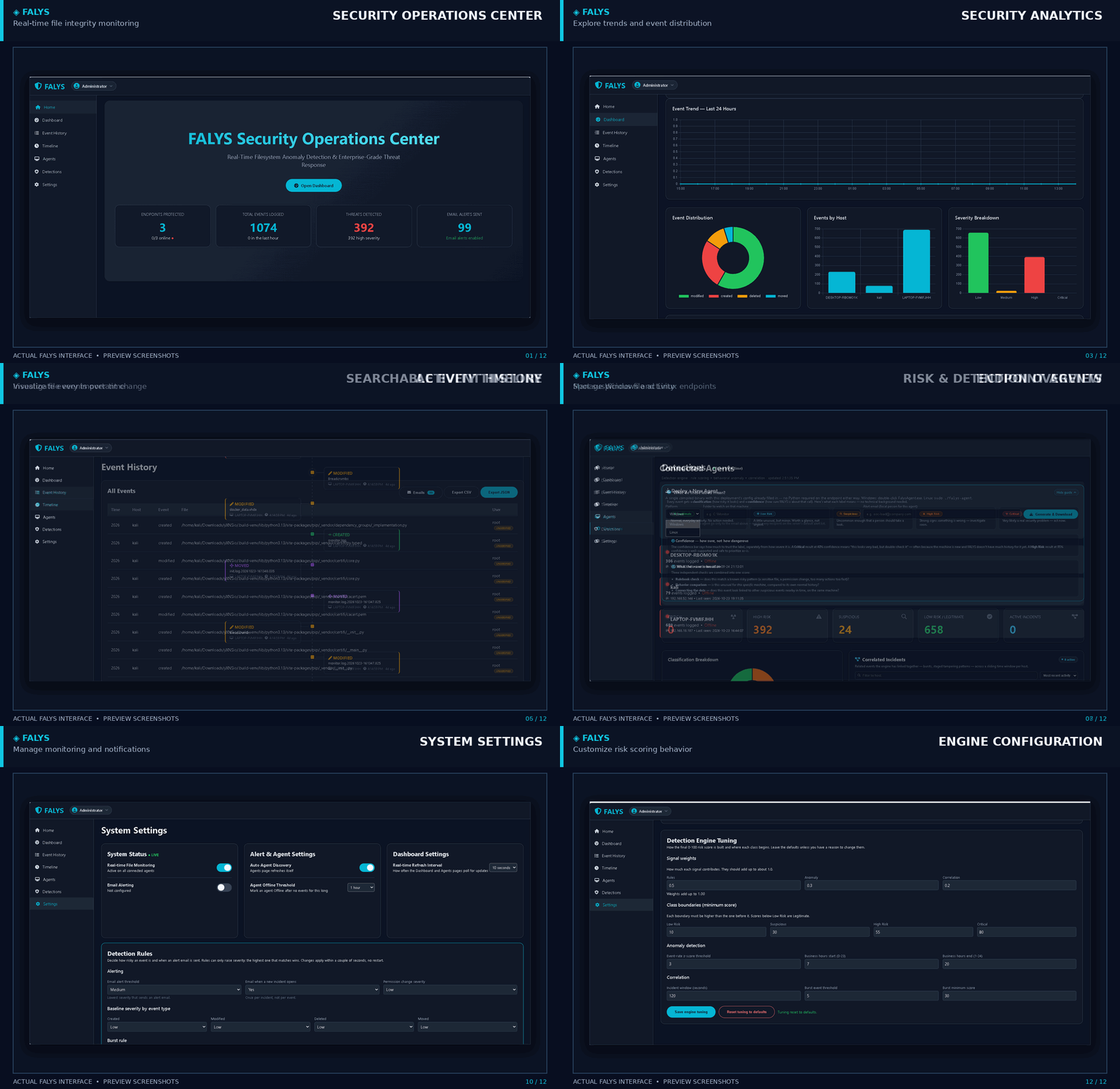
Animated preview created from Falys interface screenshots. The live interactive demo uses simulated data.
EXPLORE THE LIVE INTERACTIVE DEMO
WHO IS FALYS FOR?
Falys is designed for professionals who need visibility, accountability and control over critical file activity.
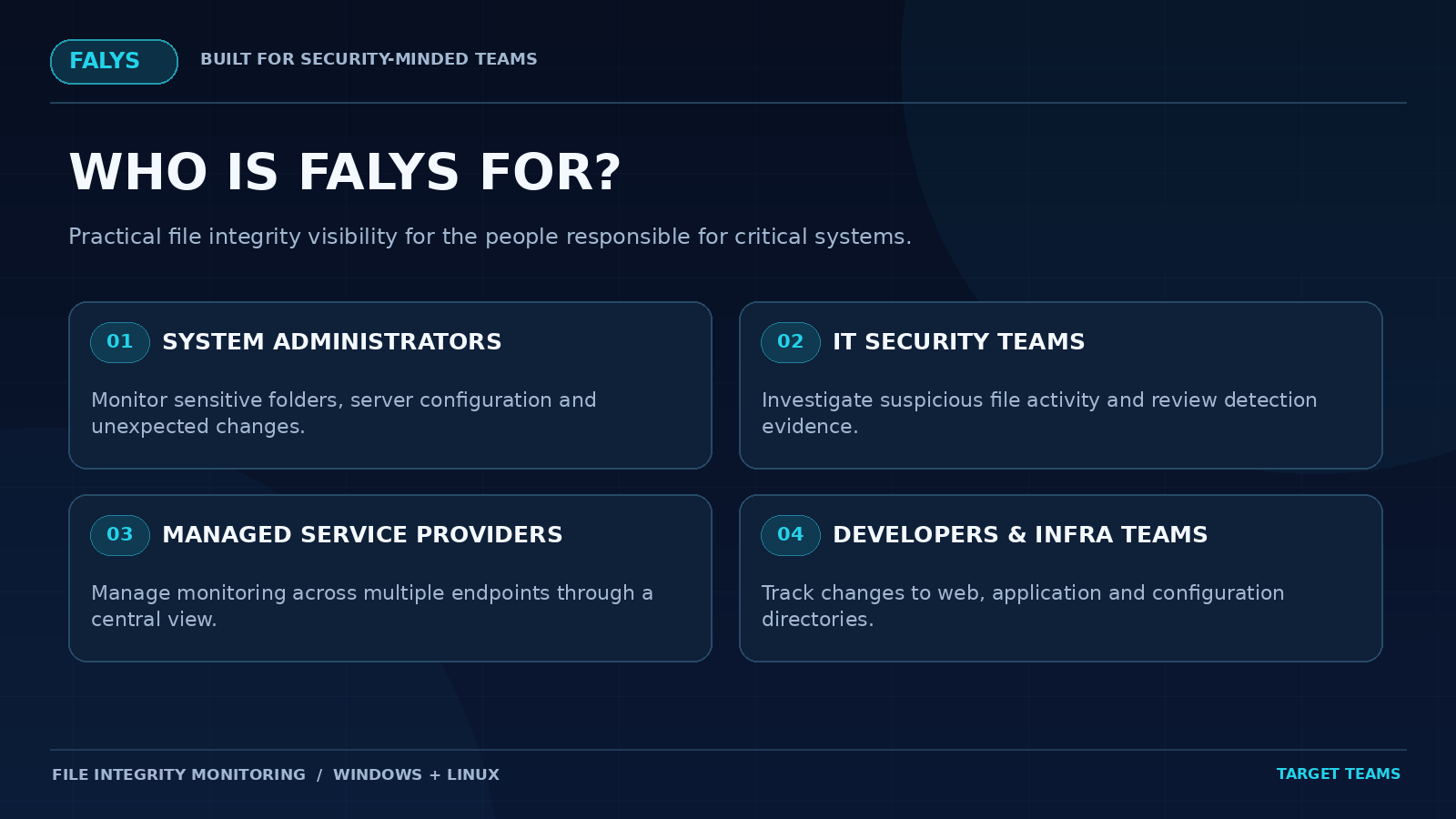
✓ System Administrators
Monitor critical folders, configuration files and unexpected changes across servers and workstations.
✓ IT Security Teams
Investigate suspicious file activity using risk scoring, event correlation and searchable audit trails.
✓ Managed Service Providers
Review monitored Windows and Linux endpoints through a centralized security dashboard.
✓ Developers and Infrastructure Teams
Track unexpected modifications to application files, deployment directories and system configurations.
HOW FALYS WORKS IN 4 STEPS
From deployment to incident investigation, Falys brings file activity monitoring into one centralized workflow.
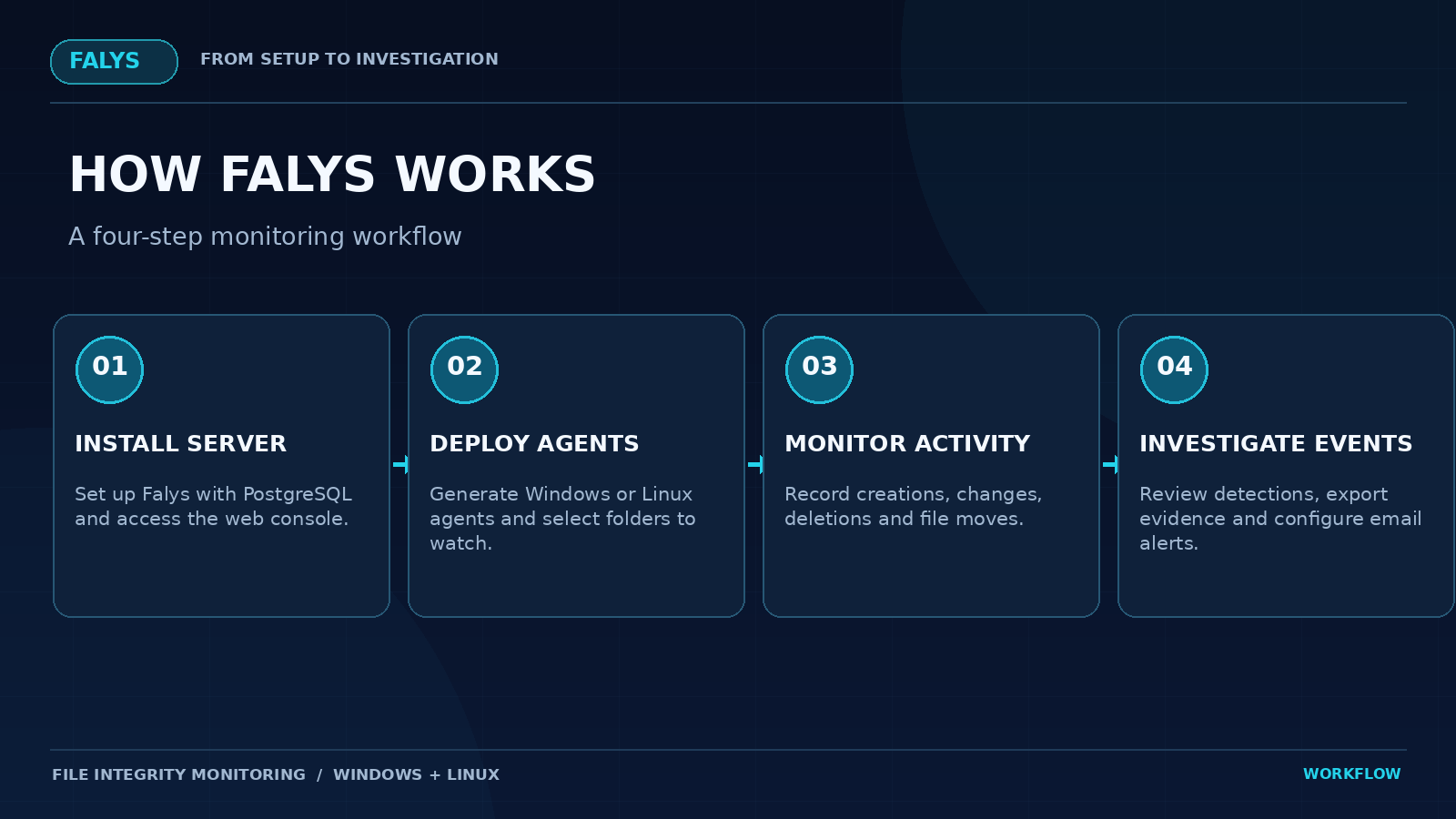
Step 1 – Install the Server
Set up the Falys server with PostgreSQL and open the web dashboard. Follow the included installation documentation.
Step 2 – Deploy the Agents
Generate Windows or Linux agents directly from the dashboard and configure the directories you want to monitor.
Step 3 – Detect File Changes
Agents monitor file creation, modification, deletion and movement in real time. Events are sent to the central server for processing and risk assessment.
Step 4 – Review Alerts and Investigate
Review suspicious activity, examine event details, export records and receive optional SMTP email notifications. Additional authenticated incident-response commands are available through the API when enabled.
POWERFUL SECURITY FEATURES
Real-Time File Integrity Monitoring
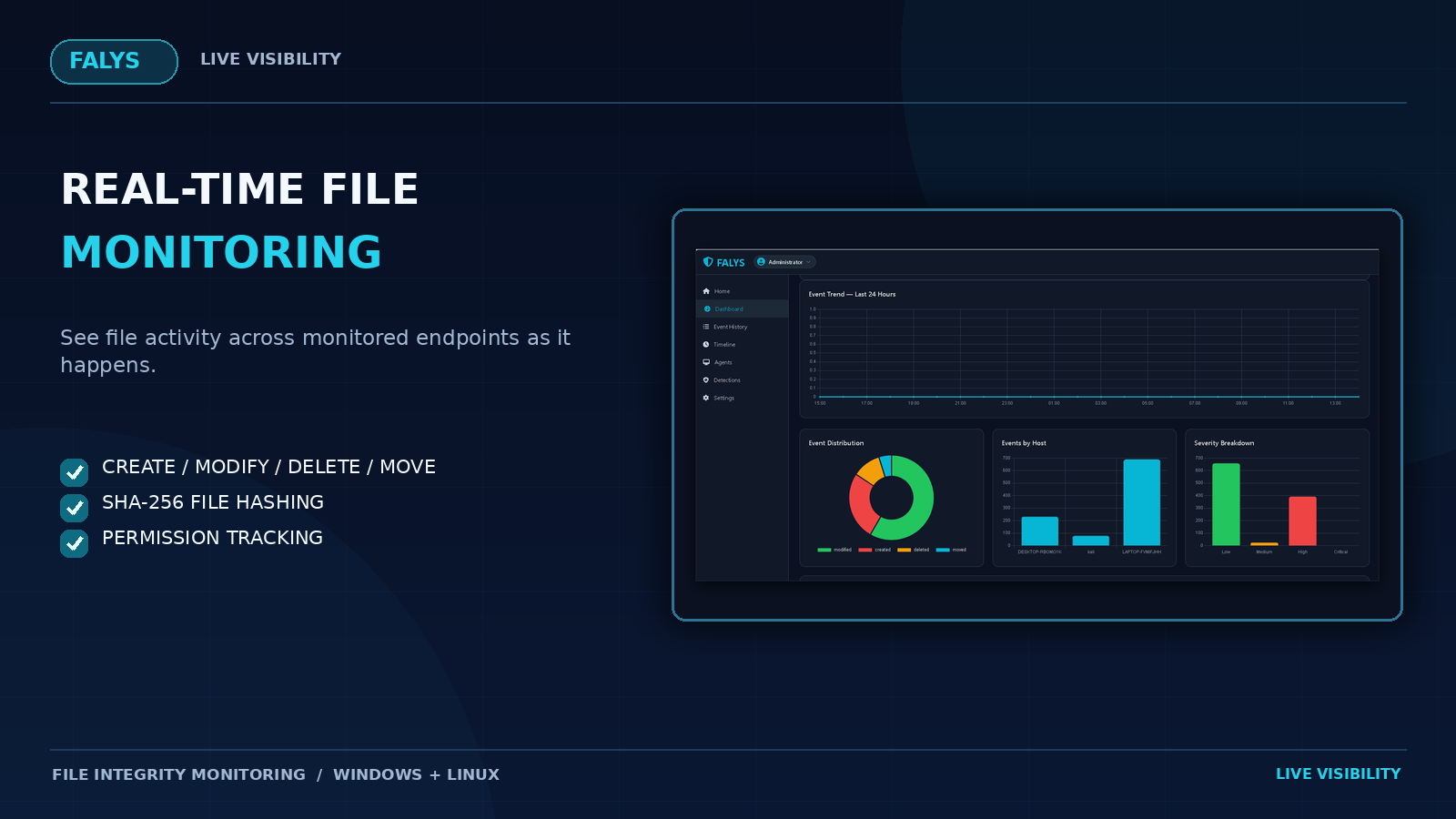
Monitor Windows and Linux endpoints with visibility into file changes and important file metadata.
✓ File creation, modification, deletion and moves
✓ Recursive folder monitoring
✓ SHA-256 hashing and permission tracking
✓ Centralized event reporting
Advanced Threat Detection
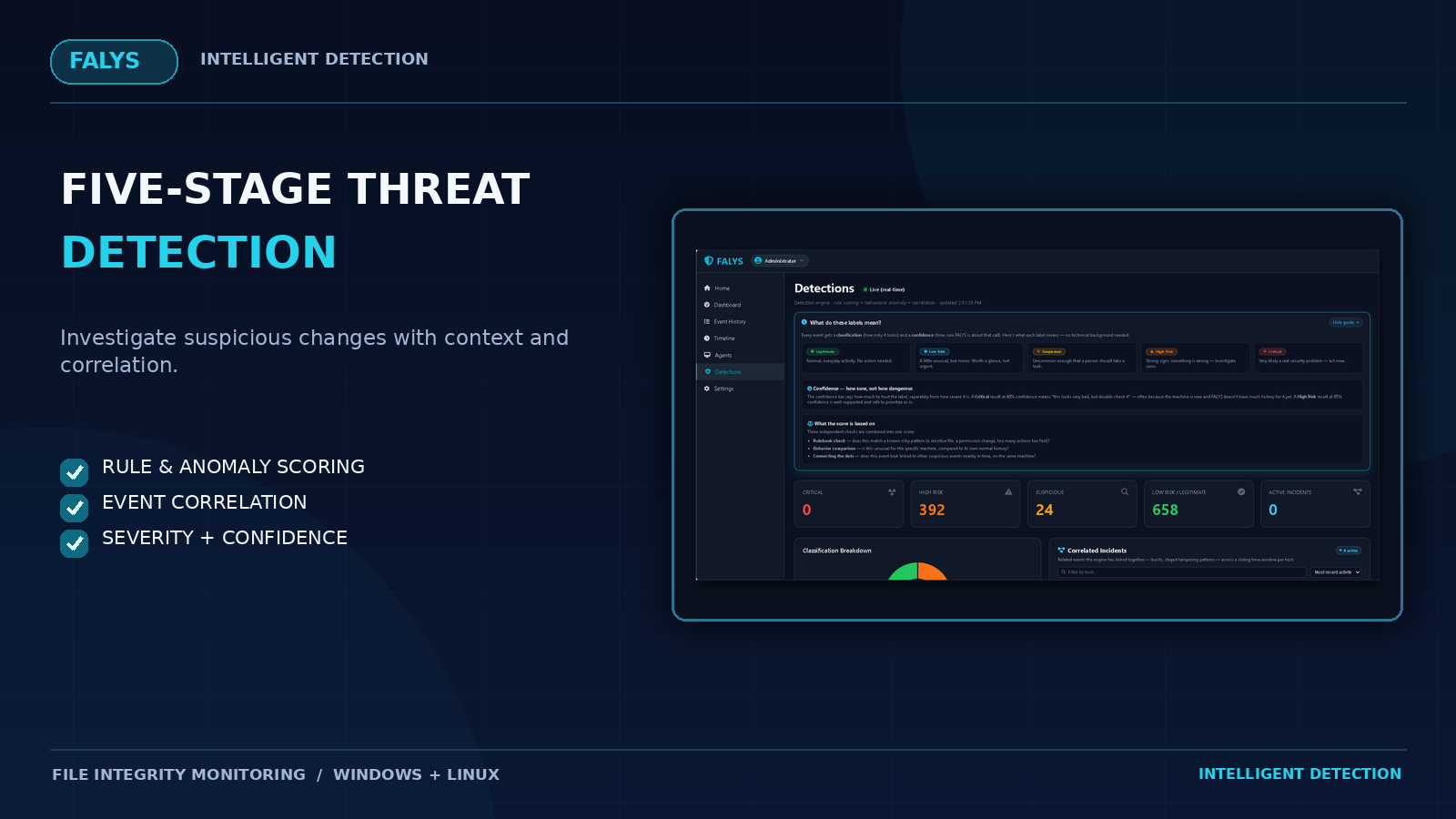
Falys uses a five-stage detection engine to assess suspicious activity and identify related events.
✓ Context analysis
✓ Rule scoring
✓ Anomaly scoring
✓ Event correlation
✓ Final classification with separate severity and confidence
Centralized Agent Management
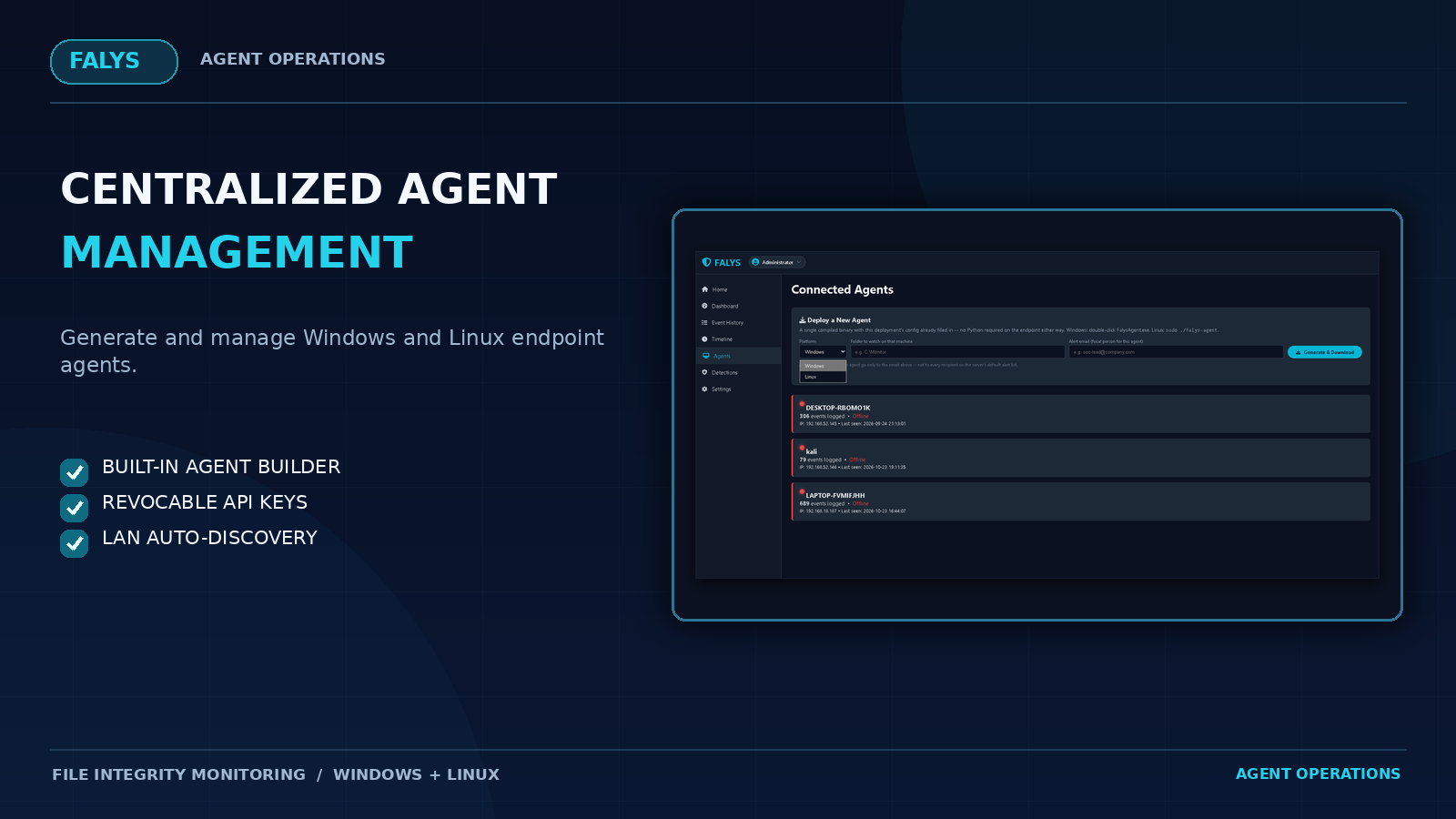
Generate, deploy and manage endpoint monitoring agents from the Falys dashboard.
✓ Built-in Windows and Linux agent builder
✓ Per-agent API keys with revocation support
✓ LAN server rediscovery
✓ Offline event queue
Investigation and Audit Trail
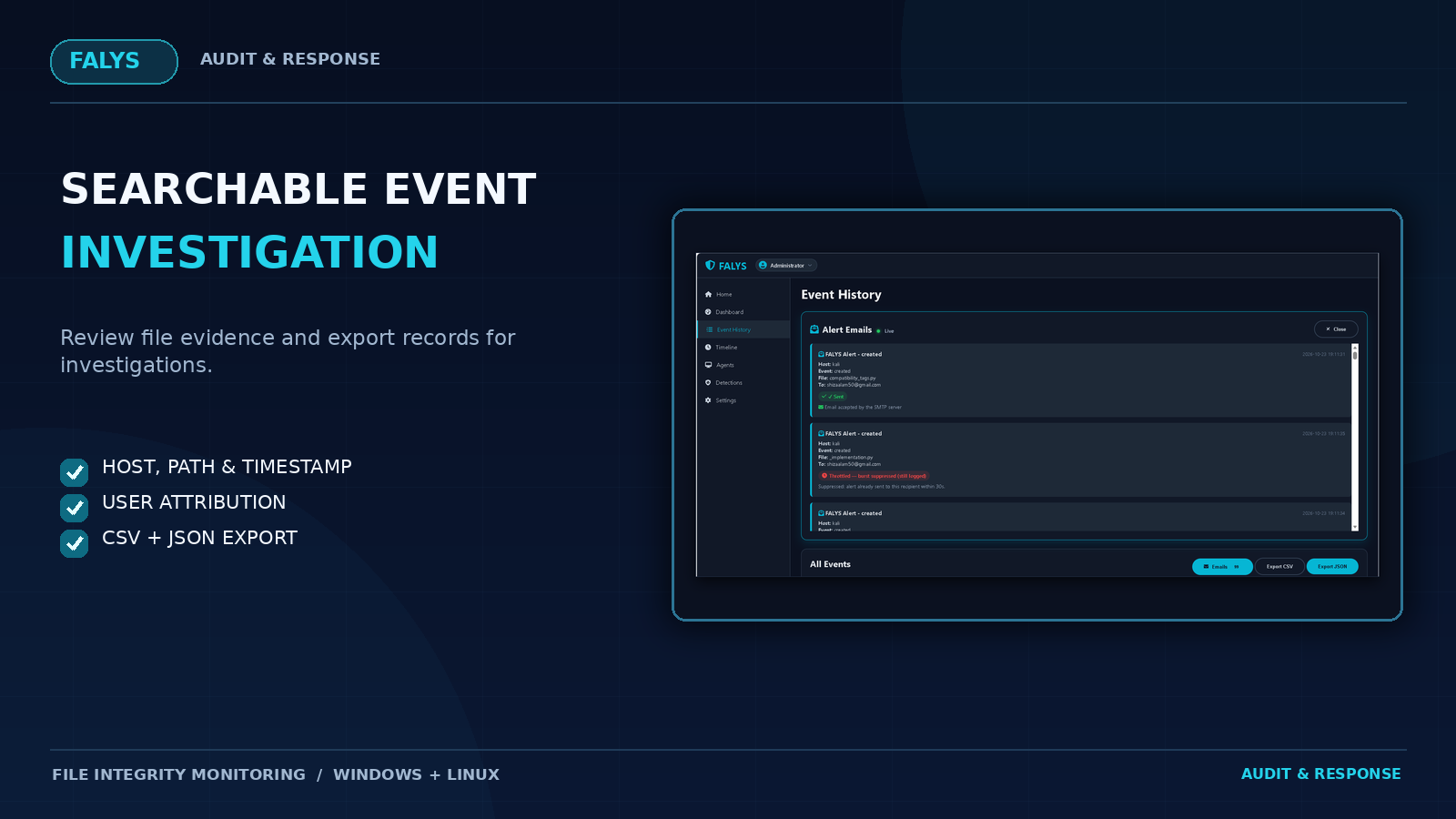
Investigate file activity through searchable event records, timeline views and detailed metadata.
✓ Searchable event history
✓ Activity timeline
✓ Host, IP, file path and timestamp evidence
✓ CSV and JSON export
Configurable Detection Rules and Settings
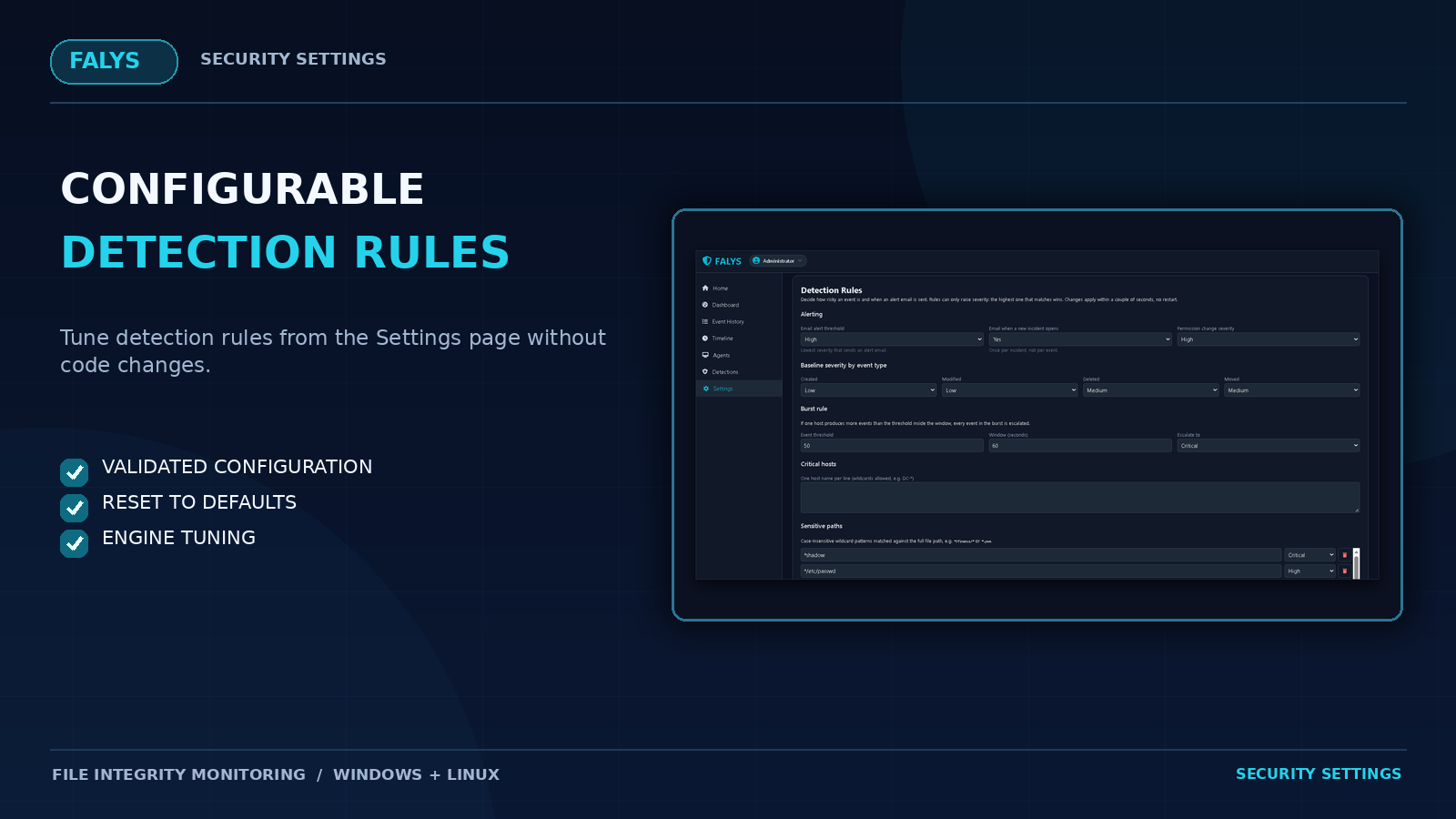
Adjust detection rules and engine behavior directly through the Settings page.
✓ Editable detection rules
✓ Engine tuning and validation
✓ Reset to defaults
✓ No code changes required for supported settings
WHY FALYS OVER BASIC FILE MONITORING TOOLS?
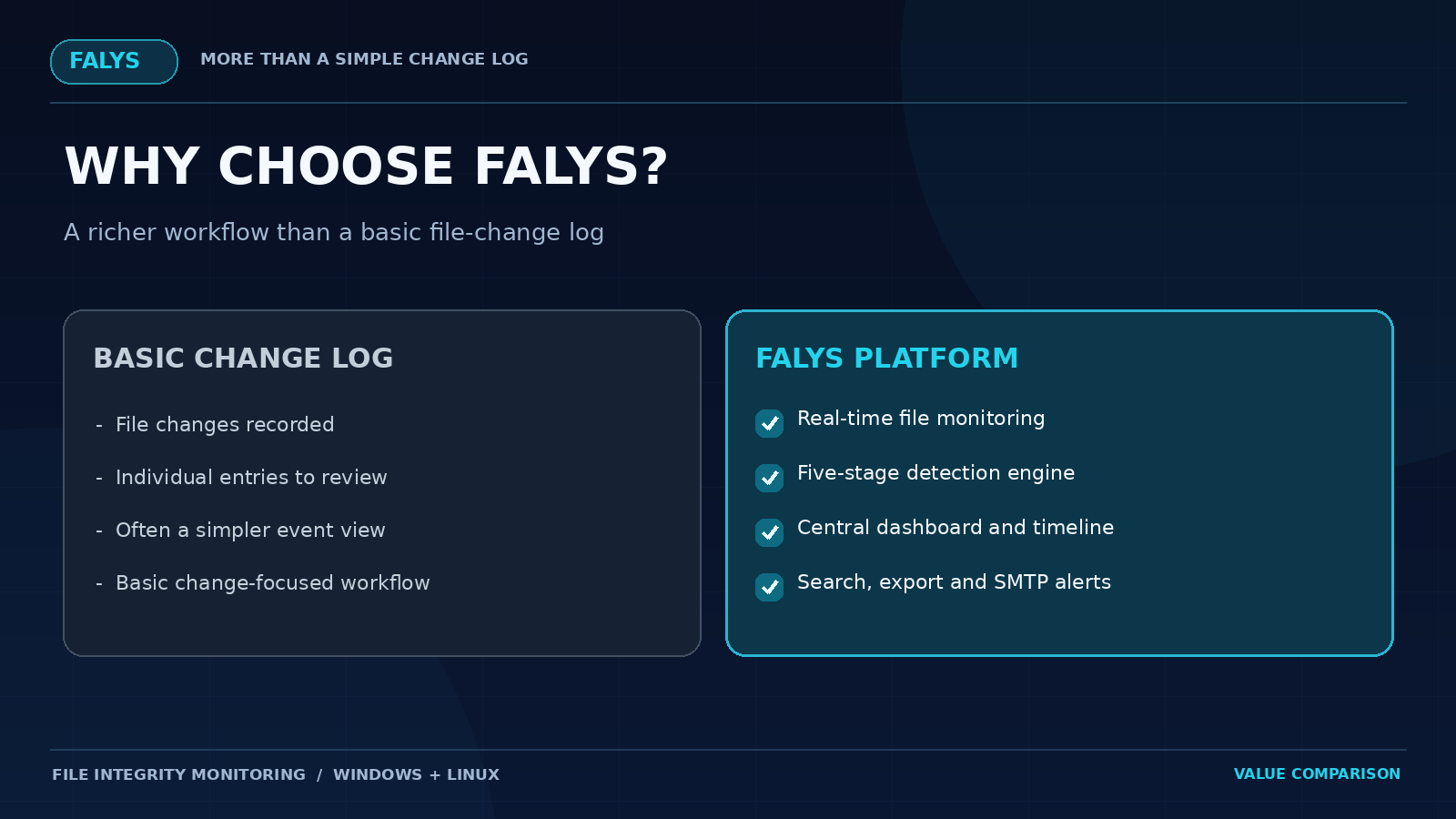
Basic file-change logging can record that a file changed. Falys combines monitoring, risk analysis and investigation context in one self-hosted platform.
✓ More Than Basic Event Logging
Five-stage detection processing with independent severity and confidence assessments.
✓ Centralized Visibility
Monitor endpoint activity using Dashboard, Event History, Timeline, Agents and Detections views.
✓ Detailed Event Evidence
Review file paths, hashes, permissions, timestamps and user attribution when configured.
✓ Flexible Configuration
Customize detection rules and supported engine settings without editing application code.
✓ Agent Reliability
Offline event queuing, API key management, certificate pinning and automatic LAN rediscovery.
This comparison refers to basic file-change logging functionality and does not claim that every competing product lacks these capabilities.
FALYS – FILE INTEGRITY MONITORING AND SECURITY DASHBOARD
Falys is a self-hosted file integrity monitoring (FIM) platform built with Python, Flask and PostgreSQL. Lightweight agents run on your Windows and Linux endpoints and watch the folders you choose. Every file creation, modification, deletion and move is sent to a central web dashboard, scored for risk, and recorded in a searchable audit trail. When something suspicious happens, Falys sends an email alert to your team. It is designed for system administrators, IT security teams, managed service providers and developers who need to know who changed which file, and when.
WHAT FALYS DOES
Falys detects unauthorized changes, tampering and unexpected file activity on servers and workstations. Each event includes the host, IP address, file path, SHA-256 hash, permissions, timestamp and the account responsible. Events appear on the dashboard in real time, so you do not have to wait for a scheduled scan.
COMPLETE KEY FEATURES
✓ Real-time file monitoring on Windows and Linux endpoints, including subfolders
✓ SHA-256 file hashing and permission tracking for every event
✓ Five-stage detection engine: context, rule scoring, anomaly scoring, event correlation and a final classifier that keeps severity and confidence separate
✓ Detection rules and engine tuning editable from the Settings page, with validation and “Reset to defaults” buttons, no code changes needed
✓ User attribution through auditd on Linux and the Security event log on Windows, clearly labeled as verified or unverified
✓ Live dashboard with Home, Dashboard, Event History, Timeline, Agents, Detections and Settings pages
✓ Event export to CSV and JSON for audits and investigations
✓ Email alerts over any SMTP provider (Gmail, Microsoft 365, Amazon SES, SendGrid and others), with per-agent alert recipients and an email delivery log
✓ Built-in agent package builder: generate Windows and Linux agents directly from the dashboard
✓ Per-agent API keys that can be revoked at any time
✓ Self-signed TLS with certificate pinning between agents and server
✓ CSRF protection on the web console and a random admin password generated on first run
✓ LAN auto-discovery: agents locate the server again automatically if its IP address changes
✓ On-demand command tunnel for incident response: the server connects to an agent on TCP port 50997 (TLS-encrypted, authenticated with a shared secret) to run ping, get_status, trigger_rescan or quarantine_file on that endpoint. It can be disabled per agent, and the documentation includes the firewall rules.
✓ Offline queue: agents store events locally and send them when the server is reachable again
✓ All data stored in PostgreSQL
TYPICAL USE CASES
✓ Monitoring web server, application and configuration folders for unexpected changes
✓ Tracking who modified or deleted sensitive files on shared servers
✓ Keeping an audit trail of file activity across many machines in one place
✓ Adding file change detection to an existing security or IT operations setup
WHAT IS INCLUDED
✓ Full Python source code for the server and the agent
✓ Ready-made agent binaries for Windows and Linux, used by the built-in agent builder
✓ PyInstaller build scripts and audit setup scripts for Windows and Linux
✓ HTML documentation (Documentation/index.html) covering installation and configuration, dashboard usage, customization, PostgreSQL setup, agent deployment, user attribution, the detection engine, dynamic IP discovery and the command tunnel
✓ Unit tests, Changelog and third-party license list
COMPATIBILITY AND REQUIREMENTS
WINDOWS + LINUX
PostgreSQL 12+ | Python 3.11+
✓ PostgreSQL 12 or newer
✓ Python 3.11 or newer, or build the server binary once with the included scripts
✓ An SMTP account for email alerts (optional). Gmail with an App Password works, and so does any other SMTP provider.
✓ Windows or Linux endpoints for the agents
IMPORTANT: EMAIL ALERTS USE AN EXTERNAL SERVICE
Email alerts are sent through an SMTP service of your choice, such as Gmail, Microsoft 365, Amazon SES or your own mail relay. The mail service is provided by a third party and is not included in this purchase. Using it requires your own account, and is subject to that provider’s terms, account settings and sending limits. Extra costs may apply depending on the provider. Falys works without email alerts if you do not enable them.
PLEASE NOTE
Self-Hosted Application
Falys is a self-hosted application. You install and run it on your own server.
User Attribution Requirements
User attribution needs auditd (Linux) or Object Access auditing (Windows) enabled on the monitored folders. Setup scripts are included.
Command Tunnel Requirements
The command tunnel needs TCP port 50997 open from the Falys server to each agent. Commands are sent through the dashboard’s API route; the dashboard has no command buttons.
Features Not Included
Falys does not include SIEM or syslog forwarding, server clustering or ready-made compliance report templates.
ONLINE DOCUMENTATION AND LIVE DEMO
Documentation
Full documentation is available online, with no purchase required:
Interactive Dashboard Demo
Try the live interactive demo of the Falys dashboard (simulated data):
https://falys.io/live-demo.html
SUPPORT AND DOCUMENTATION
Open Documentation/index.html in the download to get started. Its first section, Installation and Setup, walks through installing and configuring the platform step by step. Support is provided through the item’s Comments / Support tab on CodeCanyon.
WHAT IS IN THE DOWNLOAD
The Falys package includes the complete server application, Windows and Linux endpoint agents, source code, installation documentation, build scripts and testing files.
Package Structure
| Falys/ | Complete Download Package |
| Documentation/ | Installation guides and documentation assets |
| index.html | Main HTML documentation and setup guide |
| assets/ | Documentation styles and screenshots |
| Falys-server/ | Server application and endpoint agents |
| server/ | Flask dashboard, API and PostgreSQL layer |
| .env.example | Environment configuration template |
| build_output/ | Ready-made Windows and Linux agent binaries |
| engine/ | Risk scoring and event correlation engine |
| static/ | Dashboard CSS and JavaScript assets |
| templates/ | Dashboard HTML templates |
| tests/ | Application test files |
| server.py | Flask application entry point |
| agent/ | Endpoint agent source code and build scripts |
| Changelog.txt | Product changes and version history |
| Licenses.txt | Third-party license information and credits |
| README.txt | Package overview and getting-started information |
Getting Started
Step 1: Download and extract the Falys package.
Step 2: Open Documentation/index.html.
Step 3: Follow the Installation and Setup guide to configure the Falys server and PostgreSQL.
Step 4: Deploy Windows or Linux agents to the endpoints you want to monitor.
Complete source code, documentation and deployment resources are included in the download.
| Author | DigitalDefensive |
|---|---|
| Price | $51 |
| Sales | 0 |
| Rating | 0 (0) |
| Published | Nov 3, 2026 |
| Last Update | Nov 3, 2026 |
| Application Runtime | Native |
| Demo Url | https://falys.io/live-demo.html |
| Operating System Versions | Windows 10 |
| Video Preview Resolution | 1928x1080 |
Categories
Tags
External listing. code.market does not sell this product and does not process payment for it. Pricing, payment, delivery, licensing, refunds, and support are handled by the third-party merchant on its own website. We may earn an affiliate commission from a referral. Details.
Products of the Week.
Submit🥇

STOP GUESSING WHAT TO POST
AI that learns your brand voice and builds a month of consistent, on-brand social content: carousels, posts and hooks that sound like you, not like everyone else's AI.
SaaS · 7,369 views · 67 clicksSaaS · Week 46 · 7,369 views · 67 clicks
🥈

Conversational Backlinks for Busy Founders
Place Backlink Relevant Conversation for your domain across Forums and Conversations
Website · 46,653 views · 232 clicksWebsite · Week 46 · 46,653 views · 232 clicks
🥉

upvote.club
Free Social Media Engagement that Helps Boost Your Content. Upvote Club supports 19 social networks with 100+ engagement actions in one dashboard. Add links to your posts and get free engagement from real users.
SaaS · 44,593 views · 127 clicksSaaS · Week 46 · 44,593 views · 127 clicks
#4

Substack Posting API
Onboard your Agent to Substack. Write Publish on Substack via API
SaaS · 63,480 views · 206 clicksSaaS · Week 46 · 63,480 views · 206 clicks
#5

Seenshot App
Free, Fast, MacOS Screenshot app. Make Screenshot cmd+shift+2 and send it via link
Desktop App · 32,730 views · 127 clicksDesktop App · Week 46 · 32,730 views · 127 clicks
#6

Hand-Placed Backlinks $9.99 per link. Flat rate.
Buy hand-placed forum, Q-A and directory backlinks. Flat $9.99 per link, no subscriptions — you only pay for approved listings.
Website · 8,349 views · 19 clicksWebsite · Week 46 · 8,349 views · 19 clicks
#7

Free Invoice Generator - PDF Invoices in Your Browser, No Sign-Up
A free invoice maker for freelancers and small businesses: fill in the invoice, check the live preview, and download a PDF that looks exactly like it. Any currency, tax per item, three templates, no sign-up, and nothing leaves your device.
6,977 views · 29 clicksWeek 46 · 6,977 views · 29 clicks
#8

Merge PDF Files Free - Combine PDFs in Your Browser, No Upload
A free PDF merger for office workers, students, and freelancers: combine PDFs and images into one file in the browser, reorder files and pages, pick page ranges, keep bookmarks, and open password-protected PDFs. Nothing is uploaded, no sign-up, no watermark.
6,458 views · 18 clicksWeek 46 · 6,458 views · 18 clicks