
Facebook Phones and eMails Scrapper & Filter Emails

Description
Facebook Scrapping Phones and Emails Extractor Pro
Need a MacOS Version or Source Code? Contact me for customization, licensing, or a demo! WhatsApp Me Now Email Me

Empower your Facebook outreach strategy with our Facebook Phones And eMails Scraper & Extractor Pro with Multi-Keywords. This powerful tool leverages targeted keyword searches to extract valuable phone numbers and emails from Facebook profiles.
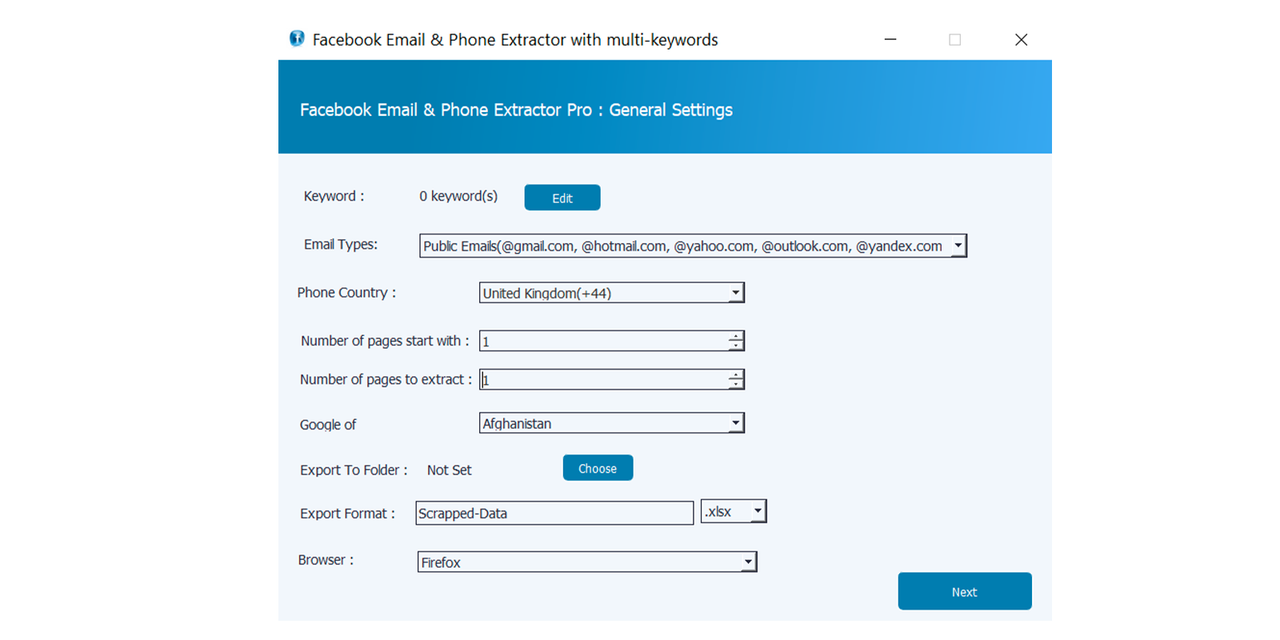
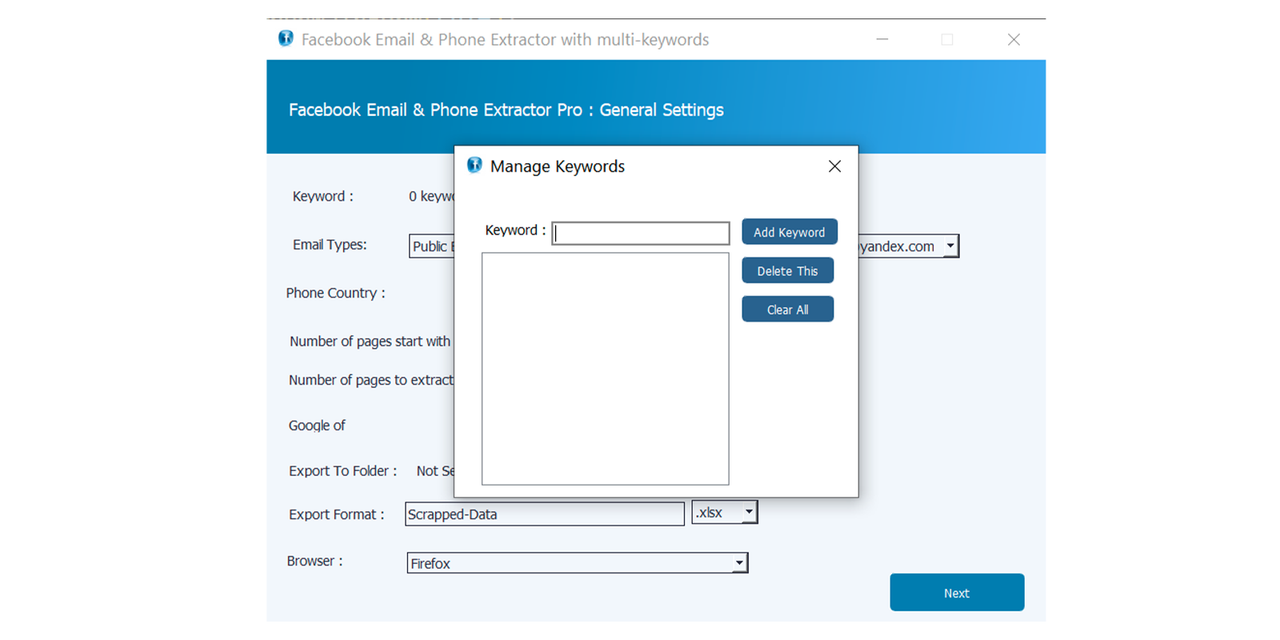
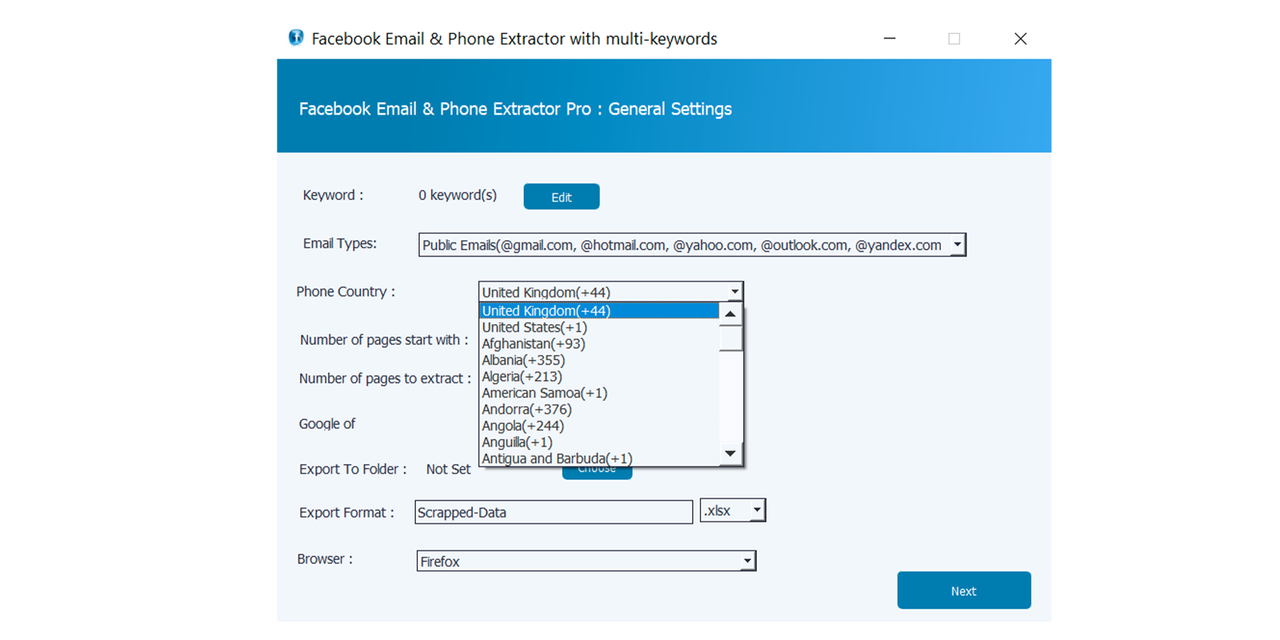
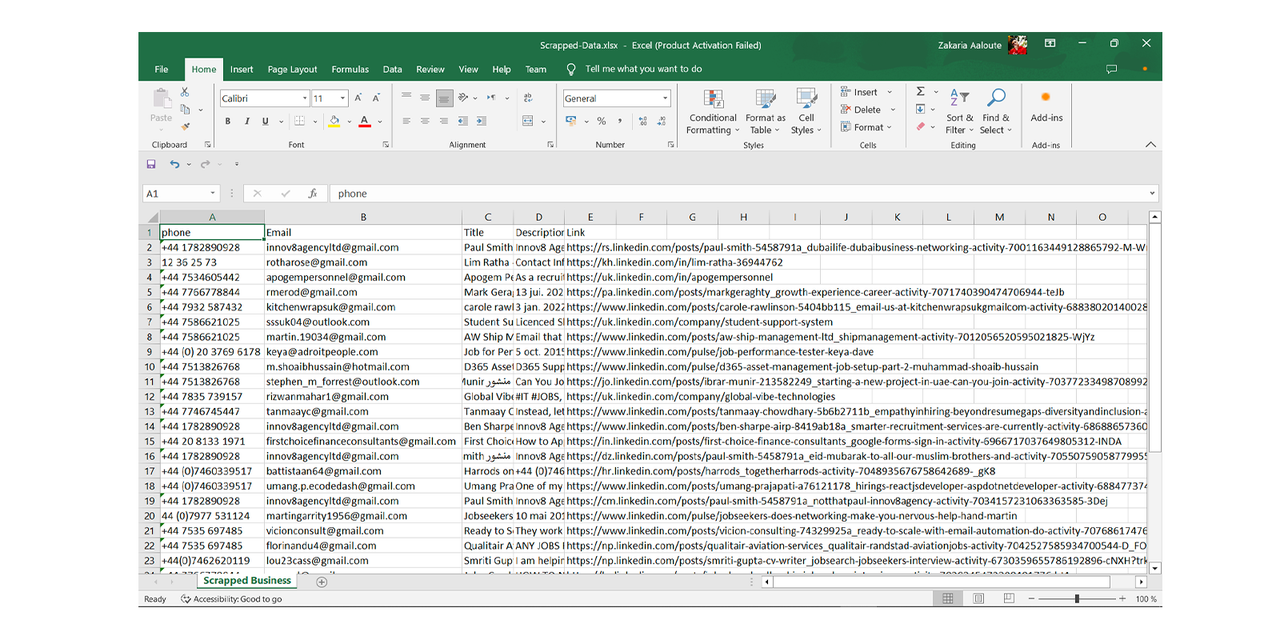
With complete customization options, our tool ensures you extract the most relevant information. It segregates data by keywords, saving results in Excel or HTML files in dedicated folders.
Effortlessly export the scraped data into Excel(.xlsx) or HTML file(.xlsx). Plus, it seamlessly integrates with the latest Chrome version (V96) and features an Anti-Robot driver mode to bypass LinkedIn captcha.

Key Benefits:
- Gain a competitive edge with targeted lead generation.
- Save time and effort with automated data extraction.
- Enhance outreach effectiveness with verified contact details.
- Optimize marketing campaigns with accurate prospect information.
- Stay ahead of the competition by accessing hidden leads.
Key Features:
- Multi-keyword functionality for precise targeting.
- Export data in Excel or HTML format.
- Extract 4 essential fields: Phones, eMail, Address, Title, Description, and Link.
- Anti-Robot Driver Mode ensures seamless operation.
- Optimized for the latest Chrome version (V96).
Get Professional Support
- WhatsApp Support:
-
Stay Updated: Follow our WhatsApp Channel for new programs and updates

-
Email Support:
mz1621.company@gmail.com
-
Telegram:
@Zakaria104



 @Zakaria104
| Author | ZakaSoftware |
|---|---|
| Category | Apps |
| Price | $16 |
| Sales | 15 |
| Rating | 0.00 from 2 ratings |
| Published | Jan 28, 2022 |
| Last Update | May 19, 2025 |
| Application Runtime | Native |
| Operating System Versions | Windows 11, Windows 10, Windows 8 Metro, Windows 8 Desktop |
Categories
Tags
External listing. code.market does not sell this product and does not process payment for it. Pricing, payment, delivery, licensing, refunds, and support are handled by the third-party merchant on its own website. We may earn an affiliate commission from a referral. Details.
Products of the Week.
Submit🥇

STOP GUESSING WHAT TO POST
AI that learns your brand voice and builds a month of consistent, on-brand social content: carousels, posts and hooks that sound like you, not like everyone else's AI.
SaaS · 4,290 views · 38 clicksSaaS · Week 45 · 4,290 views · 38 clicks
🥈

Conversational Backlinks for Busy Founders
Place Backlink Relevant Conversation for your domain across Forums and Conversations
Website · 42,001 views · 223 clicksWebsite · Week 45 · 42,001 views · 223 clicks
🥉

upvote.club
Free Social Media Engagement that Helps Boost Your Content. Upvote Club supports 19 social networks with 100+ engagement actions in one dashboard. Add links to your posts and get free engagement from real users.
SaaS · 40,042 views · 117 clicksSaaS · Week 45 · 40,042 views · 117 clicks
#4

Substack Posting API
Onboard your Agent to Substack. Write Publish on Substack via API
SaaS · 59,052 views · 198 clicksSaaS · Week 45 · 59,052 views · 198 clicks
#5

Seenshot App
Free, Fast, MacOS Screenshot app. Make Screenshot cmd+shift+2 and send it via link
Desktop App · 28,427 views · 122 clicksDesktop App · Week 45 · 28,427 views · 122 clicks
#6

Hand-Placed Backlinks $9.99 per link. Flat rate.
Buy hand-placed forum, Q-A and directory backlinks. Flat $9.99 per link, no subscriptions — you only pay for approved listings.
Website · 4,261 views · 19 clicksWebsite · Week 45 · 4,261 views · 19 clicks
#7

Free Invoice Generator - PDF Invoices in Your Browser, No Sign-Up
A free invoice maker for freelancers and small businesses: fill in the invoice, check the live preview, and download a PDF that looks exactly like it. Any currency, tax per item, three templates, no sign-up, and nothing leaves your device.
2,937 views · 17 clicksWeek 45 · 2,937 views · 17 clicks
#8

Merge PDF Files Free - Combine PDFs in Your Browser, No Upload
A free PDF merger for office workers, students, and freelancers: combine PDFs and images into one file in the browser, reorder files and pages, pick page ranges, keep bookmarks, and open password-protected PDFs. Nothing is uploaded, no sign-up, no watermark.
2,713 views · 13 clicksWeek 45 · 2,713 views · 13 clicks