
Exporter for eForm - Reports & Submissions

Description


Exporter for eForm is a premium addon to the popular eForm – WordPress Form Builder plugin. It adds the ability to exports reports to XLSX, PDF, XLS and/or HTML files. Also, it enables you to download the submissions under any form to a RAW CSV file for manual analysis.
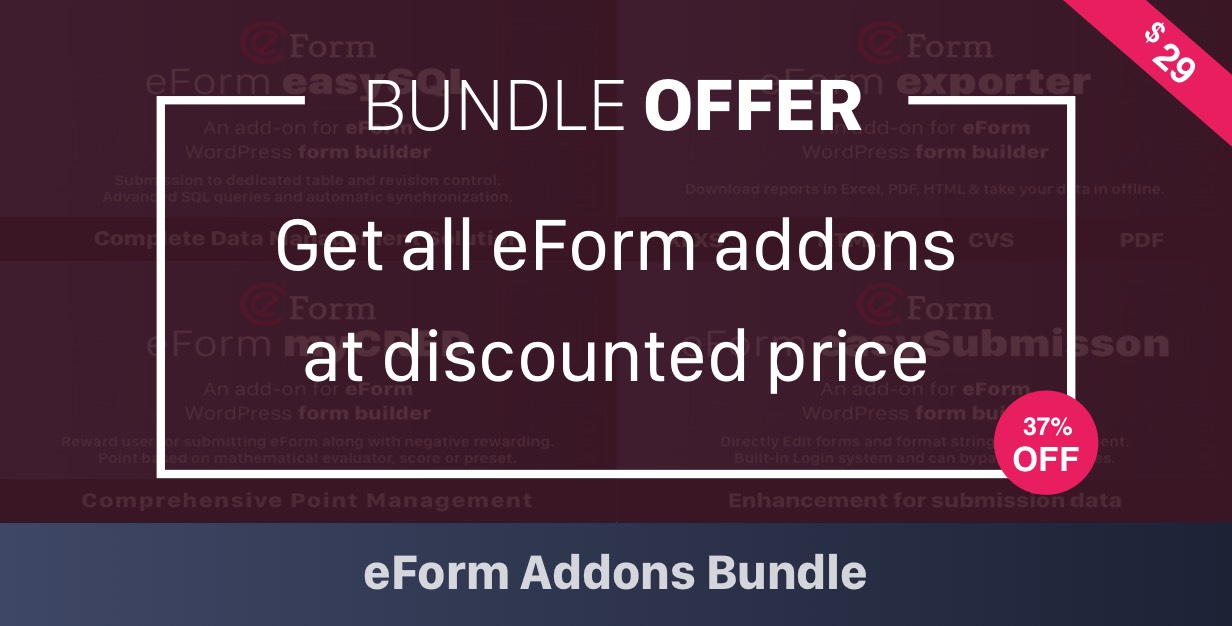
This plugin is not a standalone application. You’d need eForm – WordPress Form Builder to use it. eForm – WordPress Form Builder is a premium WordPress Plugin using which you can easily create unlimited nice looking tabbed or paginated or simple forms with MCQ and/or FreeType Questions with custom validation. All submissions are stored in the database for complete analysis.
Feature List:
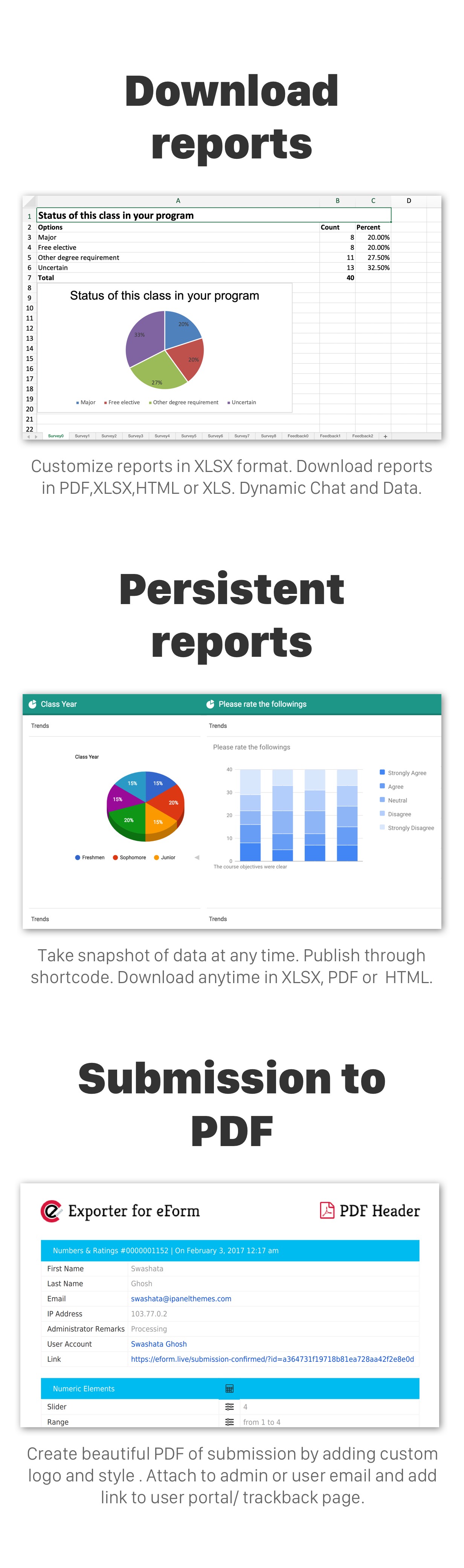
- Export Reports: Extends the report functionality of eForm to export it in forms of XLSX, PDF, XLS and/or HTML file. The format is same as the original plugin. Charts are created dynamically for XLSX files which you can open in MS Excel 2007 or similar software. For the rest of the formats, charts are rendered to jpg files.
- Persistent Reports: When you create a report, the addon gives you an option to show it on your site as a persistent report. The advantage is, it will not query your live database and will save a lot of bandwidth.
- Export Submissions to CSV: If you are a statistician, then you’d probably want to analyze the RAW data yourself. eForm stores all the submissions in a serialized format which makes it impossible for direct database exports. But with Exporter for eForm, you can easily export all the submissions in a properly formatted CSV file, where columns represents your questions and rows represents the submissions.
- Email PDF Attachments: You can send submission as PDF attachments to both users and administrators.
- Download Submission as PDF: Exporter for eForm further extends the functionality to give you and your users ability to download a submission in form of a PDF file.
- PDF Customizability: The PDFs can be customized very easily if you know a little bit of CSS. For your convenience, we even provided a template CSS to start with. Just change the color codes and you are done.
- PDF Extensibility: Furthermore, any PDF/HTML the addon generates will include the template you’ve provided. This ensures, you can brand almost every aspect of the output.
Minimum System Requirements:
Before purchasing, please make sure your server meets the following minimum requirements.
- WordPress version: 3.5.x+
- PHP version: 5.2.x+
- MySQL version: 5+
- PHP XML Library
- PHP ZIP Library
- PHP GD2 Extension
- PHP mb_string Module
- PHP Memory at least 256MB (512MB recommended)
- eForm – WordPress Form Builder, Version 3.3 or greater.
The application has been tested through 3.6 and should work with all updated versions. We shall release updates and patches if anything is found not working.
Compatibility
Due to extensive resource consumptions during exports, the plugin will require at least 256MB of memory. The more the better. Also, this will work only for eForm version 3.3 or greater. You might need to update the main plugin before you wish to install this.
Disclaimer
Please refer to the working admin demo to see what exact features you will be getting before buying. If you think certain feature should be a part of the plugin but is not present, then you can open a thread on our Support Forum. If we see the feature is really important to the community, then we shall do our best to add it to the future version.
Credits & Acknowledgement
Thank you for your interest in Exporter for eForm. The following Tools were used during the development of this project.
- PHPExcel: We forked PHPExcel to provide the XLSX, XLS, PDF and HTML downloads with customizability.
- mPDF: For generating all PDFs.
- jpGraph: For rendering all static charts.
- WordPress : The best platform ever.
- Some images and vectors used from freepik.com.
Proposed Features (Not yet implemented)
* You suggest!
Changelog
Active Channel 1.7.x
Version 1.7.0 (18 May, 2020)
Changes:
Changes:
    * Fixed: Compatibility issue with PHP 7.3+
Version 1.6.2 (25 June, 2017)
Changes:
* Added: Option to change orientation of report PDF
* Improvement: Graphs now appear below elements on downloaded reports
* Improvement: Respect signature color in reports & downloads
* Fixed: An issue with XLSX Reporting with empty options
* Fixed: Broken image links in HTML report download
Version 1.6.1 (11 April, 2017)
Changes:
* Added: New PDF header image for new branding
Version 1.6.0 (24 Fed, 2017)
Changes:
* Added: Report capability for repeatable, guestblog and hidden element
* Added: Compatibility with multi-select matrix reporting
* Added: Missing elements for CSV exports with entry delimiter
* Added: Per form email PDF attachment settings
* Added: Obey submission lock status. If locked then do not send PDF attachment.
Under the hood:
* Improved: Use value class for CSV Export
* Improved: Hidden elements will be shown on admin email attachment ( escalated priviledge )
* Improved: Different name for admin & user PDF
Version 1.5.0 (6 Sep, 2016)
Changes:
* Added: Compatibility with eForm v3.3
* Added: XLSX export ability along with CSV
* Added: Stopwatch and referer in CSV/XLSX export
* Added: Persistent trends widget
* Updated: Persistent shortcode and generator to incorporate new customizability features
* Fixed: PDF report styling
* Fixed: Google maps and signature issue
* Fixed: Cyrillic characters in PDF issue
* Fixed: Now blacklisting conditionally hidden elements during report generation
Under the hood:
* Improved: AJAX Request for report generator handling
* Refactored: fsq_export table to store reports for pinfo elements
* Improved: Make array creation a priority for proper looping inside report generator
* Updated: PHPExcel to the latest version ( 1.8 branch )
* Updated: mPDF to the latest version
* Fixed: jpGraph PHP7 compatibility issue
Older Release
Kindly check thechangelog file of the plugin.| Type | WordPress Plugin |
|---|---|
| Author | WPQuark |
| Category | Wordpress / Forms |
| Price | $17 |
| Sales | 3,024 |
| Rating | 4.41 from 123 ratings |
| Published | Sep 27, 2013 |
| Last Update | Aug 26, 2022 |
| Compatible Browsers | IE11, Firefox, Safari, Opera, Chrome, Edge |
| Compatible Software | WordPress 6.0.x, WordPress 5.9.x, WordPress 5.8.x, WordPress 5.7.x, WordPress 5.6.x, WordPress 5.5.x, WordPress 5.4.x, WordPress 5.3.x, WordPress 5.2.x, WordPress 5.1.x, WordPress 5.0.x, WordPress 4.9.x |
| Source Files Included | JavaScript JS, HTML, CSS, PHP, SQL |
Categories
Tags
External listing. code.market does not sell this product and does not process payment for it. Pricing, payment, delivery, licensing, refunds, and support are handled by the third-party merchant on its own website. We may earn an affiliate commission from a referral. Details.
Products of the Week.
Submit🥇

STOP GUESSING WHAT TO POST
AI that learns your brand voice and builds a month of consistent, on-brand social content: carousels, posts and hooks that sound like you, not like everyone else's AI.
SaaS · 3,994 views · 35 clicksSaaS · Week 45 · 3,994 views · 35 clicks
🥈

Conversational Backlinks for Busy Founders
Place Backlink Relevant Conversation for your domain across Forums and Conversations
Website · 41,647 views · 222 clicksWebsite · Week 45 · 41,647 views · 222 clicks
🥉

upvote.club
Free Social Media Engagement that Helps Boost Your Content. Upvote Club supports 19 social networks with 100+ engagement actions in one dashboard. Add links to your posts and get free engagement from real users.
SaaS · 39,672 views · 114 clicksSaaS · Week 45 · 39,672 views · 114 clicks
#4

Substack Posting API
Onboard your Agent to Substack. Write Publish on Substack via API
SaaS · 58,699 views · 198 clicksSaaS · Week 45 · 58,699 views · 198 clicks
#5

Seenshot App
Free, Fast, MacOS Screenshot app. Make Screenshot cmd+shift+2 and send it via link
Desktop App · 28,083 views · 122 clicksDesktop App · Week 45 · 28,083 views · 122 clicks
#6

Hand-Placed Backlinks $9.99 per link. Flat rate.
Buy hand-placed forum, Q-A and directory backlinks. Flat $9.99 per link, no subscriptions — you only pay for approved listings.
Website · 3,942 views · 19 clicksWebsite · Week 45 · 3,942 views · 19 clicks
#7

Free Invoice Generator - PDF Invoices in Your Browser, No Sign-Up
A free invoice maker for freelancers and small businesses: fill in the invoice, check the live preview, and download a PDF that looks exactly like it. Any currency, tax per item, three templates, no sign-up, and nothing leaves your device.
2,619 views · 17 clicksWeek 45 · 2,619 views · 17 clicks
#8

Merge PDF Files Free - Combine PDFs in Your Browser, No Upload
A free PDF merger for office workers, students, and freelancers: combine PDFs and images into one file in the browser, reorder files and pages, pick page ranges, keep bookmarks, and open password-protected PDFs. Nothing is uploaded, no sign-up, no watermark.
2,436 views · 13 clicksWeek 45 · 2,436 views · 13 clicks