
Events Shortcodes & Templates Pro Addon For The Events Calendar

Description
The Events Calendar Shortcodes & Blocks
Events Shortcodes Pro is a powerful addon for The Events Calendar plugin, trusted by 700,000+ active websites. It gives you flexible shortcodes and blocks to display events anywhere on your WordPress website.
By default, The Events Calendar mainly displays events through calendar pages and single event pages. But many website owners need more control over where and how events appear on their site.
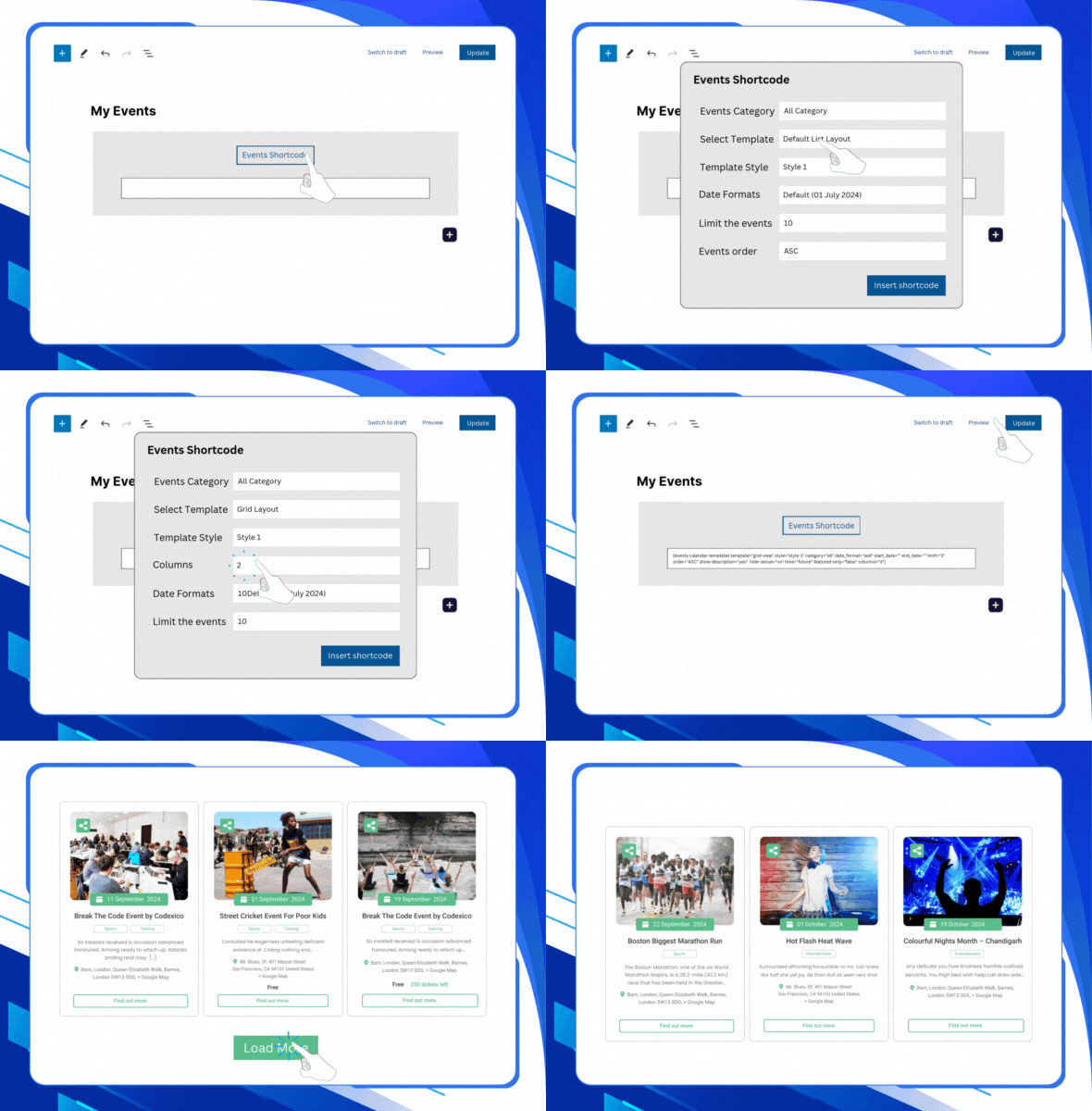
With Events Shortcodes Pro, already used by 10,000+ websites, you can showcase upcoming events, past events, featured events, category-based events, list layouts, grid layouts, carousel layouts, and more using simple shortcodes and blocks.
You can choose from multiple layouts, including:
Events list layout | Events minimal list | Events grid layout Events carousel layout | Events slider layout | Events masonry layout Events accordion layout | Events timeline layout | Events calendar layout
Simply add the shortcode to any page, post, widget area, or page builder section, and your events will appear in a clean, organized, and responsive design. No custom coding or theme file editing is required.
Using Events Shortcode Pro, you can display events in two ways:
- Events Shortcode: Events Shortcode allows you to display events anywhere on your WordPress website using a simple shortcode. You can insert the shortcode inside the Classic Editor, Block Editor, Elementor, Divi, widgets, sidebars, or any area that supports shortcodes.
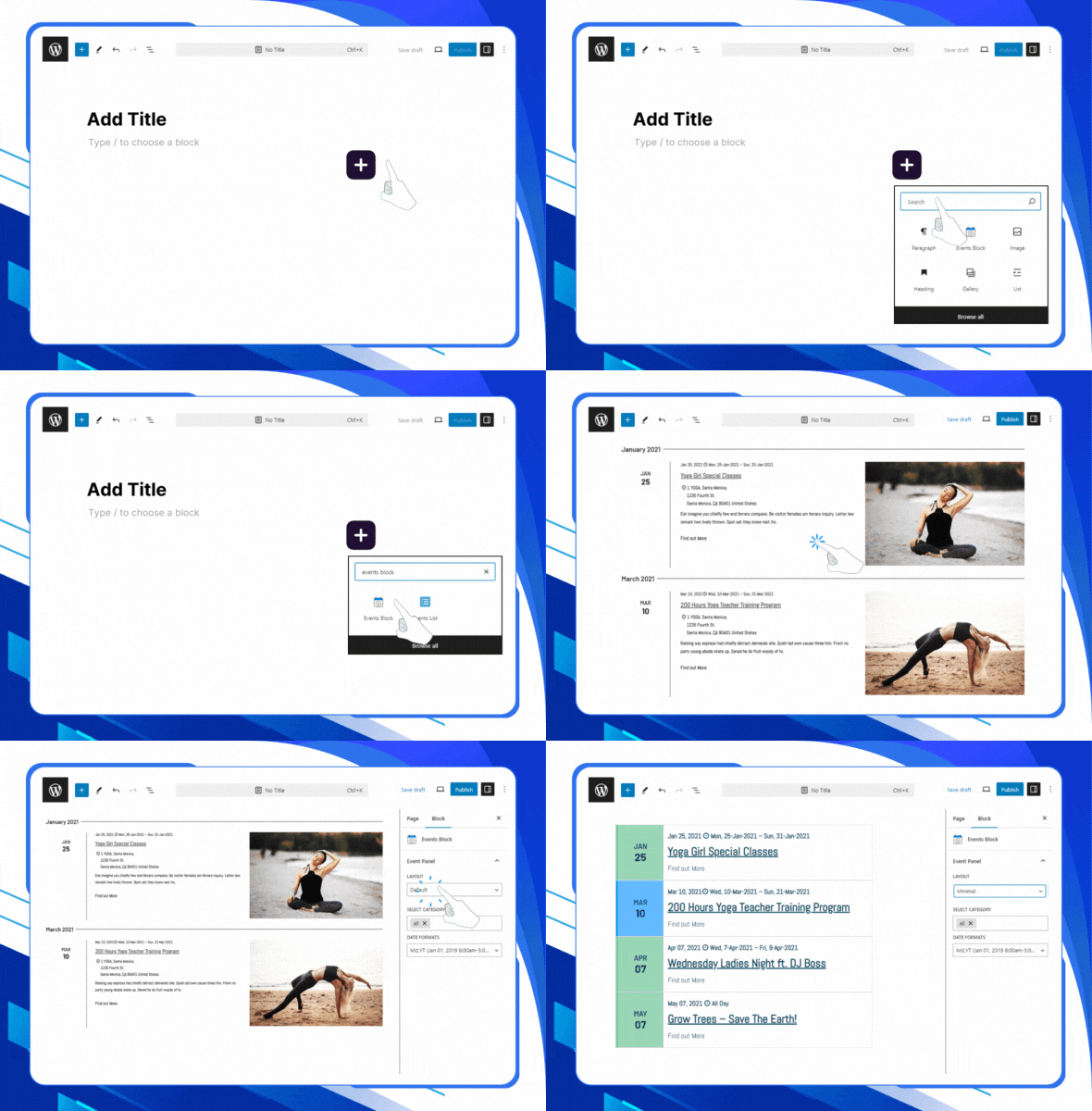
- Events Block: If you prefer a visual editing, you can use the dedicated Events Block inside the Gutenberg editor. The block allows you to add, preview, and adjust event layouts directly inside the WordPress editor without handling shortcode attributes.
Plugin Demos:
Events Grid | Events Accordion | Events Masonry | Highlighted Layout Events Carousel | Events Slider | Events Filter Bar | View All DemosKey Features
- The Events Calendar Shortcode: Display events anywhere on your WordPress website using a simple shortcode. You can add events to pages, posts, landing pages, sidebars, widgets, page builder layouts, or custom theme sections without editing theme files.
- Gutenberg Block Support: Use the dedicated Events Block inside the WordPress block editor if you prefer a visual setup instead of adding shortcode attributes.
- Multiple Layouts: The events shortcode plugin offers a variety of layouts, such as event list layout, events Grid layout, events Carousel layout, events Slider layout, event Masonry layout, event Accordion layout, or event Timeline layouts.
- Customizable Fonts & Colors: Customize event titles, descriptions, dates, buttons, and other design elements from a user-friendly settings panel. You can adjust fonts, colors, and styles to match your WordPress theme and brand design.
- Date Formats: Choose how event dates should appear on your website. The selected date format will automatically apply to your event shortcode output, helping you keep the event display consistent across your website.
- Category-Based Event Listings: Display events from specific categories, making it easier to create display events from separate sections for workshops, webinars, conferences, meetups, classes, or special programs.
- Events Search and Filter Bar: Use filters to help visitors find events they like quickly. Display particular events by category, organizer, venue, or tag. You can also add a search bar for quick event filtering.
- Type of Events: Choose how you want your events to be displayed. You can show only upcoming events to highlight future opportunities, past events to showcase your achievements, or both for a complete overview.
- Featured Events: Apply different colors and designs to your featured events to make them stand out. This grabs the audience’s attention and helps them find key events easily.
- Date-Based Event Display: Easily show events between specific dates. This means you can choose to showcase events between any dates, whether a particular week, month, or custom time period.
- Events Schema SEO Support:vents Shortcodes Pro includes schema support to help search engines better understand your event content. This can improve how your events appear in search results and support better visibility for event-related searches.
- Ajax Load More & Pagination:Easily manage and keep your multiple events organized by adding a “load more” button, and allow visitors to load additional events without refreshing the page.
- Compatibility with Elementor: Our plugin easily integrates with Elementor, allowing you to display your events effortlessly using a shortcode. You can add and customize events on your Elementor pages without any complex coding.
- Page Builders Compatiable: Because the plugin is shortcode-based, you can also use it with Gutenberg, Divi, WPBakery, Beaver Builder, and most WordPress themes or page builders that support shortcodes.
- Fully Responsive:All event layouts are responsive and designed to look good on desktop, tablet, and mobile devices. Visitors can browse your event listings easily from any screen size.
| Type | WordPress Plugin |
|---|---|
| Author | CoolPlugins |
| Category | Wordpress / Calendars |
| Price | $39 |
| Sales | 3,243 |
| Rating | 4.71 from 76 ratings |
| Published | Jun 16, 2017 |
| Last Update | Oct 14, 2026 |
| Compatible Browsers | IE6, IE7, IE8, IE9, IE10, IE11, Firefox, Safari, Opera, Chrome, Edge |
| Compatible Software | WordPress 6.9.x, WordPress 6.8.x, WordPress 6.7.x, WordPress 6.6.x, WordPress 6.5.x, WordPress 6.4.x, WordPress 6.3.x, WordPress 6.2.x, WordPress 6.1.x, WordPress 6.0.x, WordPress 5.9.x, WordPress 5.8.x, WordPress 5.7.x, WordPress 5.6.x, WordPress 5.5.x, WordPress 5.4.x, WordPress 5.3.x, WordPress 5.2.x, WordPress 5.1.x, WordPress 5.0.x, WordPress 4.9.x |
| Compatible With | Block Editor, Elementor, Elementor Pro, WPML, Bootstrap 4.x |
| Gutenberg Optimized | Yes |
| Source Files Included | JavaScript JS, HTML, CSS, PHP |
Categories
Tags
External listing. code.market does not sell this product and does not process payment for it. Pricing, payment, delivery, licensing, refunds, and support are handled by the third-party merchant on its own website. We may earn an affiliate commission from a referral. Details.
Products of the Week.
Submit🥇

STOP GUESSING WHAT TO POST
AI that learns your brand voice and builds a month of consistent, on-brand social content: carousels, posts and hooks that sound like you, not like everyone else's AI.
SaaS · 3,576 views · 33 clicksSaaS · Week 45 · 3,576 views · 33 clicks
🥈

Conversational Backlinks for Busy Founders
Place Backlink Relevant Conversation for your domain across Forums and Conversations
Website · 41,093 views · 222 clicksWebsite · Week 45 · 41,093 views · 222 clicks
🥉

upvote.club
Free Social Media Engagement that Helps Boost Your Content. Upvote Club supports 19 social networks with 100+ engagement actions in one dashboard. Add links to your posts and get free engagement from real users.
SaaS · 39,155 views · 113 clicksSaaS · Week 45 · 39,155 views · 113 clicks
#4

Substack Posting API
Onboard your Agent to Substack. Write Publish on Substack via API
SaaS · 58,189 views · 198 clicksSaaS · Week 45 · 58,189 views · 198 clicks
#5

Seenshot App
Free, Fast, MacOS Screenshot app. Make Screenshot cmd+shift+2 and send it via link
Desktop App · 27,579 views · 120 clicksDesktop App · Week 45 · 27,579 views · 120 clicks
#6

Hand-Placed Backlinks $9.99 per link. Flat rate.
Buy hand-placed forum, Q-A and directory backlinks. Flat $9.99 per link, no subscriptions — you only pay for approved listings.
Website · 3,465 views · 18 clicksWebsite · Week 45 · 3,465 views · 18 clicks
#7

Free Invoice Generator - PDF Invoices in Your Browser, No Sign-Up
A free invoice maker for freelancers and small businesses: fill in the invoice, check the live preview, and download a PDF that looks exactly like it. Any currency, tax per item, three templates, no sign-up, and nothing leaves your device.
2,158 views · 16 clicksWeek 45 · 2,158 views · 16 clicks
#8

Merge PDF Files Free - Combine PDFs in Your Browser, No Upload
A free PDF merger for office workers, students, and freelancers: combine PDFs and images into one file in the browser, reorder files and pages, pick page ranges, keep bookmarks, and open password-protected PDFs. Nothing is uploaded, no sign-up, no watermark.
1,998 views · 13 clicksWeek 45 · 1,998 views · 13 clicks