Eventica - Event Calendar & Ecommerce WordPress Theme
Description
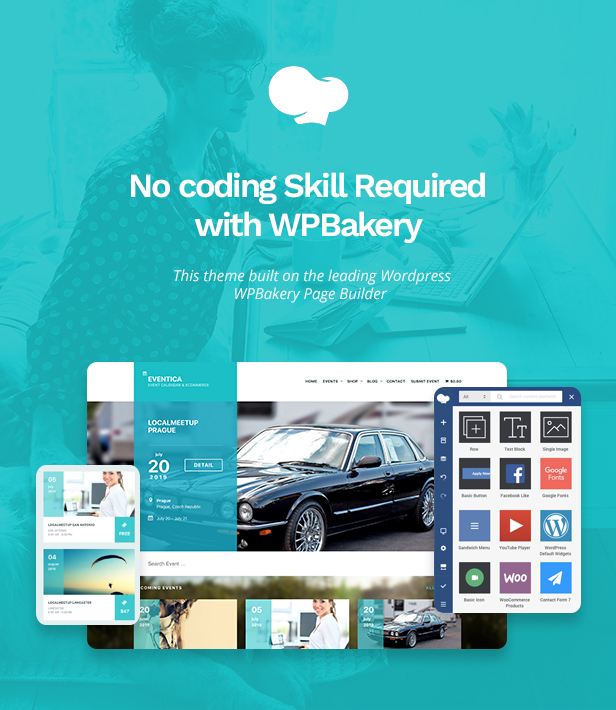

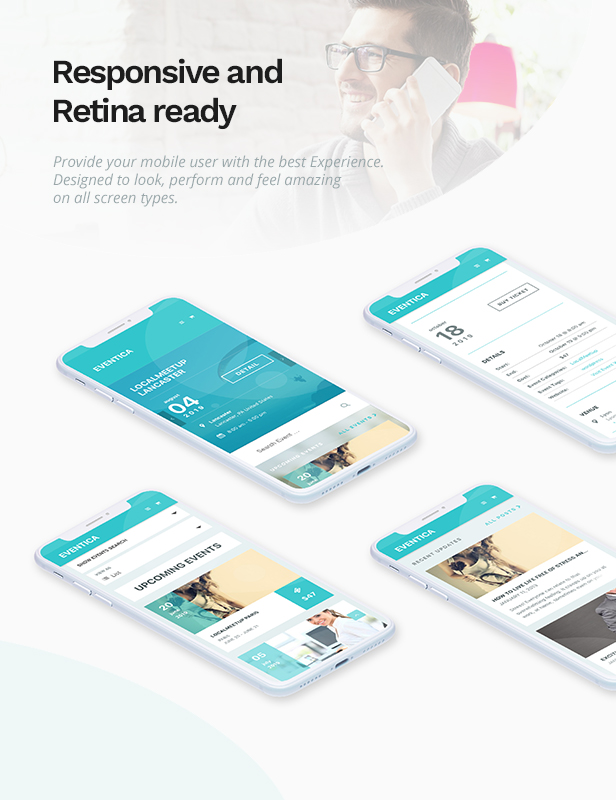

About Eventica
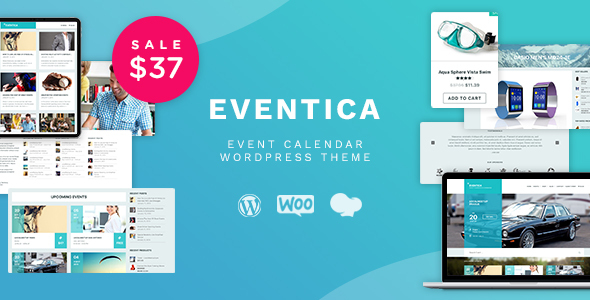
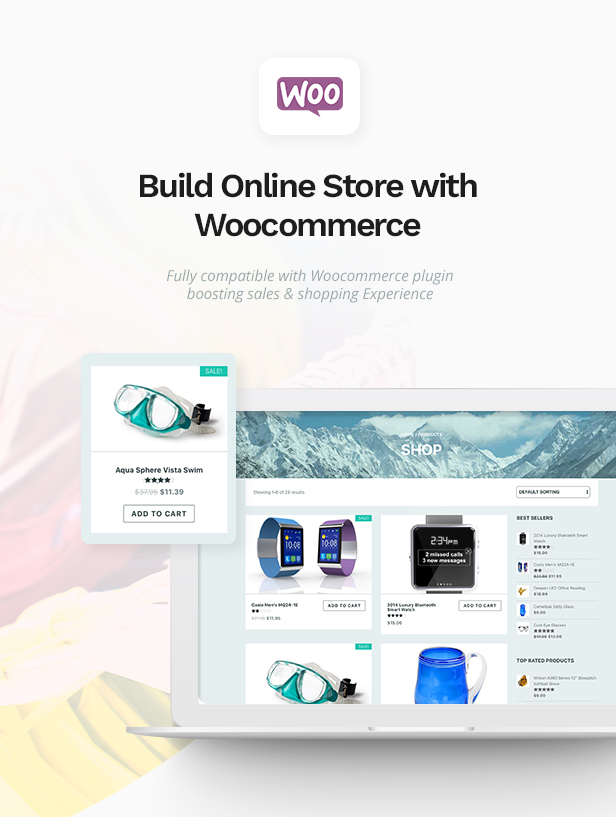
Eventica is Event Calendar and eCommerce WordPress Theme. Ready to use for events listing and online store. You can also sell your event ticket using WooCommerce!
COMPATIBILITY:
- WordPress 5.5+ (self-hosted)
- The Events Calendar 3.9+
- WooCommerce 4.5+, optional, if you want to sell event ticket with WooCommerce or add online store functionality to your website
DEMO: Eventica + The Events Calendar + WooCommerce
This demo is for everyone who want to create an events calendar site plus additional shop feature. You can also SELL event ticket using WooCommerce without creating separate product because it will be created automagically. On v1.4 update, we also introduce frontend submission to allow visitor to submit their event.
Launch Eventica + The Events Calendar Demo
VIDEO TUTORIALS
Eventica Theme Video Tutorials
- 00 – Eventica – Import Dummy Content (Duplicate Our Demo)
- 01 – Eventica – Install Parent & Child Theme
- 02 – Eventica – Create Homepage Using Home Page Template
- 03 – Eventica – Create Homepage Using WPBakery Page Builder
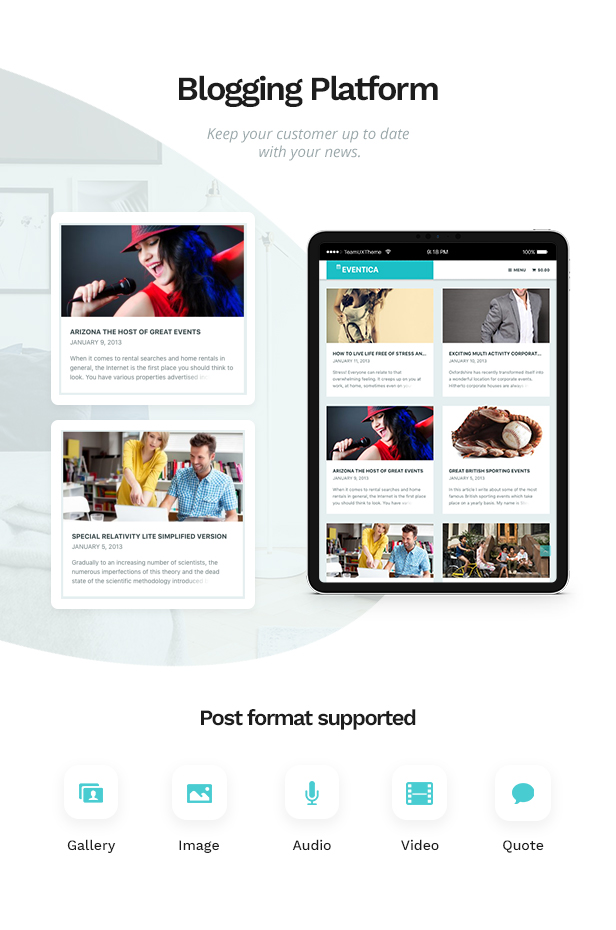
- 04 – Eventica – Create Blog Page
- 05 – Eventica – Create Contact Page
- 06 – Eventica – Setup Menus
- 07 – Eventica – Setup Widgets
- 08 – Eventica – Theme Options
- 09 – Eventica – Add/Edit An Event
- 10 – Eventica – Event Gallery
- 11 – Eventica – Event Venue and Organizer
- 12 – Eventica – Event Call To Action and Sell Ticket
- 13 – Eventica – Events View
- 14 – Eventica – The Events Calendar Pro Overview
- 15 – Eventica – WooTickets Plugin Overview
- 16 – Eventica – WordPress Customizer
- 17 – Eventica – Translation/Localization
- 18 – Eventica – Frontend Submission
- Update Your WordPress Theme Using Plugin Easy Themes and Plugin Upgrades
Basic WordPress Video Tutorials (included in theme documentation)
- How to Buy a Domain Name
- How to Buy a Web Hosting Account
- How to Connect your Domain to a Web Hosting Account
- Automatic WordPress Install using Cpanel, Softaculous VS Fantastico
- Installing WordPress Automatically Using cPanel (Fantastico)
- Installing WordPress Automatically Using cPanel (Softaculous)
- Installing WordPress Manually via FTP
- Get a New Wordpress Blog Ready
- How to Change Permalinks Structure
- How to Create New Posts in Wordpress
- How to Create New Pages in Wordpress
- How to Install Themes
- How to Install Plugins
- Control How Visitors Comment
- Understanding Different User Permissions
- Use Wordpress Widgets Effectively
- Create Navigation Menus and Sort Them
WooCommerce Video Tutorials
- 01 – What is WooCommerce?
- 02 – How To Install WooCommerce WordPress Plugin?
- 03 – How To Import WooCommerce Dummy Data?
- 04 – How To Get Better Product URL With Custom Permalink?
- 05 – How To Use Shop Page For Homepage?
- 06 – How To Display Product Categories On Shop Page?
- 07 – How To Change Shop Currency?
- 08 – How To Add A Simple Product?
- 09 – How To Sell A Service Product?
- 10 – How To Sell A Digital Product?
- 11 – How To Sell An Affiliate Product?
- 12 – How To Use Product Attributes?
- 13 – How To Add A Variable Product With Variations?
- 14 – How To Change Product Images Size?
- 15 – What Are Up Sells and Cross Sells?
- 16 – How To Create A Coupon Code?
- 17 – How To Add Terms & Conditions At Checkout Page?
- 18 – How To Enable Registration On “My Account” Page?
- 19 – What is System Status page?
FEATURES
This theme is straightforward, no bloated options!
- The Events Calendar plugin compatible
- WooCommerce plugin compatible
-
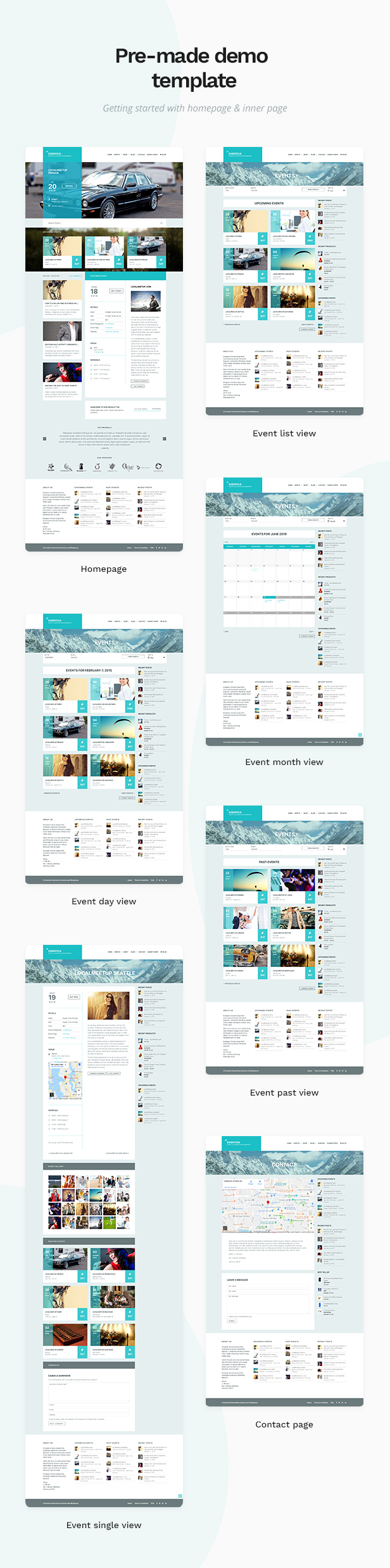
3 Page Templates
- Homepage Page Template, click here for demo
- Contact Page Template, click here for demo
- Fullwidth Page Template
-
Translation Ready
- .po/.mo file is available
- Codestyling Localization plugin compatible
- White Label Theme Options
- Child Theme Ready
- Custom Header
- WordPress-standard Theme Auto Update
- ... and all standard WordPress features …
IS IT COMPATIBLE WITH WPML?
The Eventica theme and WooCommerce plugin are fully compatible with WPML. But, unfortunately, The Events Calendar plugin is still partially compatible with WPML. We have contacted The Events Calendar plugin developer and it is already on their 2015 roadmap to make it fully compatible with WPML.
CREDITS
IMAGES
Images are not included in theme download package.
- Shutterstocks
- Photodune
CHANGELOGS
1.17.10 – 3 Mei 2021
- updated : WPBakery Page Builder Plugin v6.6.0
1.17.9 – 8 Ocktober 2020
- updated : WPBakery Page Builder Plugin v6.4.1
1.17.8 – 28 August 2019
- added : Readmore link on Featured Event section
- added : Pre-defined template for WPBakery Page Builder
- updated : WPBakery Page Builder v6.0.5
- fixed : Responsive on calendar view
- fixed : WooCommerce return shop button alignment if empty cart
- fixed : Compatibility with PRO Additional Fields
- fixed : Single event page Layout on event schedule section
- improvement : white space
1.17.7 – 18 April 2019
- added : Compatibility with WooCommerce v3.6.1
1.17.6 – 02 April 2019
- fixed : Responsive Header Logo
- updated : WPBakery Page Builder Plugin v5.7
- updated : dummy contents
1.17.5 – 21 January 2019
- improved : Event Tickets – Attendee Registration page
- fixed : Event Tickets – quantity hover display bug
- improved : Back To Top show earlier than before
- improved : Google Fonts – do not load default Google Font if not needed
1.17.4 – 27 December 2018
- added: Classic editor plugin in the plugin recommendation
1.17.3 – 7 December 2018
- updated : WPBakery Page Builder (Visual Composer) v5.6, compatible with WordPress 5.0
1.17.2 – 21 November 2018
- added : Off Canvas Menu – close (X) icon
- fixed : Off Canvas Menu – display issue because wrong width calculation
- updated : WPBakery Page Builder Plugin v5.5.5
1.17.0 – 7 September 2018
- added : TEC FrontEnd Submission – add email notification
- added : TEC FrontEnd Submission – add email address option for email notification
- added : TEC FrontEnd Submission – add email subject option for email notification
- added : Visual Composer – Eventica Event Sliders – option to include/exclude events from event categories/tags
- added : Visual Composer – Eventica Upcoming Events – option to include/exclude events from event categories/tags
- added : Visual Composer – Eventica Past Events – option to include/exclude events from event categories/tags
- added : Visual Composer – Eventica Recent Posts – option to include/exclude posts from post categories/tags
- added : Visual Composer – Eventica Featured Events – use select option if total events <= 50, use textfield if total event > 50 for better performance
- added : Optimizations – option to disable generator meta tag
- added : Optimizations – option to disable WordPress emoji script
- added : Optimizations – option to disable WordPress responsive images srcset
- added : Optimizations – option to disable child theme’s style.css
- added : Optimizations – option to disable Jetpack JS&CSS
- added : Optimizations – option to load custom WooCommerce smallscreen css to fix W3TotalCache minify issue
- added : Contact Page Template – option to disable contact form
- added : Contact Page Template – option to change contact form title
- added : Contact Page Template – option to disable send copy checkbox
- added : Contact Page Template – option to change button text
- added : Contact Page Template – option to change email address
- added : Contact Page Template – option to change email subject
1.16.0.1 – 1 August 2018
- added : Contact Template – Google Maps – wrong variable for API key
1.16.0 – 31 Juli 2018
- fixed : some minor styling issues, including IE & Edge issues in some users
- fixed : minor CSS validation issues
- added : Homepage Template – Featured Events – option to show full content or excerpt only
- added : Contact Template – Google Maps – option to use Embed Map using Address without API key
- added : Contact Template – Google Maps – option to use Embed Map using Iframe without API key
- added : Contact Template – Google Maps – option to change map zoom (1-20)
- added : Contact Template – Google Maps – option to change map height (px)
- added : TheEventsCalendar – compatible with the latest version v4.6.x
- updated : TheEventsCalendar – Google Maps – use simple embed map if no Google Map API key supplied
- updated : TheEventsCalendar – Calendar View – show navigation links above the calendar in Month View
- added : TheEventsCalendar – Single Event – option to change number of related events on single event page
- added : TheEventsCalendar – Single Venue – option to disable page title on single venue page
- added : TheEventsCalendar – Single Venue – option to disable sidebar on single venue page
- added : TheEventsCalendar – Single Venue – option to disable upcoming events on single venue page
- added : TheEventsCalendar – Single Organizer – option to disable page title on single organizer page
- added : TheEventsCalendar – Single Organizer – option to disable sidebar on single organizer page
- added : TheEventsCalendar – Single Organizer – option to disable upcoming events on single organizer page
- fixed : TheEventsCalendar – Widgets – featured event styling issue
- added : WooCommerce – compatible with the latest version v3.4.x
- added : Visual Composer – Eventica Featured Events – option to show full content or excerpt only
- added : Visual Composer – Eventica Recent Posts – option to show pagination
- added : TEC FrontEnd Submission – available on Visual Composer element
- added : TEC FrontEnd Submission – shortcode param thankyou for custom thankyou message
- added : TEC FrontEnd Submission – shortcode param event_category=no to hide event category field
- added : TEC FrontEnd Submission – shortcode param event_venue=no to hide event venue field
- added : TEC FrontEnd Submission – shortcode param event_venue=select to show event venue in dropdown select
- added : TEC FrontEnd Submission – shortcode param event_organizer=no to hide event organizer field
- added : TEC FrontEnd Submission – shortcode param event_organizer=select to show event organizer in dropdown select
- updated : TEC FrontEnd Submission – use correct TEC date picker format
- updated : TEC FrontEnd Submission – prevent duplicated submission
- updated : TEC FrontEnd Submission – include submitter name&email for logged-in user
- updated : TEC FrontEnd Submission – show login form when shortcode param login_only=yes
- updated : TEC FrontEnd Submission – styling
- added : EventsCalendarPro – compatible with the latest version v4.4.x
- updated : EventsCalendarPro – option to show recurring event information on list view of events catalog page and event slider (disabled by default)
- added : TEC Community Events – compatible with the latest version v4.5.x
- added : TEC Community Events – styling community events list page
- added : TEC Community Events – styling add/edit community events page
- added : TEC Filter Bar – compatible with the latest version v4.5.x
- added : Event Tickets – compatible with the latest version v4.7.x
- added : Event Tickets Plus – compatible with the latest version v4.7.x
1.15.1 – March 21 2018
- updated : WPBakery Page Builder v5.4.7
1.15.0 – February 23 2018
- added : plugin integration section, final preparation to support other Events plugin on the next v2.0
- updated : Typography – base font 14px, increase readibility
- added : OffCanvas Menu – option to change offcanvas menu position (left/right)
- added : Blog Page – option to disable sidebar on blog page
- added : Single Post – option to disable sidebar on single post
- added : Single Post – option to disable featured image on single post
- added : Single Post – option to change post meta position (side/bottom) on single post
- added : WooCommerce – compatible with WooCommerce 3.3.3
- fixed : WooCommerce – customizer live preview
- fixed : double scrolling issue on some browsers
- removed : “old” options framework, fully using WordPress Customizer now
- updated : light customizer framework
1.14.1 – November 29 2017
- fixed : WordPress Customizer issue on WordPress 4.9
- fixed : TheEventsCalendar Pro – mini calendar widget CSS minor issue
- updated : Visual Composer v5.4.5
1.14.0 – October 13 2017
- added : option to change mobile menu color
- added : option to change off-canvas menu color
- updated : better customizer framework
- updated : slowdown testimonial slider to 8 seconds & add next/prev navigation
- updated : new API url for automatic update feature
- updated : Structured Data – valid JSON-LD Schema.org Events for Single Event
- updated : Structured Data – remove no longer used hcalendar microformat
- updated : Structured Data – update hentry microformat on single post
- updated : Structured Data – update hentry microformat on blog page
- added : TheEventsCalendar – option to show Facebook Comments on single event
- fixed : TheEventsCalendar – minor layout issue on single event page on Safari iPad
- fixed : TheEventsCalendar – minor event price layout issue
- updated : UberMenu – better compatibility
- added : WP Customer Reviews – basic compatibility & styling
- added : One Click Demo Import – add option to disable this feature
- added : One Click Demo Import – remove WooCommerce wizard notice after importing demo content
- fixed : TGMPA – remove warning on bulk installer for WP 4.8
1.13.0 – 14 September 2017
- added: add “tokopress_fonts” filter to allow user adding Google Font from child theme
- added: add Marvel Google Font on customizer, by Eventica user request
- added: TheEventsCalendar – option to show event month in short text format (3 letters)
- fixed: TheEventsCalendar – responsive style on google calendar & ical export button
- added: EventTickets – better responsive style for EventTickets form
- updated: TEC Frontend Submission – prevent double submission because of other plugin conflict
- fixed: TEC Frontend Submission – wrong sanitization method for event cost
1.12.0 – 20 July 2017
- added: better Customizer for theme options, fonts, and colors
- added: TGMPA – Thumbnail Upscale plugin
- fixed: some responsive layout issue
- added: TheEventsCalendar – option to disable currency locking to WooCommerce currency settings.
- updated: TheEventsCalendar – exclude buy button on past event
- updated: Visual Composer v5.2
- fixed: TheEventsCalendar – layout issue on List View
- fixed: TheEventsCalendar – layout issue on featured event
- fixed: TheEventsCalendar Pro – layout issue on recurring event info
- fixed: EventTickets – responsive layout issue
1.11.1 – 19 April 2017
- fixed: Back To Top icon doesn’t show on iPhone 5S
- added: WooCommerce – support WooCommerce 3.0
- added: TheEventsCalendar – option to show day of week on list view of events catalog page
- fixed: TheEventsCalendar – sometimes past events widget show upcoming event
- fixed: TheEventsCalendar – missing before&after hooks on Eventica featured event
- updated: Visual Composer Plugin v5.1.1
- updated: EventTickets – add ticket form anchor link offset when sticky header is active
- fixed: EventTickets – missing styles&scripts enqueue on Eventica Featured event
1.11.0 – 13 March 2017
- added: TheEventsCalendarPro – support shortcode
- uddated: page title – show event category name on event category page
- updated: use basic TheEventsCalendar pagination
- updated: event search box
- updated: Font Awesome 4.7.0
- updated: move vendor stylesheets to different CSS file
- updated: merge woocommerce stylesheet to main stylesheet
- fixed: cost display issue on event meta
- fixed: TheEventsCalendarPro – blank display issue on Photo View
1.10.0 – 28 October 2016
- added: TheEventsCalendar 4.3 compatibility
- added: option to disable recurring event information on list view
- added: option for product image layout (full/half width) on WooCommerce product page
- added: nofollow and open link in new window for footer social icons
- updated: move Event Details metabox below Event Tickets metabox
- updated: event slider style on mobile
- updated: WPML config file update
- fixed: missing venue on TEC4.3 update
- fixed: stretched logo image issue on sticky header
- fixed: logo overlap with hamburger menu issue on mobile
- fixed: multiline layout issue on event schedule
- fixed: VC Testimonial – numbers of testimonilas to show
- fixed: rare issue on Upcoming Events & Recent Posts widget
- fixed: RTL issue for Event Slider
1.9.0 – 9 August 2016
- added: new Visual Composer element – Event Venues
- added: new Visual Composer element – Event Organizers
- added: new TP – Featured Event widget
- added: better placeholder images
- added: option to add minicart icon on header menu
- added: option to disable month and year separator on list view
- added: option to disable event gallery on single event page
- added: option to change event gallery title on single event page
- added: option to disable related events on single event page
- added: option to change related events title on single event page
- added: option to include past events on related events
- added: TheEventsCalendar – styling for Events List widget output
- fixed: missing start & end time on single event page for multiday event
- fixed: rare bug on event cost syncronization
- updated: password protected event
- updated: single venue template
- updated: single organizer template
- updated: increase line height for better readibility
- updated: sticky header positioning when admin bar is active
- updated: event categories and event tags string translation
1.8.1 – 26 July 2016
- added: option to use Google Maps API key for Contact page template
- updated: default featured event shows the next occurring event
- updated: Event Tickets Plus – give enough space for event price
- updated: Community Events – improve responsive event submission
- fixed: image alignment issue
1.8.0 – 17 June 2016
- added: support multiple organizers output on single event page
- added: Event Frontend Submission – support multiple event categories selection
- added: Event Frontend Submission – support multiple event organizers selection
- added: compatible with WooCommerce 2.6
- added: styling My Account tab navigation on WooCommerce 2.6
- updated: outdate template files on WooCommerce 2.6.1
- updated: TGM Plugin Activation 2.6.1
- updated: Visual Composer 4.12
- added: option to enable Visual Composer License Page (Appearance – Theme Options – Misc). It is useful if you purchase Visual Composer license to get direct plugin updates and official support from Visual Composer developer.
1.7.0 – 7 June 2016
- added: option to change events page title (default: Events)
- added: option to change “Upcoming Events” text
- added: option to change the word “Event” / “Events” globally
- added: customizer option to change Back To Top background color
- added: show event date/time detail on Event Slider
- added: TheEventsCalendarPro – show recurring info on event list, single event, and slider
- added: new Past Events Visual Composer element
- added: new Posts Slider Visual Composer element
- added: compatible with TEC EventBrite
- updated: show start-end date/time instead of x days/weeks for consistency
- updated: open external event link at CTA button on new window
- updated: FontAwesome 4.6.3
- fixed: TheEventsCalendarPro – location search issue
- fixed: TheEventsCalendarPro – photo view layout issue when using FilterBar
- fixed: Events Slider sort by IDs issue
- fixed: WordPress database error Unknown column ‘EventStartDate’ in ‘order clause’
1.6.6 – 23 April 2016
- updated: Visual Composer 4.11.2.1
1.6.5 – 13 April 2016
- added: notice to change currency options on WooCommerce Settings
- added: Custom Header Extended plugin support for single event
- fixed: double arrow issue on Home Slider because of VC Grid
- fixed: currency encoding issue on TEC Filter Bar addon
1.6.4 – 28 March 2016
- updated: Visual Composer v4.11.1
- updated: increase depth level of header menu
- fixed: wrong event time calculation
1.6.3 – 24 March 2016
- added: compatible with MailChimp Pro 3.0 plugin
- updated: Visual Composer v4.11.1
- fixed: remove some notices on TEC when WP_DEBUG is active
- added: compatible with CM2 2.2.1
- updated: now Past Events widget use DESC order
- updated: Visual Composer Plugin v4.10
- added: compatible with WooCommerce 2.5.0
- updated: Visual Composer v4.9.2
- fixed: Google map styling issue on single venue
- added: compatible with WordPress 4.4
- added: compatible with The Events Calendar 4.0
- added: compatible with Event Tickets
- added: compatible with Event Tickets Plus
- updated: Visual Composer 4.9
- updated: TGMPA 2.5.2
- added: The Events Calendar uses WooCommerce currency settings when WooCommerce is active!
- added: TEC WooTicket – option to show event attendees list on Single Event page (per event)
- added: TEC WooTicket – new responsive style for ticket table
- added: Mailchimp4WP v3 support
- updated: responsive cart page
- updated: contact form
- updated: Visual Composer Plugin 4.8.1
- updated: Visual Composer Plugin 4.7.4
- added: option to hide Page Title globally
- added: better styling for WooTicket ticket table
- updated: Visual Composer 4.6.2
- updated: better submenu indicator using fa-angle-down and fa-angle-left
- updated: better responsive for single blog page & comment
- updated: use new TEC 3.11 class name
- fixed: missing event cost on single event page
- fixed: event cost is converted to integer value in WooCommerce
- fixed: missing Subscribe Form option when Mailchimp plugin is not active
- fixed: bug on home search block
- fixed: Google Maps link should open in new window
- fixed: missing Single Venue page after TEC 3.11 update
- fixed: missing Single Organizer page after TEC 3.11 update
- added: option to change body font size via Appearance – Customize – Fonts
- added: “Return To Top” icon
- added: The Events Calendar WooTicket – option to change minimum quantity input from 0 to 1 via Appearance – Theme Options – Events
- updated: replace favicon uploader with WP4.3 site icon
- added: pre option filter to always use “Default Events Template” for Events Template option
- fixed: quantity number issue on Cart page because of WooTickets product number input filter
- updated: WooCommerce 2.4 template override notice
- updated: use new TEC 3.11 class name
- fixed: list view navigation issue after TEC 3.11 update
- fixed: hamburger menu icon color on mobile use logo text color
- added: event list styling when “Include events in main blog loop” option is ON
- fixed: max-width of event page when tribe bar is disabled
- fixed: frontend submission style issue, it is bug on the latest CMB2 plugin
- updated: Visual Composer 4.5.3, addressing PrettyPhoto security issue
- fixed: wrong download URL for Eventica Visual Composer elements plugin package
- added: The Events Calendar WooTicket – set minimum quantity to 1
- added: numbers & category option for Upcoming Events and Events Slider
- added: hide buy ticket button for passed events
- added: https support for google fonts and placeholders
- added: exclude option for Upcoming Events
- fixed: stretched / not aligned logo image issue
- fixed: Event IDs ordering issue on event slider
- fixed: hide Google Maps issue
- fixed: security vulnerability issue with add_query_arg
- fixed: bugs on TGMPA class
- added: Frontend Submission for The Events Calendar
- added: Customizer options to change body fonts and heading fonts
- added: Many Customizer options to change important colors on Content, Home, Events, WooCommerce
- added: The Events Calendar Filter Bar compatibility
- added: UberMenu compatibility
- added: Events Venue shortcode
- added: new single venue page
- added: option to link venue name on single event to venue page
- added: Events Organizer shortcode
- added: new single organizer page
- added: option to link organizer name on single event to organizer page
- added: option to choose category on upcoming events element
- added: “Return To Events” button on Cart page when cart is empty
- added: option to show comment form on single event page
- added: Visual Composer Elements plugin is translatable now
- fixed: Events Slider not show past event with specific ID
- fixed: Events list box are not aligned properly
- fixed: custom background issue
- fixed: search form widget style
- added: option to enable/disable sticky header
- updated: smooth sticky header
- updated: TEC PRO – link venue name to venue page
- updated: TEC PRO – link organizer name to organizer page
- fixed: missing organizer link
- fixed: mobile not not easy clickable on touch device
- fixed: html5 validation issues
- added: Visual Composer v4.4.2
- added: Eventica Visual Composer elements and shortcodes
- added: Visual Composer (blank) page template
- added: “full width” page template
- added: “no title” page template
- added: “full width + no title” page template
- added: “with comments” page template
- added: option to hide page title and sidebar on events and single event page
- added: option to hide page title and sidebar on contact page template
- added: option to hide page title and sidebar on main shop page
- added: option to hide product rating on shop page
- added: The Events Calendar Pro – additional fields output on event detail
- updated: use “Visit Organizer Website” for organizer link on event detail
- updated: sticky header
- updated: WooCommerce 2.3 styling
- fixed: TGMPA Bulk Installer issue
- fixed: The Events Calendard Pro – Photo view issue
- fixed: WooCommerce product category column issue
- added: ability to sell ticket with WooCommerce
- added: options to customize header and footer colors via Customizer
- fixed: custom background output issue
- fixed: event custom content sanitization issue
- fixed: event gallery grid on small device
- fixed: event time formatting for multiday event to support PHP 5.2
- added: event gallery
- added: customizable call to action text and link per event
- added: option to add custom content below event schedule
- added: favicon option
- added: header & footer script options
- added: The Events Calendar Pro compatible – Week view suport
- added: The Events Calendar Pro compatible – Map view suport
- added: The Events Calendar Pro compatible – Photo view support
- added: The Events Calendar Pro compatible – Venue page support
- added: The Events Calendar Pro compatible – Organizer page support
- added: The Events Calendar Pro compatible – Widget styling
- added: The Events Calendar Pro compatible – hide related events, we already have this one
- added: The Events Calendar – WooCommerce Ticket compatible
- added: The Events Calendar – Community Event extension compatible
- updated: options to disable most of elements in Home page template
- updated: better breadcrumb for event and blog
- updated: show TEC page title in correct position to fully support the ajax
- fixed: show upcoming events for related events
- fixed: remove double title issue
- fixed: sponsor width issue on Firefox
- fixed: header menu issue
- fixed: prev and next events color on mobile device
- fixed: theme option issue
- fixed: widget issue when widget title missing
- fixed: set max width for video
- new: get first attached image of blog post when featured image is not available
1.6.2 – 12 March 2016
1.6.1 – 22 January 2016
1.6 – 30 December 2015
1.5.1 – 27 November 2015
1.5.0 – 9 October 2015
1.4.9 – 28 August 2015
1.4.8 – 24 August 2015
1.4.7 – 11 August 2015
1.4.6 – 9 August 2015
1.4.5 – 14 July 2015
1.4.4 – 20 June 2015
1.4.3 – 4 June 2015
1.4.2 – 2 June 2015
1.4.1 – 23 April 2015
1.4 – 22 April 2015
1.3 – 10 April 2015
1.2.1 – 30 March 2015
1.2 – 2 March 2015
1.1.1 – 12 February 2015
1.1.0 – 11 February 2014
1.0.4
1.0.3
Categories
Tags
External listing. code.market does not sell this product and does not process payment for it. Pricing, payment, delivery, licensing, refunds, and support are handled by the third-party merchant on its own website. We may earn an affiliate commission from a referral. Details.
Products of the Week.
Submit#1

wanapi.app
Wan API is a developer platform for the Wan video model family. Compare Wan 3.0, Prime and Pro specifications and prices, then prepare a request in the preview playground.
Other · 8,073 views · 20 clicksOther · Week 42 · 8,073 views · 20 clicks
#2

wanapi.ai
Wan API is a developer platform for the Wan video model family. Compare Wan 3.0, Prime and Pro specifications and prices, then prepare a request in the preview playground.
Other · 7,422 views · 11 clicksOther · Week 42 · 7,422 views · 11 clicks
#3

yee.site
Your link in bio, but a real website. Start from beautiful templates and ready-made sections, then add a shop, bookings, a blog and as many pages as you need. Perfect for your link in bio, portfolio or personal site.
Other · 13,496 views · 22 clicksOther · Week 42 · 13,496 views · 22 clicks
#4

upvote.club
Free Social Media Engagement that Helps Boost Your Content. Upvote Club supports 19 social networks with 100+ engagement actions in one dashboard. Add links to your posts and get free engagement from real users.
SaaS · 34,397 views · 104 clicksSaaS · Week 42 · 34,397 views · 104 clicks
#5

Seenshot App
Free, Fast, MacOS Screenshot app. Make Screenshot cmd+shift+2 and send it via link
Desktop App · 22,890 views · 114 clicksDesktop App · Week 42 · 22,890 views · 114 clicks
#6

Conversational Backlinks for Busy Founders
Place Backlink Relevant Conversation for your domain across Forums and Conversations
Website · 34,667 views · 204 clicksWebsite · Week 42 · 34,667 views · 204 clicks
#7

Substack Posting API
Onboard your Agent to Substack. Write Publish on Substack via API
SaaS · 53,535 views · 190 clicksSaaS · Week 42 · 53,535 views · 190 clicks
#8

codester.com
SocialDesk+: Omnichannel Social Commerce & Business Management Platform This is stronger than simply “Social Commerce and Messaging” because it tells buyers this is a complete business platform, not just a messaging script. Turn Social Conversations Into Sales SocialDesk+ is a complete omnichannel social commerce and business management platform built for businesses that sell and communicate with customers through social media. Instead of switching between WhatsApp, Facebook, Instagram and TikTok, businesses can manage customer conversations, comments, products, leads, follow-ups, automation, teams and business reports from one professional workspace. And because the full source code is included, developers, agencies and entrepreneurs can customize, rebrand and launch SocialDesk+ as their own business solution or SaaS platform. 🚀 Build Your Own Social Commerce Business SocialDesk+ gives you the foundation to launch: - Your own SaaS platform - A white-label social CRM - A social-commerce management system - A customer communication platform - A business messaging solution - A custom solution for clients - A multi-business subscription platform 💬 Connect Your Customers Supported social channels include: WhatsApp • Facebook • Instagram • TikTok Bring supported conversations into one centralized workspace and help businesses respond faster without constantly switching between platforms. 🛍️ More Than a Messaging Platform SocialDesk+ combines communication with the tools businesses need to manage customer opportunities: Inbox Manage customer conversations from connected channels. Comments Monitor and respond to social-media comments. Customers & Leads Organize customer information and potential buyers. Products & Catalog Manage products and give your team quick access to product information. Follow-Ups Make sure potential customers don't get forgotten. Automation Automate repetitive customer questions and responses. AI Assistant Provide AI-assisted communication when configured. Team Management Give managers and staff access to the business workspace. Reports & Analytics Track activity using business reports and analytics. The current product listing already includes these capabilities. 🔥 Why Buyers Will Want It Launch Faster Start with an already-built business platform instead of developing the entire system from zero. Customize Everything The full source code is included, allowing developers to change branding, features, workflows and integrations. Build a SaaS Create multiple business workspaces and offer SocialDesk+ as a subscription-based service. Sell to Businesses Offer it to retailers, restaurants, service businesses, online sellers, agencies and other businesses that communicate with customers through social media. Mobile + Web + Backend This isn't just a mobile UI template. It includes: - Flutter mobile application - Python / FastAPI backend - Web interface - Administration tools - Database infrastructure - API-based architecture - SQLite / PostgreSQL support - Android and iOS project structure 💼 One Platform. Multiple Business Opportunities. For SaaS Entrepreneurs Launch your own subscription platform and allow multiple businesses to operate inside separate workspaces. For Software Agencies Customize and rebrand the platform for clients instead of building an omnichannel business system from scratch. For Developers Use the complete source code as a foundation for your own social-commerce or customer-management product. For Businesses Deploy a dedicated version for your own customer-service and social-commerce operations. 🧩 What's Included Mobile - Flutter / Dart - Android - iOS project Backend - Python - FastAPI - SQLAlchemy - Alembic Database - SQLite - PostgreSQL Web - HTML5 - CSS3 - JavaScript Deployment - Docker - Docker Compose - Production configuration Business Platform - Multi-workspace architecture - Authentication - Teams - Customers - Products - Messaging - Comments - Automation - Reports - Subscriptions - Administration The current listing also documents third-party integrations such as Meta, TikTok, Stripe, Firebase, SMTP and optional OpenAI configuration. ⚡ What Makes SocialDesk+ Different? You're not buying a simple: ❌ Chat UI ❌ WhatsApp clone ❌ Flutter template ❌ Admin dashboard ❌ Basic CRM You're getting a complete business platform foundation that can be customized, branded and commercialized. Connect. Automate. Manage. Grow. SocialDesk+ Omnichannel Social Commerce & Business Management Platform One important change I'd make to the current listing The current page starts with: “A simple guide to managing your social conversations, customers, products and business activity.”
Other · 20,907 views · 35 clicksOther · Week 42 · 20,907 views · 35 clicks
#9

sandbook.app
Sandbook reads EPUB, PDF, web pages and scanned pages aloud with Kokoro TTS, an open neural voice model that runs on your iPhone, free and offline. Choose from 41 natural voices in English, Spanish, French, Italian, Brazilian Portuguese and Hindi and follow each word as it is spoken. Try the same voices in your browser first with the free Kokoro TTS online demo.
Other · 20,816 views · 17 clicksOther · Week 42 · 20,816 views · 17 clicks