
Error Code 404 Animated SVG

Description
Description
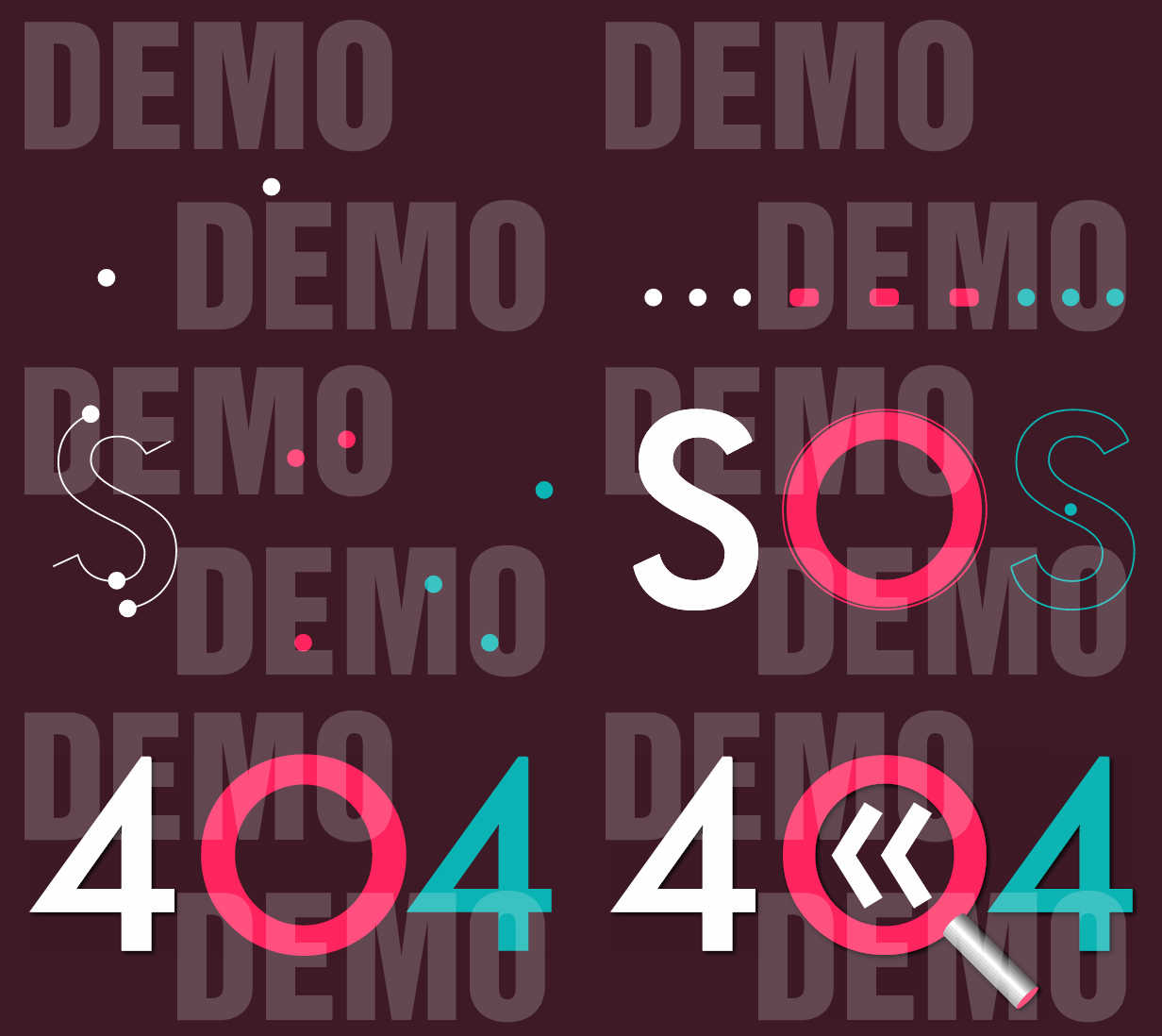
This is a Scalable Vector Graphics (SVG) animation, created with the help of Dmitry Baranovskiy’s Snap.svg JavaScript library. It starts with the SOS international Morse code distress signal, which is three dots, three dashes and three dots. Then the dashes morph to dots. The group of nine dots draws the letters SOS, where two dots in each group draw the inner and outer stroke of one letter and the third is used as a filler. The animation continues with morphing animation of the ‘S’ letters, which turn into ‘4’ digits. The ‘O’ letter turns into a magnifying glass, which moves up and down a little in order to reveal a back button.
How to use the Visual Builder
The Visual Builder is a help tool that resides in the VISUAL_BUILDER folder of the package you have purchased.
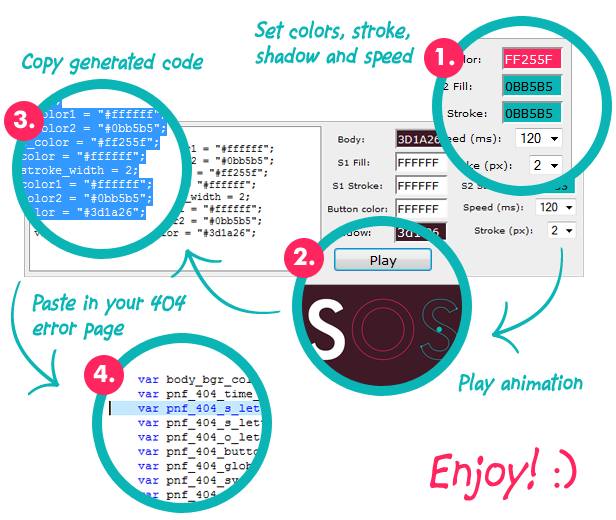
If you load the index.html page you will see an interface, that allows you to set values to all the options, that define the animation look and feel. When you hit the play button the set panel will hide, the animation will play and if you are happy with it, you will need to select and copy the code, that sits in the left part of the panel. This code will have to be pasted in the page where you intend to use the animation. In the simple_usage.html page I have put comments around the portion of code that you need to replace:
//===================================
//PASTE CODE FROM VISUAL BUILDER HERE
var pnf_404_time_m = 120;
var pnf_404_s_letter_color1 = "#ffffff";
var pnf_404_s_letter_color2 = "#0bb5b5";
var pnf_404_o_letter_color = "#ff255f";
var pnf_404_button_color = "#ffffff";
var pnf_404_global_stroke_width = 2;
var pnf_404_stroke_color1 = "#ffffff";
var pnf_404_stroke_color2 = "#0bb5b5";
var pnf_404_shadow_color = "#000000";
//===================================
This is transparent animation, so if you want to change the background color of the page you have to take the value from the Visual Builder and put it as a style setting. In the simple_usage.html page I have comments next to the line where you need to replace the value of the background-color:
body{
  background-color: #3d1a26;/* TAKE THIS VALUE FROM THE VISUAL BUILDER */
  margin: 0px;
}
The speed setting is in milliseconds. All time intervals used in the animation are based on this number.
Usage
1. In order to play the animation you need to add a svg object to your 404 page. It needs to have an id attribute and also width and height. If you set the width as a percentage the animation will be responsive. You can set a height in pixels, which will act as a maximum height in the bigger resolutions:
<svg id="pnf_404_svg" width="100%" height="500px"></svg>
2. After you have the svg element you will need to import some JavaScript files. These are Snap.svg library, and JavaScript file with the animation instructions. In my demos, I add these in the header of the document.
<script type="text/javascript" src="snap.svg-min.js"></script>
<script type="text/javascript" src="pnf_404_animation.min.js"></script>
3. Lastly you need to add some more JavaScript, which will set the properties of the animation like colors, speed, stroke width, etc. and run the animation. In this portion you will also need to include two functions, which handle the end animation event and the back button click event.
<script type="text/javascript">
var pnf_404_time_m = 120;
var pnf_404_s_letter_color1 = "#ffffff";
var pnf_404_s_letter_color2 = "#0bb5b5";
var pnf_404_o_letter_color = "#ff255f";
var pnf_404_button_color = "#ffffff";
var pnf_404_global_stroke_width = 2;
var pnf_404_stroke_color1 = "#ffffff";
var pnf_404_stroke_color2 = "#0bb5b5";
var pnf_404_shadow_color = "#000000";
var pnf_404_svg = "pnf_404_svg";//id of SVG object
function pnf_404_complete_handler(){
  //PLACE SOME CODE HERE WHICH WILL BE EXECUTED AFTER THE ANIMATION COMLPETES
}
function pnf_404_back_button(){
  //CLICK HANDLING FOR THE BACK BUTTON
  window.history.back();
}
window.onload = function(){
  pnf_404_page_not_found_animation(
    pnf_404_svg,
    pnf_404_time_m,
    pnf_404_s_letter_color1,
    pnf_404_s_letter_color2,
    pnf_404_o_letter_color,
    pnf_404_button_color,
    pnf_404_global_stroke_width,
    pnf_404_stroke_color1,
    pnf_404_stroke_color2,
    pnf_404_shadow_color
  );
};
</script>
Features
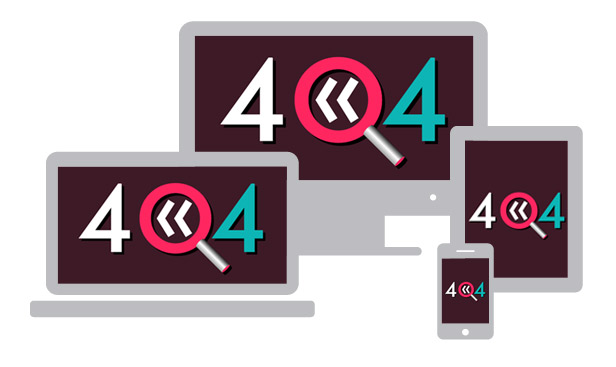
- Responsive behavior.
- Transparent background.
- Visual Builder tool that helps you create an unique look of the animation.
- Infinite color combinations for the letters, stroke, shadow and back button.
- Ability to set animation speed.
- The animation itself features: path morphs, masking, filters, translation along path, drawing of path, etc.
Changelog
RELEASED [28 JUL 2015]| Type | JavaScript Script |
|---|---|
| Author | chrisdean |
| Category | Javascript / Animated Svgs |
| Price | $6 |
| Sales | 8 |
| Published | Jul 27, 2015 |
| Last Update | Feb 2, 2021 |
| Compatible Browsers | IE9, IE10, IE11, Firefox, Safari, Opera, Chrome |
| Compatible Software | Other |
| Source Files Included | JavaScript JS, HTML |
| Video Preview Resolution | 1280x720 |
Categories
Tags
External listing. code.market does not sell this product and does not process payment for it. Pricing, payment, delivery, licensing, refunds, and support are handled by the third-party merchant on its own website. We may earn an affiliate commission from a referral. Details.
Products of the Week.
Submit🥇

STOP GUESSING WHAT TO POST
AI that learns your brand voice and builds a month of consistent, on-brand social content: carousels, posts and hooks that sound like you, not like everyone else's AI.
SaaS · 4,298 views · 38 clicksSaaS · Week 45 · 4,298 views · 38 clicks
🥈

Conversational Backlinks for Busy Founders
Place Backlink Relevant Conversation for your domain across Forums and Conversations
Website · 42,020 views · 223 clicksWebsite · Week 45 · 42,020 views · 223 clicks
🥉

upvote.club
Free Social Media Engagement that Helps Boost Your Content. Upvote Club supports 19 social networks with 100+ engagement actions in one dashboard. Add links to your posts and get free engagement from real users.
SaaS · 40,064 views · 117 clicksSaaS · Week 45 · 40,064 views · 117 clicks
#4

Substack Posting API
Onboard your Agent to Substack. Write Publish on Substack via API
SaaS · 59,073 views · 198 clicksSaaS · Week 45 · 59,073 views · 198 clicks
#5

Seenshot App
Free, Fast, MacOS Screenshot app. Make Screenshot cmd+shift+2 and send it via link
Desktop App · 28,448 views · 122 clicksDesktop App · Week 45 · 28,448 views · 122 clicks
#6

Hand-Placed Backlinks $9.99 per link. Flat rate.
Buy hand-placed forum, Q-A and directory backlinks. Flat $9.99 per link, no subscriptions — you only pay for approved listings.
Website · 4,281 views · 19 clicksWebsite · Week 45 · 4,281 views · 19 clicks
#7

Free Invoice Generator - PDF Invoices in Your Browser, No Sign-Up
A free invoice maker for freelancers and small businesses: fill in the invoice, check the live preview, and download a PDF that looks exactly like it. Any currency, tax per item, three templates, no sign-up, and nothing leaves your device.
2,956 views · 17 clicksWeek 45 · 2,956 views · 17 clicks
#8

Merge PDF Files Free - Combine PDFs in Your Browser, No Upload
A free PDF merger for office workers, students, and freelancers: combine PDFs and images into one file in the browser, reorder files and pages, pick page ranges, keep bookmarks, and open password-protected PDFs. Nothing is uploaded, no sign-up, no watermark.
2,729 views · 13 clicksWeek 45 · 2,729 views · 13 clicks