
Ekselen - School Management System

Description


Ekselen – School Management System
Ekselen is a desktop school management system, Ekselen offer great features for all type of educational institutions such as management for students, classrooms, subjects, timetable schedule, fee payments, expenses, employees, teachers and much more. With an outstanding GUI, support for Touch Events and Voice Commands, Ekselen is the only desktop school management you need in your school.Features
- Touch Event Support
Ekselen taking advantages of technology, make it possible for you to manage information in your institution anyway you like, using any components of your devices, no limitation.
 Touch here, touch there, no limitation for accessing Ekselen. Ekselen even embedded with sliding panel, to make you feel Ekselen is really interacting with you all the time.
- Voice Command Support
Who say only smartphones that can respond to your command? So do Ekselen! even integrated with your system. But make sure your microphone is on, don’t let Ekselen unable to hear what you say. Ekselen always have feedback for every command you say. Fun right. One day, a shiny day, Ekselen white background was so bright.
So I said to Ekselen, “Too shiny, can you change to orange?”, “Sure do, sir” It replied. Voila! It changes to orange.
What else Ekselen can recognize? Helping you processing your data, just say “add new student” the new student screen will appear and you can choose either you use your keyboard or the touch keyboard on your screen, hold on a sec. Just say it and it will typed itself into the corresponding field. No way, yes. Feel free to explore, word such as “open touch keyboard”, “back to menu”, everything you wanna do with Ekselen can be done this way.
- Responsive? Of course it is responsive, any screen size you used there won’t be any changes happen to Ekselen. It stays the way it stands.
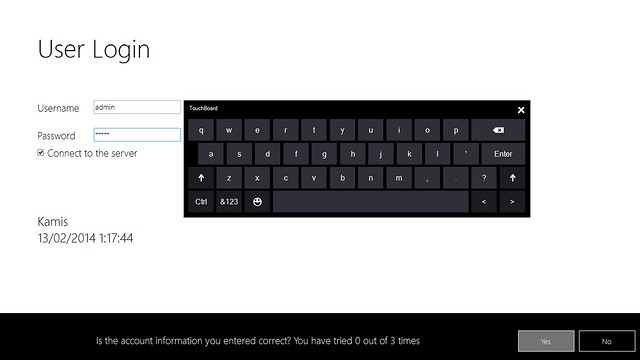 Touch here, touch there, no limitation for accessing Ekselen. Ekselen even embedded with sliding panel, to make you feel Ekselen is really interacting with you all the time.
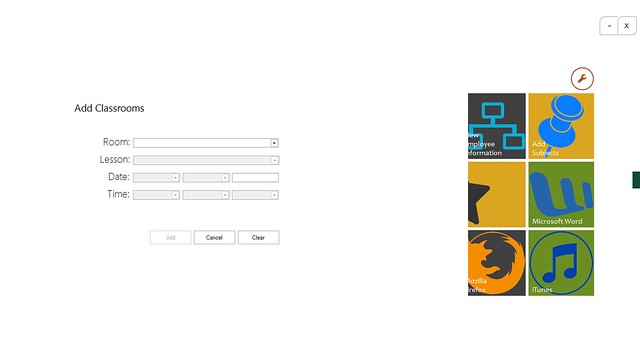
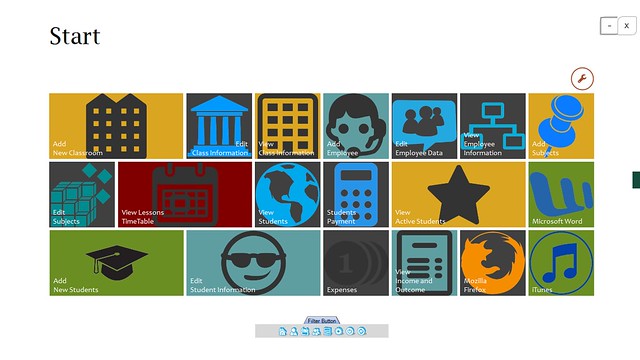 So I said to Ekselen, “Too shiny, can you change to orange?”, “Sure do, sir” It replied. Voila! It changes to orange.
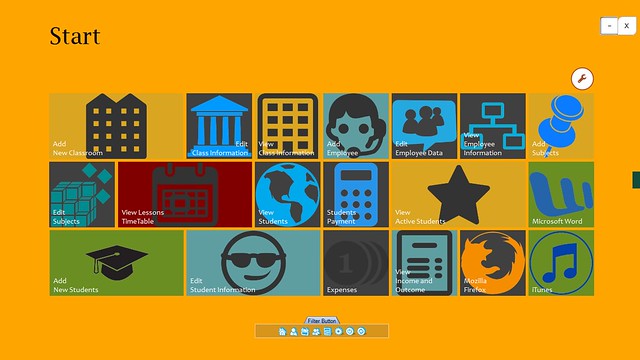 What else Ekselen can recognize? Helping you processing your data, just say “add new student” the new student screen will appear and you can choose either you use your keyboard or the touch keyboard on your screen, hold on a sec. Just say it and it will typed itself into the corresponding field. No way, yes. Feel free to explore, word such as “open touch keyboard”, “back to menu”, everything you wanna do with Ekselen can be done this way.
Update History
Version 1.1 – June 14, 2014- Added multi-login feature for students and teachers.
- Fixed minor bugs from previous version.Version 1.0 – February 13, 2014
- Initial release
Entities
Administrator- Manage Students Class/Group wise
- Add / Edit / Delete Student
- View Profile of Student
- Manage teacher profile
- Add / edit / delete teacher information
- Create / edit / delete class / group for students.
- Create / edit / delete subjects here from subject menu
- Subjects can be defined seperately according to each classes
- Manage class routine
- Create / edit / delete class routine schedule on 7days a week
- Manage payment for student
- Create / edit / delete invoice listing
- View invoice and print them
- Edit system settings
- Manage language of the software
- Create your own language and convert the language phrases easily
- Create backup and restore anytime
- Generate reports
- View students report
- View financial report
- View class schedule
- View Teacher Information
- View students information
- View class schedule
- View students information
- View class schedule
- Pay tuition
Support
Please contact me via email from my Profile regarding support or pre-sale questions for any purchase of my items.
| Type | .NET Script |
|---|---|
| Author | riefkhy |
| Category | Net / Project Management Tools |
| Price | $19 |
| Sales | 25 |
| Published | Feb 13, 2014 |
| Last Update | Jun 14, 2014 |
| Compatible Software | .NET 4.0, .NET 4.5 |
| Source Files Included | Visual Basic VB |
Categories
Tags
External listing. code.market does not sell this product and does not process payment for it. Pricing, payment, delivery, licensing, refunds, and support are handled by the third-party merchant on its own website. We may earn an affiliate commission from a referral. Details.
Products of the Week.
Submit🥇

STOP GUESSING WHAT TO POST
AI that learns your brand voice and builds a month of consistent, on-brand social content: carousels, posts and hooks that sound like you, not like everyone else's AI.
SaaS · 4,287 views · 38 clicksSaaS · Week 45 · 4,287 views · 38 clicks
🥈

Conversational Backlinks for Busy Founders
Place Backlink Relevant Conversation for your domain across Forums and Conversations
Website · 41,998 views · 223 clicksWebsite · Week 45 · 41,998 views · 223 clicks
🥉

upvote.club
Free Social Media Engagement that Helps Boost Your Content. Upvote Club supports 19 social networks with 100+ engagement actions in one dashboard. Add links to your posts and get free engagement from real users.
SaaS · 40,039 views · 117 clicksSaaS · Week 45 · 40,039 views · 117 clicks
#4

Substack Posting API
Onboard your Agent to Substack. Write Publish on Substack via API
SaaS · 59,049 views · 198 clicksSaaS · Week 45 · 59,049 views · 198 clicks
#5

Seenshot App
Free, Fast, MacOS Screenshot app. Make Screenshot cmd+shift+2 and send it via link
Desktop App · 28,423 views · 122 clicksDesktop App · Week 45 · 28,423 views · 122 clicks
#6

Hand-Placed Backlinks $9.99 per link. Flat rate.
Buy hand-placed forum, Q-A and directory backlinks. Flat $9.99 per link, no subscriptions — you only pay for approved listings.
Website · 4,258 views · 19 clicksWebsite · Week 45 · 4,258 views · 19 clicks
#7

Free Invoice Generator - PDF Invoices in Your Browser, No Sign-Up
A free invoice maker for freelancers and small businesses: fill in the invoice, check the live preview, and download a PDF that looks exactly like it. Any currency, tax per item, three templates, no sign-up, and nothing leaves your device.
2,935 views · 17 clicksWeek 45 · 2,935 views · 17 clicks
#8

Merge PDF Files Free - Combine PDFs in Your Browser, No Upload
A free PDF merger for office workers, students, and freelancers: combine PDFs and images into one file in the browser, reorder files and pages, pick page ranges, keep bookmarks, and open password-protected PDFs. Nothing is uploaded, no sign-up, no watermark.
2,711 views · 13 clicksWeek 45 · 2,711 views · 13 clicks