
Ecommerce Engine CMS - Store - Shop - Marketplace by Ctechnologies
Description
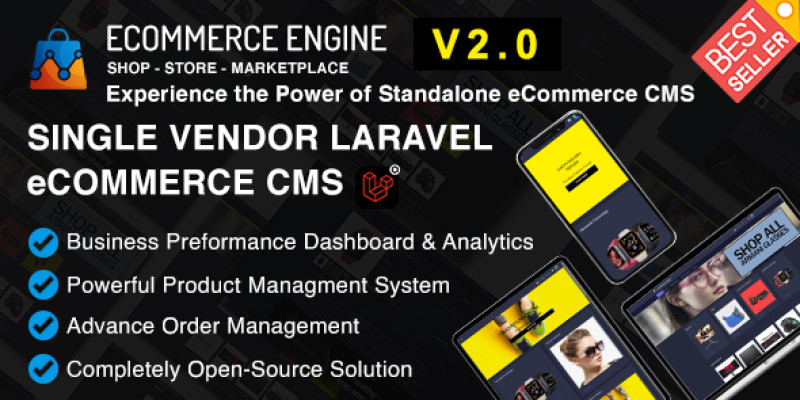
Kick-start your online store with the most powerful E-commerce solution based on PHP Laravel, a powerful, open-source, user-friendly platform/script perfect for any shop/store or marketplace that puts simplicity, affordability, and complete control in your hands.
It offers unmatched affordability, control, and customization options while being responsive across all devices.
Deploy on your domain in under a minute using a built-in installation wizard, and tap into advanced e-commerce features tailored for success.
It's fully yours—customize freely with lifetime updates. Launch into e-commerce with confidence!
Live Demos
Frontend Demo: Frontend Demo Link
Super Admin Demo: Admin Demo Login Email: admin@ecommerce-engine.com Password: 123456
User Dashboard Demo: User Dashboard Email: customer@demo.com Password: 123456
Support & Documentations
Documentation: Documentation


The Ultimate eCommerce Engine is designed to provide entrepreneurs and businesses with a robust, versatile, and user-friendly platform. From detailed analytics to advanced marketing tools, this engine equips you with everything you need to succeed in the competitive world of online retail.
Features

Detailed Features
- Analytics Dashboard & Business Performance: Monitor sales, view detailed reports, and get actionable insights.
- Geographical Sales Analysis: Understand your market with sales breakdowns by country and city.
- Order Tracking & Product Metrics: Stay updated on every transaction and product performance.
- Catalog Management: A scalable system for managing categories, brands, colors, products, and more.
- Order and Abandoned Cart Management: Comprehensive order tracking and insights into customer behaviors.
- Marketing Tools: Advanced coupon system and subscriber management for effective promotions.
- Progressive File Manager: Manage your files efficiently for a streamlined operation.
- Flexible Shipping Options: Customize shipping methods and parameters to meet your needs.
- Customizable System Settings: Dynamic menus, sliders, banners, and footers for a personalized look.
- Dynamic CMS Pages: Easily create and manage content, with flexible feature activation.
- Multi-Currency and Multi-Language: Cater to a global audience with diverse currency and language options.
- Tax, VAT, and Payment Methods: Supports various payment methods including Stripe and PayPal.
- Third-Party Integrations: Google Analytics, Facebook Pixel, Twilio WhatsApp, and more.
- Staff Management System: Assign roles and permissions for effective team collaboration.
- Extensibility with Add-ons: Expand functionality with a variety of add-ons and applications.
- Comprehensive Support: Backed by detailed documentation and dedicated customer support.
Change log:
Updated
v2.1.0 (2025-01-19)
- Minor Bug Fixes
v2.0.0 (2024-03-25)
- Major Bug Fixes
- UI Improvements
v1.0.0 (2024-02-12)
eCommerce Engine Cms
- eCommerce Engine version Initial Release
Requirements
E-commerce Engine Version: 1.0 Requirements
- Laravel Version: 10.2x
- PHP Version: 8.2 or higher
- MySQL Version: 8.0 or higher
- Web Server: Apache or Nginx
- Composer: Dependency Management
- PHP Extensions: OpenSSL, PDO, Mbstring, Tokenizer, XML, Ctype, JSON, BCMath, Fileinfo
- Server Memory: At least 512MB (Recommended 1GB for smoother operation)
- Storage: Depending on your data size.
Instructions
How to Install the eCommerce Engine Script
Quick Start Guide
This guide will help you seamlessly install the eCommerce Engine Script. Follow these simple steps to get started:
Step 1: Prepare the Installation File
- Download and Extract: After purchasing the script, download the .zip file to your computer.
- Locate EcommerceEngine.zip: Inside the extracted folder, find the
InstallEngine.zipfile.
Step 2: Upload to Your Server
- Transfer to Server: Upload the
InstallEngine.zipfile to your server'spublic_htmldirectory, or any other directory where you wish to run the script. - Unzip: Extract the contents of
InstallEngine.zipin the chosen directory.
Step 3: Database Setup
- Create Database: Go to your server’s MySQL section and create a new database.
- Database User: Create a new MySQL user and assign it to the database you've just created.
Step 4: Begin Installation
- Access Your Site: Navigate to your website URL. The installation process should start automatically.
- Installation Wizard: Click 'Start Installation Process'.

Step 5: Check File Permissions
- Permissions Page: You'll be directed to the 'Checking File Permission' page.
- Proceed: If all permissions are correct, click 'Go to the next step'.
step 6: Database Configuration
- Database Details: Enter your Database Host, Name, Username, and Password.
- Continue: Click 'Continue' after filling in the details.
Step 7: Import SQL File
- Follow the instructions to import the SQL file into your database.
Step 8: Site Information
- Fill Details: Enter the required information about your website.
- Finalize: Click 'Continue'.
Step 9: Final Steps
- Completion: After the installation completes, click 'Go to admin/ceo to the admin panel'.
Tips for a Smooth Installation:
- Ensure you're working in a stable internet environment to avoid interruptions.
- Keep your database details handy before starting the installation process.
- If you encounter any issues, refer to the video tutorial for step-by-step visual instructions.
For further assistance or queries, feel free to reach out to our support team. We're here to ensure a smooth setup experience for you!
| Author | ctechnologies |
|---|---|
| Category | Scripts & Code / PHP Scripts / eCommerce |
| Price | $40 |
| Extended License | $120 |
| Rating | 5.00 from 4 ratings |
| Reviews | 4 |
| Likes | 17 |
| First Release | Feb 12, 2024 |
| Last Update | Jan 20, 2025 |
| Files included | .php, .css, .html, .sql, JavaScript .js |
| Html/css framework | Bootstrap |
| Software framework | Laravel |
Categories
Tags
External listing. code.market does not sell this product and does not process payment for it. Pricing, payment, delivery, licensing, refunds, and support are handled by the third-party merchant on its own website. We may earn an affiliate commission from a referral. Details.
Products of the Week.
Submit🥇

STOP GUESSING WHAT TO POST
AI that learns your brand voice and builds a month of consistent, on-brand social content: carousels, posts and hooks that sound like you, not like everyone else's AI.
SaaS · 5,184 views · 48 clicksSaaS · Week 45 · 5,184 views · 48 clicks
🥈

Conversational Backlinks for Busy Founders
Place Backlink Relevant Conversation for your domain across Forums and Conversations
Website · 43,245 views · 226 clicksWebsite · Week 45 · 43,245 views · 226 clicks
🥉

upvote.club
Free Social Media Engagement that Helps Boost Your Content. Upvote Club supports 19 social networks with 100+ engagement actions in one dashboard. Add links to your posts and get free engagement from real users.
SaaS · 41,252 views · 122 clicksSaaS · Week 45 · 41,252 views · 122 clicks
#4

Substack Posting API
Onboard your Agent to Substack. Write Publish on Substack via API
SaaS · 60,229 views · 203 clicksSaaS · Week 45 · 60,229 views · 203 clicks
#5

Seenshot App
Free, Fast, MacOS Screenshot app. Make Screenshot cmd+shift+2 and send it via link
Desktop App · 29,575 views · 124 clicksDesktop App · Week 45 · 29,575 views · 124 clicks
#6

Hand-Placed Backlinks $9.99 per link. Flat rate.
Buy hand-placed forum, Q-A and directory backlinks. Flat $9.99 per link, no subscriptions — you only pay for approved listings.
Website · 5,346 views · 19 clicksWebsite · Week 45 · 5,346 views · 19 clicks
#7

Free Invoice Generator - PDF Invoices in Your Browser, No Sign-Up
A free invoice maker for freelancers and small businesses: fill in the invoice, check the live preview, and download a PDF that looks exactly like it. Any currency, tax per item, three templates, no sign-up, and nothing leaves your device.
3,992 views · 17 clicksWeek 45 · 3,992 views · 17 clicks
#8

Merge PDF Files Free - Combine PDFs in Your Browser, No Upload
A free PDF merger for office workers, students, and freelancers: combine PDFs and images into one file in the browser, reorder files and pages, pick page ranges, keep bookmarks, and open password-protected PDFs. Nothing is uploaded, no sign-up, no watermark.
3,679 views · 14 clicksWeek 45 · 3,679 views · 14 clicks