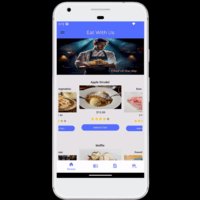
Eat With Us - Flutter Food Ordering App by Ptraxe
Description
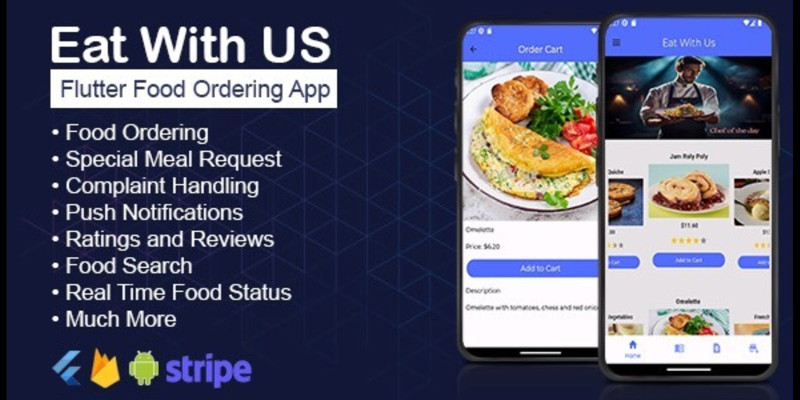
This is a Food Ordering app with unique user interface the ui meets the best when it comes to food app in the 21st century. this app offers user the previlage to customize there order just as they want, user can keep track of there food status, this app offers great security, smooth interface, well structured code, and so many more
Features
1. Food Ordering 2. Smooth user Interface 3. Special meal request 4. Live Food Update status 5. Push notifications 6.Easy complaint form 7. Rate meals 8.Meal Status notification. 9.Easy Payment 10. Admin App 11. Lots more
Requirements
1. IDE
2. Flutter Sdk
3. Firebase
4. Stripe
5. Google Fonts
Instructions
"Eat With Us" Documentation by "Ptraxe" v1.0 Flutter StructureThis Flutter app is a food ordering application built with Flutter and Dart code. The app follows a specific structure outlined below:
App Structure Overview
The app starts with a splash screen for the first time. After registration, the app determines the logged-in status and email verification status. If they are true, it takes the user to the homepage; otherwise, it shows the splash screen again.
Code Structure
<code>
import 'package:eat_with_us/firebase_options.dart';
import 'package:eat_with_us/helpers/splash_screen.dart';
import 'package:eat_with_us/screens/button_navbar.dart';
import 'package:eat_with_us/services/api_keys.dart';
import 'package:firebase_auth/firebase_auth.dart';
import 'package:firebase_core/firebase_core.dart';
import 'package:flutter/material.dart';
import 'package:flutter_stripe/flutter_stripe.dart';</p>

<p>Future main() async {
WidgetsFlutterBinding.ensureInitialized();
Firebase.initializeApp(options: DefaultFirebaseOptions.currentPlatform);
Stripe.publishableKey = ApiKeys.publishKey;
Stripe.instance.applySettings();
runApp(const MyApp());
}</p>

<p>class MyApp extends StatefulWidget {
const MyApp({super.key});</p>

<p>@override
State<MyApp> createState() => _MyAppState();
}</p>

<p>class _MyAppState extends State<MyApp> {
bool isFirebaseInitialized = false;</p>

<p>@override
void initState() {
super.initState();
initializeFirebase();
}</p>

<p>Future<void> initializeFirebase() async {
await Firebase.initializeApp(
    options: DefaultFirebaseOptions.currentPlatform);
Stripe.publishableKey = ApiKeys.publishKey;
await Stripe.instance.applySettings();
setState(() {
  isFirebaseInitialized = true;
});
}</p>

<p>@override
Widget build(BuildContext context) {
return MaterialApp(
  debugShowCheckedModeBanner: false,
  title: 'Eat With Us',
  home: isFirebaseInitialized
      ? FutureBuilder(
          future: FirebaseAuth.instance.authStateChanges().first,
          builder: (context, snapshot) {
            if (snapshot.connectionState == ConnectionState.done) {
              User? user = snapshot.data;
              return determineHomeScreen(user);
            } else {
              return const Center(child: CircularProgressIndicator());
            }
          },
        )
      : const SplashScreen(),
);
}</p>

<p>Widget determineHomeScreen(User? user) {
if (user != null && user.emailVerified) {
  return const BottomNavBar();
} else {
  return const SplashScreen();
}
}
}
</code>
Modification
To change the home screen based on email verification status, you can modify the determineHomeScreen method as follows:
<code>
Widget determineHomeScreen(User? user) {
if (user != null && user.emailVerified) {
return const LoginPage();
} else {
return const OrderPage();
}
}
</code>
This modification will navigate to the LoginPage if the user is logged in and email verified; otherwise, it will navigate to the OrderPage.
2. Firebase Integration
To integrate Firebase into your Flutter app for both iOS and Android:
- Create a Firebase project on the
3. Dependencies Structure
When integrating dependencies in your Flutter app, use the pubspec.yaml file to manage dependencies. For example:
```yaml dependencies: flutter: sdk: flutter firebase_core: ^latest_version firebase_auth: ^latest_version firebase_messaging: ^latest_version flutter_stripe: ^latest_version google_fonts: ^latest_version ```
Run flutter pub get to fetch the dependencies.
4. Flutter Stripe Integration
For Flutter Stripe integration:
- Visit the
Example code in api_keys.dart:
```dart class ApiKeys { static const String secretKey = 'your_stripe_secret_key'; static const String publishableKey = 'your_stripe_publishable_key'; }
5. Sources and Credits
Special thanks for resources used in the app:
- Splash screen images: Storyset (
Once again, thank you so much for purchasing this app. As I said at the beginning, I'd be glad to help you if you have any questions relating to this app. No guarantees, but I'll do my best to assist. If you have a more general question relating to the app on codecanyon, you might consider visiting the forums and asking your question in the "Item Discussion" section.
ptraxe
Link to demo apk download https://mega.nz/file/0iVRlaxK#...
| Author | ptraxe |
|---|---|
| Category | App Templates / Flutter / Full Applications |
| Price | $52 |
| Extended License | $156 |
| Likes | 7 |
| First Release | Feb 22, 2024 |
| Last Update | Feb 22, 2024 |
| Operating systems | Android 9.0, Android 10.0, Android 11.0, Android 12.0 |
Categories
Tags
External listing. code.market does not sell this product and does not process payment for it. Pricing, payment, delivery, licensing, refunds, and support are handled by the third-party merchant on its own website. We may earn an affiliate commission from a referral. Details.
Products of the Week.
Submit🥇

STOP GUESSING WHAT TO POST
AI that learns your brand voice and builds a month of consistent, on-brand social content: carousels, posts and hooks that sound like you, not like everyone else's AI.
SaaS · 3,971 views · 35 clicksSaaS · Week 45 · 3,971 views · 35 clicks
🥈

Conversational Backlinks for Busy Founders
Place Backlink Relevant Conversation for your domain across Forums and Conversations
Website · 41,617 views · 222 clicksWebsite · Week 45 · 41,617 views · 222 clicks
🥉

upvote.club
Free Social Media Engagement that Helps Boost Your Content. Upvote Club supports 19 social networks with 100+ engagement actions in one dashboard. Add links to your posts and get free engagement from real users.
SaaS · 39,646 views · 114 clicksSaaS · Week 45 · 39,646 views · 114 clicks
#4

Substack Posting API
Onboard your Agent to Substack. Write Publish on Substack via API
SaaS · 58,675 views · 198 clicksSaaS · Week 45 · 58,675 views · 198 clicks
#5

Seenshot App
Free, Fast, MacOS Screenshot app. Make Screenshot cmd+shift+2 and send it via link
Desktop App · 28,056 views · 122 clicksDesktop App · Week 45 · 28,056 views · 122 clicks
#6

Hand-Placed Backlinks $9.99 per link. Flat rate.
Buy hand-placed forum, Q-A and directory backlinks. Flat $9.99 per link, no subscriptions — you only pay for approved listings.
Website · 3,915 views · 19 clicksWebsite · Week 45 · 3,915 views · 19 clicks
#7

Free Invoice Generator - PDF Invoices in Your Browser, No Sign-Up
A free invoice maker for freelancers and small businesses: fill in the invoice, check the live preview, and download a PDF that looks exactly like it. Any currency, tax per item, three templates, no sign-up, and nothing leaves your device.
2,594 views · 17 clicksWeek 45 · 2,594 views · 17 clicks
#8

Merge PDF Files Free - Combine PDFs in Your Browser, No Upload
A free PDF merger for office workers, students, and freelancers: combine PDFs and images into one file in the browser, reorder files and pages, pick page ranges, keep bookmarks, and open password-protected PDFs. Nothing is uploaded, no sign-up, no watermark.
2,415 views · 13 clicksWeek 45 · 2,415 views · 13 clicks