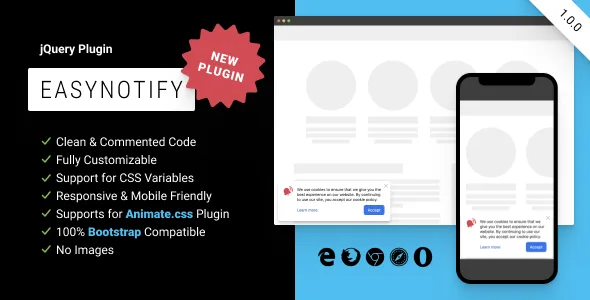
EasyNotify: Lightweight Responsive jQuery Plugin for Modern Notification
Description
Description
EasyNotify is a lightweight responsive jQuery plugin that allows you to create simple notification in modern, flat style with several options.
Create and show notifications with information that you want to convey. Customize and style notifications to fit your needs.
Great for displaying news, messages on your site or providing feedback for the user.
Vanilla JavaScript version →
Features
- Easy Integration With Any Website
- Clean & Commented Code
- Fully Customizable
- Support for CSS Variables
- Responsive & Mobile Friendly
- Support for Animate.css Plugin
- Create any Notification Text
- Show or Hide Any Elements
- Custom Icons
- Different Positions
- Unlimited Notifications Sets
- 100% Bootstrap Compatible
- No Images
- Cross-Browser Compatibility
- Free Updated
Installation
<!doctype html>

<html>
  <head>
    <!-- 0. Optional: add Animate.css plugin -->
    <link href=" rel="stylesheet">
    <!-- 1. Paste the stylesheet into the <head> of your web page -->
    <link href="easy-notify.min.css" rel="stylesheet">
  </head>

  <body>
    <h1>Hello, EasyNotify!</h1>

    <!-- 2. Add the jQuery file near the end of your pages, right before the closing </body> tag -->
    <script src="
    <!-- 3. Add the javascript file -->
    <script src="easy-notify.min.js"></script>
    <!-- 4. Init EasyNotify with or without options -->
    <script>
      $(function() {
        $.easyNotify();
      });
    </script>
  </body>
</html>
Customization
All options are optional.
$.easyNotify({
  // {String}: unique identifier of the box for saving in local storage
  // e.g. 'newYear2021', 'hello', 'gFbb3A', etc.
  id: '',

  // {String}: the theme of the box
  // must be '' or 'dark'
  theme: '',

  // {Boolean}: when developer mode is enabled, closing the box is not saved in local storage
  // must be true or false
  dev: false,

  // {String}: the background color of the box
  // css-variable analog: --easy-notify-bg-color
  // e.g. '#f3f0d6', '#d6f3de', 'white', etc.
  bgColor: '#ffffff',

  // {String}: the background image of the box
  // css-variable analog: --easy-notify-bg-image
  // e.g. 'url("path_to_image.jpg")', 'linear-gradient(to right, #d6e9f3, #f2e1fd)', etc.
  bgImage: 'none',

  // {String}: the font color of the box
  // css-variable analog: --easy-notify-color
  // e.g. 'currentColor', '#2f6e92', 'black', etc.
  color: '#222222',

  // {String}: the width of the box
  // css-variable analog: --easy-notify-width
  // e.g. '320px', '640px', etc.
  width: '450px',

  // {String}: the padding of the box
  // css-variable analog: --easy-notify-padding
  // e.g. '32px', '16px 24px', '24px 32px 16px 16px', etc.
  padding: '24px',

  // {String}: the border radius of the box
  // css-variable analog: --easy-notify-radius
  // e.g. '0', '4px 16px 4px 16px', etc.
  radius: '8px',

  // {String}: the shadow of the box
  // css-variable analog: --easy-notify-shadow
  // e.g. 'none', '0 8px 16px rgba(0, 0, 0, 0.25)', '4px 4px 32px rgba(255, 0, 0, 0.5)', etc.
  shadow: '0 -1px 1px rgba(0, 0, 0, 0.05), 0 2px 2px rgba(0, 0, 0, 0.05), 0 4px 4px rgba(0, 0, 0, 0.05), 0 8px 8px rgba(0, 0, 0, 0.05), 0 16px 16px rgba(0, 0, 0, 0.05), 0 32px 32px rgba(0, 0, 0, 0.05)',

  // {Number}: the z-index of the box
  // e.g. 10, 120, 100100100, etc.
  zIndex: 100000,

  // {String}: the position of the box
  // must be 'top-left', 'top-right', 'bottom-right' or 'bottom-left'
  position: 'bottom-left',

  // {String}: the name of the animation when it appears
  // css-variable analog: --easy-notify-animation-name-in
  // must be custom animation name or animation name from animate.css plugin
  animationNameIn: 'easyNotifyIn',

  // {String}: the name of the animation when it disappears
  // css-variable analog: --easy-notify-animation-name-out
  // must be custom animation name or animation name from animate.css plugin
  animationNameOut: 'easyNotifyOut',

  // {String}: the duration time of the animation in seconds
  // css-variable analog: --easy-notify-animation-duration
  // e.g. '0s', '1.5s', etc.
  animationDuration: '0.5s',

  // {String}: the box appears after the specified time in seconds
  // css-variable analog: --easy-notify-animation-delay
  // e.g. '1s', '3.5s', etc.
  animationDelay: '0s',

  // {Boolean}: hide the close button
  // must be true or false
  closeBtnHide: false,

  // {String}: the color of the close button
  // css-variable analog: --easy-notify-close-color
  // e.g. 'currentColor', '#2f6e92', 'black', etc.
  closeBtnColor: '#acacad',

  // {String}: the hover color of the close button
  // css-variable analog: --easy-notify-close-color-hover
  // e.g. 'currentColor', '#2f6e92', 'black', etc.
  closeBtnColorHover: '#858687',

  // {Boolean}: hide the icon
  // must be true or false
  iconHide: false,

  // {String}: the color of the default icon
  // css-variable analog: --easy-notify-icon-color
  // e.g. 'currentColor', '#2f6e92', 'black', etc.
  iconColor: '#f5234b',

  // {String}: the src attribute of the custom icon
  // must be '' or 'path_to_image.png'
  iconSrc: '',

  // {Number}: the size of the custom icon by width
  // e.g. 24, 36, etc.
  iconWidth: 48,

  // {Number}: the size of the custom icon by height
  // e.g. 24, 36, etc.
  iconHeight: 48,

  // {String} the description of the box
  // e.g. 'Orders placed online from November 24th until December 21st 2020 can be returned up until February 1st 2021 for a full refund.', 'Discover our gifts — to share with those closest to you, or simply to keep for yourself.', etc.
  content: 'We use cookies to ensure that we give you the best experience on our website. By continuing to use our site, you accept our cookie policy.',

  // {Boolean}: hide the 'Learn more' link
  // must be true or false
  moreLinkHide: false,

  // {String}: the href attribute of the 'Learn more' link
  // e.g. '/privacy', '/gifts', etc.
  moreLinkHref: '#',

  // {String}: the text of the 'Learn more' link
  // e.g. 'About', 'Details', etc.
  moreLinkText: 'Learn more',

  // {String}: the font color of the 'Learn more' link
  // css-variable analog: --easy-notify-link-color
  // e.g. 'currentColor', '#2f6e92', 'black', etc.
  moreLinkColor: '#0066cc',

  // {String}: the hover font color of the 'Learn more' link
  // css-variable analog: --easy-notify-link-color-hover
  // e.g. 'currentColor', '#2f6e92', 'black', etc.
  moreLinkColorHover: '#0052a3',

  // {Boolean}: hide the accept button
  // must be true or false
  acceptBtnHide: false,

  // {String}: the text of the accept button
  // e.g. 'Close', 'Let’s Go', etc.
  acceptBtnText: 'Accept',

  // {String}: the background color of the accept button
  // css-variable analog: --easy-notify-btn-bg-color
  // e.g. 'currentColor', '#2f6e92', 'black', etc.
  acceptBtnBgColor: '#0070f5',

  // {String}: the font color of the accept button
  // css-variable analog: --easy-notify-btn-color
  // e.g. 'currentColor', '#2f6e92', 'black', etc.
  acceptBtnColor: '#ffffff',

  // {String}: the hover background color of the accept button
  // css-variable analog: --easy-notify-btn-bg-color-hover
  // e.g. 'currentColor', '#2f6e92', 'black', etc.
  acceptBtnBgColorHover: '#005ac4',

  // {String}: the hover font color of the accept button
  // css-variable analog: --easy-notify-btn-color-hover
  // e.g. 'currentColor', '#2f6e92', 'black', etc.
  acceptBtnColorHover: '#ffffff',

  // {String}: the padding of the accept button
  // css-variable analog: --easy-notify-btn-padding
  // e.g. '12px', '4px 20px', '4px 16px 4px 20px', etc.
  acceptBtnPadding: '0 16px',

  // {String}: the height of the accept button
  // css-variable analog: --easy-notify-btn-height
  // e.g. '30px', '50px', etc.
  acceptBtnHeight: '40px',

  // {String}: the border radius of the accept button
  // css-variable analog: --easy-notify-btn-radius
  // e.g. '0', '4px 8px 4px 8px', etc.
  acceptBtnRadius: '8px',
});
Browsers support
Plugin is compatible with all major browsers:
- Edge
- Firefox
- Chrome
- Safari
- Opera
Change log
v1.0.0
- Initial release
Categories
Tags
External listing. code.market does not sell this product and does not process payment for it. Pricing, payment, delivery, licensing, refunds, and support are handled by the third-party merchant on its own website. We may earn an affiliate commission from a referral. Details.
Products of the Week.
Submit🥇

STOP GUESSING WHAT TO POST
AI that learns your brand voice and builds a month of consistent, on-brand social content: carousels, posts and hooks that sound like you, not like everyone else's AI.
SaaS · 4,279 views · 38 clicksSaaS · Week 45 · 4,279 views · 38 clicks
🥈

Conversational Backlinks for Busy Founders
Place Backlink Relevant Conversation for your domain across Forums and Conversations
Website · 41,990 views · 223 clicksWebsite · Week 45 · 41,990 views · 223 clicks
🥉

upvote.club
Free Social Media Engagement that Helps Boost Your Content. Upvote Club supports 19 social networks with 100+ engagement actions in one dashboard. Add links to your posts and get free engagement from real users.
SaaS · 40,032 views · 117 clicksSaaS · Week 45 · 40,032 views · 117 clicks
#4

Substack Posting API
Onboard your Agent to Substack. Write Publish on Substack via API
SaaS · 59,044 views · 198 clicksSaaS · Week 45 · 59,044 views · 198 clicks
#5

Seenshot App
Free, Fast, MacOS Screenshot app. Make Screenshot cmd+shift+2 and send it via link
Desktop App · 28,414 views · 122 clicksDesktop App · Week 45 · 28,414 views · 122 clicks
#6

Hand-Placed Backlinks $9.99 per link. Flat rate.
Buy hand-placed forum, Q-A and directory backlinks. Flat $9.99 per link, no subscriptions — you only pay for approved listings.
Website · 4,251 views · 19 clicksWebsite · Week 45 · 4,251 views · 19 clicks
#7

Free Invoice Generator - PDF Invoices in Your Browser, No Sign-Up
A free invoice maker for freelancers and small businesses: fill in the invoice, check the live preview, and download a PDF that looks exactly like it. Any currency, tax per item, three templates, no sign-up, and nothing leaves your device.
2,930 views · 17 clicksWeek 45 · 2,930 views · 17 clicks
#8

Merge PDF Files Free - Combine PDFs in Your Browser, No Upload
A free PDF merger for office workers, students, and freelancers: combine PDFs and images into one file in the browser, reorder files and pages, pick page ranges, keep bookmarks, and open password-protected PDFs. Nothing is uploaded, no sign-up, no watermark.
2,706 views · 13 clicksWeek 45 · 2,706 views · 13 clicks