
Easy Video Player

Description



#1 Video player on Envato Market
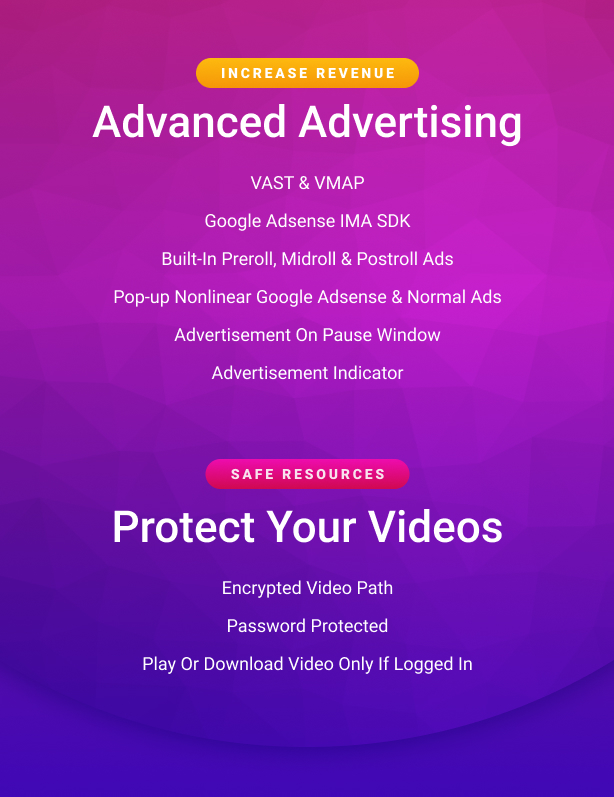



What is Easy Video Player ?
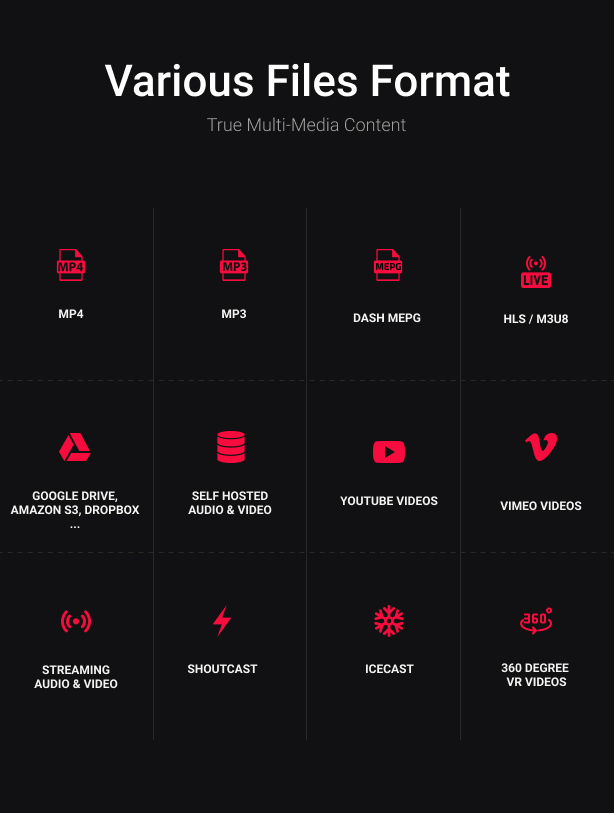
Easy Video Player is a powerful responsive video player that can play local video or audio, streaming videos from a server, mp3 / mp4, HLS / HTTP live streaming,Youtube,Vimeo , VR / 360°,google drive, openload / openload.co and other cloud platforms and much more. It only requires themp4 format (the best and most used format on the web) and it will work on mobile devices and desktop machines no matter which browser is used. Packed with a huge amount of features like responsive layout, multiple instances manager, flexible skin,HTTP Live Streaming /HLS /m3u8 video support, DASH MPEG,360 degree video / virtual reality / VR, share window, embed window,cuepoints, multiplesubtitles, video quality selector, subtitle selector, private / password protect video, video annotations,chromecast support, google analytics,VAST (Digital Video Ad Serving Template) and VMAP (Digital Video Multiple Ad Playlist) advertisement,chromecast support,IMA (Google Interactive Media Ads) and much more, it makes it the best and most flexible video player available on sale.
Easy Video Player main features:
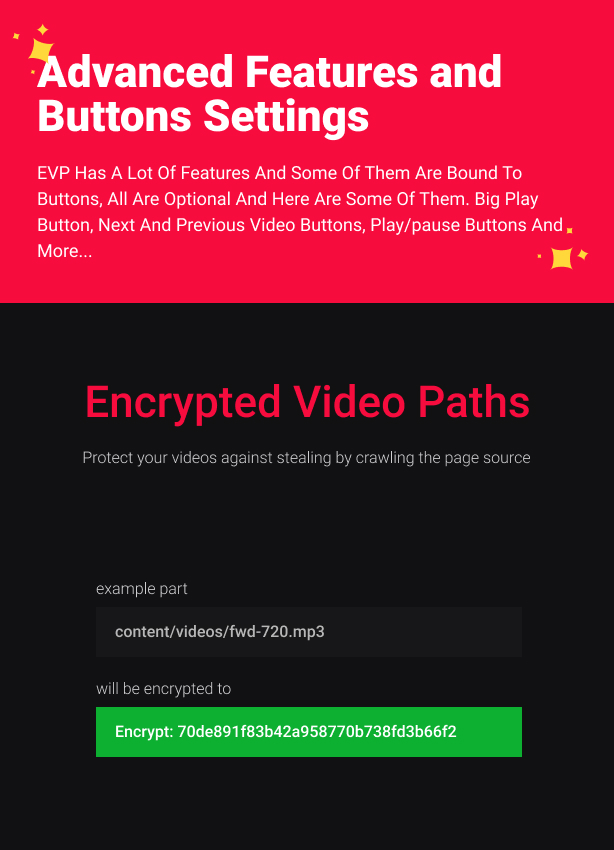
Optional encrypt video source / path. Using this feature will not allow a user / software to see / steal the video source / path from the page source.
Fail-safe / backup / second source, possibility to add a second source, if the first video source can’t play EVP will play the second source, video tutorial here.
Thumbnails preview support. Please see this example.
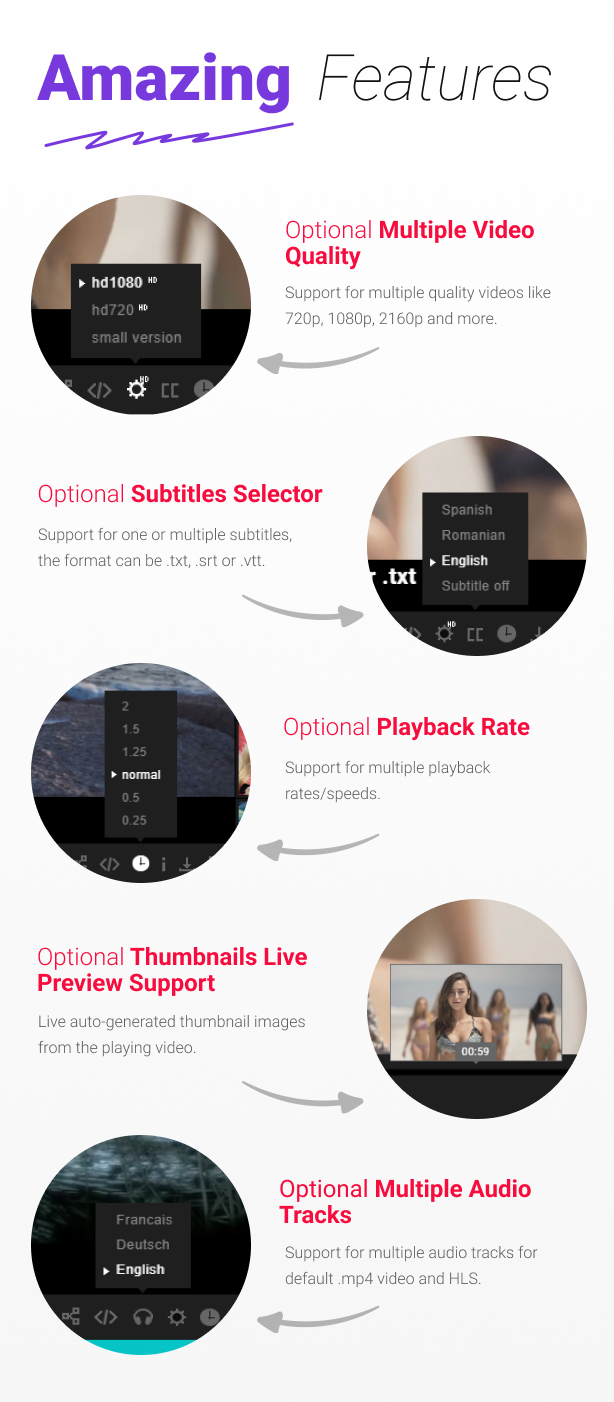
Live auto-generated video thumbnails, now is possible to auto-generate video preview thumbnails directly from video, example here, video tutorial here. This feature works with self hosted or external hosted mp4/video, HLS/m3u8, Google drive, Dropbox, Amazon S3 and more…
Play mp4 video, mp3 audio or HLS/m3u8 files on your TV screen using Chromecast, the media can be controlled via the video player interface basically, the browser and the video player become a remote tv, example here, (please note currently HLS, youtube, Vimeo and advertisement are not supported).
Resume / remember function which marks the last play position of the video when the browser is closed and remembers it when you come back to watch the video again.
Optional vector based buttons icons using font awesome, example here
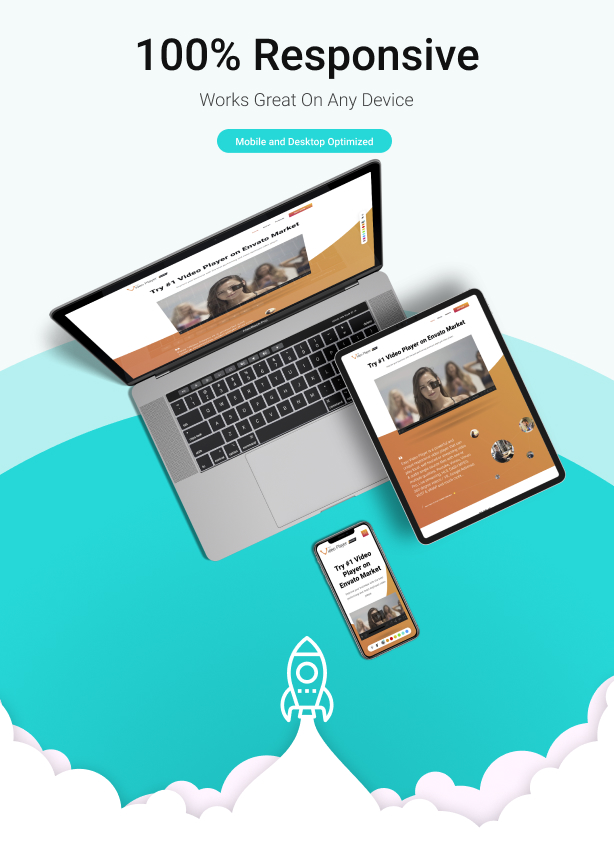
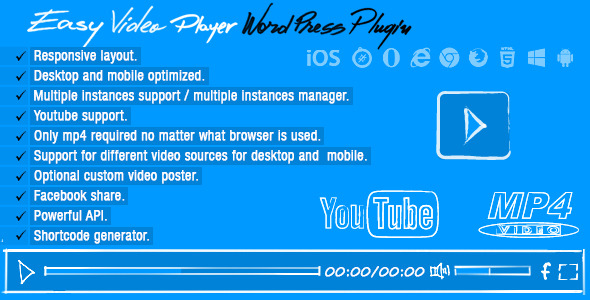
Mobile and desktop optimized .
Support for multiple video quality and optional video quality selector similar to Youtube.
Support for local video or audio, streaming video from a server or Youtube video.
Support for audio files (.mp3).
Real time spectrum visualizer for audio / mp3 files with customizable color theme, example here.
Support for subtitles files (.srt .vtt or .txt).
Optional subtitles selector. EVP supports multiple subtitles, they can be set with ease and changed at runtime using an optional subtitle selector.
Optional encrypt subtitles source / path. Using this feature will not allow a user / software to see / steal the subtitles source / path from the page source.
Optional playback rate / speed selector. EVP supports multiple playback rates / speeds, they can be set with ease and changed at runtime using an optional playback rates / speeds selector.
Optional go fullscreen on play, when the play button is clicked the player goes fullscreen example here.
Custom context menu, when the right mouse button is clicked a custom menu appears that allows to copy the video URL / video URL at the current time or switch fullscreen /normal screen.
Optional fill entire video screen, this feature will allow filling the gaps of the video player, you can have for example a real full-width player.
Openload / openload.co, support. Please watch this video tutorial for more info.
Google analytics support, the possibility to view how many times a video was played or downloaded, please see this video tutorial.
Youtube video quality buttons selectors from the video control bar. The available quality rates will be displayed in a cool way so you can select the desired quality for the playing video. The video player can play a HD video on desktop machines and a smaller video on mobile devices, this useful feature is optional, this means that the video player can play the same video source on all desktop machines or mobile devices.
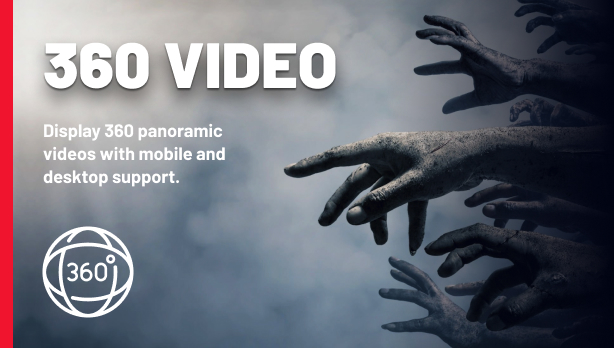
Support for 360 degree panorama videos videos, example here.
360 Immersive VR / virtual reality 360 videos and Cardboard mode support are added using WebXR, any Html5 video is supported including Mpeg Dash, HLS Native, and HLS.JS, turn your device into a virtual reality video machine, this feature allows using Cardboard goggles or VR hardware like Oculus Rift or HTC Vive to display a VR 360 video scene, example here.
Support for green screen / transparent background videos, the possiblity to remove the green color from a video with a green, blue or any popular color used for this type of CGI effect background and replace it with transparency example here.
Support for multiple instances.
Multiple instances manager, this is a great feature that allows automated control over all Easy Video Player instances. Once a video instance is playing the other instances can be set to pause or stop. For example if this feature is set to stop all instances will stop and interrupt the download process this way the page will not load more then one video at the time.
Optional video poster, the poster is visible when the video player is stopped plus support for two poster sources one for desktop machines and one for mobile devices. Please note that a single source can be used for both for desktop machines and mobile devices.
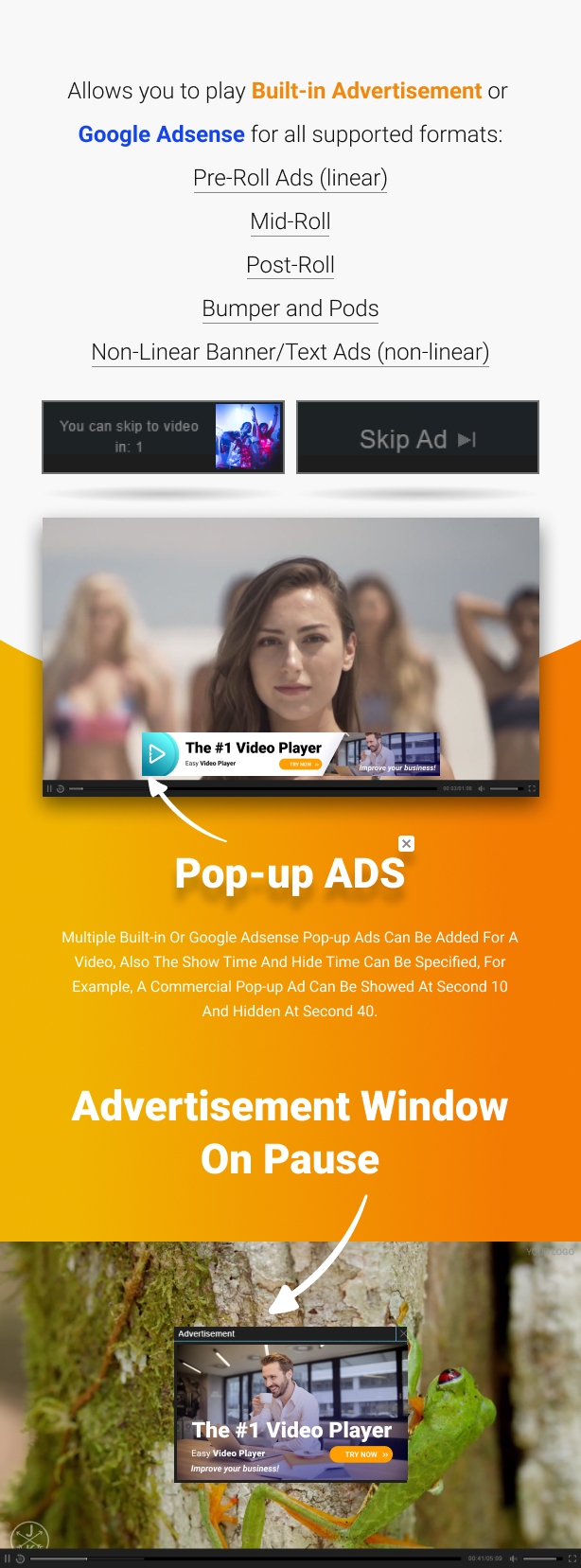
Optional pre-roll, mid-roll, post-roll / ads / advertisement video or image (similar to youtube ads with extra features). EVP supports unlimited ads they can be added and configured easily.
Non linear google adsense support, one or more non linear adsense ads can be set to run during video playback.
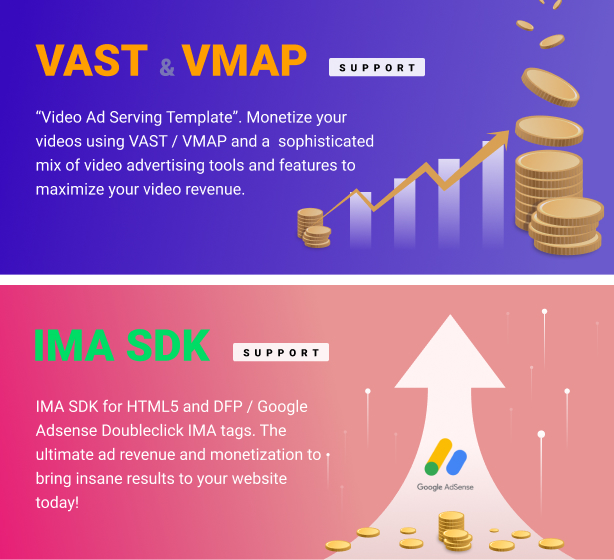
Interactive Media Ads SDKs – IMA SDK for HTML5 and DFP / Google Doubleclick IMA tags support, which allows you to place Google Adsense for Video tags to stream video PreRoll Ads (linear), Mid-Roll, Post-Roll, VMAP+Bumper and Pods, or Non-Linear Banner/Text Ads (non-linear) with your self hosted videos, adsense example here and DFP, VAST, VMAP example here.
Optional commercial popup ads (similar to youtube popup ads are displayed). Multiple ads can be added for a video, also the show and hide time can be specified, for example, a popup ad commercial can be showed at the second 10 and hidden at second 40.
Usage of the same Easy Video Player custom skin even for the Youtube videos.
Responsive layout.
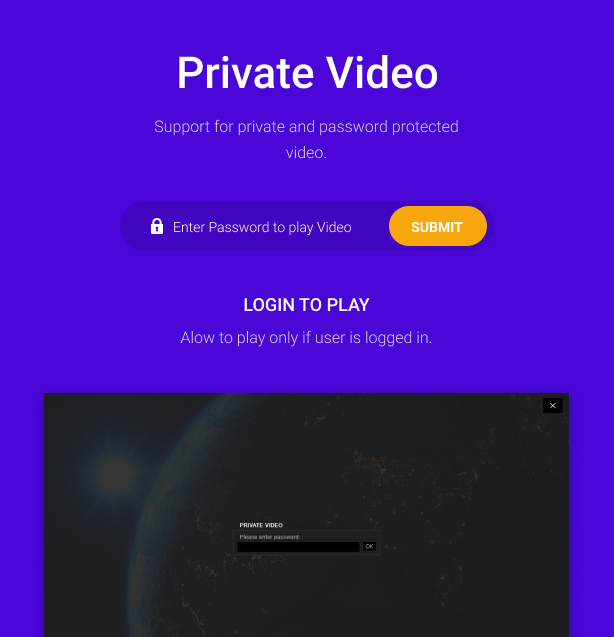
Private / password protected videos, example here.
HTTP Live Streaming / HLS / m3u8 video support on all browsers mobile and desktop
HLS multiple audio tracks support, example here.
Support for video / mp4 multiple audio tracks, please note that this feature is limited by browser support, browsers that do not have support for the HTMLMediaElement.audioTracks video property will not display the headphone button that allows changing the video audio track.
DASH MPEG / Dynamic Adaptive Streaming over HTTP / .mpd video support on all supported browsers mobile and desktop,
Lazy scrolling/loading, the possibility to initialize EVP on scroll when the player is visible in the page, this way for example if the player is in a section of a webpage that is not visible it will not be initialized / play, instead EVP will be initialized / play only when the user is scrolling to that section in which the player is added.
Optional popup advertisement window on pause, the source can be any web page, example here.
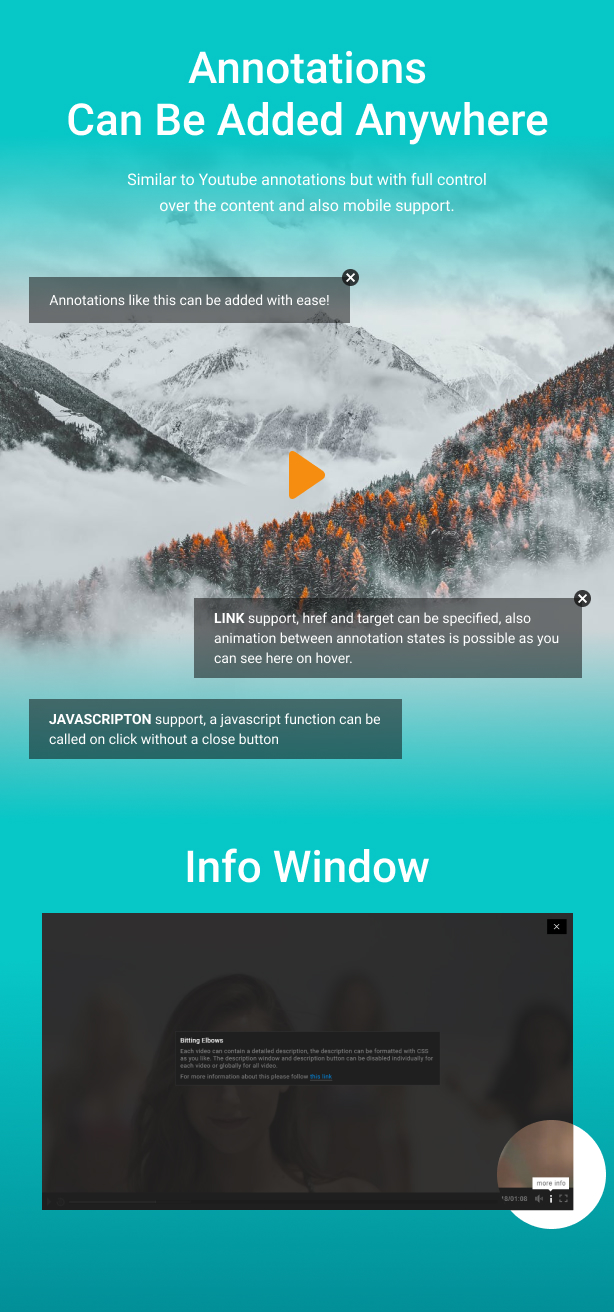
Optional annotations, similar to youtube annotations but with full controll over the content and mobile support.
Full HTML and CSS for the annotations content.
Annotations start / show and stop / hide time can be easely sepcified.
VAST (Digital Video Ad Serving Template) and VMAP (Digital Video Multiple Ad Playlist) advertisement support, support for linear / nonlinear single or multiple (pods) video/audio (pre-roll, mid-roll, post-roll) ads and of course the option to create VAST playlists using VMAP, example here.
Possibility to set VAST (Digital Video Ad Serving Template) start time in hh:mm:ss. This is an invaluable and unique feature only that EVP has since the VAST template doesn’t have any rule about when to play the ads and this is left to the video player publisher. This feature is added as a helper but VMAP can be used to created VAST playlists and ad breaks can be added at any desired time on the video timeline. Please watch this video tutorial for more info.
A to B video loop/ab loop, the option to loop a specific section/part of a video using two time/timestamp points, point a the start point and point b the endpoint, this points can be adjusted using the a to b loop controlbar.
Optional keyboard support (F:fullscreen / normalscreen, LEFT/RIGHT ARROWS:skip video 5 seconds forward or backward, UP/DOWN ARROWS: volume up or volume down, M:mute/unmute, SPACE:play/pause)
Optional annotations animations between the annotations states.
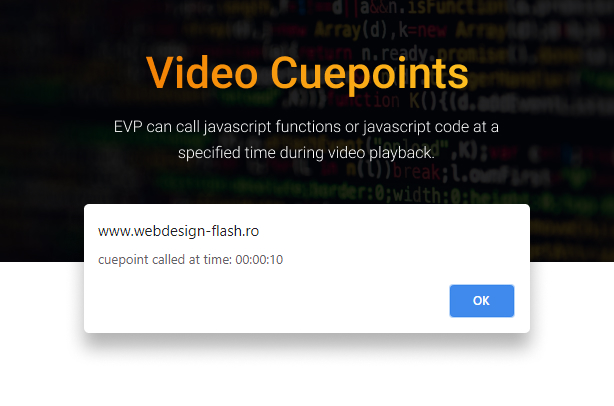
Video cuepoints, EVP can call javascript functions or javascript code at a specified time during video playback.
Use EVP as a video background and even controll it using the API, EVP can be used as a video background for any any HTML page, example here.
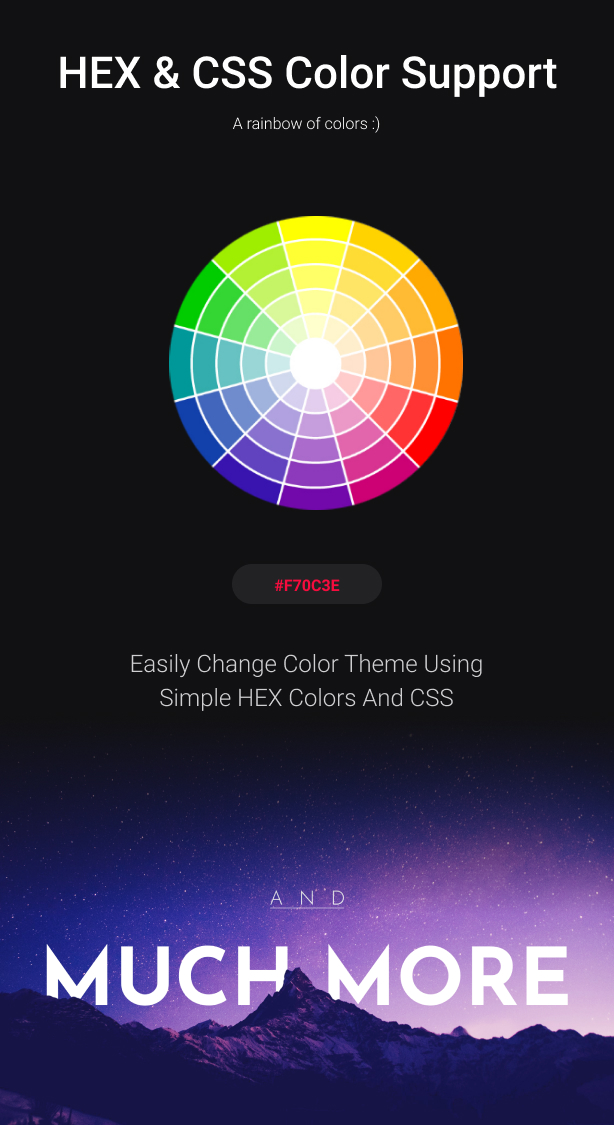
HEX / CSS color support, the buttons colors can be modified with simple CSS by passing a hexadecimal color(ex: #FF0000) and even more, we have done it in a cool way that all graphics will retain the texture and at the same time apply the chosen color.
Possibility to open a new page when the video has finished to play, it can open a new page in a different window or replace the page in which the player is running (_blank or _self)
Multiples display types: responsive / fixed / fullscreen / popup…
Support for sticky display type, please see this example.
Support for lightbox / modal display type, now it is possible to open EVP in a modal / lightbox window when the page loads or on user interaction, for example, a button or image click.
Chromeless support, it can be used to create your own video player or as background video, example here.
Timestamp support in format of t=hoursminutesseconds, start the video at a specified time by setting a timestamp in the player page URL, please see this example and check the URL format it has a timestamp attached to it ex: t=0h0m20s
Optional custom watermark logo. The logo can be set to hide with the control bar or to always be visible, also the logo position is customizable.
AutoHide controls bar, the video player can be set to autohide the controls bar after a number of seconds of inactivity.
The video controls bar can be showed or hidden when the video is stopped or it hasn’t started.
Click to play or pause, you can click on the video to play/pause the video.
Powerful API included with example files, full set of API methods, including play, pause, stop, scrub with time, scrub with percent, volume and soooo much more.
Double click / double tap functionalityleft video side rewind 10 seconds, center video go fullscreen / normal screen, right video side go forward 10 seconds.
Start volume value.
Autoplay video with muted sound to comply with the browser autoplay policy, example here..
Possibility to start playing at a specified time.
Option to allow only a logged in user to play / view the video, example here.
Loop.
Big play button.
Rewind 10 seconds button
Play / pause button.
Current and total time (optional).
Volume button (optional).
Volume scrubber (optional).
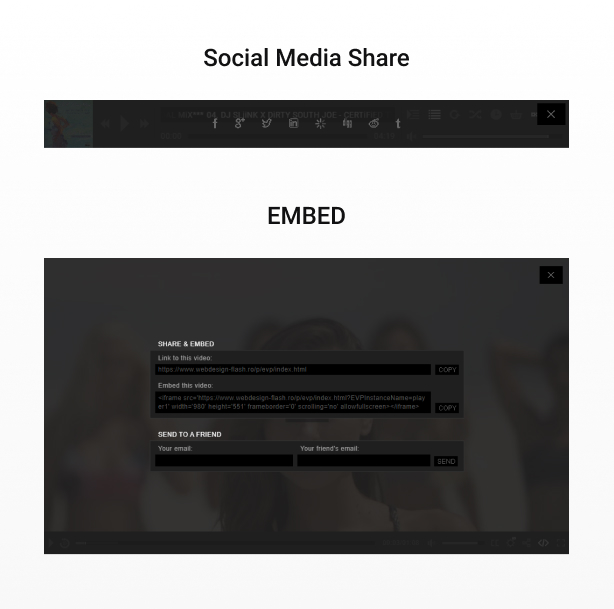
share, embed, subtitles button (optional).
Fullscreen button (optional).
Detailed documentation and sample files included.
Optional keyboard support.
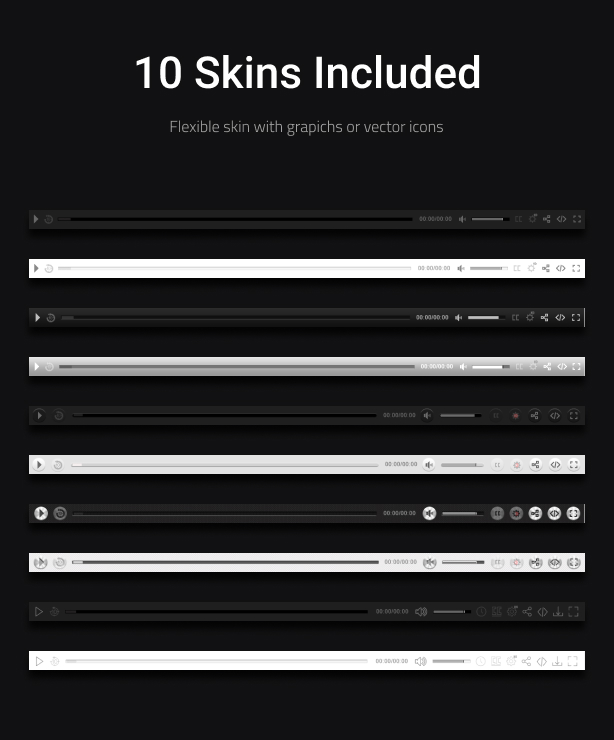
Eight skins included with the psd files.
What our clients are saying:
Updates log:
Version 9.3.1 Release Date 25.01.2024
- Update the HLS library to the latest version 1.51
Version 9.3 Release Date 18.08.2023
- Update Google Analytics to version 4, video tutorial here.
Version 9.2 Release Date 27.05.2023
- Removed YouTube UI elements (Title/Share/Watch later/Related videos/Logo), example here.
- Added subtitles support for IOS if the native player is used, example here.
- Added support for Youtube 360 videos, example here.
Version 9.1 Release Date 29.03.2023
- Added HLS multiple audio tracks support, example here.
- Added support for video / mp4 multiple audio tracks, please note that this feature is limited by browser support, browsers that do not have support for the HTMLMediaElement.audioTracks video property will not display the headphone button that allows changing the video audio track.
- Added playback rate speed for HLS and DASH MPEG.
- Added classes to all buttons.
Version 9.0 Release Date 18.03.2023
- Added 360 Immersive VR / virtual reality 360 videos and Cardboard mode support are added using WebXR, any Html5 video is supported including Mpeg Dash, HLS Native, and HLS.JS, turn your device into a virtual reality video machine, this feature allows using Cardboard goggles or VR hardware like Oculus Rift or HTC Vive to display a VR 360 video scene, example here.
- Imporved HLS functionality to handle quality switch automatically, using heuristics based on fragment loading bitrate and quality level bandwidth exposed in the variant manifest, basically the player will choose the best possible quality based on user bandwidth and player size.
- Added HLS quality level buttons, when playing an HLS video file the quality levels will be generated and the user will be able to select the quality from the quality selector buttons.
- Added a way to remove share unwanted buttons from the share window.
- FIxed Youtube bug that prevented the video to start playing.
- FIxed Vimeo bug that prevented the video to play with sound.
- Added Chromecast support for HLS/m3u8 – HTTP Live Streaming, please note, the m3u8 has to be CORS enabled to play on your domain or on all domains *, video tutorial here.
- Added live auto-generated video thumbnails, now is possible to auto-generate video preview thumbnails directly from video, example here, video tutorial here. This feature works with self hosted or external hosted mp4/video, HLS/m3u8, Google drive, Dropbox, Amazon S3 and more…
- Modified autoplay video with muted sound to comply with the browser autoplay policy, example here.
- Fixed Vimeo bug that required two clicks before the first video could play, now is working with a single click on the play button.
- Improved vector skin to look more sharp specially on desktop screens.
- Added Fail-safe / backup / second source, possibility to add a second source, if the first video source can’t play EVP will play the second source, video tutorial here.
- Added Play only if logged in dedicated window, example here.
- Optimized the enitre advertisement code.
- Added support for VAST WRAPPER.
- Added support for DASH MPEG live streaming.
- Added support for fill entire video poster, this feature will allow to fill the gaps of the video player when the poster is visible.
- Added support for autoplay when the lightbox is opened (not supported for Youtube and Vimeo).
- Added support to close the lighbox after the video finishes playing.
- Reduced file size and increase overall performance.
- Added support for Google Drive video (.mp4) and audio (.mp3) using Google Drive API. Using this method the video or audio used from Google Drive will work on all devices without any restrictions or expiring links video tutorial here.
- Improved overall design and fix various bugs.
- Optimized skip button size for mobile phones.
- Optimized subtitle display, I have rewritten the entire subtitle engine to look perfect on both PC and mobile as well, now it is also possible to add media queries to fine-tune the subtitle display on a small or larger screen.
- Added support for VMAP (Digital Video Multiple Ad Playlist), this is very useful to create a VAST playlist and adding ad breaks at specified times, if you are interested please read more about this here.
- Added Interactive Media Ads SDKs – IMA SDK for HTML5 and DFP / Google Doubleclick IMA tags support, which allows you to place Google Adsense for Video tags to stream video PreRoll Ads (linear), Mid-Roll, Post-Roll, VMAP+Bumper and Pods, or Non-Linear Banner/Text Ads (non-linear) with your self hosted videos, adsense example here and DFP, VAST, VMAP example here.
- Improved the getCurrentTime and getTotalTime API methods, now it is possible to return the video current time and video duration in text format(hh:mm:ss), seconds format or milliseconds format (more info in the documentation).
- Added Chromecast support, play mp4 video or mp3 audio on your TV screen using chromecast, the media can be controlled via the player interface, basically the browser and the player become a remote tv, example here, (please note currently HLS, youtube, vimeo and advertisement are not supported).
- Added autoplay on both PC / OS (desktop) and autoplay on mobile devices (Android / IOS), please note that on mobile the video starts with volume set to zero / muted, (it is the only possible to make this work), the volume can be set at anytime after the video has started to play, example here.
- Added support for .vtt subtitles.
- Added optional go fullscreen on play, when the play button is clicked the player goes fullscreen example here.
- Added volume scrubber informational tooltip.
- Added custom context menu, when the right mouse button is clicked a custom menu appears that allows to copy the video URL / video URL at current time or switch fullscreen /normalscreen.
- Added visualization for double click rewind / go forward 10 seconds.
- Double click / double tap functionalityleft video side rewind 10 seconds, center video go fullscreen / normal screen, right video side go forward 10 seconds.
- Added resume / remember function which marks the last play position of the video when the browser is closed and remembers it when you come back to watch video again.
- Added support for Thumbnails preview. Please see this example
- Added support for openload / openload.co. Please watch this video tutorial for more info.
- Added an extra event handler playback rate event.
- Added the option to chose if the video is played inline or in the default player on IOS devices.
- Added option to use or not the player cotroler for Vimeo videos.
- Added an option to close the lightbox when clicked outside the player area on the trasparent background.
- Fixed autoplay issue related to chrome autoplay policy, the video / audio will start playing when the page is loaded if autoplay is set to yes.
- Replaced copy embed link and embed code form flash based to simple javacsript making it compatible with all devices.
- Created a custom vector (.svg) font specially made for EVP, pelase check out this example.
- Support for sticky mode when scrolling up/down through the page this way UVP will always be visible. If the video player is not in the browser viewport area, the sticky version will take over at the bottom of the page. Please check out this example, please scroll the page down to view this feature in action.
- Added A to B video loop / ab loop, option to loop a specific section / part of a video using two time / timestamp points, point a the start point and point b the end point, this points can be adjusted using the a to b loop controlbar.
- Added timestamp support in format of e=hoursminutesseconds, stop the video at a specified time by setting a timestamp in the player page URL.
- Replaced video preloader with a more simple and elegant circular preloader.
- Added optional vector based buttons icons using font awesome, example here
- Added timestamp support in format of t=hoursminutesseconds, start the video at a specified time by setting a timestamp in the player page URL, please see this example and check the URL format it has a timestamp attached to it ex: t=0h0m20s.
- improved subtitle functionality, now the subtitles sections are read an displayed with millisecond precision.
- Added the option to disable the main scrubber, only show the current time and show a live icon for HLS (HTTP Live Streaming) live streaming.
- Added google analytics support, the possibility to view how many times a video was played or downloaded, please see this video tutorial.
- Added support for sticky display type, please see this example
- Added support for google adsense advertisement.
- Added support for lightbox / modal display type, now it is possible to open EVP in a modal / lightbox window when the page loads or on user interaction, for example a button or image click.
- Added optional rewind 10 seconds button.
- Added the possibility to set a start time to VAST pre, mid, post roll advertisement, by default the VAST template dosen’t include this feature so it is very useful if you have multiple video ads in a VAST XML file , now it is possible to set a start time for each the video files. Please watch this video tutorial for more info.
- Added the possibility to open a new page when the video has finished to play, it can open a new page in a different window or replace the page in which the player is running (_blank or _self).
- Added “videoStartBehaviour”. If set to pause and more then one instance is used all instances will pause except the current playing instance otherwise if set to stop all instances will stop playing and stop the download process except the current playing instance. If default is used when playing one instance will not stop or pause other instances.
- Replaced the preloader with a more user grendly circular CSS preloader.
- Added support to play pro account vimeo videos and also the option to use the EVP default controller to control the vimeo video.
- Added optional encrypt subtitles source / path. Using this feature will not allow a user / software to see / steal the subtitles source / path from the page source.
- Added VAST “Video Ad Serving Template” support, currently only support for linear single or multiple (pods) video/videos (pre-roll, mid-roll, post-roll) ads. Please check out our example single pre-roll video ad example.
- Added the possibility to set VAST start time in hh:mm:ss. This is an invaluable and unique feature only that EVP has since the VAST template dosen’t have any rule about when to play the ads and this is left to the video player publisher.
- Added optional keyboard support (F:fullscreen / normalscreen, LEFT/RIGHT ARROWS:skip video 5 seconds forward or backward, UP/DOWN ARROWS: volume up or volume down, M:mute/unmute, SPACE:play/pause)
- Added lazy scrolling / loading, the posibility to initialize EVP on scroll when the player is visible in the page, this way for example if the player is in a section of a webpage that is not visible it will not be initialized / play, instead EVP will be initalized / play only when the user is scrolling to that section in which the player is added.
- Added optional popup advertisement window on pause, the source can be any web page, example here.
- Changed HLS engine now it runs on pure javascript no flash player required anymore, this will make sure that EVP will run on all browsers without any issues.
- The option to disable / not show the info / error window.
- Improved performance and loading time, the youtube, vimeo, htls, 3d 360 library, audio, spectrum library will only be loaded if they are used and this is done automatically internaly by the player code .
- Added support for iframe pre-roll,middle-roll or post-roll advertisement, it is possible to load a webpage as an add at a specified time during video playback.
- Enabled the playback rate / speed on mobile devices.
- Added the logic to allow only a logged in user to play / view the video.
- Added support for encrypted video paths, for example the path content/videos/fwd-720p.mp4 will be encrypted to encrypt:70de891f83b42a958770b738fd3b66f2 this way it will be impossible to steal the video by crawling the page source.
- Private password protected videos, example here.
- Optional start at time and end at time, EVP can be set to play or stop at a specific time.
- Added in the documentation detailed tutorial about how to get the google drive video (mp4) or audio (mp4) source.
- Fixed bug related to the API method setPosterSource(), before the update when using this method the poster image was distorted.
- Added support for touch screen enabled laptops, it will work with the mouse or with touch.
- Support for green screen / transparent background videos, the possibility to remove the green color from a video with a green, blue or any popular color used for this type of CGI effect background and replace it with transparency example here.
- New green screen tolerance fine tuning to allow better control over the green pixels removal.
- Added the option to remove the video preloader.
- Added the option to remove the double click / double tap to go fullscreen.
- Added support for audio files (.mp3).
- Added optional real time spectrum visualizer for audio / mp3 files with customizable color theme example here.
- Added optional playback rate / speed selector. EVP supports multiple playback rates / speeds, they can be set with ease and changed at runtime using an optional playback rates / speeds selector.
- Added the possibility to resize the poster so that it will fill the entire video screen.
- Video cuepoints, EVP can call javascript functions or javascript code at a specified time during video playback.
- Support for 360 degree / virtual reality / VR videos.
- Added HTTP Live Streaming / HLS / m3u8 video support on all browsers mobile and desktop. On the browsers that dosen’t have native HLS support adobe flash player is used.
- Optional pre-roll, mid-roll, post-roll / ads / advertisement video or image (similar to youtube ads with extra features). EVP supports unlimited ads they can be added and configured easily.
- Added optional download video button.
- Added support for multiple video quality and optional video quality selector similar to Youtube.
- Added optional subtitles selector. EVP supports now multiple subtitles, they can be set with ease and changed at run time using an optional subtitle selector.
- Improved functionality on IOS (Iphone) now the video plays inline just like on any other mobile device, it will not go full screen on play, this way the functionality is exactly the same on all mobile devices.
- Added optional annotations, similar to youtube annotations but with full control over the content and mobile support.
- Optional annotations positioning tool.
- Full HTML and CSS for the annotations content.
- Annotations start / show and stop / hide time can be easely specified..
- Optional annotations animations between the annotations states.
- Added option to be able to scrub the video at a specified time at first play.
- Added API method to scrub the video at a specified time.
- Optional fill entire video screen, this feature will allow to fill the gaps of the video player, you can have for example a real full width player.
- Use EVP as a video background and even controll it using the API, EVP can be used as a video background for any any HTML page, example here.
- HEX / CSS color support, the buttons colors can be modified with simple CSS by passing a hexadecimal color(ex:#FF0000) and even more, we have done it in a cool way that all graphics will retain the texture and at the same time apply the chosen color.
- Added posibility to modify volume on mobile devices
- Added support for optional pop-up commercial windows.
- Fixed some rendering glitches in the classic skins.
- Added support for optional subtitles.
- Added support for Vimeo videos.
- Improved share window.
- Improved interaction and improved overall performance on WIN 10 / IE Edge.
- Fixed bug related to autoplay if the Youtube player is disabled.
- Added support for Youtube 4K videos 1440p & 2160p.
- Fixed a possible conflict issue with the Youtube API.
- Fixed a video time display bug.
- Added support for ads / advertisement video (similar to youtube ads).
- Added a new display type “afterParent”, this display type allows the player to resize based on the parent width and height.
- Improved fullscreen functionality.
- improved documentation.
- Fixed bug caused by Youtube API.
- Fixed bugs related to Opera and Safari on Windows (the Youtube API was initialized inconsistently).
- Added remove cursor in full screen mode when the video control bar is hiding.
- Improved video scrubber functionality (the scrubber is always visible regardless of window size).
- Added autoScale feature (useful when resizing the player)
- Added a 3rd option for the right-click context menu, now it can also have the browser default value.
- Fixed iphone bug (the video player couldn’t start playing with a mp4 video).
- Added embed & share.
Version 8.5 Release Date 15.03.2023
Version 8.4 Release Date 09.02.2023
Version 8.3 Release Date 01.11.2020
Version 8.2 Release Date 28.09.2020
Version 8.1 Release Date 27.05.2020
Version 8.0 Release Date 02.04.2020
Version 7.9 Release Date 26.06.2019
Version 7.8 Release Date 16.06.2019
Added direct download on an Android devices, now if a video is downloaded it will be saved on the device in the download folder just like on a desktop machine (PC / OS).
Version 7.7 Release Date 01.04.2019
Version 7.6 Release Date 25.03.2019
Version 7.5 Release Date 23.03.2019
Version 7.4 Release Date 17.03.2019
Version 7.3 Release Date 16.12.2018
Version 7.2 Release Date 23.11.2019
Version 7.1 Release Date 01.09.2018
Version 7.0 Release Date 24.08.2018
Version 6.9 Release Date 17.08.2018
Version 6.8 Release Date 29.07.2018
Version 6.7 Release Date 29.07.2018
Version 6.6 Release Date 29.06.2018
Version 6.5 Release Date 22.06.2018
Version 6.4 Release Date 12.06.2018
Version 6.3 Release Date 10.06.2018
Version 6.2 Release Date 08.12.2017
Version 6.1 Release Date 06.01.2018
Version 6.0 Release Date 27.10.2017
Version 5.9 Release Date 15.10.2017
Version 5.8 Release Date 27.09.2017
Version 5.7 Release Date 26.09.2017
Version 5.6 Release Date 18.09.2017
Version 5.5 Release Date 16.09.2017
Version 5.4 Release Date 08.09.2017
Version 5.3 Release Date 30.08.2017
Version 5.2 Release Date 25.08.2017
Version 5.1 Release Date 23.07.2017
Version 5.0 Release Date 21.07.2017
Version 4.9 Release Date 20.07.2017
Version 4.8 Release Date 26.06.2017
Version 4.7 Release Date 26.06.2017
Version 4.6 Release Date 20.05.2017
Version 4.5 Release Date 16.05.2017
Version 4.4 Release Date 06.05.2017
Version 4.3 Release Date 24.03.2017
Version 4.2 Release Date 24.03.2017
Version 4.1 Release Date 28.11.2016
Version 4.0 Release Date 15.02.2016
Version 3.2 Release Date 22.08.2015
Version 3.1 Release Date 26.07.2015
Version 3.0 Release Date 30.08.2014
Version 2.2 Release Date 12.06.2014
Version 2.1 Release Date 10.05.2014
Version 2.0 Release Date 16.04.2014
Wordpress Plugin version:
IF YOU NEED THE WORDPRESS PLUGIN VERSION FOR THIS PRODUCT, YOU CAN DOWNLOAD IT FROM HERE : http://codecanyon.net/item/easy-video-player-wordpress-plugin/8537670
| Type | JavaScript Script |
|---|---|
| Author | FWDesign |
| Category | Javascript / Media |
| Price | $59 |
| Sales | 1,043 |
| Rating | 4.61 from 62 ratings |
| Published | Mar 16, 2014 |
| Last Update | Aug 19, 2026 |
| Compatible Browsers | Firefox, Safari, Opera, Chrome, Edge |
| Source Files Included | JavaScript JS, HTML, Layered PSD |
Categories
Tags
External listing. code.market does not sell this product and does not process payment for it. Pricing, payment, delivery, licensing, refunds, and support are handled by the third-party merchant on its own website. We may earn an affiliate commission from a referral. Details.
Products of the Week.
Submit🥇

STOP GUESSING WHAT TO POST
AI that learns your brand voice and builds a month of consistent, on-brand social content: carousels, posts and hooks that sound like you, not like everyone else's AI.
SaaS · 4,271 views · 38 clicksSaaS · Week 45 · 4,271 views · 38 clicks
🥈

Conversational Backlinks for Busy Founders
Place Backlink Relevant Conversation for your domain across Forums and Conversations
Website · 41,978 views · 223 clicksWebsite · Week 45 · 41,978 views · 223 clicks
🥉

upvote.club
Free Social Media Engagement that Helps Boost Your Content. Upvote Club supports 19 social networks with 100+ engagement actions in one dashboard. Add links to your posts and get free engagement from real users.
SaaS · 40,019 views · 117 clicksSaaS · Week 45 · 40,019 views · 117 clicks
#4

Substack Posting API
Onboard your Agent to Substack. Write Publish on Substack via API
SaaS · 59,030 views · 198 clicksSaaS · Week 45 · 59,030 views · 198 clicks
#5

Seenshot App
Free, Fast, MacOS Screenshot app. Make Screenshot cmd+shift+2 and send it via link
Desktop App · 28,400 views · 122 clicksDesktop App · Week 45 · 28,400 views · 122 clicks
#6

Hand-Placed Backlinks $9.99 per link. Flat rate.
Buy hand-placed forum, Q-A and directory backlinks. Flat $9.99 per link, no subscriptions — you only pay for approved listings.
Website · 4,241 views · 19 clicksWebsite · Week 45 · 4,241 views · 19 clicks
#7

Free Invoice Generator - PDF Invoices in Your Browser, No Sign-Up
A free invoice maker for freelancers and small businesses: fill in the invoice, check the live preview, and download a PDF that looks exactly like it. Any currency, tax per item, three templates, no sign-up, and nothing leaves your device.
2,922 views · 17 clicksWeek 45 · 2,922 views · 17 clicks
#8

Merge PDF Files Free - Combine PDFs in Your Browser, No Upload
A free PDF merger for office workers, students, and freelancers: combine PDFs and images into one file in the browser, reorder files and pages, pick page ranges, keep bookmarks, and open password-protected PDFs. Nothing is uploaded, no sign-up, no watermark.
2,698 views · 13 clicksWeek 45 · 2,698 views · 13 clicks