
Duo Collection | SwiftUI iOS Template Kit - 10 Foldable-Ready Apps
Description
iOS and iPadOS only: these are native Swift / SwiftUI apps. Android is not included and not supported.
Declarations. AI tools were used to assist with parts of the code, documentation and graphics of this item. All features were built and checked in Xcode; every app builds for the iOS simulator with no errors and no warnings. iPhone, iPad, Xcode, Apple Music and App Store are trademarks of Apple Inc. This item is not affiliated with or endorsed by Apple.

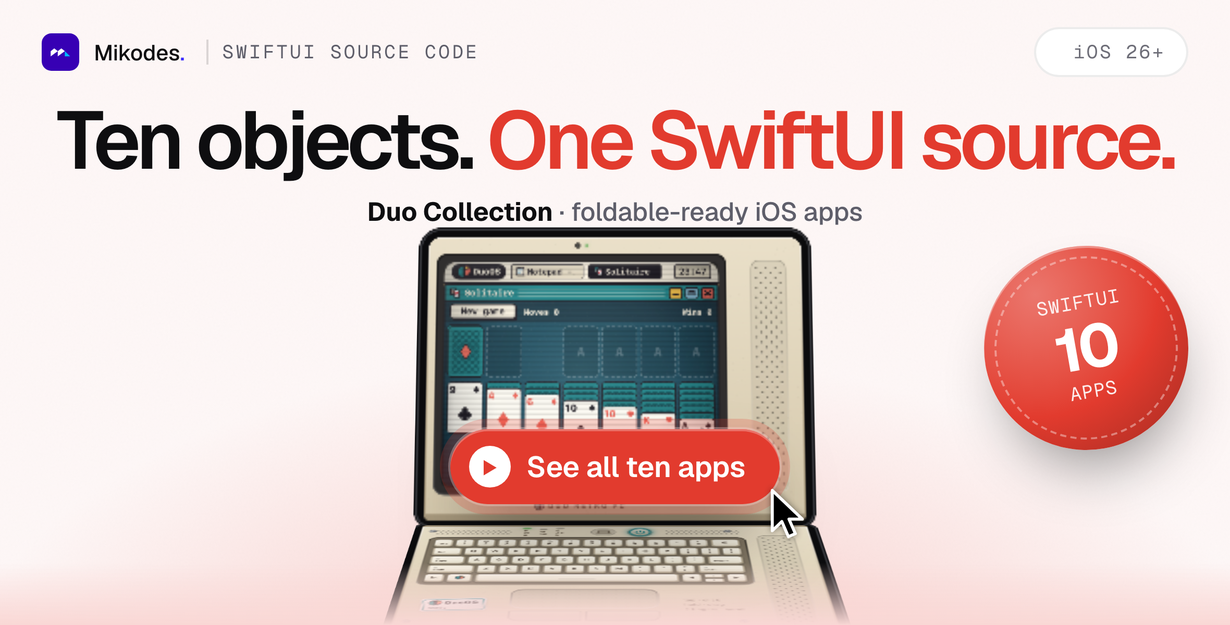
Ten ready iOS and iPadOS apps to rebrand and publish (no Android)
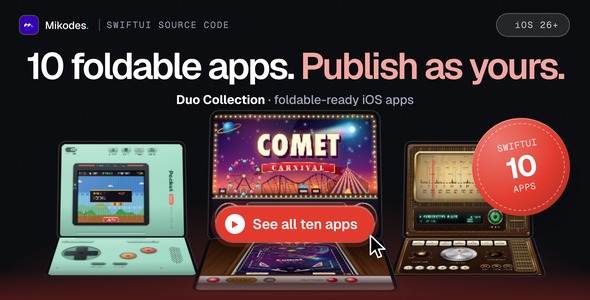
Duo Collection is the full SwiftUI source code of 10 skeuomorphic apps: Pocket, Tape, Squeeze, Camcorder, Fleet, Retro PC, Diner, Pinball, Typewriter and Radio. Each app is its own Xcode target with its own icon, Info.plist and privacy manifest, so you can give each one your own name and look and publish it on the App Store as your app.
The apps are designed for the foldable two-screen iPhone: in the half-folded “laptop” posture the upper half shows the screen and the lower half takes the input (pinball table and flippers, handheld screen and buttons, desktop and keyboard). They are universal and also run on every iPhone and iPad.
Important: third-party service and costs
- Radio uses a third-party service. It loads stations from the free Radio Browser community API (no API key required). The service is not part of this item, has no uptime guarantee, and the radio streams are third-party content owned by their broadcasters. This item is not affiliated with or endorsed by Radio Browser or any broadcaster.
- Not included in the item price: an Apple Developer Program membership (paid to Apple, needed to publish), test devices, music content and radio streams. You publish under your own account.
- The other nine apps work fully offline and need no external service.
Who it is for
- iOS developers and studios who want a set of finished, polished apps to rebrand and publish
- Teams preparing apps for the foldable iPhone who want working fold-aware SwiftUI layouts
- Developers who want to learn real-time audio synthesis, custom game physics and skeuomorphic SwiftUI drawing from complete projects
Rebrand before you publish. Other buyers have the same source code. Apple’s App Review Guideline 4.3 rejects copies and near-identical apps, so give every app you ship its own name, bundle ID, icon, colours and in-app text. The documentation has a step-by-step rebrand guide. This item makes no promise of App Store approval, downloads or income.
Documentation and preview
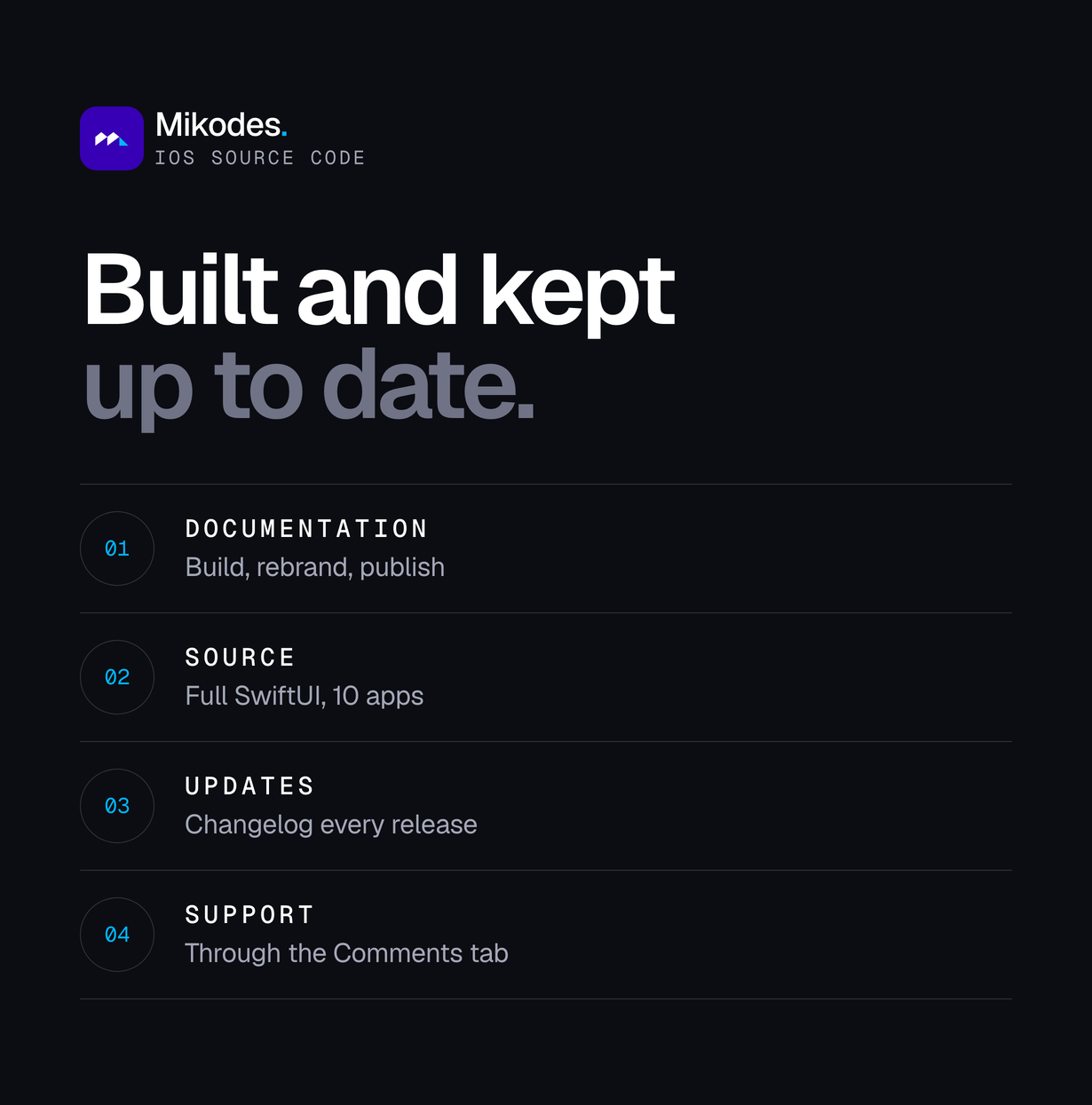
Full documentation is included in the download (documentation/index.html, works offline) and online at duo.mikodes.com/documentation: requirements, quick start, signing, rebrand guide with the exact project.yml lines, a guide for each of the 10 apps, DuoKit postures, permissions and privacy, publishing, Apple guideline 4.3, troubleshooting and FAQ.
Demo instructions: there is no hosted live demo for native iOS apps. Build any scheme for the iPhone Duo, iPhone or iPad simulator; no login or account is needed. The screenshots on this page are simulator captures of the included apps.
Core features
Shared DuoKit
- Posture system with closed, open and half-folded laptop postures and a posture menu in every app (iOS reports no hinge angle, so laptop is chosen in the menu or with a launch argument)
- Fold-aware split layouts: content on the upper half, input on the lower half
- Inner-display size-class fix so the open layout appears on the foldable’s inner display
- Universal iPhone and iPad targets: all 10 apps run on every iPhone and iPad
Pinball
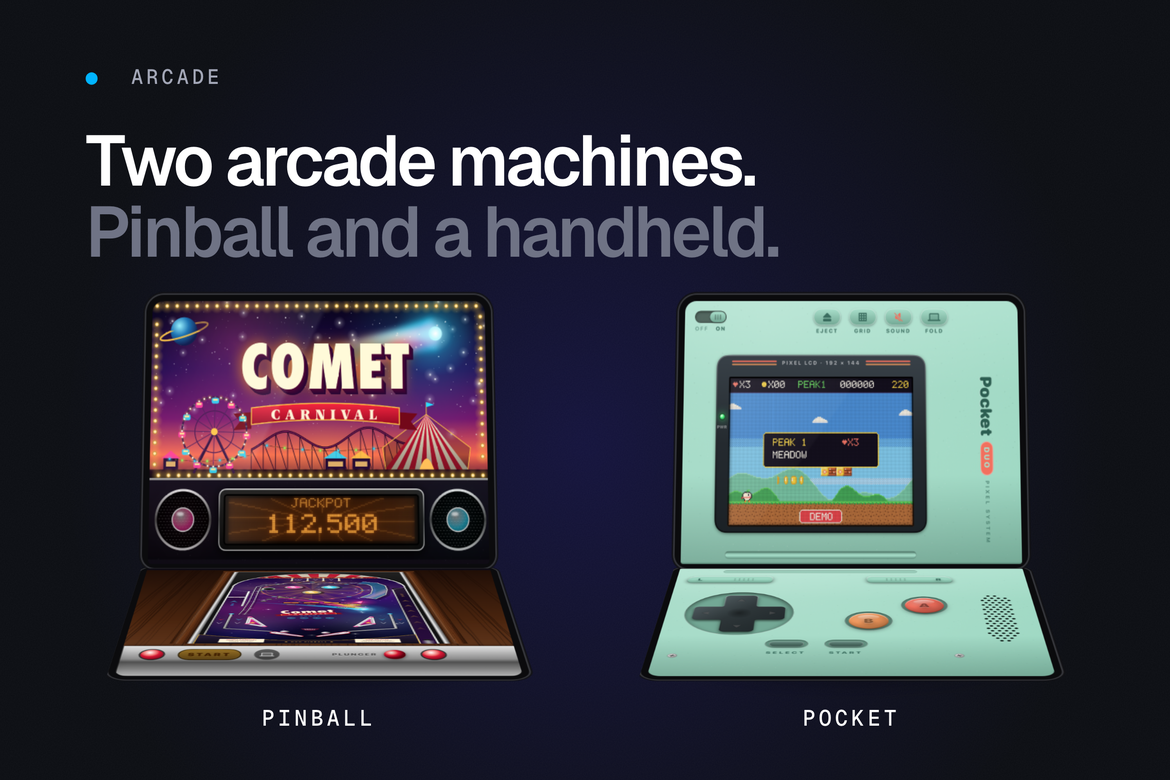
Custom 2D pinball table with its own physics.
- Custom 2D pinball physics with flippers, plunger and ramps
- Game rules: multiball, ball locks, jackpot, extra ball, ball save and tilt
- Dot-matrix display, backglass art, synthesized sound effects and theme music
- Nudge the table by shaking the device or with a flick; local high scores
A retro handheld console shell with four original games (no emulator, no ROMs).
- Four original built-in games: Block Bloom, Comet Cadet, Noodle and Pip’s Peaks, picked from a cartridge shelf
- Framebuffer game host, pixel font, chiptune audio and per-game high scores
- Multi-touch D-pad and face buttons, shell themes and LCD modes
- Laptop posture: screen on the top half, controls on the bottom half
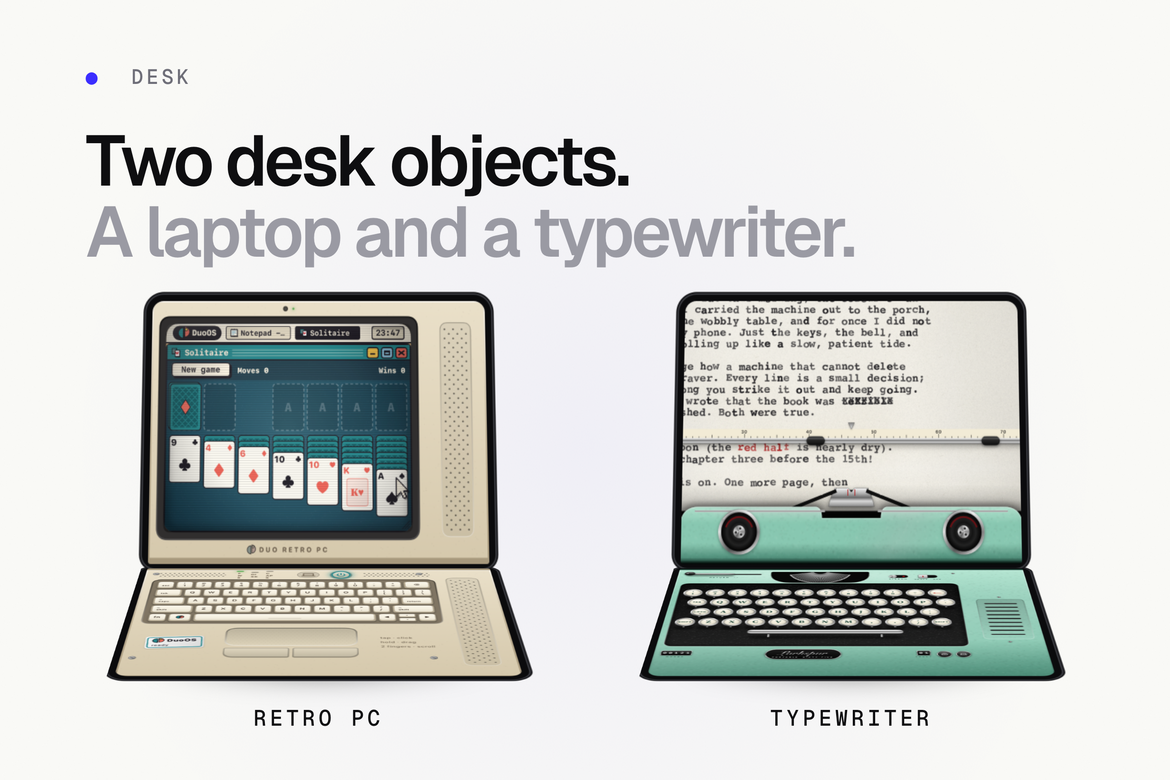
Retro PC
An original retro desktop operating system.
- Boot screen, windows, mouse pointer and CRT effect
- 9 built-in programs: Calculator, Bricks, Clock/Calendar, Mines, Paint, Snake, Notepad, Solitaire and Settings
- On-screen keyboard and trackpad, wallpapers and a local file store
Typewriter
A mechanical typewriter for writing short documents.
- Animated carriage, platen, ribbon and ink rendering
- On-screen key deck plus hardware keyboard support
- Document drawer with PDF and plain-text sharing
- Colorways, synthesized key sounds and a demo script
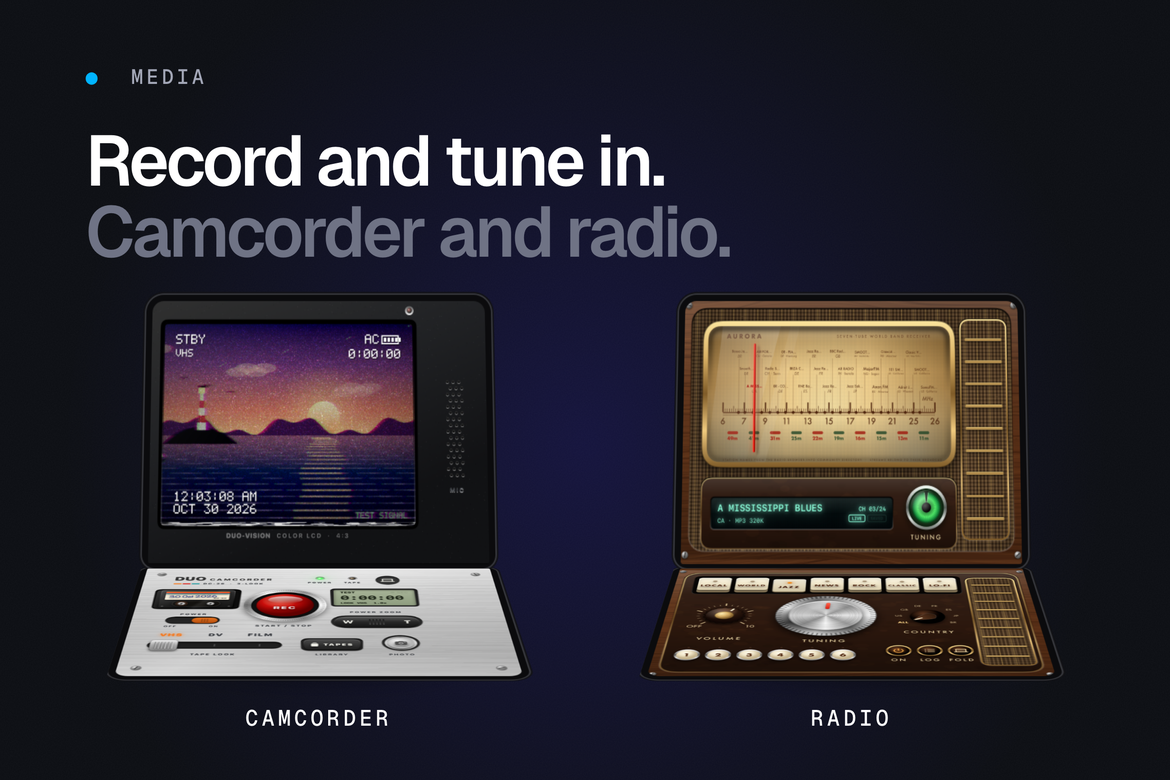
Camcorder
A video camera with retro looks.
- Camera recording with live VHS, DV and FILM looks
- Date stamp overlay; a test signal is shown when no camera is available
- In-app tape library and save to Photos
Radio
A world-band radio for live internet stations.
- Tune live stations by country from the Radio Browser community directory
- Stream playback with metadata, Now Playing and remote commands, background audio
- Static between stations, presets, station log, magic eye, VFD strip and knobs
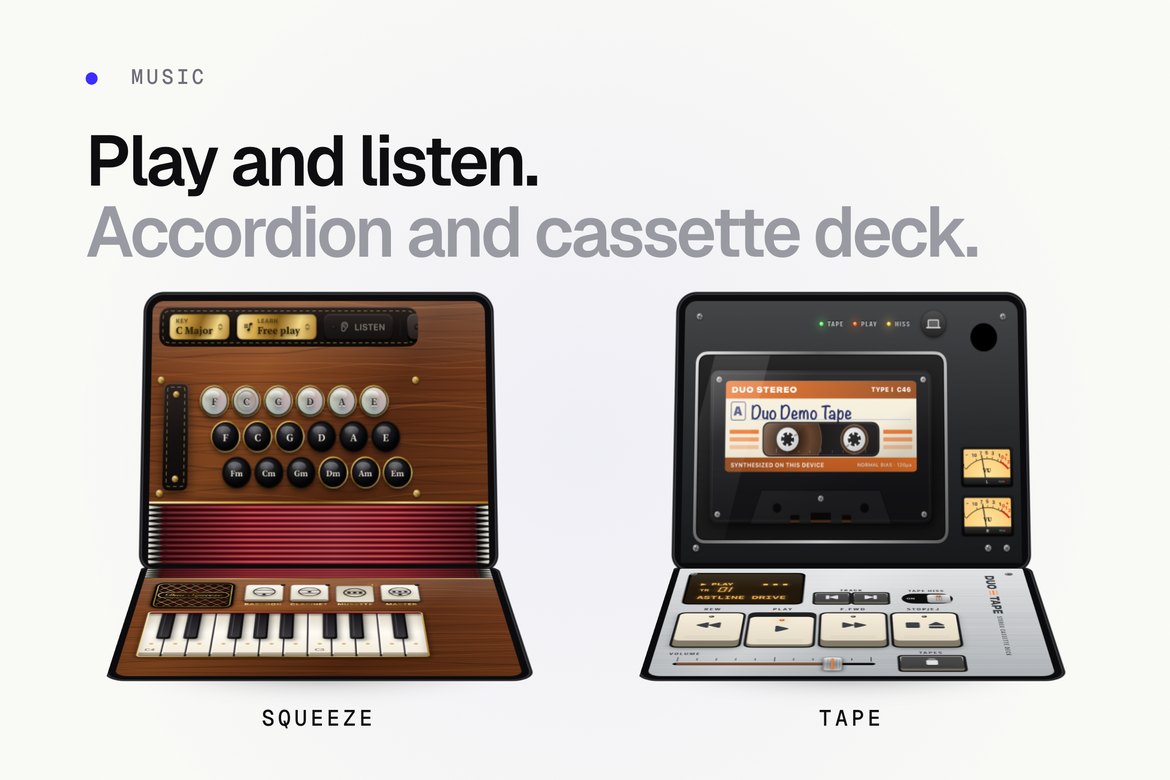
Squeeze
A playable accordion.
- Real-time synthesized reeds (no sample files)
- Bellows drag and motion-driven air, piano keyboard and bass button panel
- Song mode with falling notes and 4 public-domain tunes
Tape
A cassette deck for the user’s own music library.
- Albums and playlists from the user’s music library appear as tapes
- Built-in synthesized demo tapes, so the deck works without a library (simulator, App Review)
- Mechanical deck sounds, VU meters, LCD marquee and system volume
- Background audio playback
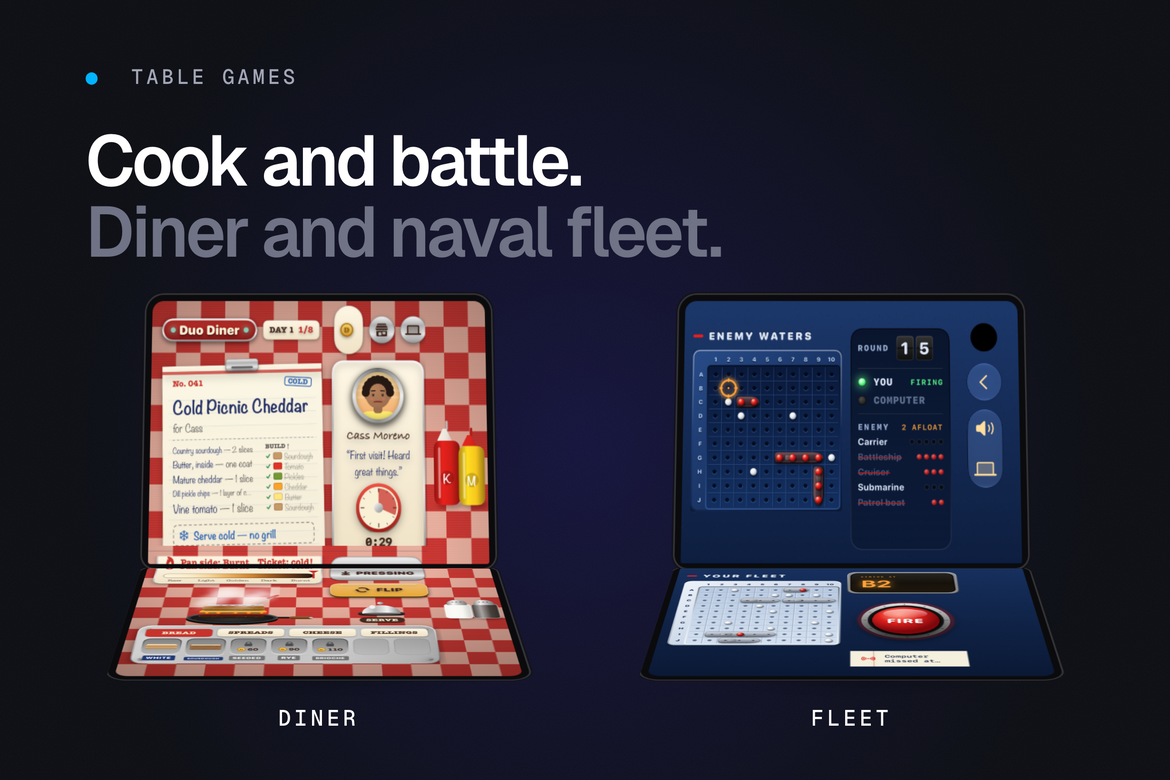
Diner
A toastie cooking game.
- Build and grill sandwiches for customers and their orders
- In-game coin economy and ingredient shop (game currency only, no real money, no in-app purchases)
- Saved progress, themes and synthesized sound
Fleet
A naval battle board game.
- Play against the computer with 3 AI levels
- Pass & Play with a privacy curtain between turns
- Manual or automatic fleet placement, stats and a results overlay
How it works
- Open
source/DuoApps.xcodeproj, set your Team and bundle ID prefix. - Pick a scheme (one per app) and run it on the simulator or your device.
- Rebrand the apps you want to ship: name, bundle ID, icon, colours and in-app text.
- Archive and publish each app from Xcode under your own Apple Developer account.
Settings and admin
There is no admin panel and no backend. Each app keeps its settings (posture choice, themes, high scores, saved progress, documents) on the device. Configuration for you as the developer lives in project.yml and the Xcode project.
Privacy and security
- No data collection: no accounts, analytics, ads, tracking or in-app purchases in the code
- A
PrivacyInfo.xcprivacyprivacy manifest in every app - Permissions are asked only where needed, with usage texts you can edit: camera, microphone and adding to Photos (Camcorder), music library (Tape)
- Radio allows media streams over plain HTTP (needed for many radio stations); this is documented so you can review it
Tech stack
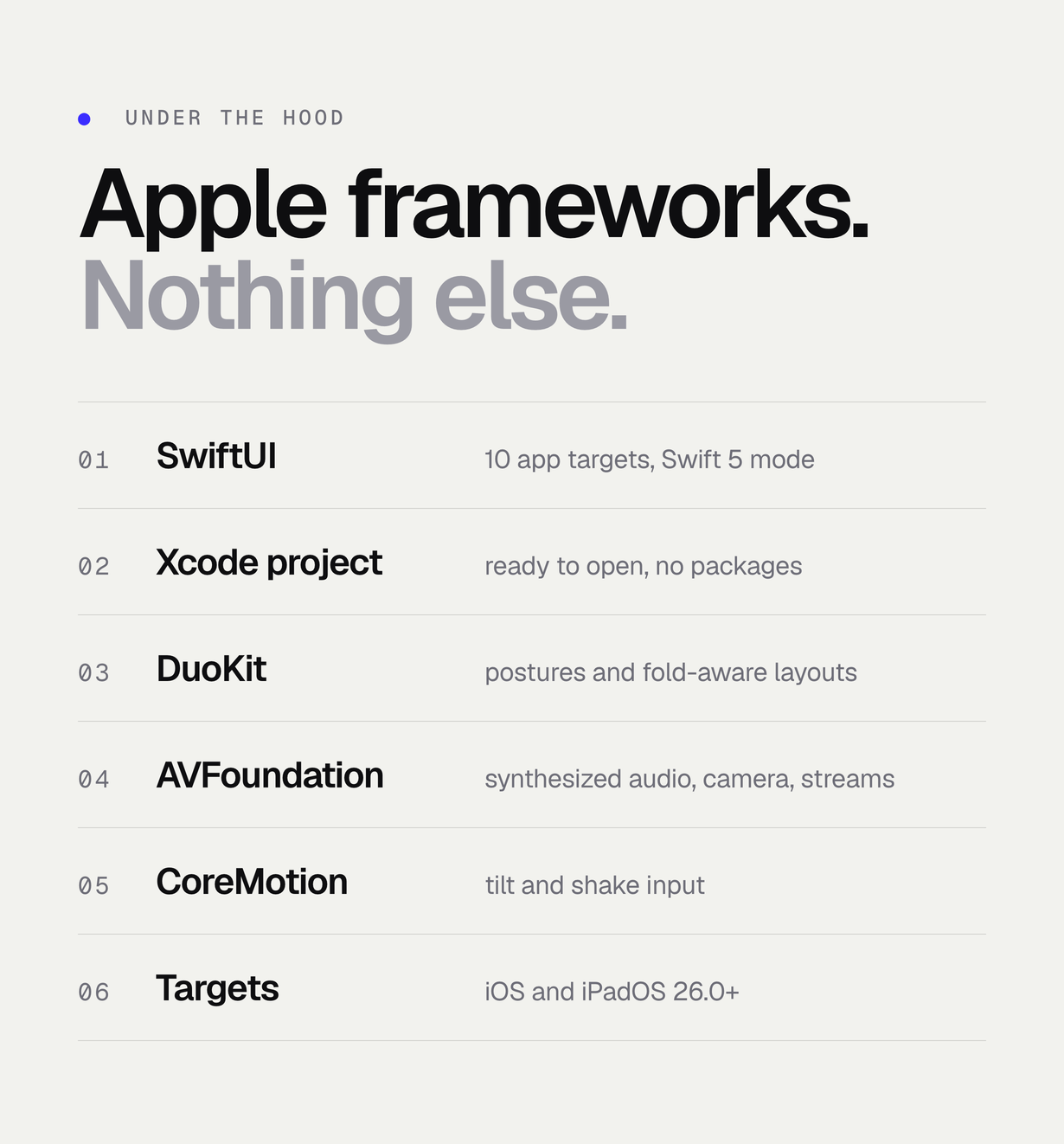
- Swift and SwiftUI, Swift language mode 5
- Apple frameworks only: SwiftUI, UIKit, Foundation, Observation, AVFoundation, MediaPlayer, Photos, CoreImage, CoreMotion, Metal/MetalKit and AudioToolbox
- No Swift packages, no CocoaPods, no third-party SDKs
- All audio is synthesized in code; all artwork is drawn in code (only the app icons are image files)
- One ready Xcode project with 10 targets and schemes (the included
project.ymlis only for optional XcodeGen)
Requirements
- A Mac with Xcode 27.1 or newer (iOS 27.1 SDK)
- iOS / iPadOS 26.0 or newer on target devices
- An Apple Developer Program membership to publish (paid to Apple, not included)
- Internet connection for Radio only
- Foldable iPhone optional: the Xcode foldable simulator and any iPhone or iPad work for development
- XcodeGen 2.45 or newer, optional, only to regenerate the project after editing
project.yml
What’s included
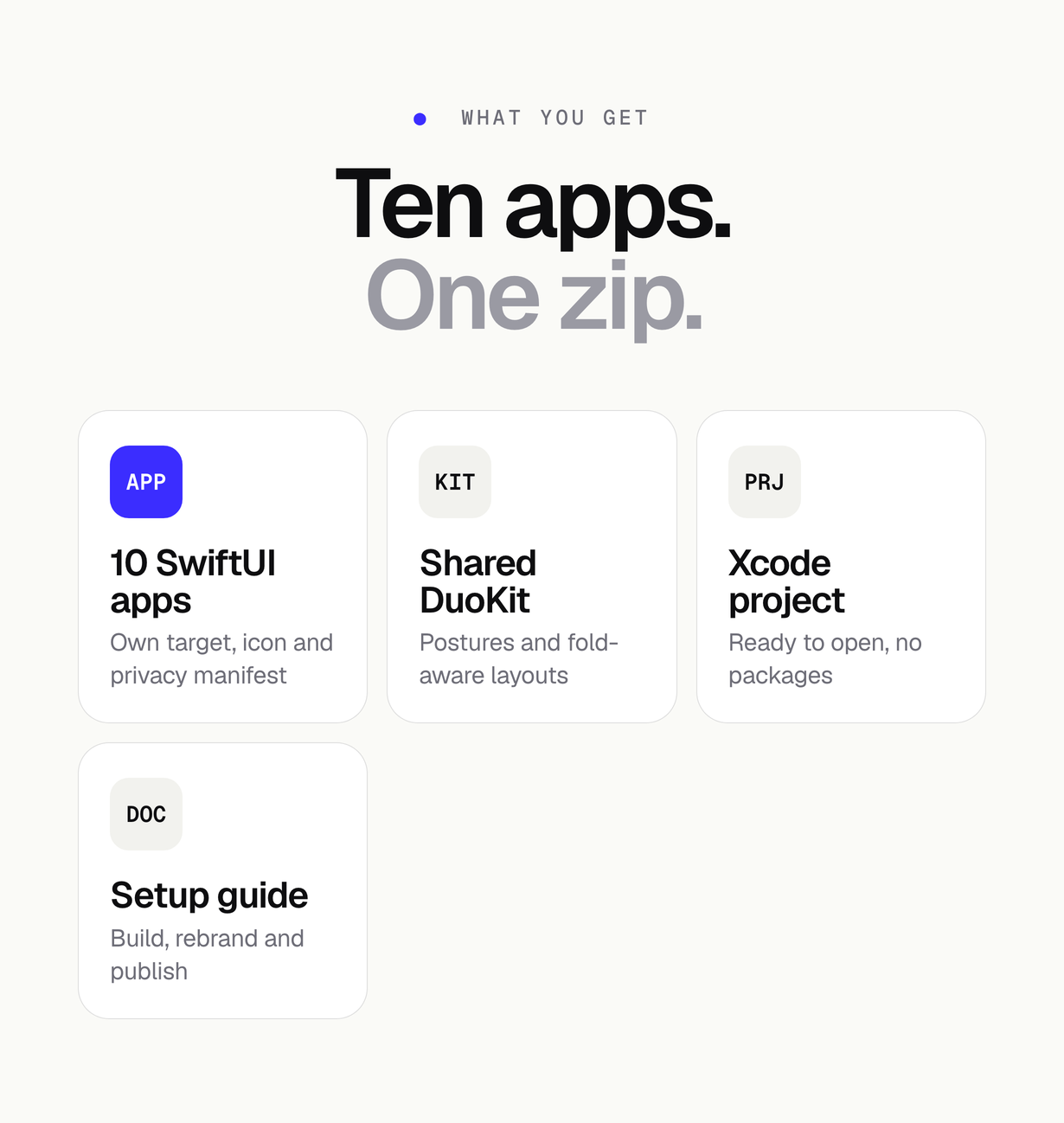
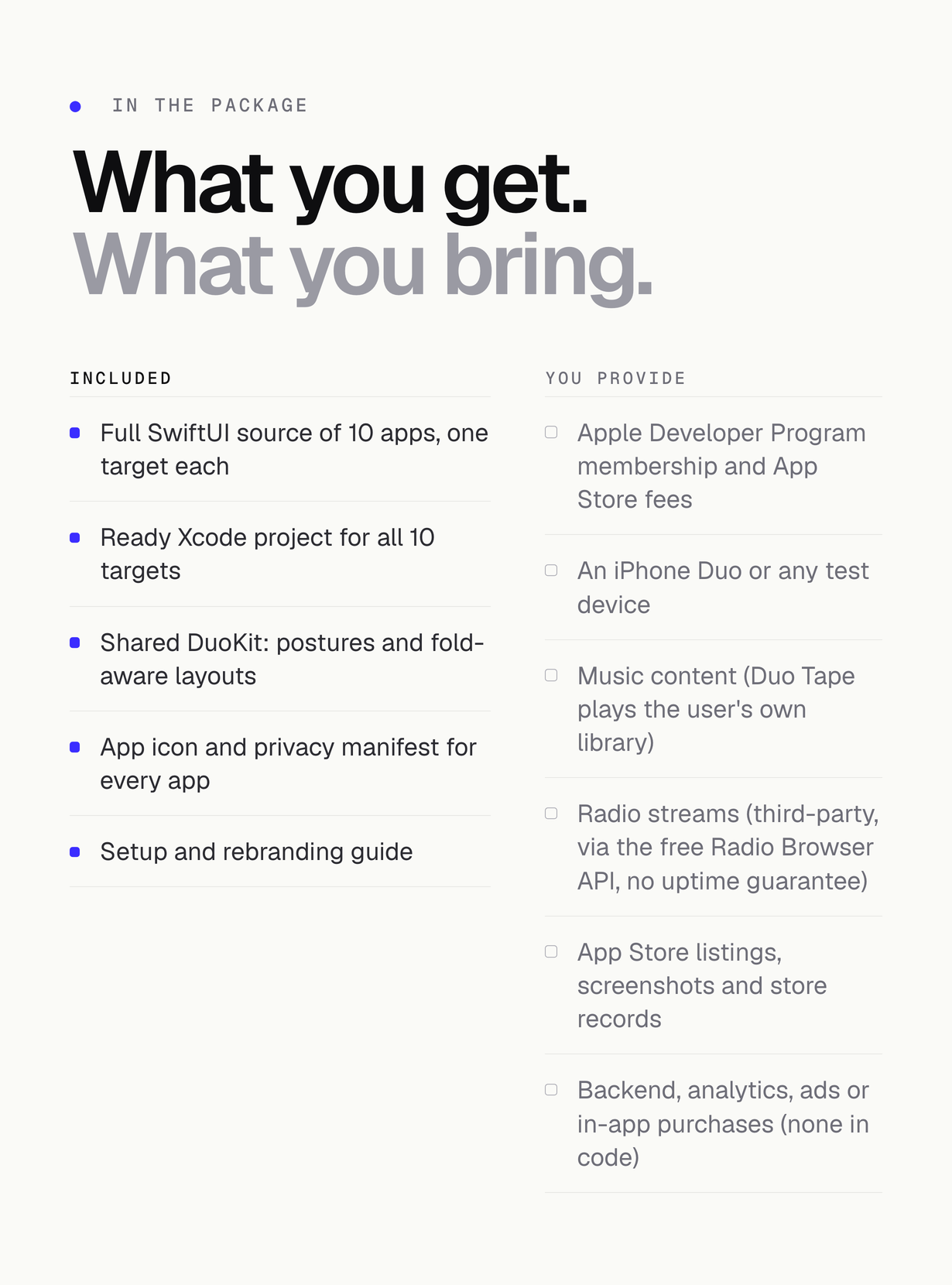
- Full Swift / SwiftUI source code of all 10 apps and the shared DuoKit
- Ready
DuoApps.xcodeprojwith an empty Team andcom.yourcompany.duo.*placeholder bundle IDs project.ymlfor XcodeGen- App icons and a privacy manifest for every app
- Offline HTML documentation
Not included
- Apple Developer Program membership and App Store fees
- Any physical test device
- Music content (Tape plays the user’s own library) and radio stations or streams (third-party broadcasters)
- App Store listings, store screenshots, a marketing site or domain
- Backend, analytics, ads or in-app purchases (none exist in the code)
- Publishing the apps for you, or any App Review outcome
Installation summary
- Unzip the package and open
source/DuoApps.xcodeprojin Xcode 27.1 or newer. - In Signing & Capabilities set your Team for each target you want to run; change the bundle ID prefix.
- Choose a scheme and run it on a simulator or device.
- To see the foldable laptop layout, choose Laptop in the in-app posture menu or add the launch argument
-duo.postureChoice laptop.
Changelog
Version 1.0.0 (2026-10-30)
- Initial release: 10 SwiftUI apps (Pocket, Tape, Squeeze, Camcorder, Fleet, Retro PC, Diner, Pinball, Typewriter, Radio) and the shared DuoKit
- Closed, open and laptop layouts in every app; posture menu; inner-display size-class fix
- Ready Xcode project plus
project.yml; built with Xcode 27.1, minimum iOS / iPadOS 26.0
Support
Support is provided through this item’s Comments tab. Please include the app name, your Xcode version, the device or simulator and the exact error text or a screenshot. Support covers questions about the package and documentation, help building and running the included apps, and fixing bugs in the included code. It does not cover custom changes, new features, publishing the apps for you or App Review outcomes. Item support follows the Envato item support policy.
FAQ
Do I need a foldable iPhone? No. All ten apps are universal and run on every iPhone and iPad.
Are there ads or in-app purchases? No. There is no StoreKit, ads or analytics code. You can add your own monetization.
Regular or Extended license? Choose the license on the marketplace item page that matches how you will use and distribute the apps; the Envato license terms apply.
Credits
No third-party code is used. All games, programs, the pinball table, sounds and artwork are original to this package. Squeeze song mode uses public-domain tunes. Radio station data comes at runtime from the Radio Browser community directory and belongs to its respective owners.
| Author | Mikodes |
|---|---|
| Price | $103 |
| Sales | 0 |
| Rating | 0 (0) |
| Published | Nov 3, 2026 |
| Last Update | Nov 3, 2026 |
| Compatible Software | Other |
| Compatible With | Swift |
| Mobile Files Included | HTML |
Categories
Tags
External listing. code.market does not sell this product and does not process payment for it. Pricing, payment, delivery, licensing, refunds, and support are handled by the third-party merchant on its own website. We may earn an affiliate commission from a referral. Details.