
Doc Scanner - PDF Scanner Doc | SWIFT | ADMOB | READY TO SUBMIT
Description
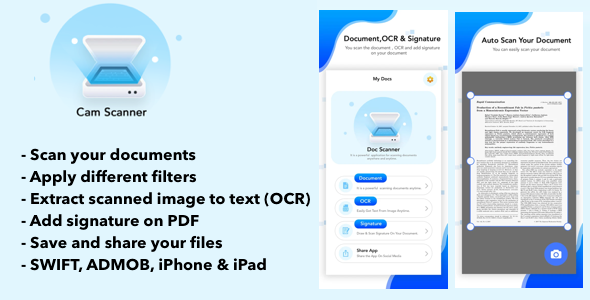
Scan Documents, Photos & Cards with Fast Scanning. Doc Scanner App
DocScanner is a powerful application for scanning documents. Anywhere and anytime, scan, save and archive. Managing and searching have never been so easy.
If you have a scanner, this app makes it easy to scan documents and pictures and save them where you’d like. Whether you’re scanning a photo from the flatbed or scanning multiple pages by using a document feeder, the Scan app is the perfect assistant.
Doc Scanner is a free scanner app that helps users scan, edit, and store data into smartphones, iPads, tablets and computers. Extract texts with OCR and convert PDF to Word, etc.
Camera Scanner is an advanced app that turns your phone into a scanner.
Docscanner is the best app for scanning documents and creating pdf.
== Mobile Scanner ==
Farewell to tedious operations of scanners. Let your mobile take care of everything.
== Auto edge cropping ==
Capture document by phone, remove busy background, generate high-resolution JPEG or PDF file
== Quickly digitalise Document ==
Just use your phone camera to scan and digitalise all kinds of paper documents: receipts, notes, invoices, whiteboard discussions, business cards, certificates, etc.
== Share and Collaborate ==
Share with your friends by collaborating, or via email, Whatsapp, WeChat or and via link to other social networks
== Doc Scanner – Phone PDF Creator ==
Upload & Sign Docs. Document Scanner for iPhone. Document eSign is the most widely used eSignature and Digital Transaction Management platform in the world. Our app offers unlimited free signing as well as upgrade options for your business needs. Change the way you do business today!
How to Use DocScanner?
Use options in the top bar to scan, click or choose photos from the gallery.
The “Create PDF” tab shows the documents/scans that will be included in the PDF.
In the “Create PDF” tab, use the options button for additional options.
The “Generate PDF” button generates a PDF file using the files in the first tab
==> Doc Scanner Features
• Dedicated multipage scanning mode
• Automatic capture of your documents
• Custom naming template saves you the hassle of naming each scan
• Ample sharing (PDF, JPEG, TXT)
• Choose documents from your gallery or scan/click photos from the camera.
• Works completely offline – no online servers.
• Convert multiple images into a single PDF.
• Maintains file history.
• Open the PDF with any PDF viewer.
• Enhance the visibility of your documents after scanning using built-in effects
• Easily share your PDF file via email.
• Supports Siri shortcuts to open folders and documents
• Smart auto enhancing and cropping for clear and sharp image quality
• Book Scan through Book mode in your camera captures shots of facing book pages, splits them into separate images, and corrects distortions or lighting defects
Feel free to review your experience with the Doc Scanner app. Do leave your thoughts on the DocScanner app.
We will be grateful to hear your opinions and improve – whenever needed – in future versions!
| Type | iOS App |
|---|---|
| Author | Sourcecodemaster |
| Price | $93 |
| Sales | 14 |
| Rating | 0 (0) |
| Published | Feb 25, 2022 |
| Last Update | Jul 13, 2022 |
| Compatible Software | iOS 15, iOS 14, iOS 13, iOS 12 |
| Compatible With | Swift |
| Demo Url | https://apps.apple.com/us/app/doc-scanner-pdf-scanner-doc/id1587884517 |
| Mobile Files Included | .h, .m, .xib/.nib |
External listing. code.market does not sell this product and does not process payment for it. Pricing, payment, delivery, licensing, refunds, and support are handled by the third-party merchant on its own website. We may earn an affiliate commission from a referral. Details.
Products of the Week.
Submit🥇

STOP GUESSING WHAT TO POST
AI that learns your brand voice and builds a month of consistent, on-brand social content: carousels, posts and hooks that sound like you, not like everyone else's AI.
SaaS · 7,351 views · 67 clicksSaaS · Week 46 · 7,351 views · 67 clicks
🥈

Conversational Backlinks for Busy Founders
Place Backlink Relevant Conversation for your domain across Forums and Conversations
Website · 46,630 views · 232 clicksWebsite · Week 46 · 46,630 views · 232 clicks
🥉

upvote.club
Free Social Media Engagement that Helps Boost Your Content. Upvote Club supports 19 social networks with 100+ engagement actions in one dashboard. Add links to your posts and get free engagement from real users.
SaaS · 44,572 views · 127 clicksSaaS · Week 46 · 44,572 views · 127 clicks
#4

Substack Posting API
Onboard your Agent to Substack. Write Publish on Substack via API
SaaS · 63,458 views · 206 clicksSaaS · Week 46 · 63,458 views · 206 clicks
#5

Seenshot App
Free, Fast, MacOS Screenshot app. Make Screenshot cmd+shift+2 and send it via link
Desktop App · 32,708 views · 127 clicksDesktop App · Week 46 · 32,708 views · 127 clicks
#6

Hand-Placed Backlinks $9.99 per link. Flat rate.
Buy hand-placed forum, Q-A and directory backlinks. Flat $9.99 per link, no subscriptions — you only pay for approved listings.
Website · 8,330 views · 19 clicksWebsite · Week 46 · 8,330 views · 19 clicks
#7

Free Invoice Generator - PDF Invoices in Your Browser, No Sign-Up
A free invoice maker for freelancers and small businesses: fill in the invoice, check the live preview, and download a PDF that looks exactly like it. Any currency, tax per item, three templates, no sign-up, and nothing leaves your device.
6,956 views · 29 clicksWeek 46 · 6,956 views · 29 clicks
#8

Merge PDF Files Free - Combine PDFs in Your Browser, No Upload
A free PDF merger for office workers, students, and freelancers: combine PDFs and images into one file in the browser, reorder files and pages, pick page ranges, keep bookmarks, and open password-protected PDFs. Nothing is uploaded, no sign-up, no watermark.
6,438 views · 18 clicksWeek 46 · 6,438 views · 18 clicks