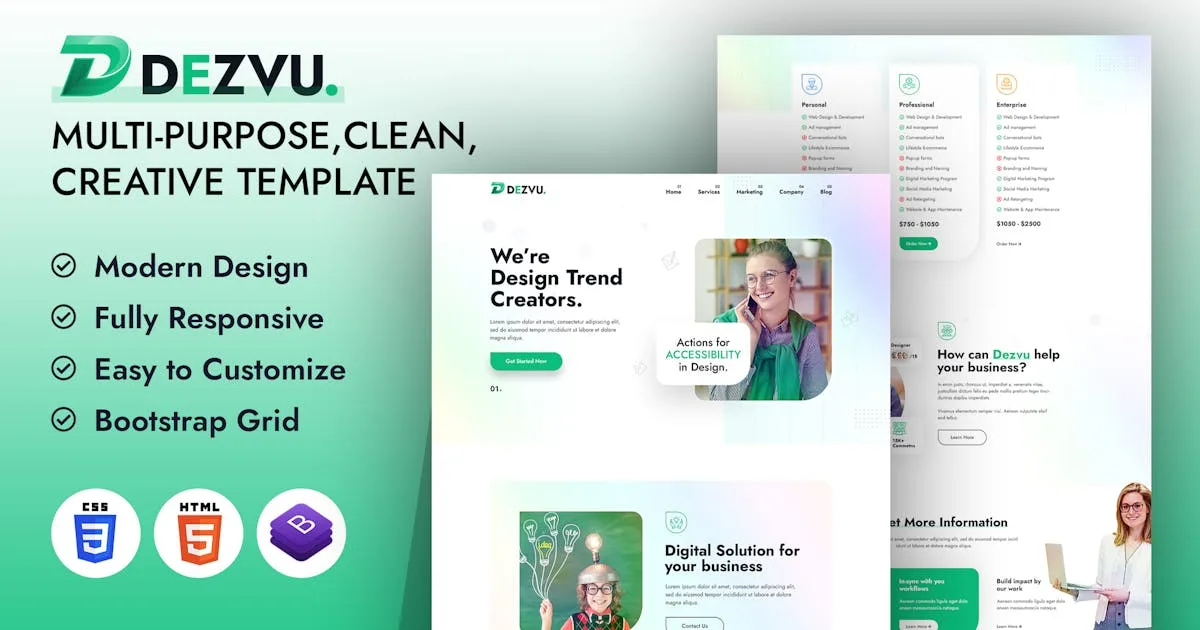
DezVu – Bring Your Vision to Life HTML Template
Description
Introduction The Dezvu HTML5 website template is a custom design parallax effect yet powerful solution for displaying artwork. The Dezvu HTML5 template features a fully responsive framework that looks fantastic on any mobile device and retina display ready for high-quality resolution graphics.
Dezvu HTML template is dedicatedly designed for cybersecurity and web protection. It is ideal for any company engaged in security.
It contains pricing layout, services layouts, portfolio layout, multiple blog layout designs and 06+ valid HTML5 page templates and different blog page designs. The Dezvu template features the coded with Bootstrap v4.0, HTML5 & CSS3 and unlimited color schemes. It’s compatible with all modern browsers and search engine friendly. So showcase your artworks and services with this awesome template!
How to Edit HTML Files? We have included 06+ custom HTML templates like homepage styles, services styles, portfolio styles etc. Please open any HTML files with a text editor like Dreamweaver, Notepad or Notepad++ and edit any lines what you want.
How to Edit CSS Files? We have included some custom CSS styles like style.css (default). Please open any CSS files with a text editor like Dreamweaver, Notepad or Notepad++ and edit any lines what you want. For example if you want to edit your banner images open custom-style.css and look at “.banner-main-con” for banner image and change your styles.
How to use Color Schemes? – Please open style.css file from Dezvu/assets/css folder with a text editor and build your own colors. #0e151d this is our primary color, you can search and replace all to your new color code.
How to use On Load Animation? We are wow.js on load animation for our website. you can edit them by simply adding or changeing the predefined classes name.
Categories
Tags
External listing. code.market does not sell this product and does not process payment for it. Pricing, payment, delivery, licensing, refunds, and support are handled by the third-party merchant on its own website. We may earn an affiliate commission from a referral. Details.
Products of the Week.
Submit🥇

STOP GUESSING WHAT TO POST
AI that learns your brand voice and builds a month of consistent, on-brand social content: carousels, posts and hooks that sound like you, not like everyone else's AI.
SaaS · 6,437 views · 59 clicksSaaS · Week 46 · 6,437 views · 59 clicks
🥈

Conversational Backlinks for Busy Founders
Place Backlink Relevant Conversation for your domain across Forums and Conversations
Website · 45,247 views · 229 clicksWebsite · Week 46 · 45,247 views · 229 clicks
🥉

upvote.club
Free Social Media Engagement that Helps Boost Your Content. Upvote Club supports 19 social networks with 100+ engagement actions in one dashboard. Add links to your posts and get free engagement from real users.
SaaS · 43,246 views · 124 clicksSaaS · Week 46 · 43,246 views · 124 clicks
#4

Substack Posting API
Onboard your Agent to Substack. Write Publish on Substack via API
SaaS · 62,182 views · 204 clicksSaaS · Week 46 · 62,182 views · 204 clicks
#5

Seenshot App
Free, Fast, MacOS Screenshot app. Make Screenshot cmd+shift+2 and send it via link
Desktop App · 31,441 views · 125 clicksDesktop App · Week 46 · 31,441 views · 125 clicks
#6

Hand-Placed Backlinks $9.99 per link. Flat rate.
Buy hand-placed forum, Q-A and directory backlinks. Flat $9.99 per link, no subscriptions — you only pay for approved listings.
Website · 7,160 views · 19 clicksWebsite · Week 46 · 7,160 views · 19 clicks
#7

Free Invoice Generator - PDF Invoices in Your Browser, No Sign-Up
A free invoice maker for freelancers and small businesses: fill in the invoice, check the live preview, and download a PDF that looks exactly like it. Any currency, tax per item, three templates, no sign-up, and nothing leaves your device.
5,781 views · 20 clicksWeek 46 · 5,781 views · 20 clicks
#8

Merge PDF Files Free - Combine PDFs in Your Browser, No Upload
A free PDF merger for office workers, students, and freelancers: combine PDFs and images into one file in the browser, reorder files and pages, pick page ranges, keep bookmarks, and open password-protected PDFs. Nothing is uploaded, no sign-up, no watermark.
5,335 views · 15 clicksWeek 46 · 5,335 views · 15 clicks