
Dentic - Smart Solution for Dental Clinics
Description
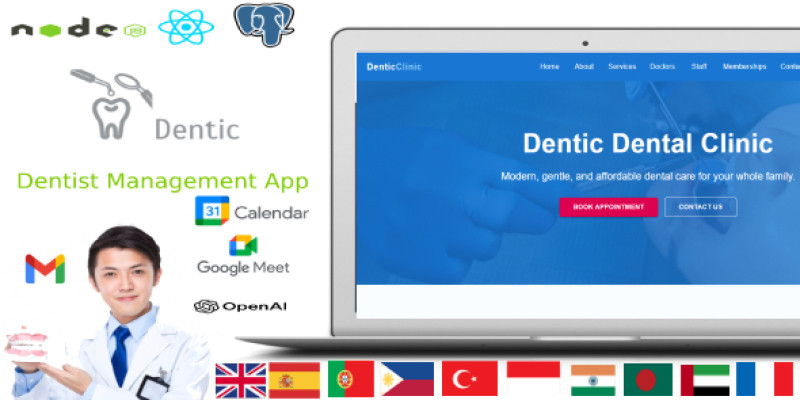
Dentic is a comprehensive dental clinic management application designed to streamline and centralize all aspects of clinic operations. The platform provides an intuitive interface for managing patient records, scheduling appointments, handling billing and payments, and maintaining inventory and equipment. Dentic supports both local and remote installations, making it suitable for clinics of all sizes, from single-location practices to multi-site organizations. One of the standout features of Dentic is its modular approach, allowing clinics to enable only the modules they need, such as patient management, doctor and staff profiles, appointment scheduling, odontogram charting, laboratory test management, telemedicine integration, and equipment maintenance. The application also offers robust reporting and analytics tools, helping administrators monitor clinic performance, track key metrics, and make informed decisions. Whether you are a clinic administrator, dentist, or IT professional, Dentic provides the tools and flexibility needed to efficiently manage clinical workflows, enhance patient care.
Features
Dentic offers a comprehensive suite of features designed to streamline dental clinic operations, enhance patient care, and support efficient administration. The key features include:
- Patient Management: Centralized patient records with medical history, allergies, insurance, and emergency contacts. Advanced search, filtering, and bulk actions for efficient data handling.
- Appointment Scheduling: Flexible calendar views, appointment booking, editing, rescheduling, and reminders. Integration with Google Calendar and AI-powered slot suggestions.
- Doctor & Staff Management: Detailed profiles, scheduling, role assignment, and performance analytics for doctors and staff. Supports bulk actions and status tracking.
- Clinic Management: Manage multiple clinic locations, contact details, working hours, and operational settings from a single interface.
- Billing & Invoices: Create, edit, and manage invoices with support for multiple payment methods, discounts, taxes, and downloadable PDFs. Track payment status and outstanding balances.
- Payments: Record and monitor patient payments, payment methods, and statuses. Integration with billing and financial analytics.
- Expense Tracking: Log, categorize, and analyze clinic expenses. Visual widgets and charts for financial overview and budgeting.
- Memberships: Manage patient membership plans, benefits, payment status, and renewals. Color-coded indicators and detailed records.
- Prescription Management: Create, view, and manage prescriptions with medication details, dosage, and refill tracking. AI-powered assistant for safe prescribing.
- Medicament Management: Track medicament inventory, expiration, batch numbers, and manufacturer details. Bulk import/export and advanced filtering.
- Certificates: Issue and manage medical certificates, including diagnosis, recommendations, and PDF export. Linked to patient and doctor records.
- Reports & Analytics: Interactive charts and widgets for patient, medicament, financial, and operational analytics. Exportable data for reporting.
- Settings & Configuration: Customize system settings, localization, open hours, AI and telemedicine integration, and clinic branding.
- Odontogram: Visual dental charting for recording tooth conditions, treatments, and history. AI-powered predictions and 3D jaw visualization.
- Lab Test Management: Create, upload, and analyze laboratory tests and results. AI-powered report analysis and PDF export.
- Telemedicine: Schedule and conduct remote consultations with Google Meet integration, video/audio calls, and chat.
- Equipment Maintenance: Track clinic equipment, schedule maintenance, assign technicians, and maintain service history.
Requirements
To run Dentic smoothly, both the frontend and backend require a modern server environment with the following specifications and software versions:
Hardware
- Processor: Dual-core CPU or higher (Quad-core recommended for multi-user clinics)
- Memory: Minimum 4 GB RAM (8 GB or more recommended)
- Storage: SSD with at least 20 GB free space
- Network: Stable internet connection for remote installations and integrations
Operating System
- Windows 10/11, macOS 12+, or any modern Linux distribution (Ubuntu 20.04+, CentOS 8+, Debian 11+)
Frontend Requirements
- Node.js: v16.x or v18.x (LTS recommended)
- npm: v7.x or v8.x
- React: v17.x
- React Scripts: v5.x
- Browsers: Latest versions of Chrome, Firefox, Safari, or Edge
- Other: Ensure all dependencies listed in
package.jsonare installed
Backend Requirements
- Node.js: v16.x or v18.x (LTS recommended)
- npm: v7.x or v8.x
- Express: v4.x
- Database:
- MongoDB: v5.x or v6.x (if using Mongoose)
- PostgreSQL: v13.x or v14.x
- MySQL: v8.x
- SQLite3: v5.x (for local/testing)
- Other:
- Mongoose: v5.x
- Sequelize: v6.x
- Swagger: v6.x
- OpenAI, Google Cloud SDKs: Latest stable versions
Instructions
1. Install PostgreSQL
Windows
- Download the installer from https://www.postgresql.org/download/windows/
- Run the installer and follow the setup instructions.
- Set a password for the
postgresuser and remember it. - After installation, open pgAdmin or use the command line to create a database:
psql -U postgres
CREATE DATABASE dentic;
macOS
- Install using Homebrew:
brew install postgresql
brew services start postgresql
- Create the database:
psql postgres
CREATE DATABASE dentic;
Linux (Ubuntu/Debian)
sudo apt update
sudo apt install postgresql postgresql-contrib
sudo systemctl start postgresql
sudo -u postgres psql
CREATE DATABASE dentic;
2. Install Frontend
Navigate to the frontend project folder:
cd FRONTEND
npm install
Start Frontend
npm run serve
The frontend will be available at http://localhost:3000.
3. Install Backend
Navigate to the backend project folder:
cd ../BACKEND
npm install
Start Backend
npm run start
The backend server will run on http://localhost:5000.
4. Access the Application
- Open your browser and go to http://localhost:3000.
- Log in with the default admin credentials (admin/admin) or create a new user.
| Author | DeltaDevSoftware |
|---|---|
| Category | Scripts & Code / NodeJS |
| Price | $20 |
| Extended License | $60 |
| Likes | 3 |
| First Release | Sep 8, 2025 |
| Last Update | Sep 8, 2025 |
| Files included | .css, .html, JavaScript .js |
Categories
Tags
External listing. code.market does not sell this product and does not process payment for it. Pricing, payment, delivery, licensing, refunds, and support are handled by the third-party merchant on its own website. We may earn an affiliate commission from a referral. Details.
Products of the Week.
Submit🥇

Perceptle
Perceptle is a daily browser-based game that challenges you to test your sensory intuition through five quick estimation and rhythm-based rounds.
Other · 1,489 views · 9 clicksOther · Week 47 · 1,489 views · 9 clicks
🥈

Free LinkedIn Likes From Real
Get free LinkedIn likes on your posts from real members who react by hand. No
SaaS · 1,632 views · 10 clicksSaaS · Week 47 · 1,632 views · 10 clicks
🥉

STOP GUESSING WHAT TO POST
AI that learns your brand voice and builds a month of consistent, on-brand social content: carousels, posts and hooks that sound like you, not like everyone else's AI.
SaaS · 9,176 views · 75 clicksSaaS · Week 47 · 9,176 views · 75 clicks
#4

aaas.market
407 reliable micro tools for solo founders, marketers and creators. They work in your browser
SaaS · 1,597 views · 5 clicksSaaS · Week 47 · 1,597 views · 5 clicks