
Demandium - Provider App
Description
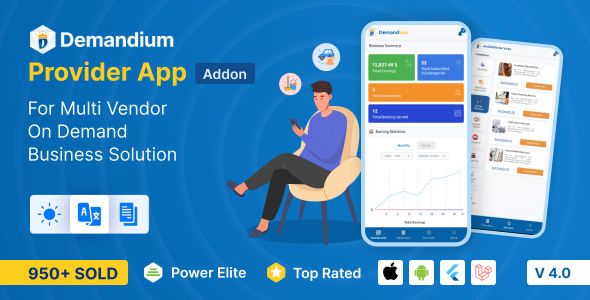
Demandium Provider app is the most important module of the Demandium Multi Provider on-demand service project. Providers can accept and deliver services using this app. Providers can manage all the things related to the provider panel by this app, like managing servicemen, assigning them to new service categories, earning reports, etc.
Download and check the Provider App
Email: provider@provider.com
Password: 12345678
Please Note:
This is a demo app and many people are testing this credential simultaneously. For a better experience with the Demandium provider app, we suggest you create a unique provider account from the admin panel first. You can follow these steps:
- Log in to the Demandium Admin Panel (Demo)
- Go to Provider Management > Add New Provider
- Create a unique provider account with demo credentials
- Click ‘Submit’, then download the demo Provider app
- Now, log in with the credentials you just created.
- Enjoy exploring the Demandium provider app!
Explore the Demandium Admin Panel
Email: admin@admin.com
Password: 12345678
Experience this demo website properly by logging in to it. Remember that as this is a demo website, your credentials and demo data will be automatically reset after 1 hour, and you need to log in again.


Learn more about Demandium Prover App:
Self-Registration
Users can register themselves as providers from the Demandium provider app.
Intuitive Dashboard
The intuitive dashboard of the Demandium provider app shows total business summaries such as total earnings, total subscribed subcategories, total servicemen, total booking serviced, earning statistics, recent booking activities, subscriptions, and serviceman lists.
Booking Requests
F rom the booking request page, providers can see various booking requests, such as pending, accepted, ongoing, completed, and cancelled. Providers can also view booking details from each sub-section and change booking status, change booking schedule, download invoices, chat with customers, and view booking status.
Withdrawal Option
From the account information section of the profile settings option of the Demandium provider app, providers can request for withdrawal to the admin. On the withdrawal request page, providers can select their preferred withdrawal method and provider relevant information according to it and then slide to withdraw the request from the app.
View Booking on Map
Providers can view the customer’s location on the map from the Demandium provider app. This feature allows the provider to find a nearby serviceman to serve the customer on time.
Change Request Status
From the booking details page, providers can change the booking request status according to the task update. Such as pending, accepted, ongoing, completed, and cancelled.
Change Booking Schedule
Providers can change the booking schedule according to the customer & serviceman availability.
Assign Serviceman
From the booking details page on the Demandium provider app, providers can assign a serviceman whose skill and expertise match the customer’s service request criteria perfectly.
View Customer Info
Providers can view the customer’s name, phone number, and service address from the booking details page.
Print & Download Invoice
From the accepted booking requests detail page, providers can view, edit, download, and print the invoice easily from the Demandium provider app.
Subscribe/Unsubscribe to A Service
Providers can subscribe or unsubscribe from a service subcategory from the service page of the Demandium provider app.
View Service Details
Providers can view service details from each subcategory, which includes service overview, FAQs, customer reviews, etc., before choosing to subscribe or unsubscribe to a service.
Get Notifications
Providers get real-time notifications when a customer nearby places an order. They can view the order details from the notification section. The notification also includes direct notifications from the admin.
Edit Provider Profile
Providers can edit their profile from the provider app and change their name, email, phone number, and address. They can also change their account information from this section.
View Ratings & Reviews
Providers can view ratings and reviews of customers from different services and the servicemen working under them and the provider themselves from the Demandium provider app.
Edit Account, Business & Bank info
From the profile settings option, providers can edit and change their account information, business information, and bank information.
Commission & Promotional Cost Details
Providers can view the total amount of commissions they’re receiving from the admin on the commission details page. They can also see how much cost they’re bearing for various promotions such as discounts, campaigns, and coupon cost percentages.
Suggest New Service
Providers can request a new service from the admin. For this, they must choose the service category, give service name and provide service details for the admin. The admin later reviews the request from the admin panel.
Light/Dark Mode for App
The Demandium provider app comes with light and dark mode appearance to enhance better user experience and give users an aesthetic experience while using the app.
Serviceman Setup
Providers can add a new serviceman or edit existing serviceman’s information from the serviceman setup section in the provider app.
Various Reports with Filtration
From the reports section of the provider app, providers can view various reports such as transaction, business, and booking reports. Each report section comes with an intuitive dashboard along with a filtration option.
Live Chat Option
Providers can directly chat with admin, customers, and servicemen anytime for any queries.
Change Language
From the app setting section, providers can change the app language to their preferences.
Transaction History
Providers can view all the transaction history along with settlement status, transaction date, and special notes.
Legal Pages
From the Demandium provider app, providers can see various legal pages crucial for the app’s authenticity, such as terms and conditions, refund policy, cancellation policy, and privacy policy.
All these amazing features and functionalities make the Demandium Provider App the best. If you want your providers to experience a smooth business operation via mobile devices, then Demandium- Provider App is a must-have.
| Type | Flutter App |
|---|---|
| Author | sixamtech |
| Price | $29 |
| Sales | 960 |
| Rating | 4.67 (27) |
| Published | Oct 13, 2022 |
| Last Update | Oct 1, 2026 |
| Compatible Software | Flutter 3.x |
| Mobile Files Included | Dart, YAML, .kotlin, .swift |
Categories
Tags
External listing. code.market does not sell this product and does not process payment for it. Pricing, payment, delivery, licensing, refunds, and support are handled by the third-party merchant on its own website. We may earn an affiliate commission from a referral. Details.
Products of the Week.
Submit🥇

STOP GUESSING WHAT TO POST
AI that learns your brand voice and builds a month of consistent, on-brand social content: carousels, posts and hooks that sound like you, not like everyone else's AI.
SaaS · 7,320 views · 67 clicksSaaS · Week 46 · 7,320 views · 67 clicks
🥈

Conversational Backlinks for Busy Founders
Place Backlink Relevant Conversation for your domain across Forums and Conversations
Website · 46,588 views · 232 clicksWebsite · Week 46 · 46,588 views · 232 clicks
🥉

upvote.club
Free Social Media Engagement that Helps Boost Your Content. Upvote Club supports 19 social networks with 100+ engagement actions in one dashboard. Add links to your posts and get free engagement from real users.
SaaS · 44,529 views · 127 clicksSaaS · Week 46 · 44,529 views · 127 clicks
#4

Substack Posting API
Onboard your Agent to Substack. Write Publish on Substack via API
SaaS · 63,417 views · 206 clicksSaaS · Week 46 · 63,417 views · 206 clicks
#5

Seenshot App
Free, Fast, MacOS Screenshot app. Make Screenshot cmd+shift+2 and send it via link
Desktop App · 32,661 views · 127 clicksDesktop App · Week 46 · 32,661 views · 127 clicks
#6

Hand-Placed Backlinks $9.99 per link. Flat rate.
Buy hand-placed forum, Q-A and directory backlinks. Flat $9.99 per link, no subscriptions — you only pay for approved listings.
Website · 8,290 views · 19 clicksWebsite · Week 46 · 8,290 views · 19 clicks
#7

Free Invoice Generator - PDF Invoices in Your Browser, No Sign-Up
A free invoice maker for freelancers and small businesses: fill in the invoice, check the live preview, and download a PDF that looks exactly like it. Any currency, tax per item, three templates, no sign-up, and nothing leaves your device.
6,917 views · 29 clicksWeek 46 · 6,917 views · 29 clicks
#8

Merge PDF Files Free - Combine PDFs in Your Browser, No Upload
A free PDF merger for office workers, students, and freelancers: combine PDFs and images into one file in the browser, reorder files and pages, pick page ranges, keep bookmarks, and open password-protected PDFs. Nothing is uploaded, no sign-up, no watermark.
6,401 views · 18 clicksWeek 46 · 6,401 views · 18 clicks