
CVora Pro - AI Resume Builder App for Android
Description
Overview
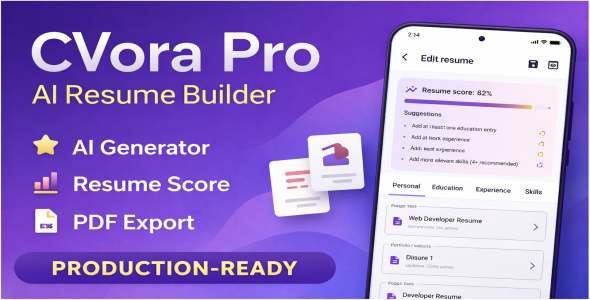
CVora Pro is a native Android AI Resume Analyzer built with Kotlin and Jetpack Compose (Material 3). Users manage multiple resumes, edit structured sections, see a live ATS-style score card with sub-scores and insights, paste a job description for keyword analysis, use AI-assisted actions (summaries, optimization, etc.), preview layouts, and export/share PDFs.
Data is stored locally with Room. The default AI implementation is
LocalNlpAiService—template- and rules-based, no API keys and no
cloud call for normal operation. You can replace it with your own AiResumeService
implementation (OpenAI, Gemini, etc.).
Language: All first-party copy is English (res/values/strings.xml).
resourceConfigurations += listOf("en") in app/build.gradle.kts
keeps non-English locale folders from dependencies out of the APK so system-facing strings stay aligned with
an English product build.
INTERNET for optional remote integrations or libraries—remove or keep
according to your fork and Play Console data declarations.
Complete feature catalog
Below is a buyer-facing inventory of what the shipped app provides. Use it for marketplace
listings, README excerpts, and support scripts. Items reflect the default build with
LocalNlpAiService and optional AdMob.
Home screen
- Resume list — All saved resumes with title and last-updated style presentation; tap to open the editor.
- Create resume — New draft with smart unique naming (avoids duplicate titles; integrates
ResumeTitles). - Delete resume — Confirmation dialog before removal.
- Loading & errors — Full-screen loading while the list loads; snackbars for recoverable errors.
- Optional banner ad — Bottom strip when
ads_banner_enabledis on; fixed height to avoid layout jump.
Resume editor — layout & navigation
- Top app bar — Back, save (with inline busy state), open preview.
- Scrollable body — ATS card, horizontally scrollable tab row, and active tab content share one vertical scroll for a continuous “SaaS” feel.
- Tabs — Personal, Education, Experience, Skills, ATS
& Job via
ScrollableTabRow(swipe tabs on narrow screens). - Tab transitions —
Crossfadebetween tab panels with eased timing. - Background — Premium gradient behind editor content (
PremiumGradientBackground). - Save feedback — Snackbars for success, validation failures, generic save failures, and AI errors; state is consumed so messages do not repeat incorrectly.
- Optimize overlay — Full-screen
BlockingOverlaywhile “Fix My Resume” runs; success snackbar after completion; try/catch in ViewModel so failures clear busy state.
ATS score card & analytics (always visible above tabs)
- Overall score 0–100 — Circular ring with animated sweep; label for “ATS” style positioning.
- Sub-scores — Keyword match (only when job description is non-empty), section completeness, content quality; each with a progress bar when applicable.
- ⓘ Info dialog — Plain-language explanation of the three pillars (keyword match, sections, content quality).
- Empty job description — Keyword row shows N/A; prominent hint to paste a JD on the ATS tab; insights deduplicated so users are not spammed with the same message.
- Missing keywords — Horizontal chip row when a JD is present and gaps exist.
- Insights list — Bulleted mix of resume-quality suggestions (contact, summary, education, experience, skills) and ATS-oriented hints (measurable outcomes, action verbs, etc.).
- Loading gate —
isAnalysisReadyhides misleading scores until resume data is loaded into the editor. - Glass card presentation —
GlassCardwith soft shadow/glow for marketplace polish.
Personal tab
- Resume title, target role chips (9 job families), full name, email, phone, location, LinkedIn, portfolio, multi-line summary.
- Validation — Name/email rules with inline supporting text for common issues.
- AI on summary — Polish sentence, rewrite professional tone, action verbs; auto-generate from role; improve with optional “role focus” text field.
Education tab
- Zero or more entries: school, degree, field, start/end year, description; add/remove per card.
- Card-based layout with delete control.
Experience tab
- Per role: company, job title, location, dates, long description.
- AI — Polish, rewrite, verbs; generate with optional hints dialog; improve experience.
- Loading overlay on card — When an experience-level AI job runs, that card shows a focused progress state.
Skills tab
- List of skill name + level rows; add/remove.
ATS & Job tab
- Large job description field (paste posting text).
- Fix My Resume — Whole-resume optimization pipeline with global overlay and completion snackbar.
Preview screen
- Template picker — Horizontal chips to switch preview template (e.g. Classic).
- Live preview — Composable resume layout before export.
- Save PDF — Writes to user-visible storage (MediaStore
Download/CVoraon API 29+, app external files on older APIs); Toast shows the saved path string. - Interstitial — After successful save, optional full-screen ad with cooldown and preference tracking (non-blocking if ad fails).
- Optional bottom banner — Same AdMob banner slot as home when enabled.
- Export busy state — Blocking overlay while PDF is generated.
Data, privacy, offline defaults
- Local-first — All resume content in Room/SQLite on device.
- No cloud account — No sign-in in the default product.
- Default AI — Pattern/template driven; no third-party LLM calls unless you swap the service.
Quick-reference grid (marketing bullets)
ATS score (0–100) Circular ring, weighted blend, animated when ready. Keyword & JD Extract keywords, match %, missing chips, empty-JD UX. Multi-resume Create, list, delete, smart titles. Rich editor 5 tabs, scrollable strip, crossfade, validation. On-device AI Summary, experience, fix resume—pluggable interface. PDF save + path Paginated PDF, Toast with location, optional interstitial. Demo onboarding Seed resume, sample JD, one-time auto-open. Optional AdMob XML toggles, English-only resource packaging option.ATS & job description
Scoring and insights are implemented in AtsScoreEngine and related analyzers.
- Overall score — Blended ATS-style 0–100 from section completeness, keyword alignment (when JD exists), and content-quality heuristics.
- Keyword match — Only active when the job description field is non-empty; compares extracted JD keywords to resume corpus (summary, skills, experience, etc.).
- Section completeness — Contact, summary, education, experience, skills.
- Content quality — Measurable outcomes, strong verbs, experience depth (heuristic).
- Empty JD — Keyword row shows N/A; yellow hint to paste a JD on the ATS tab; duplicate “paste JD” insights are suppressed.
- Loading —
isAnalysisReadyis false until editor state has finished loading the resume.
First launch & demo
- Bootstrap — In
CvoraiApplication, if preferences indicate first bootstrap and the DB is empty,ResumeRepository.seedDemoResume()runs. - Sample job description — The demo uses
ResumeRepository.DEMO_JOB_DESCRIPTIONso ATS keyword match works immediately. - Auto-open editor (once) —
AppPreferencestrackshasAutoOpenedDemoEditor. After resumes load on Home, the app navigates to the editor for the resume with the lowest id (usually the demo), once per install, with a short delay to reduce flicker.
To change or disable demo behavior, edit CvoraiApplication.kt, ResumeRepository.kt, HomeScreen.kt (LaunchedEffect), and
AppPreferences.kt.
User guide (end users)
Step-by-step flow for job seekers using the app as shipped. Wording can be reused in in-app help or store description.
- Home — See all resumes. Tap one to edit, or use Create for a new draft (title is suggested automatically to avoid duplicates). Long-press or use delete where offered; confirm when asked.
- First launch — You may land directly in a demo resume once. Edit it or create your own; the demo illustrates ATS with a sample job description.
- Editor top — Use Back to return home, Save to persist (watch for validation messages), Preview to see print layout before PDF.
- ATS card — Stays above the tabs. Overall ring score and bars update after your resume loads. Tap ⓘ to read how keyword, section, and content scores work.
- Personal tab — Fill contact, links, summary, and pick a target role chip so tone defaults make sense. Use AI chips on the summary if you want quick rewrites (requires patience while the overlay runs).
- Education / Experience / Skills — Add blocks with the add actions; remove cards you do not need. On Experience, AI actions apply to each role; a small loading state may appear on that card.
- ATS & Job tab — Paste the full job posting text here. That enables keyword match, missing-keyword chips, and richer insights on the ATS card. If empty, the app shows N/A and hints instead of fake keyword percentages.
- Fix My Resume — Runs a whole-document optimization from the ATS tab; a full-screen blocking overlay appears until finished. Read the snackbar for success or errors.
- Preview — Switch template chips if more than one is available. Check pagination and spacing before export.
- Save PDF — From preview, save to device storage. A Toast shows where the file went (path varies by Android version). After a successful save, an interstitial ad may appear if the developer enabled it — your PDF is already saved.
- Ads — A banner may sit at the bottom of Home or Preview when enabled; it does not replace app content and uses a fixed-height area.
Requirements (product & environment)
Use this section for store listings, buyer expectations, and
developer onboarding. If you change minSdk, JDK, or Gradle
versions, update the tables here so documentation stays accurate.
End-user / device requirements
| Item | Value | Notes |
|---|---|---|
| Minimum Android | API 24 (Android 7.0) | minSdk = 24 in app/build.gradle.kts. |
| Target SDK | API 36 | Storage, backup, and ad-related behavior follow current platform expectations. |
| Compile SDK | 36 (with minor API level as set in Gradle) | Must match installed SDK Platform in Android Studio. |
| Recommended test range | API 24, 29, 33–36 | Covers legacy devices, scoped storage transition, and latest emulators. |
| Network | Optional for core features | Editing, Room, default AI, and ATS work offline. Needed for AdMob and any remote API you add. |
| Google Play Services | Ads only | play-services-ads when banners or interstitials are enabled. |
| UI language | English | Strings in res/values/strings.xml. Optional:
resourceConfigurations += listOf("en") strips non-English dependency locales
from the APK.
|
Developer workstation requirements
| Item | Details |
|---|---|
| Android Studio | Latest stable; must support the project’s AGP (see gradle/libs.versions.toml,
currently AGP 9.1.0). |
| JDK | JDK 11+ for compiling; project sets Java 11 bytecode
(compileOptions in app/build.gradle.kts). Use the
JDK bundled with Android Studio unless you have a specific toolchain policy. |
| Gradle | Wrapper included (gradlew); do not assume a global Gradle install version.
|
| SDK components | Android SDK Platform matching compileSdk, build-tools as prompted by sync,
and at least one emulator image or physical device with USB debugging. |
Functional requirements (what the shipped product does)
- Maintain multiple resumes locally (create, open, edit, delete) with persistent storage.
- Show an ATS-style overall score and sub-scores that react to resume text and optional job description.
- Provide actionable insights (completeness, keywords, writing tips) without claiming a specific employer’s ATS.
- Offer AI-assisted actions on summary, experience, and full-resume “fix” flows via pluggable
AiResumeService(default: on-device, no API key). - Preview the resume and export a multi-page PDF to user-visible storage, with a clear success path (Toast path).
- Respect AdMob configuration: master switch plus separate banner and interstitial flags; no crash when ads fail.
- On first install, optionally seed demo content and auto-open the editor once for onboarding.
Non-functional requirements
- UX: Single vertical scroll in the editor; horizontal tab row for many sections; crossfade between tabs.
- Reliability: Long-running AI and PDF operations show blocking UI; errors clear busy state.
- Maintainability: Ad unit IDs, app id, cooldown interval, and banner slot height are in XML
(
admob_config.xml), not scattered as magic numbers in Kotlin. - Privacy default: No mandatory account; resume data stays on device unless you add sync.
Demo
Demo Link: https://demo.products.techrobot.in/cvora-pro/v1.0/app-debug.apk
Changelog
27 March 2026 – Version 1.0
- Initial Release
| Type | Android App |
|---|---|
| Author | techrrobot |
| Price | $24 |
| Sales | 1 |
| Rating | 0 (0) |
| Published | Mar 31, 2026 |
| Last Update | Apr 6, 2026 |
| Compatible Software | Android 15.0, Android 12.0, Android 11.0, Android 10.0, Android 9.0 |
| Demo Url | https://demo.products.techrobot.in/cvora-pro/v1.0/app-debug.apk |
| Mobile Files Included | .apk, .xml |
Categories
Tags
External listing. code.market does not sell this product and does not process payment for it. Pricing, payment, delivery, licensing, refunds, and support are handled by the third-party merchant on its own website. We may earn an affiliate commission from a referral. Details.
Products of the Week.
Submit🥇

STOP GUESSING WHAT TO POST
AI that learns your brand voice and builds a month of consistent, on-brand social content: carousels, posts and hooks that sound like you, not like everyone else's AI.
SaaS · 7,337 views · 67 clicksSaaS · Week 46 · 7,337 views · 67 clicks
🥈

Conversational Backlinks for Busy Founders
Place Backlink Relevant Conversation for your domain across Forums and Conversations
Website · 46,605 views · 232 clicksWebsite · Week 46 · 46,605 views · 232 clicks
🥉

upvote.club
Free Social Media Engagement that Helps Boost Your Content. Upvote Club supports 19 social networks with 100+ engagement actions in one dashboard. Add links to your posts and get free engagement from real users.
SaaS · 44,547 views · 127 clicksSaaS · Week 46 · 44,547 views · 127 clicks
#4

Substack Posting API
Onboard your Agent to Substack. Write Publish on Substack via API
SaaS · 63,432 views · 206 clicksSaaS · Week 46 · 63,432 views · 206 clicks
#5

Seenshot App
Free, Fast, MacOS Screenshot app. Make Screenshot cmd+shift+2 and send it via link
Desktop App · 32,681 views · 127 clicksDesktop App · Week 46 · 32,681 views · 127 clicks
#6

Hand-Placed Backlinks $9.99 per link. Flat rate.
Buy hand-placed forum, Q-A and directory backlinks. Flat $9.99 per link, no subscriptions — you only pay for approved listings.
Website · 8,305 views · 19 clicksWebsite · Week 46 · 8,305 views · 19 clicks
#7

Free Invoice Generator - PDF Invoices in Your Browser, No Sign-Up
A free invoice maker for freelancers and small businesses: fill in the invoice, check the live preview, and download a PDF that looks exactly like it. Any currency, tax per item, three templates, no sign-up, and nothing leaves your device.
6,932 views · 29 clicksWeek 46 · 6,932 views · 29 clicks
#8

Merge PDF Files Free - Combine PDFs in Your Browser, No Upload
A free PDF merger for office workers, students, and freelancers: combine PDFs and images into one file in the browser, reorder files and pages, pick page ranges, keep bookmarks, and open password-protected PDFs. Nothing is uploaded, no sign-up, no watermark.
6,415 views · 18 clicksWeek 46 · 6,415 views · 18 clicks