
Cutora | Flutter Video Editor App for Android and iOS
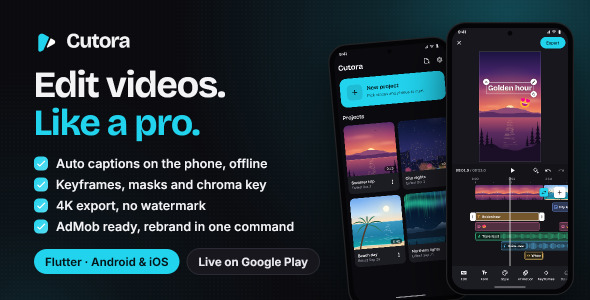
Description
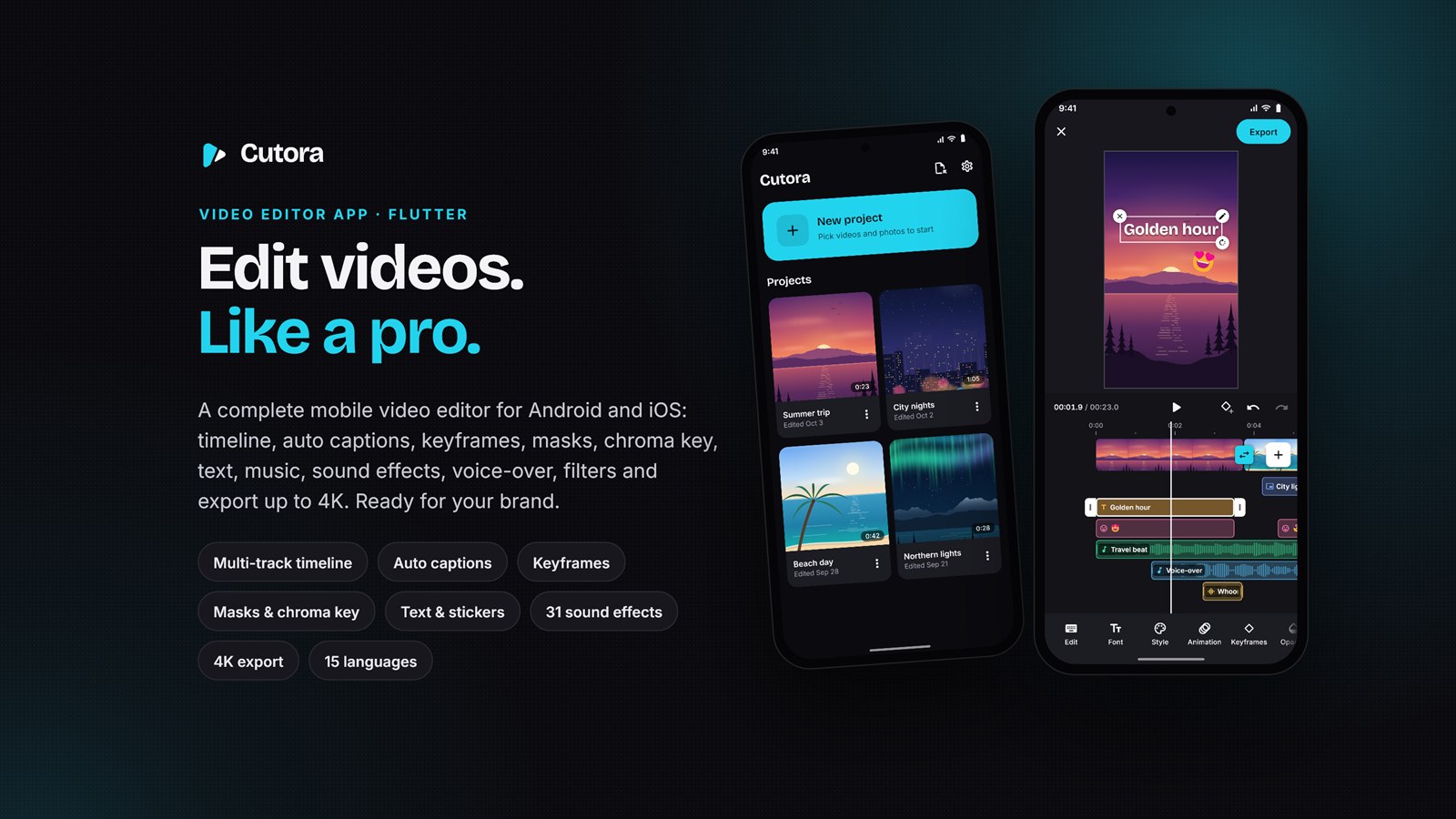
Cutora – the complete video editor app in Flutter
Cutora is a ready-to-build video editor for Android and iPhone. People cut their clips on a real timeline, add captions, text, stickers, music and their own voice, lay a second video over the first and export in up to 4K – without a watermark. Everything happens on the phone: no required backend server, no Firebase and no cloud transcription API key.
Put your name, logo, colours, app id and your AdMob ids on it with one command and prepare it for publication as your own app. Store accounts and approval are your responsibility.
Demo Instructions
- Demo app: Cutora is live – install it from Google Play. It is built from exactly this code (version 1.1.1).
- Demo login: none needed. Cutora has no user accounts, so there is no demo e-mail and no password. Open the app, tap New project and pick a few videos or photos from your phone.
- Documentation: Read the complete setup and customization guide online. The same guide is included offline in the source-code download.
- Worth trying: Captions on a video with speech, Keyframes on a clip, Filters › 4K Look, then Export in 4K.
AI disclosure
Yes – AI tools were used to assist with the documentation and preview graphics for this item.. SamiDevStudio directed and reviewed the work and tested the app. The preview graphics use rendered app screens and illustrations drawn in code.
AI features included in the app: AI-powered auto captions use on-device Whisper speech recognition through whisper.cpp. The speech model is downloaded once before first use; after that, speech recognition runs offline on the device. Audio is not uploaded to a cloud transcription service, and no transcription API key is required. Caption translation uses on-device Google ML Kit models, which also require an initial download.
Why Cutora?
- No required backend subscription – editing, export and downloaded speech/translation models run on the phone; store account fees and optional advertising services are separate
- AI-powered captions without an API key – on-device Whisper speech recognition (whisper.cpp) works offline on the phone
- No FFmpeg – exports with the phone’s own video engine through a BSD-licensed package
- AdMob integration included – AdMob built in, with Google’s consent form and ad-free first days for new users
- Your brand in one command – name, app id, colours, icon and launch screen from one settings file
- Proven – live on Google Play, 740 automated tests and device tests that export and check real videos
A real multi-track timeline
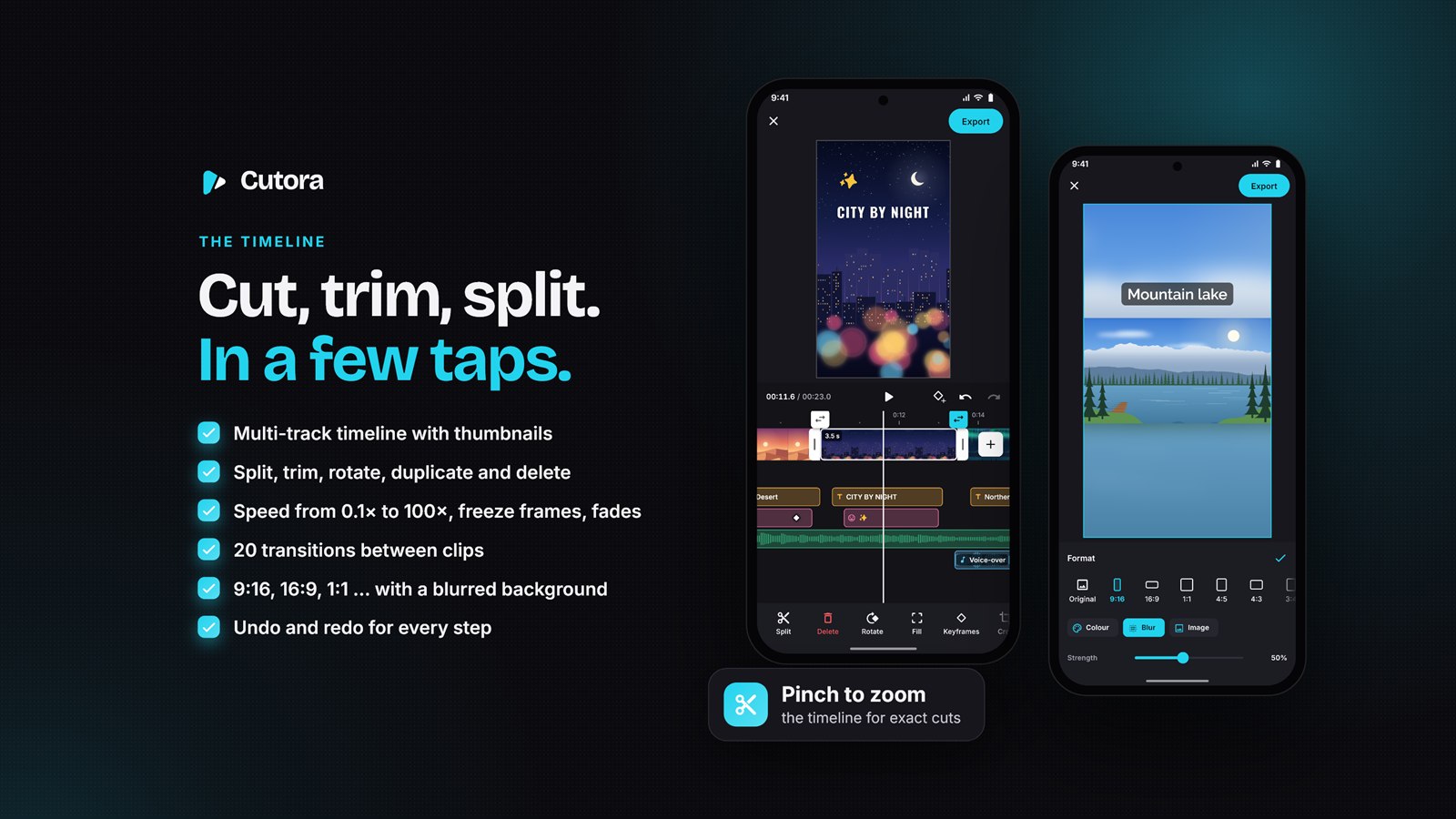
Clips sit on a timeline with thumbnails; pinch to zoom, drag the ends to trim, tap to split – a magnet lines them up. Speed from 0.1× to 100× with speed curves, reverse, freeze frame. Cut pauses takes the quiet parts out of a talking video in one tap, Split scenes cuts a long video at every new shot. 20 transitions, clip animations, collage layouts and a slideshow maker; unlimited undo – and the project saves itself. Share videos and photos from the gallery straight into the app (Android share menu, iPhone share extension), or pick up to 100 clips at once.
AI auto captions, masks and chroma key
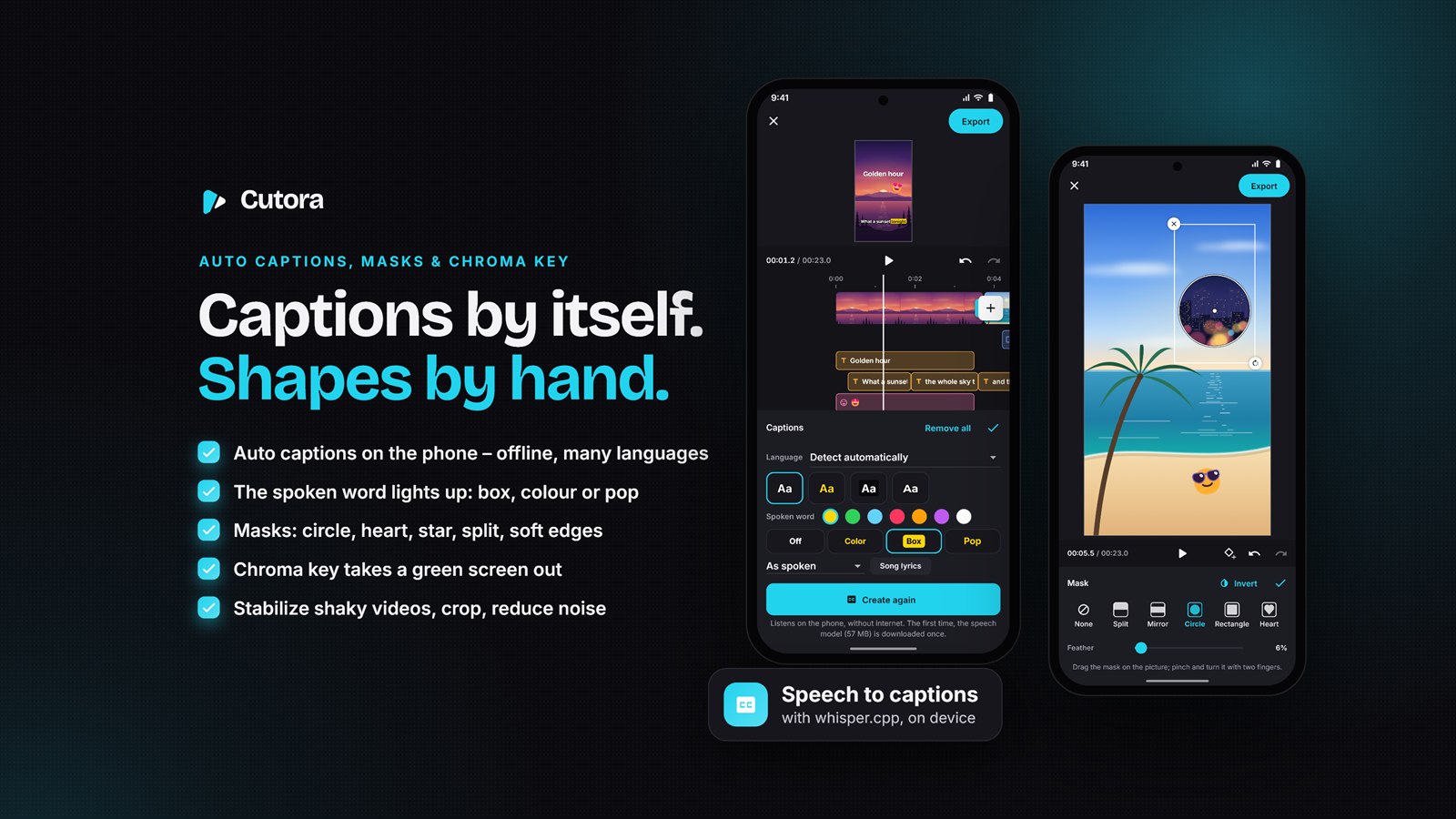
Speech becomes captions right on the phone with on-device Whisper speech recognition (whisper.cpp) – offline, with no API key, and nothing is uploaded. Captions in 17 languages, song lyrics, and the word being said lights up (colour, box or pop). Read aloud speaks any text with the phone’s own voices. Masks (split, mirror, circle, rectangle, heart, star, soft edges), chroma key for green and blue screens, stabilize for shaky videos, crop and noise reduction.
Text, stickers and animations
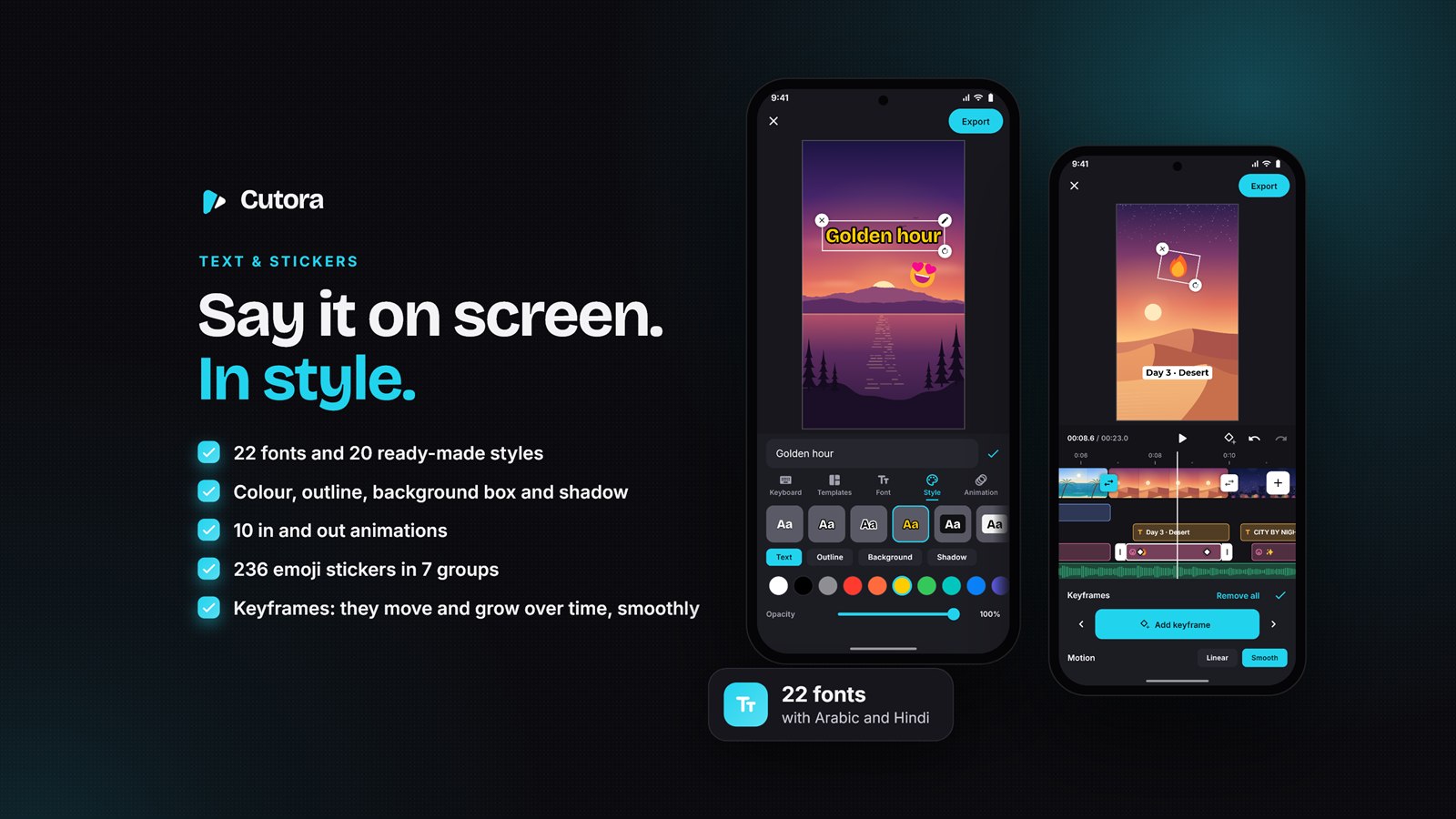
Type straight onto the video: 22 fonts, 20 styles and ready-made titles, curved text, outline, background box, shadow and opacity. Move, rotate and scale with one or two fingers, with snapping guides. Typewriter and 9 more in and out animations; about 240 emoji stickers and 12 drawn shapes (arrows, rings, speech bubbles). Keyframes move, zoom, turn and fade videos, photos, texts and stickers over time – exported exactly as previewed.
Music, sound effects and voice
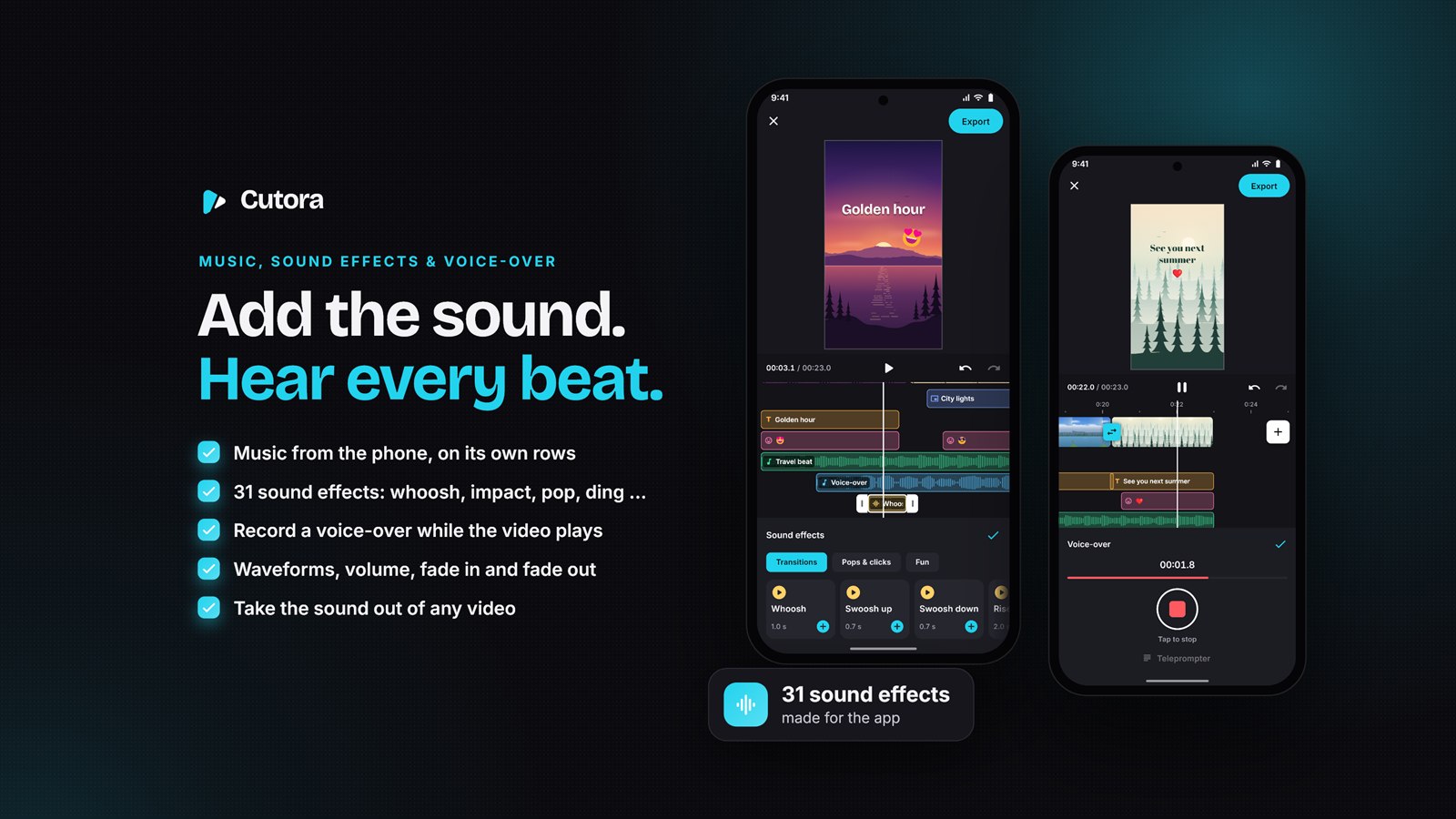
A small music library, music from the phone and 31 sound effects made for the app (free to use). Mark the beats of a song and cut the clips on the beat. Voice-over with a teleprompter, 11 voice effects (clear voice, robot, echo, telephone, monster …), the sound of any video taken out to edit on its own, noise reduction, music that ducks under speech, even loudness, waveforms and fades.
Picture in picture, filters and effects
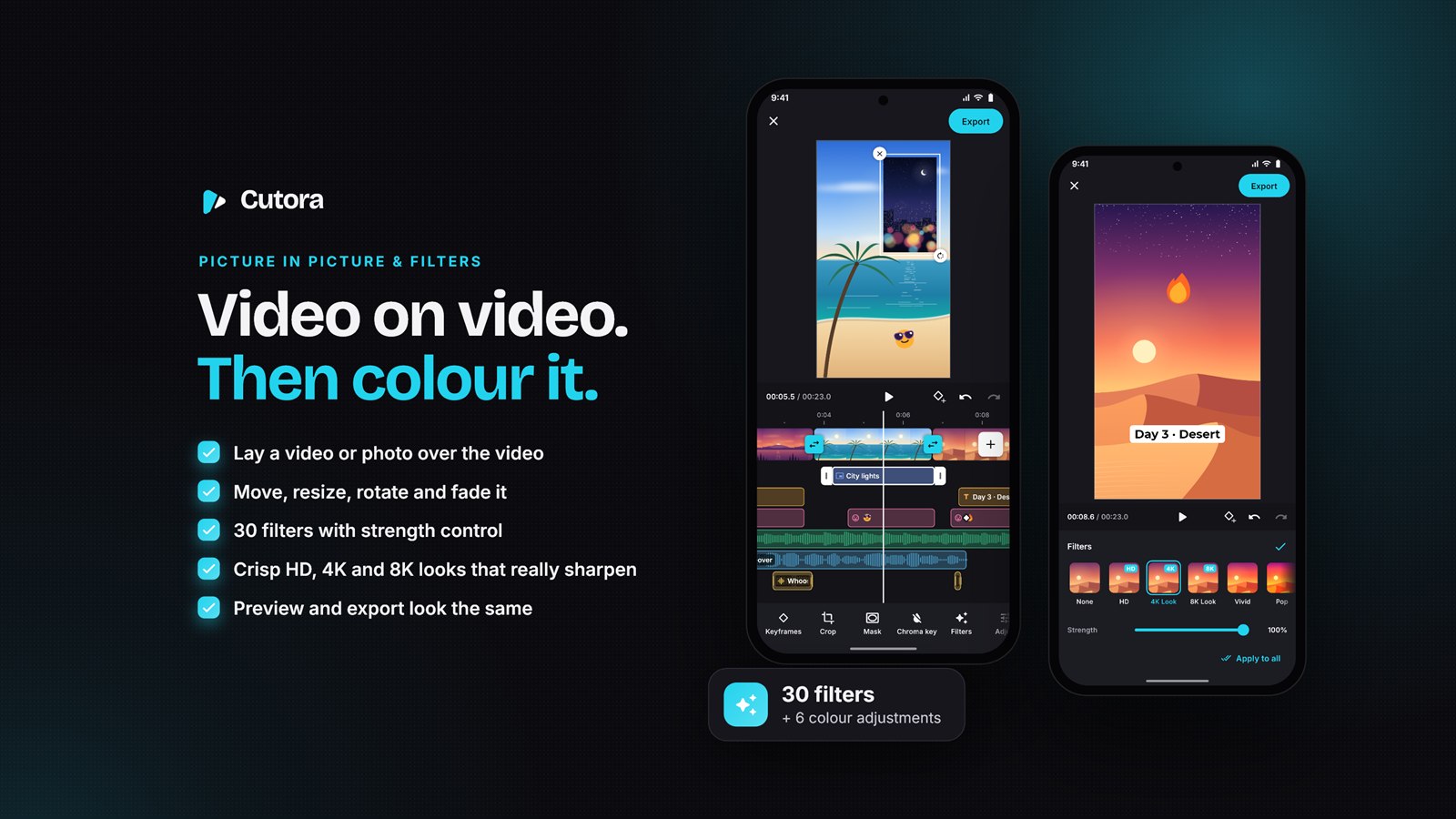
Lay a video or photo over the main video and place it right on the preview. 30 filters – among them the crisp HD, 4K Look and 8K Look that really sharpen the picture – 21 video effects (glitch, VHS, shake, flash …) and adjustments with Auto for dark footage, per clip, as a filter layer on its own timeline row, or on every clip at once. 8 formats from 9:16 to 21:9 with a colour, blurred or photo background.
Export up to 4K, no watermark
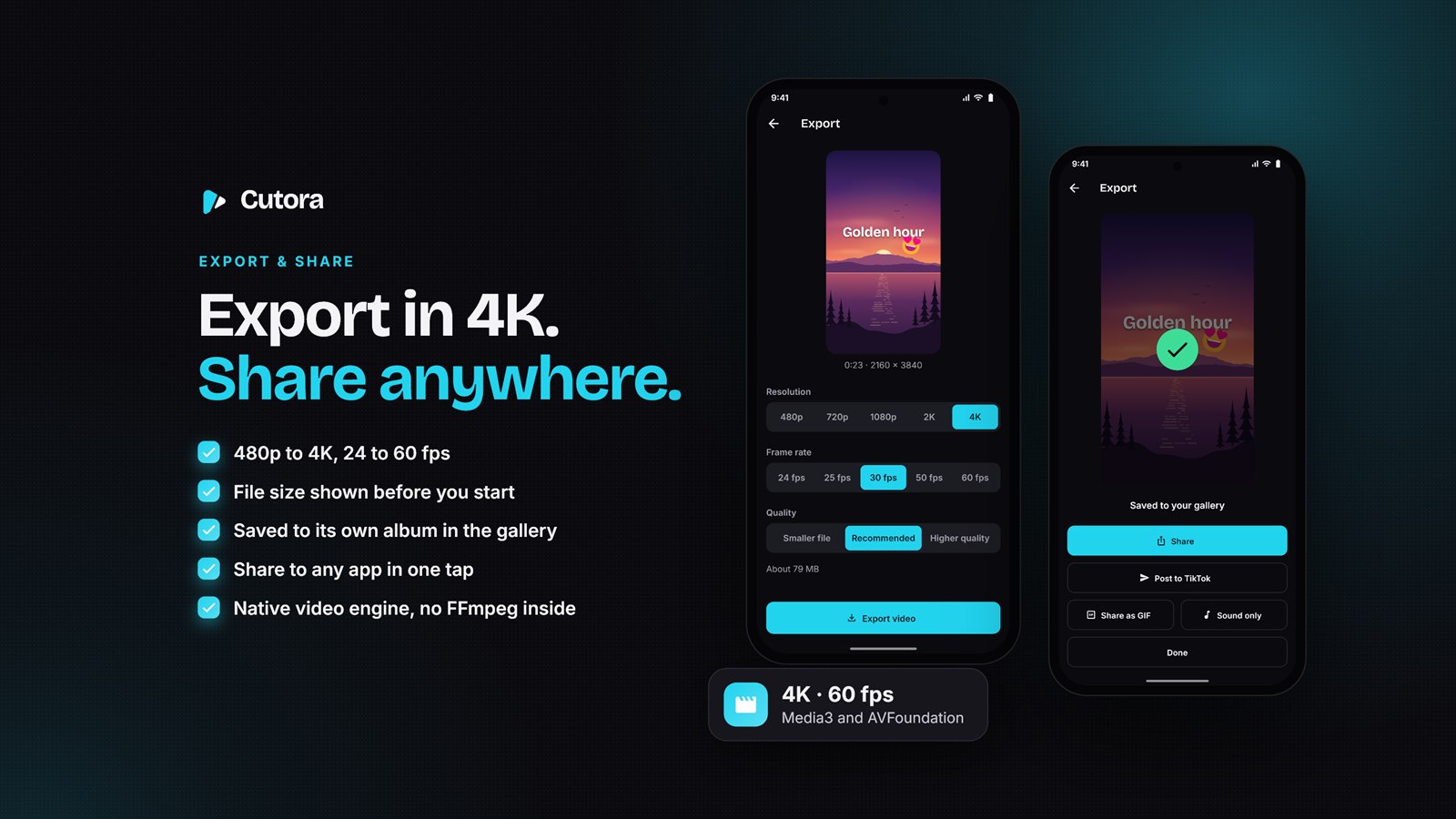
480p to 4K, 24 to 60 frames per second, three quality levels with the expected file size. The export screen shows a still of the video and the time left; the result is saved to the gallery and can be shared right away – straight to TikTok, as a GIF or as the sound only. A whole project can be kept as one file and opened on another phone. What you see in the preview is what you get in the export.
Your brand, 15 languages
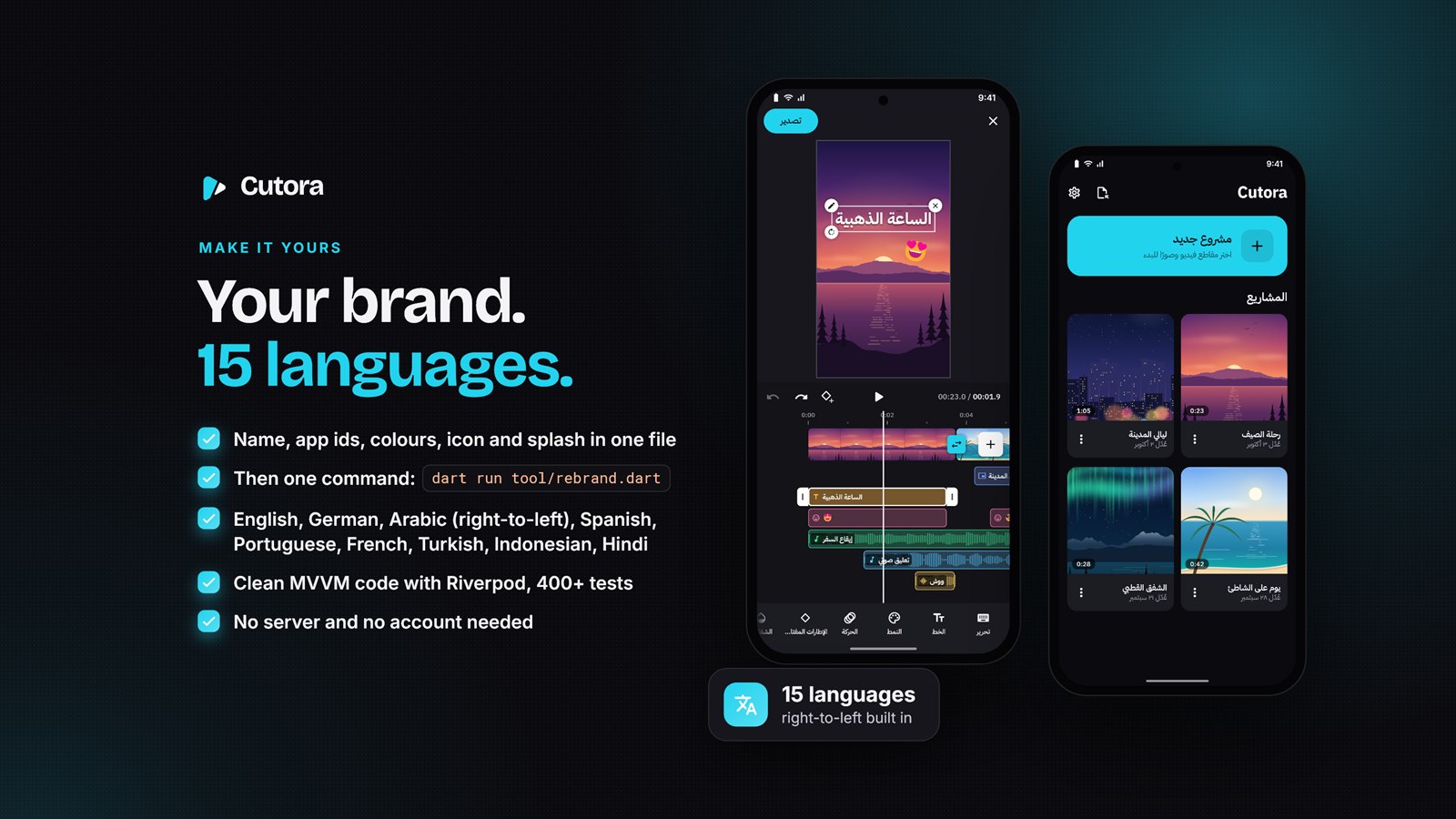
Name, app ids, colours, icon and launch screen in one file – then one command puts your brand everywhere. English, German, Arabic (right-to-left), Spanish, Portuguese, French, Italian, Turkish, Russian, Indonesian, Vietnamese, Hindi, Chinese, Japanese and Korean; add more in one file. Light and dark themes. Clean MVVM code with Riverpod, go_router and freezed.
Ready to earn: Google AdMob
A medium rectangle ad while a video exports – people wait there anyway – and a full-screen ad when it is done, at most one every three minutes. Google’s consent form for the EU and the UK and the privacy options in Settings are built in; Apple’s tracking question is an option. New users get their first 7 days without ads (you choose the number). Your ids go into one settings file – or switch ads off with one line.
Legal pages included: one command writes your privacy policy and terms of use (English and German) to match exactly what the app does, plus the app-ads.txt file for AdMob.
All features at a glance
- Timeline – thumbnails, pinch zoom, split, trim, move, duplicate, magnet, undo/redo, up to 100 clips
- Smart cuts – cut pauses, split scenes, cut on the beat, slideshow maker, collage layouts
- Share into the app – from the gallery, Photos or Files (Android share menu, iPhone share extension)
- Clips – speed 0.1×–100× and speed curves, reverse, volume, fades, rotate, fill or fit, freeze frame, crop
- AI auto captions – on-device Whisper speech recognition (whisper.cpp), offline, 17 caption languages, spoken word highlighted, song lyrics
- Masks and chroma key – six shapes, soft edges, invert; green or blue screen removal
- Stabilize – three strengths; the camera’s motion is measured on the phone
- Transitions – 20, plus clip animations; apply one to every clip at once
- Text and stickers – 22 fonts, 20 styles, ready-made titles, curved text, 10 animations, about 240 emoji, 12 shapes
- Keyframes – position, size, rotation and opacity of videos, photos, picture-in-picture clips, texts and stickers
- Audio – music library, 31 sound effects, voice-over with teleprompter, 11 voice effects, read aloud, beats, noise reduction, ducking, loudness
- Picture in picture – video or photo overlays with opacity, speed, volume and colour
- Colour – 30 filters with strength (HD, 4K Look, 8K Look), 21 video effects, adjustments and Auto, filter layers
- Formats – 8 aspect ratios, colour, blurred or photo background
- Export – 480p to 4K, 24–60 fps, size estimate, time left, save and share, GIF, sound only
- Projects – automatic saving with cover, rename, duplicate, delete, keep a project as one file
- AdMob – rectangle and full-screen ads, GDPR consent form, ad-free first days, test ids preset
- Languages and themes – 15 languages with right-to-left, light and dark
- Clean code – MVVM with Riverpod, go_router and freezed, a pure-Dart editing core, 740 automated tests, strict lints
What you get
- The complete Flutter source code for Android and iOS, including the iPhone share extension
- A step-by-step guide (HTML, with pictures) – from installing Flutter to the store upload
- The rebrand tool and the legal pages generator
- 31 sound effects and 6 music tracks made for the app, 22 fonts with their license notices and 15 languages
- Free updates of the item
Easy setup
- Open the project in Android Studio or VS Code and run
flutter pub get - Write your app name, app id and colours into
branding/brand.yamland rundart run tool/rebrand.dart - Run it on your phone, then build the Android app bundle or the iOS archive
The step-by-step guide explains every step, from installing Flutter to the store upload.
F.A.Q.
- Do I need a server, Firebase or an API key?
No. Everything runs on the phone, also without internet – the AI captions included: the Whisper speech model (57 MB) is downloaded once, the first time, and you can host it yourself. Only the ads need an AdMob account (free) – or switch them off. - Does it use FFmpeg?
No. Export uses the phone’s own video engine (Media3 on Android, AVFoundation on iPhone) through the BSD-licensed pro_video_editor package – with the package license notices included. - Android and iPhone?
Yes, one Flutter code base. Building for iPhone needs a Mac with Xcode (or a cloud Mac service). - Can I change the look?
Yes. Colours, fonts, emoji list, filters, export presets and texts are each in one place – the guide lists all of them. - Are stock videos included?
No. People edit their own videos, photos and music; the sound effects and music tracks made for the app are included. - Do I need coding knowledge?
To publish it: very little – the guide takes you through every step. To extend it: Flutter and Dart.
External services and downloads
- Google AdMob is optional and requires your own account, app IDs and ad-unit IDs for live advertising. Google test IDs are supplied; advertising can be disabled.
- Google ML Kit downloads the selected language models for on-device caption translation. It does not require a cloud translation API key.
- whisper.cpp performs local speech recognition. The initial Whisper model download requires internet access; you can change its hosting URL in the project configuration. No user audio is sent to a transcription service.
- No Firebase account or application backend is required. App-store developer accounts and any associated fees are separate from this source-code purchase.
Requirements
- Flutter 3.47 or newer (Dart 3.13)
- Android Studio with Android SDK 36 and NDK 28.2.13676358 (set in the project); Android 7.0 (API 24) or newer on the phone
- For iPhone: iOS 15.5 or newer, a Mac with Xcode and an Apple developer account
Please note
- Export speed depends on the phone; very old phones may not export 4K.
Changelog
v1.1.1 [25 October 2026]
Initial release on CodeCanyon
Support
Item support covers help with the steps of the guide, bugs, and questions about the features. Custom changes and installation services are not part of it. Questions before or after buying? Use the Comments tab of this item or write to sami.dev.studioo@gmail.com – tell us the step of the guide and the exact error text. More items: SamiDevStudio portfolio.
| Author | SamiDevStudio |
|---|---|
| Price | $49 |
| Sales | 0 |
| Rating | 0 (0) |
| Published | Oct 30, 2026 |
| Last Update | Oct 30, 2026 |
| Compatible Software | Flutter 3.x |
| Demo Url | https://play.google.com/store/apps/details?id=com.samidevstudio.cutora |
| Mobile Files Included | Dart, YAML, JavaScript JSON, .kotlin, .h, .storyboard, .plist, .swift |
Categories
Tags
External listing. code.market does not sell this product and does not process payment for it. Pricing, payment, delivery, licensing, refunds, and support are handled by the third-party merchant on its own website. We may earn an affiliate commission from a referral. Details.
Products of the Week.
Submit🥇

Perceptle
Perceptle is a daily browser-based game that challenges you to test your sensory intuition through five quick estimation and rhythm-based rounds.
Other · 1 views · 0 clicksOther · Week 47 · 1 views · 0 clicks
🥈

Free LinkedIn Likes From Real
Get free LinkedIn likes on your posts from real members who react by hand. No
SaaS · 124 views · 2 clicksSaaS · Week 47 · 124 views · 2 clicks
🥉

STOP GUESSING WHAT TO POST
AI that learns your brand voice and builds a month of consistent, on-brand social content: carousels, posts and hooks that sound like you, not like everyone else's AI.
SaaS · 7,686 views · 71 clicksSaaS · Week 47 · 7,686 views · 71 clicks
#4

aaas.market
407 reliable micro tools for solo founders, marketers and creators. They work in your browser
SaaS · 122 views · 0 clicksSaaS · Week 47 · 122 views · 0 clicks