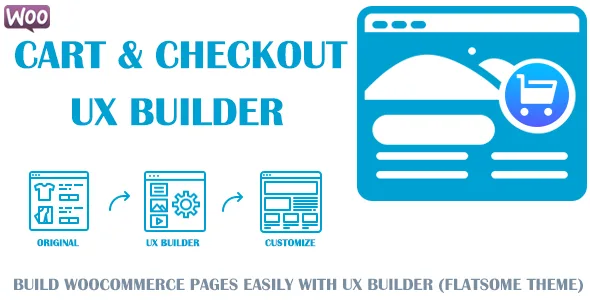
Customize WooCommerce Cart and Checkout pages with UX Builder (Flatsome theme)
Description
NOTE: This plugin is an add-on for Flatsome Theme and only work if Flatsome Theme & WooCommerce plugin are installed.


Description
- Have you ever felt Uncomfortable with WooCommerce Cart & Checkout page your site?
- Your Cart page look too similar to other stores’?
- Your Checkout page look too similar to other stores’?
- Your Order Received page look too similar to other stores’?
- Want to edit the Cart & Checkout page but don’t know where to start?
- If WooCommerce default layouts or the current theme are not helping you customize them, you’ve come to the right place!
with Customize WooCommerce Cart and Checkout pages with UX Builder (Flatsome theme) plugin, you will easily customize your Cart page, Checkout page, Order Received page to your style by simply dragging and dropping the interface without code with UX Builder (Flatsome theme).
Features
- Compatible with all versions of UX Builder (Flatsome theme) and WooCommerce.
- Easy setup & easy to use.
- No Coding Required.
- Simply Drag & Drop: Building Cart & Checkout page your style without checking the code just drag and drop elements in UX Builder.
- Create a Cart page in your style: Easily customize the cart page to your style with UX Builder elements.
- Create a Checkout page in your style: Easily customize the checkout page to your style with UX Builder elements.
- Create a Order Received page in your style: Easily customize the order received page to your style with UX Builder elements.
- Work with UX Builder: We love UX Builder, and we think you do, too.
- Speed things up & save your time: You can’t buy happiness, but you can buy time! This is how you do it since we already took the harder part.
- Amazing Support: With every purchase you will receive 6 months of included support. If you have help integrating the plugin, we will help you!.
- Still More To Explore: Purchase and experience more functions. Always update with more better functions in the future.
- Compatible with all WooCommerce themes.
- Compatible with all Wordpress version.
- Free update in the future.
How it work?
- After installing and activating the plugin, you will create the templates in your style with UX Builder. If you want to use that templates for Cart, Checkout or Order Received pages, just select a specific template and click Active button in WooCommerce >> UX Cart & Checkout menu at 4 tabs corresponding.

Test plugin before you buy
TRY IT IN ACTION? CLICK HEREYou can see that in more detail
Video Demo Plugin: Customize WooCommerce Cart and Checkout pages with UX Builder (Flatsome theme)

LIVE CHAT SUPPORT

CHANGELOG
Aug 30, 2023 – Version 2.2.2
- Fixed: Login form doesn't appear on checkout template page.
Jul 14, 2023 – Version 2.2.1
- Added: action hook: woocommerce_after_order_notes in Shipping element.
March 06, 2023 – Version 2.2.0
- Fixed: A few problems with CSS / Js, UX/UI.
- Fixed: Compatible with WooCommerce 7.x.
- Improved code.
- Fixed: Verify Purchase Code.
Dec 30, 2022 – Version 2.1.0
- Fixed: Compatible with WooCommerce 5.x.
- Fixed: A few problems with CSS / Js, UX/UI.
- Fixed: A few problems with CSS for Cart Cross Sell element.
Sep 29, 2022 – Version 2.0.0
- Added: Compatible with WPML language.
- Added: Compatible with Polylang language.
Sep 15, 2022 – Version 1.0.0
- Version 1.0.0 Initial Release.
External listing. code.market does not sell this product and does not process payment for it. Pricing, payment, delivery, licensing, refunds, and support are handled by the third-party merchant on its own website. We may earn an affiliate commission from a referral. Details.
Products of the Week.
Submit🥇

STOP GUESSING WHAT TO POST
AI that learns your brand voice and builds a month of consistent, on-brand social content: carousels, posts and hooks that sound like you, not like everyone else's AI.
SaaS · 3,587 views · 33 clicksSaaS · Week 45 · 3,587 views · 33 clicks
🥈

Conversational Backlinks for Busy Founders
Place Backlink Relevant Conversation for your domain across Forums and Conversations
Website · 41,111 views · 222 clicksWebsite · Week 45 · 41,111 views · 222 clicks
🥉

upvote.club
Free Social Media Engagement that Helps Boost Your Content. Upvote Club supports 19 social networks with 100+ engagement actions in one dashboard. Add links to your posts and get free engagement from real users.
SaaS · 39,169 views · 113 clicksSaaS · Week 45 · 39,169 views · 113 clicks
#4

Substack Posting API
Onboard your Agent to Substack. Write Publish on Substack via API
SaaS · 58,204 views · 198 clicksSaaS · Week 45 · 58,204 views · 198 clicks
#5

Seenshot App
Free, Fast, MacOS Screenshot app. Make Screenshot cmd+shift+2 and send it via link
Desktop App · 27,595 views · 120 clicksDesktop App · Week 45 · 27,595 views · 120 clicks
#6

Hand-Placed Backlinks $9.99 per link. Flat rate.
Buy hand-placed forum, Q-A and directory backlinks. Flat $9.99 per link, no subscriptions — you only pay for approved listings.
Website · 3,478 views · 18 clicksWebsite · Week 45 · 3,478 views · 18 clicks
#7

Free Invoice Generator - PDF Invoices in Your Browser, No Sign-Up
A free invoice maker for freelancers and small businesses: fill in the invoice, check the live preview, and download a PDF that looks exactly like it. Any currency, tax per item, three templates, no sign-up, and nothing leaves your device.
2,170 views · 16 clicksWeek 45 · 2,170 views · 16 clicks
#8

Merge PDF Files Free - Combine PDFs in Your Browser, No Upload
A free PDF merger for office workers, students, and freelancers: combine PDFs and images into one file in the browser, reorder files and pages, pick page ranges, keep bookmarks, and open password-protected PDFs. Nothing is uploaded, no sign-up, no watermark.
2,010 views · 13 clicksWeek 45 · 2,010 views · 13 clicks