
CSS3 Tooltips for WordPress

Description
Tooltips is a lightweight, easy-to-use tooltips plugin for WordPress. It’s based on pure CSS3 and comes loaded with plenty of options.
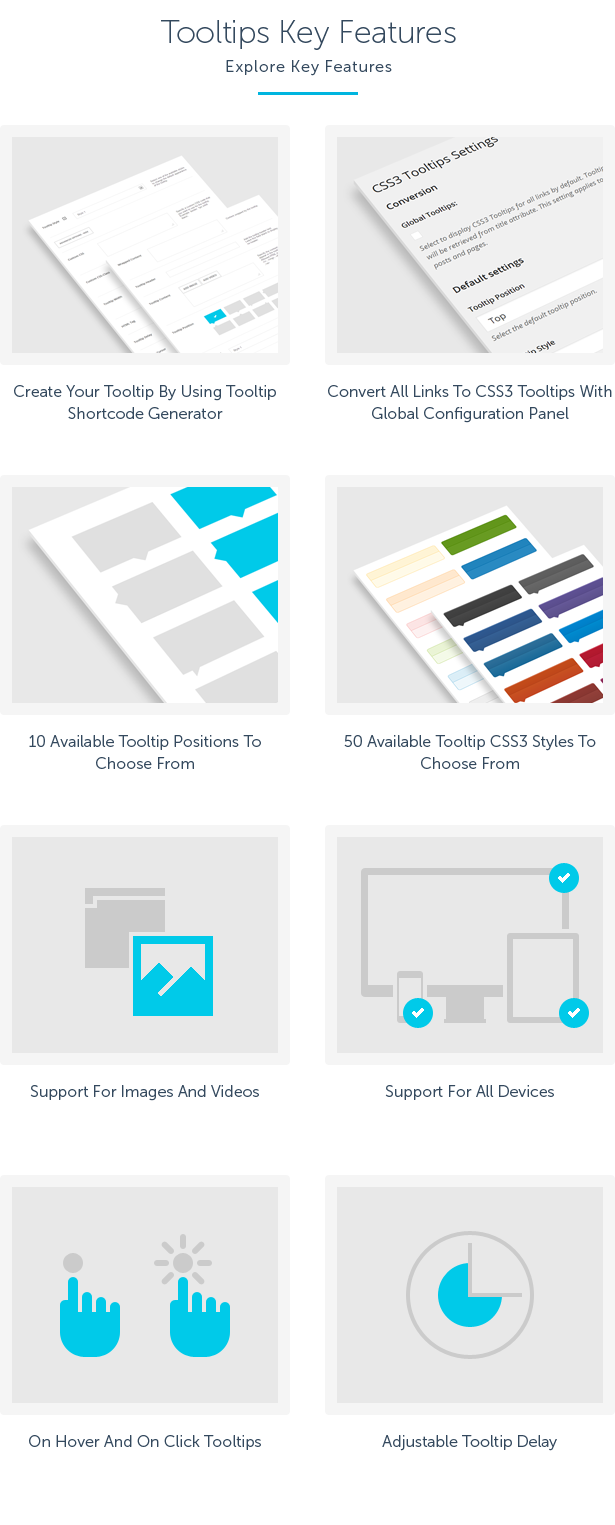
50 predefined CSS3 styles, 10 different tooltip positions, optional tooltip headers, support for images and videos, adjustable delay, notification icons, tooltips On Hover over element and On Click and support for mobile devices. Plugin comes with shortcode generator and global settings with nice feature to display Tooltips for all links by default.
 Latest Version: 30 May 2025 – v1.9. Check the changelog
 Latest Version: 30 May 2025 – v1.9.

Full List Of Features
- Create a Tooltip In Minutes!
- On Hover And On Click Tooltips
- Support For Mobile Devices
- Lightweight – Based On Pure CSS3 Code
- Build-In Shortcode Generator
- Build-In Global Settings
- Global Links To Tooltips Conversion
- Create Tooltips In Minutes By Using Tooltip Shortcode Generator
- Define The Content Wrapped By The Tooltip
- Add Optional Tooltip Header
- Specify The Tooltip Content That Will Appear In The Tooltip Cloud
- Add Image Or Video That Will Appear In The Tooltip Cloud
- Choose From 10 Available Tooltip Positions
- Choose From 50 Available Tooltip Styles
- Ability To Specify Custom CSS Code Or Class That You Want To Use For The Tooltip
- Ability To Define Fixed Tooltip Width
- Ability To Define Tooltip HTML Wrapping Tag
- Ability To Define Tooltip Delay In Ms.
- Ability To Define On Hover Or On Click Event
- Custom Tooltip Cursors On Hover To Choose From
- Global Tooltips Configuration Panel
- Ability To Display Tooltips For All Links By Default. Tooltip Content Will Be Retrieved From Title Attribute. This Setting Will Applies To All The Posts And Pages
- Ability To Choose Default Tooltip Position And Style
- Ability To Choose Default Tooltip Tag, Delay, Cursor, Custom CSS Code Or CSS Class Applied To The Tooltip
- Ability To Define On Hover Or On Click Event
- Valid HTML5 Code
- Crossbrowser Compatible
- Documentation With Step-By-Step Guide Included
This Item is Supported
Support is conducted through our Support Forum. We’re in GMT +1 and we aim to answer all questions within 24 hours in weekdays. In some cases the waiting time can be extended to 48 hours. Support requests sent during weekends or public holidays will be processed on next Monday or the next business day.
We Are Trusted by 100,000+ Customers
We are a team of passionate people with 15+ years of experience and 10+ years of our presence on Envato Market. We specialize in WordPress, design, and development. Please follow us to stay up to date as we continue to craft our works.




Videos
| Type | WordPress Plugin |
|---|---|
| Author | QuanticaLabs |
| Category | Wordpress / Interface Elements |
| Price | $19 |
| Sales | 549 |
| Rating | 4.24 from 17 ratings |
| Published | Apr 9, 2014 |
| Last Update | Nov 19, 2025 |
| Compatible Browsers | IE9, IE10, IE11, Firefox, Safari, Opera, Chrome, Edge |
| Compatible Software | WordPress 7.0.x, WordPress 6.9.x, WordPress 6.8.x, WordPress 6.7.x, WordPress 6.6.x, WordPress 6.5.x, WordPress 6.4.x, WordPress 6.3.x, WordPress 6.2.x, WordPress 6.1.x, WordPress 6.0.x, WordPress 5.9.x, WordPress 5.8.x, WordPress 5.7.x, WordPress 5.6.x, WordPress 5.5.x, WordPress 5.4.x, WordPress 5.3.x, WordPress 5.2.x, WordPress 5.1.x, WordPress 5.0.x, WordPress 4.9.x |
| Compatible With | Beaver Builder, Block Editor, Elementor, Elementor Pro, Visual Composer, WPBakery Page Builder, WPML, Cornerstone |
| Gutenberg Optimized | Yes |
| Source Files Included | JavaScript JS, CSS, PHP |
Categories
Tags
External listing. code.market does not sell this product and does not process payment for it. Pricing, payment, delivery, licensing, refunds, and support are handled by the third-party merchant on its own website. We may earn an affiliate commission from a referral. Details.
Products of the Week.
Submit🥇

STOP GUESSING WHAT TO POST
AI that learns your brand voice and builds a month of consistent, on-brand social content: carousels, posts and hooks that sound like you, not like everyone else's AI.
SaaS · 3,986 views · 35 clicksSaaS · Week 45 · 3,986 views · 35 clicks
🥈

Conversational Backlinks for Busy Founders
Place Backlink Relevant Conversation for your domain across Forums and Conversations
Website · 41,634 views · 222 clicksWebsite · Week 45 · 41,634 views · 222 clicks
🥉

upvote.club
Free Social Media Engagement that Helps Boost Your Content. Upvote Club supports 19 social networks with 100+ engagement actions in one dashboard. Add links to your posts and get free engagement from real users.
SaaS · 39,661 views · 114 clicksSaaS · Week 45 · 39,661 views · 114 clicks
#4

Substack Posting API
Onboard your Agent to Substack. Write Publish on Substack via API
SaaS · 58,690 views · 198 clicksSaaS · Week 45 · 58,690 views · 198 clicks
#5

Seenshot App
Free, Fast, MacOS Screenshot app. Make Screenshot cmd+shift+2 and send it via link
Desktop App · 28,072 views · 122 clicksDesktop App · Week 45 · 28,072 views · 122 clicks
#6

Hand-Placed Backlinks $9.99 per link. Flat rate.
Buy hand-placed forum, Q-A and directory backlinks. Flat $9.99 per link, no subscriptions — you only pay for approved listings.
Website · 3,930 views · 19 clicksWebsite · Week 45 · 3,930 views · 19 clicks
#7

Free Invoice Generator - PDF Invoices in Your Browser, No Sign-Up
A free invoice maker for freelancers and small businesses: fill in the invoice, check the live preview, and download a PDF that looks exactly like it. Any currency, tax per item, three templates, no sign-up, and nothing leaves your device.
2,607 views · 17 clicksWeek 45 · 2,607 views · 17 clicks
#8

Merge PDF Files Free - Combine PDFs in Your Browser, No Upload
A free PDF merger for office workers, students, and freelancers: combine PDFs and images into one file in the browser, reorder files and pages, pick page ranges, keep bookmarks, and open password-protected PDFs. Nothing is uploaded, no sign-up, no watermark.
2,426 views · 13 clicksWeek 45 · 2,426 views · 13 clicks