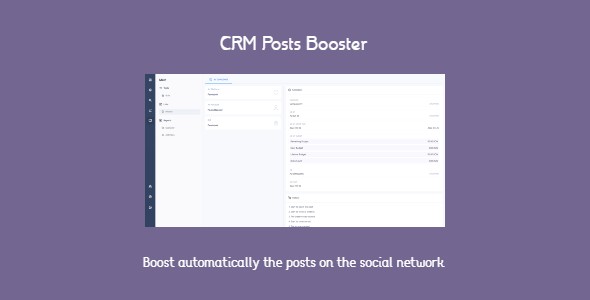
CRM Posts Booster - boost automatically posts on social networks
Description
CRM Posts Booster is an app for the Midrub CMS that boosts on social networks the posts published with the CRM Social app. The goal of this app is in automation of the posts boosting on multiple social networks. Is a SAAS app and by plan is possible to control the app’s usage.
Demo URL:
Demo Video:
The posts boosting on the social networks is achieved through use of bots. A bot is a set of rules which are used to create automatically the ads with the wanted posts which should be boosted on the social networks.
A bot could have support for multiple social networks and in each social network the user could choose the wanted preferences.
The created bots could be selected in the CRM Social app -> Accounts settings.
For example:
- A bot is selected in a Facebook page settings.
- Each new post published in that Facebook page will be boosted on Facebook.
The bots could be selected even for individual posts. Before publish a post, the user could get the selected accounts settings from the Composer tool and select the wanted bot which will be used to boost the new created post.
In the History page is possible to get details about the boosted posts:
- The boosted post preview.
- Details about the budget.
- The boosting history and errors have occurred.
- Ad account and platform.
In the Overview page are displayed the number of boosted posts by days in the last 30 days and the posts which weren’t boosted successfully.
Supported social networks right now:
- Facebook.
- Instagram.
The required permissions are: pages_show_list, instagram_basic, ads_management, ads_read and business_management.
The CRM Posts Booster app has support for Teams. The team administrator has the options to restrict the permissions to create, edit and delete the bots.
This app uses the official api.
Categories
Tags
External listing. code.market does not sell this product and does not process payment for it. Pricing, payment, delivery, licensing, refunds, and support are handled by the third-party merchant on its own website. We may earn an affiliate commission from a referral. Details.
Products of the Week.
Submit🥇

STOP GUESSING WHAT TO POST
AI that learns your brand voice and builds a month of consistent, on-brand social content: carousels, posts and hooks that sound like you, not like everyone else's AI.
SaaS · 4,290 views · 38 clicksSaaS · Week 45 · 4,290 views · 38 clicks
🥈

Conversational Backlinks for Busy Founders
Place Backlink Relevant Conversation for your domain across Forums and Conversations
Website · 42,003 views · 223 clicksWebsite · Week 45 · 42,003 views · 223 clicks
🥉

upvote.club
Free Social Media Engagement that Helps Boost Your Content. Upvote Club supports 19 social networks with 100+ engagement actions in one dashboard. Add links to your posts and get free engagement from real users.
SaaS · 40,044 views · 117 clicksSaaS · Week 45 · 40,044 views · 117 clicks
#4

Substack Posting API
Onboard your Agent to Substack. Write Publish on Substack via API
SaaS · 59,053 views · 198 clicksSaaS · Week 45 · 59,053 views · 198 clicks
#5

Seenshot App
Free, Fast, MacOS Screenshot app. Make Screenshot cmd+shift+2 and send it via link
Desktop App · 28,431 views · 122 clicksDesktop App · Week 45 · 28,431 views · 122 clicks
#6

Hand-Placed Backlinks $9.99 per link. Flat rate.
Buy hand-placed forum, Q-A and directory backlinks. Flat $9.99 per link, no subscriptions — you only pay for approved listings.
Website · 4,263 views · 19 clicksWebsite · Week 45 · 4,263 views · 19 clicks
#7

Free Invoice Generator - PDF Invoices in Your Browser, No Sign-Up
A free invoice maker for freelancers and small businesses: fill in the invoice, check the live preview, and download a PDF that looks exactly like it. Any currency, tax per item, three templates, no sign-up, and nothing leaves your device.
2,939 views · 17 clicksWeek 45 · 2,939 views · 17 clicks
#8

Merge PDF Files Free - Combine PDFs in Your Browser, No Upload
A free PDF merger for office workers, students, and freelancers: combine PDFs and images into one file in the browser, reorder files and pages, pick page ranges, keep bookmarks, and open password-protected PDFs. Nothing is uploaded, no sign-up, no watermark.
2,716 views · 13 clicksWeek 45 · 2,716 views · 13 clicks