
Cost Calculator for WordPress

Description
Cost Calculator is a versatile WordPress plugin for building custom quote, pricing, and calculation forms. Quickly create interactive price estimators to give clients a clear breakdown of costs. Featuring a user-friendly visual builder, seamless compatibility with Elementor and WPBakery, and secure Stripe Payments integration, it’s the perfect tool for effortless form creation.
Designed for any website with a price structure, allowing you to create a quote form, project cost calculator, or service cost calculator. It can be used to build a contact form or an order form, with or without an estimation component. Perfect for price calculators, cost estimation forms, and product or service configuration forms, with or without a quote. Ideal for cost comparison.
 Latest Version: 9 July 2026 – v7.9. Check the changelog
 Latest Version: 9 July 2026 – v7.9.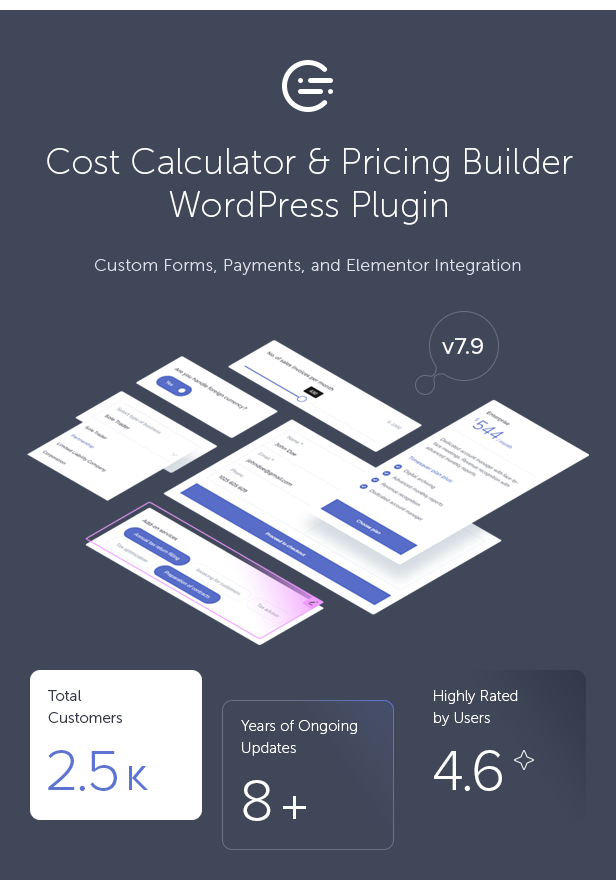













Elementor Integration
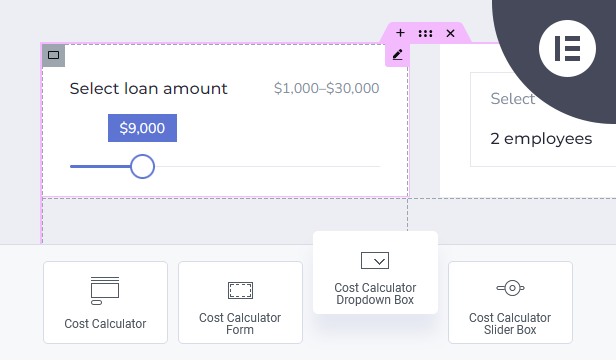
If you’re using the Elementor Website Builder for WordPress, the Cost Calculator plugin offers dedicated integration with 8 custom widgets: Cost Calculator, Form Container, Dropdown Box, Slider Box, Input Box, Switch Box, Summary Box, and Contact Box. These widgets allow you to visually build and customize calculator forms directly inside Elementor. See it in action.

WPBakery Page Builder Integration
The Cost Calculator plugin integrates seamlessly with WPBakery Page Builder, allowing you to embed and configure calculation forms within WPBakery layouts. WPBakery is optional — all forms can be created using the built-in form builder, making the plugin fully functional even without any page builder.

Built-in Cost Calculator Form Builder
The Cost Calculator plugin includes its own powerful visual drag-and-drop form builder, allowing you to create calculation forms without relying on any external page builders. Work effortlessly with rows, columns, and components using a clean, intuitive interface designed specifically for building pricing and estimation forms.
You can create an unlimited number of fully responsive calculation forms using a flexible column-based layout and a set of predefined layouts, making customization fast and efficient for any use case.

Stripe Payments Integration
You can integrate Stripe Payments directly into your forms, allowing you to accept secure online payments without external checkout solutions. The plugin supports both one-time payments and subscriptions with flexible billing periods such as daily, weekly, monthly, or yearly plans, as well as custom intervals like “pay every 2 weeks”. You can choose between redirecting users directly to the Stripe checkout or sending a payment link via email.

Dropdown Box
The Dropdown Box component allows you to create selectable lists with fully customizable options. Each option can have its own calculation value, making it ideal for pricing variants and service selections. You can define a default value or placeholder text and mark the field as required if needed.
Available options include:
- Custom component ID and name.
- Editable label with show/hide option.
- Fully configurable dropdown options with individual values.
- Default value and optional placeholder text.
- Required field validation.
- Basic layout spacing control.

Slider Box
The Slider Box lets users slide and select a numeric value within a specified range. You can set the minimum and maximum values, define the step size, and even include an additional input field for precise value entry. It also supports currency symbols, separators, and allows setting a default value.
Available options include:
- Custom label with show or hide option.
- Default value configuration.
- Minimum and maximum value range.
- Step size control for precise value selection.
- Optional display of minimum and maximum range values.
- Optional unit symbols before or after the value (e.g. currency).
- Thousands separator support.
- Optional input field for manual value entry.

Input Box
The Input Box component allows you to add various types of input fields, including text, number, email, date, checkbox, and radio buttons. It can be used both for collecting user data and for calculation purposes. You can control labels, default values, placeholder text, and define whether the field is required.
Available options include:
- Multiple input types (text, number, date, email, checkbox, radio, hidden, submit).
- Custom label with show or hide option.
- Default value configuration.
- Custom placeholder text.
- Required field validation.

Checkbox
The Checkbox component allows users to select one or multiple options within a form. It works well for optional services, add-ons, or feature selection, where each checkbox can contribute its own value to the final calculation.
Available options include:
- Custom label with show or hide option.
- Default checked or unchecked state.
- Calculation value assigned to the checked state.
- Classic or button-style checkbox appearance.
- Optional hidden text for checked and unchecked states.
- Required field validation.

Switch Box
The Switch Box component provides a simple toggle input for binary choices such as “Yes” or “No”. It is ideal for optional features or upgrades, where each switch state can add or remove a value from the final calculation.
Available options include:
- Custom label with show or hide option.
- Custom labels for both switch states.
- Default on or off state.
- Calculation value assigned to the selected state.

Date Picker
The Date Picker component allows users to select a date using a clean calendar interface. It is useful for scheduling, booking-related forms, or date-based calculations where user-selected dates are required.
Available options include:
- Custom label with show or hide option.
- Default date value.
- Custom placeholder text.
- Required field validation.

Summary Box
The Summary Box is the core calculation component used to display results based on values entered in other form fields. It allows you to build advanced formulas using field IDs and mathematical operators, making it possible to calculate totals, subtotals, discounts, or custom pricing logic.
You can use multiple Summary Boxes within a single form to calculate and display different values at the same time, such as cost breakdowns, final totals, or alternative pricing scenarios.
Available options include:
- Custom calculation formulas based on field IDs.
- Optional unit symbols before or after the calculated value (e.g. currency).
- Decimal and thousands separator configuration.
- Custom number of decimal places and rounding rules.
- Handling of error and negative calculation results.
- Optional description text and icon display.
- Custom label displayed before the calculated value.

Contact Details Box
The Contact Details Box allows you to collect user contact information directly after the calculation is completed. It works as the final step of the form, enabling visitors to submit their details together with calculated data such as selected options or total cost.
Available options include:
- Configurable form fields (name, email, phone, message).
- Custom labels, placeholders, and required field validation.
- Custom submit button label and description text.
- Flexible display mode (labels only, placeholders only, or both).
- Optional terms and conditions checkbox.
- Ability to append calculated data from another form using form ID.
- Built-in reCAPTCHA support.

Predefined Layout Skins, Customizable Colors & Google Fonts
The plugin includes five predefined layout skins that help you quickly adjust the visual appearance of your forms. You can fully customize colors by overriding default settings and choose from hundreds of Google Fonts to match your website’s typography and branding.

Responsive Layout
Cost Calculator is fully responsive, ensuring that all form elements and calculations work seamlessly across desktops, tablets, and mobile devices.

Calculations Storage & Email Notifications
The plugin securely stores all calculations and submitted forms in the database, making them accessible from the WordPress admin panel. In addition, calculated results and form submissions can be automatically sent via email, ensuring both the user and the administrator receive all necessary information.

One-Click Demo Importer
The plugin includes a one-click demo importer that allows you to quickly import pre-made calculator forms. This helps you get started faster by editing existing examples instead of building forms from scratch.



Key Features of Cost Calculator for WordPress
- Elementor integration (See it in action).
- WPBakery Page Builder integration.
- WordPress Gutenberg editor integration.
- Built-in visual drag-and-drop form builder (no page builder required).
- Flexible layout system with unlimited rows and multi-column support.
- Stripe Payments integration for secure one-time and subscription payments.
- Support for recurring payments with flexible billing intervals (daily, weekly, monthly, yearly, or custom).
- Dynamic payment controls allowing users to select payment periods and intervals directly in the form.
- Option to redirect users to checkout or send payment links via email.
- Unlimited calculation forms and unlimited submitted calculations.
- Multi-currency support for international payments.
- Customizable email notifications for clients and administrators.
- Payment tracking with editable success, cancel, and subscription pages.
- 11 pre-made calculation forms included in demo content:
- Cleaning Cost Calculator
- Renovation Cost Calculator
- Car Service Cost Calculator
- LPG Savings Calculator
- Mortgage Cost Calculator
- BMI Calculator
- Web Hosting Cost Calculator
- Web Design Cost Calculator
- Calorie Calculator
- Bookkeeping Calculator
- Loan Calculator
- Predefined layout skins with full color and font customization.
- Wide range of form components including Dropdown, Slider, Input, Date Picker, Checkbox, Radio, Switch, Summary, and Contact Details.
- Advanced calculation formulas with support for multiple summary fields per form.
- Support for currencies and units displayed before or after calculated values.
- All calculations and form submissions securely stored in the database.
- Access to submitted calculations directly from the WordPress admin panel.
- Email delivery of calculation results and form submissions.
- Optional terms and conditions checkbox.
- Built-in reCAPTCHA support.
- RTL (Right-to-Left) language support.
- WPML compatible and ready for multilingual websites.
- Fully responsive and mobile-friendly design.
- Cross-browser compatibility.
- One-click demo importer.
- Documentation included.
This Item is Supported
Support is conducted through our Support Forum. We’re in GMT +1 and we aim to answer all questions within 24 hours on weekdays. In some cases, the waiting time may be extended to 48 hours. Support requests sent during weekends or public holidays will be processed on the next Monday or the next business day.
We Are Trusted by 125,000+ Customers
We are a team of passionate people with 20+ years of experience and 15+ years on Envato Market. We specialize in WordPress, design, and development. Please follow us to stay up to date as we continue to craft new products.




Videos
Themes with Cost Calculator Integrated

| Type | WordPress Plugin |
|---|---|
| Author | QuanticaLabs |
| Category | Wordpress / Forms |
| Price | $59 |
| Sales | 2,514 |
| Rating | 4.56 from 84 ratings |
| Published | Apr 4, 2018 |
| Last Update | Jul 9, 2026 |
| Compatible Browsers | IE10, IE11, Firefox, Safari, Opera, Chrome, Edge |
| Compatible Software | WordPress 7.0.x, WordPress 6.9.x, WordPress 6.8.x, WordPress 6.7.x, WordPress 6.6.x, WordPress 6.5.x, WordPress 6.4.x, WordPress 6.3.x, WordPress 6.2.x, WordPress 6.1.x, WordPress 6.0.x, WordPress 5.9.x, WordPress 5.8.x, WordPress 5.7.x, WordPress 5.6.x, WordPress 5.5.x, WordPress 5.4.x, WordPress 5.3.x, WordPress 5.2.x, WordPress 5.1.x, WordPress 5.0.x, WordPress 4.9.x |
| Compatible With | Beaver Builder, Block Editor, Elementor, Elementor Pro, Visual Composer, WPBakery Page Builder, WPML, Cornerstone |
| Gutenberg Optimized | Yes |
| Source Files Included | JavaScript JS, XML, CSS, PHP |
Categories
Tags
External listing. code.market does not sell this product and does not process payment for it. Pricing, payment, delivery, licensing, refunds, and support are handled by the third-party merchant on its own website. We may earn an affiliate commission from a referral. Details.
Products of the Week.
Submit🥇

STOP GUESSING WHAT TO POST
AI that learns your brand voice and builds a month of consistent, on-brand social content: carousels, posts and hooks that sound like you, not like everyone else's AI.
SaaS · 3,986 views · 35 clicksSaaS · Week 45 · 3,986 views · 35 clicks
🥈

Conversational Backlinks for Busy Founders
Place Backlink Relevant Conversation for your domain across Forums and Conversations
Website · 41,634 views · 222 clicksWebsite · Week 45 · 41,634 views · 222 clicks
🥉

upvote.club
Free Social Media Engagement that Helps Boost Your Content. Upvote Club supports 19 social networks with 100+ engagement actions in one dashboard. Add links to your posts and get free engagement from real users.
SaaS · 39,661 views · 114 clicksSaaS · Week 45 · 39,661 views · 114 clicks
#4

Substack Posting API
Onboard your Agent to Substack. Write Publish on Substack via API
SaaS · 58,690 views · 198 clicksSaaS · Week 45 · 58,690 views · 198 clicks
#5

Seenshot App
Free, Fast, MacOS Screenshot app. Make Screenshot cmd+shift+2 and send it via link
Desktop App · 28,072 views · 122 clicksDesktop App · Week 45 · 28,072 views · 122 clicks
#6

Hand-Placed Backlinks $9.99 per link. Flat rate.
Buy hand-placed forum, Q-A and directory backlinks. Flat $9.99 per link, no subscriptions — you only pay for approved listings.
Website · 3,930 views · 19 clicksWebsite · Week 45 · 3,930 views · 19 clicks
#7

Free Invoice Generator - PDF Invoices in Your Browser, No Sign-Up
A free invoice maker for freelancers and small businesses: fill in the invoice, check the live preview, and download a PDF that looks exactly like it. Any currency, tax per item, three templates, no sign-up, and nothing leaves your device.
2,607 views · 17 clicksWeek 45 · 2,607 views · 17 clicks
#8

Merge PDF Files Free - Combine PDFs in Your Browser, No Upload
A free PDF merger for office workers, students, and freelancers: combine PDFs and images into one file in the browser, reorder files and pages, pick page ranges, keep bookmarks, and open password-protected PDFs. Nothing is uploaded, no sign-up, no watermark.
2,426 views · 13 clicksWeek 45 · 2,426 views · 13 clicks