
Collecto - Mailroom and Package Management

Description
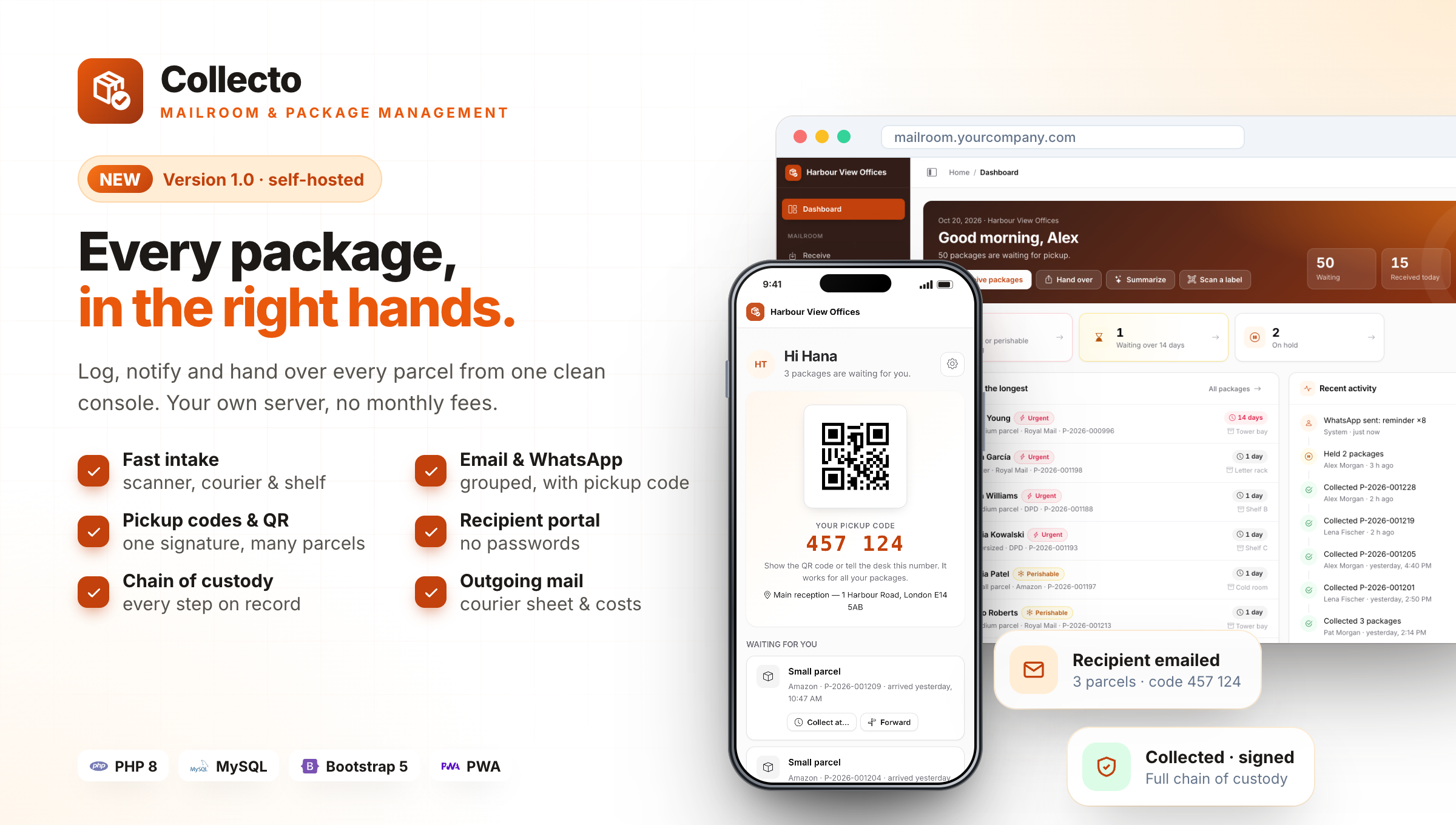
Every package, in the right hands.
Collecto replaces the paper logbook and the "is there anything for me?" phone calls at your front desk or mailroom. Staff scan a parcel and pick the recipient; Collecto recognises the courier, suggests a shelf and emails the person a pickup code. At pickup, the code or QR brings up every waiting parcel, the person signs once and the full chain of custody is saved.
Built for offices and coworking spaces, apartment buildings, universities and student housing, hospitals, hotels and government campuses. It is plain PHP 8 and MySQL with no framework, no Composer and no build step. Upload it, run the web installer and you are live in five minutes, even on shared hosting. You can also run it on your own computer with XAMPP, MAMP or Laragon.
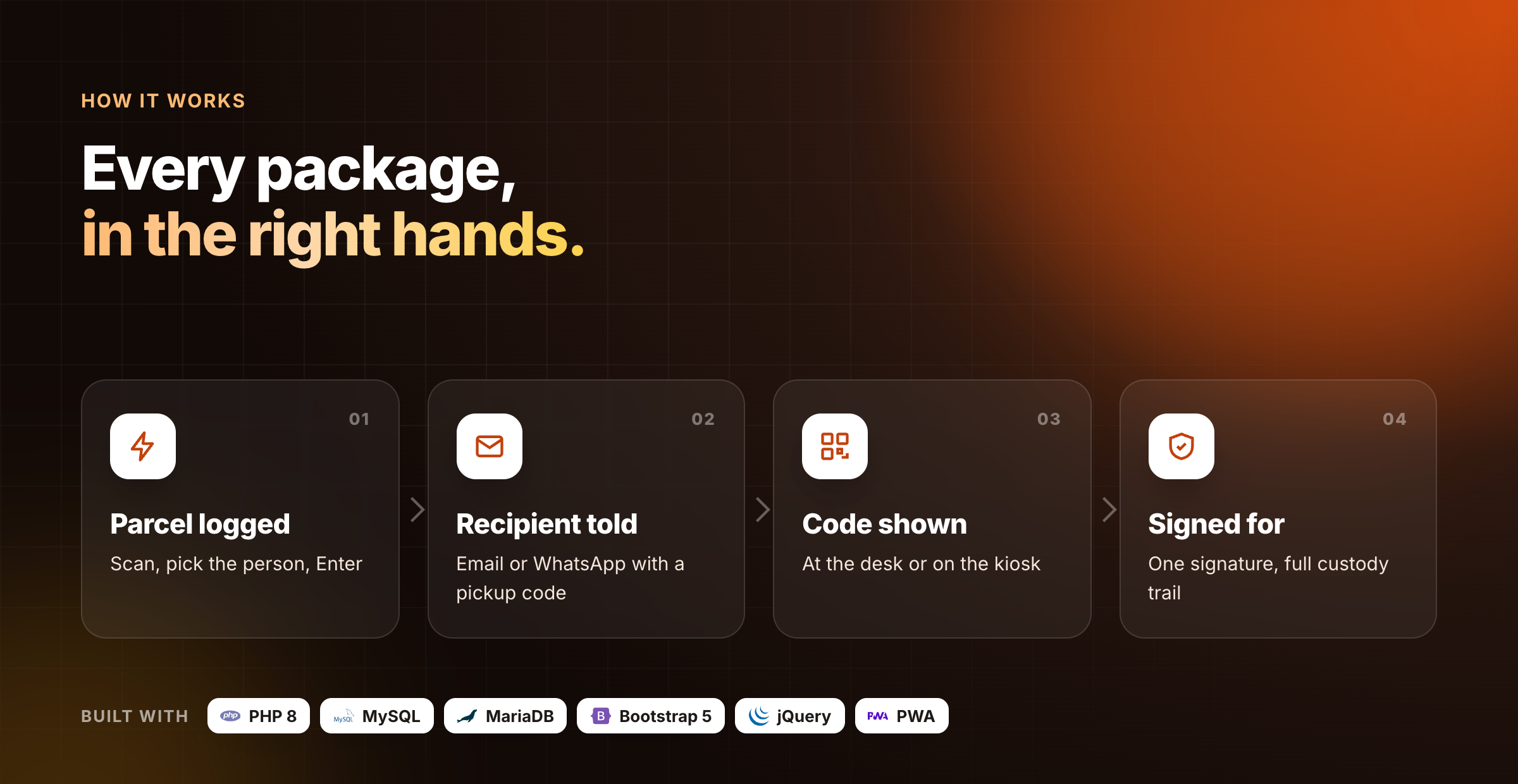
Why front desks choose Collecto
- Fast at the desk: scan, three letters of the name, Enter. Under 10 seconds a parcel, with a hand scanner or the phone camera.
- Fewer calls and visits: one email per person with all their parcels and a pickup code, plus reminders.
- Safe pickup: code or QR, ID check for delegates, one signature for many parcels, PDF receipt.
- Audit ready: chain of custody for every parcel, audit log, four roles and a read-only auditor.
- Recipients help themselves: a portal with no passwords, and a kiosk tablet at the counter.
- One payment: no monthly fees, unlimited staff, sites, recipients and packages, your data on your server.
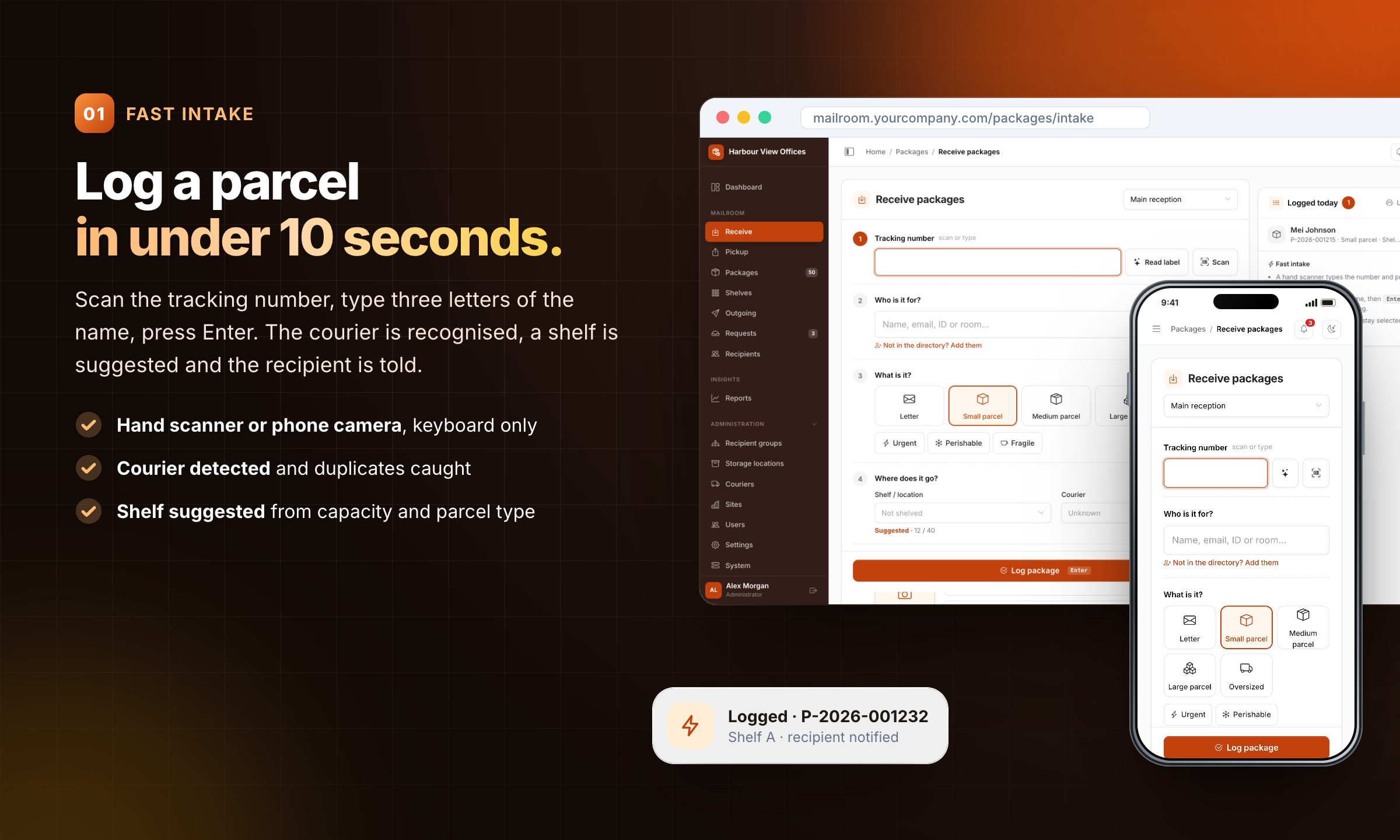
01 · Fast intake: Log a parcel in under 10 seconds.
Scan the tracking number, type three letters of the name, press Enter. The courier is recognised, a shelf is suggested and the recipient is told.
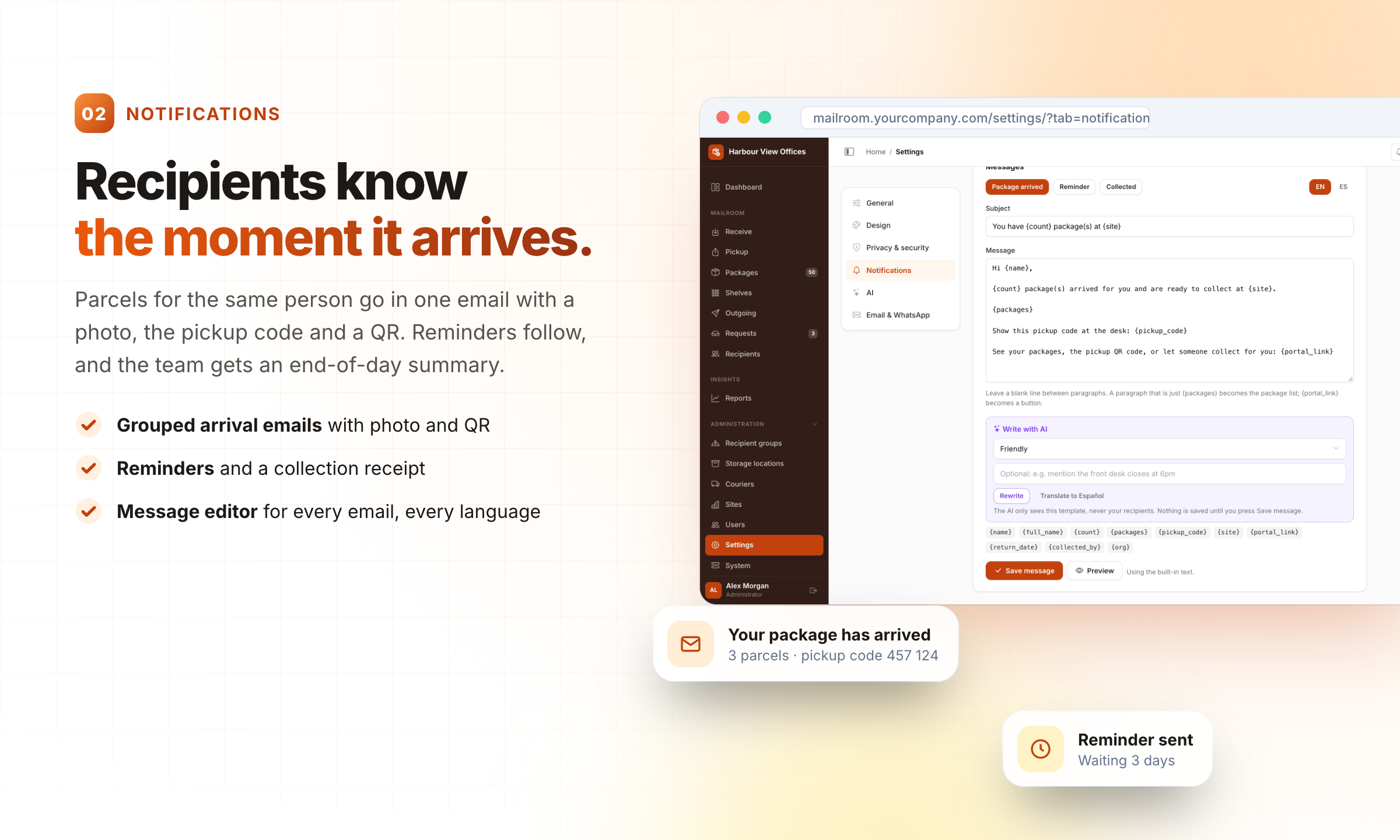
02 · Notifications: Recipients know the moment it arrives.
Parcels for the same person go in one email with a photo, the pickup code and a QR. Reminders follow, and the team gets an end-of-day summary.
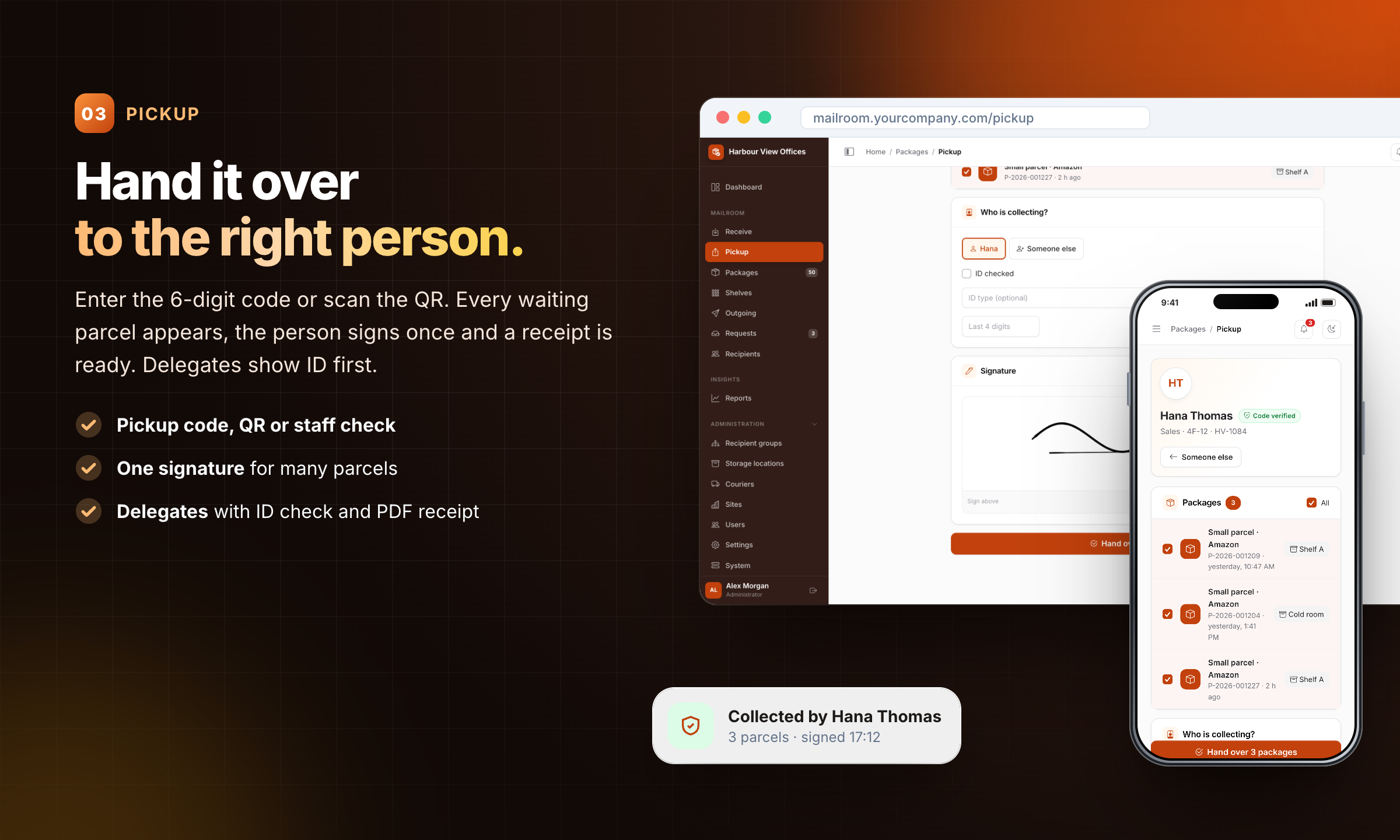
03 · Pickup: Hand it over to the right person.
Enter the 6-digit code or scan the QR. Every waiting parcel appears, the person signs once and a receipt is ready. Delegates show ID first.
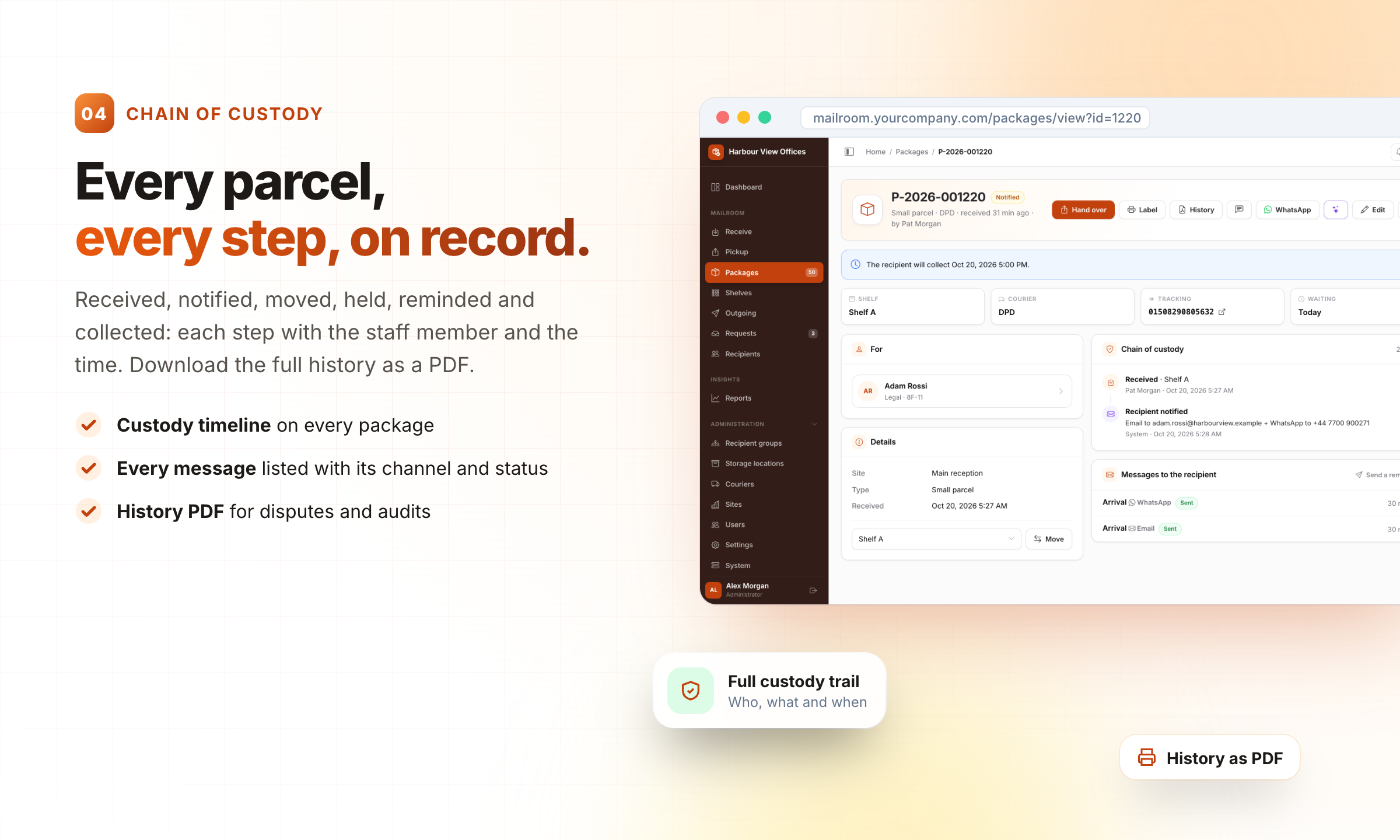
04 · Chain of custody: Every parcel, every step, on record.
Received, notified, moved, held, reminded and collected: each step with the staff member and the time. Download the full history as a PDF.
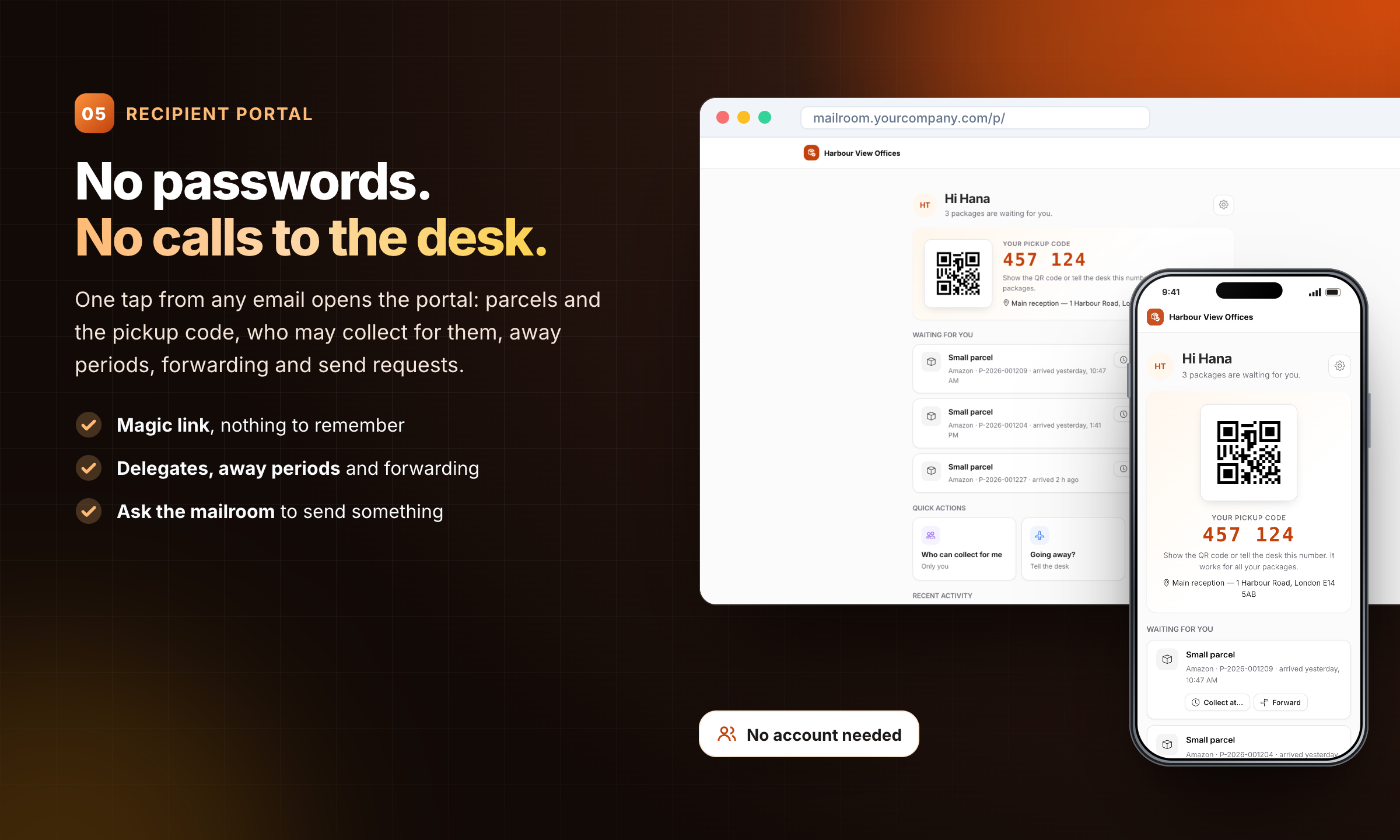
05 · Recipient portal: No passwords. No calls to the desk.
One tap from any email opens the portal: parcels and the pickup code, who may collect for them, away periods, forwarding and send requests.
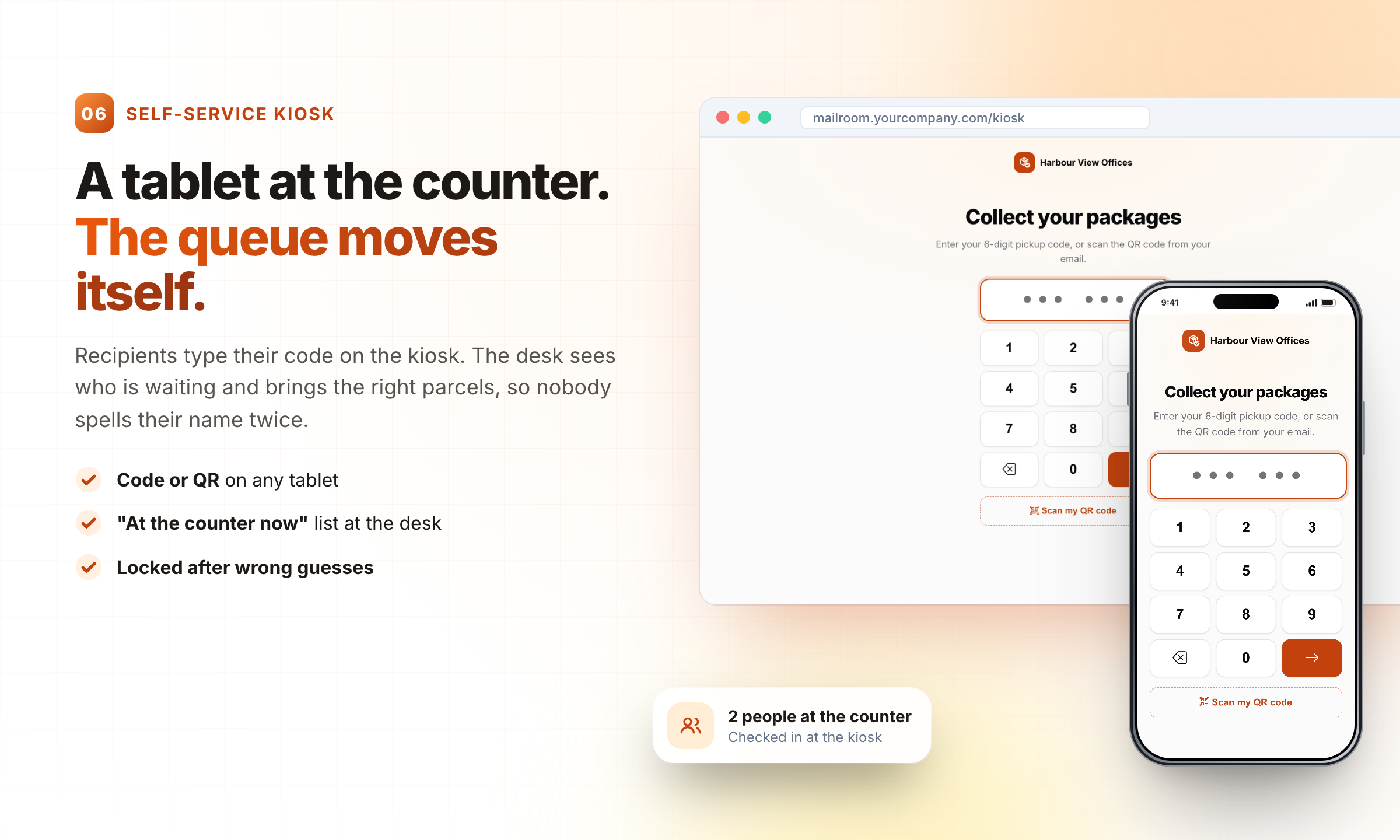
06 · Self-service kiosk: A tablet at the counter. The queue moves itself.
Recipients type their code on the kiosk. The desk sees who is waiting and brings the right parcels, so nobody spells their name twice.
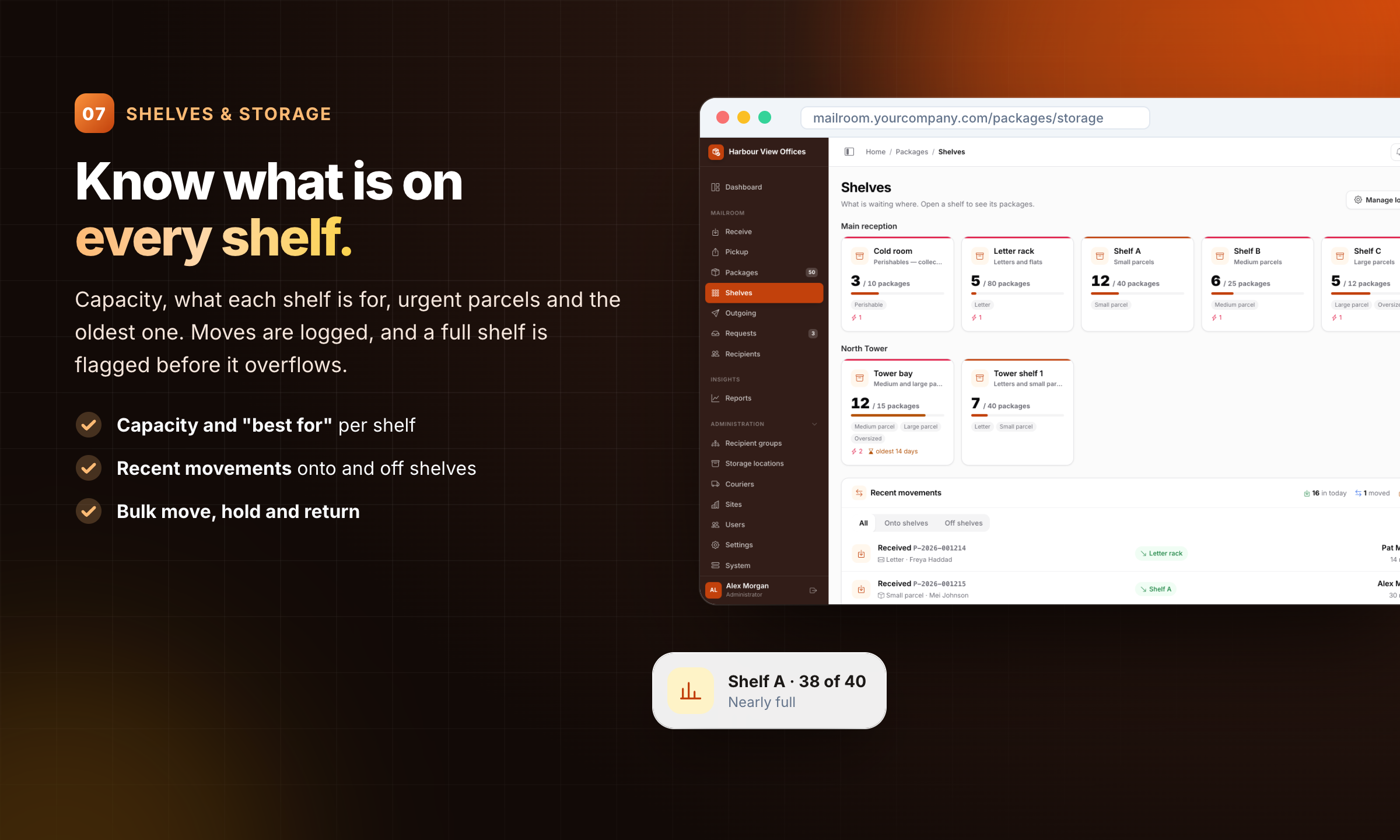
07 · Shelves & storage: Know what is on every shelf.
Capacity, what each shelf is for, urgent parcels and the oldest one. Moves are logged, and a full shelf is flagged before it overflows.
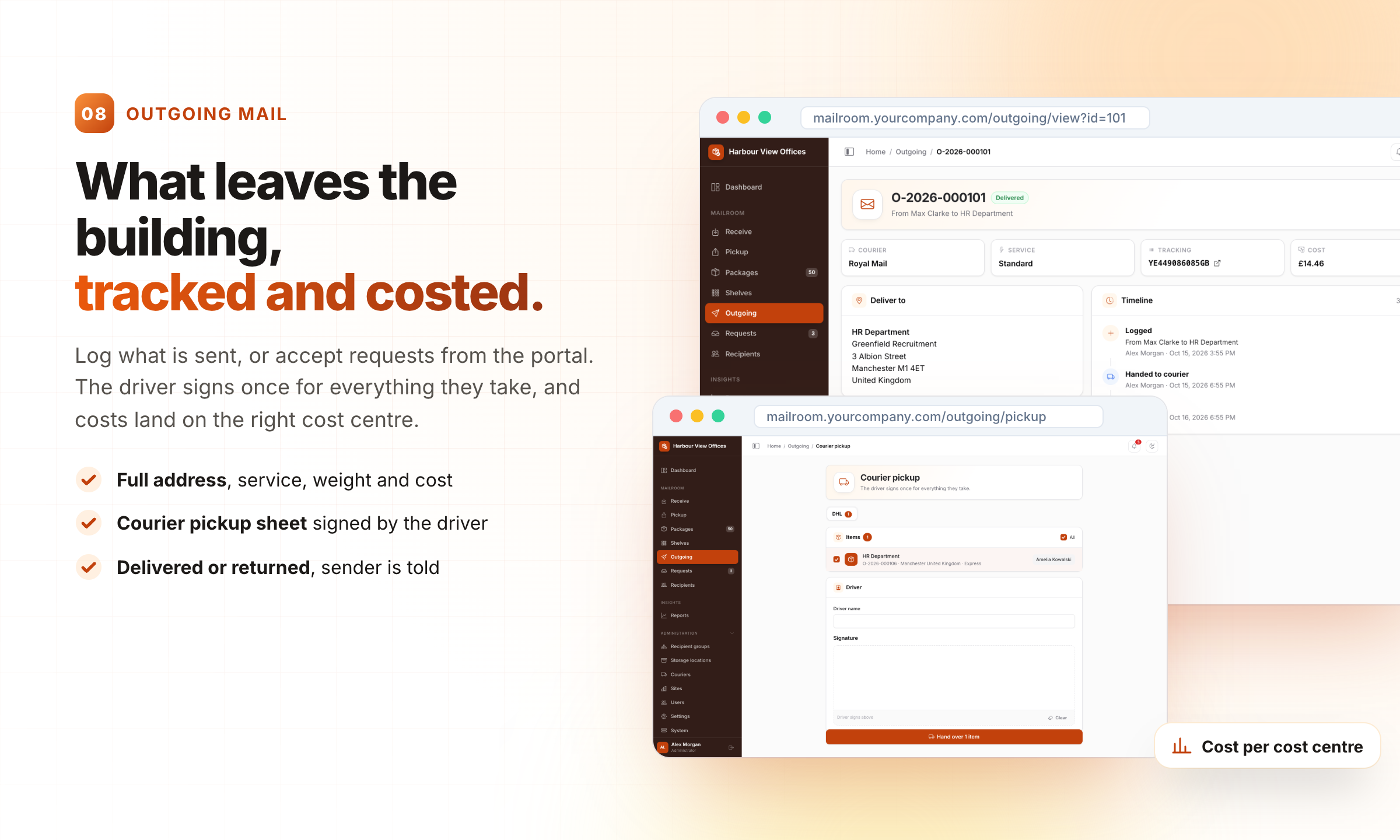
08 · Outgoing mail: What leaves the building, tracked and costed.
Log what is sent, or accept requests from the portal. The driver signs once for everything they take, and costs land on the right cost centre.
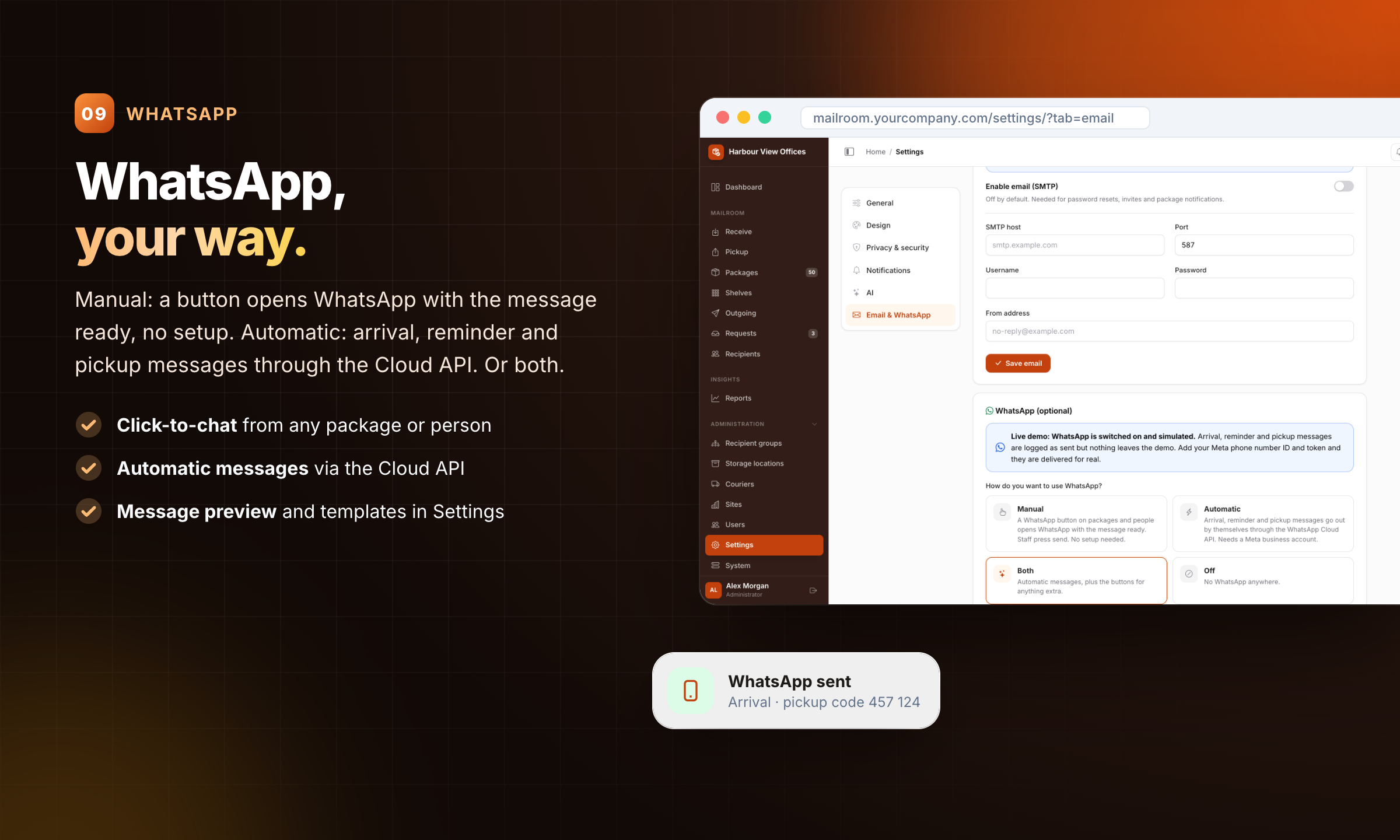
09 · WhatsApp: WhatsApp, your way.
Manual: a button opens WhatsApp with the message ready, no setup. Automatic: arrival, reminder and pickup messages through the Cloud API. Or both.
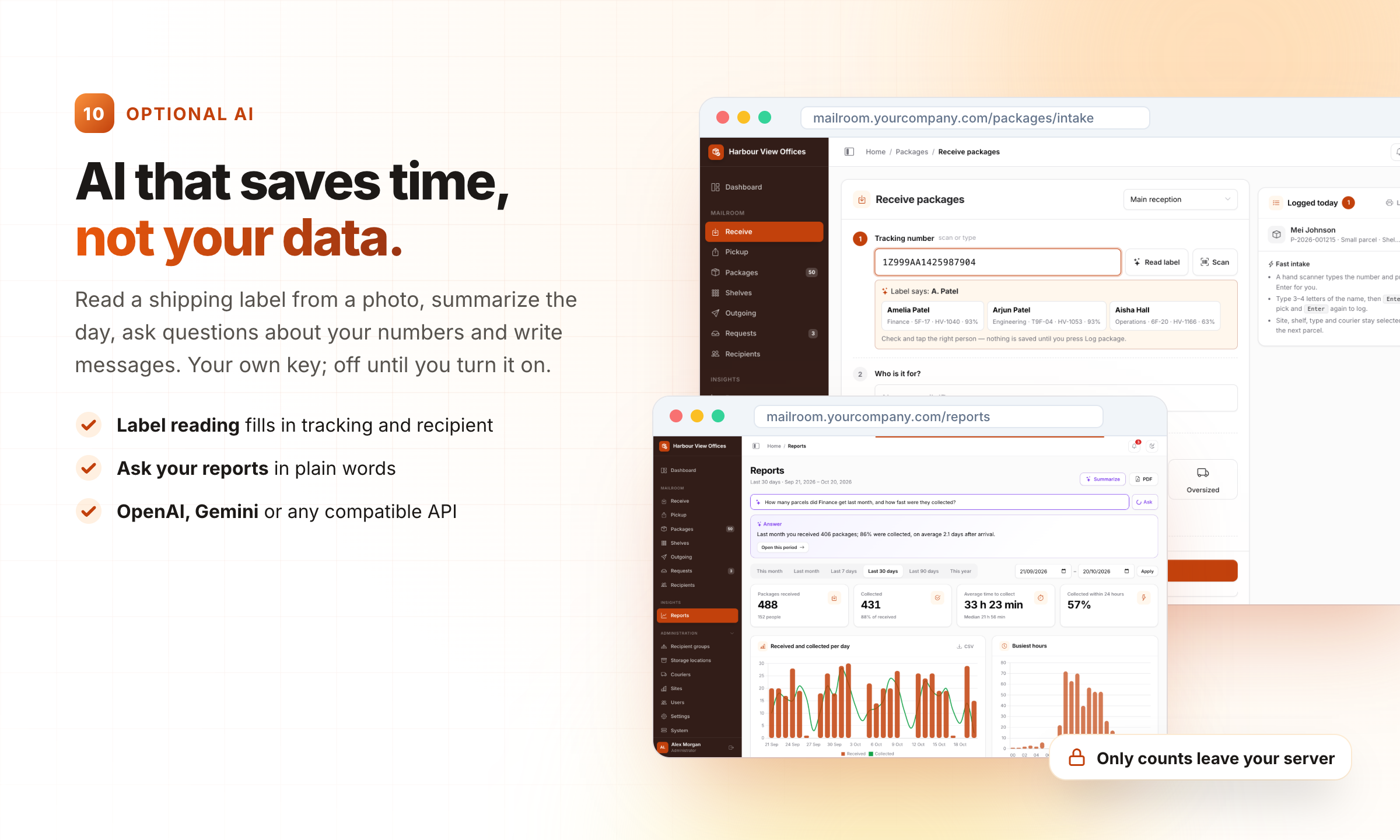
10 · Optional AI: AI that saves time, not your data.
Read a shipping label from a photo, summarize the day, ask questions about your numbers and write messages. Your own key; off until you turn it on.
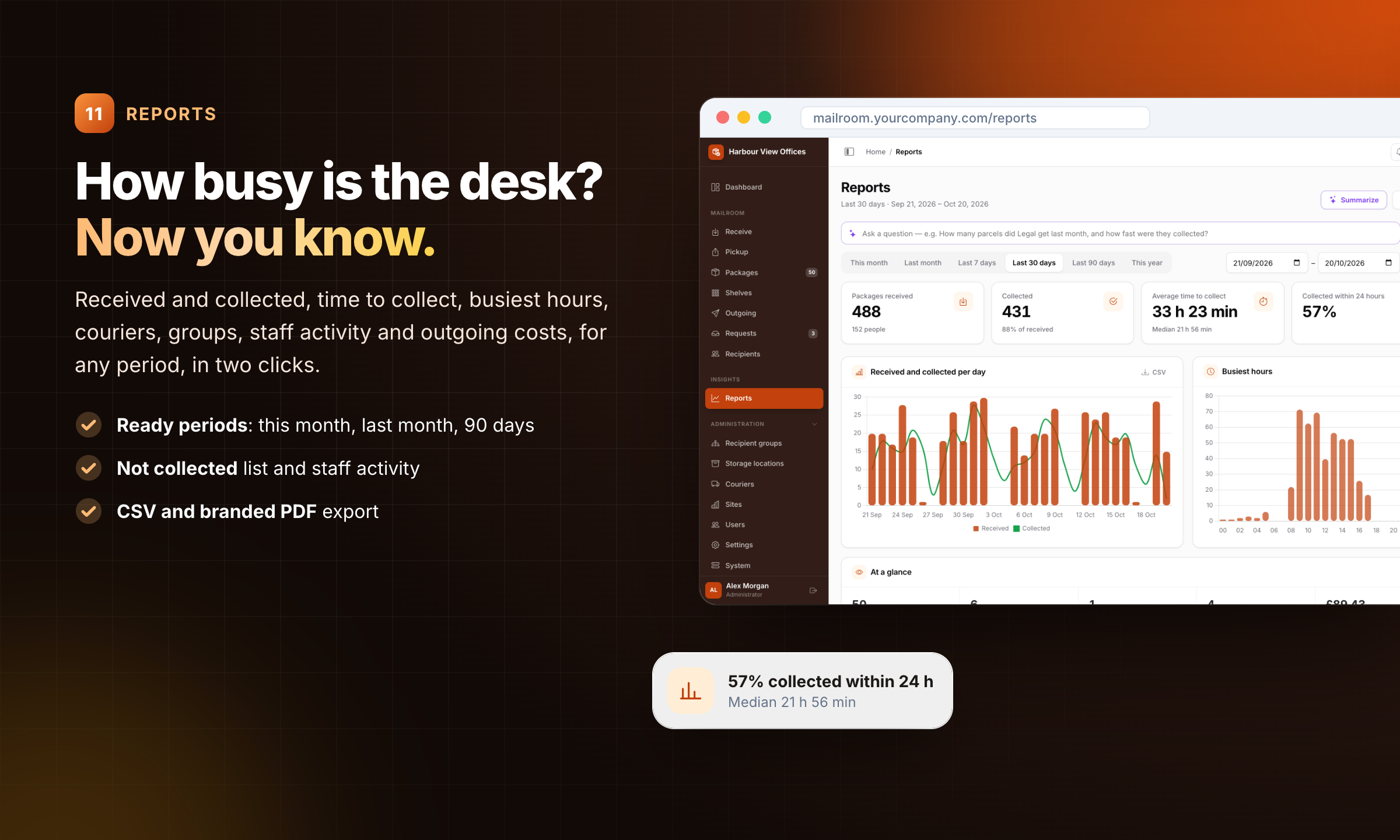
11 · Reports: How busy is the desk? Now you know.
Received and collected, time to collect, busiest hours, couriers, groups, staff activity and outgoing costs, for any period, in two clicks.
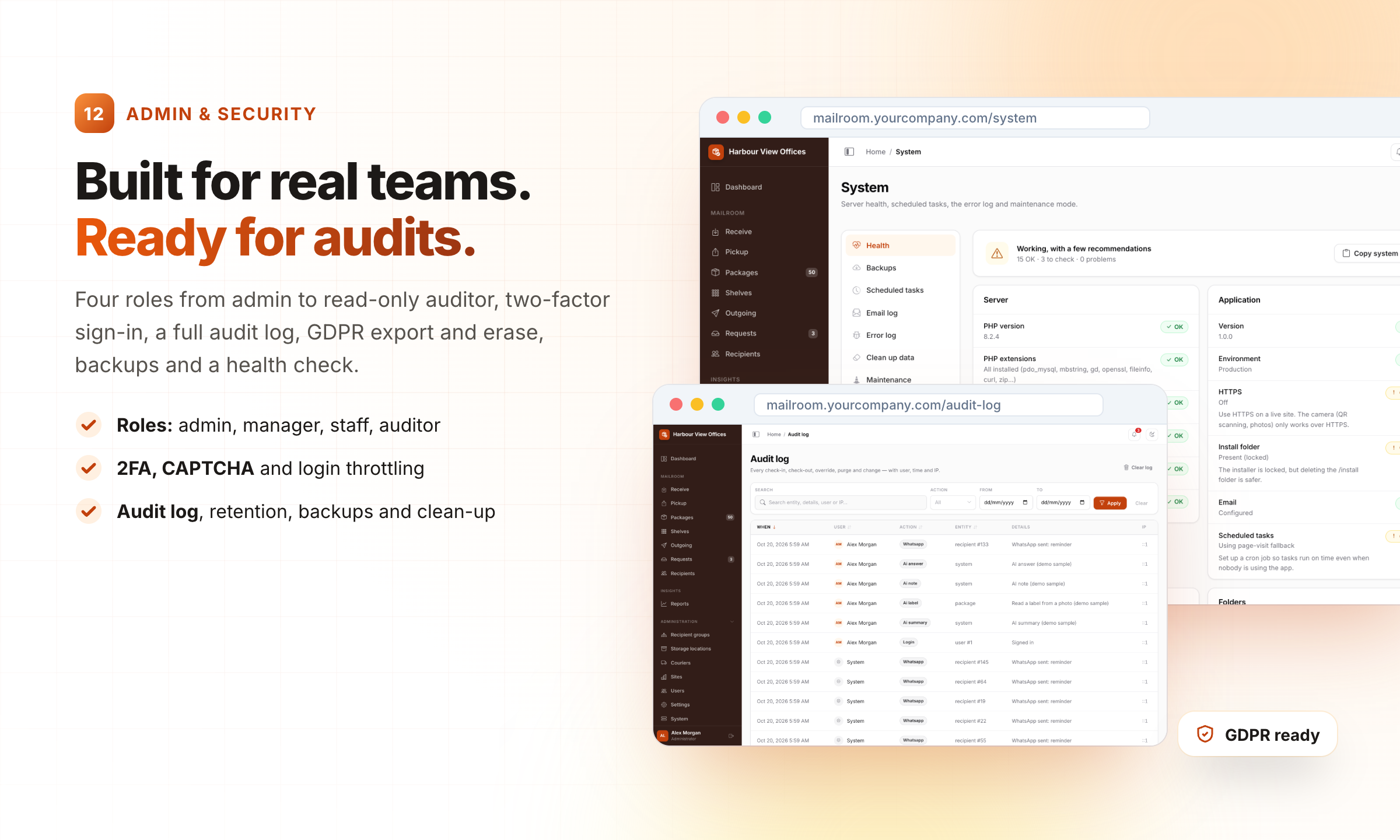
12 · Admin & security: Built for real teams. Ready for audits.
Four roles from admin to read-only auditor, two-factor sign-in, a full audit log, GDPR export and erase, backups and a health check.
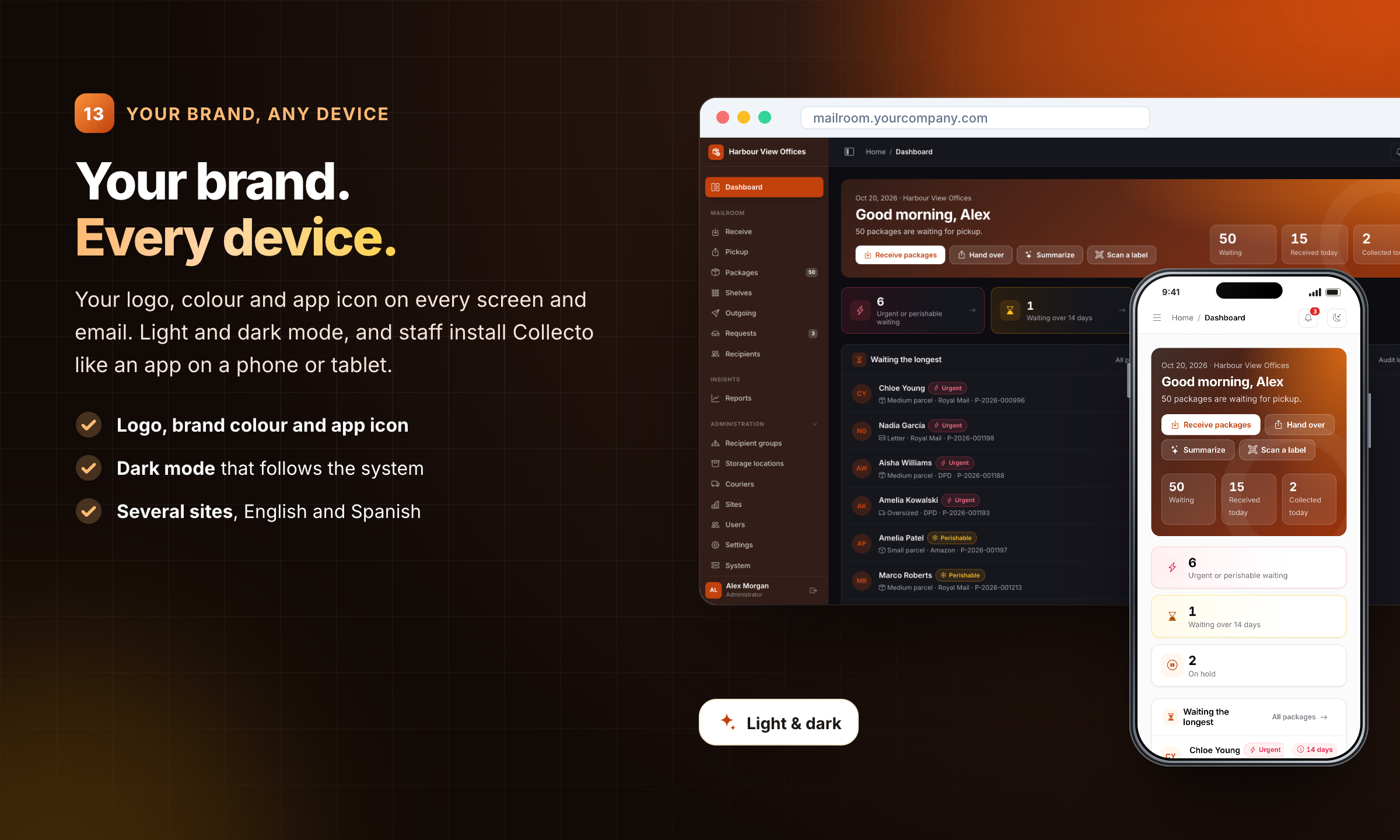
13 · Your brand, any device: Your brand. Every device.
Your logo, colour and app icon on every screen and email. Light and dark mode, and staff install Collecto like an app on a phone or tablet.
What you get
- Full, unencrypted PHP source
- Web installer with optional realistic demo data
- HTML documentation
- English and Spanish; add your own language from one file
- Free updates and 6 months of support from the author
Changelog
Version 1.0.0
- Initial release
Features
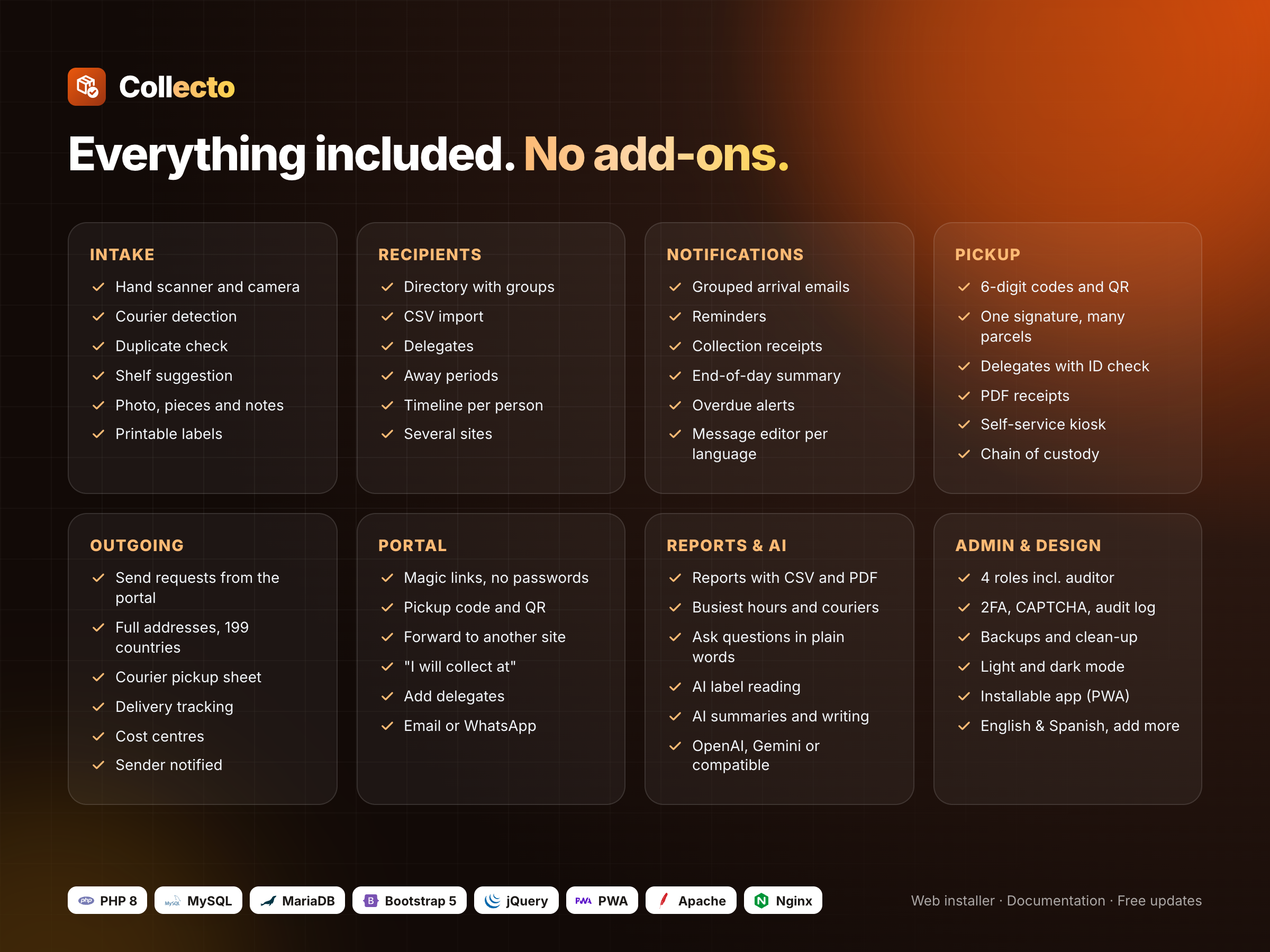
- Fast intake with a hand scanner or the phone camera, courier detection, duplicate check and shelf suggestion - Grouped arrival emails with photo, pickup code and QR; reminders and an end-of-day summary - Pickup by code, QR or staff check; delegates with ID check; one signature for many parcels; PDF receipt - Full chain of custody for every parcel, downloadable as PDF - Recipient portal with no passwords: delegates, away periods, forwarding and send requests - Self-service kiosk for the counter - Shelves and storage locations with capacity and overflow warnings - Outgoing mail with courier pickup sheet, tracking and cost centres - WhatsApp: manual click-to-chat or automatic through the Cloud API - Optional AI (your own key): label reading, summaries, report questions, writing help - Reports with CSV and branded PDF export - 4 roles, two-factor sign-in, audit log, GDPR export and erase, backups, health check - Your logo and colours, light and dark mode, installable app (PWA), English and Spanish
Requirements
- PHP 8.0 to 8.4 with PDO MySQL, GD, fileinfo and mbstring - MySQL 5.7+ or MariaDB 10.3+ - Apache (.htaccess included) or Nginx; works on shared hosting - Optional: SMTP for email, a cron job, a Meta account for automatic WhatsApp, an OpenAI or Gemini key
Instructions
1. Upload the contents of the collecto folder to your server (or a subfolder).
2. Create an empty MySQL database and user.
3. Open your site in the browser: the web installer checks the server, connects the database and creates the admin account. Optional demo data can be added.
4. Set up a cron job for cron.php to run scheduled tasks (the documentation shows the exact command).
5. Full guide: documentation/index.html inside the download.1. Upload the contents of the `collecto` folder to your server (or a subfolder). 2. Create an empty MySQL database and user. 3. Open your site in the browser: the web installer checks the server, connects the database and creates the admin account. Optional demo data can be added. 4. Set up a cron job for `cron.php` to run scheduled tasks (the documentation shows the exact command). 5. Full guide: `documentation/index.html` inside the download.
Demo logins (demo resets every hour): - Admin: admin@example.com / admin123 - Staff: staff@example.com / staff123 - Manager: manager@example.com / manager123 - Auditor (read-only): auditor@example.com / auditor123
| Author | amiriqbalmcs |
|---|---|
| Category | Scripts & Code / PHP Scripts / Management |
| Price | $49 |
| Extended License | $147 |
| First Release | Oct 20, 2026 |
| Last Update | Oct 20, 2026 |
| Database | MySQL 5.7, MySQL 8.0, MariaDB 10.x |
| Files included | .php, .css, .html, .json, .sql, JavaScript .js |
| Software version | PHP 8.0, PHP 8.1, PHP 8.2, PHP 8.3, PHP 8.4 |
| Html/css framework | Bootstrap |
| Javascript framework | jQuery |
| Programming language | PHP, JavaScript |
Categories
Tags
External listing. code.market does not sell this product and does not process payment for it. Pricing, payment, delivery, licensing, refunds, and support are handled by the third-party merchant on its own website. We may earn an affiliate commission from a referral. Details.
Products of the Week.
Submit🥇

Perceptle
Perceptle is a daily browser-based game that challenges you to test your sensory intuition through five quick estimation and rhythm-based rounds.
Other · 1,489 views · 9 clicksOther · Week 47 · 1,489 views · 9 clicks
🥈

Free LinkedIn Likes From Real
Get free LinkedIn likes on your posts from real members who react by hand. No
SaaS · 1,632 views · 10 clicksSaaS · Week 47 · 1,632 views · 10 clicks
🥉

STOP GUESSING WHAT TO POST
AI that learns your brand voice and builds a month of consistent, on-brand social content: carousels, posts and hooks that sound like you, not like everyone else's AI.
SaaS · 9,176 views · 75 clicksSaaS · Week 47 · 9,176 views · 75 clicks
#4

aaas.market
407 reliable micro tools for solo founders, marketers and creators. They work in your browser
SaaS · 1,597 views · 5 clicksSaaS · Week 47 · 1,597 views · 5 clicks