
Colate - Laravel Digital Marketplace
Description
Colate - Headless Digital Marketplace
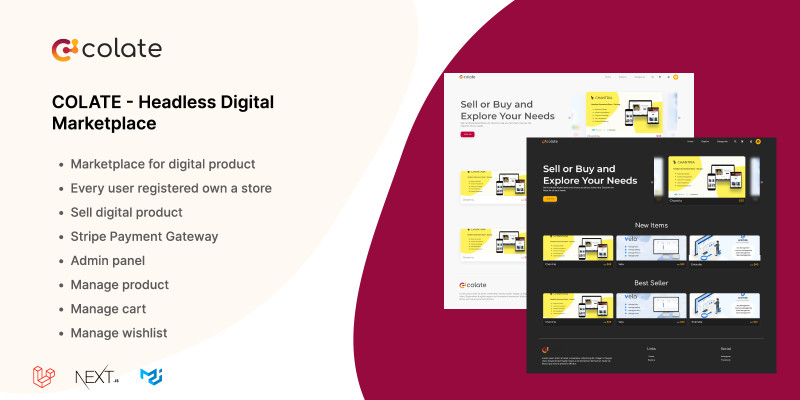
Colate is a digital marketplace that allows you to sell your digital items. Build using the most popular javascript framework Next.Js and very familiar PHP framework Laravel. This web app was built on a headless architecture concept. The concept allows you to scalable frontend and backend differently. It is the most popular technology nowadays.


Account Demo
ADMIN
https://colate-frontend-eta.vercel.app/app/login
Email: admin@colate.com
Password: admin
USER
https://colate-frontend-eta.vercel.app/login
Email: jane@example.com
Password: janedoe

Features
- USER
- Authentication
- Manage Store
- Manage Account Profile
- FRONTPAGE
- Homepage - Newest, Best Seller, Most Popular
- Discover - Category filter, sort by newest, oldest, cheapest, most expensive
- ADMIN
- Manage User
- Manage Order
- ADMIN
- Detail Product - Images, description, price, promo price, views, last update, published date, preview, name
- Cart
- Checkout
Requirements
- PHP 8.x
- Mysql
- Npm
Instructions
Backend Installation
- Install composer package by running
composer update - Rename file
.env.exampleto.env - Change MySQL configuration on your
.envto your configuration
DB_HOST=<Your mysql hostname>
DB_PORT=<Your mysql port>
DB_DATABASE=<Your mysql database name>
DB_USERNAME=<Your mysql username>
DB_PASSWORD=<Your mysql password>
-
Run
php artisan migrateto migrate the database -
Run
php artisan db:seedto seed default data to your database -
(Optional) If you use AWS S3 as object storage, you can change the AWS configuration on the
.envAWS_ACCESS_KEY_ID=<Your s3 access key> AWS_SECRET_ACCESS_KEY=<Your s3 secret key> AWS_DEFAULT_REGION=<Your s3 region> AWS_BUCKET=<Your s3 bucket name>
-
Set
FRONTEND_URLon env to your frontend URL. It is required action. This frontend URL will be used for stripe redirection. If it's empty, the stripe will be an error.
Frontend Installation
- Install dependencies by running
npm install - Change
NEXT_PUBLIC_BASE_API_URLon .env to your backend api url - Run the app locally by command
npm run dev
| Author | aluladevs |
|---|---|
| Category | Scripts & Code / PHP Scripts / Marketplace / Digital Downloads |
| Price | $37 |
| Extended License | $111 |
| Likes | 1 |
| First Release | Dec 14, 2022 |
| Last Update | Dec 14, 2022 |
| Files included | .php, .css, .html, JavaScript .js |
| Software framework | React, Laravel |
Categories
Tags
External listing. code.market does not sell this product and does not process payment for it. Pricing, payment, delivery, licensing, refunds, and support are handled by the third-party merchant on its own website. We may earn an affiliate commission from a referral. Details.
Products of the Week.
Submit🥇

Perceptle
Perceptle is a daily browser-based game that challenges you to test your sensory intuition through five quick estimation and rhythm-based rounds.
Other · 1,489 views · 9 clicksOther · Week 47 · 1,489 views · 9 clicks
🥈

Free LinkedIn Likes From Real
Get free LinkedIn likes on your posts from real members who react by hand. No
SaaS · 1,632 views · 10 clicksSaaS · Week 47 · 1,632 views · 10 clicks
🥉

STOP GUESSING WHAT TO POST
AI that learns your brand voice and builds a month of consistent, on-brand social content: carousels, posts and hooks that sound like you, not like everyone else's AI.
SaaS · 9,176 views · 75 clicksSaaS · Week 47 · 9,176 views · 75 clicks
#4

aaas.market
407 reliable micro tools for solo founders, marketers and creators. They work in your browser
SaaS · 1,597 views · 5 clicksSaaS · Week 47 · 1,597 views · 5 clicks