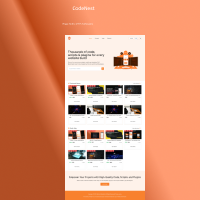
CodeNest - Single Vendor Script Marketplace Sass
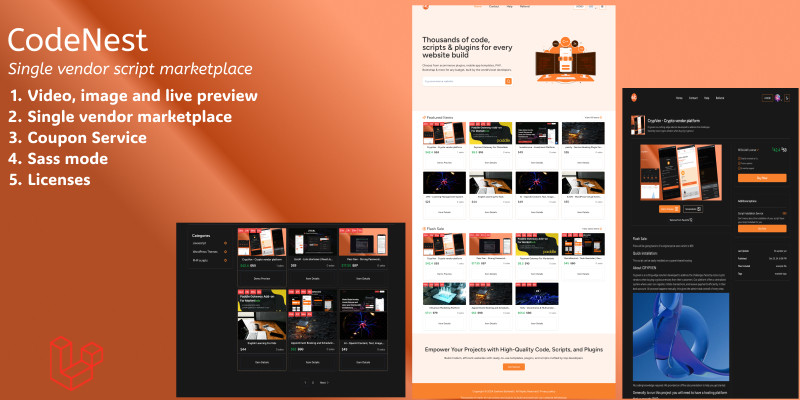
Description
About CodeNest
Welcome to CodeNest – your go-to marketplace for high-quality scripts and digital tools. We connect developers with essential resources to accelerate their projects. Whether you're looking for ready-to-use code or innovative plugins, CodeNest is here to make your coding journey smoother and more efficient. Join us to discover powerful tools and elevate your development experience!
No coding knowledge required. We provided an offline documentation to help you get started.
Demo Access
Visit the CodeNest demo website: CodeNest Demo
Email: codenestdemo@gmail.com
Password: 00000000
Features
Core Features
- High-Quality Script Library
- Referral system
- Secure Digital Downloads
- Full admin Dashboard
- Developer-Friendly Documentation
- Regular Updates & Support
- User-friendly Interface
- Dark Mode
- Easy Integration
- Advanced Search & Filtering
- Secure Payment Gateway
- Coupon System
- and more...
Requirements
System Requirements
You can run this script on any server like Linux, Windows or Uinix Server. But you need to meet some server requirements for installing and running this script.
This System built with Laravel, that's why you must meet the following server requirements:
This script is built with Laravel and (Inertia.js + React), the server should meet the following requirements: PHP 8.2 or higher, with either Apache or Nginx as the web server. MySQL as the database. Additionally, Node.js 18.2 or higher is required for building the React frontend, and Composer 2.0 or higher must be installed to manage PHP dependencies. The server should ideally be running on a Linux-based OS like Ubuntu or CentOS for optimal compatibility.
Instructions
Getting Started
-
Create an Account:
- Navigate to the website and sign up for a new account.
- Complete the registration process by providing the necessary information.
-
Explore User Interface:
- After logging in, explore the user-friendly interface designed to provide an intuitive experience.
-
Switch to Admin Mode:
- As an admin, you have the ability to switch between normal user mode and admin mode.
- Locate the switch button at the profile page to toggle between user and admin modes.
| Author | skybaba123 |
|---|---|
| Category | Scripts & Code / PHP Scripts / Marketplace / Digital Downloads |
| Price | $19 |
| Extended License | $57 |
| Likes | 4 |
| First Release | Oct 28, 2024 |
| Last Update | Oct 28, 2024 |
| Files included | .php, .css, .html, JavaScript .js |
| Software framework | React, Laravel |
External listing. code.market does not sell this product and does not process payment for it. Pricing, payment, delivery, licensing, refunds, and support are handled by the third-party merchant on its own website. We may earn an affiliate commission from a referral. Details.