
Clawder – AI App Builder SaaS
Description
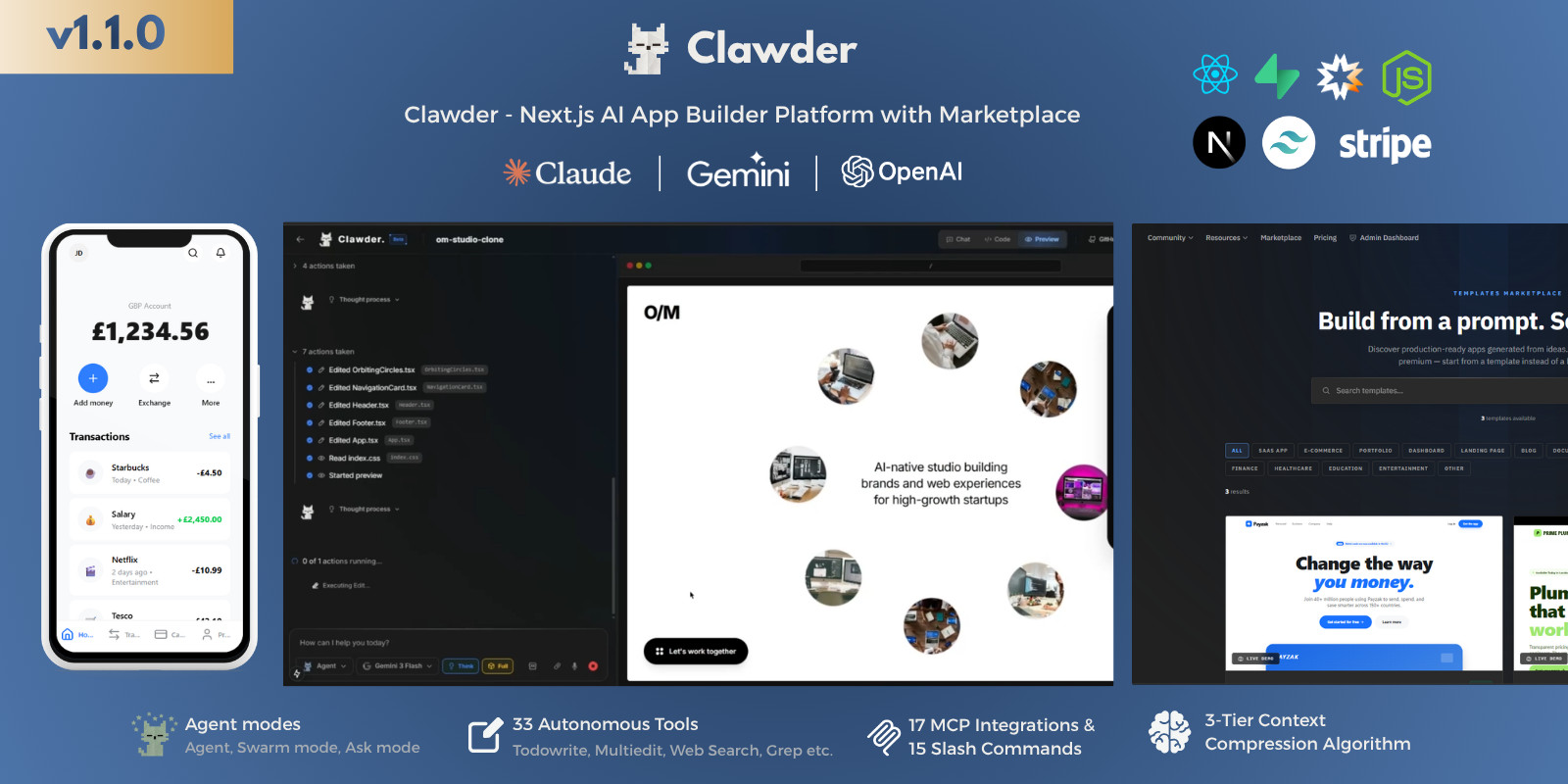
Clawder - Next.js AI App Builder SaaS Platform with Marketplace
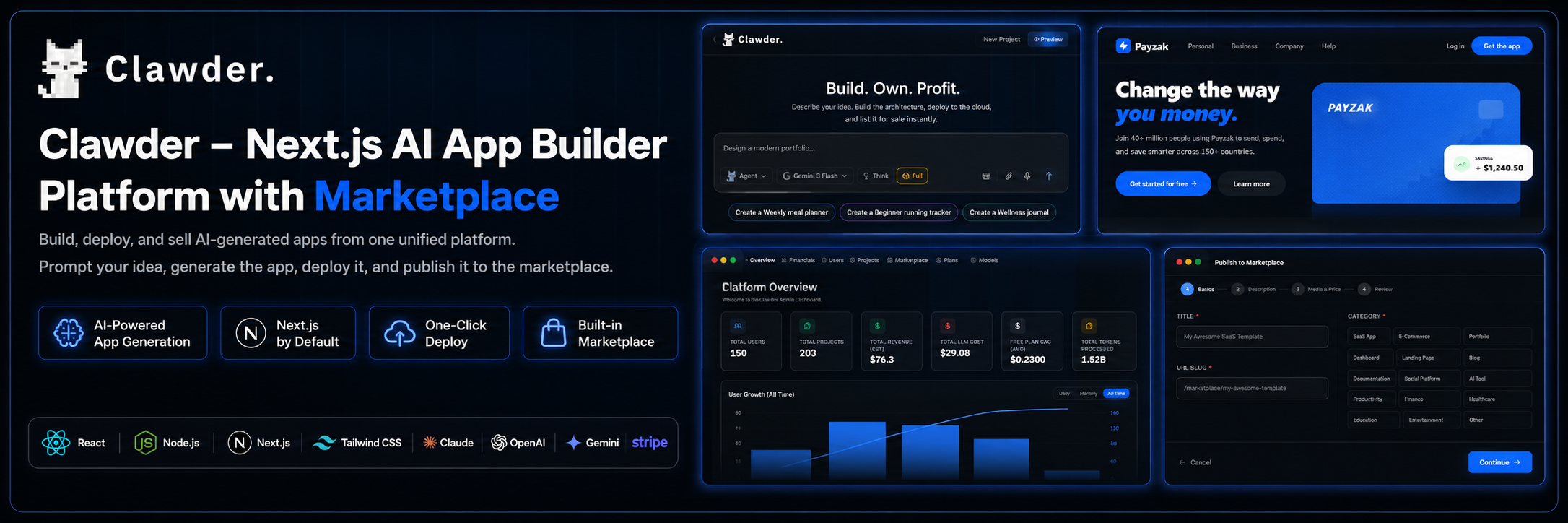
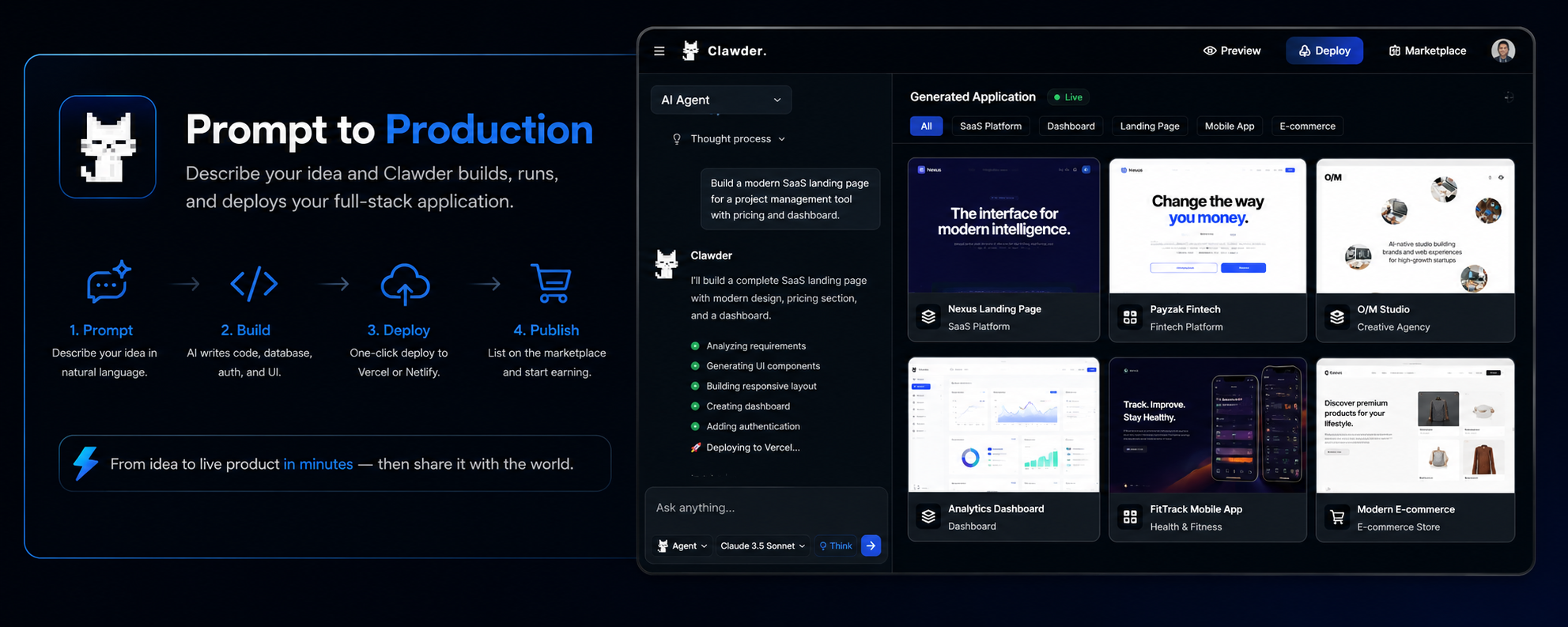
Clawder is a self-hosted Next.js platform built around three core pillars: Build, Deploy, and Sell. It lets your users generate application source code from a prompt, deploy projects, and publish completed apps on an integrated marketplace. From full-stack SaaS platforms to mobile apps and dashboards, Clawder provides the source code, database schema, admin tools, and marketplace workflow needed to run an AI app-building platform.
Live Demo
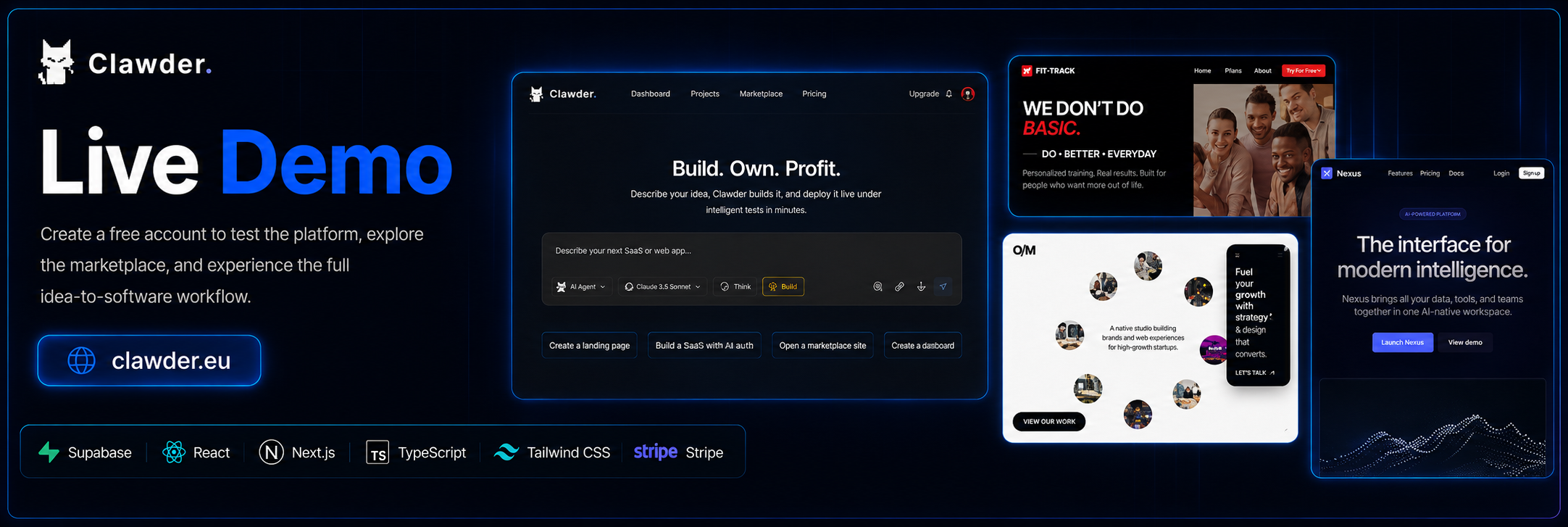
Sign up for a free account to test the platform, explore the marketplace, and experience the complete idea-to-software workflow.
Demo URL: https://clawder.eu
Support: https://monzed.com/support
Documentation: https://docs.clawder.eu
Admin Dashboard Demo Access
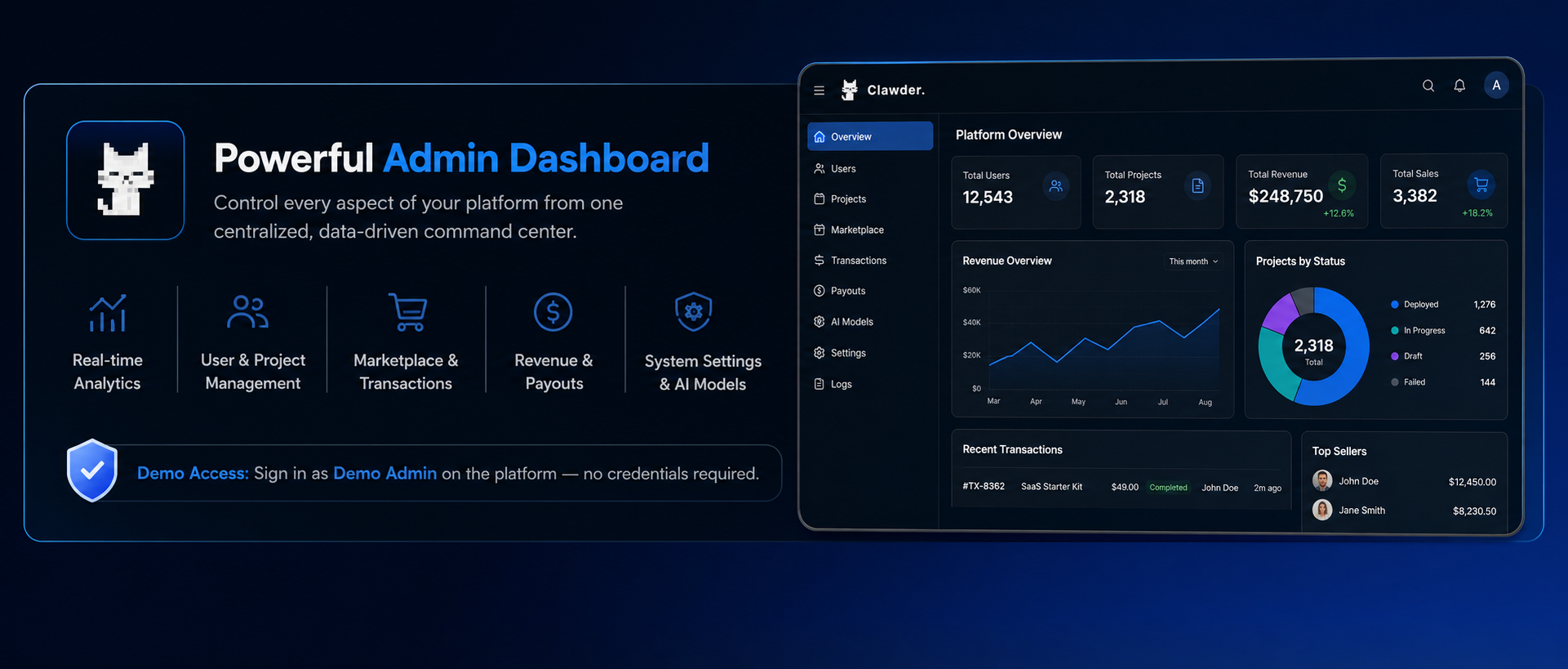
To explore the full administrative control panel, use the private demo access instructions supplied to reviewers. The dashboard provides access to platform analytics, user management, marketplace moderation, AI model configuration, financial tracking, revenue insights, and system controls.
Admin Dashboard URL: https://clawder.eu
Admin access: Head to the platform and click the "Sign in as Demo Admin" button on the sign-in page — no credentials required.
The admin dashboard allows you to manage the entire ecosystem from one centralized interface, including users, projects, AI models, marketplace listings, transactions, payouts, pricing, margins, and platform performance metrics.
Why This is Different
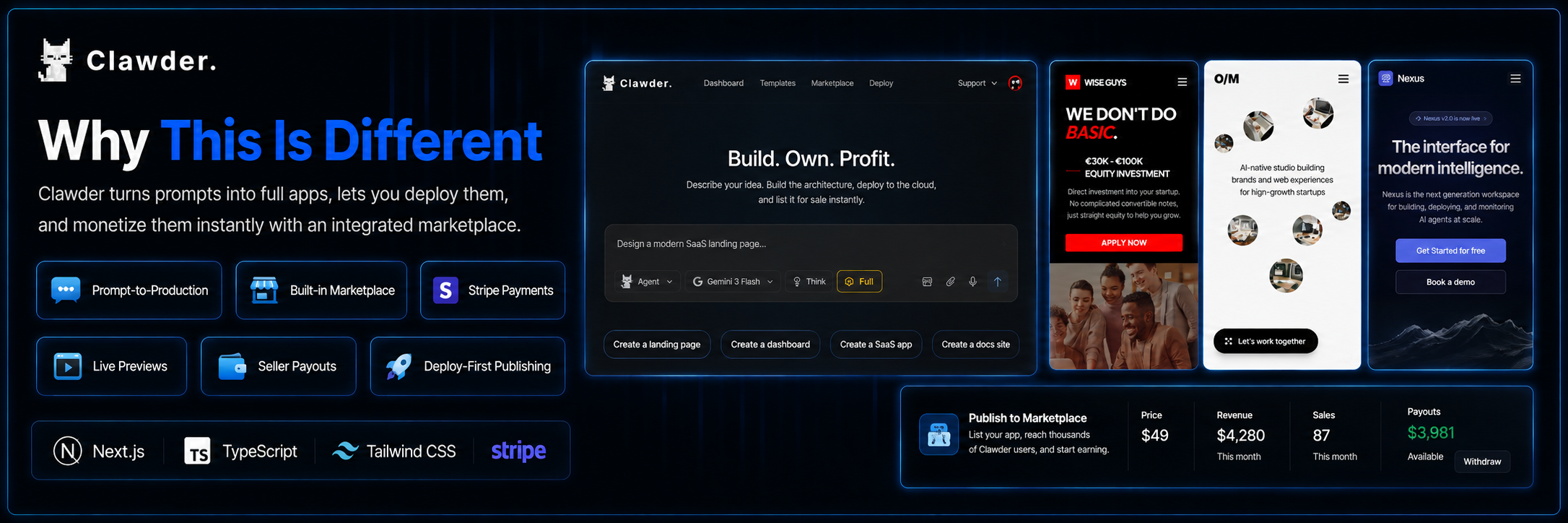
Other tools just generate snippets of code. Clawder takes an idea, writes the full-stack architecture, and lets you immediately monetize it — creating a powerful creator economy right inside your platform. The marketplace isn't an afterthought; it's a deeply integrated e-commerce layer with Stripe checkout, secure cloud sandbox file delivery, creator payouts, and seamless in-app discovery.
- Prompt-to-Production: Full-stack SaaS platforms, native mobile apps (iOS/Android), dashboards, landing pages, internal tools, e-commerce, fintech — if you can describe it, Clawder can build and sell it.
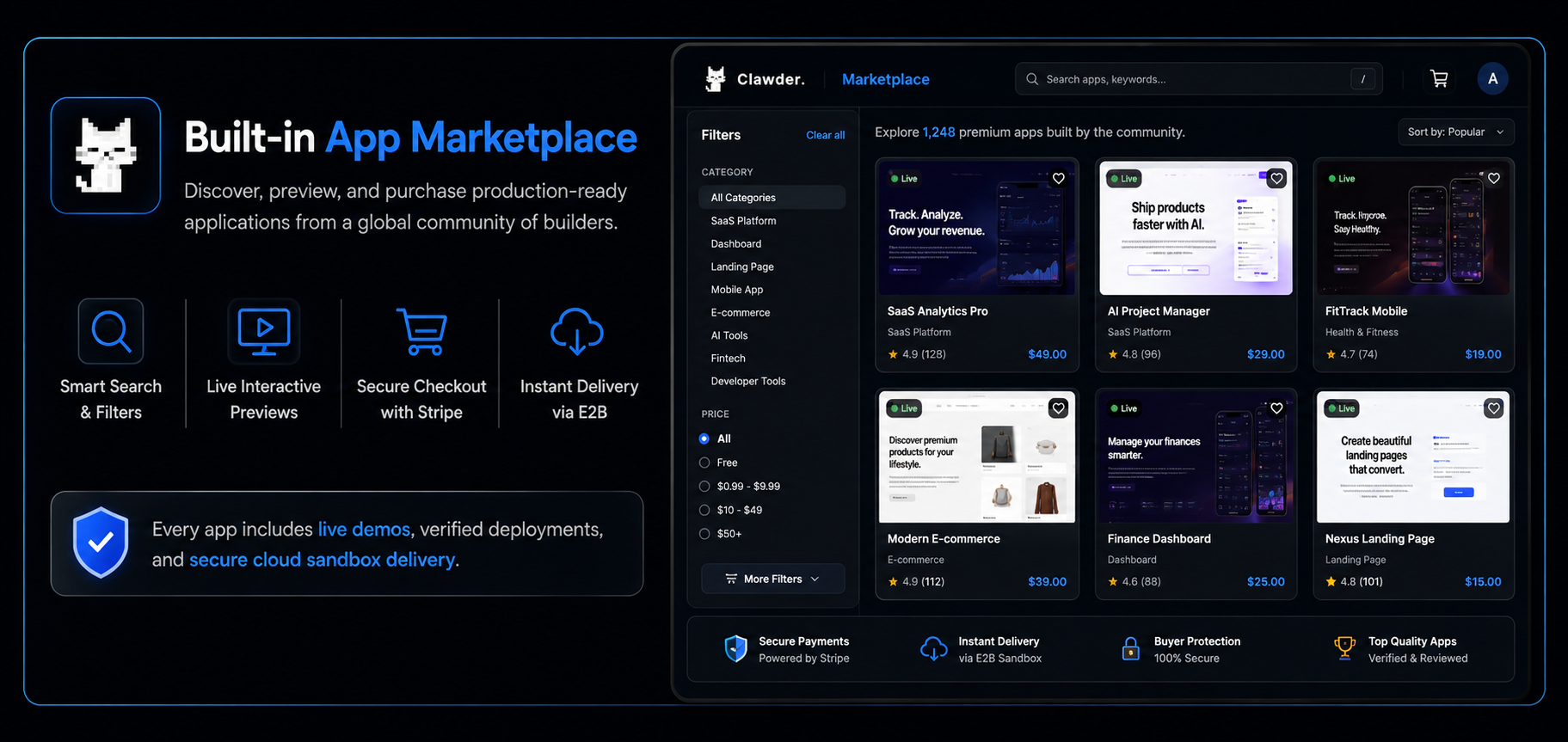
- Built-in app marketplace: Every user becomes a seller. Browse, search, filter, and purchase complete apps built by other users — all inside the platform.
- Stripe payments integrated: One-time purchases with Stripe Checkout. 70/30 revenue split (creator earns 70%). PayPal and Bank Transfer withdrawal requests, processed manually by the operator.
- Live iframe previews: Every listing shows a live, interactive preview of the deployed app — not a static screenshot. Buyers can interact with the app before purchasing.
- Persistent marketplace downloads: Publishing generates a ZIP and saves it securely in private Supabase Storage. Buyers can keep downloading their purchased version after the original project or sandbox is deleted, provided the saved archive and purchase records are retained.
- Author dashboard: Track balance, earnings, downloads. Manage listings (edit, pause, delete). Request payouts via PayPal or Bank Transfer.
- Deploy-first publishing: Apps must be deployed to Vercel/Netlify before listing, ensuring every listing has a live demo.
The Build → Publish → Earn Loop
- Prompt: Just describe your idea. Our intelligent orchestration engine builds the app — SaaS, mobile apps, dashboards, or full-stack platforms. Generation runs inside secure cloud sandboxes, instantly compiling and running code in real-time with zero local setup.
- Deploy: Deploy the finished app to Vercel or Netlify with a single slash command
(
/deploy). - Publish: Open the 4-step publish wizard, set your price (free or $0.99–$499), add screenshots and a demo URL, and list it on the marketplace.
- Earn: Buyers purchase via Stripe. You earn 70% of every sale. Withdraw your earnings via PayPal ($50 min) or Bank Transfer ($250 min).
Website Publishing & Custom Domains
- Your platform's subdomains: Publish supported projects through managed Vercel hosting to
a project-name address such as
my-project.yourdomain.com. - Custom domains: Connect a domain with ownership verification and manage published websites from the Published Sites dashboard.
- Personal hosting options: Users can still deploy through their own Vercel or Netlify accounts.
Managed publishing requires operator configuration of Vercel and the platform domain. Domain registration, hosting charges, and provider limits apply separately.
Next-Generation Prompt Engine Features
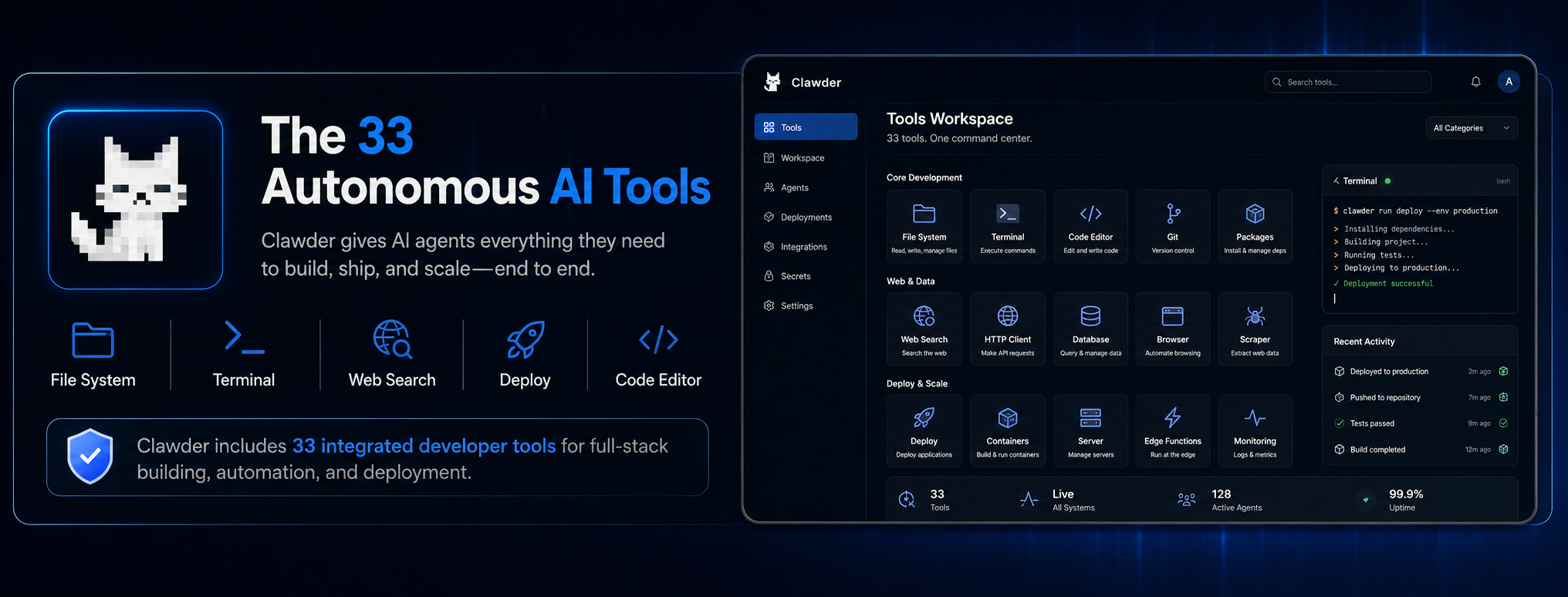
- 33 Advanced Developer Tools: Direct access to a full suite of 33 integrated tools running inside cloud sandboxes — Bash, File I/O, Git, Deployment, Mobile Build, Web Search, Web Fetch, and more.
- 3 Distinct AI Modes: Agent Mode (full tool access, senior engineer), Swarm Mode (parallel sub-agents working simultaneously on frontend/backend/database), and Ask Mode (fast, token-cheap conversational queries).
- Multi-Model Routing: Includes a database-driven model registry with operator-configurable
provider IDs. All model IDs listed below are real, production API identifiers verifiable through the official
provider documentation linked for each entry. Operators can enable, disable, rename, or replace model IDs
from the admin panel as provider availability changes.
Anthropic (via Claude Model IDs & Versions):
claude-opus-4-7— Released April 16, 2026. 1M token context window. Docsclaude-sonnet-4-6— Released February 17, 2026. Enhanced agentic planning. Docsclaude-opus-5— Released July 24, 2026. Flagship enterprise model. Docs
gemini-2.5-pro— Production model. Available via Google AI API. Docsgemini-2.5-flash— Fast production model. Available via Google AI API. Docsgemini-3-flash-preview— Released December 2025. Preview model. Docsgemini-3.1-pro-preview— Released February 19, 2026. Flagship reasoning model. Docs
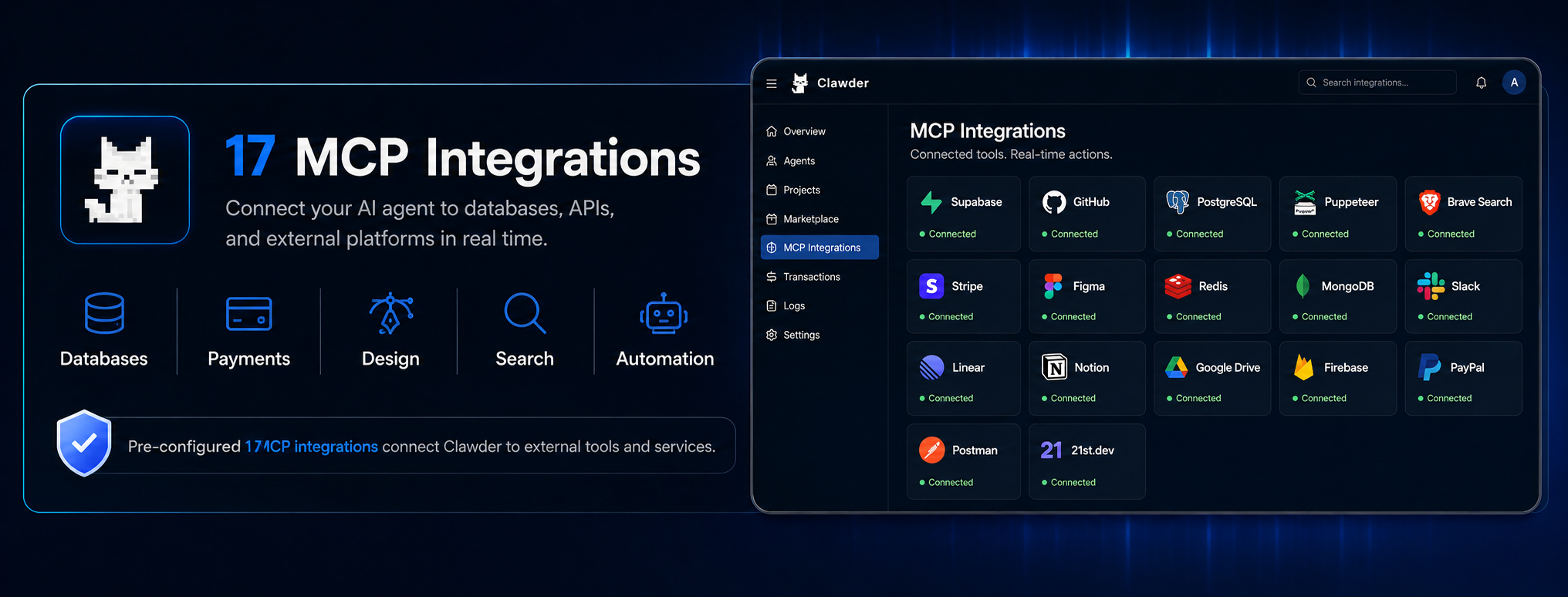
- Model Context Protocol (MCP) Support: Comes pre-configured with 17 enterprise MCP plugins. The AI connects to external databases, APIs, and services to fetch real-time data and execute external actions.
- Secure E2B Sandboxing: Every session boots a dedicated, isolated E2B cloud microVM where the AI runs actual bash commands, installs NPM packages, and runs live preview servers.
- Native Mobile App Support: Built-in tooling for the AI to compile and package React Native applications for both iOS and Android.
- Proprietary 3-Tier Context Compression: The Micro → Caveman → Genome compression algorithm reduces LLM API token consumption by up to 80%.
- 15 Slash Commands: Specialized chat commands for deploying, cloning websites, security audits, Git control, and more.
Required Third-Party Services & Ongoing Costs
Running Clawder requires separate accounts with external providers. Buyers are responsible for all usage fees charged by those providers, including AI API usage from OpenAI, Anthropic, and/or Google, E2B sandbox runtime usage, Stripe payment processing and transaction fees, Supabase hosting/database usage, Resend email usage, and production hosting on a VPS, Vercel, or Netlify when free-tier limits are exceeded.
Indicative Monthly Cost Estimates
The ranges below are indicative estimates based on typical usage of comparable self-hosted platforms. They are not guaranteed prices; each provider bills according to its own current pricing, and your real usage will determine the final bill.
- AI API Usage: ~$5–$50 / month at light-to-moderate usage (a few active users answering prompts daily). Heavy traffic, large contexts, frequent tool calls, or Swarm mode can push this well above $100/month.
- E2B Sandboxes: $0 (free tier) for up to 20 concurrent sandboxes with a one-time $100 usage credit. Sandboxes only bill while actively running — paused or idle sandboxes cost nothing. Pro plan at $150/month only needed for 24-hour sessions or 100+ concurrent sandboxes.
- Supabase: $0 (free tier) for development; ~$25 / month Pro plan for production.
- Resend Email: $0 for up to 3,000 emails / month; paid tiers from ~$20 / month.
- Stripe: ~2.9% + $0.30 per successful card charge (standard US pricing), applied to both subscription billing and marketplace purchases.
- Hosting: ~$5–$40 / month VPS (e.g., DigitalOcean, Hetzner, Vultr). Add Vercel or Netlify (~$20 / month Pro) only if users deploy apps beyond the free tier.
A realistic starting budget for a small production deployment is roughly $50–$150 / month (hosting + Supabase + modest AI and E2B usage (free for up to 20 concurrent sandboxes), plus Stripe's per-transaction fees.
Complete App Marketplace Features
- Browse & Discover: Full grid layout with search, category filter, sort (newest/popular/top-rated), and price filter (all/free/paid). Pagination built in.
- Live Preview: Every listing card renders a live, scaled iframe of the deployed app — not a screenshot.
- Listing Detail Pages: Full product pages with live demo iframe, screenshot carousel, tech stack display, seller info, ratings, and reviews.
- Free & Paid Downloads: Free apps can be downloaded by any authenticated user. Paid apps require Stripe Checkout purchase.
- Author Public Profiles: Every seller gets a public profile page showing their apps, stats, and average rating.
- SEO-Optimized Pages: Every listing has server-rendered Open Graph, Twitter cards, and JSON-LD structured data marked as SoftwareApplication.
- In-App AI Discovery: The AI agent can surface marketplace listings directly in chat via action buttons.
Marketplace Monetization Features
- Stripe Checkout Integration: One-time purchase flow with automatic payment processing.
- Manual Payout Workflow: PayPal ($50 minimum) and Bank Transfer ($250 minimum) withdrawal requests. The operator sends the funds separately and records the payout in the dashboard.
- 70/30 Revenue Split: Creators earn 70% of every sale. Platform fee is 30%.
- Acquisition Tracking: Completed paid sales and free acquisitions are counted separately. Repeat downloads do not create extra sales or acquisitions.
- Stripe Webhook Handling: Automatic fulfillment via checkout.session.completed webhook.
- Admin Control: Suspend listings, manage payouts, and moderate content.
The 33 Autonomous AI Tools
- Agent — Orchestrates sub-agents to parallelize work.
- AskUser — Pauses execution to ask the human a question.
- Bash — Executes terminal commands in the E2B Sandbox.
- Clone — Clones a UI design directly from a URL.
- Deploy — Ships the project instantly to Vercel or Netlify.
- DesignSystem — Resolves professional color & typography tokens.
- Edit — Surgically edits specific lines of code.
- FileTree — Maps out the entire project directory layout.
- GitTool — Executes native git version control commands.
- GitHubImport — Imports an external GitHub repository.
- GitHubSync — Pushes local sandbox changes to a remote repo.
- Glob — Finds specific files via wildcard matching.
- Grep — Performs exact string matching across the codebase.
- Ls — Lists directory contents and metadata.
- LSP — Queries the TypeScript Language Server for errors.
- ListMcpResources — Lists active data from connected MCP Servers.
- MobileBuild — Boots React Native environments for iOS/Android.
- MultiEdit — Modifies multiple separate chunks in a single file.
- NotebookEdit — Manipulates Jupyter Notebook environments.
- ReadMcpResource — Ingests specific external DB or API data.
- Read — Reads file contents efficiently.
- RemoteTrigger — Fires remote webhooks for CI/CD integrations.
- SandboxStatus — Checks the health of the E2B MicroVM.
- ScaffoldProject — Autonomously generates full-stack architectures and mobile apps.
- SendMessage — Communicates data between parallel sub-agents.
- Skill — Registers custom developer capabilities.
- StartPreview — Boots the dev server to preview the app live.
- SyncRepoSkills — Synchronizes custom registered skills.
- TodoWrite — Generates task milestones for long operations.
- ToolSearch — Searches for available external APIs.
- WebFetch — Extracts text and markdown from public URLs.
- WebSearch — Performs a Google Search to read latest docs.
- Write — Creates entirely new files in the sandbox.
17 MCP Integrations
Users connect their own API keys directly in the chat UI to grant the AI access to external platforms:
- Supabase — List tables, execute SQL, deploy edge functions.
- GitHub — Manage repositories, issues, and pull requests.
- PostgreSQL — Direct database querying and schema management.
- Puppeteer — Browser automation and web scraping.
- Brave Search — Real-time web search.
- Stripe — Payment and subscription management.
- Figma — Design file reading and asset extraction.
- Redis, MongoDB, Slack, Linear, Notion, Google Drive, Firebase, PayPal, Postman, 21st.dev.
Comprehensive Admin Panel
- Global Dashboard: Get a birds-eye view of your platform's health with total users, projects, revenue, and active subscriptions.
- Users Management: Track total admins, free/paid users, and active 7-day users. Search, filter, and manage user roles or suspend accounts.
- Projects Management: Monitor total agents, swarm projects, thinking-enabled projects, and sandboxed apps. Ensure quality control and view sandbox IDs.
- Marketplace Moderation: Review all published, draft, and suspended apps. Track total listings, platform sales volume, and your cut of the platform fees. Instantly suspend inappropriate apps.
- AI Models Control: Add, edit, or remove LLM models. Toggle model availability, set custom pricing costs (Input/Output), and configure burn multipliers dynamically without code changes.
- Financials & Revenue: View all Stripe transactions, payouts, and revenue metrics.
SaaS & Monetization Features
- Automated Stripe Billing: Fully integrated Stripe webhooks and checkout sessions. Configure pricing tiers in the database and the backend automatically provisions Stripe Products and Prices dynamically.
- Dynamic Plan Management: Control features, AI model access, and token limits via a JSON structure in your Supabase database — no code changes required to update your pricing page.
- Marketplace Platform Fee: 30% platform fee on all marketplace sales (70% to sellers). The fee percentage is customizable in the source code.
- Resend Email Integration: Automated transactional emails (onboarding, billing, password resets).
- Customizable Branding: The UI is governed by a centralized CSS variables file, allowing you to completely reskin the application to match your brand.
Server & Hosting Requirements
- Ubuntu 22.04 LTS or 24.04 LTS VPS
- Minimum 4GB RAM (8GB recommended for concurrent AI processing)
- Minimum 40GB NVMe/SSD Storage
- 2 vCPUs minimum
- Full Root (sudo) SSH access
- Node.js v22+, PM2 Process Manager, Nginx
What Is Included?
- Complete, unminified Next.js 15.5 / React 19 source code (fully typed in TypeScript 5.7).
- Full marketplace source code with Stripe integration, payout system, and download management.
- Supabase SQL Database Export (Schema, RLS Policies, and Default Pricing Plans).
- Comprehensive Step-by-Step Installation Documentation (includes marketplace setup).
- Free Lifetime Updates (safe upgrade process that won't override your live database).
Support Policy
Standard support covers bug fixes, installation troubleshooting, and general product questions. Custom feature development, large codebase modifications, or third-party plugin integrations are not included. Professional Installation and Custom Rebranding services are available separately.
Support Portal: https://monzed.com/support Email: team@monzed.com
Updates & Changelog
v1.1.0 — 5 October 2026
Added
- Persistent marketplace downloads that remain available after the original project or sandbox is deleted, while the stored archive and purchase records are retained.
- A buyer Downloads library with access to the version originally purchased.
- Seller controls to update listing details and refresh downloadable files when the source is available.
- Author achievement badges based on actual sales, acquisitions, and ratings.
- Optional Vercel-backed platform subdomains, verified custom domains, and a Published Sites management page. Operator setup and separate hosting costs apply.
- A dedicated update folder and upgrade guide for existing buyers.
Improved
- Marketplace search, combined filters, sorting, pagination, grid/list views, and loading states.
- Catalog performance and loading of live product previews.
- Read-only demo administration and protection of sensitive customer information.
- Payment handling and withdrawal safeguards. PayPal and bank payouts remain manual operator transfers.
- MCP integration branding, larger navigation labels, and mobile layout.
- Documentation, screenshots, publishing guidance, troubleshooting, and operational cost planning.
Fixed
- Deployment issues affecting images, fonts, and build status reporting.
- Sandbox reconnection failures that could replace a saved project with an empty workspace.
- Marketplace product previews, landing-page links, and generic author labels.
- Sales and acquisition counts, including repeated downloads and refunded or incomplete purchases.
- Admin totals and labels for estimated financial figures.
- Hosting credential handling and demo-account restrictions.
- Missing platform configuration handling.
- Replaced the disabled Clawder Cloud placeholder with optional managed website publishing.
For existing buyers: Back up your installation and follow the included upgrade guide. Existing marketplace listings need the documented archive setup before their source projects are deleted. Existing plans and pricing are not reset by this update.
v1.0.0 — Initial Release
How to Install Future Updates
As a customer, you receive free lifetime updates. When a new version is released, you can download it directly from your account. Upgrading is designed to be seamless.
- Every update will include an Update Instructions document detailing exactly what changed.
- You will simply drag and drop the provided updated files into your VPS to overwrite the old files.
- If the update requires database changes, we will attach a specific SQL script for you to run in your Supabase SQL Editor.
Safe Upgrades: Applying future updates will never affect your live platform if you already have existing users, and it will not interfere with any custom UI designs or CSS branding you have already created.
Instructions
| Author | Starsky |
|---|---|
| Category | Scripts & Code / NodeJS |
| Price | $120 |
| Extended License | $360 |
| Likes | 7 |
| First Release | Jun 2, 2026 |
| Last Update | Aug 26, 2026 |
| Files included | .css, .html, .sql, JavaScript .js |
Categories
Tags
External listing. code.market does not sell this product and does not process payment for it. Pricing, payment, delivery, licensing, refunds, and support are handled by the third-party merchant on its own website. We may earn an affiliate commission from a referral. Details.
Products of the Week.
Submit🥇

Actionbook
It works inside the user's own browser with the accounts already signed in. The user describes the result they need, and the agent reads, clicks and types through the pages, then delivers a dashboard or report where each data links back to its source.
Other · 699 views · 9 clicksOther · Week 44 · 699 views · 9 clicks
🥈

Free social media tools for creators & solofounders
295 free tools for growing your social media: write, plan, grow on local AI models, 100% free forever, No sign-up required, No trial. Write, check and measure posts on LinkedIn, Instagram, TikTok, X, YouTube, Reddit, Product Hunt and more: a free social media scheduler for 17 networks, engagement rate calculators, character counters, best time to post, hook generators and follower growth calculators. No login anywhere, no API or credit usage.
669 views · 6 clicksWeek 44 · 669 views · 6 clicks
🥉

STOP GUESSING WHAT TO POST
AI that learns your brand voice and builds a month of consistent, on-brand social content: carousels, posts and hooks that sound like you, not like everyone else's AI.
SaaS · 1,919 views · 21 clicksSaaS · Week 44 · 1,919 views · 21 clicks
#4

Hand-Placed Backlinks $9.99 per link. Flat rate.
Buy hand-placed forum, Q-A and directory backlinks. Flat $9.99 per link, no subscriptions — you only pay for approved listings.
Website · 1,870 views · 17 clicksWebsite · Week 44 · 1,870 views · 17 clicks
#5

Conversational Backlinks for Busy Founders
Place Backlink Relevant Conversation for your domain across Forums and Conversations
39,327 views · 210 clicksWeek 44 · 39,327 views · 210 clicks
#6

Free Invoice Generator - PDF Invoices in Your Browser, No Sign-Up
A free invoice maker for freelancers and small businesses: fill in the invoice, check the live preview, and download a PDF that looks exactly like it. Any currency, tax per item, three templates, no sign-up, and nothing leaves your device.
609 views · 11 clicksWeek 44 · 609 views · 11 clicks
#7

Merge PDF Files Free - Combine PDFs in Your Browser, No Upload
A free PDF merger for office workers, students, and freelancers: combine PDFs and images into one file in the browser, reorder files and pages, pick page ranges, keep bookmarks, and open password-protected PDFs. Nothing is uploaded, no sign-up, no watermark.
550 views · 4 clicksWeek 44 · 550 views · 4 clicks