
ChatDesk - WhatsApp CRM and Invoicing
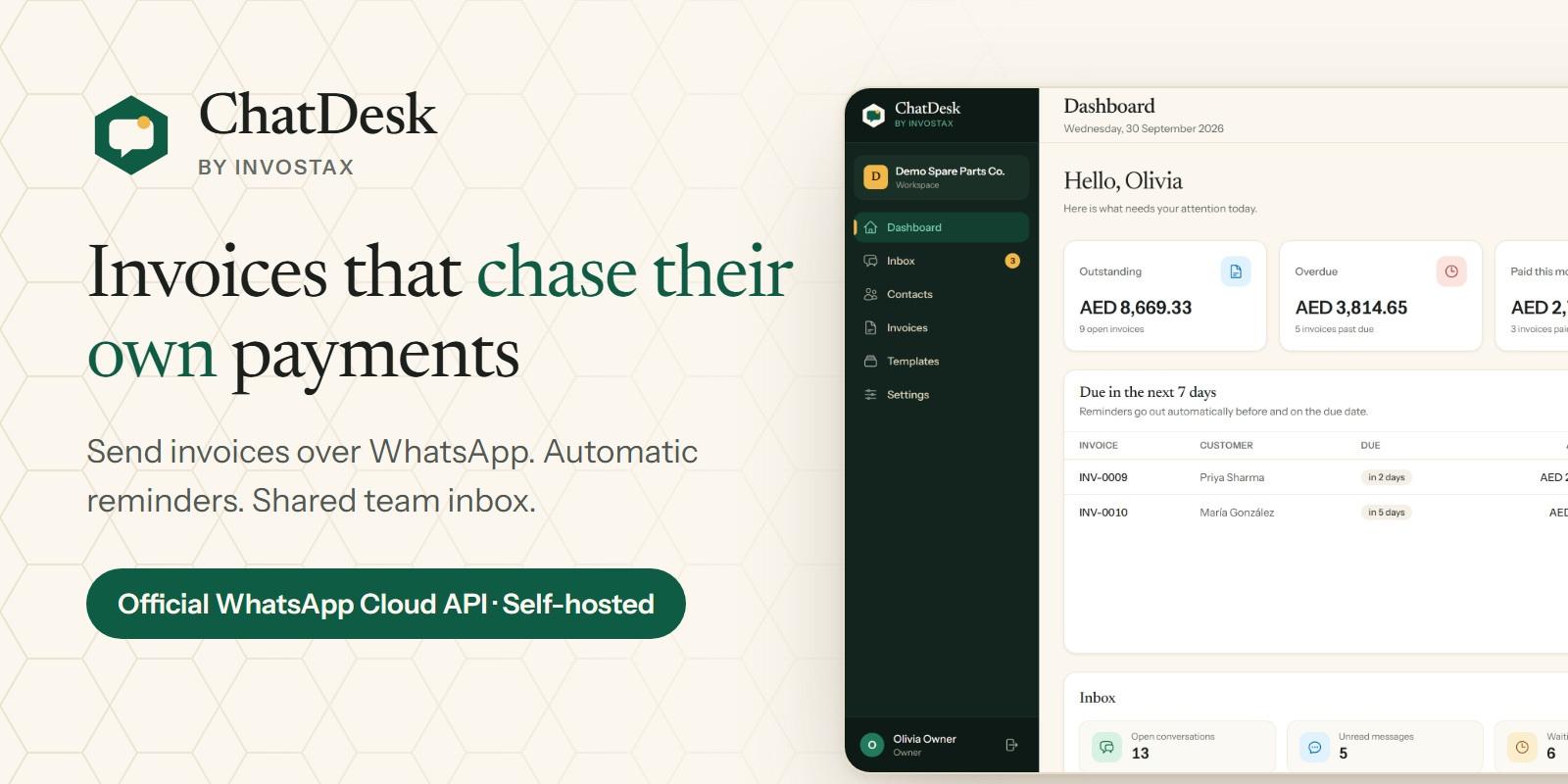
Description
Invoices that chase their own payments, over WhatsApp
A shared team inbox, PDF invoices and automatic payment reminders, on Meta's official WhatsApp Cloud API.
ChatDesk is a self-hosted CRM for small businesses whose customers live on WhatsApp. Your team answers customers from one shared inbox. When a job is done, you send the invoice as a PDF straight to the customer's WhatsApp. ChatDesk then reminds the customer before the due date, on the due date and after it: automatically, in your time zone, and never the same reminder twice.
It runs on ordinary cPanel shared hosting: PHP 8.3, MySQL and one cron job. No Node.js, Redis or Supervisor on your server, and no monthly fee for ChatDesk.
Why ChatDesk - Invoices and payment reminders built in. Create the invoice, send the PDF over WhatsApp, and let the reminders follow up for you. - Official Cloud API only. No WhatsApp Web automation and no QR-code gateways, the unofficial methods that get numbers banned. Meta's normal policies still apply to your account. - A setup wizard that explains Meta's errors in plain words, with a connection test and a webhook health check. - Consent you can prove. Every opt-in and opt-out is recorded with date, source and who recorded it. STOP is honoured automatically. - Runs on shared hosting and installs with a web installer.
Please read before buying: what is NOT included in version 1.0 - No bulk campaigns or broadcasts - No auto-replies, chatbots or keyword menus (only the STOP/START opt-out keywords) - No SaaS / multi-tenant mode: one business, one WhatsApp number and one currency per installation - No creating templates inside the app: you create them in Meta's WhatsApp Manager and sync them - No built-in payment gateway: you paste a payment link from your provider - No recurring invoices, partial payments or credit notes - No email notifications and no "forgot password" email (the owner password is reset with a command) - Templates with image/video headers or dynamic-URL buttons cannot be sent yet - Meta's fees are separate: Meta charges for template (business-initiated) messages at its own rates. You need your own Meta account with a payment method. - Unofficial WhatsApp gateways (WhatsApp Web, QR code) are not supported, on purpose
What you get - Full source code (Laravel 13, Blade, Tailwind CSS, Alpine.js), ready to upload: compiled assets included - Web installer - Offline HTML documentation with a detailed, beginner-friendly Meta setup walkthrough - 6 months of support by email - Single-site licence (one live installation)
Live demo The demo login is shown on the demo's sign-in page. In the demo, messages and invoices appear as sent, but nothing actually leaves the server. Settings (General, Invoices and the WhatsApp connection, including Test connection), Sync from Meta and the team (including password changes) are read-only, so every visitor sees the same setup. The demo data is reset regularly.
Changelog Version 1.0.0 (2 October 2026): initial release.
WhatsApp and Meta are trademarks of Meta Platforms, Inc. ChatDesk is not affiliated with, endorsed or sponsored by Meta. It uses Meta's publicly available WhatsApp Business Platform (Cloud API); Meta's terms, policies and pricing apply to your WhatsApp account.
Features
Shared inbox
- One inbox for your whole team, with All / Unread / Mine / Unassigned views, search and label filters - Assign conversations to agents; agents only see their own and unassigned chats - Send and receive text, photos, documents, videos and voice notes - Sent, delivered and read ticks; failed messages show Meta's reason - Internal notes (never sent to the customer) and labels - Quick replies: type "/" to insert a saved answer - Clear 24-hour window indicator; approved-template picker with live preview once the window has closed - Works on desktop and in a phone's browser
Invoices and payment reminders - Line items with quantity, unit price, tax % and discount, plus a discount on the whole invoice - Exact money maths (no floating-point rounding errors); tax on the discounted amount - Clean PDF invoice with your logo, payment link and notes - Send the PDF over WhatsApp: as a document inside the 24-hour window, or with your approved Document template outside it - Automatic reminders before due, on due and overdue, at 09:00 in your business time zone, each sent at most once - Payment link field for any provider (Stripe, PayPal, your bank) - Mark paid, void, draft editing, automatic invoice numbers with your prefix - Receivables page: who owes what, grouped by not yet due / 1-30 / 31-60 / 60+ days late - Dashboard with outstanding, overdue, paid this month and due this week
Contacts and consent - Contacts created automatically when a customer writes - Consent record per contact: opt-in and opt-out history with source, note, user and date - STOP / UNSUBSCRIBE opt customers out automatically; START opts them back in; add your own keywords - Only the owner or an admin can opt back in a customer who said STOP; a CSV import never can - CSV import with a required opt-in column, a preview before saving and a downloadable error report - CSV export; formula-injection protection on import and export - Labels (tags) and per-contact message history
WhatsApp connection - Step-by-step setup wizard for Meta's WhatsApp Cloud API - "Test connection" reads your number and templates from Meta - Webhook health indicator - Meta error codes translated into plain instructions - Sync approved message templates from Meta
Team and security - Owner, admin and agent roles, checked on every action - Access token and app secret stored encrypted - Webhook signature verified on every call; duplicate deliveries ignored - Customer files stored outside the public folder, file type checked, names randomised - Logs never contain tokens, message text or full phone numbers - Login rate limiting, CSRF protection, security headers, installer locked after setup - Audit log of messages sent, invoices and settings changes - Owner password recovery from the command line
Requirements
- PHP 8.3 or newer with bcmath, ctype, curl, dom, fileinfo, gd, mbstring, openssl, pdo_mysql, tokenizer, xml - MySQL 5.7+ or MariaDB 10.3+ - Apache or LiteSpeed (cPanel) or Nginx. Best: the domain's document root points to the public folder. On Apache/LiteSpeed you can also upload into public_html (a protective .htaccess is included). - HTTPS (SSL certificate): required by Meta for webhooks - One cron job running every minute - A Meta (Facebook) Business account and a WhatsApp Business API phone number (Meta's free test number works for trying it out) - No Composer, Node.js, Redis, Supervisor, SSH or email server needed
Instructions
1. Upload the application folder to your hosting and point a domain or subdomain at its public folder (or upload into public_html on Apache/LiteSpeed).
2. Create a MySQL database and user in cPanel. 3. Open your domain over https and follow the web installer (requirements check, database, business and owner account). 4. Add the cron job: * * * * * php /path/to/chatdesk/artisan schedule:run 5. Open Settings > WhatsApp and follow the setup wizard to connect your Meta WhatsApp Cloud API number.
The included documentation (documentation/index.html) walks through every step, including the Meta app setup.
| Author | waqasrafiq |
|---|---|
| Category | Scripts & Code / PHP Scripts / CRM |
| Price | $64 |
| Extended License | $192 |
| First Release | Oct 3, 2026 |
| Last Update | Oct 3, 2026 |
| Database | MySQL 8.0, MariaDB 10.x |
| Files included | .php, .css, .html, .json, .md, composer.json, package.json, .blade.php, JavaScript .js |
| Software version | PHP 8.3, PHP 8.4 |
| Html/css framework | Tailwind CSS |
| Software framework | Laravel |
| Javascript framework | Alpine.js |
| Programming language | PHP |
Categories
Tags
External listing. code.market does not sell this product and does not process payment for it. Pricing, payment, delivery, licensing, refunds, and support are handled by the third-party merchant on its own website. We may earn an affiliate commission from a referral. Details.
Products of the Week.
Submit🥇

Actionbook
It works inside the user's own browser with the accounts already signed in. The user describes the result they need, and the agent reads, clicks and types through the pages, then delivers a dashboard or report where each data links back to its source.
Other · 735 views · 10 clicksOther · Week 44 · 735 views · 10 clicks
🥈

Free social media tools for creators & solofounders
295 free tools for growing your social media: write, plan, grow on local AI models, 100% free forever, No sign-up required, No trial. Write, check and measure posts on LinkedIn, Instagram, TikTok, X, YouTube, Reddit, Product Hunt and more: a free social media scheduler for 17 networks, engagement rate calculators, character counters, best time to post, hook generators and follower growth calculators. No login anywhere, no API or credit usage.
702 views · 6 clicksWeek 44 · 702 views · 6 clicks
🥉

STOP GUESSING WHAT TO POST
AI that learns your brand voice and builds a month of consistent, on-brand social content: carousels, posts and hooks that sound like you, not like everyone else's AI.
SaaS · 1,949 views · 21 clicksSaaS · Week 44 · 1,949 views · 21 clicks
#4

Hand-Placed Backlinks $9.99 per link. Flat rate.
Buy hand-placed forum, Q-A and directory backlinks. Flat $9.99 per link, no subscriptions — you only pay for approved listings.
Website · 1,900 views · 17 clicksWebsite · Week 44 · 1,900 views · 17 clicks
#5

Conversational Backlinks for Busy Founders
Place Backlink Relevant Conversation for your domain across Forums and Conversations
39,358 views · 211 clicksWeek 44 · 39,358 views · 211 clicks
#6

Free Invoice Generator - PDF Invoices in Your Browser, No Sign-Up
A free invoice maker for freelancers and small businesses: fill in the invoice, check the live preview, and download a PDF that looks exactly like it. Any currency, tax per item, three templates, no sign-up, and nothing leaves your device.
639 views · 11 clicksWeek 44 · 639 views · 11 clicks
#7

Merge PDF Files Free - Combine PDFs in Your Browser, No Upload
A free PDF merger for office workers, students, and freelancers: combine PDFs and images into one file in the browser, reorder files and pages, pick page ranges, keep bookmarks, and open password-protected PDFs. Nothing is uploaded, no sign-up, no watermark.
584 views · 4 clicksWeek 44 · 584 views · 4 clicks