
Capture Notes | AI Second Brain Mobile App With Admin Dashboard
Description
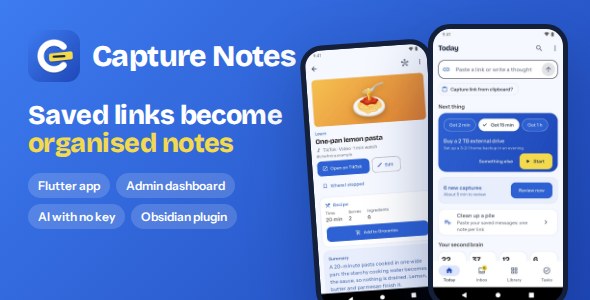
Capture Notes: saved links become organised notes
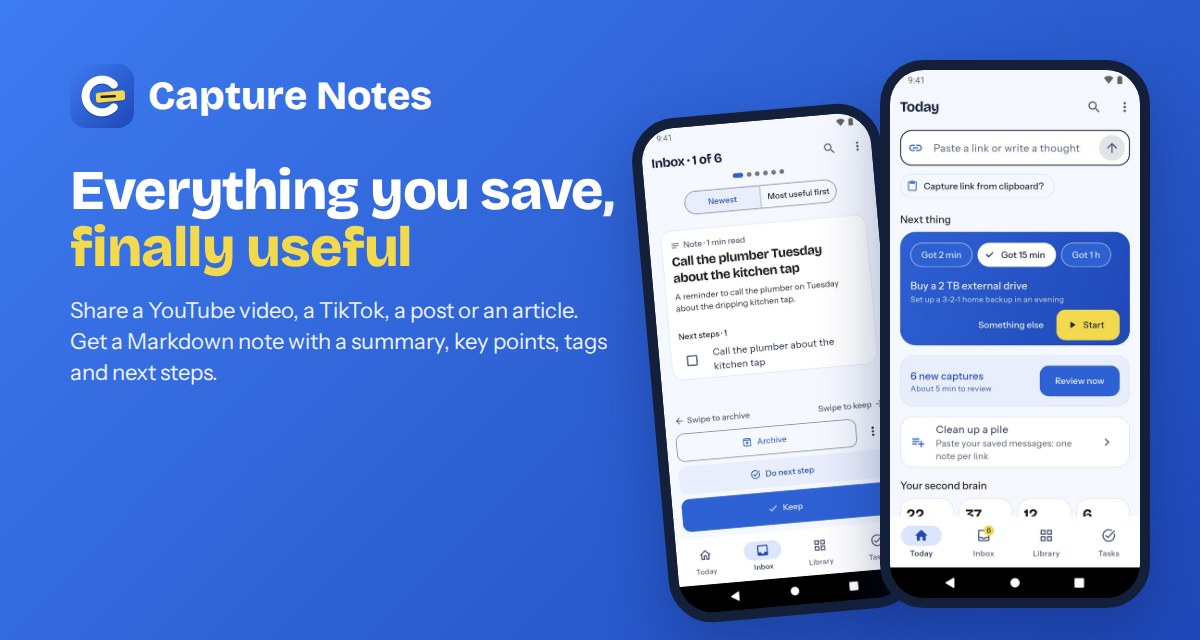
Capture Notes is a Flutter app for Android and iOS, with an owner server and admin dashboard. Your users share a YouTube video, a TikTok, a Reddit thread, an article or a note to self, and get a Markdown note with a summary, key points, tags and next steps as tasks. The app then helps them act on it: Today, Inbox review, Library, Tasks, search and a graph of linked notes.
External services, accounts and costs
You supply your own accounts and keys and accept each provider’s terms. Some of them cost money:
- Your server (needed for AI without a key, subscriptions and the dashboard): a small Linux VPS and a domain with HTTPS. The app also works without a server (no AI unless users enter their own key).
- Google Gemini API (optional, pay per use): about half a US cent per AI note at Gemini Flash list prices, roughly $5 to $50 a month for a small app. You set the free notes per day and per month, a cap per Pro user and a daily cap for everyone (at the defaults, the worst month stays under about $850).
- Google Play Console (one-time fee) and Apple Developer Program (yearly fee) to publish. Store commissions apply to subscriptions.
- Stripe (optional web plan, Android only), Google AdMob (optional ads): their own accounts, fees and policies.
- Store listings, in-app purchases and ad accounts need the approval of Google, Apple and AdMob; this item cannot guarantee it.
Use of AI
In the product: optional. Notes can be written by Google Gemini through your server (free allowance or Pro), or by a provider the user picks with their own key (Gemini, OpenAI-compatible, Anthropic, a local model). Users can turn AI off; notes are then written without AI (title, tags, text).
In creating this item: yes, AI tools were used. The source code, the documentation, the graphics (preview images and the app icon) and the video preview (an animation generated by code, silent) were made with the assistance of an AI coding assistant (Claude, by Anthropic), then reviewed, run and tested by the author on the Android emulator and the iOS simulator. The screenshots, and the app and dashboard screens in the video, show the real app and dashboard running.
How it works
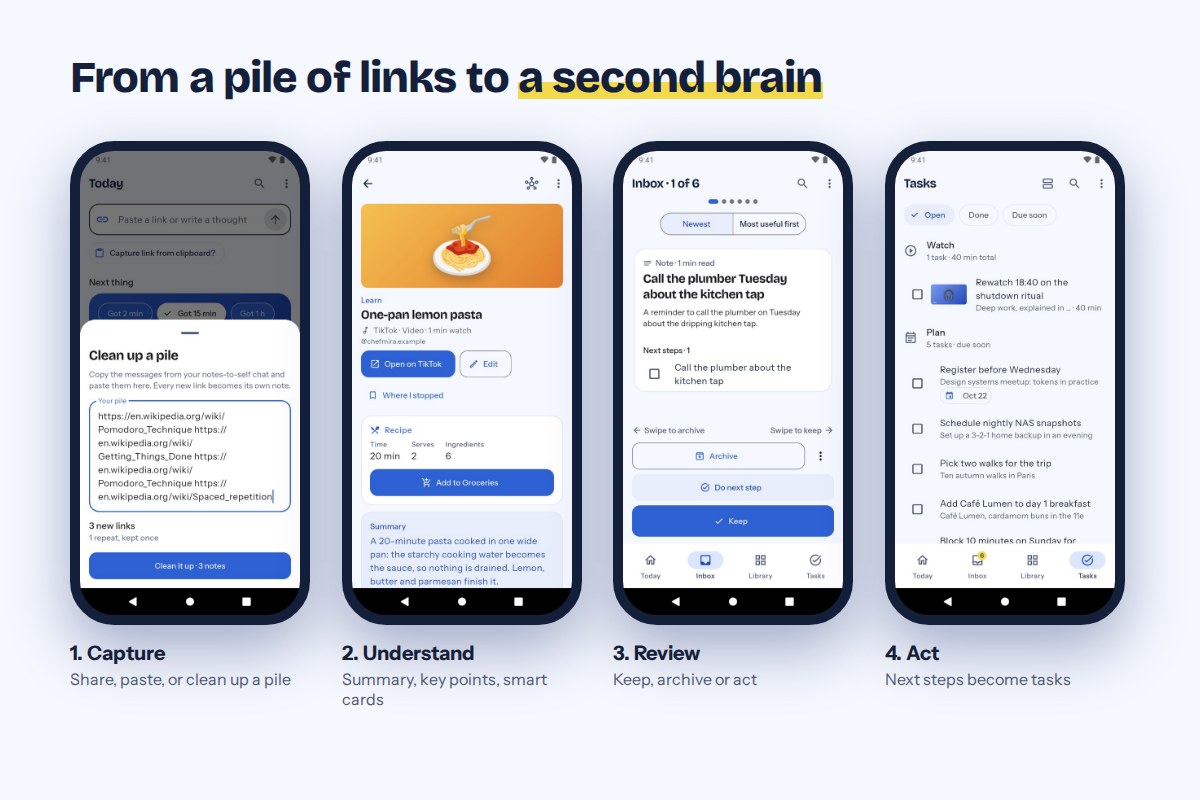
- Capture from the share sheet of any app (Android, and an iOS share extension), the paste box, the clipboard, or Clean up a pile: paste many saved messages and get one note per new link, repeats skipped.
- Understand: summary, key points, quotes with their time in the video, tags, links to related notes. Captions, chapters and page text are read on the phone.
- Review new captures one at a time: keep, archive or do the next step.
- Act: next steps become tasks with dates; Today suggests the next thing for the time you have.
Smart cards
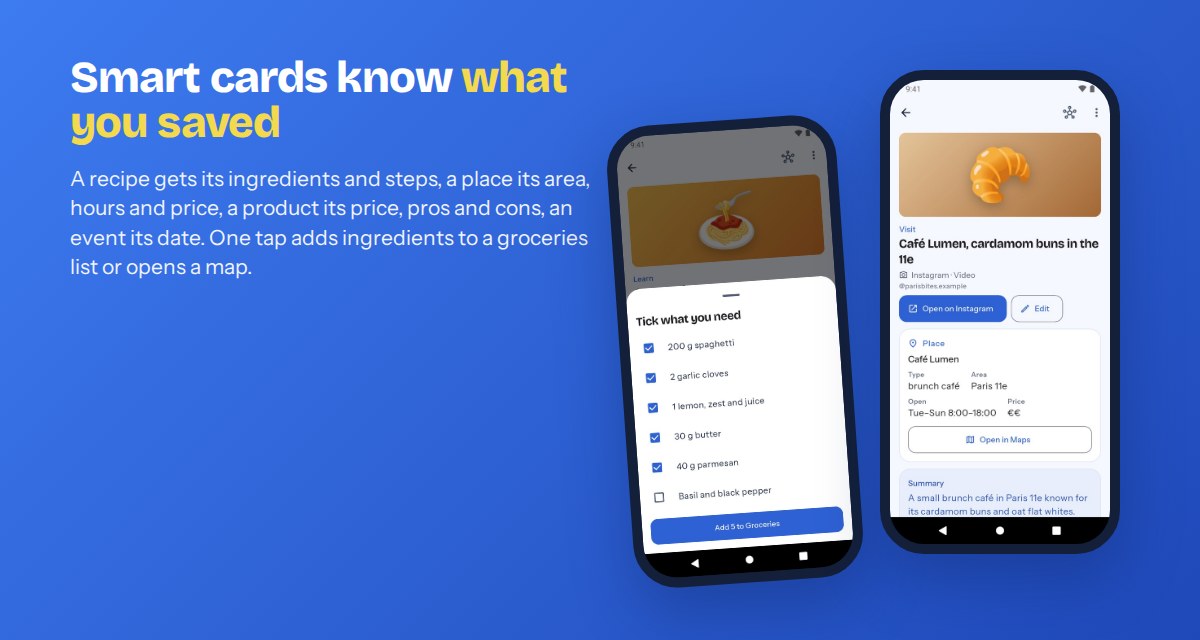
A recipe gets its time, servings, ingredients and steps (ingredients go to a groceries list), a place its area, hours and price (open in a map app), a product its price, pros and cons (add to a wishlist), an event its date and place. Fields the source does not state stay empty.
AI with no key to paste
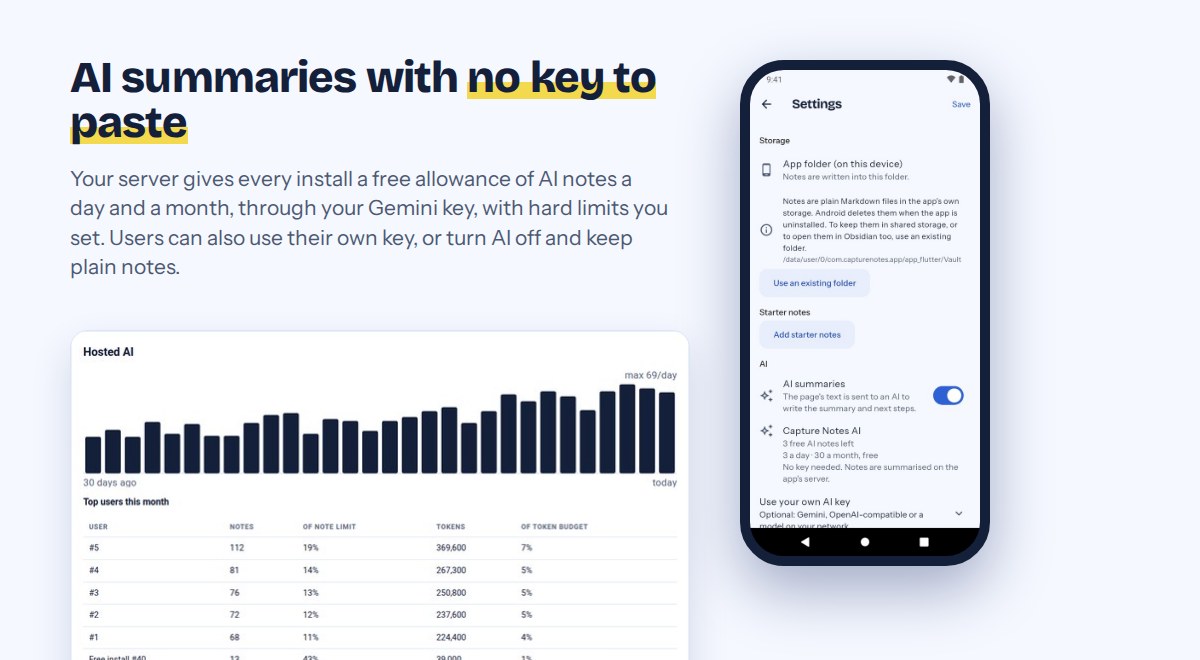
- Your server gives each install a free allowance of AI notes (default 5 a day, 30 a month), checked on the server; Pro users get more.
- Limits per install, per Pro user, per network for new installs, and a daily cap for everyone; a usage chart and cost estimate in the dashboard.
- The server only forwards the app’s request shape to one model you choose; it does not store note text.
Owner dashboard (everything off until you turn it on)
- Switches: free AI, hosted AI, subscriptions, ads, a monthly free limit, Pro-only features, a message shown in the app.
- Subscriptions with Google Play Billing and StoreKit 2 (App Store), checked on your server; licence keys and an optional Stripe web plan on Android.
- One AdMob native ad card for free users, with Google’s consent message (and App Tracking Transparency on iOS).
- Subscribers, AI usage, a works-on-phone layout and a login lockout.
Languages, design and privacy
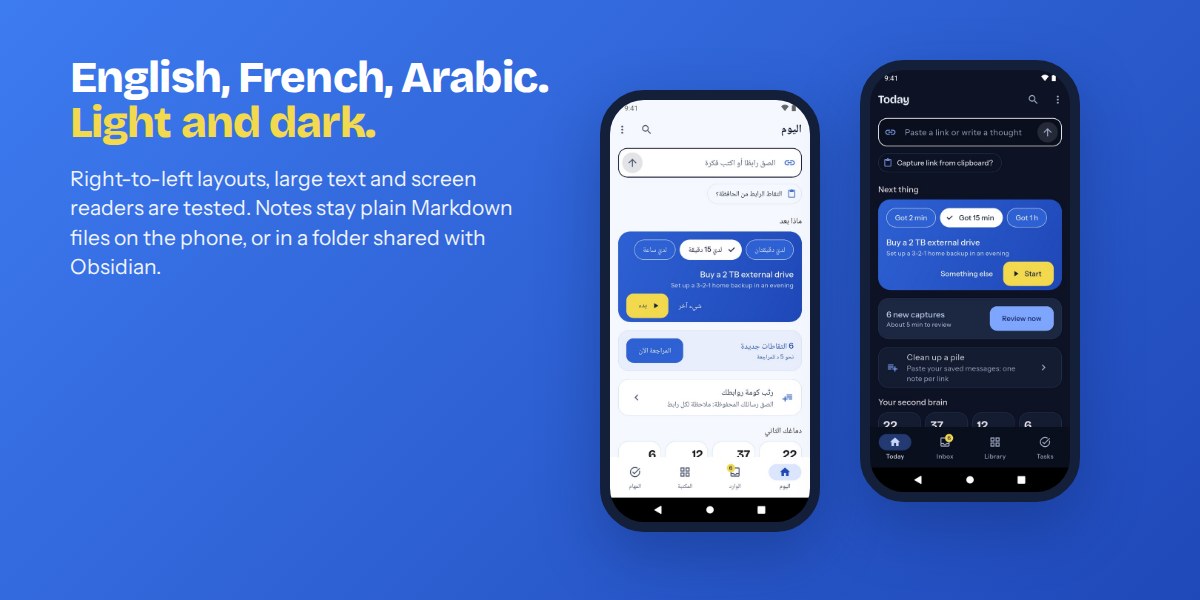
- English, French and Arabic (right to left), light and dark themes, screen-reader labels and contrast tested.
- First start asks what the user saves and adds short starter notes, so the app never opens empty. No account.
- Notes are plain Markdown files on the phone, or in a folder the user picks that other Markdown apps can open. No analytics.
What you get
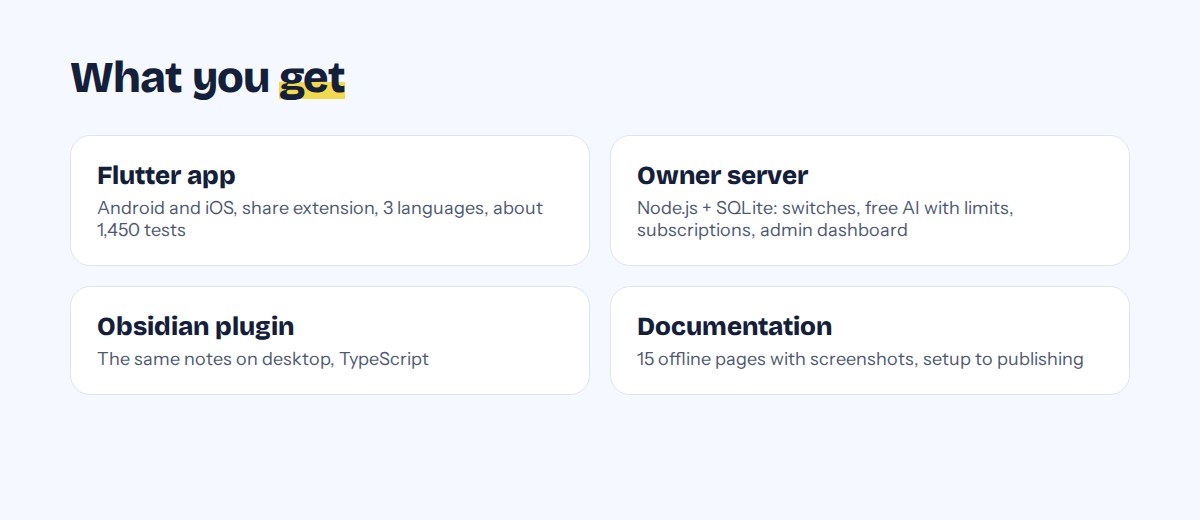
- Flutter app source (Android + iOS) and owner server source with the admin dashboard (Node.js).
- About 1,450 app tests and 65 server tests.
- Offline HTML documentation (14 pages, screenshots): services and costs, a go-live checklist, server install, AI setup, payments, publishing, rebranding, troubleshooting, upgrading, developer reference. A privacy-policy template.
Technology
- App: Flutter 3.44+ (Dart 3.12), Android 7.0+ (target SDK 36), iOS 15+.
- Server: Node.js 20+, Express, SQLite; Docker or systemd + nginx.
Demo instructions
- Admin dashboard (demo URL): https://demo-capture.findapply.com/admin
Email: reviewer@example.com (type it in the Username field)
Password: codecanyon-demo-2026
Password changes and AI limits are locked; the demo resets every night. - Android app: download the demo APK at findapply.com/capture-notes/cc/capture-notes-demo-1.1.0.apk and install it. The app has no login. It uses the demo server, where free AI is on (5 AI notes a day per install). Share or paste any link.
- Pro: in the dashboard, Subscribers > Give Pro creates a licence key; in the app, Settings > Capture Notes Pro > Enter a licence key.
Changelog
1.1.0 New design and navigation (Today, Inbox, Library, Tasks), free AI with no key and server-side limits, smart cards, Clean up a pile, starter notes, iOS share extension, StoreKit 2, privacy manifests, readable dashboard source, multi-page documentation.
1.0.4 First submission.
| Author | findapply |
|---|---|
| Price | $63 |
| Sales | 0 |
| Rating | 0 (0) |
| Published | Oct 27, 2026 |
| Last Update | Oct 27, 2026 |
| Compatible Software | Flutter 3.x |
| Demo Url | https://demo-capture.findapply.com/admin |
| Mobile Files Included | Dart, YAML, JavaScript JSON, .kotlin, .h, .storyboard, .plist, .swift, JavaScript JS, CSS, HTML |
| Video Preview Resolution | 1920x1080 |
Categories
Tags
External listing. code.market does not sell this product and does not process payment for it. Pricing, payment, delivery, licensing, refunds, and support are handled by the third-party merchant on its own website. We may earn an affiliate commission from a referral. Details.
Products of the Week.
Submit🥇

Perceptle
Perceptle is a daily browser-based game that challenges you to test your sensory intuition through five quick estimation and rhythm-based rounds.
Other · 1 views · 0 clicksOther · Week 47 · 1 views · 0 clicks
🥈

Free LinkedIn Likes From Real
Get free LinkedIn likes on your posts from real members who react by hand. No
SaaS · 124 views · 2 clicksSaaS · Week 47 · 124 views · 2 clicks
🥉

STOP GUESSING WHAT TO POST
AI that learns your brand voice and builds a month of consistent, on-brand social content: carousels, posts and hooks that sound like you, not like everyone else's AI.
SaaS · 7,686 views · 71 clicksSaaS · Week 47 · 7,686 views · 71 clicks
#4

aaas.market
407 reliable micro tools for solo founders, marketers and creators. They work in your browser
SaaS · 122 views · 0 clicksSaaS · Week 47 · 122 views · 0 clicks