
Calendar Anything | Show any existing WordPress custom post type in a calendar

Description
Show any existing WordPress custom post type in a calendar
If you have a site and you already have an event plugin to manage your events, then you can show these events easily in cool calendars at your site (eg. in a widget, a page, etc.). Very useful for sites like gyms, schools, bars, restaurants, concert halls, etc.

11 Ready-to-use Themes

Full Feature List
Multiple calendar views Choose between month, agenda, list and basic view.
Attach custom post types You can show any custom post type in your calendar.
Attach multiple post types You can show multiple custom post types in the same calendar.
Attach all events or selected only You can attach all events that belong to a custom post type or just the ones you select.
Unlimited calendars Create as many calendars as you desire.
Ready-to-use themes Choose between 11 ready-to-use themes and make cool calendars on the fly!
Multiple calendars on same page You can use multiple calendars on the same page.
Customizable calendars You can customize each calendar separately.
Unlimited styling options Style the calendar the way you want! Choose background color, borders, margin, padding options and many, many more.
Google fonts Select from a large library of Google fonts and set the desired typography for all your calendar texts.
Date Range You can set the calendar’s date range. All events outside the date range are hidden and the navigation buttons are deactivated.
Custom date and time format Easily set your own date and time format to various places in your theme.
Toolbar Choose the navigation buttons that you want displayed on the toolbar.
Event filtering You can add a filtering dropdown and give the user the abillity to show specific events only.
Search events Viewers can easily search and find events by using our optional built-in search bar.
Event limit If you have a large number of events in the same day, you can set an event limit.
Custom fields You can show custom fields in the event templates (compatible with any custom field plugin like ACF, Types, etc.).
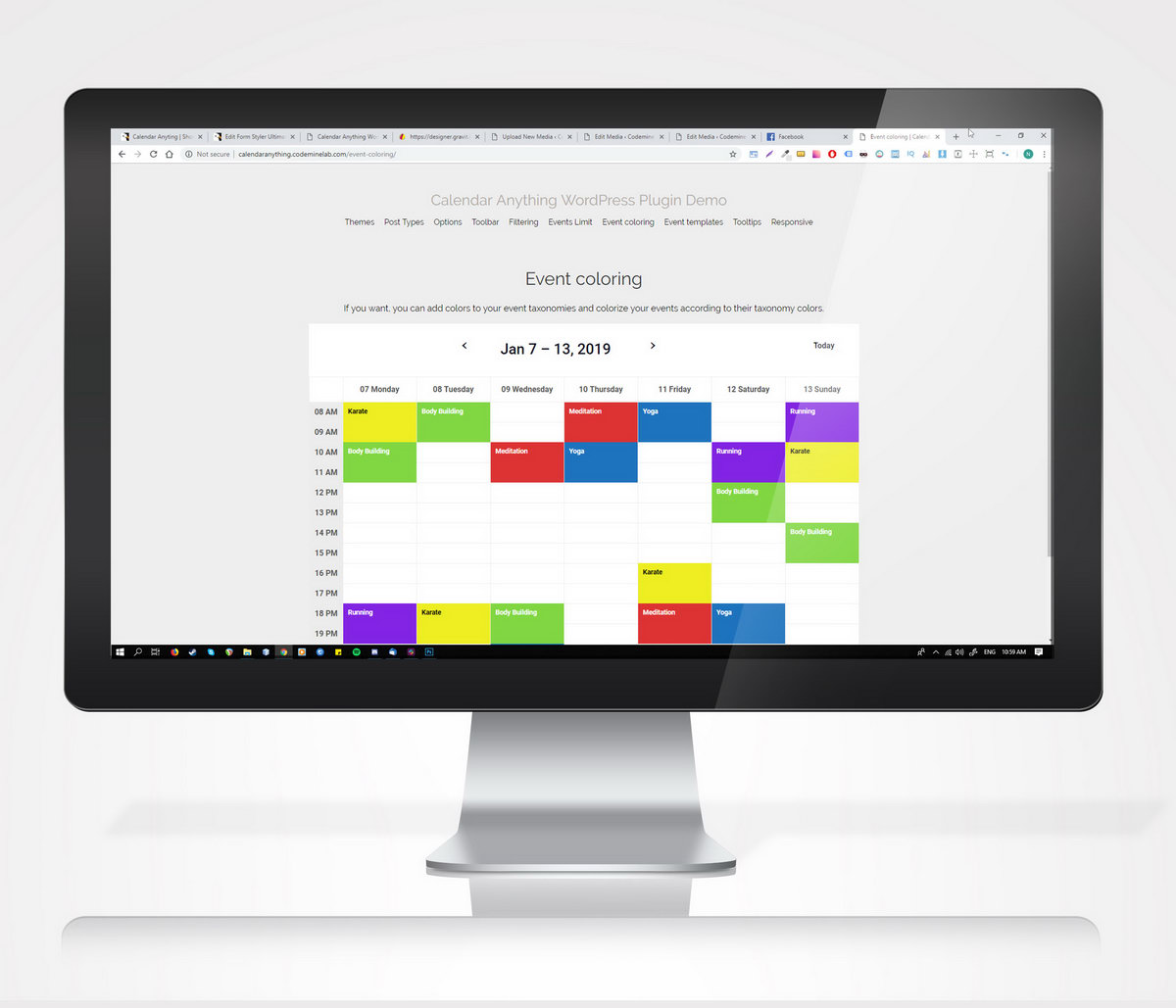
Event coloring If you want, you can add colors to your event taxonomies and colorize your events according to their taxonomy colors.
Multiple event types You can create repeatable events, all-day events or multi-day events.
Event caching Enable caching for calendar events.
2 event fetching modes Get calendar events by using ajax or by prerendering all of them.
Tooltips You also have the ability to add tooltips on your events.
Localization Dates and times in toolbar and in event template shortcodes respect your WordPress default language.
Responsive With our plugin you can create trully responsive calendars. Which means that on larger screen you can a different view than on smaller screens.
WPML & Polylang compatible Calendar Anything is truly WPML & Polylang compatible! Which means that all the calendar assets (days, hours, etc.) are shown in the correct language. It also grabs the correct events for each language.
Import/Export Export and import your custom calendar themes easily and reuse them on-the-fly.
Demo live preview
Visit our demo live preview to see examples of Calendar Anything in action!
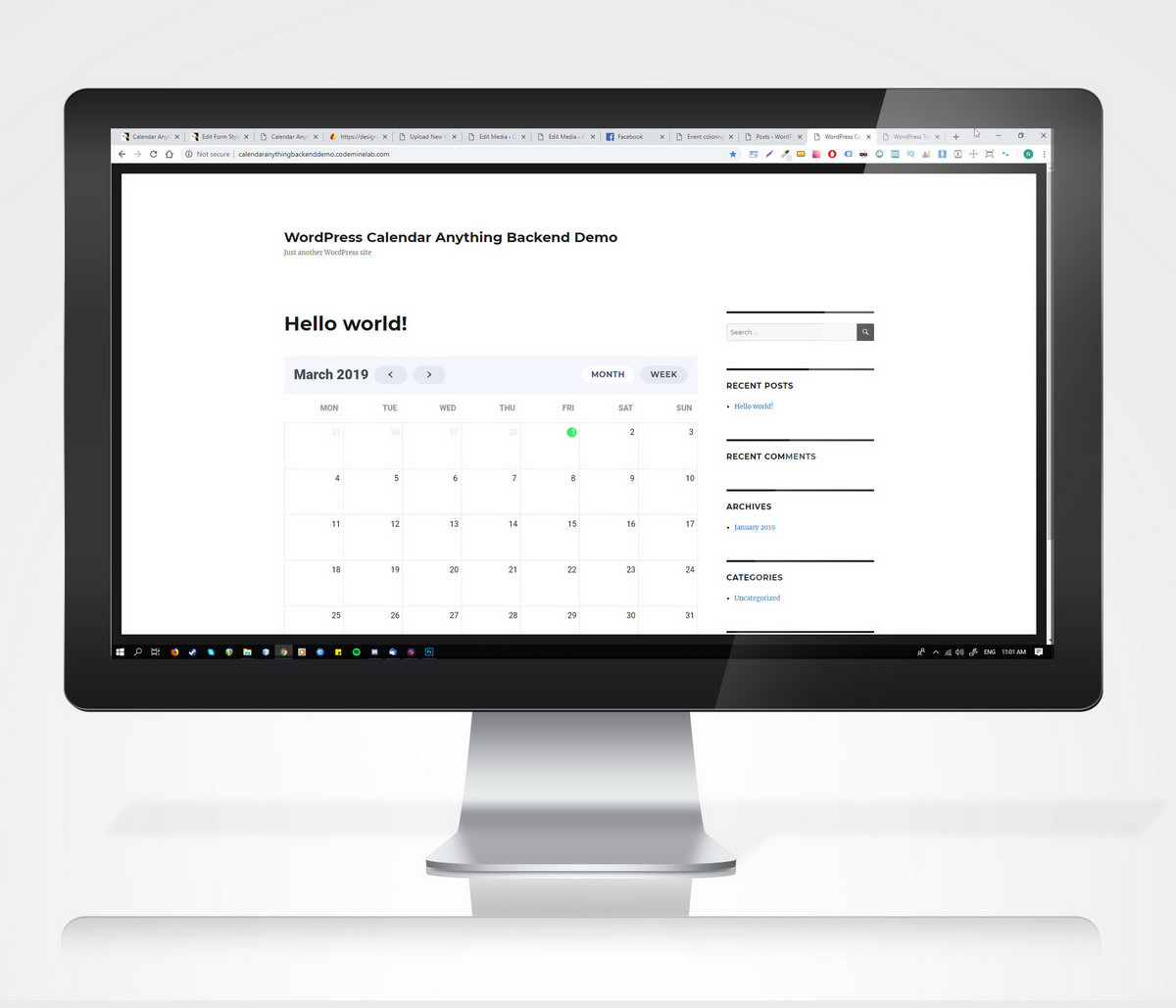
Demo backend live preview
Try it before you buy it! Just visit our demo backend live preview and see all the amazing features in action.
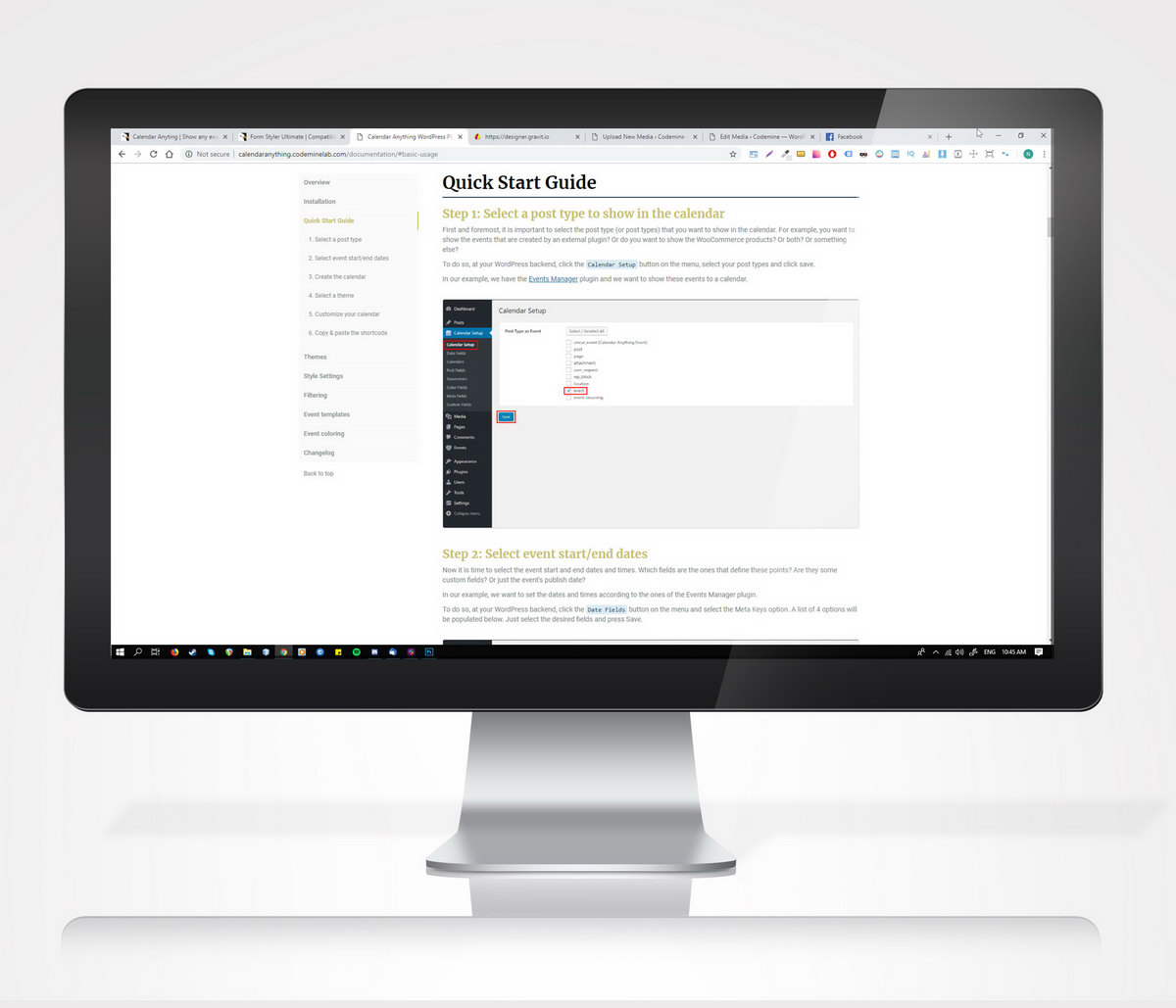
Documentation
Take a look at our extensive online documentation.
Support & development
We provide fast and reliable support to our customers. You can count on us for after sale support and continued development of the plugin.
We also have a detailed FAQ page for common questions and aswers. Make sure that you take a look there. You may haver an issued which might be already solved!
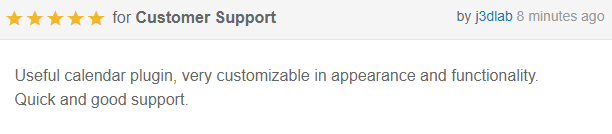
What customers say about Calendar Anything


Changelog
= 17.08.2026 version 2.37 =
* Fix - WordPress Compatibility fix

= 29.03.2024 version 2.36 =
* Fix - Remove polyfill.io - vulnerability fix

= 07.01.2024 version 2.35 =
* Fix - Backend performance optimization

= 12.12.2023 version 2.34 =
* Fix - PHP 8.2 compatibility

= 5.5.2023 version 2.33 =
* Fix - CMB2 bug fix

= 13.3.2023 version 2.32 =
* Fix - Compatibility with block themes

= 19.12.2022 version 2.31 =
* Add - Fix PHP warnings

= 20.05.2022 version 2.30 =
* Add - calendar_id parameter in cmcal_event_start_end_date filter

= 09.03.2022 version 2.29 =
* Fix - Repeating certain dates bug

= 21.12.2021 version 2.28 =
* Fix - Toolbar title fix

= 02.10.2021 version 2.27 =
* Fix - iCal fix

= 24.08.2021 version 2.26 =
* Fix - Bug repeating certain dates

= 05.05.2021 version 2.25 =
* Fix - Event URL when post status draft and open in new window fixed

= 16.03.2021 version 2.24 =
* Fix - CMB2 plugin update for compatibility with Rank SEO

= 09.03.2021 version 2.23 =
* Add - Javascript event cmcal_after_datesRender

= 19.02.2021 version 2.22 =
* Fix - Remove PHP warning for repeatable events

= 18.01.2021 version 2.21 =
* Fix - Wrap text in events

= 06.11.2020 version 2.20 =
* Add - Date/time picker in backend filter
* Fix - Filter taxonomy dropdown when taxonomy is applied to multiple post types

= 31.10.2020 version 2.19 =
* Fix - Multiple post types taxonomy fix

= 13.09.2020 version 2.18 =
* Fix - Colorize event category in list view

= 24.08.2020 version 2.17 =
* Fix - Wrong first day label of year for some timezones

= 03.08.2020 version 2.16 =
* Fix - Performance optimization - Enqueue scripts only when using shortcode

= 20.06.2020 version 2.15 =
* Fix - Event custom URL with special characters in it

= 30.04.2020 version 2.14 =
* Add - Localize plugin and create pot file for backend translation

= 13.04.2020 version 2.13 =
* Fix - Solve incompatibility with CMB2 taxonomy plugin

= 08.04.2020 version 2.12 =
* Fix - Ajax event rendering bug fix
* Fix - Optimize performance for month view (days with events calculation)

= 07.04.2020 version 2.11 =
* Fix - Change frontend scripts priority for compatibility with WooCommerce Event Manager
* Add - Filter cmcal_frontend_scripts_priority for changing frontend scripts priority

= 04.04.2020 version 2.10 =
* Add - Add cmcal-pastday-event class to past-day events

= 09.03.2020 version 2.9 =
* Add - Ability to add the repetition to certain dates

= 22.02.2020 version 2.8 =
* Fix - Polylang compatibility

= 19.01.2020 version 2.7 =
* Fix - Featured image in event width
* Fix - Frontend calendar rendering issues with theme

= 25.11.2019 version 2.6 =
* Fix - Toolbar selected button mode fix
* Fix - List year hover CSS fix
* Fix - List year event padding CSS fix

= 06.11.2019 version 2.5 =
* Fix - Frontend calendar rendering issues with theme
* Fix - Timezone event misplace on month view

= 24.10.2019 version 2.4 =
* Add - Ability to add custom dropdown filters to calendar through WordPress filters
* Fix - Bug with multiple calendars and selected option to show list view events in descending order

= 23.10.2019 version 2.3 =
* Add - Option to show list view events in descending order

= 17.10.2019 version 2.2 =
* Add - iCal Feed

= 15.10.2019 version 2.1 =
* Add - Option to exclude specific dates for repeating events

= 09.10.2019 version 2.0 =
* Add - Update FullCalendar javascript library to v4.3.1
* Add - List Duration view

= 25.09.2019 version 1.30 =
* Add - Default event duration option
* Fix - Agenda view slot duration zero value

= 22.09.2019 version 1.29 =
* Fix - Navigate to other calendar bug fix
* Fix - Calendar custom fields bug fix

= 16.09.2019 version 1.28 =
* Add - Custom CSS option

= 06.09.2019 version 1.27 =
* Add - Ability to add custom code to the event template through filters

= 04.09.2019 version 1.26 =
* Add - Ability to change toolbar title text with custom js code

= 29.08.2019 version 1.25 =
* Add - 3 new helper filters
* Fix - All day event expand to multiple days fix

= 25.08.2019 version 1.24 =
* Fix - Make filter work as expected for side-by-side calendars
* Add - Import/export functionality

= 21.08.2019 version 1.23 =
* Fix - Same shortcode multiple times in event template bug fix

= 17.07.2019 version 1.22 =
* Fix - Backend color fields CSS fix

= 16.07.2019 version 1.21 =
* Add - Navigate to other calendar feature

= 16.07.2019 version 1.20 =
* Fix - Event Manager plugin conflict

= 08.07.2019 version 1.19 =
* Fix - Day cyrillic fix for serbian language

= 04.07.2019 version 1.18 =
* Fix - Date range fix for empty event's end date

= 13.06.2019 version 1.17 =
* Fix - Repeating event default value

= 21.05.2019 version 1.16 =
* Fix - Add calendar styles in head using WordPress wp_add_inline_style

= 20.05.2019 version 1.15 =
* Fix - Frontend calendar rendering issues with theme
* Fix - Time in agenda week view
* Fix - PHP notices

= 12.05.2019 version 1.14 =
* Fix - Event template date format language

= 06.05.2019 version 1.13 =
* Add - Modal option for tooltips

= 02.05.2019 version 1.12 =
* Fix - Out of range date bug fix

= 21.04.2019 version 1.11 =
* Fix - Remove PHP warning

= 04.04.2019 version 1.10 =
* Add - Add extra post type parameter to cmcal_event_start_end_date filter

= 29.03.2019 version 1.9 =
* Fix - Create new event bug fix

= 22.03.2019 version 1.8 =
* Fix - Timezone fix
* Fix - PHP version 7.2 error

= 12.03.2019 version 1.7 =
* Fix - Gutenberg compatibility fix
* Add - Repetition at certain dates option

= 11.03.2019 version 1.6 =
* Fix - Gutenberg compatibility fix
* Fix - Localization fix

= 10.03.2019 version 1.5 =
* Add - 'cmcal_calendar_posts_query' filter
* Add - 'cmcal_show_calendar' filter

= 06.03.2019 version 1.4 =
* Fix - iPad fixes for safari

= 06.03.2019 version 1.3 =
* Fix - Remove warning on backend

= 05.03.2019 version 1.2 =
* Add - Update FullCalendar javascript library to v4.0.0-beta.2 (2019-02-06)

= 03.03.2019 version 1.1 =
* Fix - Remove mixed content error

= 01.03.2019 version 1.0 =
* Initial release
| Type | WordPress Plugin |
|---|---|
| Author | codemine |
| Category | Wordpress / Calendars |
| Price | $39 |
| Sales | 880 |
| Rating | 4.98 from 42 ratings |
| Published | Feb 28, 2019 |
| Last Update | Aug 17, 2026 |
| Compatible Browsers | IE11, Firefox, Safari, Opera, Chrome, Edge |
| Compatible Software | WordPress 6.8.x, WordPress 6.7.x, WordPress 6.6.x, WordPress 6.5.x, WordPress 6.4.x, WordPress 6.3.x, WordPress 6.2.x, WordPress 6.1.x, WordPress 6.0.x, WordPress 5.9.x, WordPress 5.8.x, WordPress 5.7.x, WordPress 5.6.x, WordPress 5.5.x, WordPress 5.4.x, WordPress 5.3.x, WordPress 5.2.x, WordPress 5.1.x, WordPress 5.0.x |
| Compatible With | WooCommerce 9.x.x, WooCommerce 8.x.x, WPML |
| Gutenberg Optimized | Yes |
| Source Files Included | JavaScript JS, HTML, CSS, PHP |
Categories
Tags
External listing. code.market does not sell this product and does not process payment for it. Pricing, payment, delivery, licensing, refunds, and support are handled by the third-party merchant on its own website. We may earn an affiliate commission from a referral. Details.
Products of the Week.
Submit🥇

STOP GUESSING WHAT TO POST
AI that learns your brand voice and builds a month of consistent, on-brand social content: carousels, posts and hooks that sound like you, not like everyone else's AI.
SaaS · 4,287 views · 38 clicksSaaS · Week 45 · 4,287 views · 38 clicks
🥈

Conversational Backlinks for Busy Founders
Place Backlink Relevant Conversation for your domain across Forums and Conversations
Website · 41,998 views · 223 clicksWebsite · Week 45 · 41,998 views · 223 clicks
🥉

upvote.club
Free Social Media Engagement that Helps Boost Your Content. Upvote Club supports 19 social networks with 100+ engagement actions in one dashboard. Add links to your posts and get free engagement from real users.
SaaS · 40,039 views · 117 clicksSaaS · Week 45 · 40,039 views · 117 clicks
#4

Substack Posting API
Onboard your Agent to Substack. Write Publish on Substack via API
SaaS · 59,049 views · 198 clicksSaaS · Week 45 · 59,049 views · 198 clicks
#5

Seenshot App
Free, Fast, MacOS Screenshot app. Make Screenshot cmd+shift+2 and send it via link
Desktop App · 28,423 views · 122 clicksDesktop App · Week 45 · 28,423 views · 122 clicks
#6

Hand-Placed Backlinks $9.99 per link. Flat rate.
Buy hand-placed forum, Q-A and directory backlinks. Flat $9.99 per link, no subscriptions — you only pay for approved listings.
Website · 4,258 views · 19 clicksWebsite · Week 45 · 4,258 views · 19 clicks
#7

Free Invoice Generator - PDF Invoices in Your Browser, No Sign-Up
A free invoice maker for freelancers and small businesses: fill in the invoice, check the live preview, and download a PDF that looks exactly like it. Any currency, tax per item, three templates, no sign-up, and nothing leaves your device.
2,935 views · 17 clicksWeek 45 · 2,935 views · 17 clicks
#8

Merge PDF Files Free - Combine PDFs in Your Browser, No Upload
A free PDF merger for office workers, students, and freelancers: combine PDFs and images into one file in the browser, reorder files and pages, pick page ranges, keep bookmarks, and open password-protected PDFs. Nothing is uploaded, no sign-up, no watermark.
2,711 views · 13 clicksWeek 45 · 2,711 views · 13 clicks