
BuildCalc - Construction Cost Calculator SwiftUI
Description
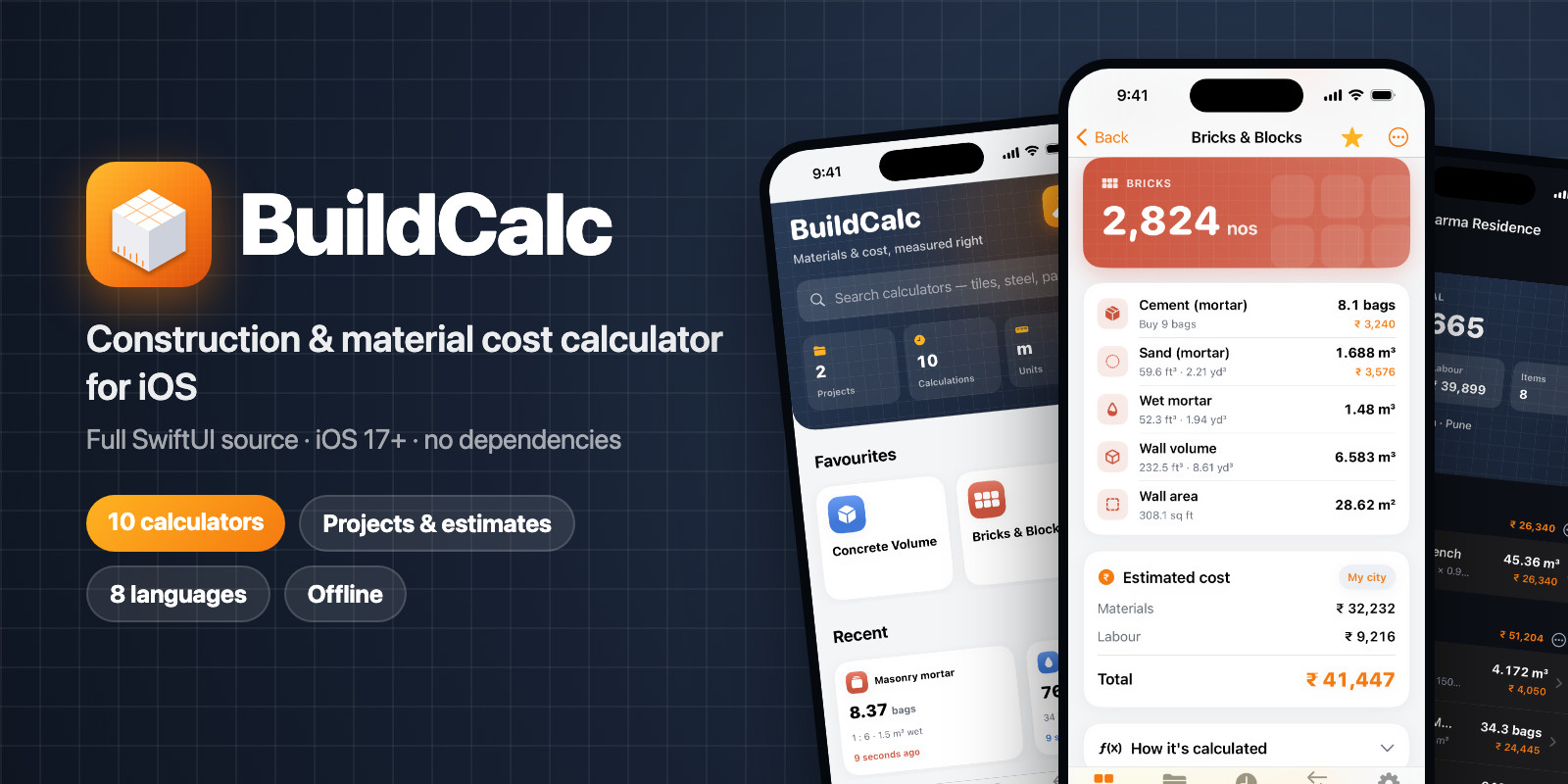
BuildCalc is a complete, ready-to-publish iOS app for builders, contractors, engineers and homeowners. Enter dimensions and get material quantities and cost instantly, with a labelled diagram and the step-by-step working behind every number.
It covers 10 construction calculators, an editable rate list for cost estimating, projects and rooms, a unit converter and 8 languages. Everything runs offline: no account, no server, no tracking.
Built 100% in Swift and SwiftUI with no third-party libraries. The calculation engine is pure Swift and separate from the UI, with engine tests included. Rebrand from one config file and follow the included guide to add your own calculators.
Results are estimates based on standard thumb rules (IS-code site practice). Quantities should be confirmed by a qualified engineer.
Features
10 calculators
- Concrete volume: slab, isolated / combined / stepped footing, rectangular and round column, beam, wall, staircase
- Mix design: M10, M15, M20, M25 or custom ratio (cement bags, sand, aggregate, water)
- Water–cement ratio with exposure guidance
- Steel / rebar weight by diameter (6–32 mm), kg and tonnes
- Bricks & blocks (modular, traditional, AAC, concrete block, custom) with door and window deductions
- Mortar 1:3 to 1:8
- Plaster: internal, external or ceiling, 6–20 mm, openings deducted
- Flooring & tiles: tiles and boxes, skirting, adhesive, grout
- Paint: room or wall, ceiling, coats, primer, putty, tin sizes to buy
- Excavation: trench, pit or plot, swell / compaction, truck loads
Cost estimating
- Editable rate list per city for materials and labour
- Prices in site units: per bag, cft, brass, kg, tonne, sq ft, 1,000 bricks
- Cost on every result, plus room and project totals
- 21 currencies
Projects & sharing
- Group calculations by project and room; reopen, edit and update in place
- Share an estimate as text (WhatsApp, email…)
- Searchable history of every calculation
Built for real sites
- Metric or imperial; type 10 6, 10' 6", 10 ft 6 in or 250mm
- Unit converter: length, area (incl. gaj, acre), volume (incl. brass), weight, density
- Wastage advisor with recommended defaults
- 8 languages: English, Hindi, Marathi, Gujarati, Tamil, Telugu, Kannada, Bengali
- Dark mode, Dynamic Type, iPhone and iPad
- Works fully offline
For developers
- 100% Swift & SwiftUI, no third-party libraries
- Pure-Swift calculation engine separate from the UI, with engine tests
- Saved data survives app updates; unreadable data is backed up, not lost
- Rebrand from one config file; guide for adding new calculators
- Debug launch options for App Store screenshots with sample data
- "Data Not Collected" privacy label; export compliance pre-set
Requirements
- Xcode 26 or later
- iOS 17.0 or later
- Mac running a macOS version supported by Xcode 26
- Apple Developer account to publish on the App Store
Instructions
- Unzip the download and open
BuildCalc/BuildCalc.xcodeprojin Xcode. - Select your team under Signing & Capabilities and change the bundle identifier.
- Build and run on a simulator or device.
- Rebrand (name, colours, icon) from the single config file.
- Open
Documentation/index.htmlfor full guides: rates and currencies, adding languages, adding a calculator and publishing to the App Store.
| Author | dheeios |
|---|---|
| Category | App Templates / iOS / Applications / Utility |
| Price | $24 |
| Extended License | $72 |
| First Release | Oct 21, 2026 |
| Last Update | Oct 22, 2026 |
| Files included | .html, .json, .md, .swift |
| Operating systems | iOS 17.0, iOS 18.0, iOS 26.0 |
| Programming language | Swift |
| App framework / engine | iOS (Native), SwiftUI |
Categories
Tags
External listing. code.market does not sell this product and does not process payment for it. Pricing, payment, delivery, licensing, refunds, and support are handled by the third-party merchant on its own website. We may earn an affiliate commission from a referral. Details.
Products of the Week.
Submit🥇

Actionbook
It works inside the user's own browser with the accounts already signed in. The user describes the result they need, and the agent reads, clicks and types through the pages, then delivers a dashboard or report where each data links back to its source.
Other · 616 views · 9 clicksOther · Week 44 · 616 views · 9 clicks
🥈

Free social media tools for creators & solofounders
295 free tools for growing your social media: write, plan, grow on local AI models, 100% free forever, No sign-up required, No trial. Write, check and measure posts on LinkedIn, Instagram, TikTok, X, YouTube, Reddit, Product Hunt and more: a free social media scheduler for 17 networks, engagement rate calculators, character counters, best time to post, hook generators and follower growth calculators. No login anywhere, no API or credit usage.
579 views · 6 clicksWeek 44 · 579 views · 6 clicks
🥉

STOP GUESSING WHAT TO POST
AI that learns your brand voice and builds a month of consistent, on-brand social content: carousels, posts and hooks that sound like you, not like everyone else's AI.
SaaS · 1,834 views · 19 clicksSaaS · Week 44 · 1,834 views · 19 clicks
#4

Hand-Placed Backlinks $9.99 per link. Flat rate.
Buy hand-placed forum, Q-A and directory backlinks. Flat $9.99 per link, no subscriptions — you only pay for approved listings.
Website · 1,791 views · 17 clicksWebsite · Week 44 · 1,791 views · 17 clicks
#5

Conversational Backlinks for Busy Founders
Place Backlink Relevant Conversation for your domain across Forums and Conversations
39,253 views · 210 clicksWeek 44 · 39,253 views · 210 clicks
#6

Free Invoice Generator - PDF Invoices in Your Browser, No Sign-Up
A free invoice maker for freelancers and small businesses: fill in the invoice, check the live preview, and download a PDF that looks exactly like it. Any currency, tax per item, three templates, no sign-up, and nothing leaves your device.
539 views · 11 clicksWeek 44 · 539 views · 11 clicks
#7

Merge PDF Files Free - Combine PDFs in Your Browser, No Upload
A free PDF merger for office workers, students, and freelancers: combine PDFs and images into one file in the browser, reorder files and pages, pick page ranges, keep bookmarks, and open password-protected PDFs. Nothing is uploaded, no sign-up, no watermark.
485 views · 3 clicksWeek 44 · 485 views · 3 clicks