
Budget Vault - Offline Finance Tracker
Description
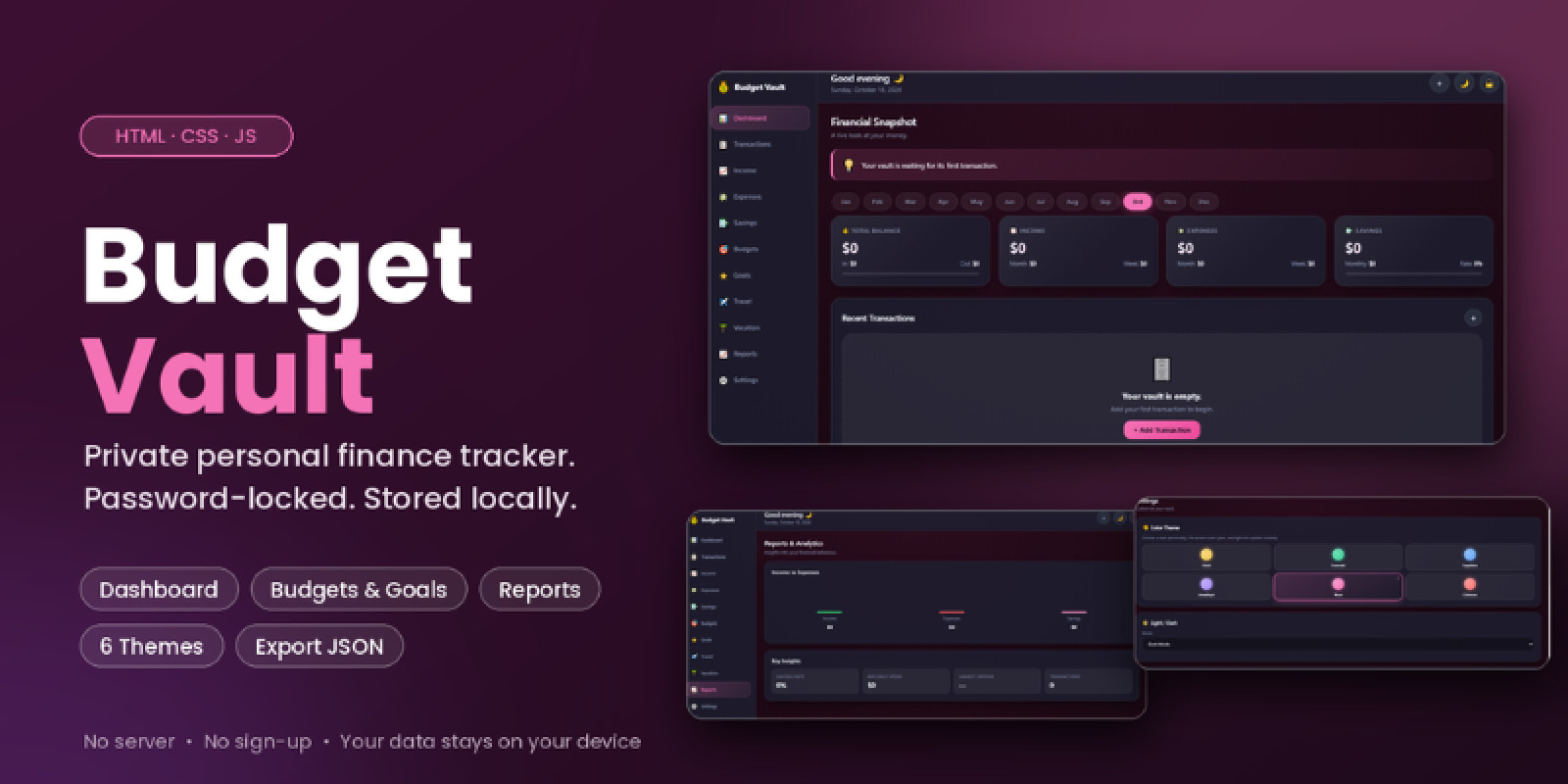
Budget Vault is a modern, privacy-focused personal finance tracker designed to help users organize their budgets, monitor expenses, and manage their money through a premium, visually engaging interface. Built with HTML, CSS, and JavaScript, this application is designed for offline use and stores its data locally in the browser. It is suitable for individuals who want a convenient way to manage their finances without depending on a cloud-based service.
Key Features
- Premium 3D-Inspired Interface: A modern dashboard with an attractive visual style and interactive elements.
- Budget Management: Organize your financial plans and keep track of spending against your budgets.
- Expense Tracking: Record and review expenses to better understand your spending habits.
- Interactive Dashboard: Access important financial information through a centralized interface.
- Offline Functionality: Use the application locally without requiring a continuous internet connection.
- Local Data Storage: Keep application data in browser storage on your device.
- Privacy-Focused Design: No cloud account is required for normal local use.
- Responsive Layout: Designed to provide a usable experience across supported screen sizes.
- Easy to Customize: Modify the source files to adapt the appearance and functionality to your needs.
Privacy and Security
Budget Vault uses PBKDF2-based password derivation with SHA-256 and a random salt for its password-related security functionality. The application is designed around local data storage rather than a remote financial database. However, browser-local storage is not equivalent to a professionally managed encrypted database, and browser data may be lost if the user clears site data or resets the browser. Please review the included documentation for the application's actual security behavior, setup instructions, and limitations. Do not use the application as the sole storage location for critical financial records.
Technology
- HTML5
- CSS3
- JavaScript
- Browser-based local storage
- PBKDF2 password derivation using SHA-256
Installation
- Download and extract the package.
- Follow the included README and HTML documentation.
- Open the application using the supported local setup method described in the documentation.
- Configure the application and begin entering your financial information.
No server-side database or cloud account is required for the intended local-use workflow.
Customization
Developers can customize the interface, styling, labels, and supported application behavior by editing the included HTML, CSS, and JavaScript files. Refer to the documentation for the actual configuration options and supported customization points. Do not assume that undocumented feature toggles or configuration objects are available.
Package Contents
The download includes the application source files and documentation covering installation, configuration, basic usage, customization, and security considerations.
Who Is It For?
- Individuals tracking personal budgets
- Users who want a simple offline finance tool
- Developers looking for a browser-based finance application to customize
- People who prefer local-first tools over cloud-dependent services
Budget Vault offers a convenient starting point for personal budget management with a modern interface and an offline-first approach.
| Author | humajamshed |
|---|---|
| Category | Scripts & Code / JavaScript |
| Price | $34 |
| Extended License | $102 |
| First Release | Oct 20, 2026 |
| Last Update | Oct 20, 2026 |
| Files included | .css, .html, .json, JavaScript .js |
| Programming language | JavaScript |
Categories
Tags
External listing. code.market does not sell this product and does not process payment for it. Pricing, payment, delivery, licensing, refunds, and support are handled by the third-party merchant on its own website. We may earn an affiliate commission from a referral. Details.
Products of the Week.
Submit🥇

Actionbook
It works inside the user's own browser with the accounts already signed in. The user describes the result they need, and the agent reads, clicks and types through the pages, then delivers a dashboard or report where each data links back to its source.
Other · 616 views · 9 clicksOther · Week 44 · 616 views · 9 clicks
🥈

Free social media tools for creators & solofounders
295 free tools for growing your social media: write, plan, grow on local AI models, 100% free forever, No sign-up required, No trial. Write, check and measure posts on LinkedIn, Instagram, TikTok, X, YouTube, Reddit, Product Hunt and more: a free social media scheduler for 17 networks, engagement rate calculators, character counters, best time to post, hook generators and follower growth calculators. No login anywhere, no API or credit usage.
579 views · 6 clicksWeek 44 · 579 views · 6 clicks
🥉

STOP GUESSING WHAT TO POST
AI that learns your brand voice and builds a month of consistent, on-brand social content: carousels, posts and hooks that sound like you, not like everyone else's AI.
SaaS · 1,834 views · 19 clicksSaaS · Week 44 · 1,834 views · 19 clicks
#4

Hand-Placed Backlinks $9.99 per link. Flat rate.
Buy hand-placed forum, Q-A and directory backlinks. Flat $9.99 per link, no subscriptions — you only pay for approved listings.
Website · 1,791 views · 17 clicksWebsite · Week 44 · 1,791 views · 17 clicks
#5

Conversational Backlinks for Busy Founders
Place Backlink Relevant Conversation for your domain across Forums and Conversations
39,253 views · 210 clicksWeek 44 · 39,253 views · 210 clicks
#6

Free Invoice Generator - PDF Invoices in Your Browser, No Sign-Up
A free invoice maker for freelancers and small businesses: fill in the invoice, check the live preview, and download a PDF that looks exactly like it. Any currency, tax per item, three templates, no sign-up, and nothing leaves your device.
539 views · 11 clicksWeek 44 · 539 views · 11 clicks
#7

Merge PDF Files Free - Combine PDFs in Your Browser, No Upload
A free PDF merger for office workers, students, and freelancers: combine PDFs and images into one file in the browser, reorder files and pages, pick page ranges, keep bookmarks, and open password-protected PDFs. Nothing is uploaded, no sign-up, no watermark.
485 views · 3 clicksWeek 44 · 485 views · 3 clicks