
Brevio | Breathing Exercise App Template - SwiftUI
Description
Brevio – Breathing Exercise and Relaxation App
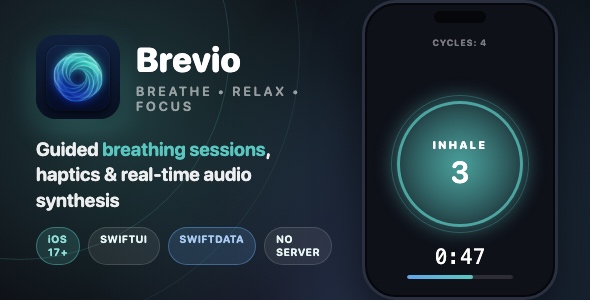
A calming, fully offline breathing exercise app built with SwiftUI. Guide users through Box Breathing, 4-7-8, coherent breathing and custom patterns with animated visuals, haptics, synthesized soundscapes and progress insights.
Demo Instructions
Brevio is a fully offline app – no login and no demo credentials are required. Open Brevio.xcodeproj in Xcode, pick any iOS 17+ simulator or device and press Cmd+R. Every feature works immediately out of the box.
Everything the App Does
- Animated splash screen with custom vector logo
- 3-page onboarding flow with skip button and animated illustrations
- Home screen with animated pulsing breathing illustration
- 4 standard breathing presets: Box Breathing 4-4-4-4, 4-7-8, Calm 5-5, Deep Relax 4-2-6
- Create custom breathing patterns with a visual timeline editor
- Per-phase sliders for inhale, hold, exhale and second hold (0-15 seconds)
- Duplicate name validation with inline error messages
- One-tap delete for custom presets with smart selection fallback
- Session duration picker: 1, 3 or 5 minutes
- Immersive full-screen breathing session with dynamic phase colors
- Animated multi-layer breathing circle with smoothstep easing
- Live phase label with per-phase countdown
- Session countdown timer and gradient progress bar
- Pause, Resume and End session controls
- Completed cycle counter
- Animated session-complete celebration screen with auto-dismiss
- Insights dashboard: daily streak, total minutes breathed, completion rate
- Weekly activity bar chart powered by Swift Charts
- Recent sessions history list with relative dates
- Swipe-to-delete history entries
- Insights empty state with calming illustration
- CoreHaptics feedback: continuous inhale and exhale haptics, hold pulses, success notification
- Real-time audio synthesis with AVAudioEngine: calming drone and ocean waves soundscapes
- Synthesized singing-bowl transition chimes on every phase change
- Soundscape volume slider
- Haptics toggle and transition chimes toggle in settings
- Appearance mode: System, Light or Dark
- Send Feedback mailto support link with clipboard fallback
- SwiftData persistence for presets and complete session history
- Automatic seeding of standard presets on first launch
- Full dark mode support with an adaptive design system
- VoiceOver accessibility labels on the breathing visualizer and timers
- Audio interruption handling (calls, Siri) with automatic resume
- One-file re-skin: every color lives in Color+Theme.swift
Technology
- Language: Swift 5 with SwiftUI
- Minimum iOS version: 17.0
- Data persistence: SwiftData (presets + session history)
- Charts: Swift Charts framework
- Haptics: CoreHaptics (continuous + transient patterns)
- Audio: AVAudioEngine real-time DSP synthesis, no audio files needed
- Architecture: Views / Models / Managers / Components / Engine
- Third-party dependencies: none, 100% native frameworks
- Backend / login: none, fully offline app
What the Buyer Gets
- Complete Xcode project source code (SwiftUI, iOS 17+)
- Clean, commented code organized by feature
- App icon (1024px) and accent color assets
- Full buyer documentation with screenshots: setup, re-skinning, customization and App Store submission
- Free future updates of the template
Development Disclosure
Portions of this template’s source code were developed with AI-assisted tools and were reviewed, tested and finalized by the seller.
Please Note
This item is template source code, not a compiled app. Basic Xcode knowledge is required to build, customize and publish it. You will need an Apple Developer account to submit to the App Store.
| Type | iOS App |
|---|---|
| Author | mefjudevllc |
| Price | $14 |
| Sales | 0 |
| Rating | 0 (0) |
| Published | Sep 22, 2026 |
| Last Update | Sep 22, 2026 |
| Compatible Software | Other |
| Compatible With | Swift |
| Mobile Files Included | .h |
Categories
Tags
External listing. code.market does not sell this product and does not process payment for it. Pricing, payment, delivery, licensing, refunds, and support are handled by the third-party merchant on its own website. We may earn an affiliate commission from a referral. Details.
Products of the Week.
Submit🥇

STOP GUESSING WHAT TO POST
AI that learns your brand voice and builds a month of consistent, on-brand social content: carousels, posts and hooks that sound like you, not like everyone else's AI.
SaaS · 7,398 views · 67 clicksSaaS · Week 46 · 7,398 views · 67 clicks
🥈

Conversational Backlinks for Busy Founders
Place Backlink Relevant Conversation for your domain across Forums and Conversations
Website · 46,699 views · 232 clicksWebsite · Week 46 · 46,699 views · 232 clicks
🥉

upvote.club
Free Social Media Engagement that Helps Boost Your Content. Upvote Club supports 19 social networks with 100+ engagement actions in one dashboard. Add links to your posts and get free engagement from real users.
SaaS · 44,634 views · 127 clicksSaaS · Week 46 · 44,634 views · 127 clicks
#4

Substack Posting API
Onboard your Agent to Substack. Write Publish on Substack via API
SaaS · 63,519 views · 206 clicksSaaS · Week 46 · 63,519 views · 206 clicks
#5

Seenshot App
Free, Fast, MacOS Screenshot app. Make Screenshot cmd+shift+2 and send it via link
Desktop App · 32,769 views · 127 clicksDesktop App · Week 46 · 32,769 views · 127 clicks
#6

Hand-Placed Backlinks $9.99 per link. Flat rate.
Buy hand-placed forum, Q-A and directory backlinks. Flat $9.99 per link, no subscriptions — you only pay for approved listings.
Website · 8,385 views · 19 clicksWebsite · Week 46 · 8,385 views · 19 clicks
#7

Free Invoice Generator - PDF Invoices in Your Browser, No Sign-Up
A free invoice maker for freelancers and small businesses: fill in the invoice, check the live preview, and download a PDF that looks exactly like it. Any currency, tax per item, three templates, no sign-up, and nothing leaves your device.
7,014 views · 29 clicksWeek 46 · 7,014 views · 29 clicks
#8

Merge PDF Files Free - Combine PDFs in Your Browser, No Upload
A free PDF merger for office workers, students, and freelancers: combine PDFs and images into one file in the browser, reorder files and pages, pick page ranges, keep bookmarks, and open password-protected PDFs. Nothing is uploaded, no sign-up, no watermark.
6,488 views · 18 clicksWeek 46 · 6,488 views · 18 clicks