
BoomPOS - Desktop POS System
Description
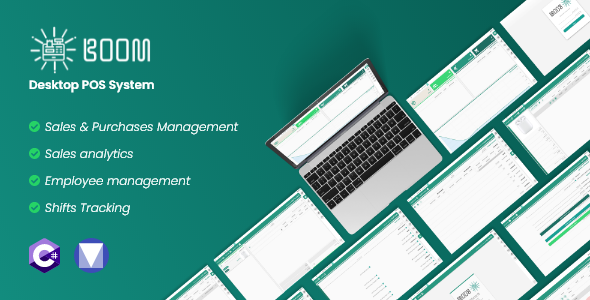
BoomPOS is a simple and robust Point of Sale system that helps you manage your business easily and straightforwardly. With a modern and clean design, BoomPOS was specifically made to be simple to use yet at the same time provide powerful features to manage your business’s every need. BoomPOS’s navigation can be split into two things, pages, and tabs. You can access the various pages from the side menu, and various tabs from within those pages.
Features
- You can create sales tickets and pay with cash/credit/phone, (cash needs the cashier to input the amount given by the customer), and the method of payment is mainly for future data analysis.
- Have multiple carts to allow to easily switch between multiple customers.
- All Tables data can be exported to an excel sheet.
- You can add, edit, and remove unique customers, by saving their contact data.
- You can search the sales ticket history by date, customer, and cashier.
- You can add, edit, and remove inventory items, setting supplier price, sales price, etc.
- Setting an alert quantity for an item can show you when they are low in stock/inventory in the Dashboard Page.
- You can create a financial report, showing the sales, purchases, expenses, and the overall profit over a certain amount of time.
- You can print a copy of the report data directly with a single button click.
- You can track the sales and purchases (flow) of an item with a press of a button. (Reports Page – Item Report).
- Can be used to track employees’ work times, they can start the shift by setting the value of cash in.
- Here you can manage the various users/employees that will be using the application
- Here you can add/edit/delete roles, which are essential in managing access to the various features of the program.
- On the first launch, there exists an admin role with access to all features of the program.
- Each role has 41 permissions for the various feature, each can be toggled to allow for customization of what the user assigned to that role can see and do.
Screenshots

Documentation & Installation Guide

Installation & Usage Guide – Click Here
Features Documentation (EN) – Click Here
Features Documentation (AR) – Click Here
System Requirements:
Minimum requirements to run BoomPOS is:
- Windows 7 – Service Pack 2
- RAM -> 1 GB
Updates
v1.7.0 – 20 March 2021
- First time sign up
- New error logging system (in AppData, a logs folder is created and has a log file for every time the application crashes)
- Thumbnail and Quantity added to POS and Add Purchase pages (Can be toggled off from settings)
- Add direct payment field for customers and suppliers (Updates all unpaid tickets for that customer/supplier) payment is a numeric up down with a min of 0, and max of remaining amount
- Better Switch/Transition Animations
- Slightly Less RAM Usage.
| Type | Windows App |
|---|---|
| Author | engtechno |
| Price | $66 |
| Sales | 9 |
| Rating | 0 (0) |
| Published | Jun 7, 2021 |
| Last Update | Jun 7, 2021 |
| Application Runtime | Native |
| Demo Url | http://boompos.engtechnos.com/ |
| High Resolution | Yes |
| Operating System Versions | Windows Vista, Windows 8 Desktop, Windows 8 Metro, Windows 10 |
Categories
Tags
External listing. code.market does not sell this product and does not process payment for it. Pricing, payment, delivery, licensing, refunds, and support are handled by the third-party merchant on its own website. We may earn an affiliate commission from a referral. Details.
Products of the Week.
Submit🥇

STOP GUESSING WHAT TO POST
AI that learns your brand voice and builds a month of consistent, on-brand social content: carousels, posts and hooks that sound like you, not like everyone else's AI.
SaaS · 7,340 views · 67 clicksSaaS · Week 46 · 7,340 views · 67 clicks
🥈

Conversational Backlinks for Busy Founders
Place Backlink Relevant Conversation for your domain across Forums and Conversations
Website · 46,612 views · 232 clicksWebsite · Week 46 · 46,612 views · 232 clicks
🥉

upvote.club
Free Social Media Engagement that Helps Boost Your Content. Upvote Club supports 19 social networks with 100+ engagement actions in one dashboard. Add links to your posts and get free engagement from real users.
SaaS · 44,554 views · 127 clicksSaaS · Week 46 · 44,554 views · 127 clicks
#4

Substack Posting API
Onboard your Agent to Substack. Write Publish on Substack via API
SaaS · 63,439 views · 206 clicksSaaS · Week 46 · 63,439 views · 206 clicks
#5

Seenshot App
Free, Fast, MacOS Screenshot app. Make Screenshot cmd+shift+2 and send it via link
Desktop App · 32,688 views · 127 clicksDesktop App · Week 46 · 32,688 views · 127 clicks
#6

Hand-Placed Backlinks $9.99 per link. Flat rate.
Buy hand-placed forum, Q-A and directory backlinks. Flat $9.99 per link, no subscriptions — you only pay for approved listings.
Website · 8,312 views · 19 clicksWebsite · Week 46 · 8,312 views · 19 clicks
#7

Free Invoice Generator - PDF Invoices in Your Browser, No Sign-Up
A free invoice maker for freelancers and small businesses: fill in the invoice, check the live preview, and download a PDF that looks exactly like it. Any currency, tax per item, three templates, no sign-up, and nothing leaves your device.
6,939 views · 29 clicksWeek 46 · 6,939 views · 29 clicks
#8

Merge PDF Files Free - Combine PDFs in Your Browser, No Upload
A free PDF merger for office workers, students, and freelancers: combine PDFs and images into one file in the browser, reorder files and pages, pick page ranges, keep bookmarks, and open password-protected PDFs. Nothing is uploaded, no sign-up, no watermark.
6,421 views · 18 clicksWeek 46 · 6,421 views · 18 clicks