
Bizora White-Label Flutter Business Kit

Description
A modern Flutter business management app that can be rebranded and shipped under your client's business name.
Explore Features Try DemoBuild Your Client's Business App Faster
Bizora is a ready-to-customize Flutter source code designed for businesses that need clients, invoices, expenses, inventory, payments, staff and timesheet management in one place.
No API keys are required to explore the core application. Simply unzip the project, run it and tap Explore Demo from the login screen.
Try the Public Demo
Test the Android demo before purchasing. Explore sample clients, bills, inventory and payments without configuring Firebase, Supabase or OpenAI. Limited to 10 minutes per day.
Download Demo APK →When the timer expires, wait for the hh:mm:ss countdown until the next daily session becomes available.
Everything Your Business Needs
Bizora combines everyday business operations into a clean and customizable mobile application.
🎨Brand Kit
Customize the display name, colors, logo and invoice identity for your business or client.
👥Clients
Manage customers and view their complete billing history.
🧾Invoices & Bills
Create bills with line items, track status and share or print PDF invoices.
💰Expenses
Keep track of business expenses and organize day-to-day spending.
📦Inventory
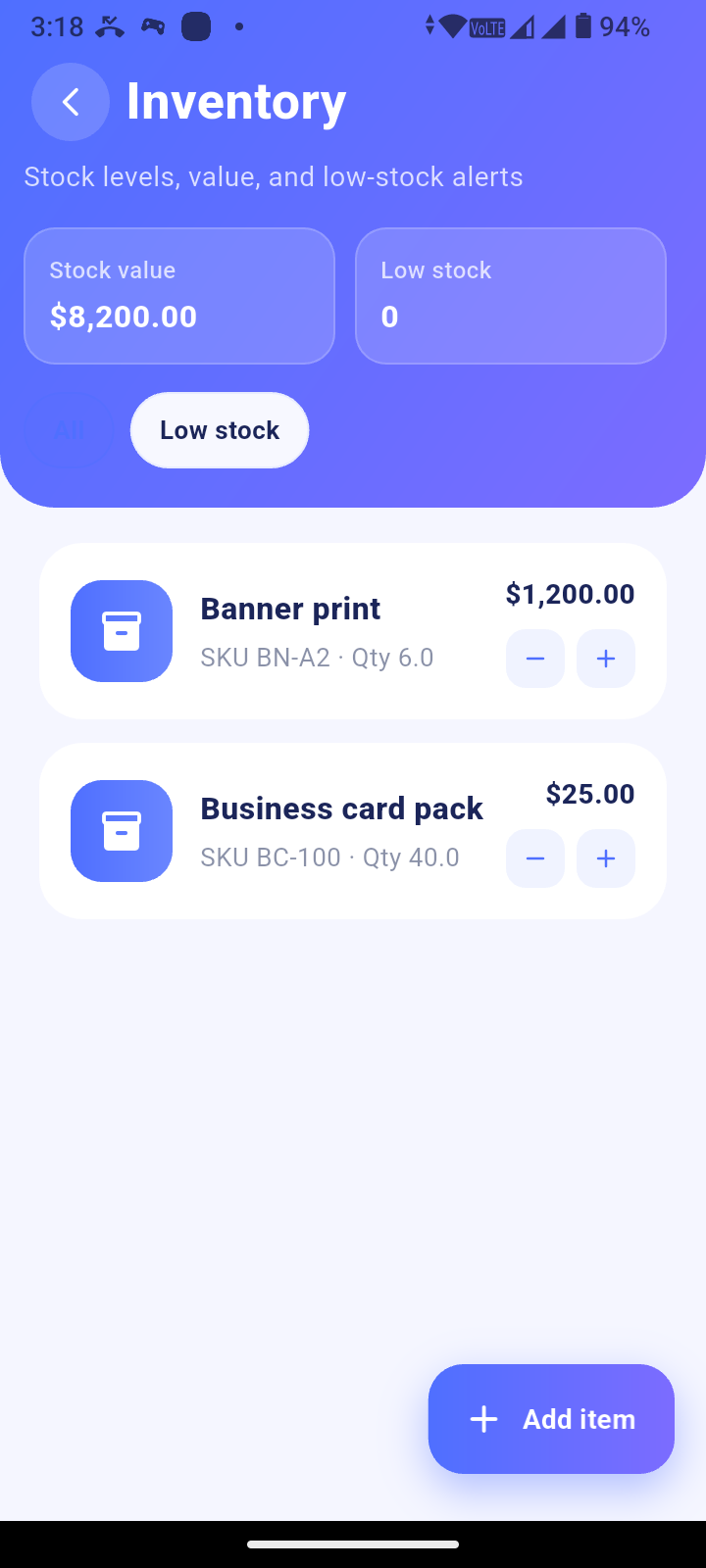
Manage products, stock levels, low-stock alerts and add inventory items directly to bills.
💳Payments
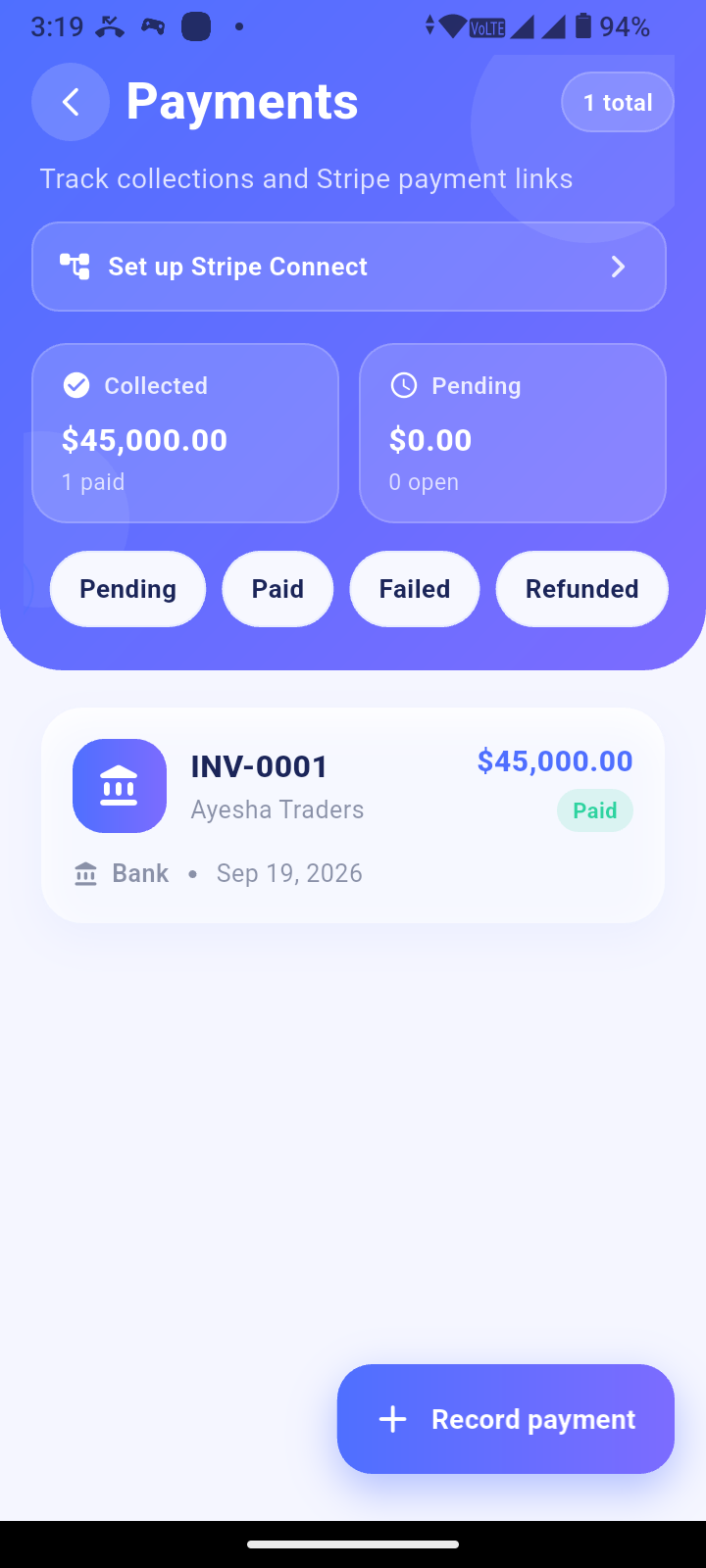
Track payments locally with optional Stripe Payment Links and Connect integration.
👨💼Staff Management
Invite employees using codes and assign roles and hourly rates.
⏱️Timesheets
Record and approve working hours and calculate payroll summaries based on approved hours × rate.
📊Dashboard & Analytics
Get a clear overview of important business activity and performance.
🧭Product Tour
A simple home checklist helps new users understand the application.
🤖Bizora Bot
Optional AI chat and voice assistant powered through your own OpenAI API key.
☁️Optional Cloud Sync
Connect your own Supabase backend for authentication and data synchronization.
Works Without API Keys
Want to test the project immediately? No problem. Tap Explore Demo on the login screen to access a complete sample environment.
🔒 Sync remains disabled until a real user signs in and connects the required backend.Optional Integrations
Connect your own services when you're ready for production deployment.
☁️ Supabase
- Email authentication
- Cloud data synchronization
- Database schema and migrations
- Row Level Security policies
- Included Edge Function source
💳 Stripe
- Payment Links
- Optional Stripe Connect
- Use your own Stripe account
- Configure your own Edge Function secrets
🤖 AI Assistant
- Optional Bizora Bot
- Chat functionality
- Voice functionality
- Requires your own OpenAI API key
🔐 Firebase
- Optional Google authentication
- Optional Facebook authentication
- Use your own Firebase project
What You Get
Everything required to start customizing and extending the project.
📱Flutter Source
Complete Flutter source code, version 1.3.2.
📚Documentation
Installation, rebranding, user guide, architecture, security and support docs.
🗄️Supabase Files
SQL schema, migrations, RLS policies and Edge Function source.
🧪Automated Tests
Automated domain tests are included with the project.
Quick Setup
Get the project running locally in just a few steps.
1Unzip
Extract the downloaded source package.
2Install Packages
Run flutter pub get.
3Run
Use flutter run on an Android device or emulator.
4Explore
Open the login screen and tap Explore Demo.
🛠️ Requirements
- Flutter matching pubspec.yaml
- Dart SDK ^3.10.7
- Android Studio or VS Code
- Android device or emulator
- Explore Demo requires no API keys
📱 Platform
- Android is the verified target
- iOS folder included for convenience
- Desktop runners are not included
- Production keys are not included
Technology
Built with modern technologies for easy customization and future development.
Flutter · Dart · Android · Supabase · PostgreSQL · Edge Functions · Stripe · Firebase · OpenAI Important: Bizora is a source-code product. Production API keys, hosted SaaS infrastructure, store publishing services and bank wage payouts are not included. When white-labeling the application, replace the included brand assets and review Documentation/Third_Party_Licenses.md before publishing.Bizora
Flutter Business Management Source Code
Built for customization, rebranding and business use.
Features
Built for Business ManagementEverything Your Business Needs
A complete Flutter business management source package with practical tools for clients, billing, inventory, payments, staff and more — with real app screens below.
🚀 Explore DemoTry the full app with sample data — no API keys required.
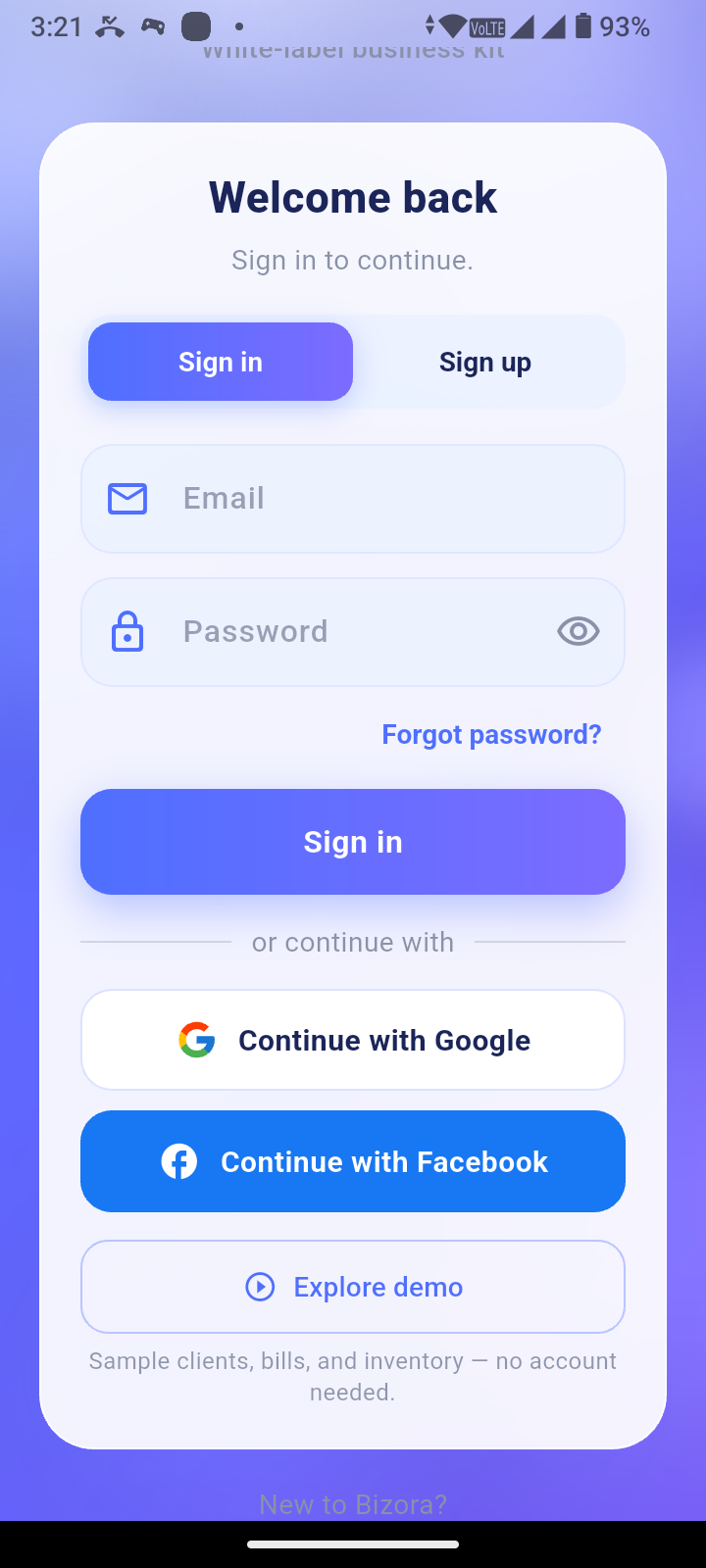
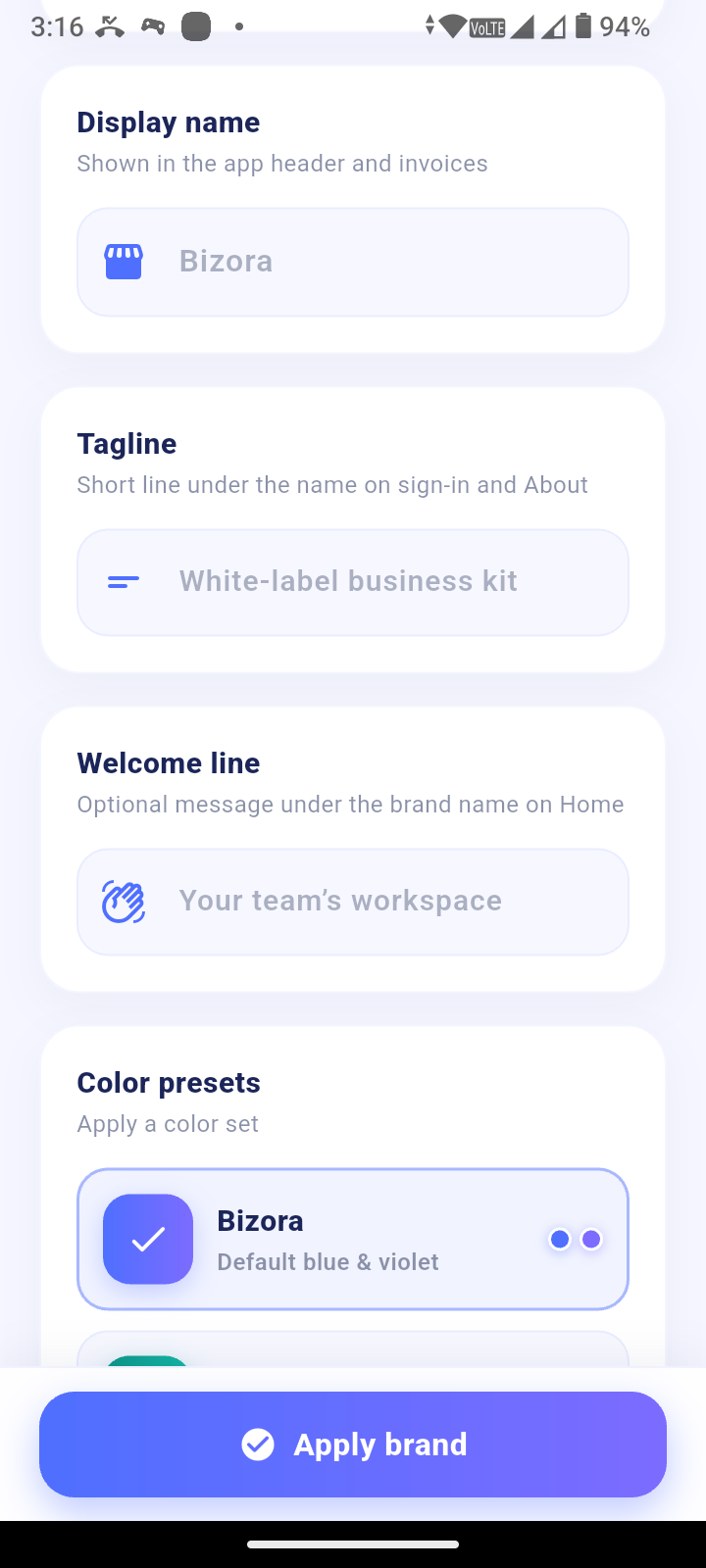
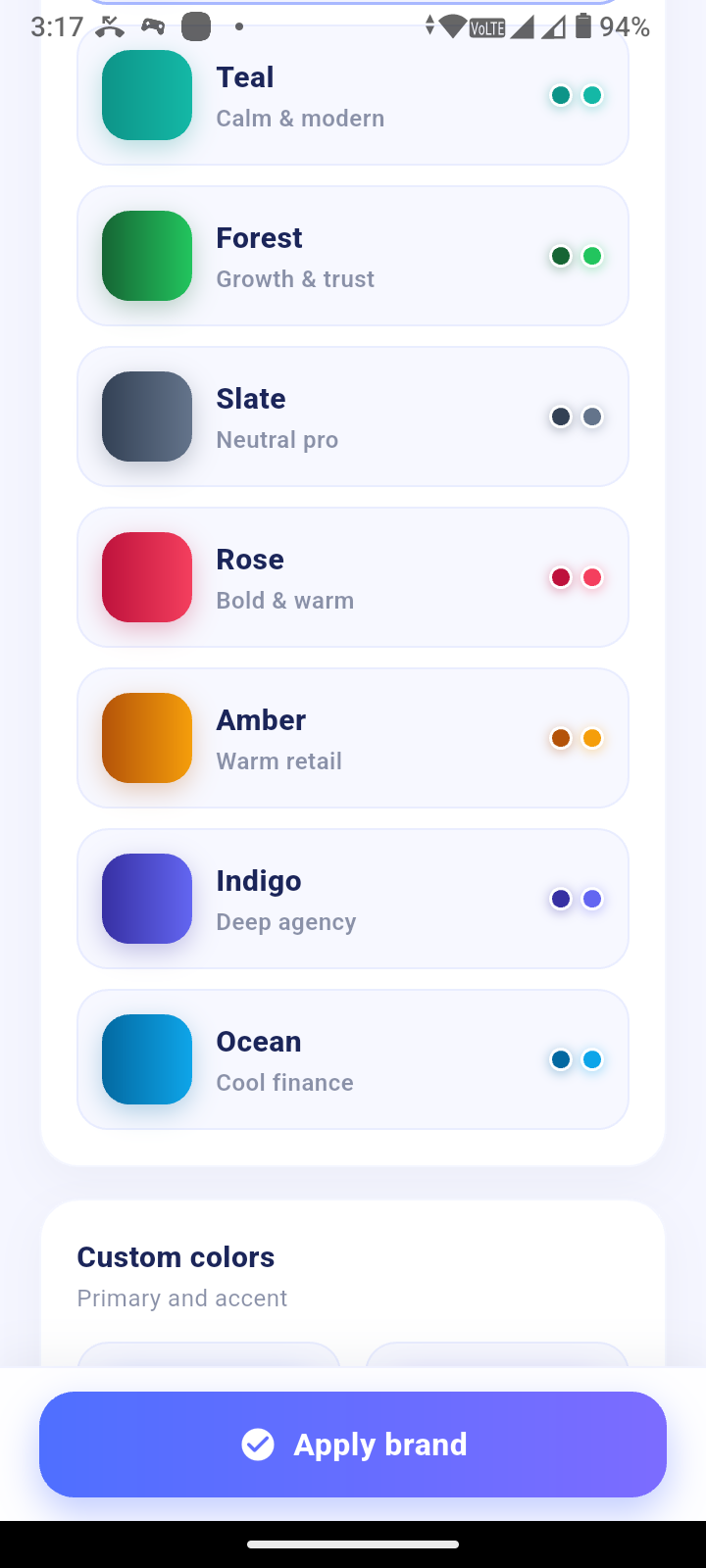
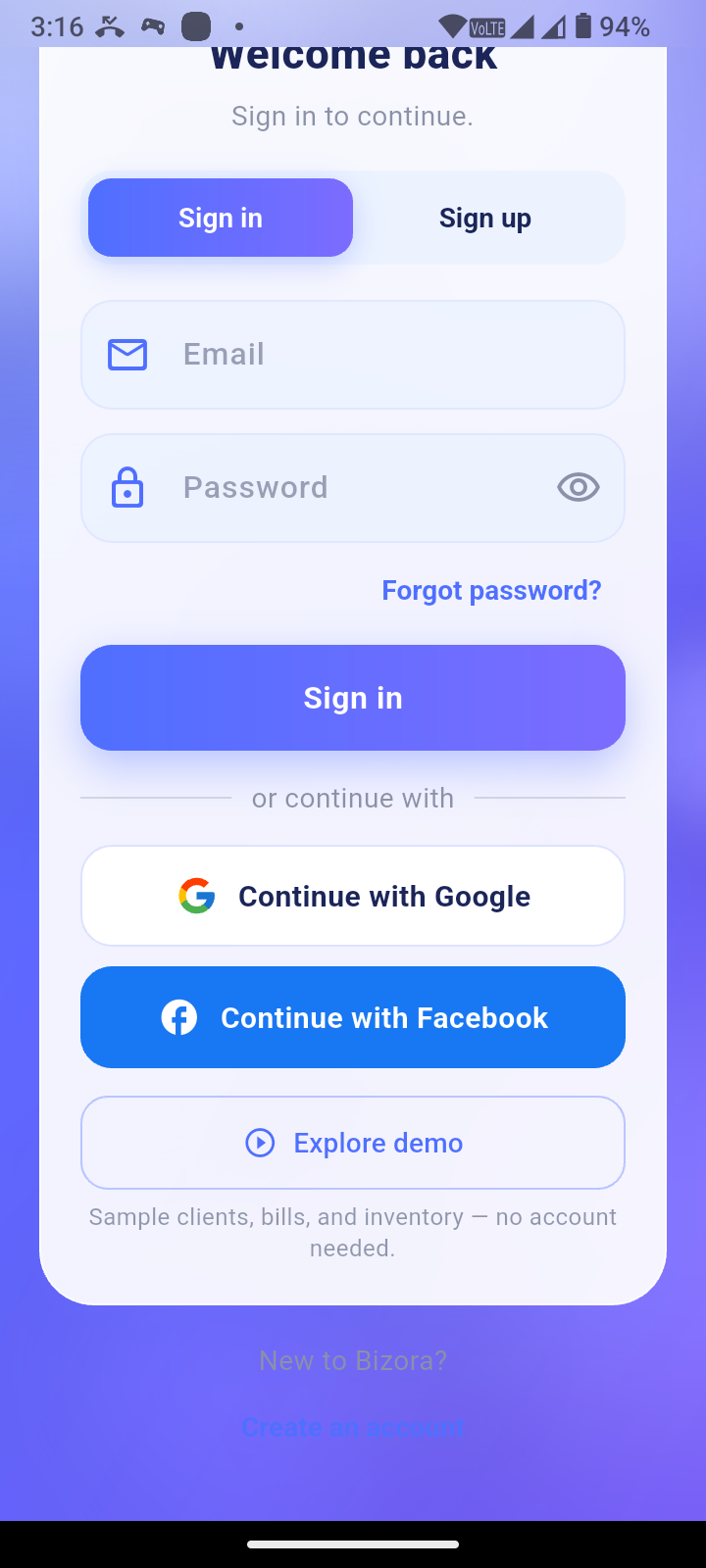 🎨
Brand Kit
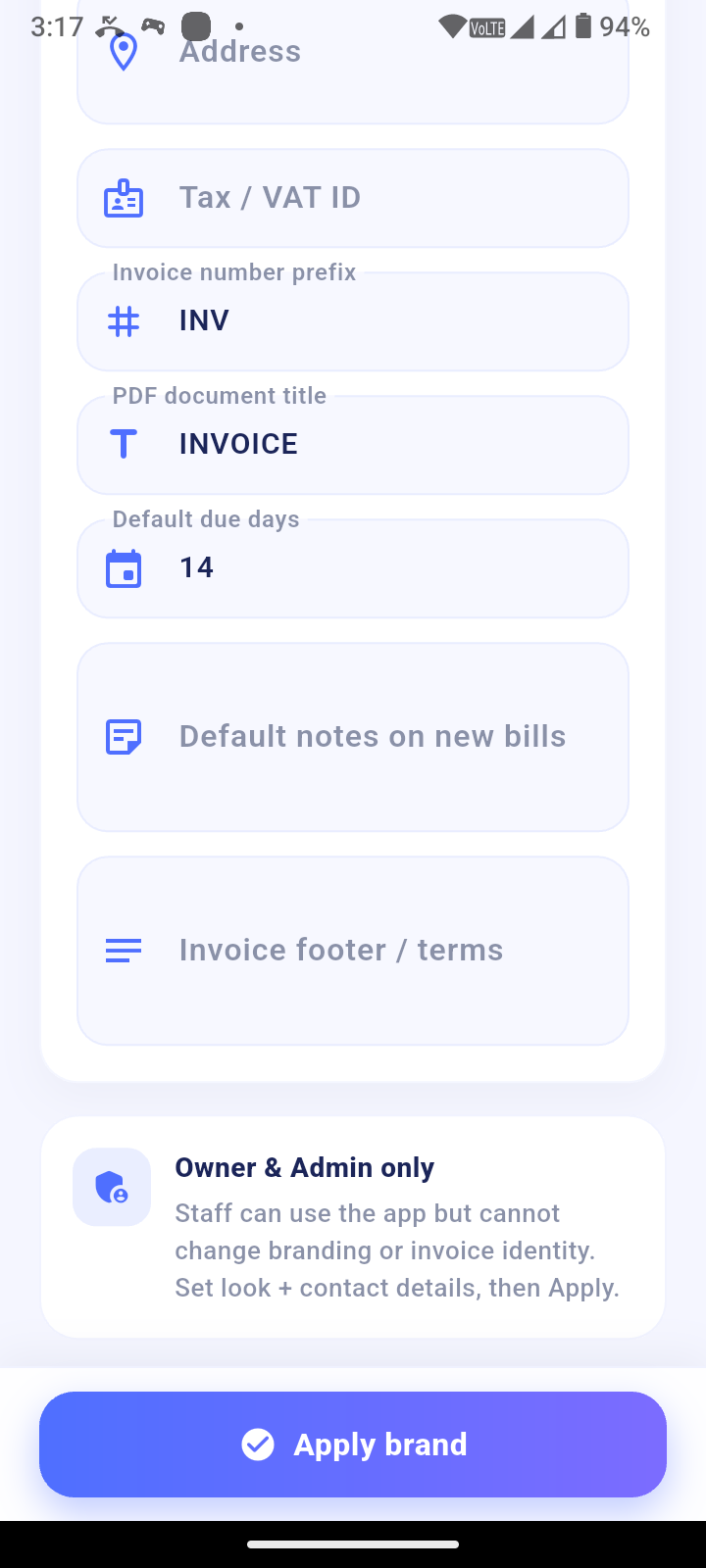
Name, tagline, colors, logo and Home banner — with Owner / Admin control.

 🧾
Invoice Branding
Contact details, number prefix, due days, notes, PDF logo and footer.
 👥
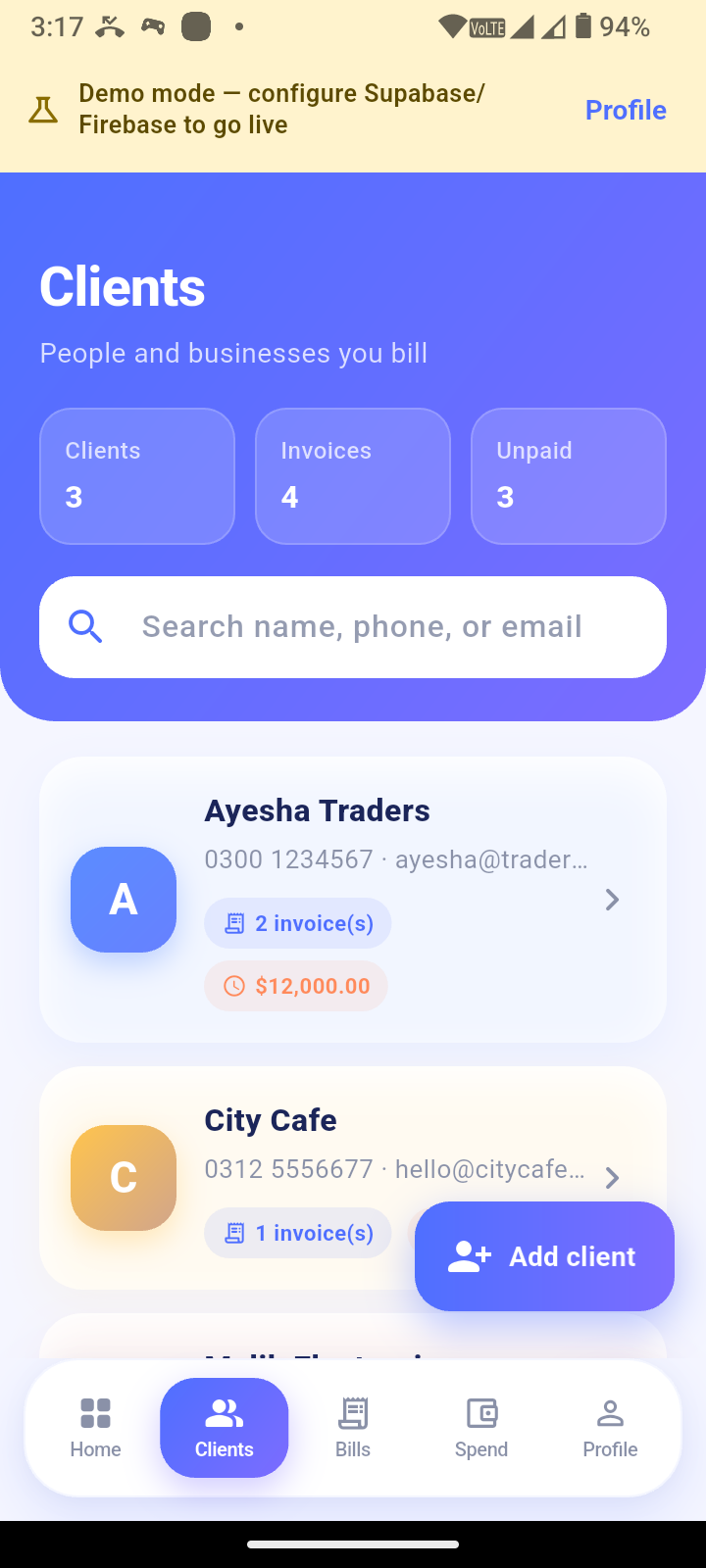
Clients
Contacts and related bills in one place.
 📄
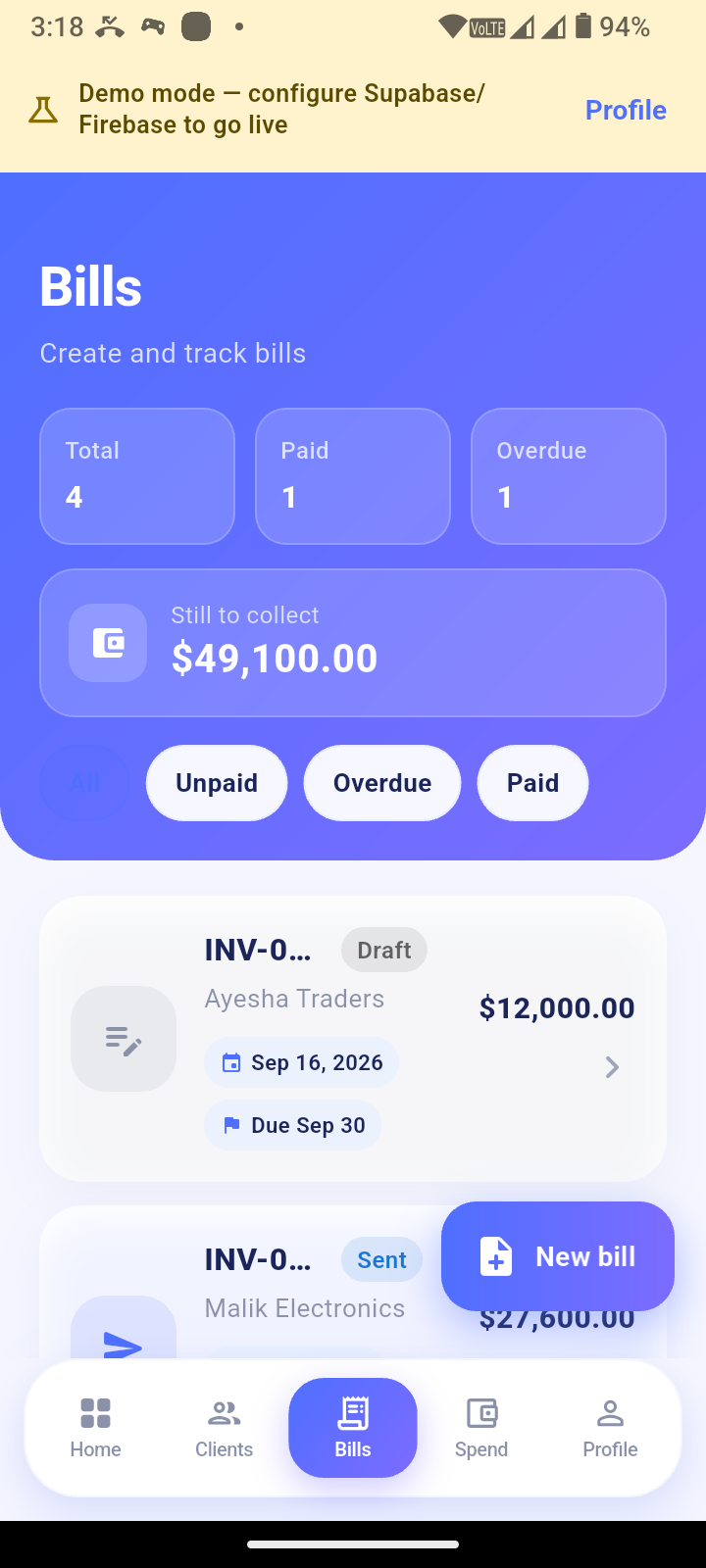
Bills
Line items, statuses, text sharing, Share PDF and Print.
 💰
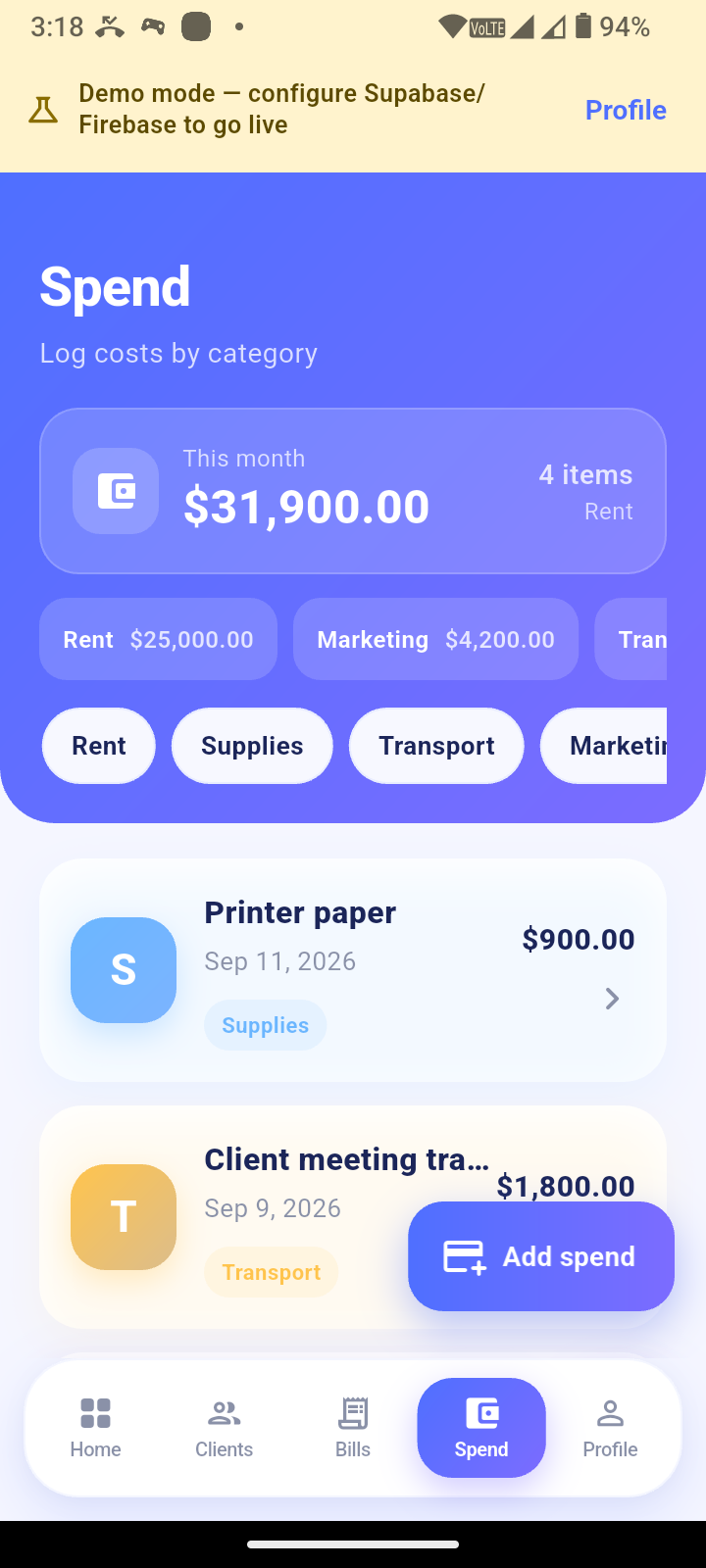
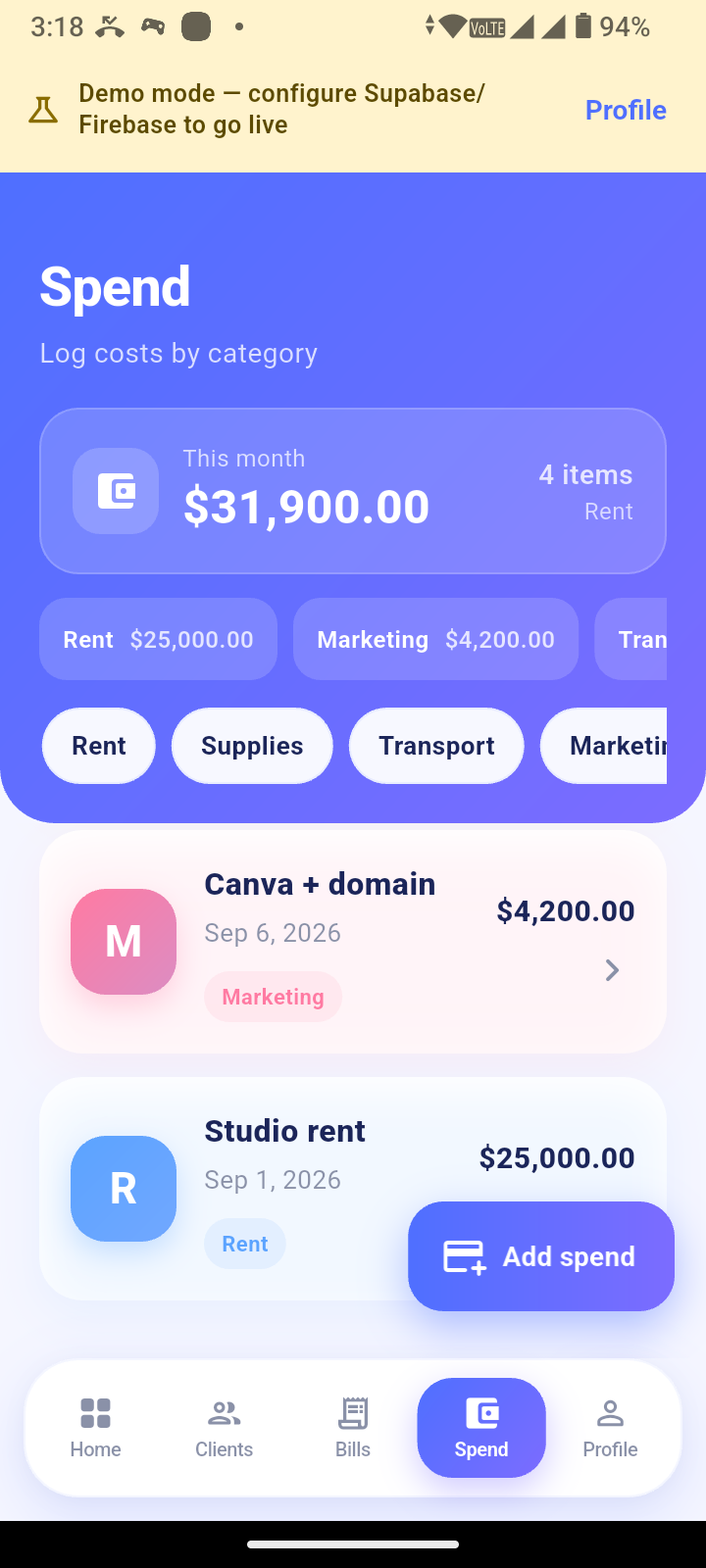
Expenses
Categorized business spending and day-to-day expense tracking.
 📦
Inventory
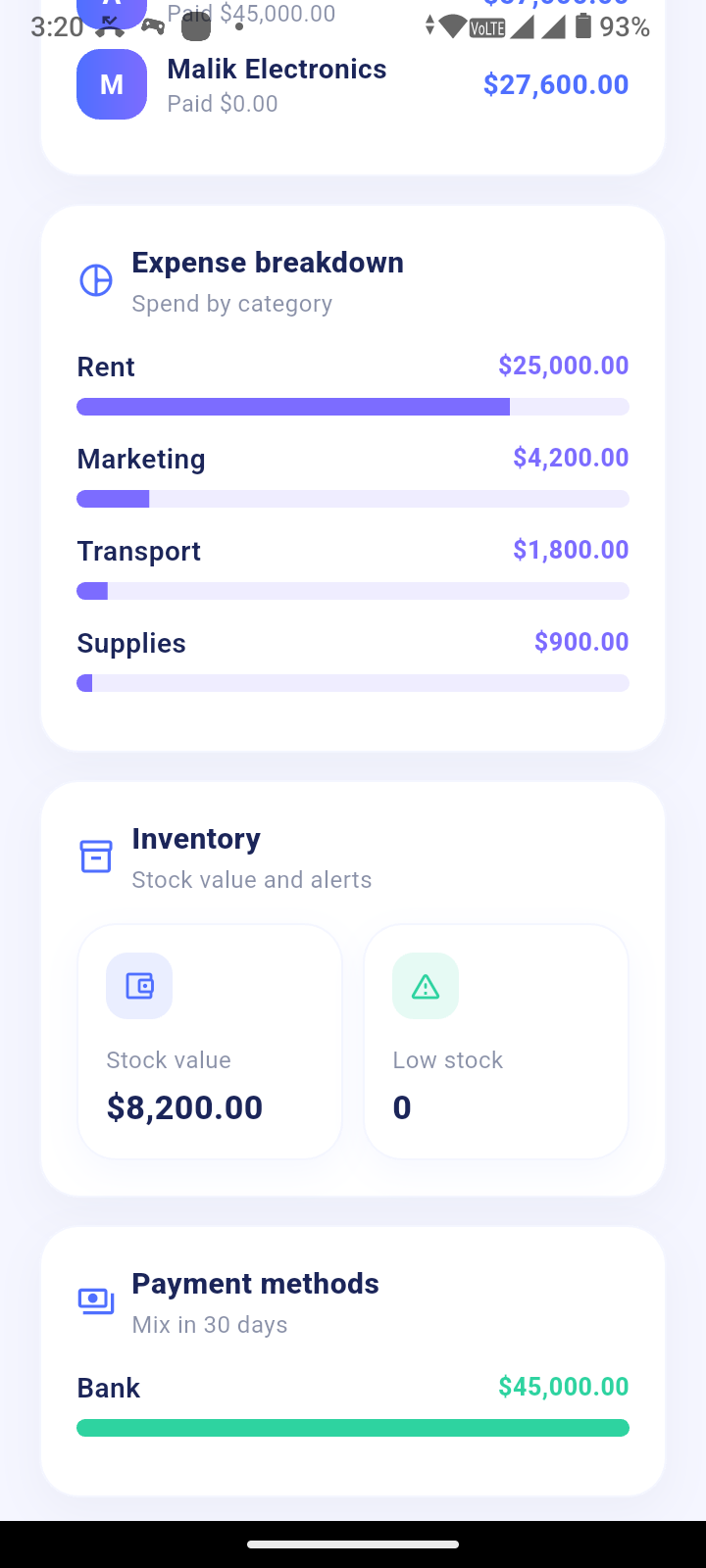
Stock, SKUs, low-stock alerts and the ability to add inventory items directly to bills.
 💳
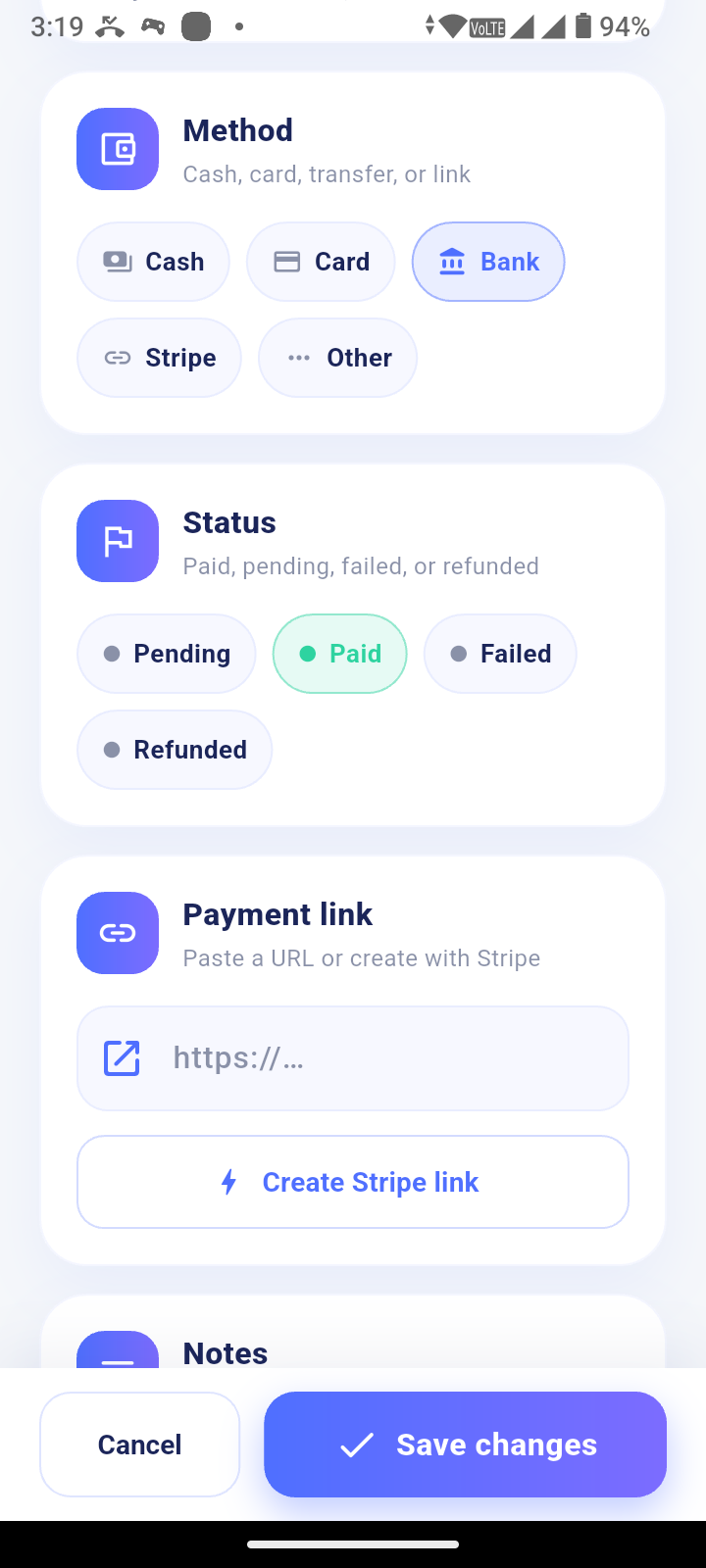
Payments
Cash, card, bank, Stripe and other payment methods, with optional Payment Links.
 🔗
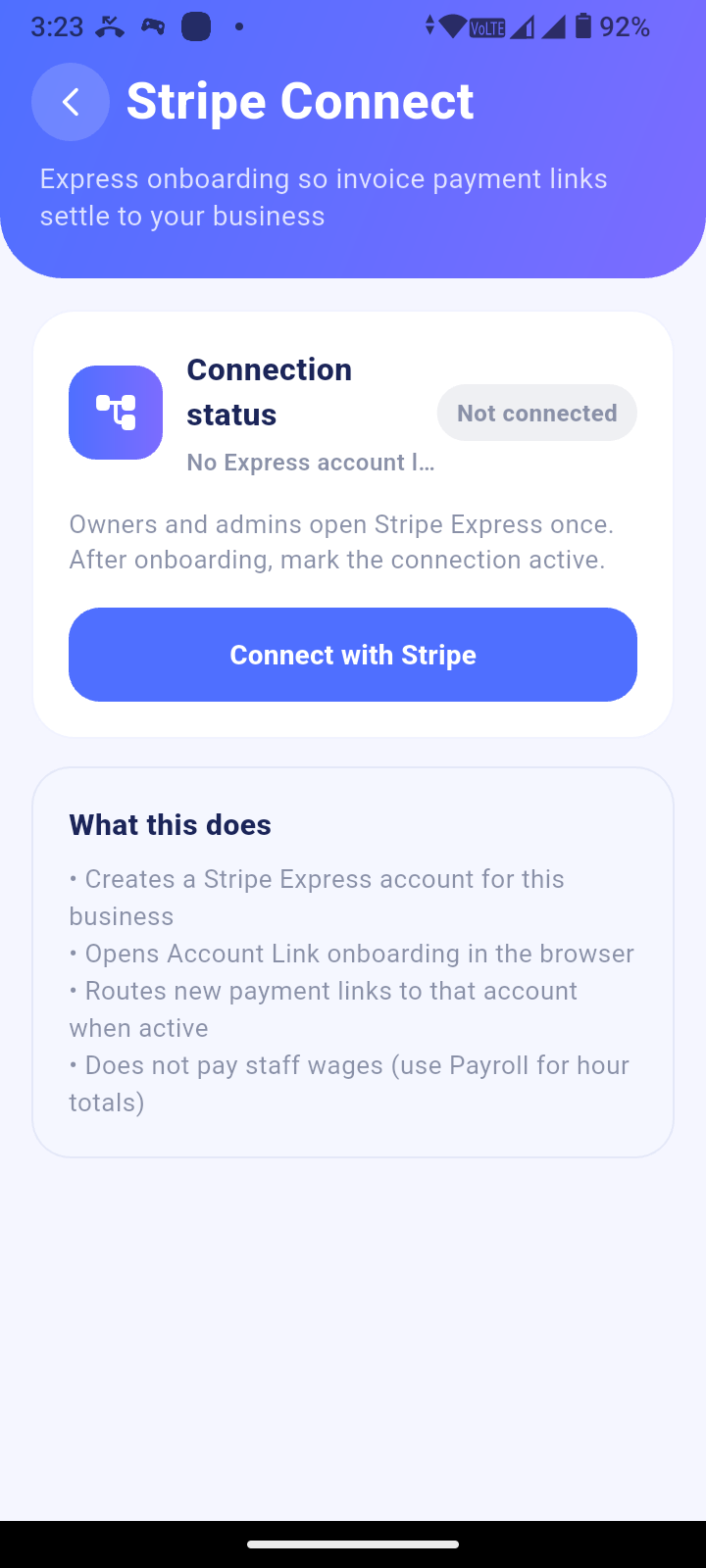
Stripe Connect Express
Optional onboarding for connected payment links.
 👨💼
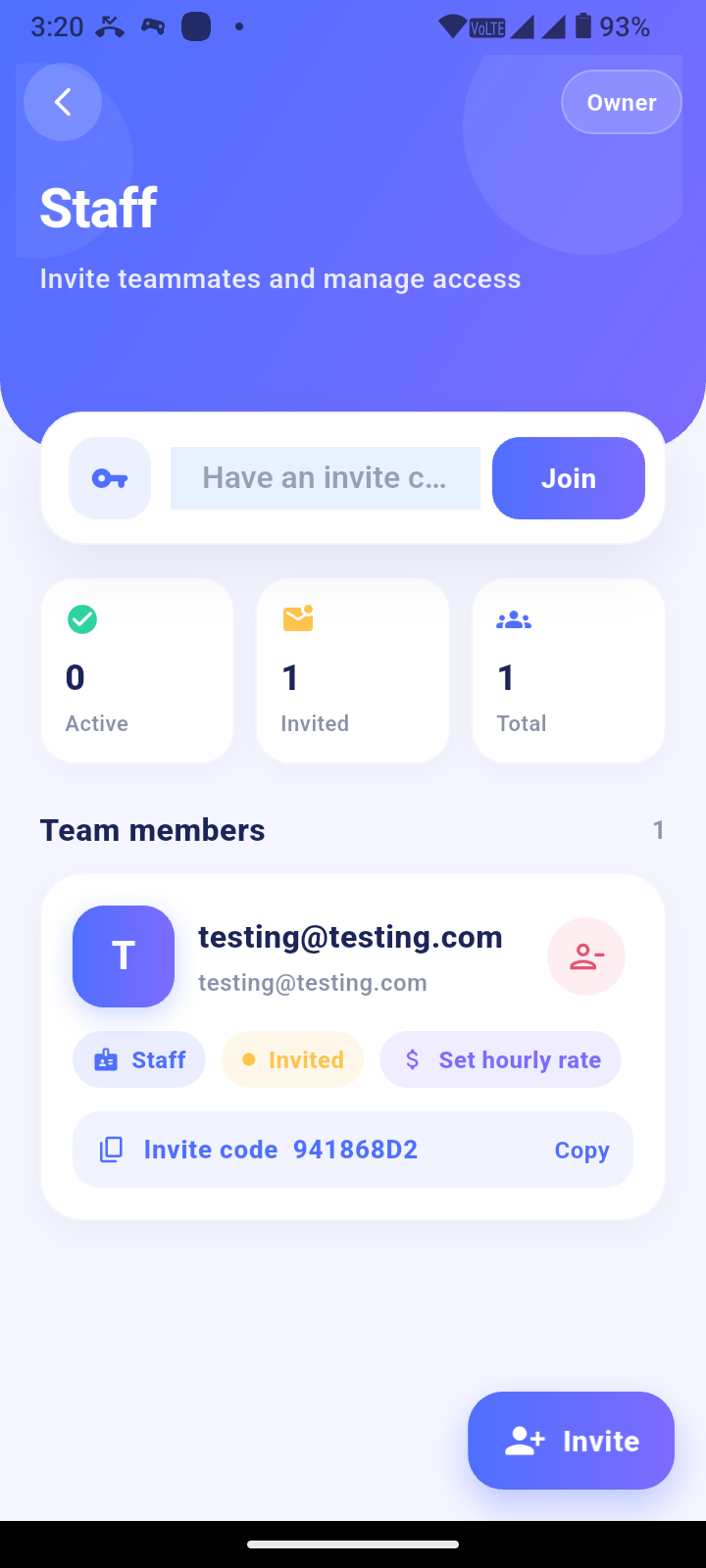
Staff
Invite codes, roles and hourly rates.
 ⏱️
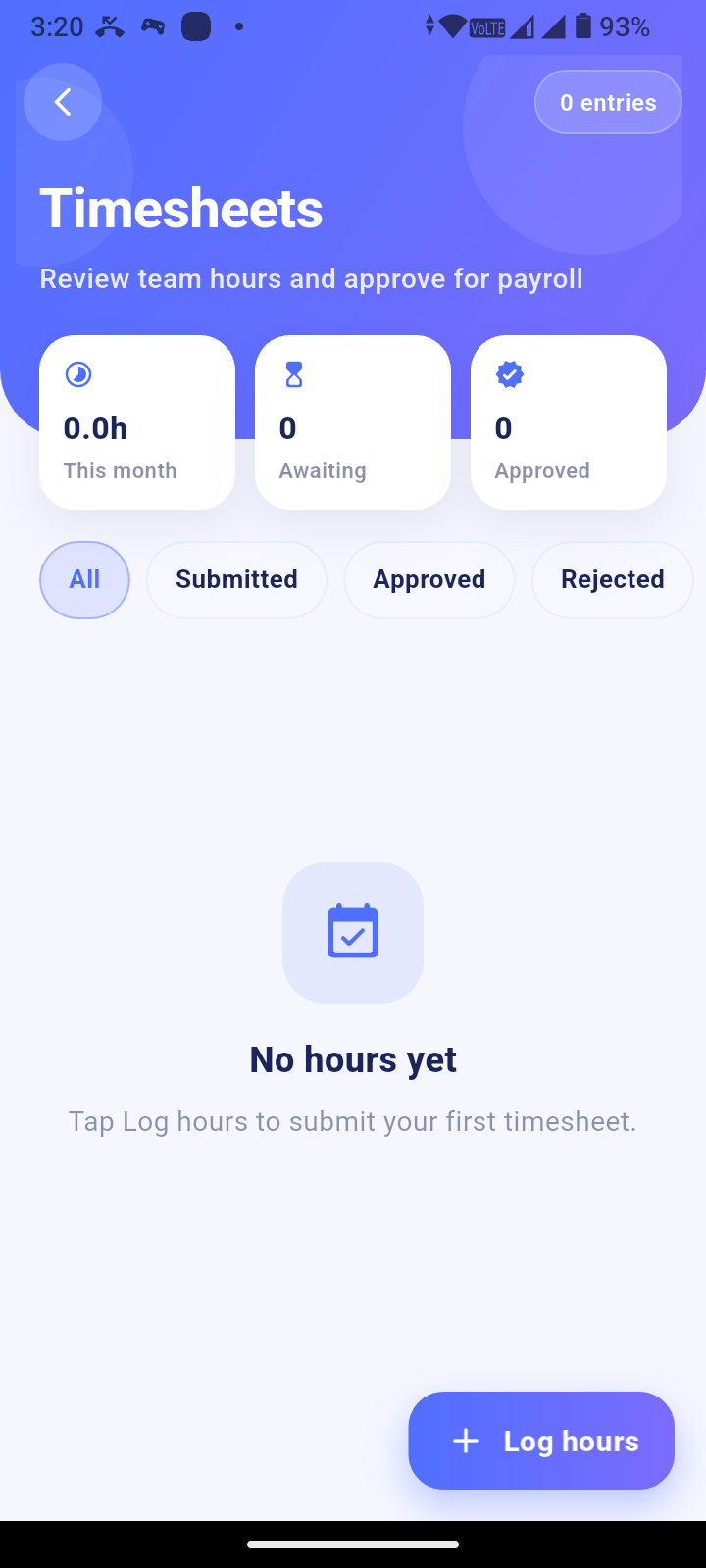
Timesheets
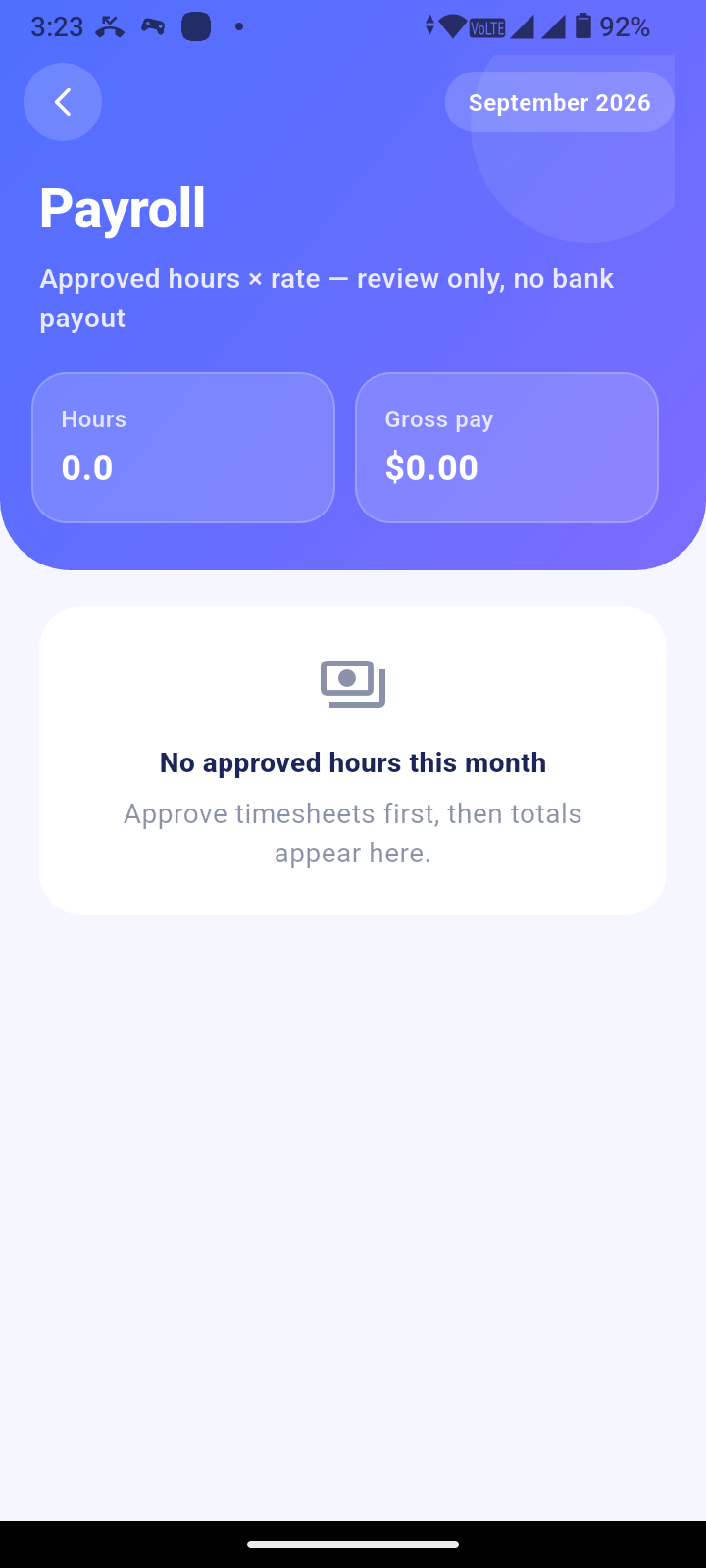
Log and approve hours, with payroll summaries based on hours × rate.
 📊
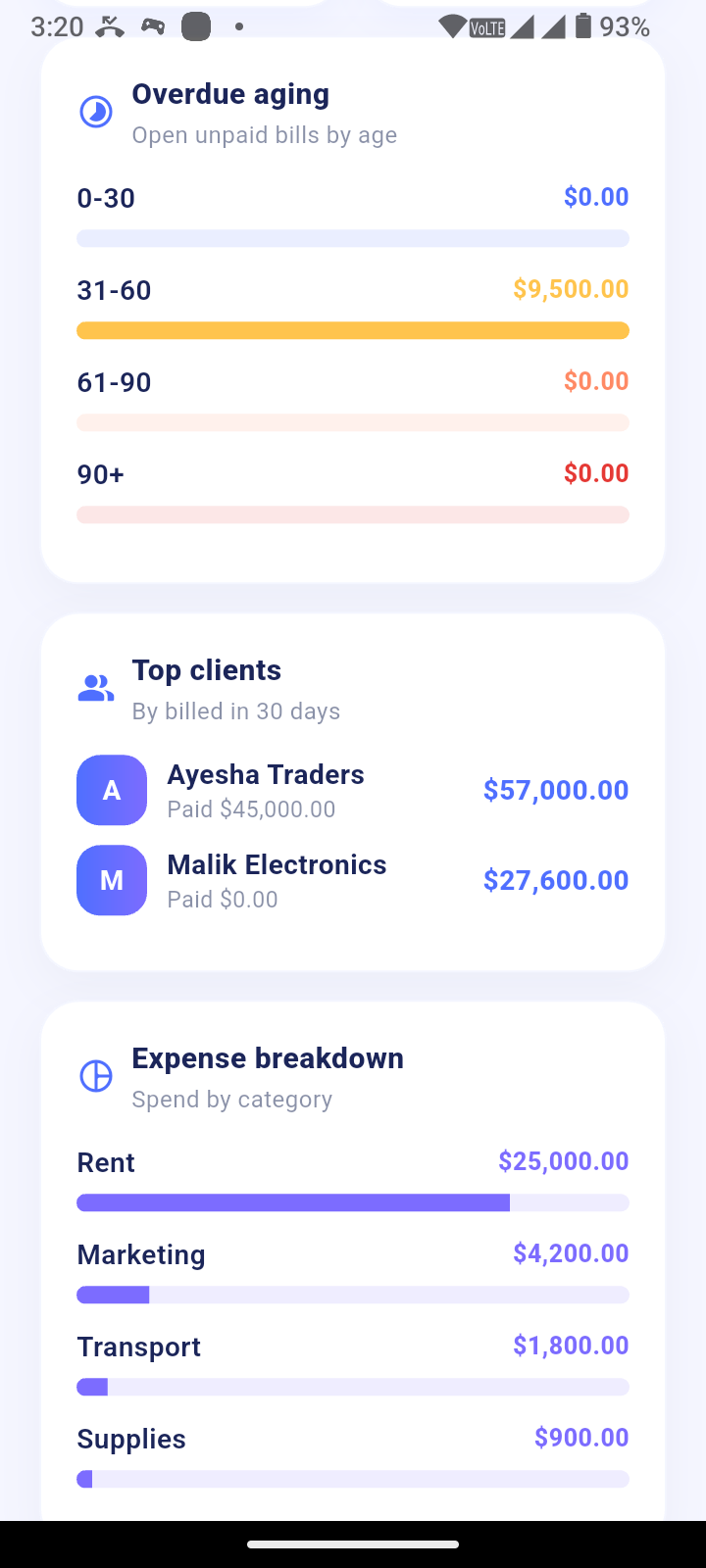
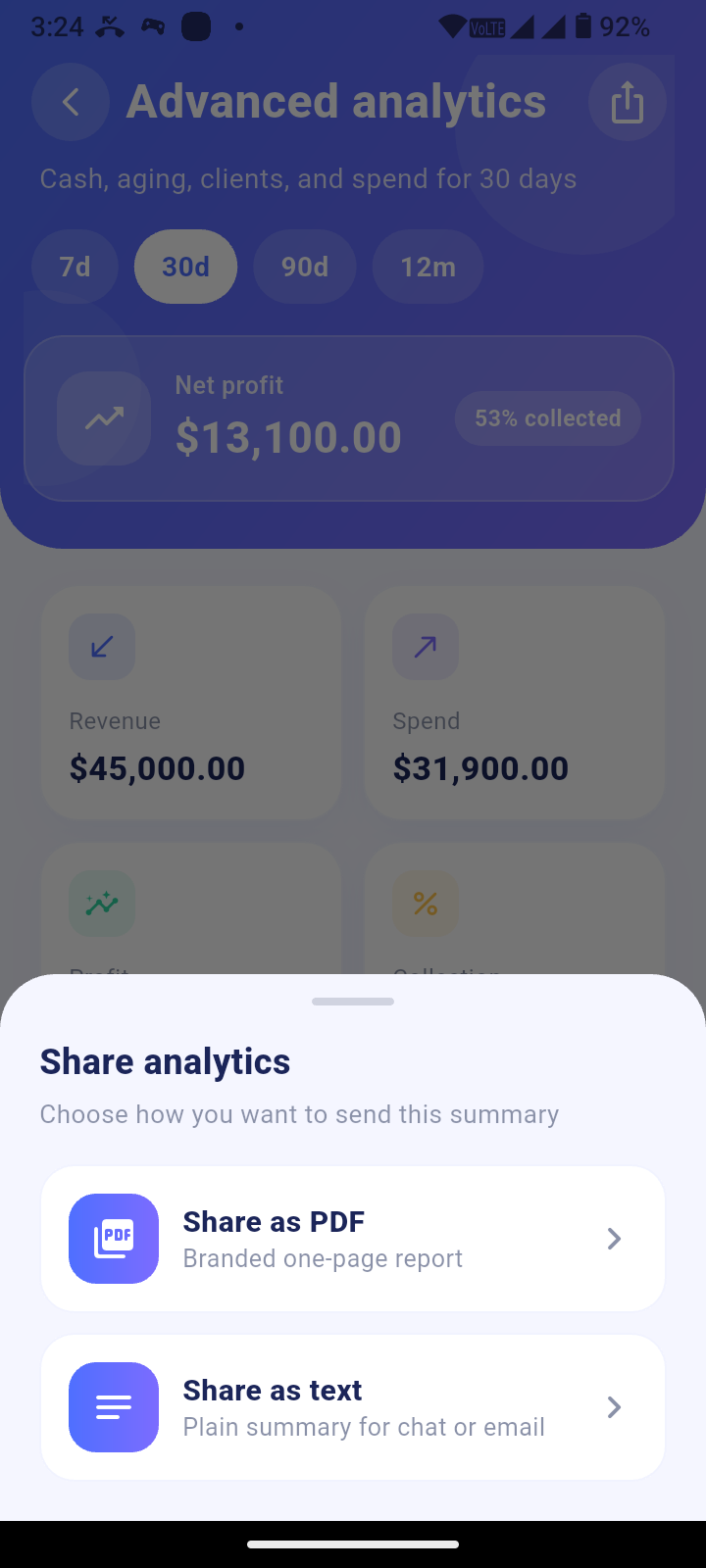
Dashboard & Analytics
Cash view, aging, export and share tools for business visibility.

 ☁️
Offline-First Data
Work with local data first, with optional Supabase sync when connected.
🔐 AuthenticationEmail sign-in through Supabase, with optional Google / Facebook authentication through Firebase.
📱 Android-Focused Source PackageAndroid-focused package with ios/ included for convenience; desktop runners are not included.
🤖 Optional Bizora Bot
Add chat and voice assistance only if you deploy Edge Functions with your own
OPENAI_API_KEY.
Requirements
What You NeedRequirements
Start with Explore Demo or the public demo APK. Add your own backends only when you are ready to go live.
🛠️Core Setup
- Flutter SDK matching
pubspec.yaml - Dart SDK ^3.10.7
- Android Studio or VS Code with Flutter / Dart plugins
- Android device or emulator
Try Immediately (No Keys)
- Explore Demo in the source ZIP — sample data, sync off, no API keys
- Public Demo APK — Android install; allow unknown sources if asked
- Demo APK is limited to 10 minutes per day
Optional — Go Live Backends
- Supabase — email auth + cloud sync (run SQL from
Documentation/Installation.md, thenharden_rls.sql) - Firebase — only if you enable Google / Facebook login
- Stripe + Edge Functions — Payment Links / Connect (set
STRIPE_SECRET_KEY) - OpenAI — Bizora Bot only (set
OPENAI_API_KEYon Supabase Edge)
Platform Notes
- Android is the verified target
ios/folder is included for convenience- Desktop runners are not included
- Flutter source package version 1.3.2
White-Label Checklist
- Change
applicationId/ package name and app icons - Use Profile → Brand kit for name, colors and logo
- Replace brand art before publishing — see
Documentation/Third_Party_Licenses.md
Not Included
- Live production API keys (examples / templates only)
- Hosted SaaS infrastructure
- Play Store / App Store publishing done for you
- Bank wage payouts (payroll is hours × rate summary only)
Instructions
Bizora · Setup guideInstall, explore, then go live
Start with Explore Demo (no API keys). Use the public demo APK for a live 10‑minute/day trial. Wire your own backends when you are ready to ship a client build.
📱 Demo APK (try before buy)
Install on Android, allow unknown sources if asked, read the caution dialog, then test. Limited to 10 minutes per day.
https://drive.google.com/file/d/1ONak48T8T8SbKQqPFOdtIWuqHcPO3nj5/view?usp=drive_link
When time is up, wait for the hh:mm:ss countdown until the next day’s window unlocks.
⚙️ Installation
- Unzip
Bizora-1.3.2-source.zipand open the project in Android Studio or VS Code. - Run:
flutter pub get - Quick review (no keys):
flutter run→ Explore demo → try the product tour, Brand kit, a bill PDF, Staff, and Timesheets. - To go live, copy the secret templates if needed:
cp lib/config/supabase_secrets.example.dart lib/config/supabase_secrets.dartcp lib/config/firebase_auth_config.example.dart lib/config/firebase_auth_config.dartcp android/app/strings.xml.example android/app/src/main/res/values/strings.xml - Put your Supabase URL and anon key in
supabase_secrets.dart. - In the Supabase SQL editor, run the schema/migrations from
Documentation/Installation.md, thenharden_rls.sql(andmigrate_security_invoker_views.sqlif upgrading an older project). - Optional Google/Facebook: add your Firebase
google-services.jsonand fillfirebase_auth_config.dart/ Facebook strings. - Optional Bizora Bot: deploy
openai-chatandopenai-realtime-session; setOPENAI_API_KEYon Supabase. - Optional Stripe: deploy
create-payment-linkandcreate-connect-account-link; setSTRIPE_SECRET_KEY(and Connect redirect URLs instripe_config.dart). - White-label: change
applicationId/ icons, then Profile → Brand kit. - Run:
flutter run
🚀 How to use
- Explore demo — sample data; sync stays off.
- Profile → Brand kit — client name, colors, logo.
- Profile → More tools — Inventory, Payments, Staff, Timesheets, Payroll, Stripe Connect, Analytics.
- Bills — Share PDF / Print.
- Assistant — only after OpenAI Edge Functions are set up.
Full walkthrough: Documentation/html/index.html or Documentation/User_Guide.md.
Demo APK (try before buy)
Install on Android, allow unknown sources if asked, then test. 10 minutes per day.
Installation
- Unzip
Bizora-1.3.2-source.zipand open in Android Studio or VS Code. - Run
flutter pub get. - Quick review (no keys):
flutter run→ Explore demo → product tour, Brand kit, bill PDF, Staff, Timesheets. - Copy secret templates if needed:
cp lib/config/supabase_secrets.example.dart lib/config/supabase_secrets.dartcp lib/config/firebase_auth_config.example.dart lib/config/firebase_auth_config.dartcp android/app/strings.xml.example android/app/src/main/res/values/strings.xml - Put your Supabase URL and anon key in
supabase_secrets.dart. - Run SQL from
Documentation/Installation.md, thenharden_rls.sql(andmigrate_security_invoker_views.sqlif upgrading). - Optional Google/Facebook: Firebase
google-services.json+firebase_auth_config.dart. - Optional Bizora Bot: deploy
openai-chat+openai-realtime-session; setOPENAI_API_KEY. - Optional Stripe: deploy payment/Connect functions; set
STRIPE_SECRET_KEY. - White-label: change
applicationId/ icons → Profile → Brand kit. - Run
flutter run.
How to use
- Explore demo — sample data; sync off.
- Profile → Brand kit — name, colors, logo.
- Profile → More tools — Inventory, Payments, Staff, Timesheets, Payroll, Stripe Connect, Analytics.
- Bills — Share PDF / Print.
- Assistant — only after OpenAI Edge setup.
Docs: Documentation/html/index.html or Documentation/User_Guide.md.
| Author | abdulmuqaddam |
|---|---|
| Category | App Templates / Flutter / Full Applications |
| Price | $55 |
| Extended License | $165 |
| First Release | Sep 17, 2026 |
| Last Update | Sep 17, 2026 |
| Files included | .dart, .kt, .gradle, .sql, .md, .yml/.yaml, package.json, pubspec.yaml |
| Operating systems | Android 7.0, Android 8.0, Android 9.0, Android 10.0, iOS 14.0, iOS 13.0, iOS 15.0, Android 11.0, Android 12.0, Android 13.0, Android 14.0, Android 15.0, iOS 16.0, iOS 17.0, iOS 18.0 |
Categories
Tags
External listing. code.market does not sell this product and does not process payment for it. Pricing, payment, delivery, licensing, refunds, and support are handled by the third-party merchant on its own website. We may earn an affiliate commission from a referral. Details.
Products of the Week.
Submit🥇

Perceptle
Perceptle is a daily browser-based game that challenges you to test your sensory intuition through five quick estimation and rhythm-based rounds.
Other · 1,800 views · 11 clicksOther · Week 47 · 1,800 views · 11 clicks
🥈

Free LinkedIn Likes From Real
Get free LinkedIn likes on your posts from real members who react by hand. No
SaaS · 1,935 views · 11 clicksSaaS · Week 47 · 1,935 views · 11 clicks
🥉

STOP GUESSING WHAT TO POST
AI that learns your brand voice and builds a month of consistent, on-brand social content: carousels, posts and hooks that sound like you, not like everyone else's AI.
SaaS · 9,478 views · 76 clicksSaaS · Week 47 · 9,478 views · 76 clicks
#4

aaas.market
407 reliable micro tools for solo founders, marketers and creators. They work in your browser
SaaS · 1,899 views · 5 clicksSaaS · Week 47 · 1,899 views · 5 clicks