Binance and FTX and Bybit Master Account Copy Trading Software
Hot or Not

Description
What is Binance And Bybit Copy Trading Trading Software ?
Binance And Bybit Copy Trading Software – is Advance Software with Unique Feature for Copy all Trades from Master Account to Slave accounts.
- we also offer monthly basis subscription you can purchase monthly software on our website https://bhansalisoft.com/Product.aspx?PID=30
- ✅Software can manage multiple client for Trade
- ✅Software can copy master client trade to all child clients with automate process just need to configure master client and child clients
- ✅Software can do multiple client trade on one click
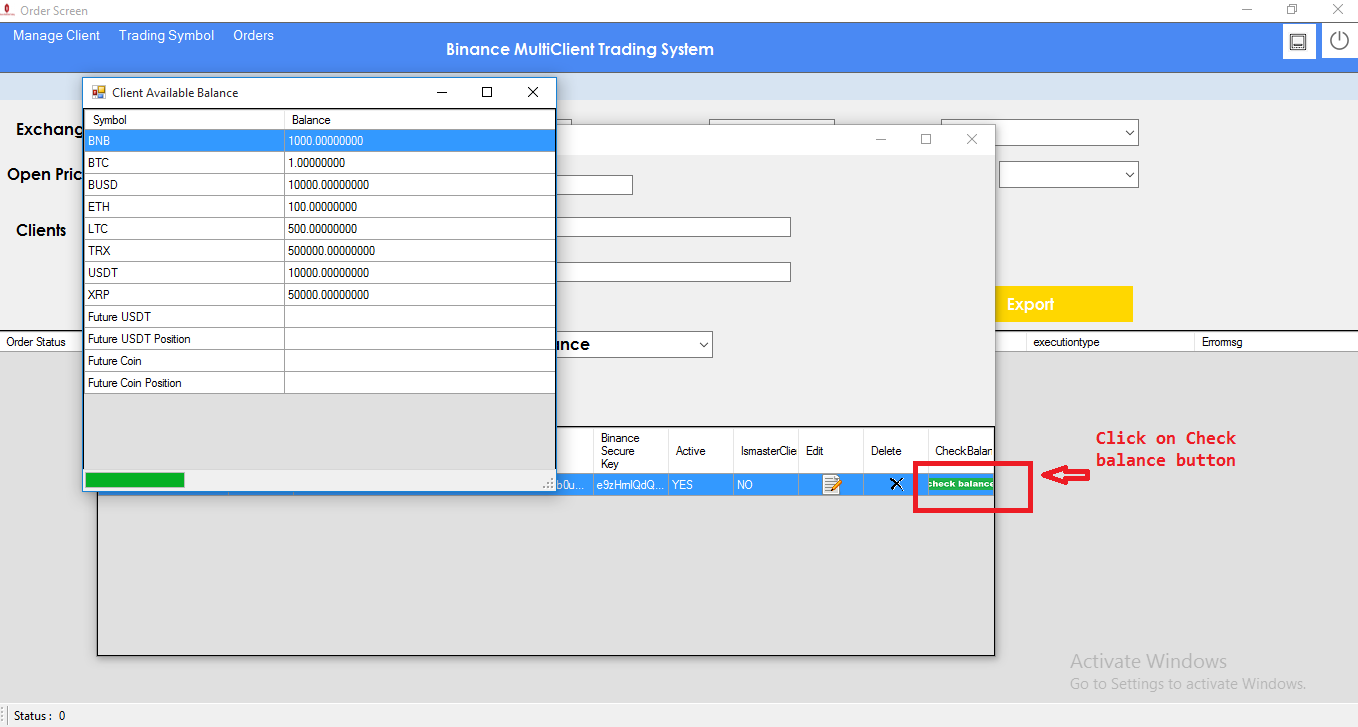
- ✅Software have facilty for check Balance of Every coin in account
-
✅Software support all order type to copy from master to child
- For Binance : Market/Limit/Stop Loss/ Take Profit Order
- For Bybit : Market/Limit Orders
- For bybit copy trade ,software support Unified Account
- Premium support included with remote session if anything issue
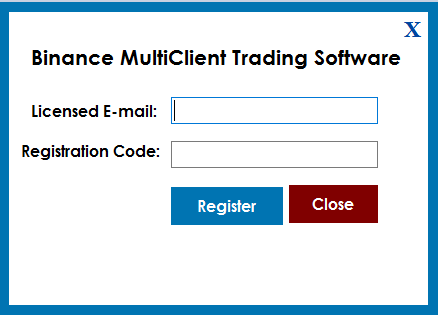
- After i Confirm your purchase Code , Please Unzip Main File and Run CryptoCopyTradingSystem.exe and Register your Licence as per below Screen.
- Licence Email : Registered Email.
- Registration Code : Evanto Purchase Code.
- After Registration you can Use Software.
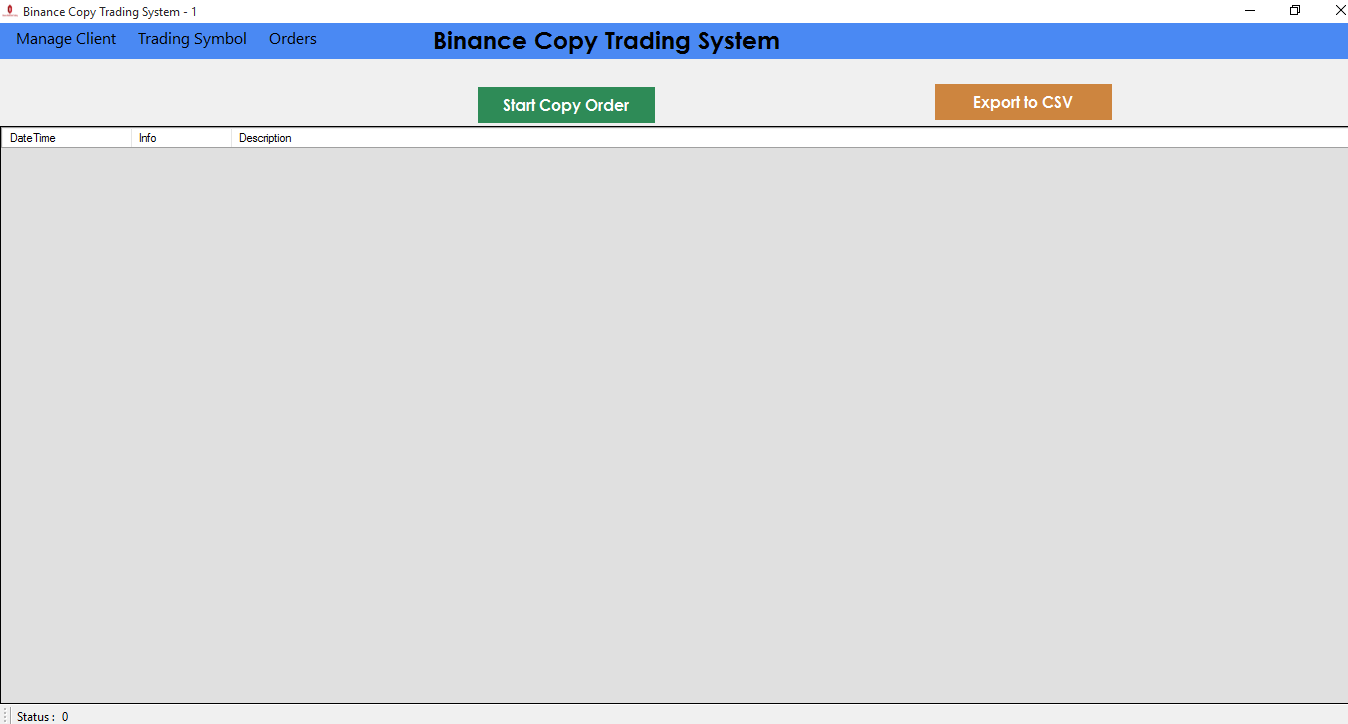
- Click on Start Copy Order ,it will take all today order from master client and copy on all child clients which you manage on ManageClient Screen.
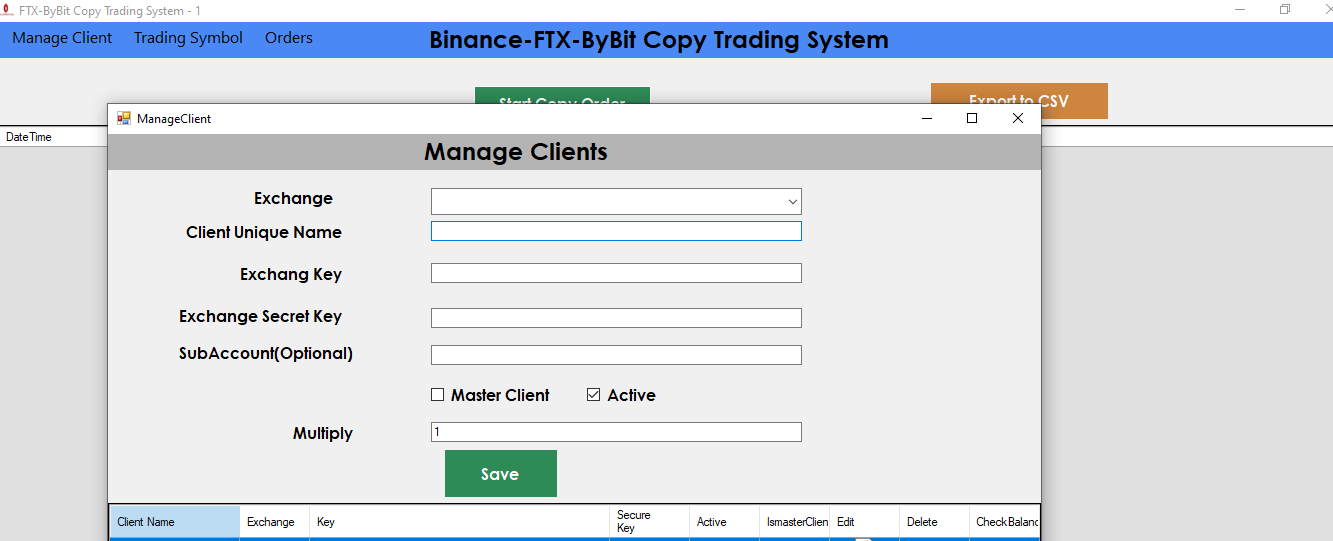
- Manage Client : Click on Manage Client Menu , it will open below screen
 Fill below Details
- Client Unique Name : Enter Unique name
- Exchange Api Key : Enter Your Binance Account API Key
- Exchange Secret Key : Enter Your Binance Account Secret Key Help :How to get Binance Account API Key and Secret Key
- Active : You can active and Deactive client anytime
- Exchange : Select Binance/Bybit Exchange from DropDown. Note :We are not store any data so not responsibe for any financial loss/profit . all this data save in local xml file :ClientData.xml
- order value( ): default value is : 100 , order will be percentage of Child account wallet balance. if you add 10% and child account wallet balance is 100$ then trade will be 10$ on child account.
-
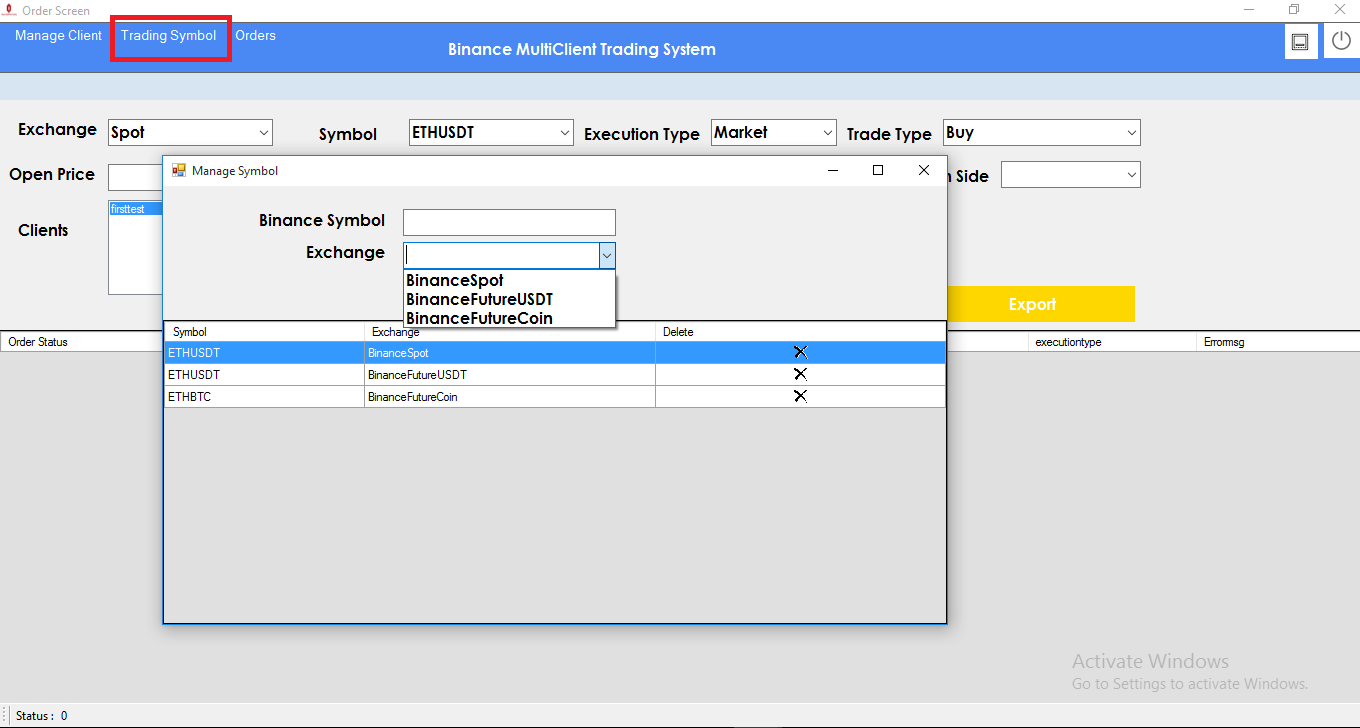
Manage Trading Symbol : You can manage all trading symbol for Spot and FutureUSDT, FutureCoin.
-
Enter Below detail
- Binance Symbol : Enter Binance Symbol like ETHUSDT
- Exchange : select option from dropdown , BinanceSpot, BinanceFutureUSDT,BinanceFutureCoin.
-
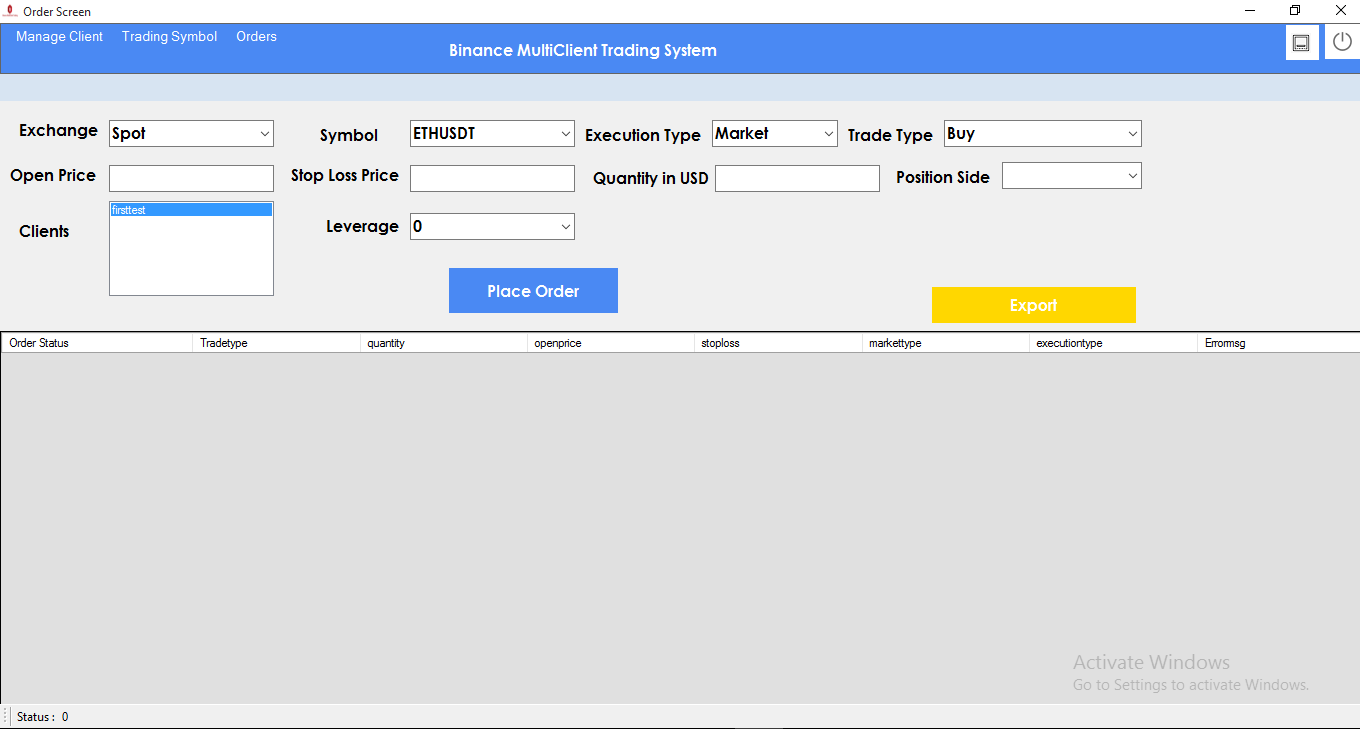
Now You can place Order on main screen with below option.
- Binance Exchange : Select Exchange Type Binance Spot /Feature
- Symbol: select symbol from dropdown
- Execution Type: you can select execution type – Market order/Limit order
- Trade Type: select option Buy/Sale
- open price: if you select your Execution type – “limit order” then you need to provide Open price and Stop Loss price
- open price: if you select your Execution type – “limit order” then you need to provide Open price and Stop Loss price
- Quantity in USD : Provide your traded amount value in USD.
- Position Side : Select option from dropdown
- Clients : You can select multiple Clients by cntrl press
- Leverage : you can select your account leverage Level.
-
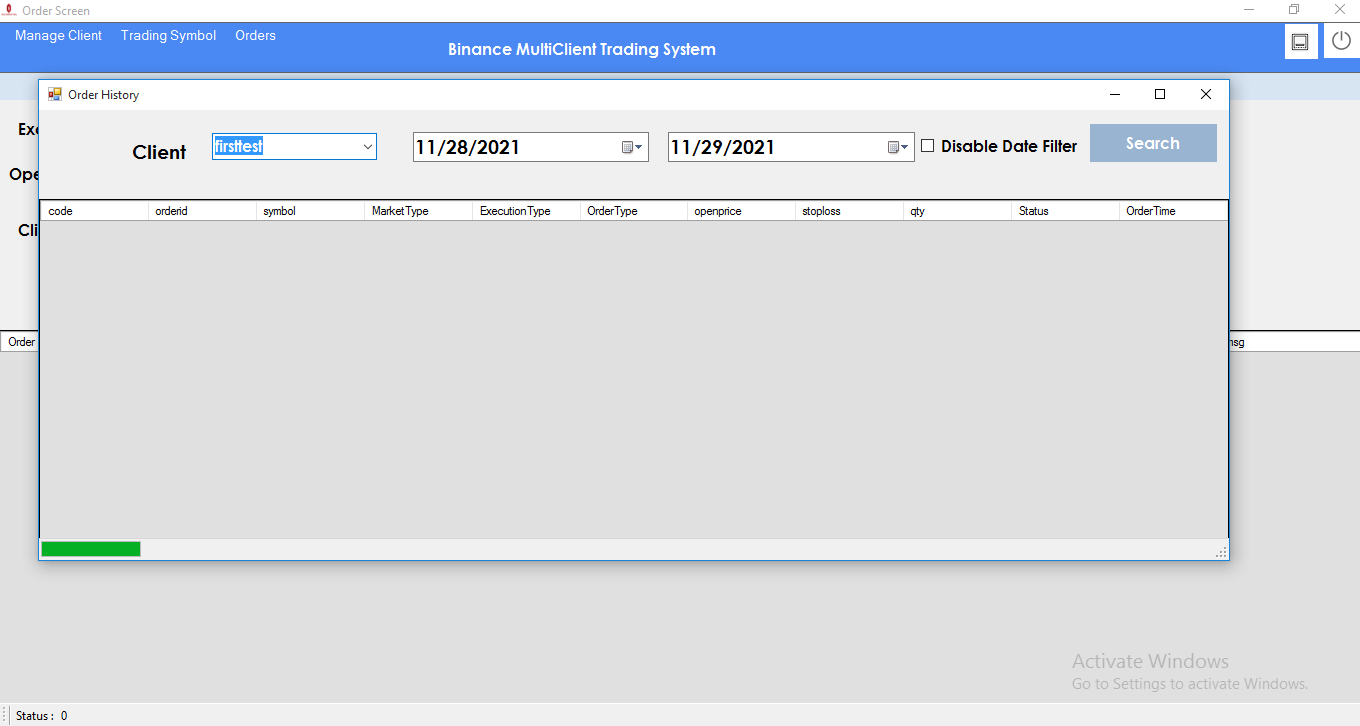
You can check order history
- Support Will provide from our profile Contact form on codecanyon .
- Support Will not Provide any types of customization.
- If you need any customization so extra cost will be charge.
- Single license support will provide for one single domain.
- Update Bybit for support unified account
- Added Exchange Bybit , Now support Two exchange Binance , Bybit
- Initial Release with two exchange Binance
Exchange Supported

with Unique Feature for copy all Binance and Bybit trades from master to slave accounts.
Getting Started
After Registration Licence , Start Software, software start with below screen
Now Start Trading With below Steps
 Fill below Details
Purcahse Validity:
DO NOT SHARE YOU PURCHASE CODE IN PUBLIC COMMENTS . Since it is your license key for app . 1 purchase code can only be used in 1 machine .change log
2.0.0.0 – 24/11/2023
2.0.0.0 – 23/04/2023
1.0.0.0 – 3 December 2021
| Type | Windows App |
|---|---|
| Author | bhansalisoft |
| Category | Apps / Windows |
| Price | $99 |
| Sales | 25 |
| Rating | 0.00 from 2 ratings |
| Published | Dec 2, 2021 |
| Last Update | Aug 7, 2026 |
| Application Runtime | .NET 4 |
| Operating System Versions | Windows 10, Windows 8 Metro, Windows 8 Desktop, Windows 7 |
Categories
Tags
External listing. code.market does not sell this product and does not process payment for it. Pricing, payment, delivery, licensing, refunds, and support are handled by the third-party merchant on its own website. We may earn an affiliate commission from a referral. Details.