
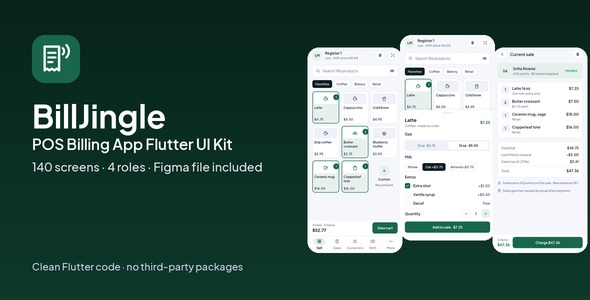
BillJingle | POS Billing App Flutter UI Kit
Description
BillJingle | POS Billing App Flutter UI Kit
BillJingle is a complete Flutter UI kit for point of sale: 2 phone apps (Cashier app and Owner app) and 2 desktop admin panels (Store admin and Super admin). 140 screens in clean Flutter code with no third-party packages, plus the matching Figma design file as a bonus.
Open the live demo and try every screen in your browser.
Demo Instructions
Live demo: https://uikits.appzenic.com/billjingle/
- Choose a role on the start page (for example the customer app or the admin panel) and open any screen from its list.
- Login is open to everyone: no account or sign-up is needed.
- On any sign-in screen you can use Email: demo@example.com and Password: Demo1234, then tap Sign in. Any other email and password also work, and you can leave the fields empty.
- This is a UI kit with sample data and no backend, so nothing you type is sent or saved.
4 apps, 140 screens
- Cashier app (mobile, 51 screens): welcome, sign in, forgot password, verify code, choose register, enter PIN, open shift, sell, search products, scan barcode, barcode not found, latte options, custom amount, current sale, edit line, discounts, add a customer, new customer, customers, customer profile, redeem reward, sale ready, charge, split payment, card payment, card declined, cash payment, payment done, receipt, send receipt, held orders, sales, sale detail, find a sale, return items, manager approval, refund, refund done, shift, cash in or out, safe drop, count, review variance, shift report, more, hardware, settings, help, notifications, offline, no held orders.
- Owner app (mobile, 33 screens): welcome, sign in, create account, verify phone, set up store, today, choose store, sales by hour, top items, payment types, live sales, sale detail, approvals, reports, sales by category, staff, shifts and cash, shift detail, stock, item stock, new order, count stock, customers, customer detail, leaf Points, team, notifications, me, plan and billing, settings, help, no sales yet, offline.
- Store admin (desktop, 32 screens): sign in, dashboard, products, product, categories, inventory, stock adjustment, stock movements, purchase orders, purchase order detail, new purchase order, suppliers, add supplier, customers, customer detail, loyalty, discounts, new discount, sales, refund, staff, staff detail, invite staff, registers, shifts and cash, taxes, receipt template, reports, plan and billing, team and roles, activity log, settings.
- Super admin (desktop, 24 screens): sign in, overview, merchants, approve merchant, plans and billing, payouts, disputes, support, broadcast, team and roles, activity log, system status, settings, merchant detail, locations, shoppers, sales, dispute detail, ticket detail, plan editor, payout run detail, hardware catalogue, promo codes, suspend merchant.
Ring Up a Sale
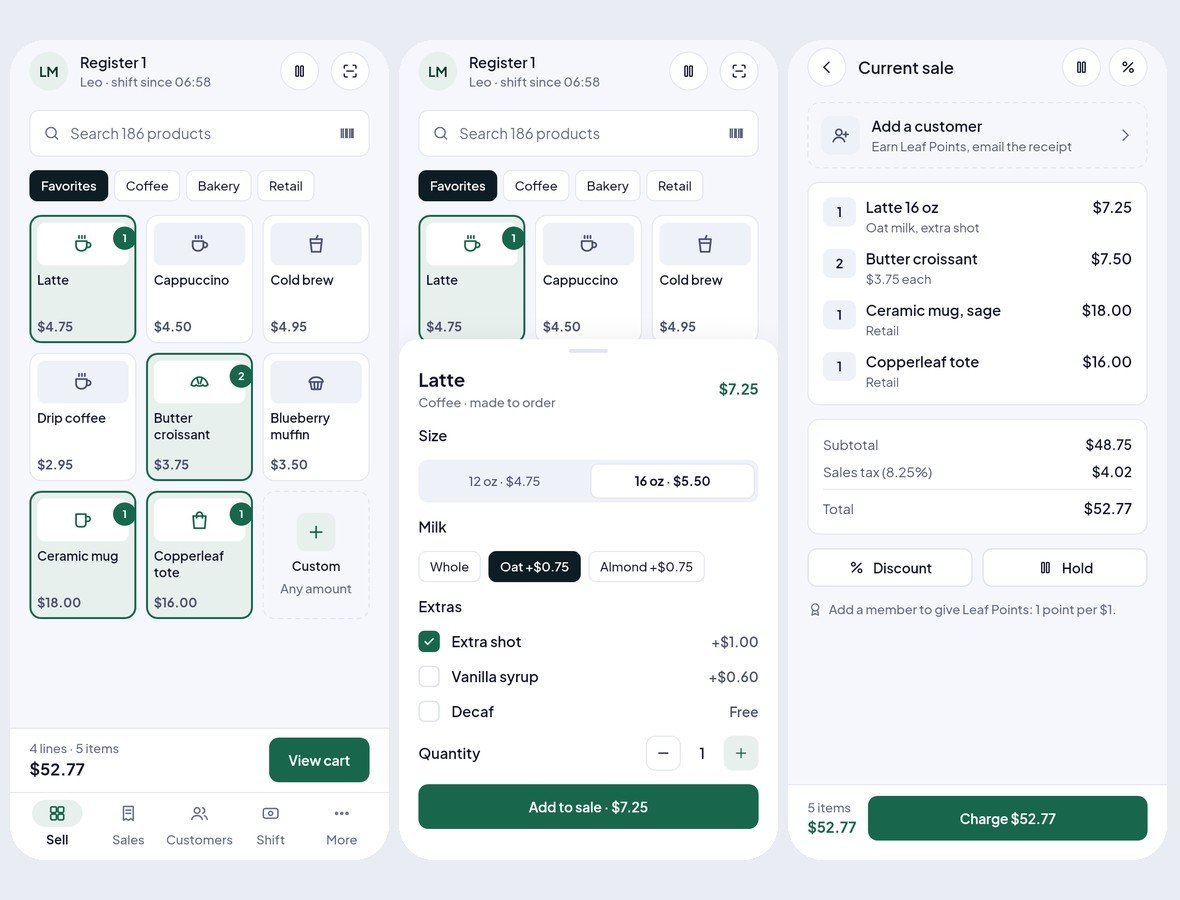
Tap products on a grid by category, search or scan a barcode, pick sizes and modifiers, add a custom amount, edit lines, apply a discount or a coupon and hold a sale to serve the next customer.
Card, Cash or Both
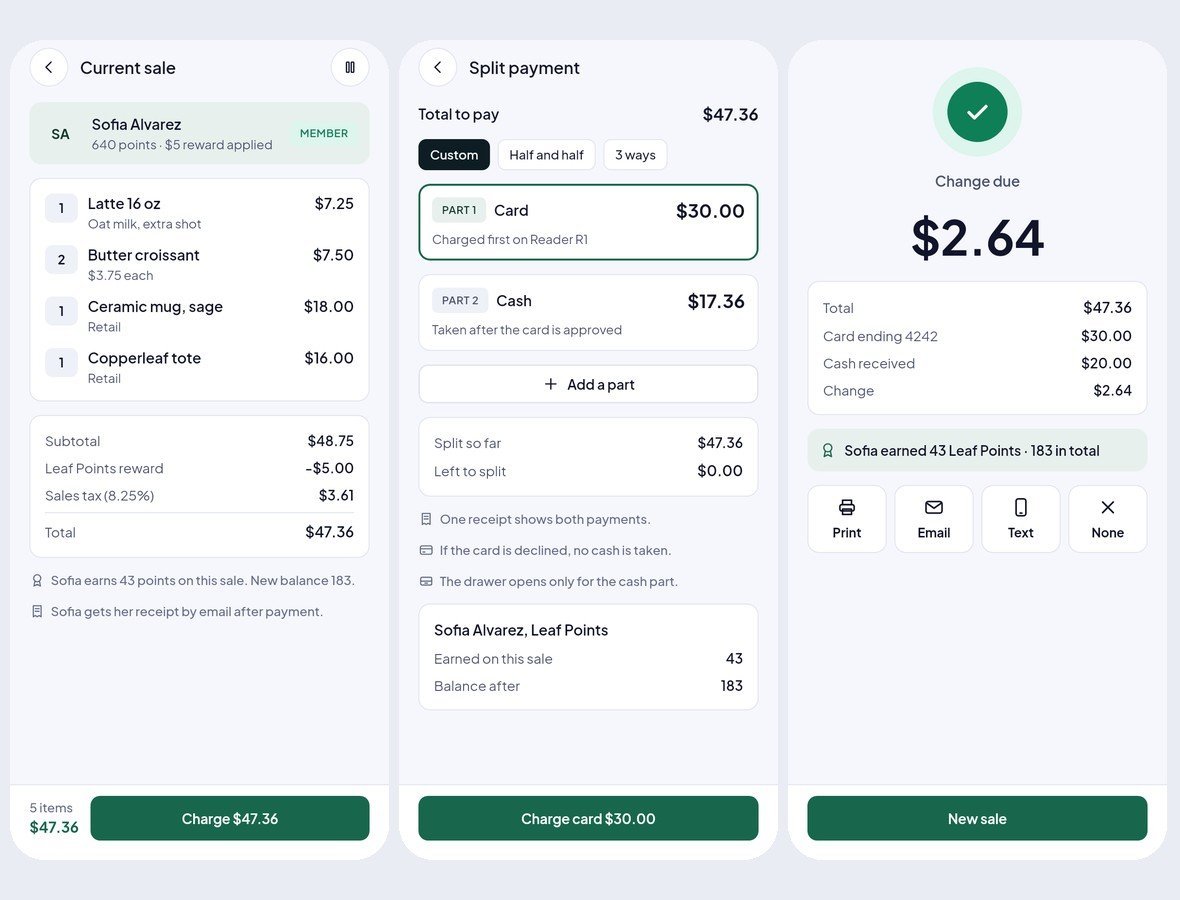
Add the customer and a loyalty reward, then charge by card, cash with quick amounts and change, or a split of both. A declined card, the payment done screen and a receipt to print, email or text are all there.
Returns and a Clean Close
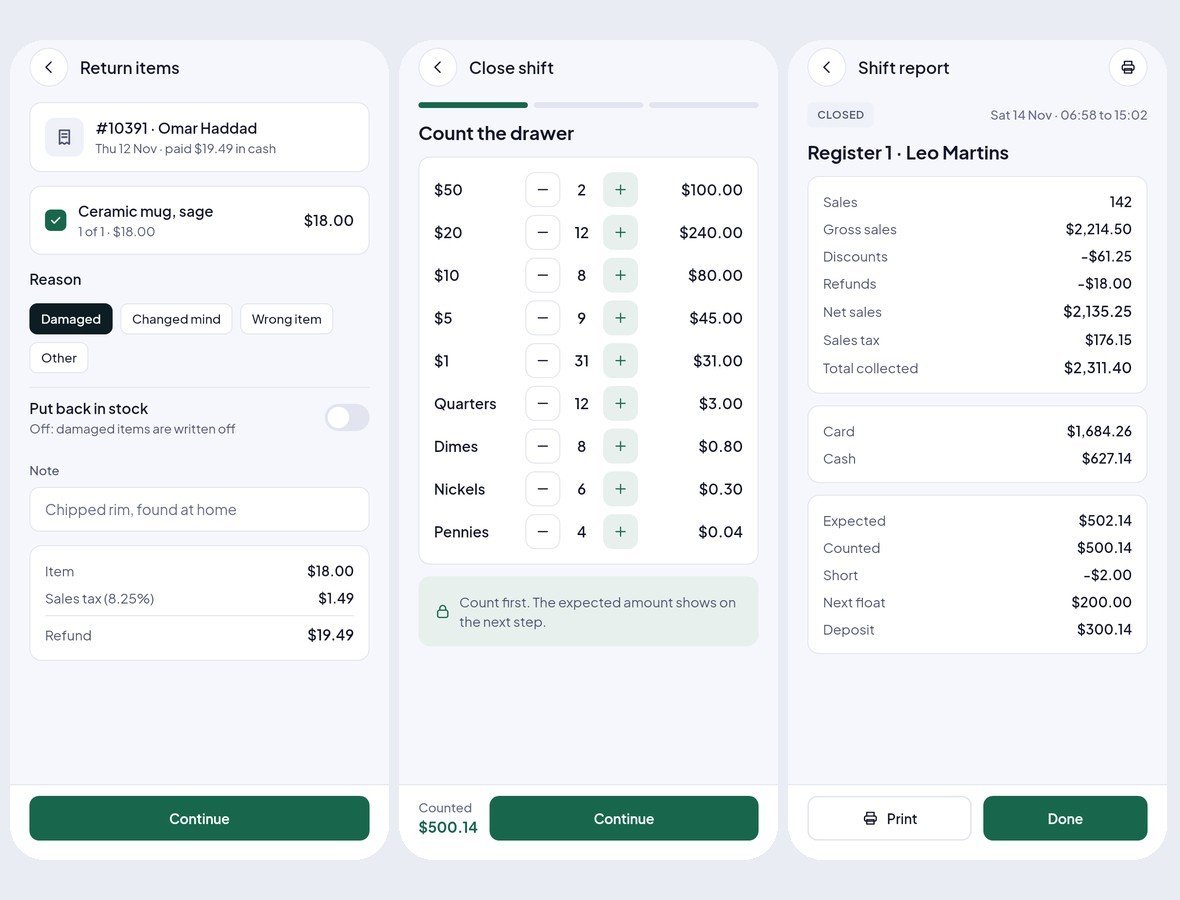
Find a sale, return items with a reason and a manager PIN for larger refunds, record cash in and out and safe drops, then count the drawer by denomination and close the shift with a variance note and a full report.
Owners Run the Store From Their Phone
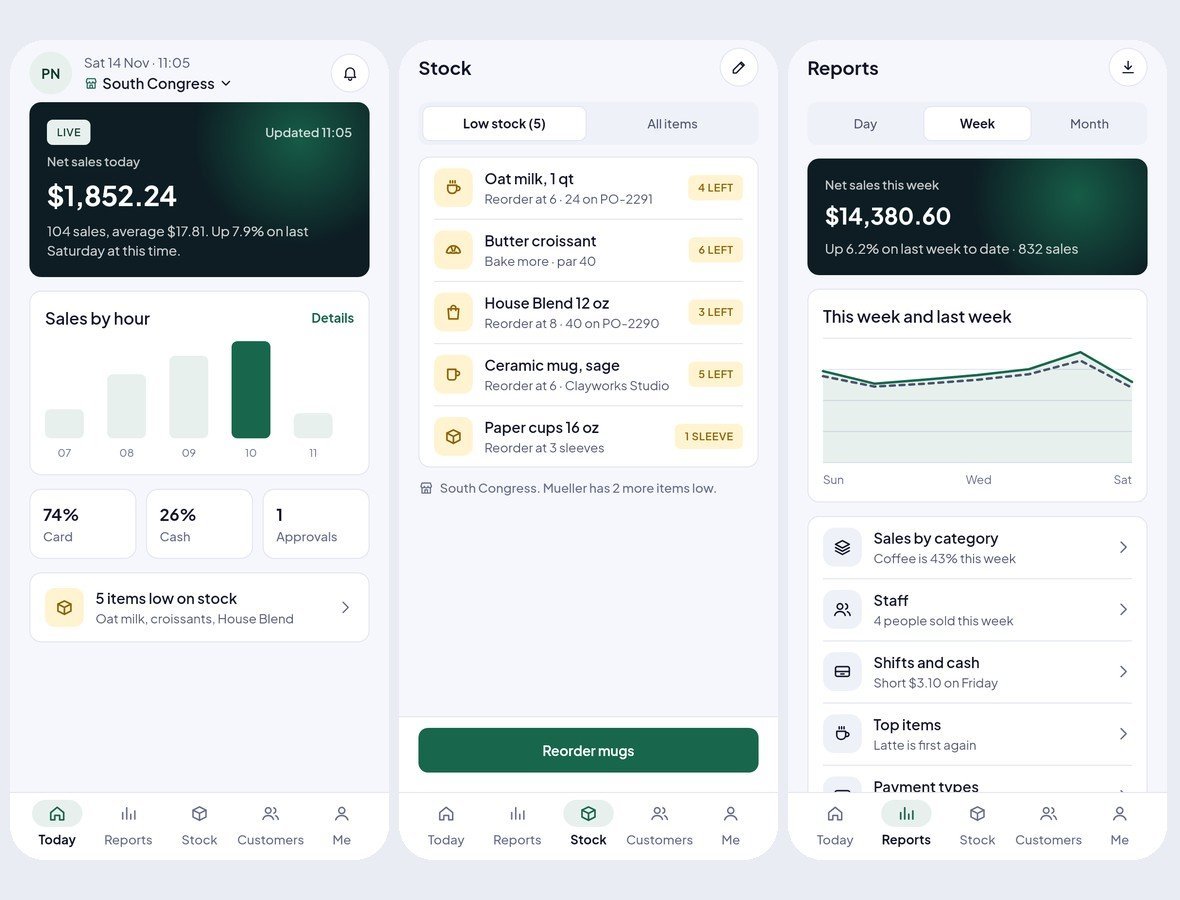
Store owners see today’s sales live and by the hour, top items and payment types, approve price overrides, read weekly reports by category and staff, check every shift’s cash, act on low stock with counts and purchase orders, and follow customers, loyalty and the team on shift.
Desktop Consoles With a Sidebar
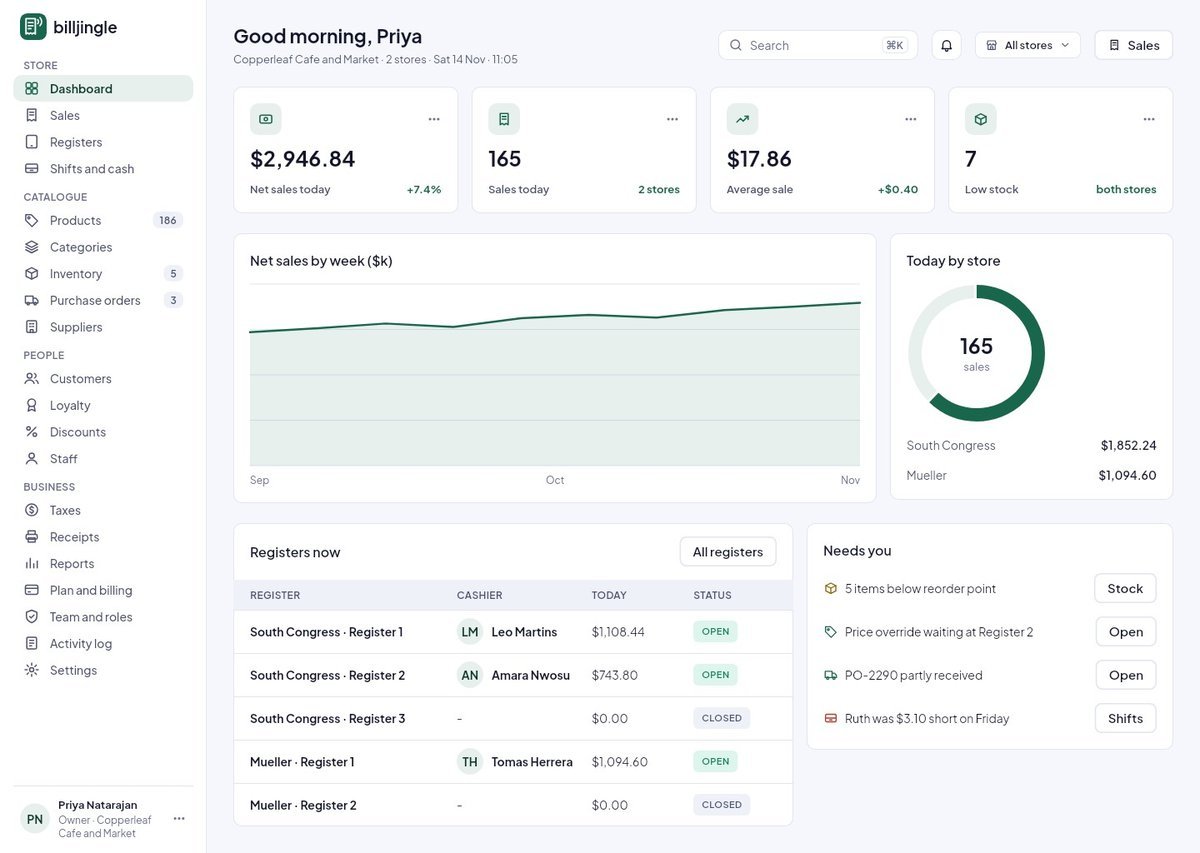
The back office handles the whole store: products with sizes and modifiers, inventory and stock movements, purchase orders and suppliers, customers, loyalty and discounts, sales and refunds, staff and registers, shifts and cash, taxes, the receipt template and reports. The platform owner gets a super admin console on top.
Clean Flutter code
- Only the Flutter SDK: no third-party packages, no network calls, no API keys. Run flutter pub get and flutter run.
- One theme: colours, text styles, control heights and radii live in token files. Change the primary colour once and every screen follows.
- A shared component library: buttons, chips, inputs, badges, switches, segmented controls, navigation bars, sidebar, tables, charts, modals and drawers. A Components page shows every variant.
- Every screen is reachable and works like a prototype: tabs, switches, chips and links respond.
- Responsive: phones from 360 pt, tablets, and desktop panels from 1024 pt. Below 900 pt the sidebar becomes a drawer, cards reflow and tables scroll sideways.
- Tested: every screen renders without overflow at phone, tablet and desktop sizes, and a test taps every button and link. flutter analyze reports 0 issues.
- All amounts in US dollars; sample names and cities from around the world.
What you get
- The full Flutter project (Android, iOS and web).
- Documentation: requirements, installation, folder structure, how to re-theme, how to add a screen, and the screen list per role.
- Bonus: the matching Figma design file.
Requirements
This is a UI kit (front end only) without backend functionality: no server, database, user accounts or payments are included, and every screen shows sample data. To build it you need a current stable Flutter 3 release, plus Android Studio or Xcode for mobile builds. No other packages, accounts or API keys are needed.
Notes
This is a UI kit: there is no backend or payment gateway. Photo slots in the download are neutral placeholders for your own images.
How this kit was made
Concept, screens, flows and colours by our team. The Figma designs are made manually, and the skeleton-only Flutter code was converted from Figma using local in-house scripts for visual consistency. The full Flutter code and UI flows are then manually written, and every screen was reviewed and tested by our team. No third-party Figma-to-code service was used: the Figma to Flutter skeleton step used only our own local in-house scripts. The earlier header “Generated from the Figma kit, then reviewed.” in each screen file referred to that skeleton step and has been removed from every screen file. Only the images and assets shown inside the app screenshots and previews (sample photos, avatars and sketches) were made with Gemini AI, for presentation only; they are not included in the download. Full details are in the documentation.
| Author | Thinkcreative_Technologies |
|---|---|
| Price | $18 |
| Sales | 0 |
| Rating | 0 (0) |
| Published | Nov 18, 2026 |
| Last Update | Nov 18, 2026 |
| Compatible Software | Flutter 3.x |
| Demo Url | https://uikits.appzenic.com/billjingle/ |
| Mobile Files Included | Dart, YAML, JavaScript JSON, .kotlin, .h, .storyboard, .plist, .swift, HTML |
Categories
Tags
External listing. code.market does not sell this product and does not process payment for it. Pricing, payment, delivery, licensing, refunds, and support are handled by the third-party merchant on its own website. We may earn an affiliate commission from a referral. Details.
Products of the Week.
Submit🥇

Perceptle
Perceptle is a daily browser-based game that challenges you to test your sensory intuition through five quick estimation and rhythm-based rounds.
Other · 1,800 views · 11 clicksOther · Week 47 · 1,800 views · 11 clicks
🥈

Free LinkedIn Likes From Real
Get free LinkedIn likes on your posts from real members who react by hand. No
SaaS · 1,935 views · 11 clicksSaaS · Week 47 · 1,935 views · 11 clicks
🥉

STOP GUESSING WHAT TO POST
AI that learns your brand voice and builds a month of consistent, on-brand social content: carousels, posts and hooks that sound like you, not like everyone else's AI.
SaaS · 9,478 views · 76 clicksSaaS · Week 47 · 9,478 views · 76 clicks
#4

aaas.market
407 reliable micro tools for solo founders, marketers and creators. They work in your browser
SaaS · 1,899 views · 5 clicksSaaS · Week 47 · 1,899 views · 5 clicks