BerryKid - Baby Store WooCommerce WordPress Theme icon

BerryKid - Baby Store WooCommerce WordPress Theme

Hot or Not
BerryKid - Baby Store WooCommerce WordPress Theme

Description

Berrykid – Elementor Baby Store WordPress Theme, a Kid Store theme, that offers professional designs for kid stores, baby shop, clothes, mom & baby, infants, etc.

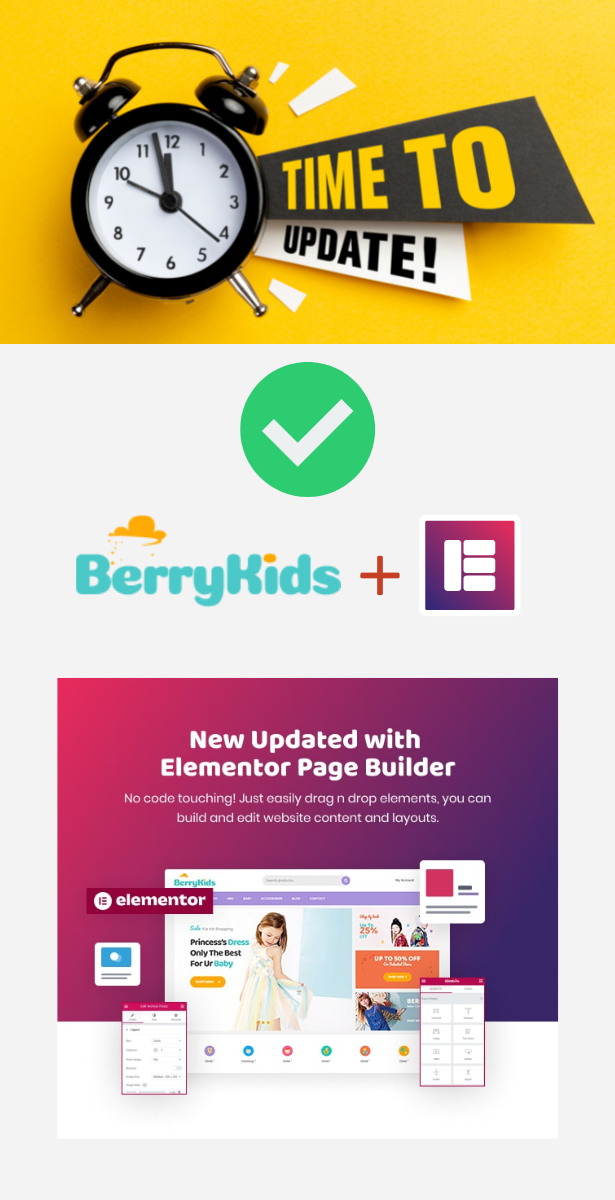
New-Updated with Elementor Page Builder

BerryKid theme is built with Elementor builder. Just drag n drop elements, you can build and edit your layout and content easily. No code required! Everything in your hands, you can hand over your website with the most saving cost and time.
Explore BerryKid Introduction WordPress Video

BerryKid – The Most customizable Baby Shop WooCommerce WordPress Theme

With a cute and colorful Kid store ecommerce design, Berrykid theme perfectly suits an online store of kids toys and games, kids fashion, baby clothing, mom and baby, infant store, toddlers clothing, … This colorful and adorable baby store WordPress theme is built on the powerful framework which allows you to start any highly functional website. It’s a fully responsive WordPress theme with professional designs for any business types, but most perfect for babies, kids, or children fashion shop websites.

Specifically, in the newest update Elementor, Berrykid lets you build and edit content and layout up-to-date. No need touching any line of code. Just using simple clicks, you can edit and build baby stores. Plus, 1 click installation import will save your time a lot, possible to build your website looks as the same demo samples.

04+ Kids Fashion Demo Homepages

This baby shop WordPress theme is developed with 04+ stunning fashion demos, great example to launch any online website.

Successful Projects using BerryKids

We are happy on each successful website project with our WordPress Themes. Berrykid wp theme is made for any kid store business. Using the Berrykid Kid store WooCommerce theme, you can create any business website such as kid clothes, kid toys shop, learning tools, school things or clothes for infants, kids, toddlers, mother and kids,... Or if you like the theme, you can create a gift shop, souvenir, flowers, digital products, accessories shop, ...Here are one of the most beautiful projects we would like to share with you and hope you believe in us more in the future. They are TRUE comments, REAL case-studies for our products. It’s a high quality theme, beautiful design and works fluently.

  • More projects…

1 Click Installation Import

One of the highlight features that make BerryKid become a fast and powerful WordPress theme for kids toys & games, kids fashion, baby clothing & accessories is one-click import tool. It’s super easy for you to build any demo. With just 1 click, you will get the same content, graphics, theme settings & layouts.

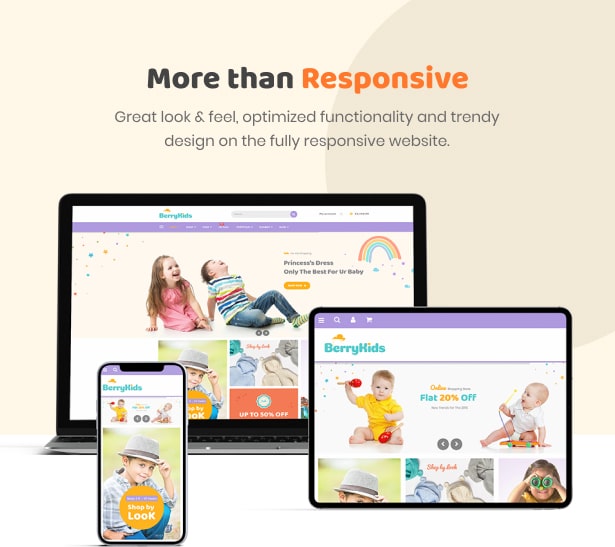
More than Responsive

The baby shop WordPress theme BerryKid is well built with great look & feel, optimized functionality and trendy design. The template offers you a fast and smooth performance when viewing. It’s 100% responsive and intuitive on all devices such as desktop, tablet, and mobile. Therefore, no matter what device you and your customers are on, BerryKid can work well and will bring you great user experience.
Ready to Launch an Online shop

Everything needed for a successful online shop is already created with Berrykid

Multiple Shop Layouts

Find out items of any category they need quickly in the catchy and smart way.

Various Product Page layouts

What’s about single product pages? Whether they display well? With BerryKid – the creative baby shop eCommerce WordPress theme, all single product pages are shown off in detail with impressive description, catchy images. Also, with social media support, your customers can express and share their interest with others in a blink of an eye.

Friendly Blog For Kid Shop

Well-organized and creative blog pages to share all useful content, tips and tricks, new arrival, …

The baby store WordPress theme also provides you well-organized and creative blog pages. You can build your own blog page for sharing posts about useful products or interesting life stories.

Other Inner Pages

Packed with all helpful pages such as Contact Us, About us, FAQ, 404 error

Hot Deal & Countdown Timer

Easily create a variety of discount offers for your kid products, together with a countdown timer.

Compatible with Other Powerful Plugins

Dedicate Team Support

A friendly and dedicated support team to help you with any theme queries. Also, detailed documentation is provided.

BerryKid Full features – Online Baby Shop WordPress Theme

  • New-Updated with Elementor Page Builder
  • 04+ Kids Fashion Demo Homepages
  • Successful Projects using BerryKid
  • 1 Click Installation Import
  • More than Responsive
  • Ready to Launch an Online shop
  • Multiple Shop Layouts
  • Various Product Page layouts
  • Friendly Blog For Kid Shop
  • Other Inner Pages
  • Hot Deal & Countdown Timer
  • Compatible with Other Powerful Plugins
  • Dedicate Team Support
  • Contact Form 7 Included
  • WordPress 5.9.x tested and approved
  • Premade widgets to build content easier
  • HTML5 and CSS3
  • Optimized for Speed, Search Engine Optimization, Mobile Optimized, Highly Conversion Rate Optimization and Unlimited Customize
  • Clean, modern, multi-purpose design can be used for any type of websites
  • Elaborated clean code for your convenience
  • Cross-browser compatibility: Chrome, FireFox, Safari, Opera, IE10
  • Different sidebars variations
  • Amazing parallax effects both on rows and content
  • Fast and perfect performance while viewing
  • Compatible with powerful Plugins: WPML Multilingual CMS, WPML String Translation, Mailchimp
  • Showcase some key features for shop page: Well-designed Shop layout, Vivid Product Zoom, Quick Product View, Smart Product Navigation, Advanced Search & Filter

Customizable Online Baby Store WordPress Theme – Ease Of Customization

  • WordPress Customizer Support: allow you configuring theme’s functions via Wordpress options.
  • Customizer allow to customize your site: Main options, Side area options, Social Link, Post list options, Styling options, Layout settings, Footer section options, Header section options
  • Advanced options to enable/disable individual features
  • Full control over site width (full-width or boxed), content area and sidebars
  • Revolution slider included with updates provided
  • Fast and convenient Elementor Builder
  • Vector icons for perfect retina design
  • Numerous background options: add parallax background images to Rows, style Menus, add as Header background, boxed content background or Client logos
  • Top page additional styling possibilities
  • Stunning Header & Footer builder function
  • Unlimited button styles: you set the height and the shape of the button manually, also additional CSS rules allow even more options
  • Touch-friendly interface for your convenient usage on smartphones and tablets
  • Fully Responsive Design
  • Sidebar generator allows you to create the unlimited number of sidebars to your taste
  • Select Main/Second site color for easy to customize tools
  • Demo Content

Our Support Channels:

External listing. code.market does not sell this product and does not process payment for it. Pricing, payment, delivery, licensing, refunds, and support are handled by the third-party merchant on its own website. We may earn an affiliate commission from a referral. Details.

WooCommerce Ultimate Gift Card - Create, Sell and Manage Gift Cards with Customized Email Templates icon

WooCommerce Ultimate Gift Card - Create, Sell and Manage Gift Cards with Customized Email Templates

Hot or Not
WooCommerce Ultimate Gift Card - Create, Sell and Manage Gift Cards with Customized Email Templates

Description

CREATE, SELL, AND REDEEM GIFT CARDS WITH WOOCOMMERCE ULTIMATE GIFT CARDS PLUGIN AND LET USERS ENJOY STRESS-FREE GIFT GIVING AT ALL CELEBRATIONS

The WooCommerce Ultimate Gift Card plugin allows you to create, sell & redeem gift cards and run a complete in-house WooCommerce Gift Cards program plugin.

You can sell both online and offline gift cards with multiple delivery options. Also, you can use the existing gift card templates or import your own.

WooCommerce gift certificates are a stress-free alternative to traditional gift-giving. You got 20+ templates for gift coupons, allowing you to sell WooCommerce Cards during the holiday rush. Be it Black Friday, Cyber Monday, Independence Day, Christmas, or any other occasion.

You can create a customizable gift cards product that lets users personalize the gift card with their message, image, and delivery date. The multiple pricing options make it easy to sell cards for any kind of product or service. It is truly the best gift card plugin for Woocommerce.

Features of WooCommerce Ultimate Gift Card

  1. WooCommerce Customizable Gift Card

    The WooCommerce Customizable Gift Card Addon is now merged with this gift cards plugin to provide a seamless experience to both merchants and customers. With this newly added feature, the merchant can allow their customers to customize the gift card design by uploading images and adding messages for a more personalized experience. Moreover, this gift certificate feature allows the merchants/customers to -

    • Upload Custom Images: Along with pre-uploaded images, customers can upload more custom images for gift cards.
    • Restrict to Predefined Images only: You can restrict customers from uploading any custom images to their gift cards.
  2. Upload Default Gift Card Images:

    You can change the default image of the customizable gift card.

  3. WooCommerce Gift Card Product

    Upon the plugin’s activation, a separate WooCommerce gift card product type is created. So, you can make as many gift cards as you want.

  4. Multiple Pricing Types

    WooCommerce Ultimate Gift Cards offers 5 pricing variants for its customers willing to purchase gift cards. They are –

    • Fixed Price
    • Selectable Price
    • Range Price
    • User Price
    • Variation Price
  5. Gift Cards Email Settings and Email Templates
    • You have the access to recipients email address editing
    • Resend gift card email option is available to resend the failed email to the user
    • You can resend the unused Ultimate Gift Card Coupon codes to the recipients by adding more value to them from the order detail section.
    • You can set the Gift card message length By default, the message length is 300.
    • You can send the email with the gift card as a PDF attachment with size variations A3 and A4.
    • You can enable BCC feature for gift card mails. BCC (Blind Carbon Copy) In this setting buyers will also get a copy of the recipient’s Gift Card mail.
    • Users will get notified of their remaining gift card value after each use of the coupon. You have the option to disable this feature anytime.
    • In Coupon Mail Setting, users will get notified after each use of the coupon and now the user can also check their coupon amount.
    • By default, you get 20+ Email Templates for gift coupons. But you can also create and add more mail templates.
    • Assign Templates for Gift Coupons individually and that will be sent to the Recipient’s Email Address.

  6. Gift Card Redeem WP Swings Gift Portal

    Our ultimate gift cards plugin has an ultimate portal for redeeming, charging, scanning, and fetching details of gift cards. It also works as a system to organize your gift card program. You can further use the gifting portal to

    • Review gift card redemption
    • Recharge reports
    • Align employees (portal operator)
    • Add more stores
    • Translate the portal language
  7. Gift Card Coupon Codes Generation & Other Settings
    • Import the ultimate Gift Cards with custom codes using a CSV file.
    • A gift card coupon filter helps you filter the online/offline/imported gift certificates.
    • A Gift card coupon filter helps you in filtering the online/offline/imported gift cards
    • The number of Gift Card products depends upon the number of quantities added.
    • Export the WooCommerce gift cards coupon code details like sender/receiver email id, gift card number, message, coupon usage count, and balance amount in the CSV format.
    • You can set the dynamic coupon length for the WooCommerce gift card coupon codes, which is five by default.
    • Admin can disable coupons for Gift Card products.
  8. Gift Card Usability
    • You can restrict the number of users using the same gift card
    • Multiple usability feature allows the customer to use the gift card amount in multiple transactions.
  9. Gift Card Email Notifications
    • You can set the Expiry Date for each gift card to restrict their use after a certain duration.
    • Customers can Schedule Gift Cards to be sent to recipients on any date of their choice.
  10. Gift Card Security

    Add QRCode/BARCode to your gift cards to ensure secure and speedy redemption.

    Note: The ECC level is used for dirt, damage, or fuzziness of the barcode. Valid values are “L” (low ECC), “M”, “Q”, “H” (highest ECC). A high ECC level adds more redundancy at the cost of using more space.

  11. Gift Card Discount
    • You can enable/disable gift card discounts from applying to sales items.
    • You can set minimum and maximum cart total amounts for applying the gift card discount. set minimum and maximum cart total amounts for applying the gift card discount.
    • You can also enable “per-product wise” discount settings
  12. Order Management

    When a gift card product is purchased separately, then after successful payment order status is updated to “Complete” and a gift card email is sent to the receiver. If the customers purchase gift cards with other products, then the gift card email is sent to the recipient when the order goes into the “Processing” stage. “Processing” state.

  13. Offline WooCommerce Ultimate Gift Cards
    • You can create WooCommerce gift cards from the dashboard on a user’s request and send them to the receiver on the sender’s behalf.
    • You can redeem/recharge gift card vouchers offline on their retail stores
    • You can also insert the manual coupon codes on the purchase of offline gift cards
  14. Gift Card Delivery and Shipping

    In this setting, not only Admin but also Buyer can choose the delivery options by which they can send the WooCommerce Gift card Products to their loved ones.

    • Downloadable Feature

      We have added a new downloadable feature for WooCommerce Gift Card. The buyer can also download the gift card and either share it with the receiver or keep it with himself.

    • Shipping On Gift Card

      When any user wants to ship his/her card to their loved ones only that will be the case for applying the shipping charges too, otherwise in other delivery methods “No Shipping” fee will be added to the Gift Card Product. A gift card Coupon is now applied to the cart total amount.

    • Email for Ship Your Card Delivery method

      From now on email id can be changeable by Merchant easily, Whatever Email is filled in the given textbox, it will be the default sender of the gift card mail.

    • Shipping Class Feature

      In this feature, you can add a shipping class and apply it to gift card products.

  15. WooCommerce Customizable Gift Card Addon

    The WooCommerce Customizable Gift Card Addon is now merged with this gift cards plugin to provide a seamless experience to both merchants and customers. With this newly added feature, the merchant can allow their customers to customize the gift card design by uploading images and adding messages for a more personalized experience. Moreover, this gift certificate feature allows the merchants/customers to -

    • Upload Custom Images:

      Along with pre-uploaded images, merchants and customers can now upload more conventional images as and when required.

    • Restrict to Predefined Images only:

      Admin can restrict its customers from uploading any images to customize gift cards by enabling this feature.

    • Additional Features

        WooCommerce Ultimate Gift Card plugin supports the “Compatible with WooCommerce Price Based on Country” feature.

      Note: This feature helps the store owner to equalize the WooCommerce gift cards with the store’s default currency via a new feature of custom currency. On the other end, this comes with a WooCommerce currency switcher that assists customers who have bought a gift card in their currency and will get converted into your base currency according to your business.

      • For rewarding the customers, the “Special coupon” option is available for shop managers to provide additional discounts.
      • Customer can also set their gift card image using the “Browse Image” feature
      • Admin can assign more than one category to the Gift card product with the “Disable Category” feature
      • With “Preview Button Setting”, the admin can disable the Preview Button at the front-end
      • Using “Send Today Button Setting”, the admin can disable the Send Today Button at the front-end.
      • Merchants can enable/disable tax for WooCommerce Gift Cards with the “Tax Handling” feature. By default, no tax is applied to gift card products.
      • Merchants can set the date format they want to display in the frontend through the “Front End Date Formatting” feature.

Note: The expiry date in the WooCommerce Gift Card Template will be in this date format if this setting is enabled from the backend.

Benefits Of The WooCommerce Ultimate Gift Cards

  • Gift Certificate for WooCommerce plugin adds new customers to your online store.
  • Purchasing gift cards is better than selecting gifts. So, it improves your user experience and brand value as users find
  • Customized gift cards ensure that your cards curry your branding & work like a promotional tool to introduce new users.
  • Building a gift card program to create and sell redeemable gift cards helps increase your ROI.
  • WooCommerce gift certificates/vouchers help to reduce fraud when customers try to make an expired return of cash.
  • Multiple festive templates for gift coupons allows you to cash in on festive season sales.
  • Add your logo to the gift cards to increase brand awareness and expand your business globally through the word-of-mouth marketing strategy.
  • Compatible with WooCommerce Price Based On Country plugin and WooCommerce Currency Switcher (WOOCS).

OFFLINE GIFT CARD FEATURE:

IMPORT GIFT CARD FEATURE:

ADDITIONAL FEATURES OF WOOCOMMERCE GIFT CARD PLUGIN:

WPML/Translation

The system is fully compatible with WPML Plugin and we also come with multiple languages supported .po and .mo files.

Available Shortcode

Merchant can list gift card product anywhere on his side using the shortcode:

echo do_shortcode(“”);

echo do_shortcode(“”);

Live Demo

Visit a demo to experience the powerful features of Plugin and explore.

Frontend demo of Ultimate Gift Cards: Click here Backend demo of Ultimate Gift Cards: Click here

What do Our Clients Say About Us?

MRMBAIG ⭐⭐⭐⭐⭐

Nice Plugin and great support, really appreciate the team.

CARANVA ⭐⭐⭐⭐⭐

Fast and resolutive technical support. A great professional. He has solved all the problems of my project in less than 12h. Recommended 100%.

My Problem: Incompatibility with WooCommerce Bookings. Now it works!

WEBJDG ⭐⭐⭐⭐⭐

Took the time to Skype chat and understand my questions- and answer. And a commitment to implement my request in the next release. Which is great!

Excellent Customer Service

LABELPANDA ⭐⭐⭐⭐⭐

The Support so far is incredible. The team take customer requests and recommendations to improve the plug-in.

Thank You!

GENERAZIONE2000 ⭐⭐⭐⭐⭐

The plugin is multi functional and well-groomed.

Technical Assistance is very good.

Frequently Asked Questions

Q. How to set up WooCommerce Ultimate Gift Card plugin?

A. Please reach the WooCommerce menu -> Gift Card Manager Settings. Please check the Checkbox, to activate the plugin and add the new Gift Card Product is Enable or not.

Q. How to add Gift Card Product?

A. Add a new WooCommerce Product, change the product type to the Gift Card Product, enter the default price, and select the pricing type. After entering the price of the selected pricing type you may need to Publish the product. That’s it your WooCommerce Gift Card Product is ready.

Q. How should I track the usage of the Gift cards?

A. If you have made a purchase from the WP Swings site, then you can get this at WooCommerce >> report section.

Q. How can customers check the remaining balance of the gift cards?

A. You can use this shortcode on any page on your site. After adding this shortcode two fields will get the display on the page. Now after entering the gift coupon code and email then can check the existing balance of the gift card.

Q. Where do I change the Gift Card Subject of the recipient?

A. Please go to the Gift Card Manager Setting page and select the Email Template Tab Section. At the bottom, you can see the mail setting toggle bar. There you may change the Gift Card Subject to the recipient.

Q. From where I can modify the email template?

A. We have provided a custom post type Gift Cards under the dashboard where we have provided 16 custom templates. You can use them or even add your template.

Q. Is Shipping Charges applicable to Gift Cards?

A. If any Gift card Product is purchased through a Shipping method (one of the Delivery Methods) only then the shipping charges would be applied. Only the admin will receive the gift card mail so that he can ship it to the customer.

This plugin is not subjected to GDPR compliance as it does not store any sensitive data of a user. It only holds information related to software that is run by WordPress & WooCommerce of the holder.

Thank you for your interest in WooCommerce Ultimate Gift Card WP Swings.

If our documentation doesn’t contain the solution to your problem, you can visit the WP Swings Forums Community

Create and Revamp your eCommerce store with WooCommerce Services

Changelog


15-02-2023- Ver: 2.8.2

New: Compatibility with the latest WP 6.1.1 and WC 7.3.0
New: Left Coupon Amount Mail Setting. ( admin can disable this feature by setting ).
New: Update License on Gifting Portal.
Fix: Bug Fixes : (After cancel the order, Coupon is fetching from check balance page).    

29-09-2022- Ver: 2.8.1
New: WooCommerce and WordPress update
New: Minor bug fixes - dynamic price and expiry date on product page preview.
New: admin can set default giftcard image for customizable giftcard template.

03-06-2022- Ver: 2.8.0
New: WooCommerce and WordPress update
New: Minor bug fixes
New: Add default message setting in email template setting     

14-02-2022- Ver: 2.7.11
New: Change author from MakeWebBetter to WP Swings
New: Notice display of current version for WP Swings
New: Minor Bug fixes
New: Compatible with latest WP and WC 

16-12-2021- Ver: 2.7.10
Fix: PDF issue

09.12.2021- Ver: 2.7.9
New: Add customizable gift card feature in cc plugin
New: Compatible with WC 5.9.0 and WP 5.8.2

04.09.2021- Ver: 2.7.8
Fix: Bug fixes
New: Compatible with WC 5.6 and WP 5.8

04.02.2021- Ver: 2.7.7
New: Compatible with WooCommerce 5.0 and WordPress 5.6
New: Revert coupon amount if an order gets failed or canceled
New: Fixed minor issues

09.09.2020- Ver: 2.7.6
New: Fixed minor issues

21.08.2020- Ver: 2.7.5
New: Compatible with WooCommerce 4.4 and WordPress 5.5

04.04.2020- Ver: 2.7.4
New: Compatible with WooCommerce 4.0 and WordPress 5.4

01.02.2020- Ver: 2.7.3
New: Compatible with WooCommerce 3.9.0

16-12-2019 Ver: 2.7.2
Fix: Redeem Gift Coupon on 

11-10-2019 Ver: 2.7.1
New: Variable Price Type
New: Inventory Management
Fix: Resend mail issue

12-07-2019 Ver: 2.7.0
New - Compatible with Price Based on Country for WooCommerce
New - Redeem/Recharge Gift Cards on your Retail Store

01-05-2019 Ver: 2.6.0
New: Added settings to disable gift product quantity.
New: Include product and categories for a particular gift card product
New: Added setting for "TO Name" field to make it require.
New : Compatible with woocommerce 3.6.x
Tweak: Remove Buyer notification for Downloadable And Shipping.
Tweak: Hide Meta fields from Thankyou order page and Email

01-03-2019 Ver: 2.5.2
New: Include Products / Categories
Fix: Gift Card Balance checker when Admin changed the recipient email address in their respective Order
Fix: WPML compatibility

02-01-2019 Version: 2.5.1 
Tweak: Changes on Addon Tab setting
Tweak: Gift Card Cron

11-12-2018 Ver: 2.5.0
New: Released our new Addon 
New: Added  shortcode.
New: Download PDF on ThankYou and Order detail page.
Tweak: Buyer Email/Recipient (Email/Name) on Balance Checker.

17-10-2018 Ver: 2.4.10
Fix: Remove Wp notice for licensing
Fix: Export All Online Coupons

Version 2.4.9
Fix: Licensing with www
Fix. Barcode/QR code Image issue
Fix. Remaining Balance according to the Tax setting
Fix: Date Internationalization
New: Balance Checker in Gift Card
New: New Date Format added 

02-07-2018- Ver: 2.4.8
Fix: PRODUCTNAME shortcode issue
Fix: JS loading issue
Fix: Auto Dashboard Changelog Issue 

25-05-2018- Ver: 2.4.7 
New: GDPR Compliance
New: Order_ID for Email Templates
Fix: Licensing Notice

08-05-2018- Ver: 2.4.6
Fix: IFrame in Safari browser
Fix: Issue fetching Product ID when it has been deleted
New: Email Template for Mothers Day
New: Ajax nonce support

28-03-2018- Ver: 2.4.5
Tweak: In Licensing Panel

27-03-2018 -ver 2.4.4
New: Compatibility with Woocommerce Ultimate Points and Rewards 1.3.5
New: Dashboard Auto-updation
New: Add Licensing Panel
New: one action hook provide before the "From" field
Fix: WoodMart Theme Notices
Fix: Send Mail Forcefully issue

27-02-2018- Ver: 2.4.3
New: Gift Card Coupon Filter.
New: Add an alternative Email field for "Ship Your Card" Delivery Method.
New: Number of e-gift cards on the basis of the number of quantity has been added.
New: Added new email template.
New: WPML compatible.
New: Added some new language file for Spain, France, Germany, Netherland.
Fix: Exclude Product Section in Woo version 2.6.14.

25-01-2018- Ver: 2.4.2
Fix: PDF issue

05-01-2018- Ver: 2.4.1 
Fix: ASCII charaters issue in  shortcode.

29.12.2017- Ver: 2.4.0
New: Admin can edit the Recipient's Email Id.
New: Added a new horizontal PDF.
New:  shortcode is also available for Sender's Notification.
Tweak: Changes in the way of pdf generation.
Tweak: Changes in Exclude Product Section.

06.12.2017- Ver: 2.3.2
New : Added New Christmas Email Template.

29.11.2017- Ver: 2.3.1
Fix: minor fixes.

23.11.2017- Ver: 2.3.0
New: Import Coupons.
New: Import Giftcard Products.
New: Import Offline Giftcard Coupons.
New: Manual Custom code added in Offline Giftcards.
New: Show/hide thumbnail image option in Single product page.
New: Show/hide Giftcard Notice.
New: Show/hide "Apply Coupon" field on Checkout Page if only Giftcards are there.
New: Show/hide delivery method's text boxes on click event.
Tweak: Changes in the way of displaying the Select Price.
Fix: Manual Increment usage for Woo version 2.6.14.
Fix: Designing issues for some themes at single page.

29.10.2017- Ver: 2.2.4
New: Compatible with woocommerce 3.2.x
New: Added Tax setting for each Gift Product 

14.10.2017- Ver: 2.2.3
New: Diwali Template
New: Manual Increment Usage of Gift Coupons

05.10.2017- Ver: 2.2.2
Fix: Mail issue in Woo version 2.1.4
Fix: Price Type change event

05.09.2017- Ver: 2.2.1
New: A3/A4 size for PDF
Fix: Meta Keys Translation issue
Fix: Rounding Off for Order Total issue
Fix: Percent Coupon for Shipping and Taxes issue

26.08.2017- Ver: 2.2.0
New: Customer can choose template.
New: Validations are optional at single product page.
New: "To Name" field for "Mail to recipient" option.
New: Thank You Gift Coupon Order Feature.
Fix: QRCode/BARCode image issue.
Fix: QRCode class exist issue.

10.08.2017- Ver: 2.1.4
Fix: Flatsome theme add to cart button issue
Fix: Displaying Price with Tax in cart page

05.08.2017- Ver: 2.1.3
Fix: Admin Backend URL issue
Fix: Import Template Button Issue

04.08.2017- Ver: 2.1.2
New: New Template added for Raksha Bandhan.

26.07.2017- Ver: 2.1.1
New: Enable Shipping Tab at Product Edit Page.
Fix: Remove cod when cart have different products.
Fix: Ajax add to cart validation.

07.07.2017- Ver: 2.1.0
New: Discount Feature.
New: PDF Feature for customer.
New: Exclude Product Feature.

16.06.2017- Ver: 2.0.0
New: Now Buyer can also choose the Delivery Method for delivering the GifCard.
New: Comes with 4 new templates (Anniversary, Birthday, Eid, New Year).
New: Add Bcc option for Buyer also.
New: Add disable settings for SEND TODAY button at front end.
New: Add disable settings for Coupon fields at Cart page, when there is only gift card products are there.
New: Add disable settings for Preview button at front end.
Fix: Cart price issue.

29.05.2017- Ver: 1.2.1
New: Now User will get notify by each usage of coupon amount
New: Now Admin can assign more than one category to the Giftcard product.
New: Round off the coupon amount to 2 decimal places
Fix: Mini cart subtotal issue

25.05.2017- Ver: 1.2.0
New: QRCode/BARCode feature
New: Shipping feature
Fix: Mini cart price issue fixed

22.05.2017- Ver: 1.1.7
New: Browse image feature

10.05.2017- Ver: 1.1.6
New: Downloadable feature
New: Add name field

05.05.2017- Ver: 1.1.5
New: Made Compatible with new QR code addon
Fix: Uploading image issue
Fix: WooCommerce latest version compatibility issues
Fix: Mail functionality compatibility issue

19.04.2017- Ver: 1.1.4
Fix: Coupon issue in old woocommerce versions  

13.04.2017- Ver: 1.1.3
New:  Introducing 9 new templates
New:  Added dd/mm/yyyy date format for templates
Fix:  Latest woocommerce compatibilities issues
Fix:  Scheduling not working in latest version
Fix:  Resend mail not working in latest version

07.04.2017- Ver: 1.1.2
New:  Compatible with the New Version Of WooCommerce (Version 3.0.0)
Fix:  Cash on Delivery and Payment By Cheque Option removed on purchase of gift card.
Fix:  Default Price is Selected by default in Price Range, Selected Price And Users Price.

09.03.2017- Ver: 1.1.1
Fixed: Fixed generating of coupon twice issue.

21.02.2017- Ver: 1.1.0
New: Automatic send gift card on certain date.
New: Customer can send the scheduled gift card on the current day.
New: Resend gift card by adding more amount to the coupon.
New: Offline Gift Card Scheduling
New: Import Offline Gift Card Details to the Offline Gift Card Table.
New: Setting for Date formatting on gift cards.
New: Giftcard Message Length setting on backend, customer can view the message count.
New: Admin can add buyer email address in the Gift Card Subject
Fix: Coupon code- number of x on front end.
Fix: Expiry date on front end template will now be accurate.
Fix: Message overflow issue, made responsive now.

06.02.2017- Ver: 1.0.6
Fix: Fixed Responsiveness issue of Valentine's Day Special Templates.

04.02.2017- Ver: 1.0.5
New: Added two new Valentine's Day Special Gift Card Templates
New: Featured Image and Custom CSS metabox for each template
New: Added Preview button for each template
Fixed: Email Validation of To and From Fields
Fixed: Fixed Gift Card product fields not dispalying on single page

27.01.2017- Ver: 1.0.4
New: Export Coupon Details from orders
New: Export Coupon Details from offline gift card
Fix: Tax applicable on product will now also be removed from Coupon Amount
Fix: Removed Gift Card product selection when Gift Card is diabled
Fix: Fixed notices and warnings

17.01.2017- Ver: 1.0.3
New: Dynamic Gift card Coupon Length 
New: Compatible with ajax add to cart on product page
Fixed: Gift card popup issue with slashes message
Fixed: Solve issue with Product Tabs
Fixed: Update only gift card coupon

10.01.2017- Ver: 1.0.2
New: Offline Gift card 
New: Inventory Management on Gift card
Fixed: Solve issue with Category product
Fixed: Solve conflict with Variation Product

21.12.2016- Ver: 1.0.1
New: Order Management
New: Disable Shipping fee for gift card product
New: Create a setting for resize the logo size
New: Create a setting for add custom css for gift card email template
New: Create a setting for enable/disable tax
Fixed: Issue with email popup
Fixed: Issue with message with slashes

14.12.2016- Ver: 1.0.0
Initial Release

External listing. code.market does not sell this product and does not process payment for it. Pricing, payment, delivery, licensing, refunds, and support are handled by the third-party merchant on its own website. We may earn an affiliate commission from a referral. Details.







