bdcTikit - Helpdesk Ticketing System
Description
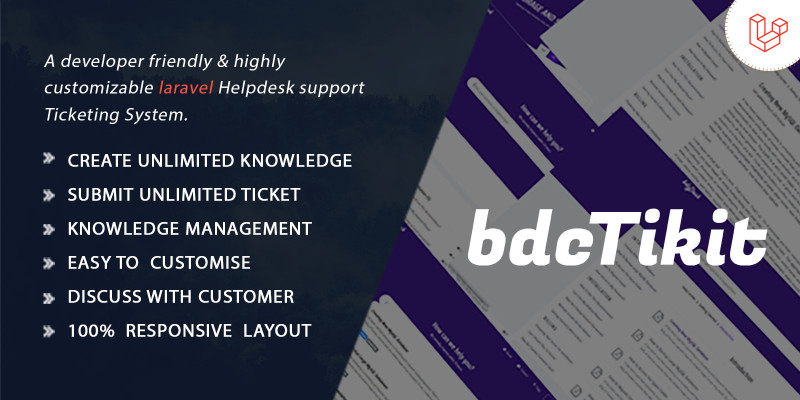
the bdcTikit can automatically turn emails into tickets/replies and send agent replies from bdcTikit as emails. Customers can also create tickets and reply directly from their bdcTikit user dashboard.
Admin Access
URL: https://bdctikit.bdcoder.com/login
email: admin@bdcoder.com
password: 12345678
User Access
URL: https://bdctikit.bdcoder.com/login
email: user@bdcoder.com
password: 12345678
Agent Access
URL: https://bdctikit.bdcoder.com/login
email: agent@bdcoder.com
password: 12345678
Features
Admin Features
- Powerful Admin Panel
- No Coding Experience is required
- Everything can be customized from the admin panel
- General Settings
- Search Settings
- Site Settings
- Logo Favicon
- SEO Settings
- SMTP Settings
- API Settings
- Insert Header and Footer
- Page Settings
- Dynamic Page Management
- Advertising Management
- Visitor Contact Management
- User Management
- Help Center Management
- Reply user ticket
- Admin can assign an agent for specific ticket
- Block unexpected ticket
- Change ticket status (Open, closed or Pending)
- FAQ CRUD
- Ticket Management
Requirements
- PHP >= 8.2
- BCMath PHP Extension
- Ctype PHP Extension
- CURL PHP Extension
- DOM PHP Extension
- File Info PHP Extension
- Filter PHP Extension
- Hash PHP Extension
- JSON PHP Extension
- LibXML PHP Extension
- MBString PHP Extension
- OpenSSL PHP Extension
- PDO PHP Extension
- Tokenizer PHP Extension
- XML PHP Extension
Instructions
System Requirements
We recommend the following system requirements for optimum performance:
PHP 8.2 or higher
MySQL (PHP 8.2 Supported)
Compatible Browsers: Any
Supported OS: Linux, MacOS, and Windows
Upload Files to the Server and Installation
With your purchase of bdcTikit, you will receive a main_file. This file contains the source code and the installation documentation.
source-code
documentation
Upload the File
- Upload the source-code to your server's
public_htmlor domain root directory, where bdcTikit will be installed. - Create a new MySQL database and a DB user on your server, then assign the user to the database.
- Visit your site URL, which will automatically take you to the installation page. Click on Start Installation Process.
- You will land on the Checking Pre-installation (File Permissions) page. If necessary, change the file permissions to 777 for the required files. If everything is set up correctly, click on Go to the next step.
- Now, configure the application settings:
- Application: App Name, App URL
- Database: DB Host, DB Name, DB User, DB Password
- Email: Mail Host, Port, Username, Password
- If all details are correct, the installation will proceed. After a few moments, you will be redirected to your Domain page.
| Author | shakilahsan |
|---|---|
| Category | Scripts & Code / PHP Scripts / Help Desk |
| Price | $39 |
| Extended License | $117 |
| Likes | 8 |
| First Release | Jan 22, 2025 |
| Last Update | Jan 22, 2025 |
| Files included | .php, .css, .html, JavaScript .js |
Categories
Tags
External listing. code.market does not sell this product and does not process payment for it. Pricing, payment, delivery, licensing, refunds, and support are handled by the third-party merchant on its own website. We may earn an affiliate commission from a referral. Details.
Products of the Week.
Submit🥇

STOP GUESSING WHAT TO POST
AI that learns your brand voice and builds a month of consistent, on-brand social content: carousels, posts and hooks that sound like you, not like everyone else's AI.
SaaS · 4,799 views · 45 clicksSaaS · Week 45 · 4,799 views · 45 clicks
🥈

Conversational Backlinks for Busy Founders
Place Backlink Relevant Conversation for your domain across Forums and Conversations
Website · 42,715 views · 225 clicksWebsite · Week 45 · 42,715 views · 225 clicks
🥉

upvote.club
Free Social Media Engagement that Helps Boost Your Content. Upvote Club supports 19 social networks with 100+ engagement actions in one dashboard. Add links to your posts and get free engagement from real users.
SaaS · 40,759 views · 120 clicksSaaS · Week 45 · 40,759 views · 120 clicks
#4

Substack Posting API
Onboard your Agent to Substack. Write Publish on Substack via API
SaaS · 59,711 views · 202 clicksSaaS · Week 45 · 59,711 views · 202 clicks
#5

Seenshot App
Free, Fast, MacOS Screenshot app. Make Screenshot cmd+shift+2 and send it via link
Desktop App · 29,092 views · 124 clicksDesktop App · Week 45 · 29,092 views · 124 clicks
#6

Hand-Placed Backlinks $9.99 per link. Flat rate.
Buy hand-placed forum, Q-A and directory backlinks. Flat $9.99 per link, no subscriptions — you only pay for approved listings.
Website · 4,884 views · 19 clicksWebsite · Week 45 · 4,884 views · 19 clicks
#7

Free Invoice Generator - PDF Invoices in Your Browser, No Sign-Up
A free invoice maker for freelancers and small businesses: fill in the invoice, check the live preview, and download a PDF that looks exactly like it. Any currency, tax per item, three templates, no sign-up, and nothing leaves your device.
3,537 views · 17 clicksWeek 45 · 3,537 views · 17 clicks
#8

Merge PDF Files Free - Combine PDFs in Your Browser, No Upload
A free PDF merger for office workers, students, and freelancers: combine PDFs and images into one file in the browser, reorder files and pages, pick page ranges, keep bookmarks, and open password-protected PDFs. Nothing is uploaded, no sign-up, no watermark.
3,266 views · 14 clicksWeek 45 · 3,266 views · 14 clicks