
Barber Buddy - Barber UI Kit | Flutter 3.0 | Android | iOS | BloC | Clean architecture

Description
Barber Buddy
Barber Buddy UI kit, a comprehensive Flutter solution for building modern, feature-rich apps for barbershops and salons. This kit covers everything from login and sign-up flows to a robust dashboard displaying next client information and a calendar view of schedules. With advanced features like appointment management, customisable barber settings, and client lists, it’s built using Bloc for efficient state management and clean architecture for scalability. Additionally, it supports dark and light themes, providing a flexible and seamless user experience
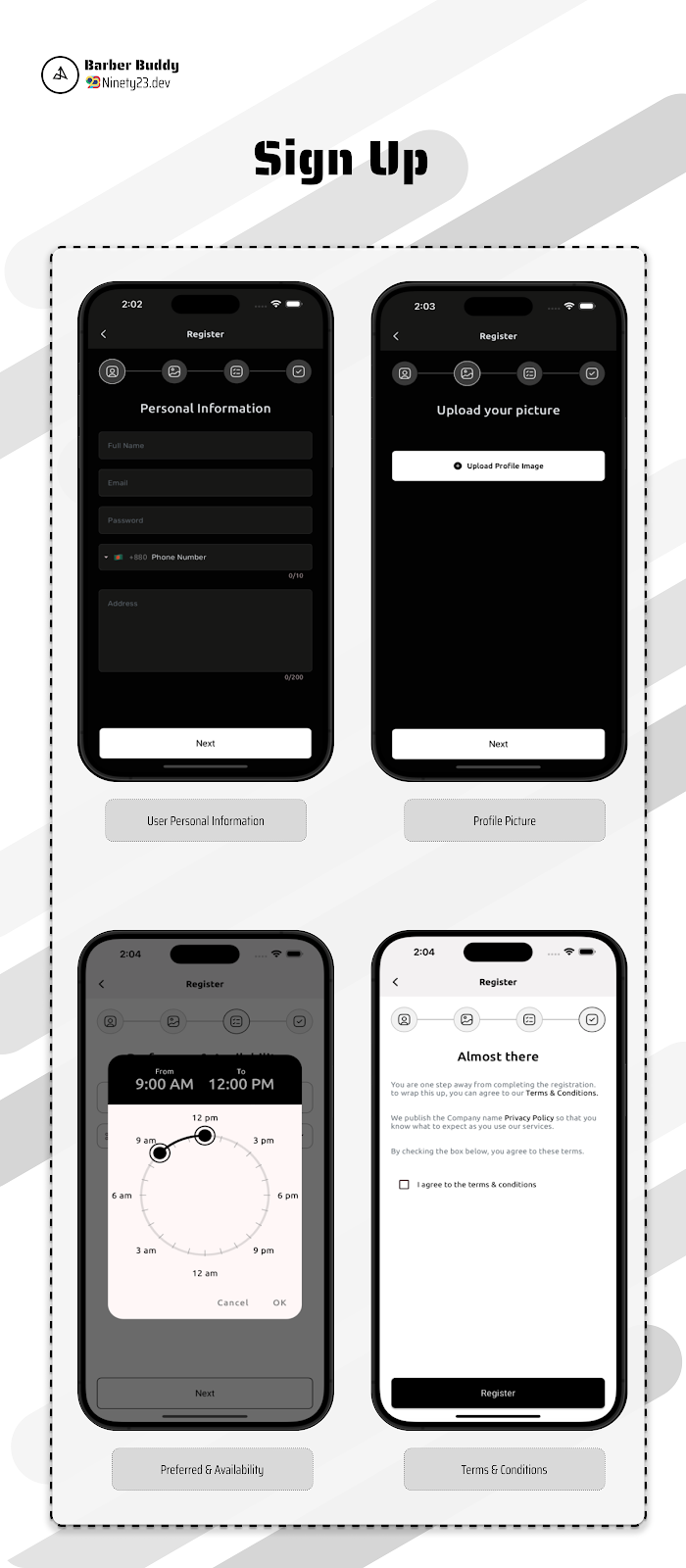
- User Personal Information
- Full Name
- Password
- Phone
- Address
- Profile Picture
- Preferred & Availability
- Preferred Barber
- Preferred Time
- Preferred Date
- Terms & Conditions
Features
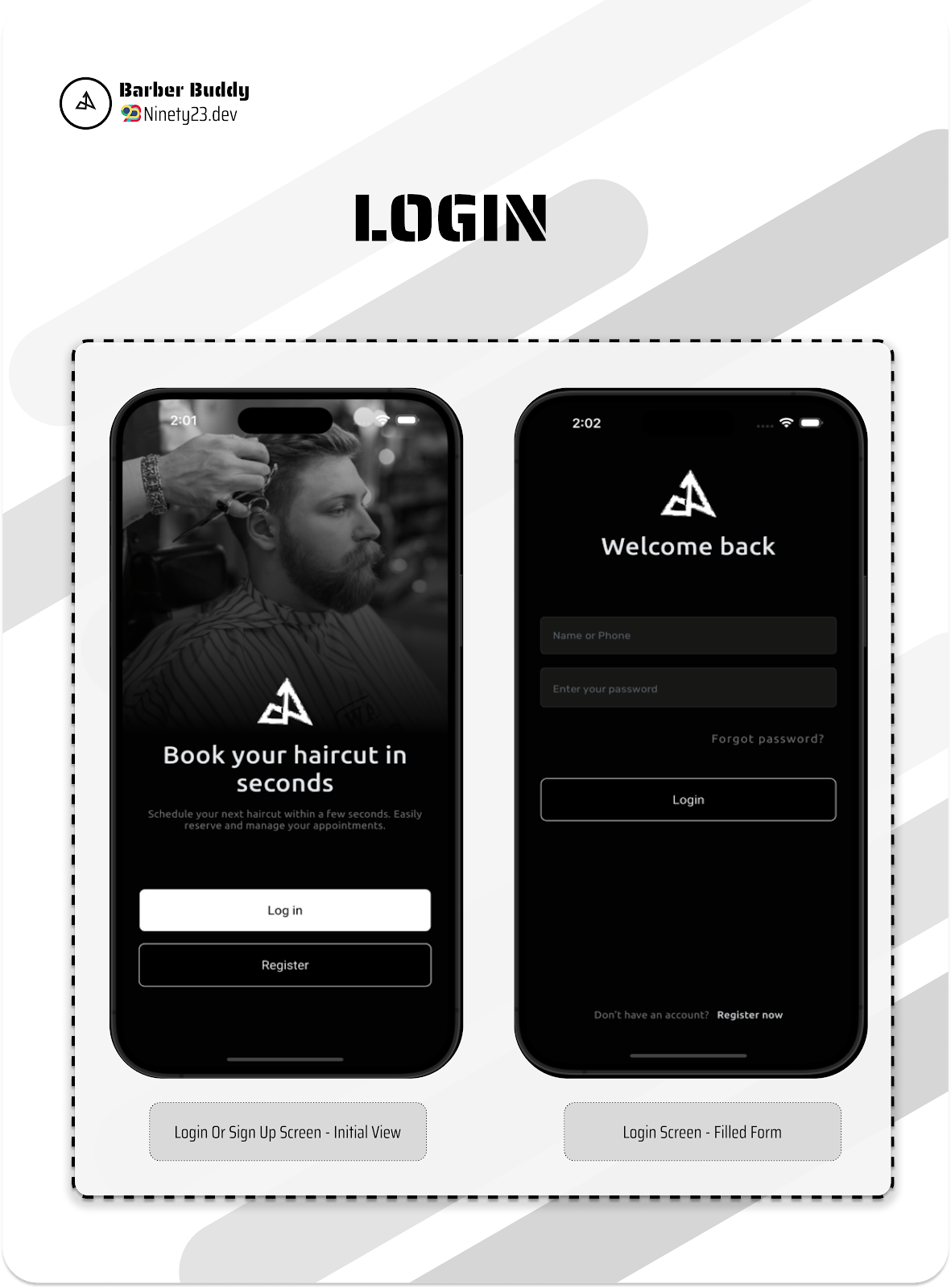
Login Feature
The login screen allows users to securely access their account using their email and password. They can also recover their password using the “Forgot Password” link if needed.
Sign-Up Feature
New users can create an account by entering their name, email, and a secure password. The “Sign Up” button registers the user in the system.
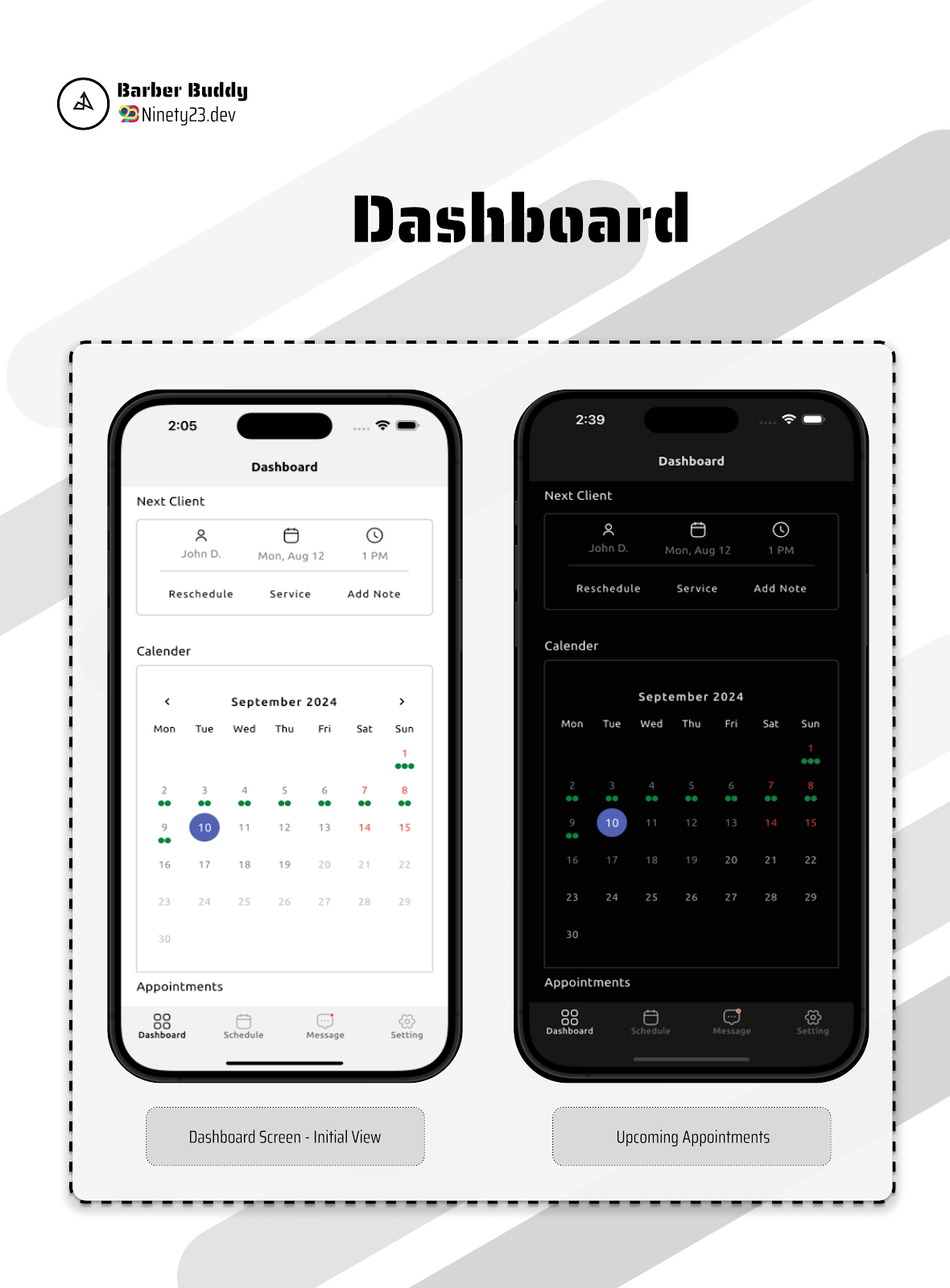
Dashboard Screen
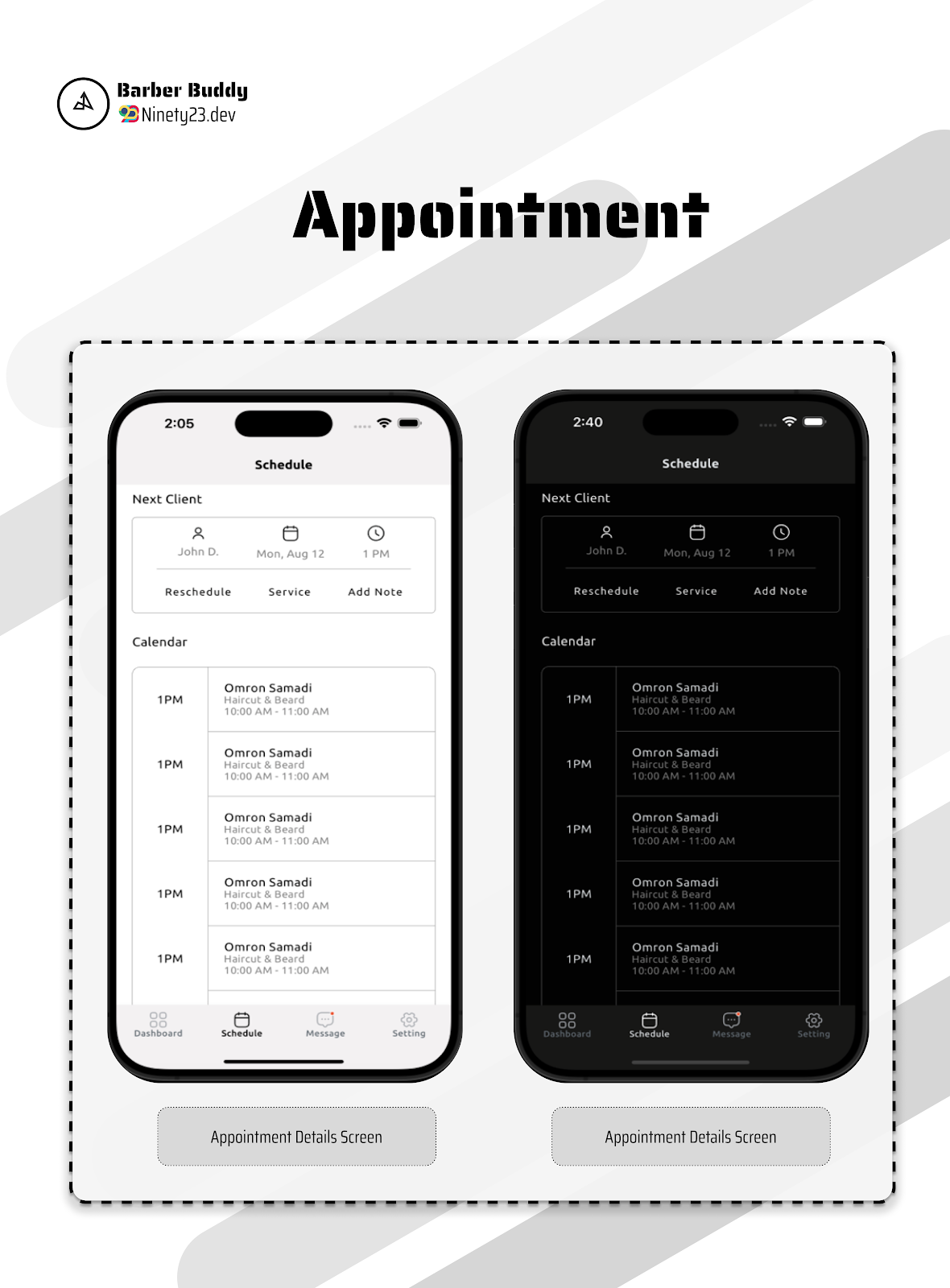
The Dashboard Screen offers a quick overview of the barber’s upcoming clients and scheduled appointments. At the top, barbers can see details of their next client’s appointment, including time, service type, and client information. Below, a calendar provides an overview of daily or weekly schedules, highlighting booked slots. Each scheduled appointment includes key details like service duration, client name, and any special requests, allowing barbers to efficiently manage their day. This streamlined layout ensures barbers stay organized and prepared for their upcoming appointments.
Message Feature
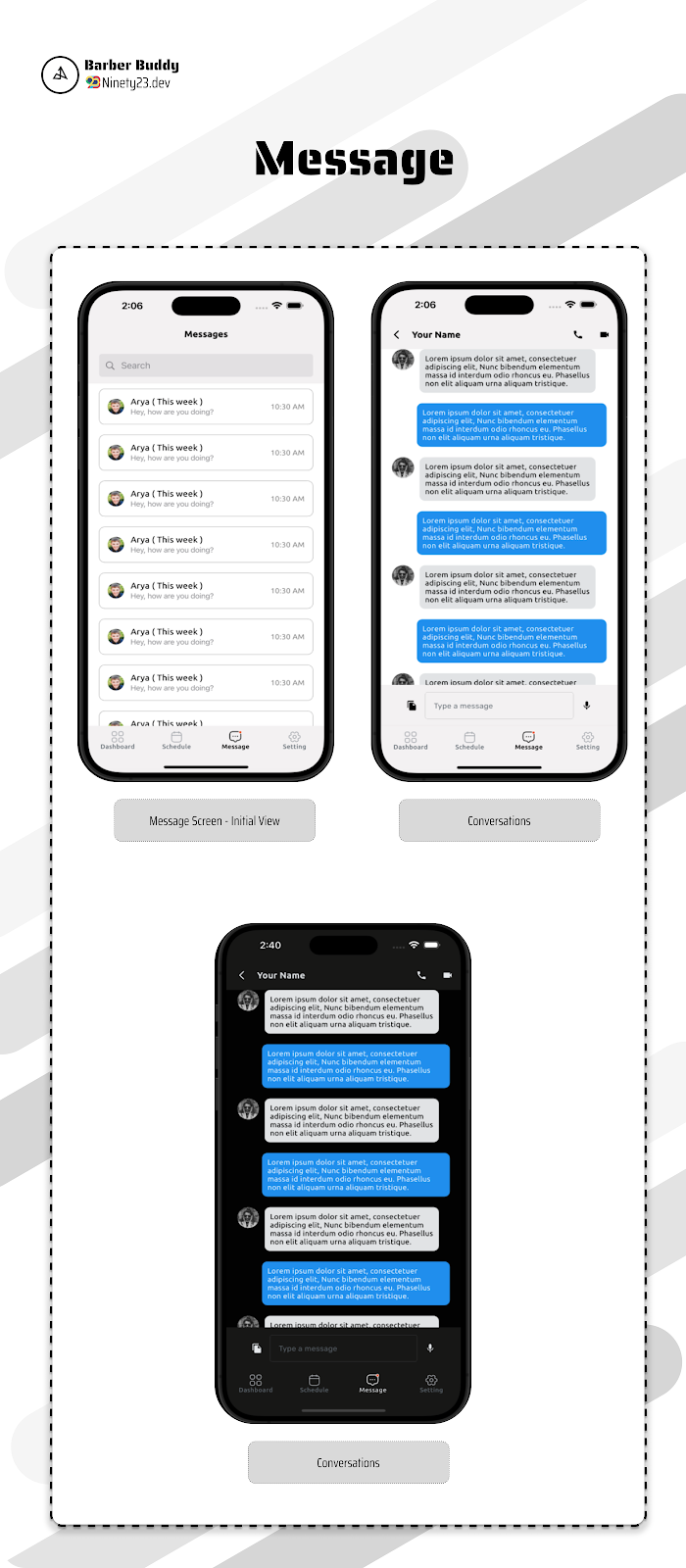
The message screen allows barbers to communicate with their clients. Barbers can view and respond to messages from clients, providing updates on appointment availability, service options, and more. The message screen also includes a search bar for easy navigation, ensuring barbers can quickly find and respond to client inquiries.
Appointment Details
The appointment details screen provides users with information about their upcoming appointments, including the date, time, and location.
Setting Feature
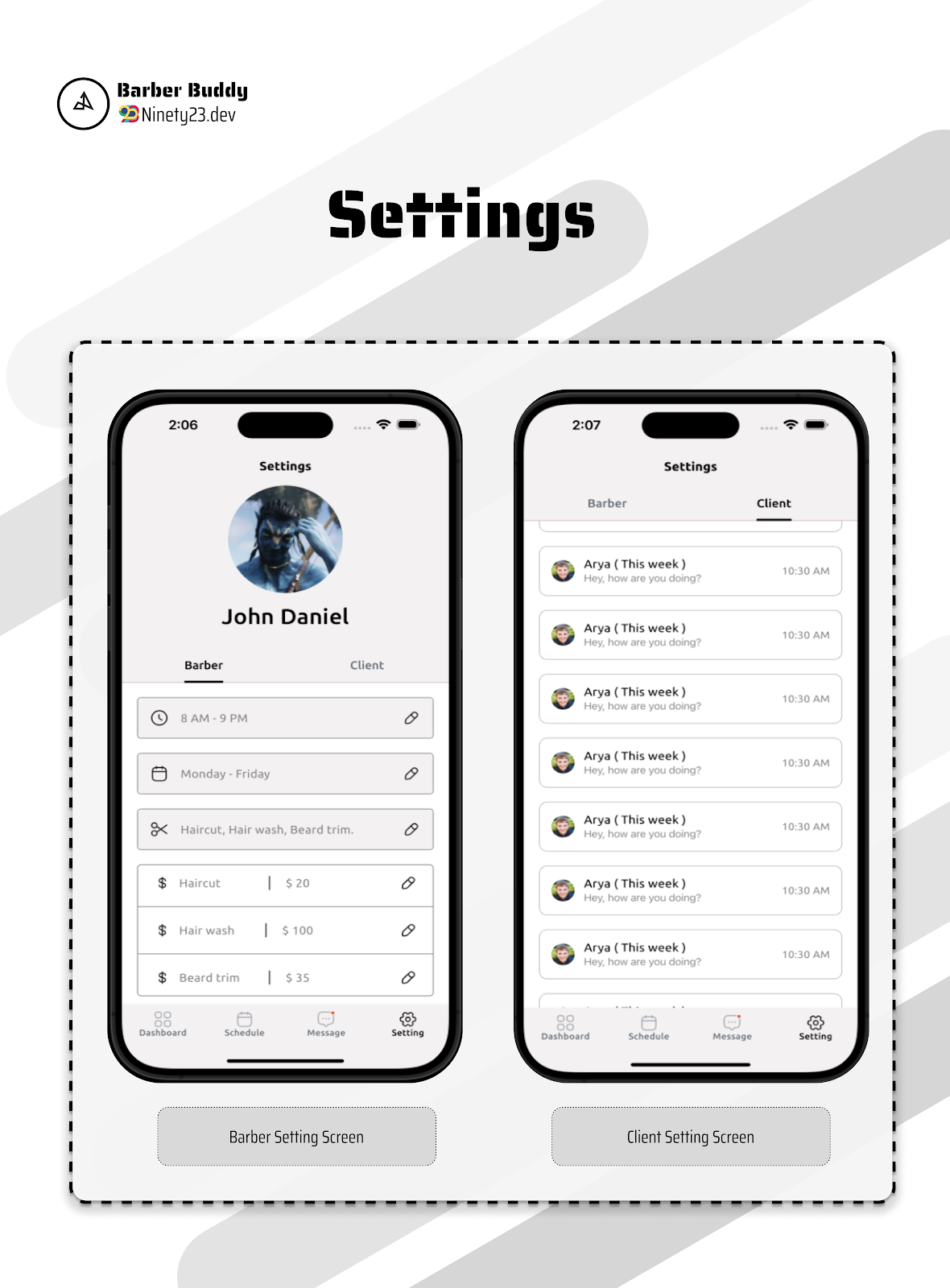
The setting screen allows users to customize their account settings, including profile information, notification preferences, and security settings. Users can update their name, email, and password, as well as manage their notification settings for appointment reminders and special offers. The setting screen also includes options.
Account Deletion Feature
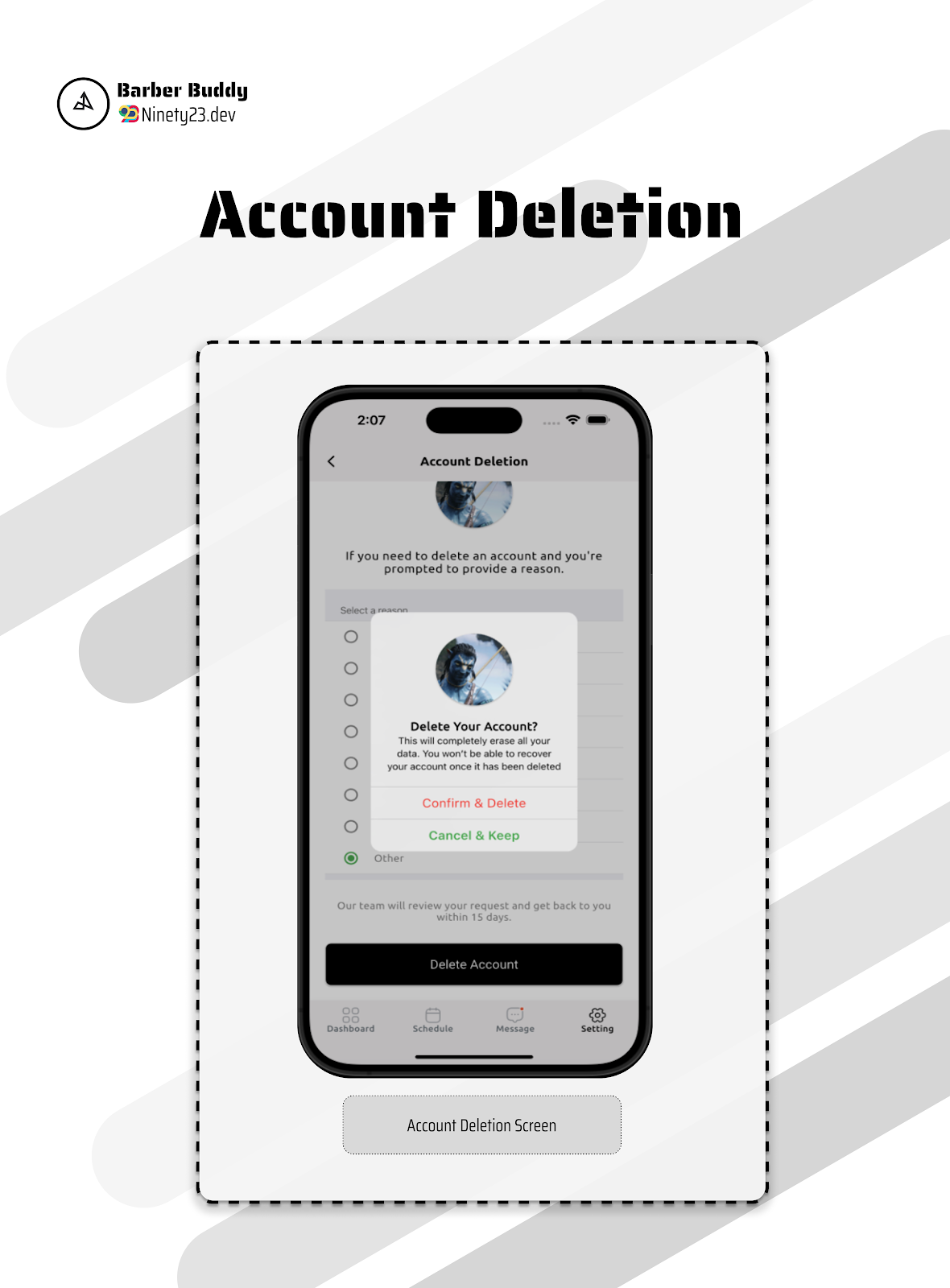
The account deletion screen allows users to permanently delete their account.
State Management

Conclusion
Streamline your app development with the Barber UI kit, designed for efficiency and scalability. With a clean architecture, Bloc for state management, and fully customisable components, this kit helps you deliver a high-quality app experience for barbershops. Get started today and create a polished, professional app with ease, featuring dark and light mode support to enhance user interaction!


| Type | Flutter App |
|---|---|
| Author | ninety-23 |
| Price | $20 |
| Sales | 3 |
| Rating | 0 (0) |
| Published | Sep 26, 2024 |
| Last Update | Nov 28, 2024 |
| Compatible Software | Flutter 3.x, Flutter 1.x, Other |
| Mobile Files Included | Dart, YAML, JavaScript JSON, .java, .kotlin, .h, .storyboard, .plist, .swift, HTML |
Categories
Tags
External listing. code.market does not sell this product and does not process payment for it. Pricing, payment, delivery, licensing, refunds, and support are handled by the third-party merchant on its own website. We may earn an affiliate commission from a referral. Details.
Products of the Week.
Submit🥇

STOP GUESSING WHAT TO POST
AI that learns your brand voice and builds a month of consistent, on-brand social content: carousels, posts and hooks that sound like you, not like everyone else's AI.
SaaS · 7,392 views · 67 clicksSaaS · Week 46 · 7,392 views · 67 clicks
🥈

Conversational Backlinks for Busy Founders
Place Backlink Relevant Conversation for your domain across Forums and Conversations
Website · 46,681 views · 232 clicksWebsite · Week 46 · 46,681 views · 232 clicks
🥉

upvote.club
Free Social Media Engagement that Helps Boost Your Content. Upvote Club supports 19 social networks with 100+ engagement actions in one dashboard. Add links to your posts and get free engagement from real users.
SaaS · 44,619 views · 127 clicksSaaS · Week 46 · 44,619 views · 127 clicks
#4

Substack Posting API
Onboard your Agent to Substack. Write Publish on Substack via API
SaaS · 63,505 views · 206 clicksSaaS · Week 46 · 63,505 views · 206 clicks
#5

Seenshot App
Free, Fast, MacOS Screenshot app. Make Screenshot cmd+shift+2 and send it via link
Desktop App · 32,756 views · 127 clicksDesktop App · Week 46 · 32,756 views · 127 clicks
#6

Hand-Placed Backlinks $9.99 per link. Flat rate.
Buy hand-placed forum, Q-A and directory backlinks. Flat $9.99 per link, no subscriptions — you only pay for approved listings.
Website · 8,373 views · 19 clicksWebsite · Week 46 · 8,373 views · 19 clicks
#7

Free Invoice Generator - PDF Invoices in Your Browser, No Sign-Up
A free invoice maker for freelancers and small businesses: fill in the invoice, check the live preview, and download a PDF that looks exactly like it. Any currency, tax per item, three templates, no sign-up, and nothing leaves your device.
7,002 views · 29 clicksWeek 46 · 7,002 views · 29 clicks
#8

Merge PDF Files Free - Combine PDFs in Your Browser, No Upload
A free PDF merger for office workers, students, and freelancers: combine PDFs and images into one file in the browser, reorder files and pages, pick page ranges, keep bookmarks, and open password-protected PDFs. Nothing is uploaded, no sign-up, no watermark.
6,477 views · 18 clicksWeek 46 · 6,477 views · 18 clicks