
Arthion Classify | React Native Marketplace Platform
Description
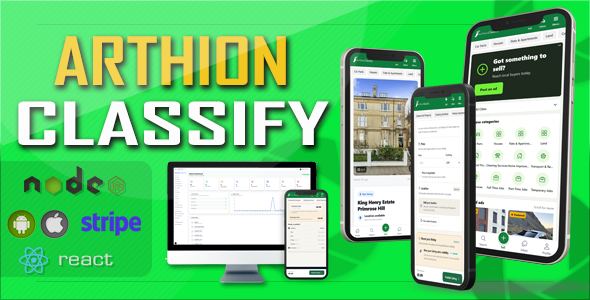
Arthion Classify AIO
Download & Preview Live App
Explore the marketplace interface and its main features using the live demonstration. The screenshots below provide an overview of the application.
App Screenshots
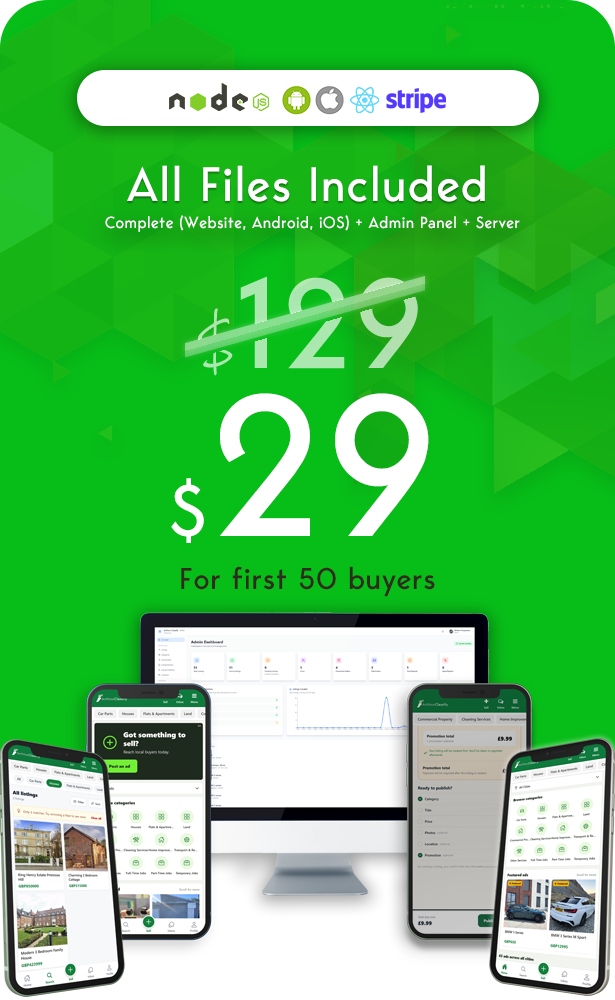
Explore the Arthion Classify AIO interface, including browsing listings, searching, creating listings and account settings.
Homepage and Featured Listings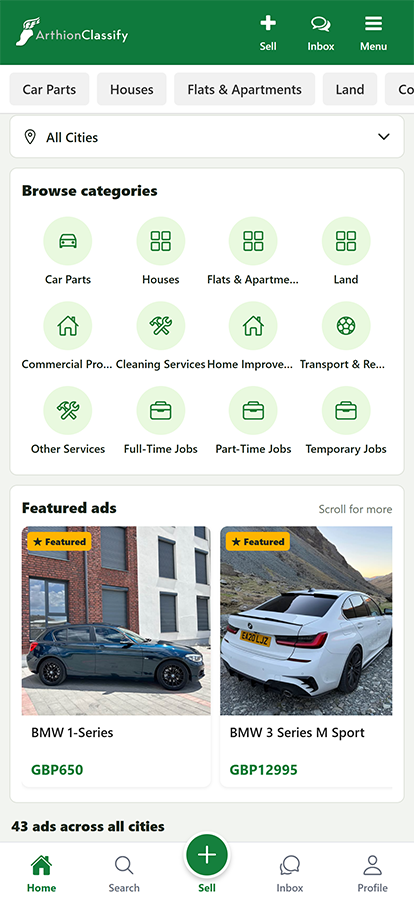
|
Create a Listing – Price and Location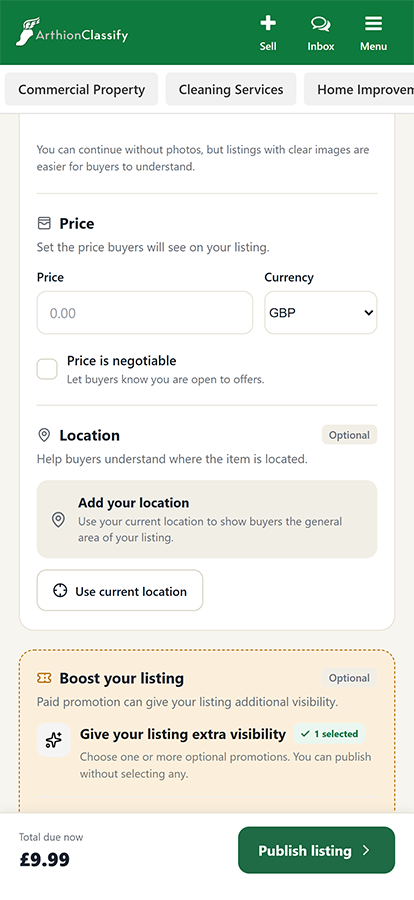
|
Create a Listing – Basic Information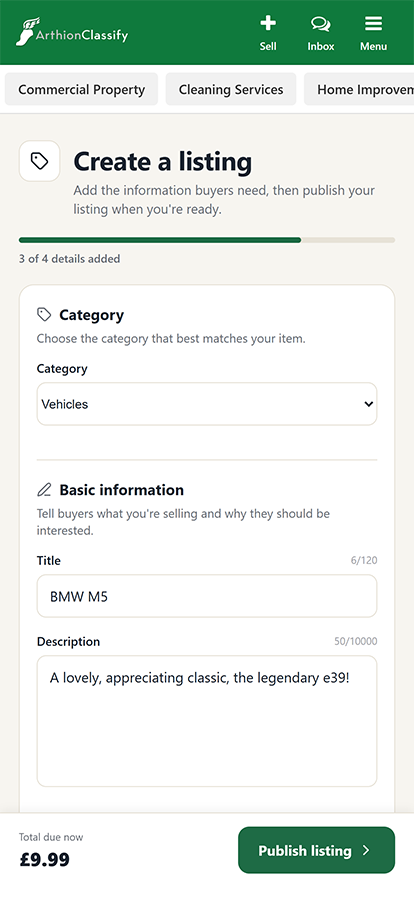
|
Review Listing and Promotion Total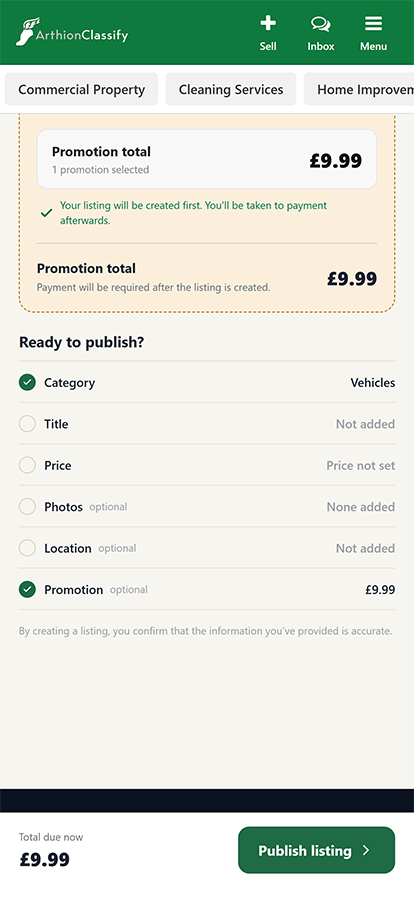
|
Advanced Search Filters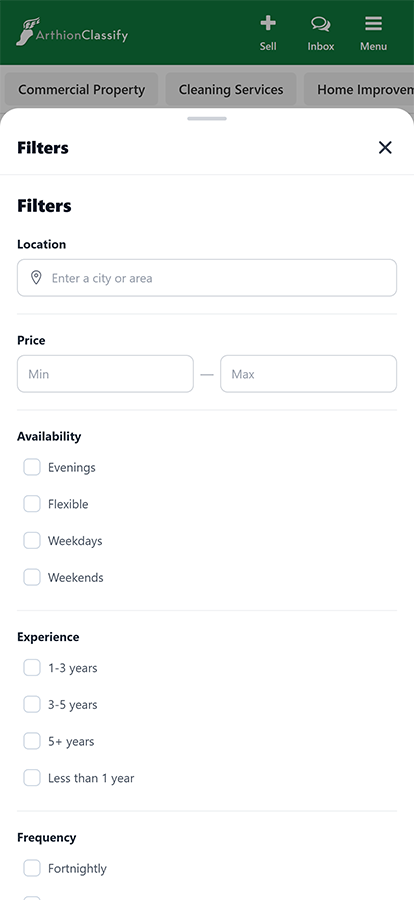
|
Homepage and Promotional Banner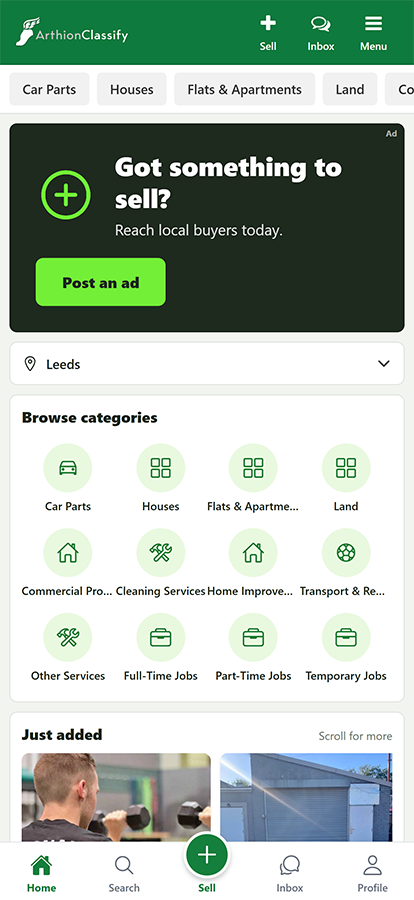
|
Search Results and Listings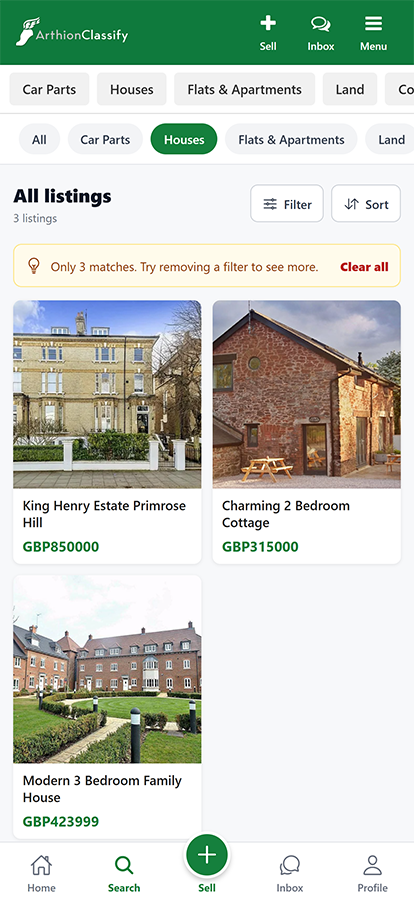
|
Account Settings
|
Inbox and Conversations
|
Listing Detail View
|
Mobile App Screenshots
These screenshots demonstrate the mobile app’s layout and responsiveness on Android and iOS devices. The screens shown are not platform-exclusive; both platforms provide the same screens and features, with only minor visual differences where required by the operating system.
Android
Listing Detail – Hero Panel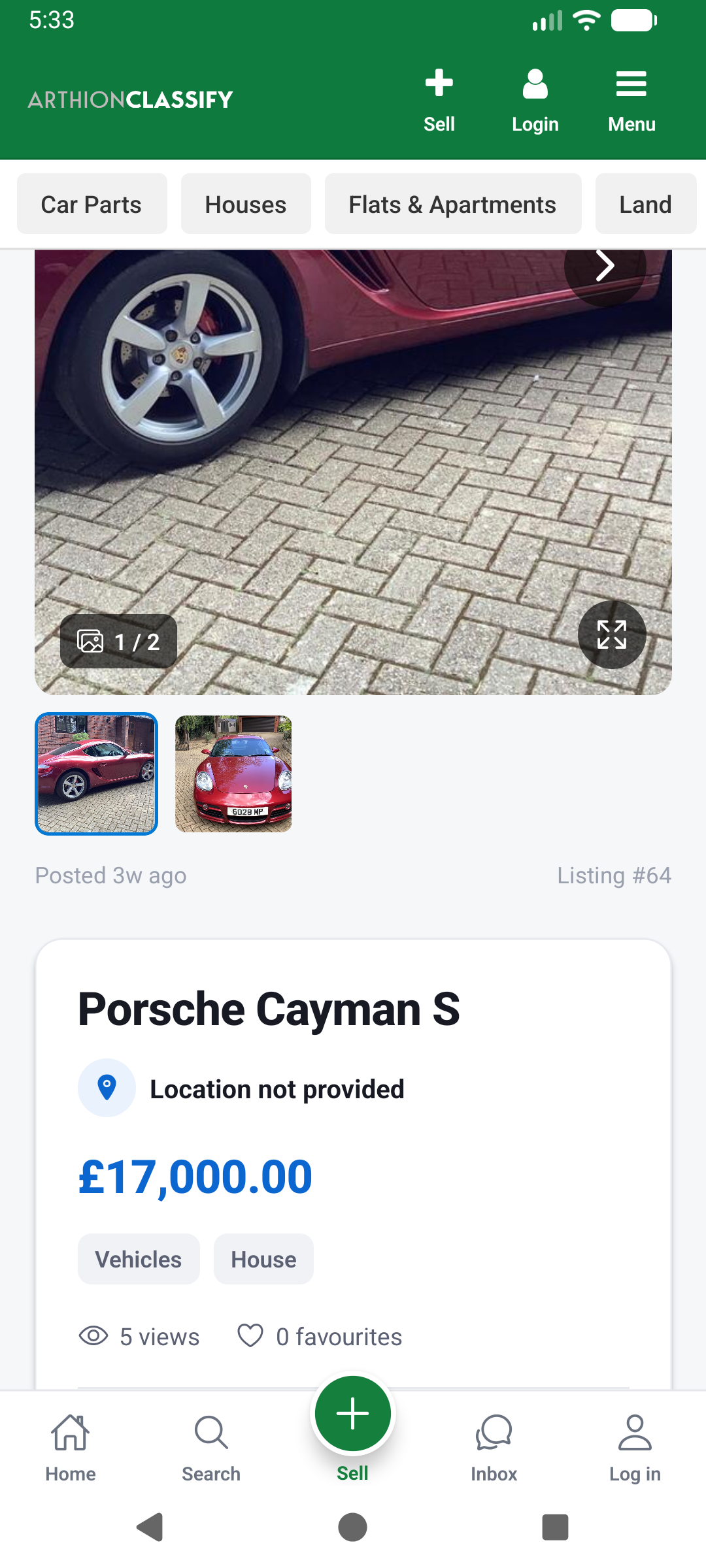
|
Listing Detail – Buttons/Actions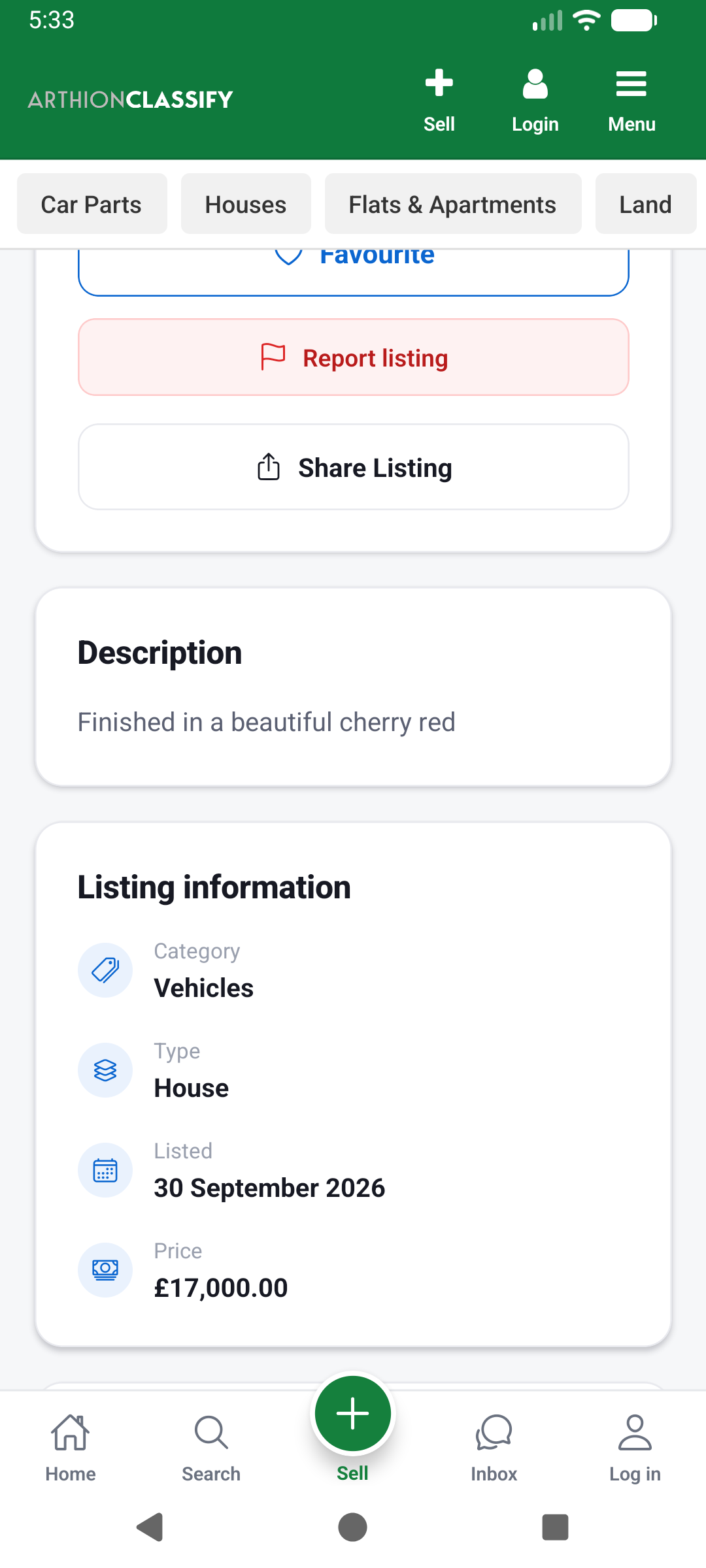
|
iOS
Cities panel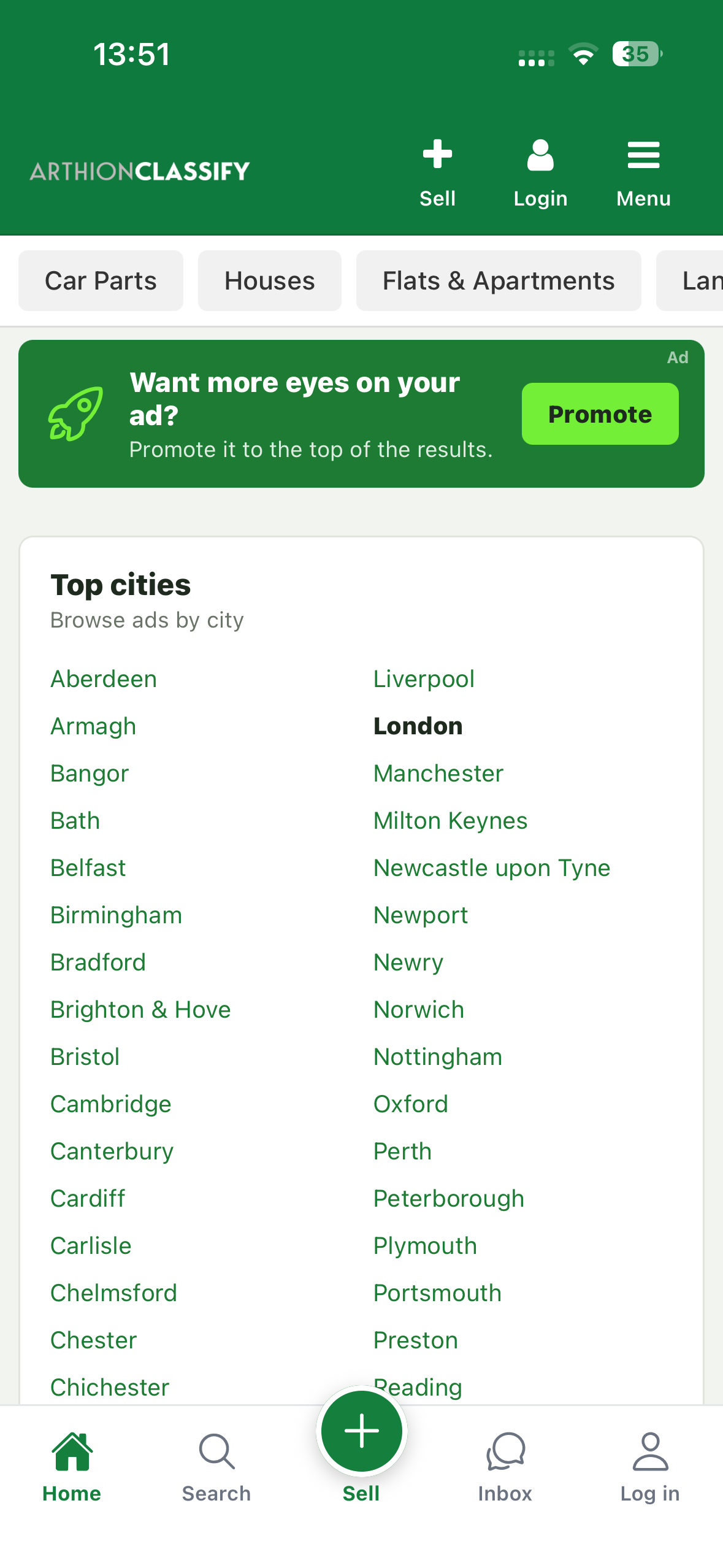
|
Navigation Sidebar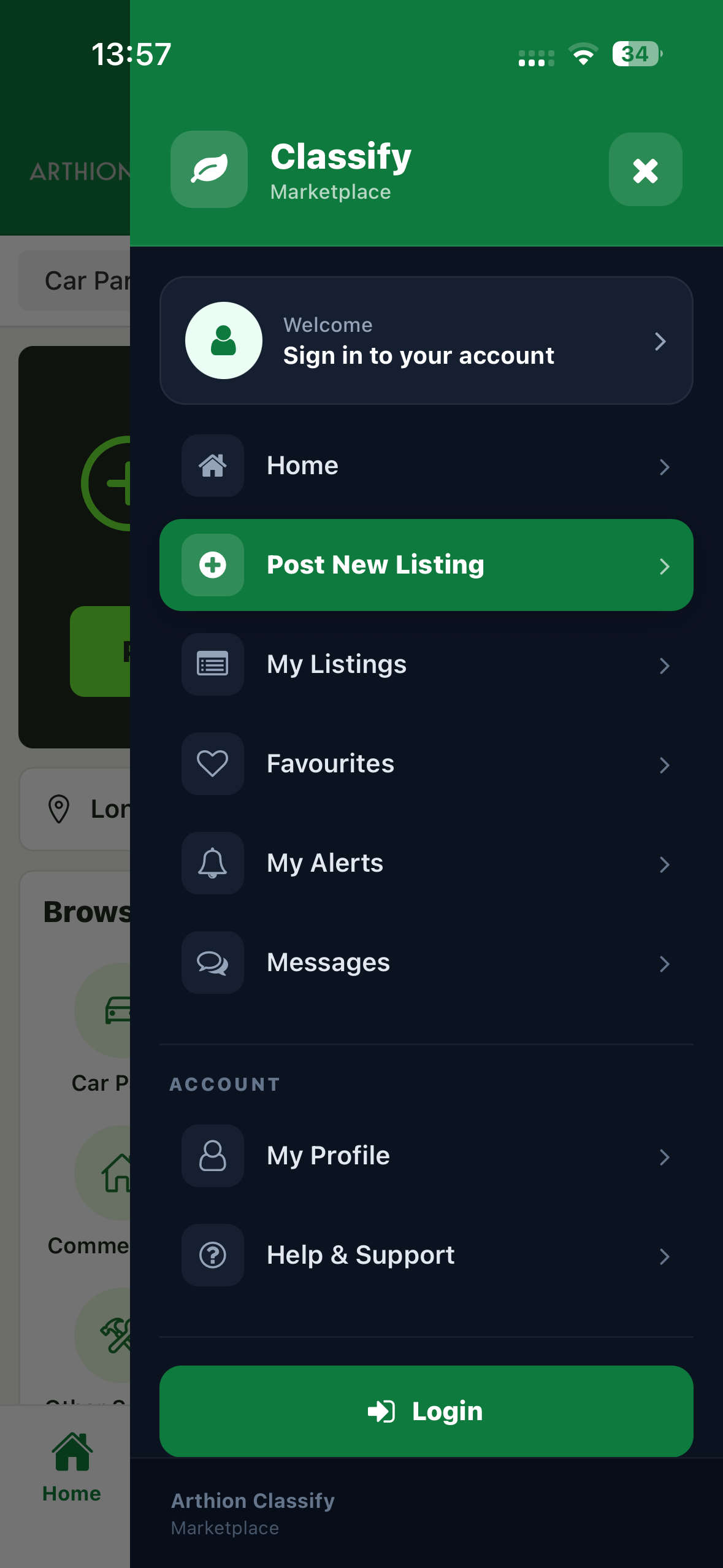
|
Admin Panel Preview
Visit the administration dashboard to explore the available marketplace management tools. Demo credentials are provided below for convenient access.

Demo Instructions
You can test the live application using the demonstration account below. The demo website may have these credentials pre-filled for convenience.
Demo Account Credentials
- Email: demo@arthionclassify.com
- Password: demoarthionclassify
These credentials are intended exclusively for accessing the live demonstration. Please do not modify the demo account’s settings or credentials.
To test Google OAuth 2.0 sign-in, use the original application link:
https://main.dd8nzr5kaqwzq.amplifyapp.com/
Updates and support are available through the official CodeCanyon item support tab.
Build Your Own Classifieds Marketplace
A Gumtree-style classifieds platform for web, iOS and Android.
Built with React Native and Expo
Arthion Classify uses React Native and Expo as part of its cross-platform application stack. The application is built with JavaScript and TypeScript, allowing the frontend to target web, iOS and Android from a shared codebase.
Technology Stack
- React Native and Expo for the cross-platform application
- Next.js for the backend API and administration dashboard
- PostgreSQL via Supabase for the database, with Supabase authentication and storage
The application uses established technologies with publicly available documentation and development resources.
Self-Hosted Deployment and Database Ownership
The live marketplace and administration dashboard demonstrations are provided for evaluation purposes only. They run on the author’s demonstration infrastructure; hosting of these demonstrations is not included with the item purchase.
Buyers receive the application source code and the supplied SQL database files required to set up their own Supabase project:
- classify-sql-database.sql – database schema and included database setup definitions.
- classify-sql-seed.sql – supplied initial or demonstration data.
Buyers can create their own Supabase project, apply the supplied SQL files in the order described in the installation documentation, configure their own database, authentication and storage, and connect the application using their own environment variables.
The backend API and administration dashboard can be deployed to the buyer’s own compatible hosting provider, and the frontend can be deployed to the buyer’s chosen web hosting provider. Buyers are not required to use the author’s live demonstration as their permanent application backend or database.
The buyer is responsible for configuring the required third-party services, environment variables, authentication redirect URLs, storage policies and deployment settings. Third-party hosting and service costs are separate from the item purchase price.
Local, Everywhere
Users can share their location to discover nearby listings or choose their city manually. Administrators can add and manage cities, allowing the marketplace to serve additional locations.
Live Chat
Users can communicate through realtime chat. Messages, read status, seen status and notifications support communication between buyers and sellers.
Administration Dashboard
The administration dashboard provides tools for managing the marketplace and its content.
- Manage users
- Moderate listings
- Manage categories and attributes
- Add and manage cities
- Review user reports and moderation requests
- Manage promotions and payments
- Configure global application settings
Listing Promotion System
Marketplace owners can monetize their platform through paid promotional placements, including featured and sponsored listings.
Promotional placements and prices can be configured through the administration dashboard. Stripe checkout for purchasing promotions is available on the web version. Promotion payment options are not displayed in the iOS or Android applications.
Stripe Configuration and Payment Processing
Stripe integration is provided for web-based purchases of listing promotions. Buyers must supply their own Stripe account, API credentials and webhook signing secret to enable payment processing.
Stripe credentials must be configured in the backend environment and must not be committed to source control or exposed in the client application. The buyer is responsible for configuring the appropriate credentials, webhook endpoint and Stripe account settings.
Stripe transaction fees and other applicable charges are set by Stripe and are not included in the item purchase price. Promotion checkout is available on the web version; promotional payment options are not displayed in the iOS or Android applications.
Customization and Configuration
Arthion Classify includes installation documentation to assist with setup and configuration.
The supplied source code is available for developers to customize and maintain. Buyers can configure their own infrastructure and use the available application settings to suit their deployment.
Global Settings
The administration dashboard includes a dedicated Global Settings page for configuring supported application-wide settings.
Available settings include the application name, titles, descriptions, privacy policy, terms and conditions, and other configurable application options.
Administrators can also configure promotional prices, control the number of advertisements displayed on the homepage, and manage the available social login options supported by the included implementation.
Feature List
-
Create Listings
- Choose categories
- Upload images
- Add descriptions
- Configure attributes
- Choose available promotions
- Set listing locations
-
Search and Filtering
- Filter by attributes
- Sort by price in ascending or descending order
- Filter by category
- Search and filter by city
- Choose cities using location services or manually
- Administrators can add and manage cities
-
Live Chat
- Realtime communication between users
- Notifications
- Read and seen status
- Conversations associated with listings or general conversations
-
Promotion and Advertising System
- Boost listings
- Featured listings
- Sponsored posts
- Purchase promotional placements through web-based checkout
- Stripe integration for web-based promotional purchases
- Configure paid promotional placements
-
Social Login
- Google OAuth 2.0
- Configuration of supported social login options included in the application
-
Safety, Reporting and Moderation
- Users can report listings containing inaccurate or inappropriate content
- Moderators can approve or reject listings
- Moderators can review and handle user reports
- Responsive Design
- Web, iOS and Android Support
- Favorite Listings
-
Listing Management
- Edit listings
- Manage listing visibility
- Manage listing status
System Requirements
Hosting and External Services
- Supabase for PostgreSQL database, authentication and storage. Buyers must configure their own Supabase project.
- Node.js-compatible hosting for the Next.js backend API and administration dashboard. Recommended: Vercel.
- Web hosting capable of hosting the exported Expo web application. AWS Amplify is the recommended option.
- Apple Developer account if you intend to publish the iOS application to the App Store.
- Google Play Developer account if you intend to publish the Android application to Google Play.
- Stripe account if you intend to enable paid listing promotions through web-based checkout.
Local Development and Build Environment
Buyers who intend to configure, customise or build the application from source will need a suitable local development environment, including:
- Node.js (current LTS version recommended)
- npm for installing project dependencies
- Git for source code management
- Expo tooling, available through
npx expo - EAS CLI for Expo Application Services builds
- A code editor, such as Visual Studio Code
For local Android development, Android Studio and the Android SDK are required. For local iOS development, macOS and Xcode are required. Alternatively, EAS Build can be used for supported cloud-based mobile builds.
These development tools and environments are not included with the purchase. Buyers are responsible for installing and configuring the tools required for their intended development and deployment workflow.
Third-Party Services, Accounts and Costs
Arthion Classify AIO is self-hosted software that integrates with third-party services. Buyers must configure their own accounts and credentials for the services they choose to use. Third-party accounts, subscriptions, usage charges and transaction fees are not included in the CodeCanyon purchase price.
- Supabase: Buyers must create their own Supabase project and configure the supplied database schema, authentication and storage. Supabase usage may incur charges depending on the selected plan and consumption, including database resources, file storage, bandwidth, authentication and other applicable usage limits.
- Stripe: Buyers who enable paid listing promotions must create their own Stripe account and configure their own API credentials and webhook signing secret. Stripe processes payments under the buyer’s account and may charge transaction and other applicable fees according to its pricing and the buyer’s region.
- Google OAuth 2.0: Google sign-in requires a Google Cloud project, OAuth client credentials and configuration of the Google provider and redirect URLs in the buyer’s own Supabase project. Google Cloud services may incur charges where applicable, depending on the services enabled and usage.
- Hosting: Buyers are responsible for their chosen hosting providers, including the Next.js backend and administration dashboard, and the Expo web frontend. Recommended providers are Vercel and AWS Amplify, respectively. Hosting plans and usage may incur additional costs.
- Other integrations: Google Maps and other optional third-party integrations may require separate credentials, account configuration or paid usage, depending on the features enabled.
All third-party fees, usage charges, subscriptions and payment processing fees are the responsibility of the buyer and are separate from the item purchase price. Pricing, free-tier allowances and service limits are determined by the respective providers and may change.
Disclosure of AI Usage
AI tools were used to assist with parts of this item, including documentation, code, code-review, debugging and software testing during development. The author reviewed, tested and finalized the product before release.
No AI tools were used to create or develop the product’s graphics. Third-party names and logos, including React Native, Facebook, Tesla and Airbnb, are the property of their respective owners and are used for identification purposes only. All applicable trademarks remain the property of their respective owners.
| Author | Arthion-Systems |
|---|---|
| Price | $29 |
| Sales | 0 |
| Rating | 0 (0) |
| Published | Nov 4, 2026 |
| Last Update | Nov 4, 2026 |
| Compatible Software | ReactJS, Node.js, iOS 15, iOS 14, iOS 13, iOS 12, Android 15.0, Android 12.0, Android 11.0, Android 10.0, Android 9.0, Next.js v13.x.x, Next.js v12.x.x |
| Demo Url | https://main.dd8nzr5kaqwzq.amplifyapp.com/ |
| Mobile Files Included | JavaScript JSON, JavaScript JS, CSS, HTML |
Categories
Tags
External listing. code.market does not sell this product and does not process payment for it. Pricing, payment, delivery, licensing, refunds, and support are handled by the third-party merchant on its own website. We may earn an affiliate commission from a referral. Details.
Products of the Week.
Submit🥇

STOP GUESSING WHAT TO POST
AI that learns your brand voice and builds a month of consistent, on-brand social content: carousels, posts and hooks that sound like you, not like everyone else's AI.
SaaS · 7,345 views · 67 clicksSaaS · Week 46 · 7,345 views · 67 clicks
🥈

Conversational Backlinks for Busy Founders
Place Backlink Relevant Conversation for your domain across Forums and Conversations
Website · 46,623 views · 232 clicksWebsite · Week 46 · 46,623 views · 232 clicks
🥉

upvote.club
Free Social Media Engagement that Helps Boost Your Content. Upvote Club supports 19 social networks with 100+ engagement actions in one dashboard. Add links to your posts and get free engagement from real users.
SaaS · 44,565 views · 127 clicksSaaS · Week 46 · 44,565 views · 127 clicks
#4

Substack Posting API
Onboard your Agent to Substack. Write Publish on Substack via API
SaaS · 63,450 views · 206 clicksSaaS · Week 46 · 63,450 views · 206 clicks
#5

Seenshot App
Free, Fast, MacOS Screenshot app. Make Screenshot cmd+shift+2 and send it via link
Desktop App · 32,701 views · 127 clicksDesktop App · Week 46 · 32,701 views · 127 clicks
#6

Hand-Placed Backlinks $9.99 per link. Flat rate.
Buy hand-placed forum, Q-A and directory backlinks. Flat $9.99 per link, no subscriptions — you only pay for approved listings.
Website · 8,323 views · 19 clicksWebsite · Week 46 · 8,323 views · 19 clicks
#7

Free Invoice Generator - PDF Invoices in Your Browser, No Sign-Up
A free invoice maker for freelancers and small businesses: fill in the invoice, check the live preview, and download a PDF that looks exactly like it. Any currency, tax per item, three templates, no sign-up, and nothing leaves your device.
6,950 views · 29 clicksWeek 46 · 6,950 views · 29 clicks
#8

Merge PDF Files Free - Combine PDFs in Your Browser, No Upload
A free PDF merger for office workers, students, and freelancers: combine PDFs and images into one file in the browser, reorder files and pages, pick page ranges, keep bookmarks, and open password-protected PDFs. Nothing is uploaded, no sign-up, no watermark.
6,432 views · 18 clicksWeek 46 · 6,432 views · 18 clicks