
Arrivo - Visitor Management System

Description
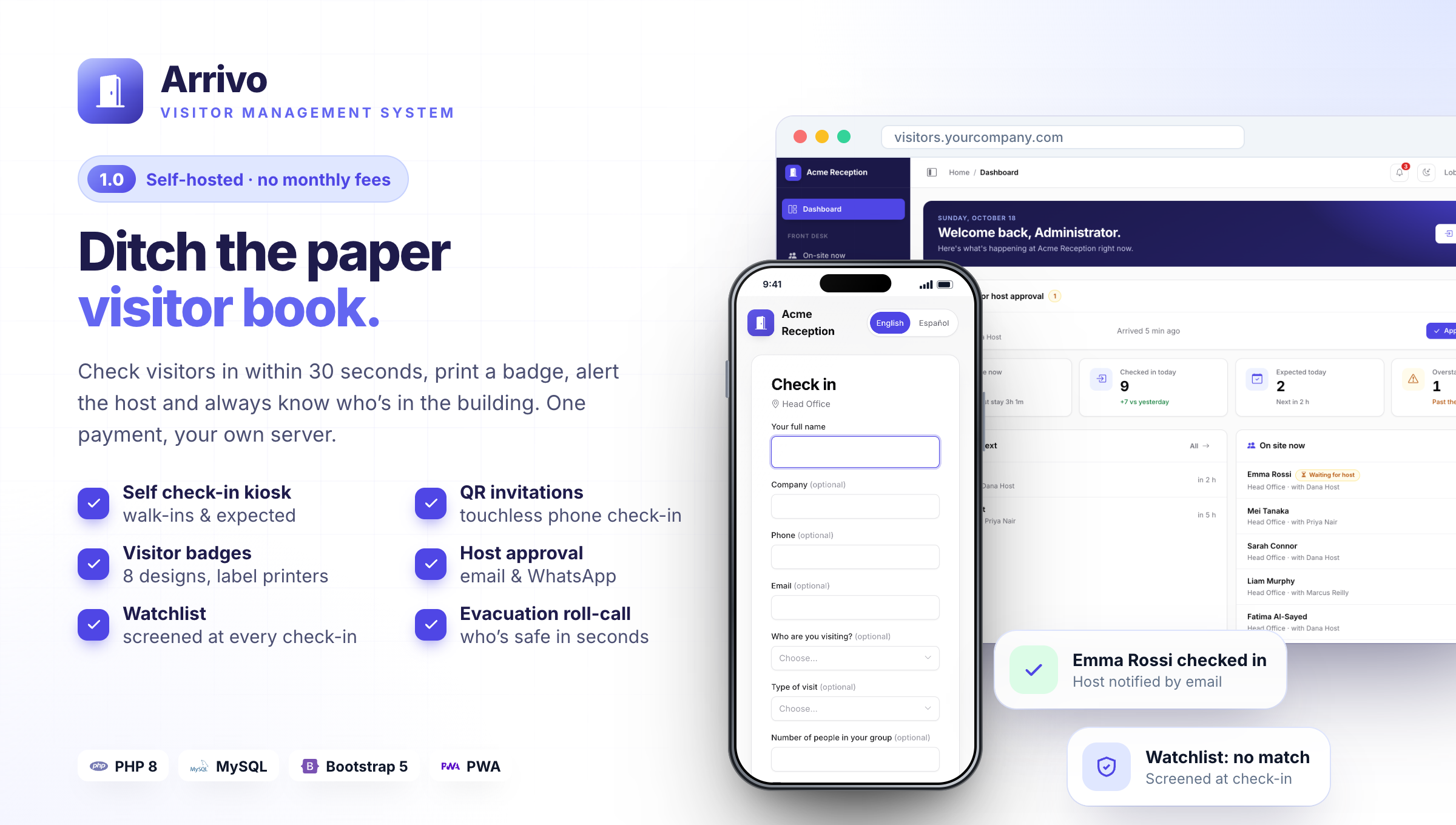
Ditch the paper visitor book. Know who’s on site, always.
First impressions start at the front desk. With Arrivo, visitors are checked in within 30 seconds, wear a professional badge, and their host knows they have arrived. In an emergency you have the full list of who is in the building in one tap, for a single payment with unlimited visitors and locations.
Arrivo replaces the paper visitor book with a modern, self-hosted visitor management system. Visitors check in at reception, on a lobby tablet or on their own phone. They get a printed badge, their host is notified, and you always have a live list of everyone in the building, ready for an evacuation roll-call.
It is plain PHP 8 and MySQL with no framework, no Composer and no build step. Upload it, run the web installer and you are live in five minutes, even on shared hosting. One payment, no per-visitor or per-location fees.
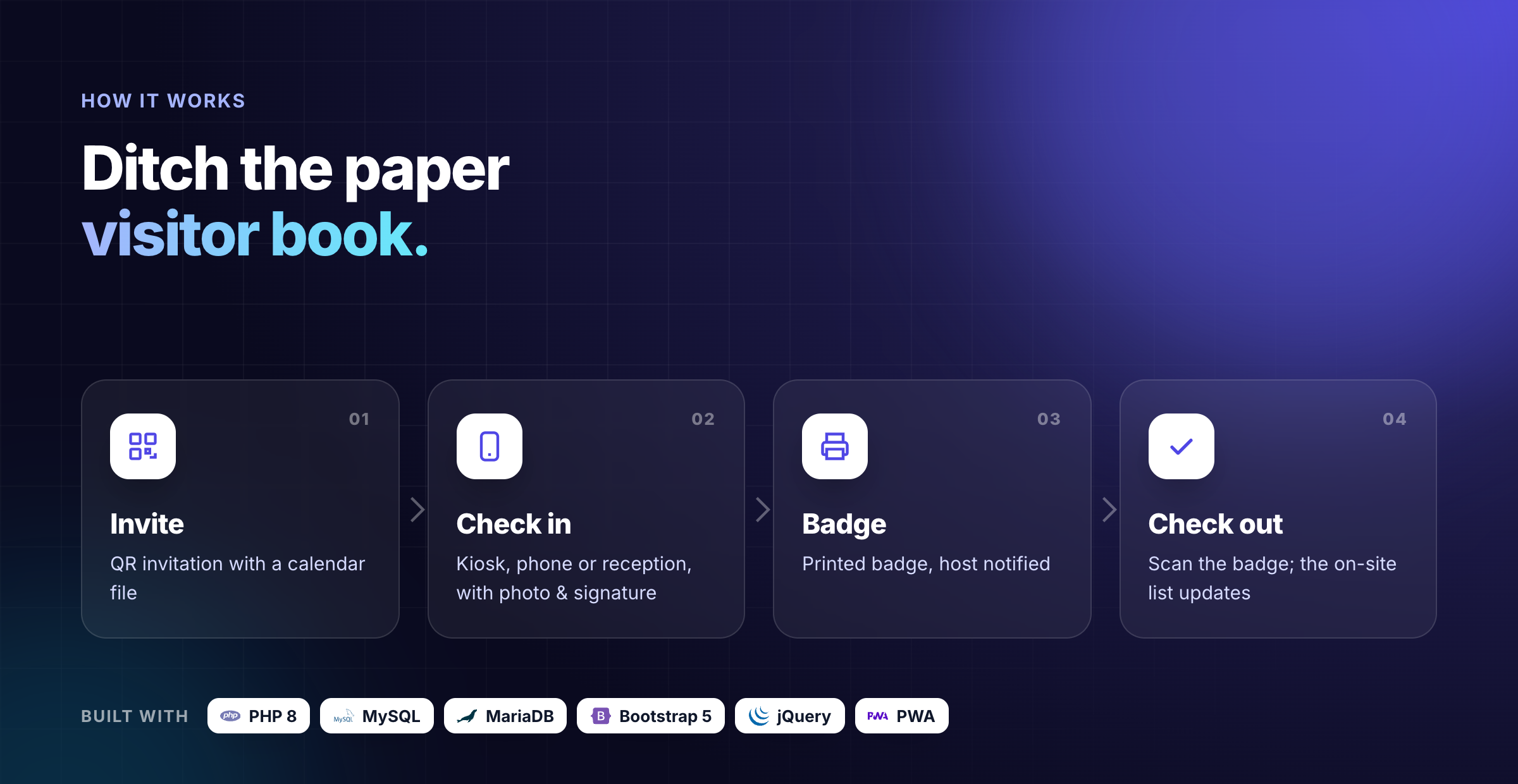
Why Arrivo stands out
- Three ways to check in: reception desk, self check-in kiosk and touchless check-in on the visitor’s own phone.
- Safety built in: watchlist screening at every check-in and a live evacuation roll-call.
- Host approval with rules per visitor type and delegates.
- 8 badge designs for label printers or PDF, with a secure QR code for check-out.
- Lobby TV screen, visitor passes and multiple locations included, no add-ons.
- Runs anywhere: plain PHP, installable app (PWA) for staff, hosts and the kiosk.
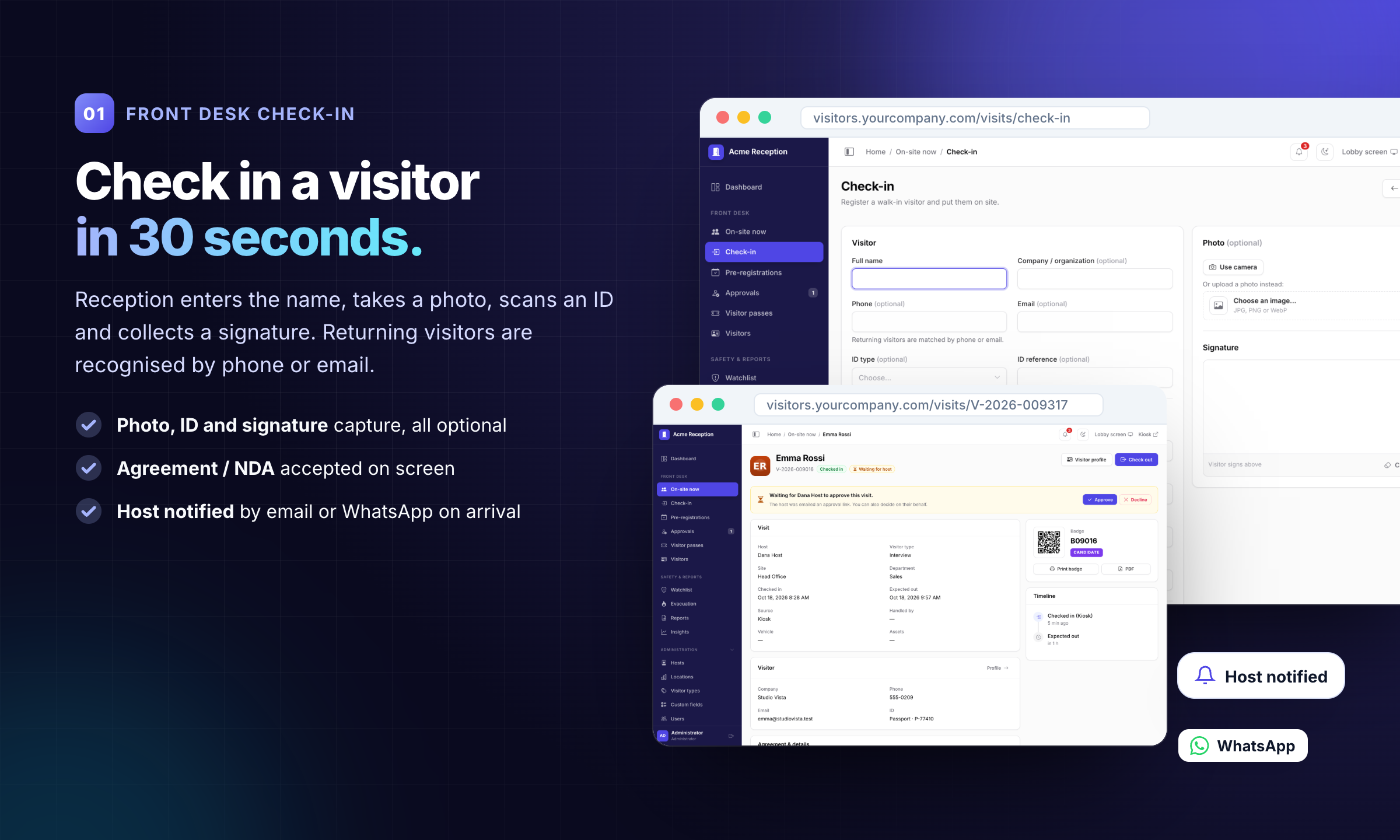
01 · Front desk check-in: Check in a visitor in 30 seconds.
Photo, ID, signature and agreement in about 30 seconds. Returning visitors are recognised; the host is notified by email or WhatsApp.
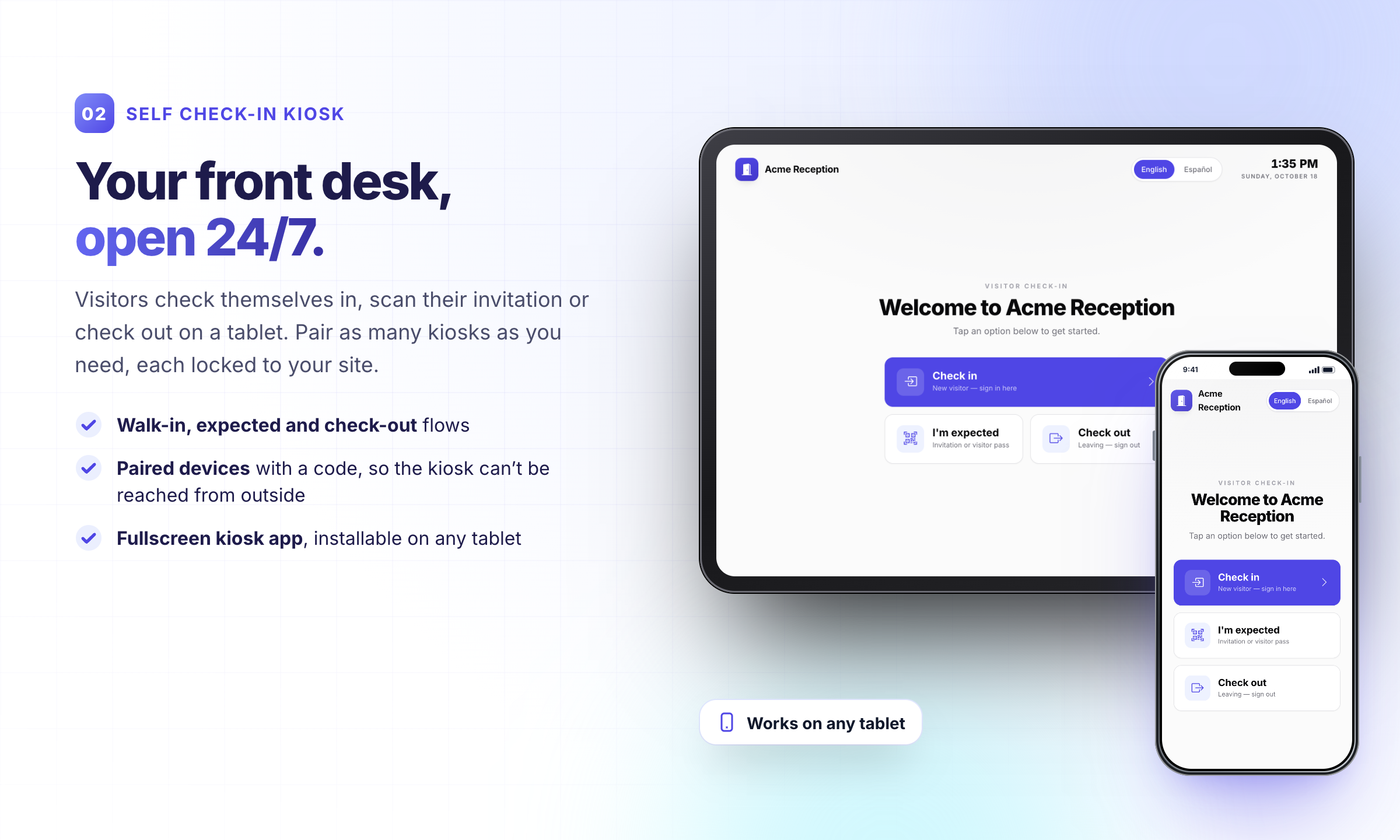
02 · Self check-in kiosk: Your front desk, open 24/7.
Walk-in, expected visitor and check-out flows on any tablet. Kiosks are paired with a code so the kiosk pages can’t be reached from outside.
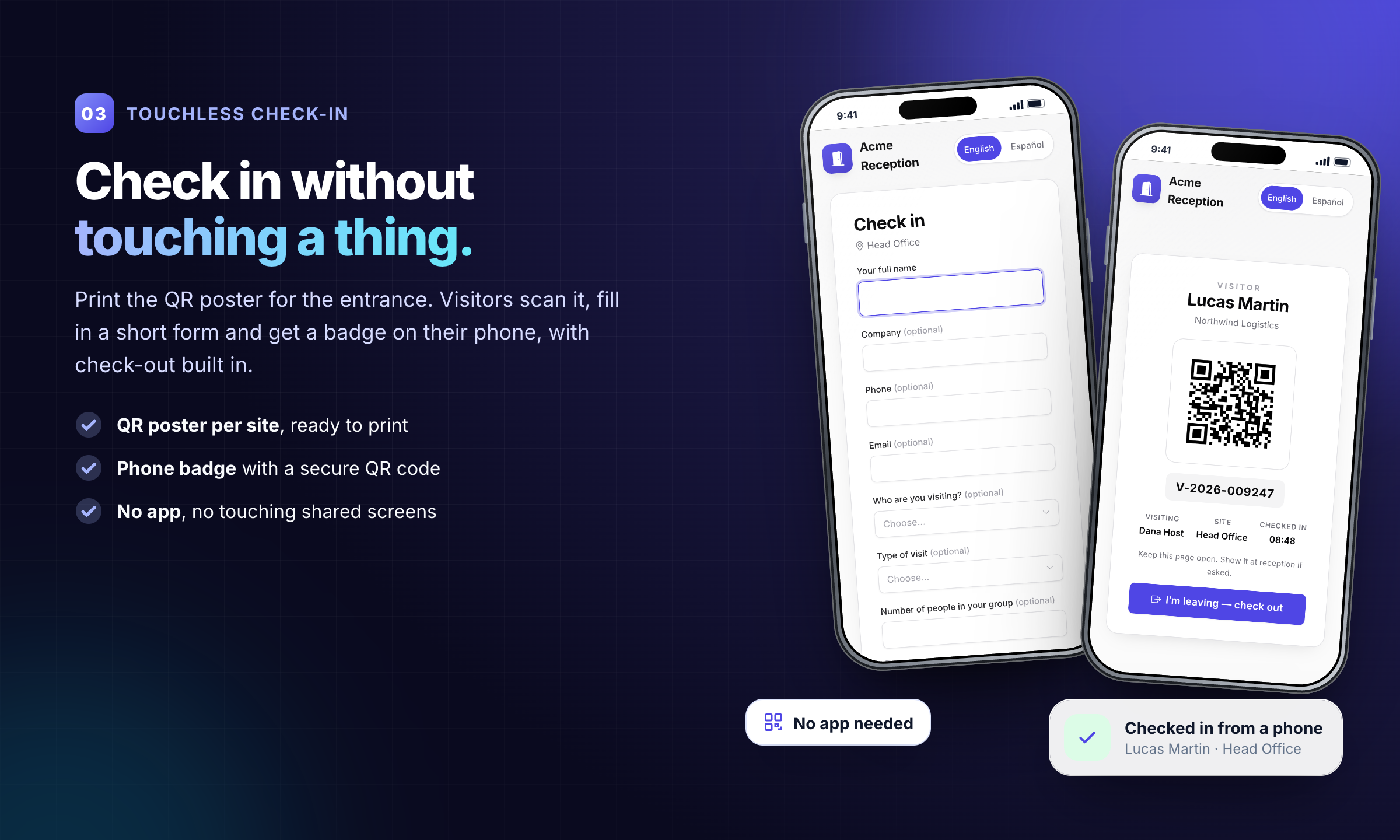
03 · Touchless check-in: Check in without touching a thing.
A QR poster at the entrance lets visitors check in on their own phone and carry a phone badge with check-out built in.
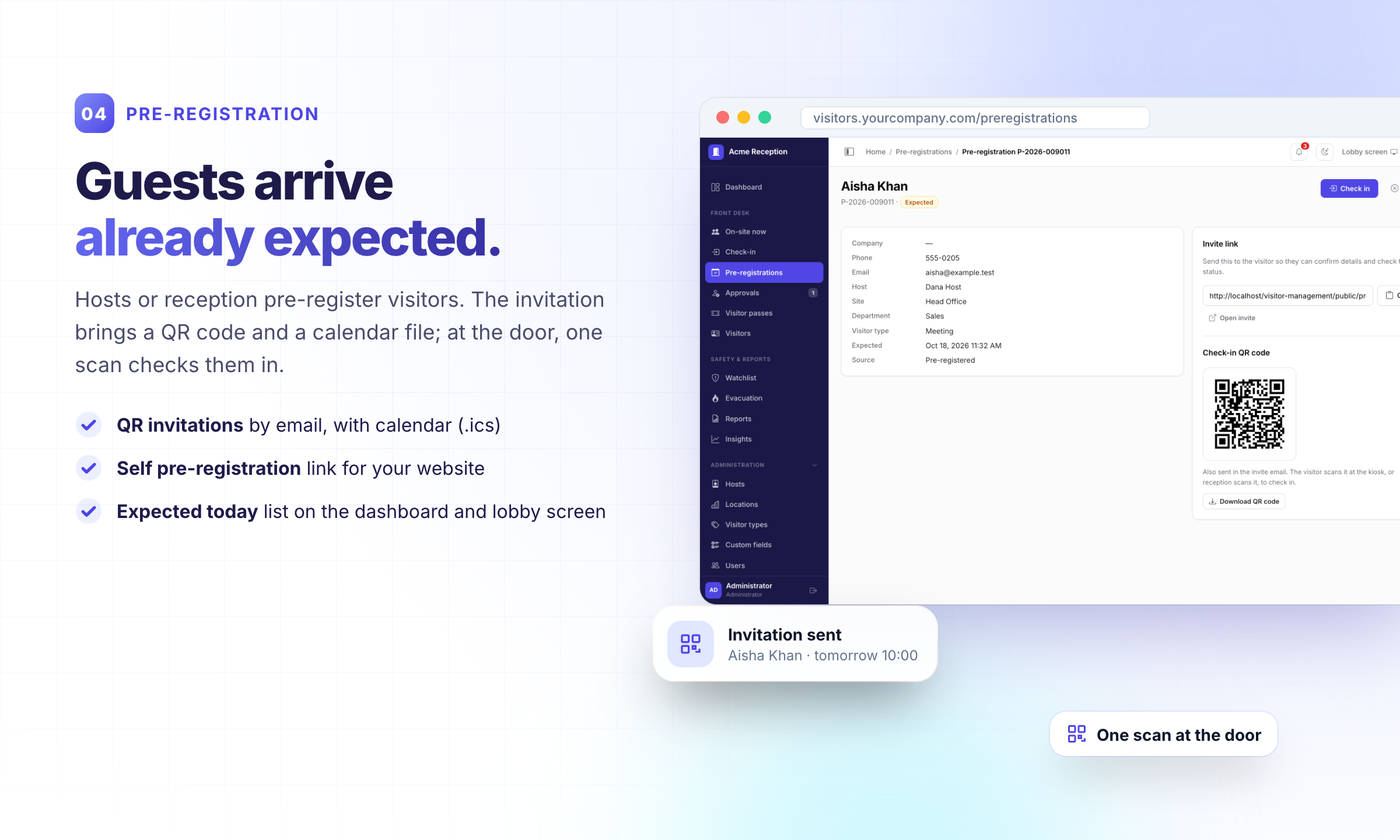
04 · Pre-registration: Guests arrive already expected.
Invitations with a QR code and calendar file; one scan at the door checks the visitor in. A self pre-registration link is included.
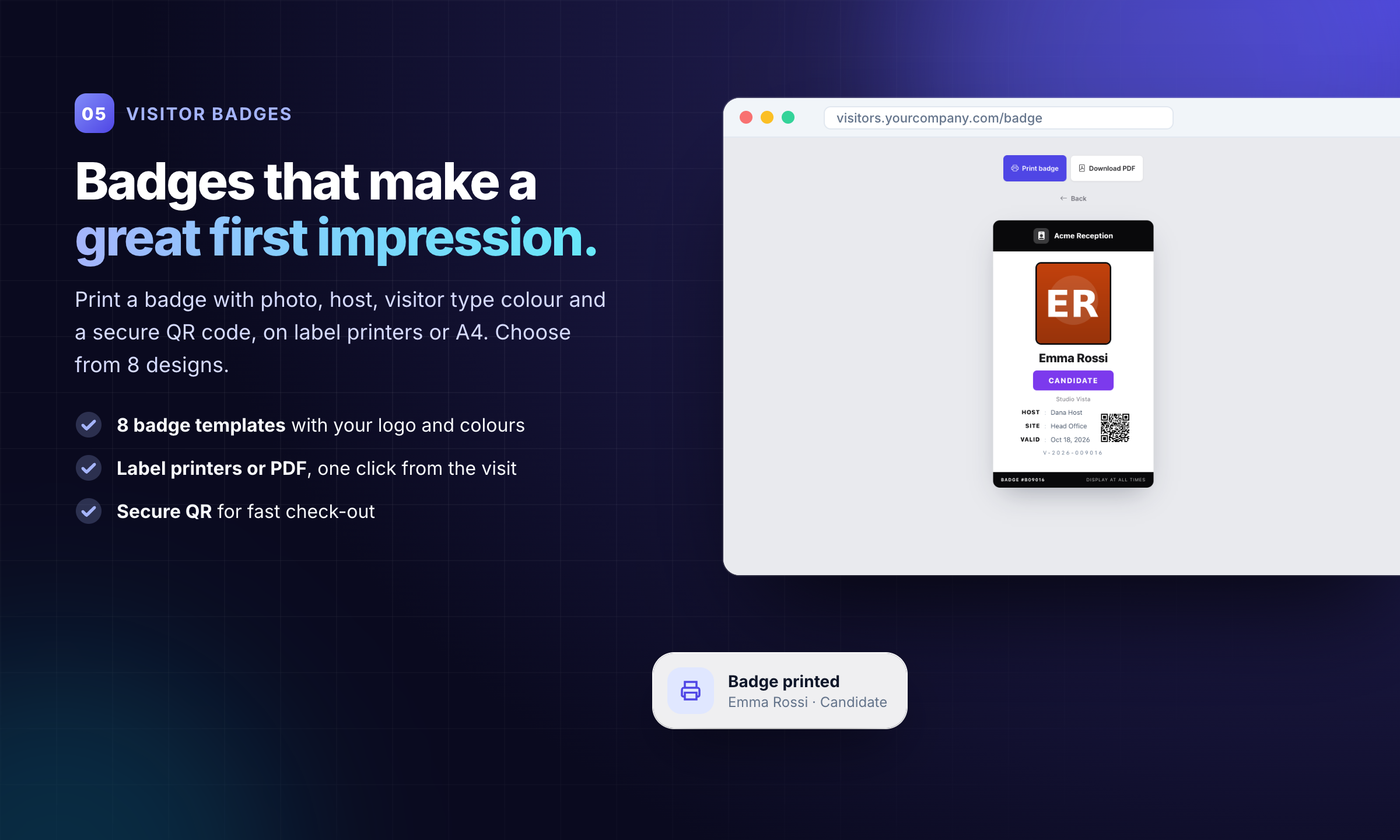
05 · Visitor badges: Badges that make a great first impression.
8 professional badge templates with photo, host, visitor type colour and a secure QR code. Print on label printers or A4, or download a PDF.
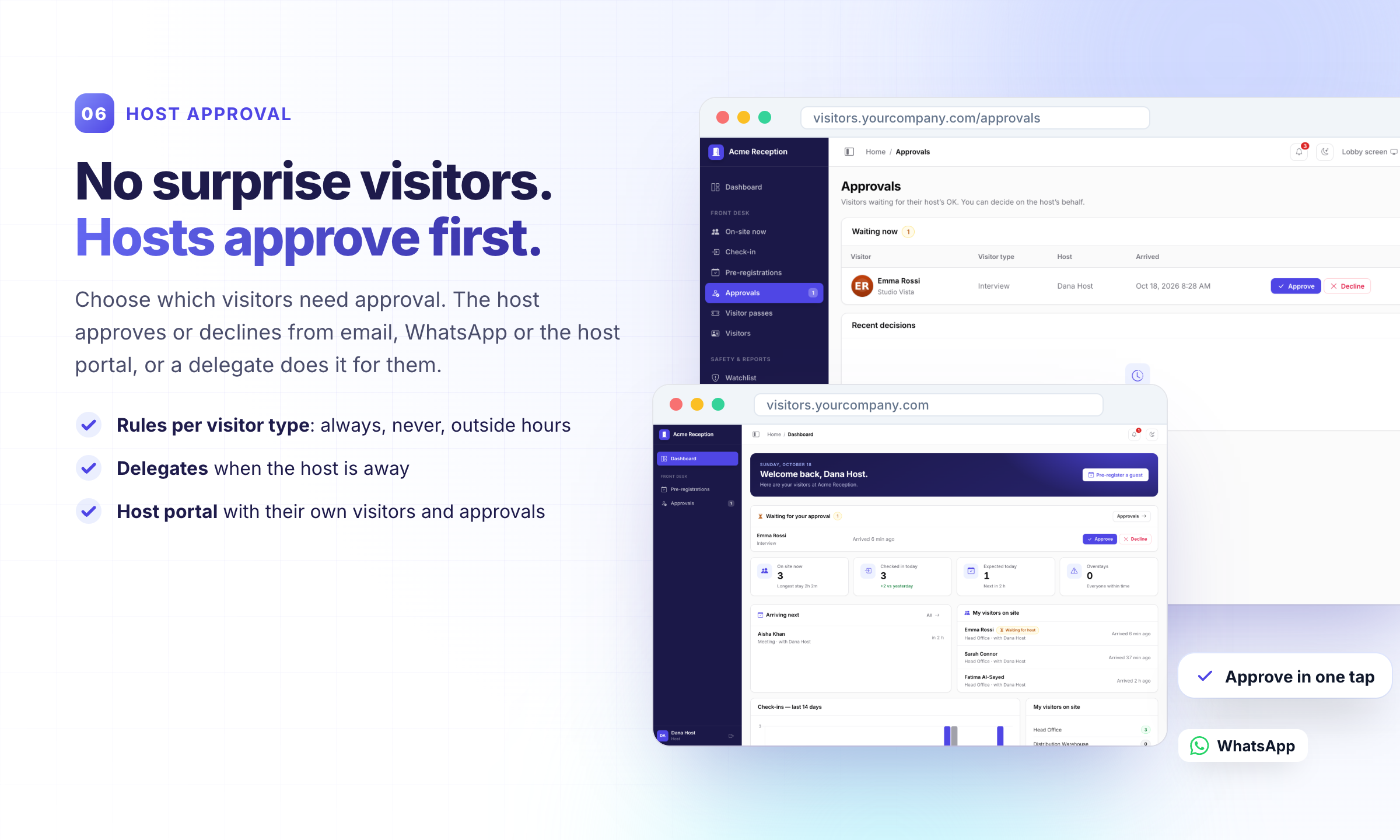
06 · Host approval: No surprise visitors. Hosts approve first.
Choose which visitors need approval. Hosts approve from email, WhatsApp or their own host portal, or a delegate does it for them.
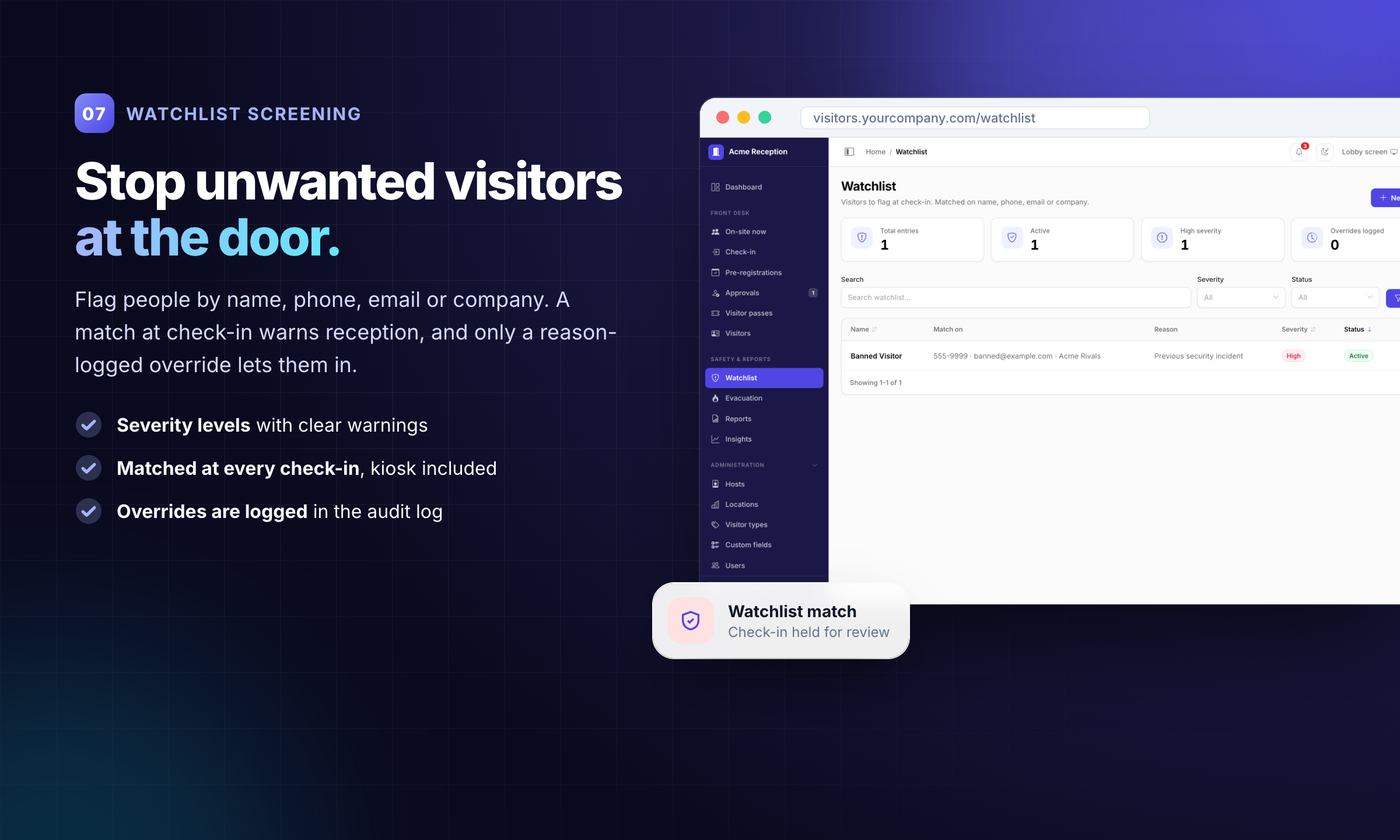
07 · Watchlist screening: Stop unwanted visitors at the door.
Flag people by name, phone, email or company. A match holds the check-in; overrides need a reason and are logged.
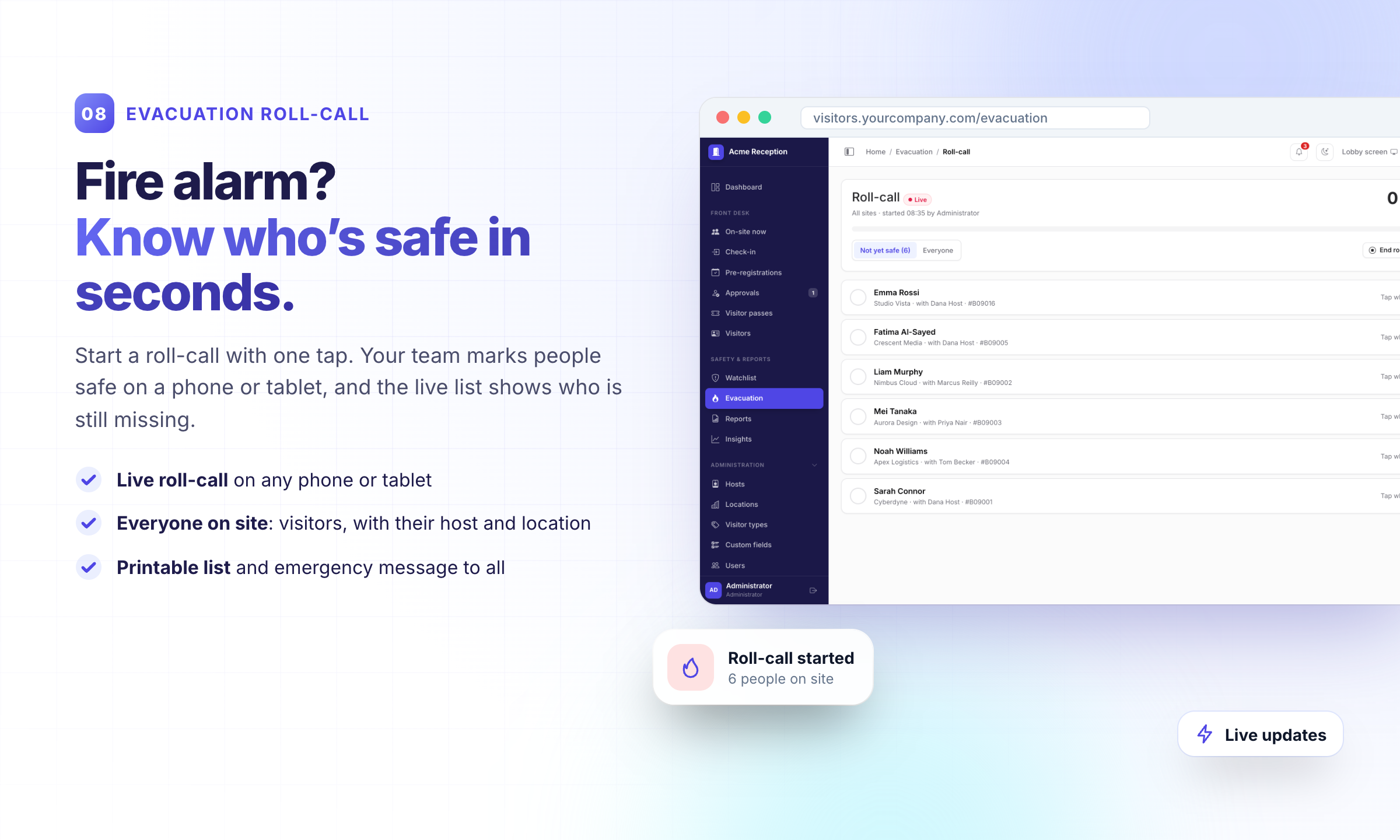
08 · Evacuation roll-call: Fire alarm? Know who’s safe in seconds.
Start a roll-call in one tap, mark people safe on any phone or tablet, print the list and send an emergency message.
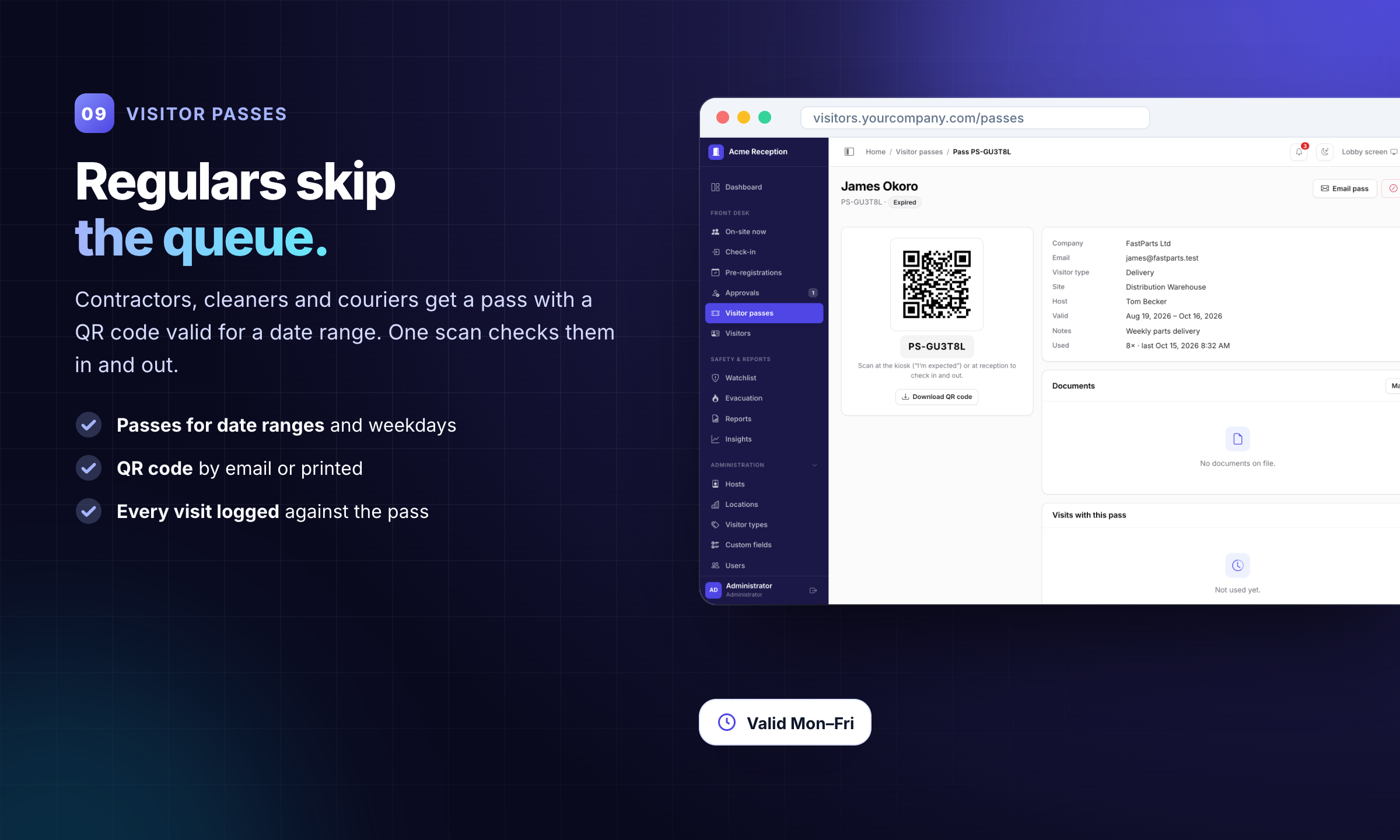
09 · Visitor passes: Regulars skip the queue.
Regular visitors get a QR pass for a date range and weekdays. One scan checks them in and out.
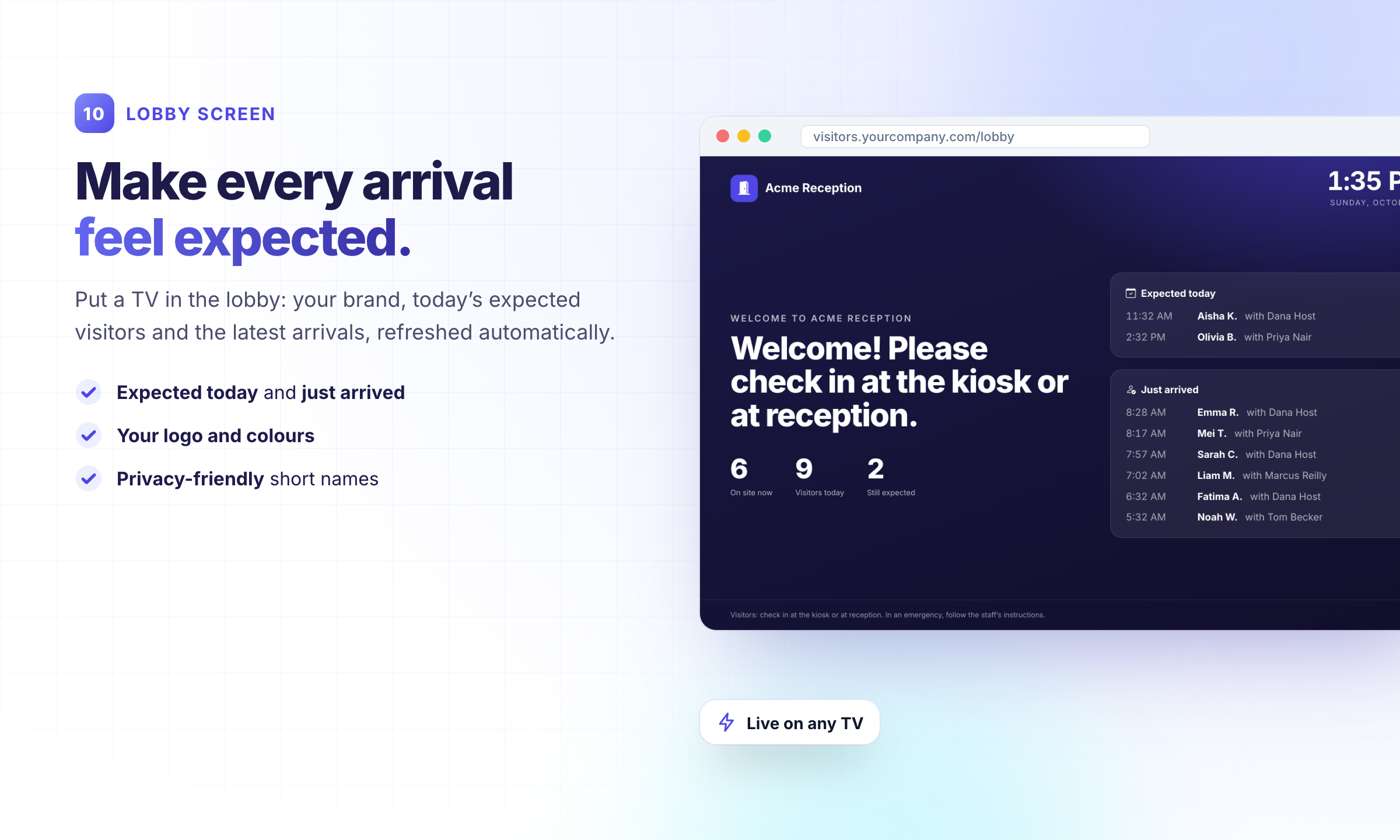
10 · Lobby screen: Make every arrival feel expected.
A welcome screen for the reception TV with expected and just-arrived visitors.
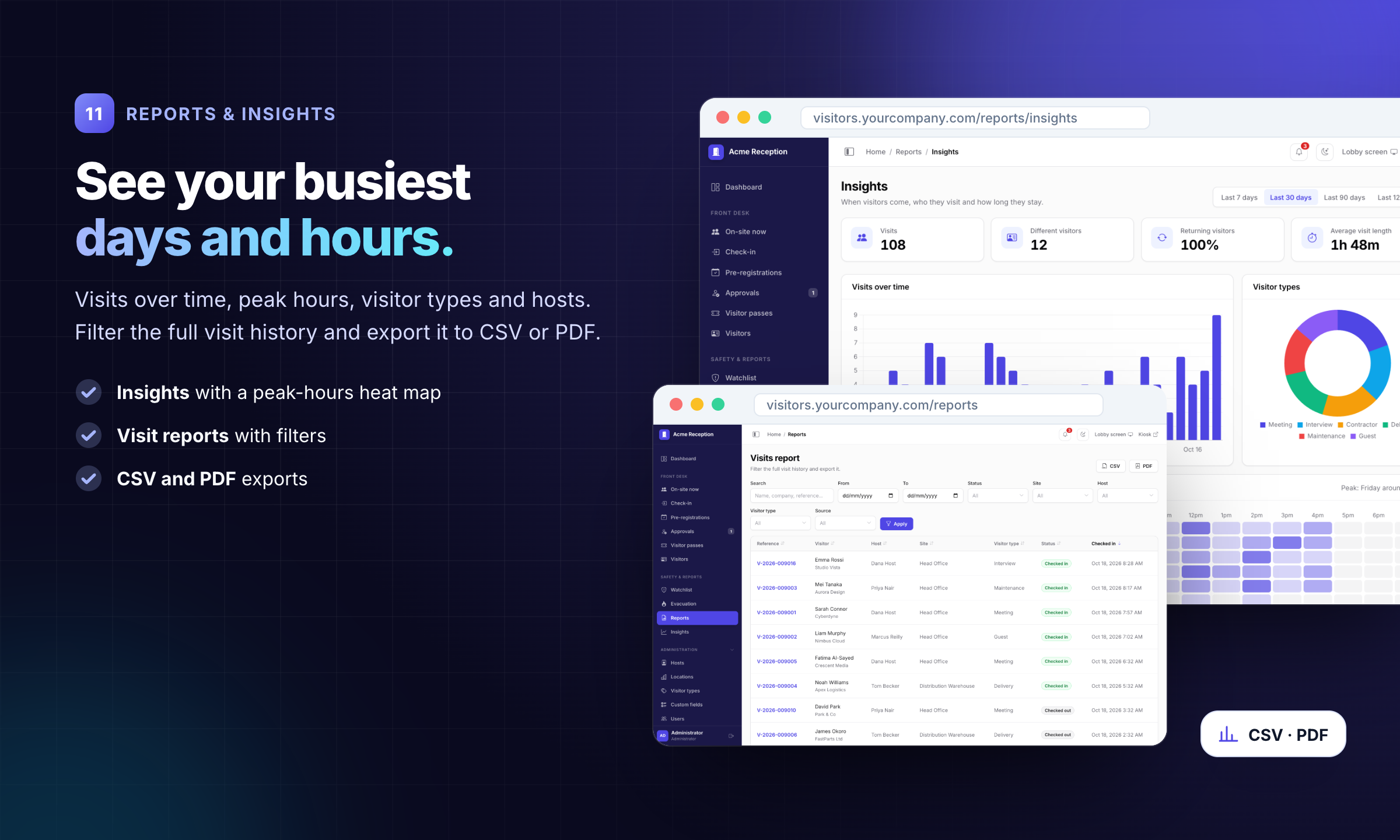
11 · Reports & insights: See your busiest days and hours.
Visits over time, a peak-hours heat map, visitor types and hosts, with CSV and PDF export.
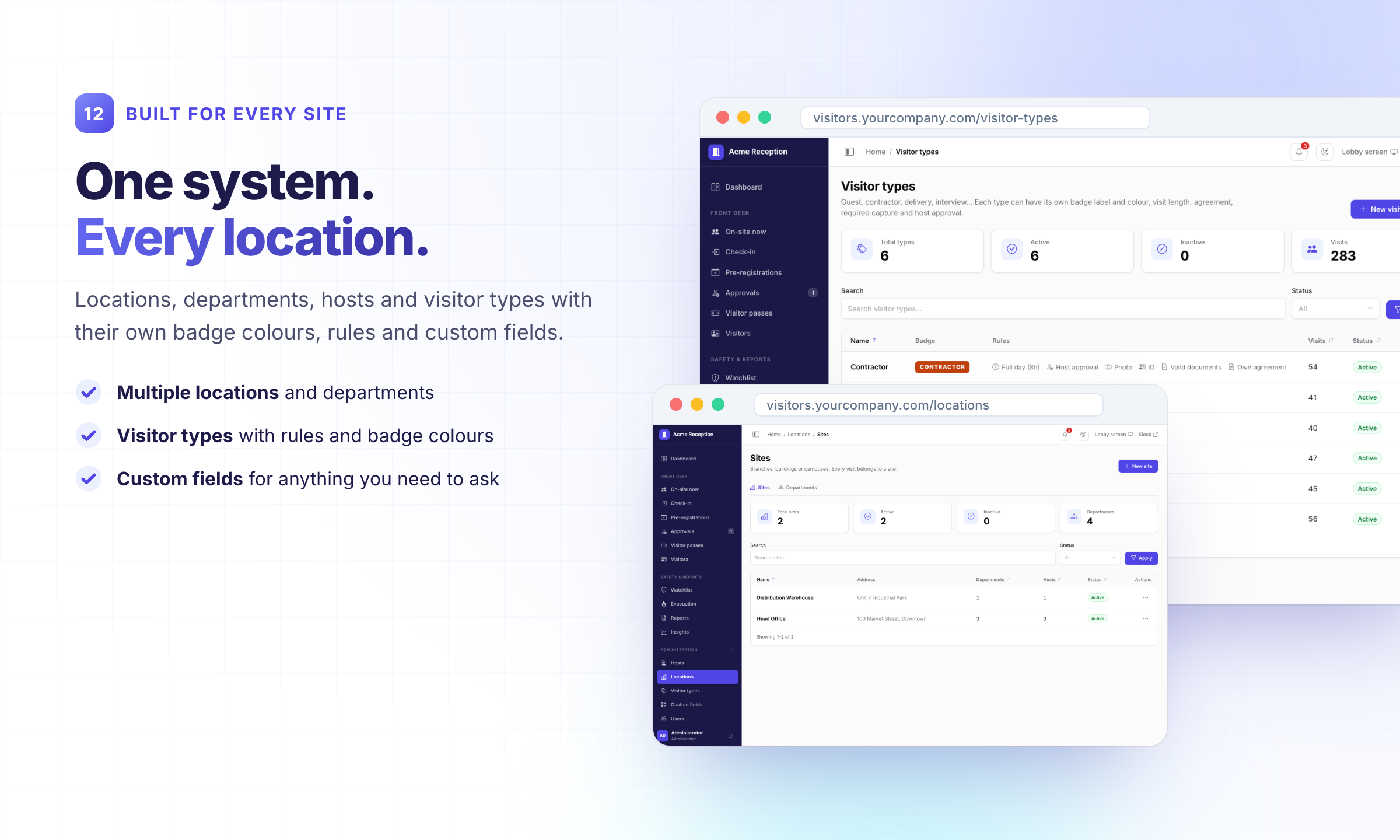
12 · Built for every site: One system. Every location.
Multiple locations, departments, hosts, visitor types with rules and badge colours, and custom fields.
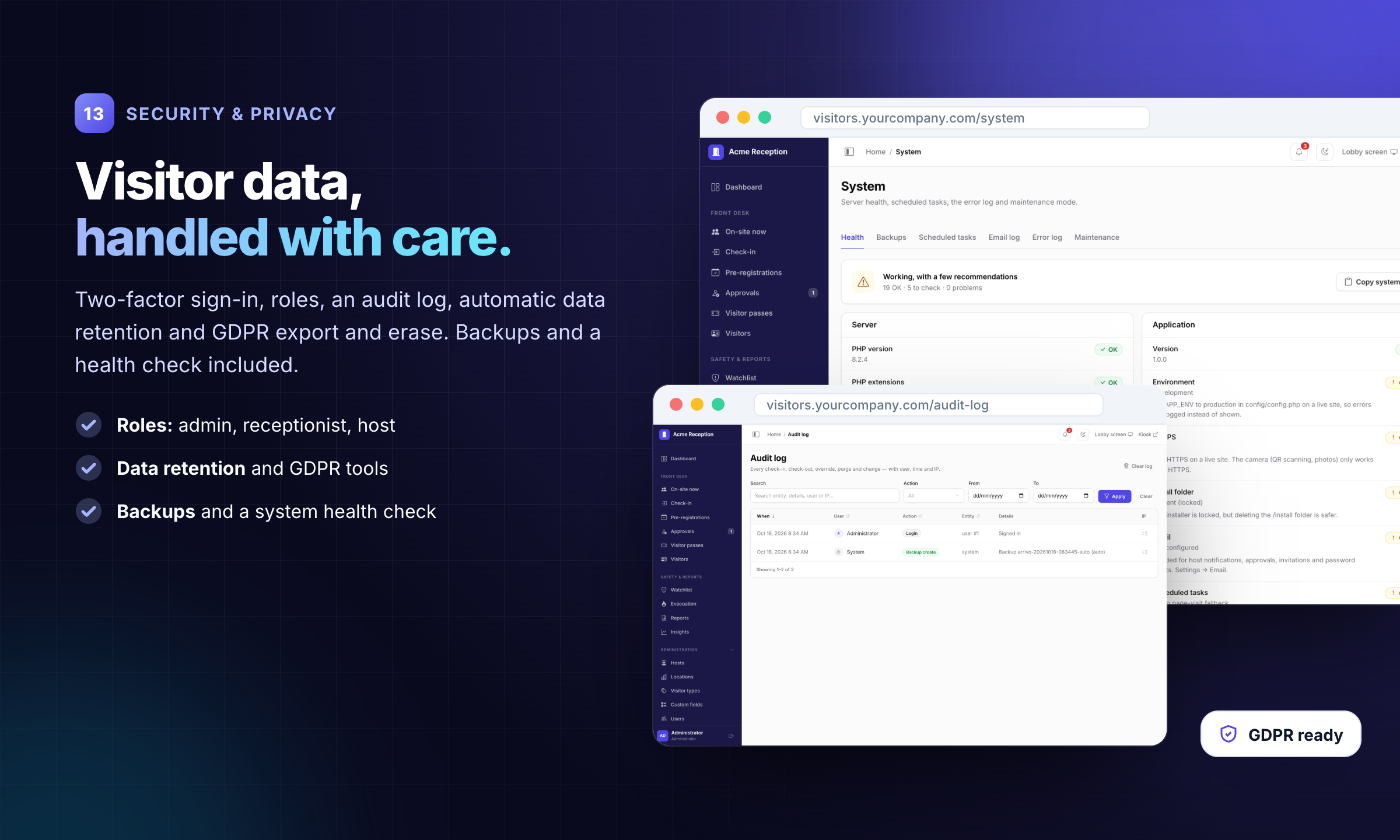
13 · Security & privacy: Visitor data, handled with care.
Roles for admin, receptionist and host, two-factor sign-in, audit log, data retention, GDPR export and erase, backups and a health check.
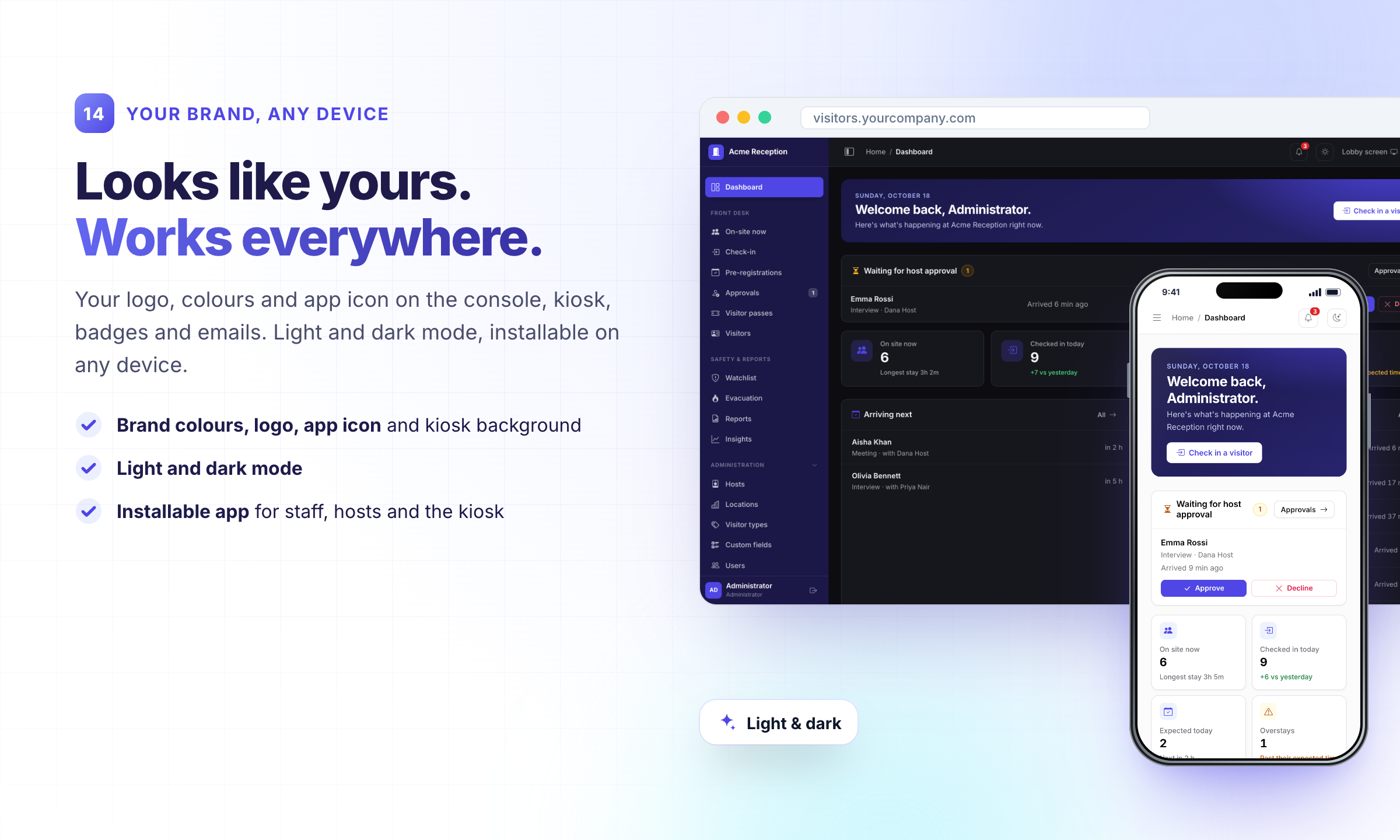
14 · Your brand, any device: Looks like yours. Works everywhere.
Your logo, colours, app icon and kiosk background, light and dark mode, and an installable app.
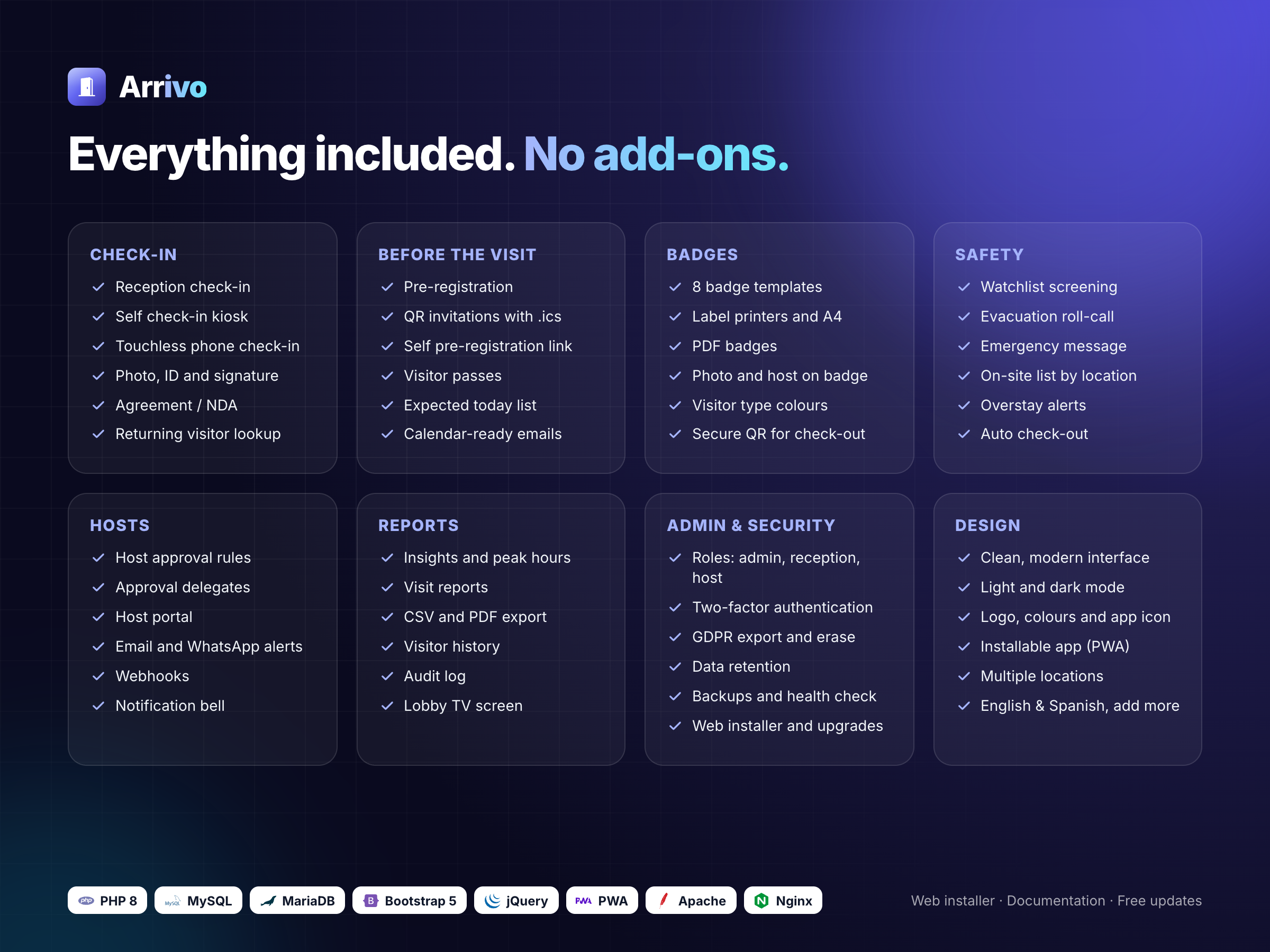
What you get
- Full, unencrypted PHP source code
- Web installer with requirement checks, and an upgrade tool for future versions
- Optional demo data to explore every feature
- Documentation (HTML) with installation, kiosk setup, cron, WhatsApp and FAQ
- English and Spanish; add your own language file
Support & updates
Support covers questions about features, help with bugs and help with the included settings, for 6 months. Updates are free. Contact me through Codester; I usually reply within one business day.
Changelog
v1.0 · 2026 Initial release.
Credits
Bootstrap 5 and Bootstrap Icons (MIT), jQuery (MIT), Chart.js (MIT), QR Code Generator (MIT), Signature Pad (MIT), jsQR (Apache 2.0), PHPMailer (LGPL 2.1), Dompdf (LGPL 2.1), Inter font (SIL OFL). Licenses are included in the package. Demo data is fictional.
Features
- Check-in at reception, on a self-service kiosk, or touchless on the visitor's own phone - Photo, ID, signature and agreement capture - Pre-registration with QR invitations and calendar files - 8 badge designs for label printers or PDF, secure QR check-out - Host approval with rules and delegates, host portal - Watchlist screening and evacuation roll-call - Visitor passes for regular visitors, lobby TV screen - Multiple locations, visitor types and custom fields - Reports with peak hours, CSV and PDF export - Two-factor sign-in, audit log, GDPR tools, backups, health check - Your logo and colours, light and dark mode, installable app (PWA)
Requirements
- PHP 8.0 to 8.3 with PDO MySQL, GD, fileinfo and mbstring - MySQL 5.7+ or MariaDB 10.4+ - Apache (.htaccess included) or Nginx; works on shared hosting - Optional: SMTP for email, a cron job, a label printer for badges
Instructions
1. Upload the contents of the arrivo folder to your server (or a subfolder).
2. Create an empty MySQL database and user.
3. Open your site in the browser: the web installer checks the server, connects the database and creates the admin account.
4. Set up a cron job for cron.php to run scheduled tasks (the documentation shows the exact command).
5. Full guide: documentation/index.html inside the download.1. Upload the contents of the `arrivo` folder to your server (or a subfolder). 2. Create an empty MySQL database and user. 3. Open your site in the browser: the web installer checks the server, connects the database and creates the admin account. 4. Set up a cron job for `cron.php` to run scheduled tasks (the documentation shows the exact command). 5. Full guide: `documentation/index.html` inside the download.
Demo logins (demo resets every hour): - Admin: admin@example.com / admin123 - Receptionist: receptionist@example.com / staff123 - Host: host@example.com / host123
| Author | amiriqbalmcs |
|---|---|
| Category | Scripts & Code / PHP Scripts / Management |
| Price | $49 |
| Extended License | $147 |
| First Release | Oct 20, 2026 |
| Last Update | Oct 20, 2026 |
| Database | MySQL 5.7, MySQL 8.0, MariaDB 10.x |
| Files included | .php, .css, .html, .json, .sql, JavaScript .js |
| Software version | PHP 8.0, PHP 8.1, PHP 8.2, PHP 8.3, PHP 8.4 |
| Html/css framework | Bootstrap |
| Javascript framework | jQuery |
| Programming language | PHP, JavaScript |
Categories
Tags
External listing. code.market does not sell this product and does not process payment for it. Pricing, payment, delivery, licensing, refunds, and support are handled by the third-party merchant on its own website. We may earn an affiliate commission from a referral. Details.
Products of the Week.
Submit🥇

Perceptle
Perceptle is a daily browser-based game that challenges you to test your sensory intuition through five quick estimation and rhythm-based rounds.
Other · 1,489 views · 9 clicksOther · Week 47 · 1,489 views · 9 clicks
🥈

Free LinkedIn Likes From Real
Get free LinkedIn likes on your posts from real members who react by hand. No
SaaS · 1,632 views · 10 clicksSaaS · Week 47 · 1,632 views · 10 clicks
🥉

STOP GUESSING WHAT TO POST
AI that learns your brand voice and builds a month of consistent, on-brand social content: carousels, posts and hooks that sound like you, not like everyone else's AI.
SaaS · 9,176 views · 75 clicksSaaS · Week 47 · 9,176 views · 75 clicks
#4

aaas.market
407 reliable micro tools for solo founders, marketers and creators. They work in your browser
SaaS · 1,597 views · 5 clicksSaaS · Week 47 · 1,597 views · 5 clicks