
Appointly - Perfex CRM Appointments

Description
Appointment scheduling for Perfex CRM with Google Calendar, Outlook, built-in REST API, and analytics dashboard.
NOTE: This is not a standalone appointments module. It requires Perfex CRM application version 3.0.0 or higher installed, as this is a module for Perfex CRM.
Introduction
Appointly is an appointment management module for Perfex CRM. It covers services, staff providers, internal and external bookings, client self-service, file attachments, Google and Outlook calendar sync, analytics, invoice conversion, and a built-in REST API.
Whether you run a consulting firm, clinic, salon, or any service business, Appointly handles booking, approval, reminders, and follow-up inside Perfex. Clients can book through a public form or client portal, and staff manage everything from the admin area.

Simplify your appointments. Grow your business. 100% integrated with Perfex CRM.
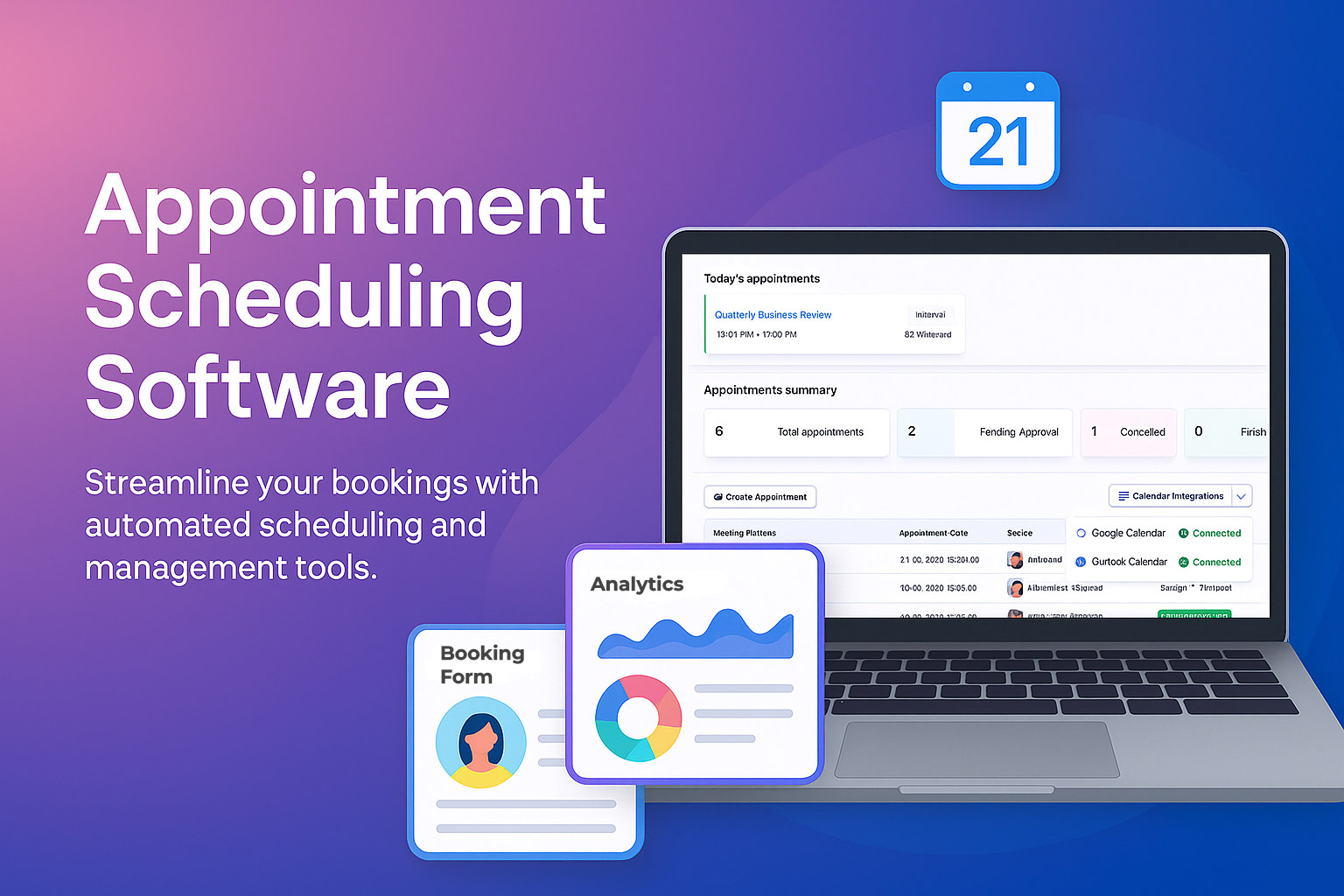
Save hours of admin work with online booking, calendar sync, staff scheduling, reminders, and reporting, fully integrated into Perfex CRM.
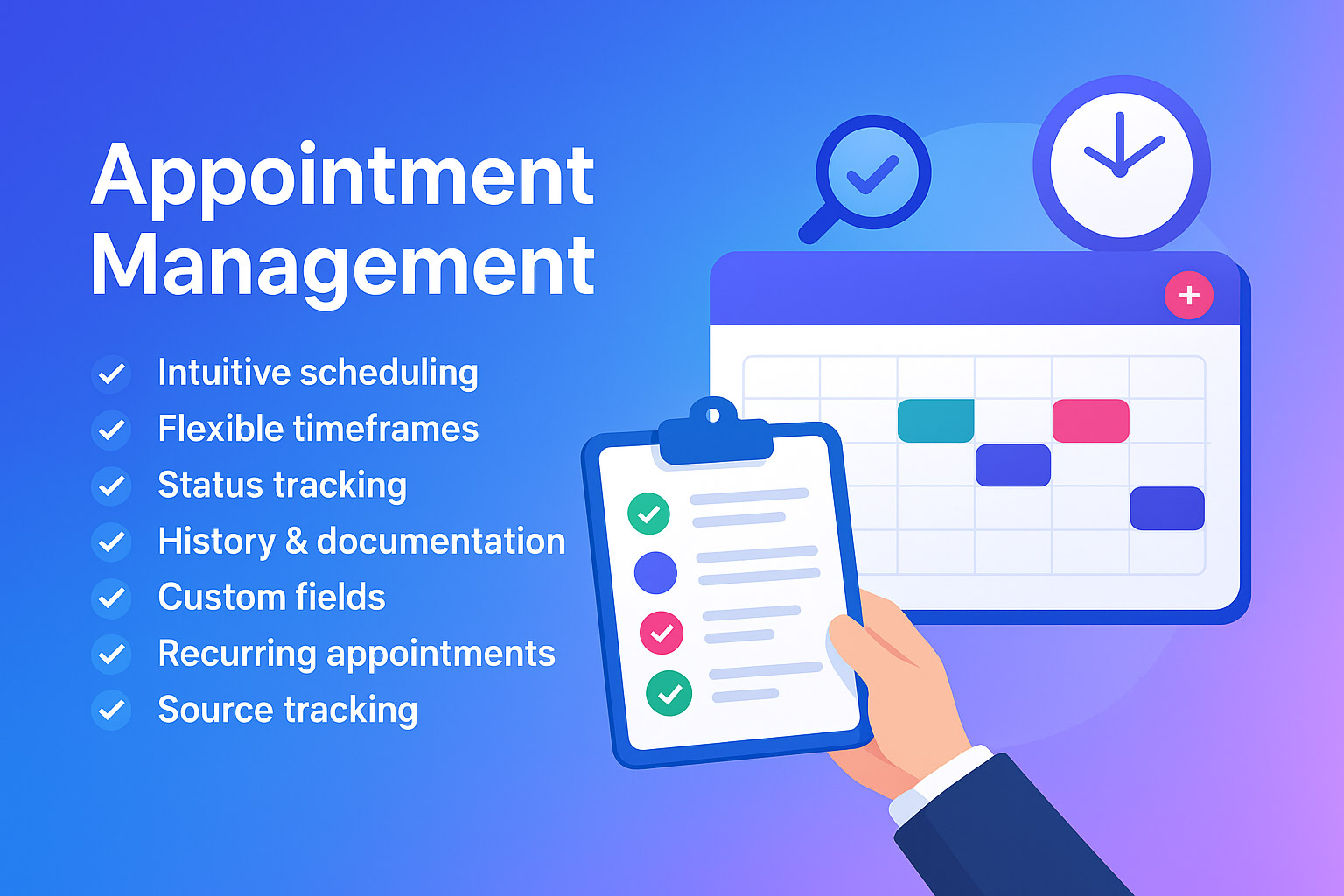

Services Management System
- Unlimited Service Types: Create custom appointment services with durations, pricing, descriptions, and visual color coding
- Multi-Provider Support: Assign multiple staff members to each service with primary provider designation
- Buffer Time Management: Configure buffer times before and after appointments to prevent scheduling conflicts
- Service-Specific Availability: Control which services appear in public booking forms
- Service Images: Optional images on services, shown on the public booking form
- Advanced Pricing: Set pricing per service for use with invoice conversion
Analytics & Reports Dashboard
- Real-Time Statistics: Track total, completed, and cancelled appointments with visual charts and graphs
- Advanced Date Filtering: Analyze performance by custom date ranges, months, or years
- Service Performance Metrics: Identify your most booked services in the selected period
- Staff Performance Analytics: Monitor individual staff completion rates and productivity metrics
- Monthly Trend Analysis: Visualize appointment patterns and business growth over time
- Export Capabilities: Export the staff performance table after applying a date range using standard Perfex DataTables export buttons
Direct Conversion System
- Convert to Invoice: Create a Perfex invoice from eligible internal appointments with pre-filled service and client details
- Create Task or Lead: Open prefilled Perfex task or lead modals from the appointment for follow-up work
- Convert to Customer: Turn guest or external appointments into Perfex customer records from the appointment view
Advanced Working Hours Management
- Company-Wide Schedule: Set default working hours for your entire organization
- Individual Staff Hours: Override company schedule with custom hours for each staff member
- Flexible Time Slots: 15-minute interval precision for accurate scheduling and availability
- Weekend/Holiday Management: Easy configuration of non-working days and special schedules
- Schedule Synchronisation: Staff can sync with company schedule or maintain custom hours
- Timezone Support: Handle appointments across different time zones on the booking form and in admin
Enhanced User Experience
- Redesigned Booking Form: Modern public booking flow with service images, provider cards, timezone support, and success page
- Provider Choice: Clients choose a provider on the booking form and can view photo, contact details, and working hours in a details modal
- Enhanced Status Management: New appointment status system (pending, in-progress, completed, cancelled, no-show)
- Past Appointment Visual Indicators: Appointments with past dates display with subtle red background styling for better visual identification
- Improved Time Selection: External booking forms prevent selection of past time slots for better user experience
Built-in REST API
- Full REST API: Programmatic access to appointments, services, and provider availability (base URL: /appointly/)
- API Key Authentication: Secure keys per staff member with optional per-key permission restrictions (view, create, edit, delete)
- Admin Hub: Documentation, Settings, API Keys, Logs, and Test console under Appointly → Appointly REST API
- Staff Permissions: View (API), Create (API), Edit (API), Delete (API) under Appointments role permissions (staff also need Appointments → View; API is disabled until enabled in Settings)
- Webhooks: Queue for appointment events triggered by REST API actions only (created, updated, deleted, cancelled, status changed)
- Rate Limiting & CORS: Configurable global rate limits and allowed browser origins
Files, Guests & CRM Workflow
- Appointment File Attachments: Upload, download, delete, and control client visibility per file from the appointment view
- Client Portal Files: Clients can view and upload files on appointments linked to their account (login required)
- Guest Count: Optional attendee count on booking forms and appointments (enable in settings)
- View Global Permission: Let selected staff see all company appointments without administrator access
- Lead Workflow: View lead profile and convert lead-related appointments to customers
Core Features & Functionality
Advanced Appointment Management
- Multiple Appointment Types: Internal (staff, contacts, leads) and external appointment booking options
- Service-Based Appointments: Link appointments to specific services with pricing, duration, and provider assignments
- Recurring Appointments: Schedule repeating appointments with customizable frequency (daily, weekly, monthly)
- Advanced Status Tracking: Pending, In Progress, Completed, Cancelled, and No Show with approval workflow and notifications
- Appointment Approval System: Optional approval workflow for appointment requests
- Buffer Time Management: Configure buffer times before and after appointments to prevent scheduling conflicts
- Feedback System: Collect client ratings and comments after appointments for service improvement
- Private Notes: Add internal notes to any appointment for team reference and follow-up
- Appointment History: Complete timeline visible in client profiles with detailed tracking
- Direct Conversion: Convert eligible appointments to invoices, or open prefilled Perfex task and lead modals from the appointment
- Client Reschedule System: Client reschedule requests with staff approval workflow
- Book Again Functionality: Clients can easily rebook cancelled or no-show appointments
- Professional URLs: Clean, user-friendly appointment URLs for better client experience
- Enhanced Navigation: Direct navigation between appointment view and edit pages for seamless workflow
- Calendar Integration Management: Delete Google Calendar and Outlook Calendar events directly from appointment pages
- Mobile-First Design: Fully responsive interface optimized for smartphones, tablets, and desktop devices
- Touch-Friendly Controls: Optimized for touch interactions on mobile devices
Working Hours & Scheduling
- Company-Wide Schedule: Set default working hours for your entire organization
- Individual Staff Hours: Override company schedule with custom hours for each staff member
- Flexible Time Slots: 15-minute interval precision for accurate scheduling
- Weekend/Holiday Management: Configure non-working days and special schedules
- Schedule Synchronization: Staff can sync with company schedule or maintain custom hours
- Blocked Days Management: Configure company holidays and non-working days with recurring patterns
- Multi-Timezone Support: Handle appointments across different time zones seamlessly
Calendar Integration & Synchronization
- Google Calendar Integration: Per-staff OAuth; push CRM appointments to Google; optional Google events in the appointments table (list view, not full CRM import)
- Google Meet Integration: Automatic meeting links with custom email invitations for virtual appointments
- Outlook Calendar Support: Connect your Microsoft account, then push Appointly appointments to Outlook (create/update/delete per appointment). Outlook events are not imported into Appointly automatically.
- Interactive Calendar Tooltips: Beautiful hover tooltips showing appointment details with quick actions
- Calendar View: Intuitive calendar interface with multiple view options
- Conflict Detection: Automatic detection and prevention of scheduling conflicts
Client Experience & Public Booking
- External Booking Form: Embeddable appointment form with company logo, service images, and configurable heading and description
- Service Selection: Clients choose services and providers based on real-time availability
- Available Time Slots: Dynamic availability with busy periods marked on the booking form
- Timezone Support: Automatic timezone conversion for global scheduling and international clients
- Terms & Conditions: Optional terms acceptance on the public booking form
- Custom Fields: Add custom fields to appointment forms for specific business needs
- reCAPTCHA Protection: Spam protection for external booking forms
Communication & Notifications
- Multi-Channel Notifications: Email and SMS alerts for all appointment events and status changes
- Email Tracking: See when clients have read appointment emails with delivery confirmations
- Custom Templates: Personalized email and SMS templates for different scenarios and languages
- Automated Reminders: Configurable email and SMS reminders before appointments
- Manual Reminders: Send early reminders before scheduled appointments
- Automatic Email Confirmations: Clients receive instant confirmation emails when booking appointments through external forms
Advanced Configuration & Customization
- Permission System: Granular staff permissions for appointment management, View Global (all appointments), and REST API access (View/Create/Edit/Delete API)
- Appointment Management: Create, edit, delete, view, approve, and view reports for appointments
- Multi-Language Support: Available in 12 languages including English, German, French, Spanish, Turkish, and more
- Fixed Status Workflow: Pending, In Progress, Completed, Cancelled, and No Show statuses with approval flow
- Branding Options: External booking form uses your Perfex company logo and configurable form heading and description
- PHP 8.1 Compatibility: Compatible with PHP 8.1+ with improved null value handling and modern PHP standards
- Enhanced Database Integrity: Improved data validation and error handling throughout the system
Deep CRM Integration
- Customer Profile Integration: Dedicated appointments tab in customer profiles showing complete appointment history
- Lead Profile Integration: Appointments tab in lead profiles for tracking prospect meetings and consultations
- Quick Actions: Create new appointments directly from customer/lead profiles with pre-filled contact information
- Live Search & Navigation: Ajax-powered live search to quickly find and navigate to services, staff providers, and attendees
- Direct Navigation: One-click navigation to view appointment details, edit services, or manage staff assignments
- Contextual Actions: Convert eligible appointments to invoices, or open prefilled task and lead modals from customer and lead views
- Quick Appointment Management: Delete appointments directly from customer and lead profile tabs for streamlined workflow
- Dashboard Widgets: Configurable upcoming appointments widgets with customizable date ranges (7-30 days)
Business Benefits
- Less Admin Work: Online booking, approval workflows, and calendar sync reduce manual scheduling
- Easier Billing: Service pricing and convert-to-invoice help move appointments into Perfex invoices
- Clear Overview: Analytics dashboard shows volume, trends, popular services, and staff performance
- Better Client Experience: Professional booking form with confirmations and reminders
- Team Visibility: Staff performance table and appointment filters help manage workload
- Fewer No-Shows: Email and SMS reminder options before appointments
- 24/7 Booking: Public form lets clients book outside office hours
- Scales with Your Team: Multi-provider services, permissions, and View Global for larger teams
Perfect For These Industries
- Healthcare & Medical: Doctors, dentists, therapists, clinics, medical practices
- Beauty & Wellness: Hair salons, spas, massage therapists, beauty clinics, nail salons
- Professional Services: Consulting firms, legal offices, financial advisors, accountants
- Fitness & Sports: Personal trainers, gyms, yoga studios, sports coaches
- Education & Training: Tutoring services, driving schools, music lessons, coaching
- Real Estate: Property viewings, consultations, client meetings
- Automotive: Car dealerships, repair shops, maintenance services
- Home Services: Cleaning services, repair technicians, contractors
- Photography: Portrait sessions, wedding photography, event photography
- Any Service-Based Business: Requiring appointment scheduling and client management
Key Features Summary
- Appointment Booking System – Complete scheduling solution
- Google Calendar Integration – Push to Google + optional table list view
- Outlook Calendar – Push Appointly appointments to Outlook
- Service Management – Unlimited services with pricing
- Staff Management – Multi-provider support
- Analytics Dashboard – Stats, charts, and staff performance table
- Mobile Responsive – Works on all devices
- SMS Notifications – Automated text reminders
- Email Automation – Custom templates and reminders
- Public Booking Form – Embeddable on any website
- Working Hours Management – Flexible scheduling
- Multi-Language Support – 12 languages included
- Calendar Tooltips – Interactive appointment details
- Recurring Appointments – Automated repeat bookings
- Customer Management – Integrated with Perfex CRM
- Lead Management – Integrated with Perfex CRM
- Lead Conversion – Convert guest bookings to customers
- Security Features – reCAPTCHA and data protection
- REST API – Appointments, services, availability, webhooks
- API Key Management – Per-staff keys with optional restrictions
- File Attachments – Secure per-appointment uploads
- Convert to Customer – External appointments to CRM customers
Language Support
- English
- German
- French
- Spanish
- Italian
- Polish
- Portuguese (Brazil)
- Romanian
- Turkish
- Dutch
- Indonesian
- Persian
Want to contribute a translation? If you want to contribute translation please contact us via Envato support section.
Installation & Setup Guide
- Download & Extract: Download the module files and extract to your Perfex CRM installation
- Upload Module: Upload the appointly folder to /modules/ directory or use the upload section in Setup → Modules to install directly
- Activate Module: Go to Setup → Modules and activate Appointly. If available, click on “Upgrade Database”
- Database Migration: Automatic database tables creation and migration will run
- REST API (optional): Enable under Appointly → Appointly REST API → Settings, create API keys, and assign Appointments → View plus View/Create/Edit/Delete (API) permissions to staff
- File uploads: Ensure modules/appointly/uploads/ is writable by the web server
Support & Updates
For support, please contact us through:
- Envato Support: Use the support section on this item page for general inquiries
We typically respond within 24-48 business hours. Regular updates ensure compatibility with the latest Perfex CRM versions and introduce new features based on user feedback.
Professional appointment scheduling for Perfex CRM with services, booking, calendars, and REST API.
Frequently Asked Questions
General Questions
- Q: Is this a standalone application?
- A: No, Appointly is a module for Perfex CRM. You need Perfex CRM v3.0.0+ installed first.
- Q: Can I use this without Perfex CRM?
- A: No, this module is specifically designed to integrate with Perfex CRM’s existing features.
- Q: Does it work with the latest Perfex CRM version?
- A: Yes, Appointly is regularly updated to maintain compatibility with the latest Perfex CRM versions.
Technical Questions
- Q: I cannot install module via upload method
- A: Please check if you have write permissions for the /modules/appointly directory and php max file upload size is set to 5MB or more.
- Q: Does it support multiple languages?
- A: Yes, Appointly includes translations for 12 languages.
- Q: Can I integrate with my existing calendar?
- A: Google: admin adds OAuth credentials in Appointly settings; each staff connects under Appointments → Calendar Integrations. CRM appointments can be sent to Google. Google-only events can optionally appear in the appointments table (settings toggle), not as full imported CRM records. Outlook: push Appointly appointments to Outlook per appointment; Outlook events are not imported into Appointly automatically.
Business Questions
- Q: Can I manage multiple staff members?
- A: Yes, you can add unlimited staff members with individual schedules and service assignments.
- Q: Does it handle recurring appointments?
- A: Yes, you can set up daily, weekly, or monthly recurring appointments with custom patterns.
- Q: Does it send automatic reminders?
- A: Yes, it sends automated email and SMS reminders at configurable intervals before appointments.
- Q: Does Appointly include a REST API?
- A: Yes, from v1.4.0 the REST API is built into the module. Use Appointly → Appointly REST API for documentation, keys, and testing. Authenticate with the authtoken header.
- Q: Do webhooks fire when I create appointments in the admin panel?
- A: No. Webhooks are triggered only by actions performed through the REST API.
Changelog
Version 1.4.0 – Changelog
Release Date: May 23, 2026
New Features:
- Built-in REST API (appointments, services, availability) with admin hub: Documentation, Settings, API Keys, Logs, and Test console
- API permissions under Appointments staff role: View (API), Create (API), Edit (API), Delete (API)
- API key management with optional per-key permission restrictions
- Webhook queue for API events (created, updated, deleted, cancelled, status changed) with configurable SSL verification
- API rate limiting and CORS origin settings
- Staff with View (API) can use the API menu, documentation, logs, test console, and manage their own keys (global API settings require Edit (API) or administrator)
- View Global (All Appointments) permission for non-admin staff to see the full company schedule
- Convert to Customer: convert external/guest appointments into Perfex customer records from the appointment view
- Lead appointments: View Lead and Convert to Customer with direct lead profile link
- Converted to Customer badge and database tracking (converted_to_customer column)
- Appointment file attachments: Files tab with drag and drop upload, download, delete, and client visibility toggle
- Client portal file viewing and upload for internal appointments
- Staff notifications when clients upload files to appointments
- Guest count field: track number of attendees per appointment (optional, enabled in settings)
- Romanian language pack updated for v1.4.0 features

Bug Fixes:
- Fixed external booking form date selection and timezone-related incorrect dates
- Fixed success page showing booking date off by 1 day
- Fixed subject validation on create, update, and external booking
- Fixed missing variable in appointment status update process
- Fixed missing staff notifications when logged-in clients book appointments
- Fixed status change notifications not appearing from status dropdown
- Fixed client confirmation and provider notification email sending
- Fixed feedback email sending
- Fixed organizer column broken links for client-initiated bookings
- Fixed lead contact links and lead conversion button visibility
- Fixed description HTML display in client appointments table and modal
- Fixed empty space validation on customer conversion form
- Fixed logged-in client booking flow
- Removed private staff notes from client appointment modal

Improvements:
- Redesigned client appointment modal with modern grid layout
- Improved client dashboard statistics cards
- External booking form language dropdown setting (Yes/No)
- Enhanced contact and organizer display with profile links
- Notifications now include customer account managers for client bookings
- Invoice and Google Calendar button styling improvements
- Secure file uploads using Perfex allowed file types and per-appointment folders
Version 1.3.6 – Changelog
Release Date: February 01, 2026
Bug Fixes:
- Critical date parsing bug affecting first week of any month (days 1-7) causing appointments to revert to invalid dates
- Date handling in main appointment insert misinterpreting single-digit day numbers
- Email merge field date concatenation showing incorrect dates in confirmation emails
- Date conversion fallback function parsing dates incorrectly as datetime instead of date-only
- Date validation function applying incorrect datetime parsing to date fields
- Google Calendar insert function fallback causing calendar sync failures for early month dates
- Google Calendar update function fallback mishandling dates 1-7 during event updates
- Language error when only English language is available in system causing external booking form failures
- UTF-8 encoding issues in services DataTable causing 'Invalid JSON response' error with Greek and multi-byte characters
- UTF-8 character display issues in service names, descriptions, and staff names
- htmlspecialchars() not using explicit UTF-8 charset parameter causing encoding problems
- JSON encoding not handling UTF-8 characters properly in DataTables responses
- String length functions not properly handling multi-byte characters fix

Improvements:
- Enhanced date handling across all booking scenarios (external form, admin panel, calendar sync)
- Optimized date parsing to use date-only format instead of datetime for appointment dates
- Improved Google Calendar synchronization reliability for all dates of the month
- Strengthened email notification date formatting consistency
- Better date validation and conversion error handling
- Enhanced language detection with fallback mechanism for systems with limited language support
- Improved external appointment form JavaScript functionality
- Updated Italian language translations
- Enhanced appointment view with better information display
- Added Content-Type header with UTF-8 charset for proper JSON encoding in DataTables
Version 1.3.5 – Complete Changelog
Release Date: November 08, 2025
New Features:
- Complete client self-service email notification system with 17 new email templates
- Client cancellation request workflow with automatic staff notifications
- Client reschedule request workflow with confirmation emails and staff alerts
- Provider change notification system (assignment and removal alerts)
- Comprehensive appointment status change notifications (completed, no-show, cancelled)
- Attendee management notifications (added/removed from appointments)
- Reschedule request approval/denial workflow with client notifications
- Enhanced appointment approval notifications for staff and clients
- "Upcoming" badge display in appointments datatable for future appointments
- Approve/Deny reschedule buttons on individual appointment view pages
- Enhanced appointment row coloring for cancelled, no-show, and missed appointments
- Professional row options styling in appointments datatable with intuitive icons
- Visual feedback system with loading states for reschedule actions
- Enhanced working hours display in appointment views (desktop and mobile responsive)
- Staff working hours management with company schedule integration
- "Use Company Schedule" toggle functionality for individual staff members
- Time preservation system when toggling availability states
- Database performance optimization with comprehensive indexing strategy (15+ new indexes)
- Real-time notification system improvements with enhanced Pusher integration
- Comprehensive merge fields system with 15+ appointment-specific fields
- Notification system debugging and tracking documentation
- Google Calendar and Outlook integration buttons in appointment view page for manual calendar addition
- Auto-add external appointments to Google Calendar upon approval (configurable setting)
- Multi-language support for external booking form with dynamic language dropdown
- Language persistence across booking form and success page
- Admin setting to enable/disable language dropdown on external booking form
- Admin setting to show/hide staff phone numbers on external booking form
- Recurring appointment badge in appointments datatable showing recurrence type, frequency, and cycle progress
- Recurring information section in appointment view page with detailed recurrence details
- "Stop Recurring" functionality with button to stop future recurring appointment instances
- "Edit Recurring Settings" button in appointment view for managing recurring appointments

Bug Fixes:
- Merge fields not being replaced in reschedule denial and approval emails
- Client reschedule request notifications not reaching assigned providers
- Missing email templates causing notification system failures
- Notification recipient targeting issues (improved provider and creator-focused delivery)
- Staff working hours toggle switches not updating visually
- Time dropdowns remaining disabled when availability is toggled on
- Times reverting to defaults when toggling availability and saving
- "Use Company Schedule" toggle not working for non-current days
- Form submission issues with disabled time inputs
- Upcoming appointment status discrepancy between summary and datatable
- Appointment status filter logic not matching summary calculations
- "No Show" filter not displaying past in-progress appointments (now matches summary count logic)
- Calendar display issues with duplicate meetings and time formatting
- Google Calendar sync performance issues
- Legacy status column migration issues
- Database helper syntax errors
- N+1 query performance issues causing slow page loads with large datasets
- Missing database indexes causing inefficient appointment table queries
- XSS vulnerabilities in appointment table output
- SQL injection risks in appointment access control logic
- Success page hardcoded text not translating properly
- Google Calendar events not being created due to invalid sendUpdates property in Event object
- Duplicate Google Meet email notifications (Google Calendar and Perfex CRM both sending emails to attendees)
- Invoice auto-creation not working when booking appointments from admin panel (only worked for external bookings)
- External booking form showing primary contact data instead of actual logged-in contact information
- External form accepting invalid/empty date and time fields causing 00:00 time submissions
- Staff without Google Calendar connected receiving misleading "time slot unavailable" error messages
- Tax custom percentage input field not showing when selected in invoice settings (JavaScript selector issue)
- Invoice auto-creation not applying configured tax rates from settings (custom percentage and CRM tax rates)
- Google Calendar 2-way sync ignoring date range filter setting
- Duplicate Google Calendar events with different Meet URLs being created
- Recurring appointments missing critical fields (end_hour, duration, timezone, service_id, provider_id, files)
- Recurring appointments not copying service relationships from appointly_appointment_services table
- Staff-only appointments hardcoded to 08:00-17:00 time range regardless of availability settings
- Staff-only appointments not sending any notifications (email or system) to attendees
- Invoice model loading failure on Linux servers due to case-sensitive filename (AppointlyInvoices_model → Appointlyinvoices_model)
- Recurring appointments created without slot availability validation, causing double bookings and conflicts
- Recurring appointments created on blocked company holiday dates
- Staff-only appointments restricted to company working hours (now allow 00:00-23:30 full day scheduling)
- Staff-only appointments blocking time slots with conflicts instead of showing warnings
- PHP 8.1+ deprecation warnings for nullable parameters (explicit ?type syntax required)
- Google Calendar authentication failing with "Data too long for column 'access_token'" error on PHP 8.1+ servers (with auto-migration for multi-tenant systems)
- External form appending "00:00:00" to date field causing incorrect datetime strings in merge fields
- Email confirmation showing wrong date (12/31/1969) due to malformed datetime merge field concatenation

Improvements:
- Complete email template system overhaul with consistent merge field support
- Appointments datatable with enhanced visual hierarchy and professional styling
- Enhanced SMS merge fields system with 10+ appointment-specific fields for comprehensive SMS notifications
- Staff working hours JavaScript functionality with complete rewrite
- Enhanced appointment status logic consistency across all views
- Database migration system with comprehensive status data migration
- Notification recipient targeting (provider and creator-focused)
- Real-time notification system with Pusher integration
- Form validation and submission handling
- Enhanced appointment filtering system with accurate logic
- Mobile-responsive working hours display
- Time preservation system when toggling availability states
- Enhanced appointment data retrieval for complete template support
- Database query performance with comprehensive indexing strategy
- Security hardening with enhanced permission checks and input validation
- Appointment table loading speed with optimized database queries
- Google Calendar sync performance with strategic event ID indexing
- Recurring appointments now validate slot availability before creation (skips conflicts with admin notification)
- Staff-only appointments now show all time slots (00:00-23:30) with visual conflict warnings instead of blocking
- Time slot selection for staff appointments with color-coded warnings (orange for conflicts, red for unavailable)
Version 1.3.4 – Complete Changelog
Release Date: July 29, 2025
- New: Comprehensive Google Meet settings panel with advanced configuration options
- New: Auto-enable Google Meet for all appointment settings
- New: Default Google Meet recording option with enable/disable toggle
- New: Waiting room enable/disable setting for Google Meet meetings
- New: Customizable reminder timing (5, 10, 15, 30 minutes, 1-2 hours, 1 day)
- New: Option to disable Google Calendar email notifications to prevent duplicates
- New: Enhanced Google Meet button with a dropdown menu for copying links and viewing meeting details
- New: Google Meet meeting details modal with comprehensive information
- New: Copy Google Meet link functionality with success notifications
- New: Enhanced Google Meet invitation system with attendee notifications
- New: Google Meet quick actions panel (join meeting, send invitations)
- New: Google Meet features display (HD video/audio, recording status, screen sharing, waiting room)
- New: Staff now respect booking conflicts (busy times) when enabled in settings
- New: Settings-based Google Meet feature configuration (recording, waiting room, reminders)
- New: One-click integration to download ICS file on appointment view and the client's area
- New: Custom Fields System updated
- New: Complete custom fields support for appointments on the external booking form
- New: Custom fields in the external booking form
- New: Invoice & Client Management
- New: Complete invoice automation system
- New: Client appointments dashboard/tab for viewing their appointments
- New: Automatic invoice creation when an appointment is booked
- New: Client-side appointment management interface with permissions per contact
- New: Settings option to show staff/provider email addresses in the external booking form

- Fixed: Outlook attendees not being added correctly to calendar events
- Fixed: Outlook integration failing with empty attendees array (400 Bad Request)
- Fixed: Double alert issue when deleting Outlook events
- Fixed: Google Calendar sync filtering issues
- Fixed: Form submission issues with special characters in appointment subjects when not using English language
- Fixed: Provider dependency validation issues
- Fixed: Appointment creation form UX issues
- Fixed: Lead display issues in client hash
- Fixed: Terms and conditions link on booking form and updated validation
- Fixed: Start and end hour handling for appointments
- Fixed: External form blocked dates
- Fixed: Client hash authentication issues
- Fixed: Admin notifications for new appointments via the booking form
- Fixed: Staff attendees not receiving email notifications when appointments are approved

- Improved: Appointments settings UI/UX
- Improved: Client public area
- Improved: Appointment update and view pages
- Improved: Enhanced Google Meet button styling and functionality
- Improved: Better Google Meet link management and sharing
- Improved: Comprehensive Google Meet settings with icons and better organization
- Improved: Google Meet attendee handling and email notifications
- Improved: Google Meet integration with appointment settings and preferences
- Improved: Enhanced Outlook attendee handling for all appointment types (internal, external, lead)
- Improved: Proper attendee inclusion (provider + related contacts/clients)
- Improved: Google Calendar Integration
- Improved: Custom fields in appointment edit/update forms
- Improved: Outlook Integration
- Improved: Better calendar integration, status display
- Improved: Form UX & Validation
- Improved: Security
- Improved: Notifications & Reminders
- Improved: Two-way sync improvements with better filtering
- Improved: Language & Localization
Version 1.3.3 – Complete Changelog
Release Date: June 21, 2025
- New: View Appointment direct navigation from edit page - Added quick navigation button to view appointment details from edit form
- New: Edit Appointment direct navigation from appointment view page - Added edit button for seamless editing from appointment view
- New: Delete option from Google Calendar on Edit and Appointment view pages - Added ability to remove Google Calendar integration directly from appointment pages with confirmation
- New: Delete option from Outlook Calendar on Edit and Appointment view pages - Added ability to remove Outlook Calendar integration directly from appointment pages with confirmation
- New: Improved Outlook API integration - Updated to use App permissions instead of delegated permissions for better reliability
- New: Staff attendees validation - Added validation for internal staff appointments to ensure attendees are selected
- New: Client email confirmation system - Added automatic email confirmations for external appointment submissions
- New: Customizable success pages - Complete success page customization with color schemes and layout options
- New: Added option to delete appointments directly from the Customers tab
- New: Added option to delete appointments directly from the Leads tab
- New: Dashboard widget for upcoming appointments with configurable date ranges (7 days, 14 days, 30 days, 4 weeks)
- New: Settings to enable/disable both today's appointments and upcoming appointments dashboard widgets
- New: Smart linking for Google Calendar appointments - opens Google Calendar instead of local appointment view
- New: Support for Google Calendar appointment status mapping (confirmed → pending)
- New: Added option in settings to apply default VAT/Tax rate when converting appointment to invoiceNew: Red light colour will show in the appointments table list if date is in the past
- Fixed: Removed missing status from table — redundant
- Fixed: Search on contacts on the Customers side was searching all company contacts instead of current client contacts
- Fixed: Staff non working days showing correctly on date picker on create and update pages
- Fixed: Client auto-fill on booking form - External booking form now automatically fills client data when logged in and shows appointments in Customers section
- Fixed: External booking notifications - Fixed notification system for external appointments to send proper confirmations
- Fixed: Service update white screen issue - Fixed service update functionality that was causing blank pages
- Fixed: Buffer output issues - Fixed potential buffer issues that could affect some users
- Fixed: Contact relation switching bug - Fixed issue when switching between staff and internal contact relations
- Fixed: Google/Outlook checkbox functionality - Fixed calendar integration checkboxes on appointment creation
- Fixed: Language file inconsistencies - Fixed and improved language file handling and translations
- Fixed: Mobile responsiveness issues - Fixed broken mobile layouts, working hours display, and form elements
- Improved: Now contacts are show in the dropdown instead of searching
- Improved: Mobile-first responsive design - Complete mobile optimization for all appointment pages
- Improved: Responsive grid layouts - Improved grid systems that work across all device sizes
- Improved: Working hours mobile layout - Working hours now display properly under provider image on mobile
- Improved: Icon-only mobile buttons - Calendar integration buttons show icons only on mobile with tooltips
- Improved: Consistent processing messages - Standardized "Adding to  Calendar" messages for both Google and Outlook
- Improved: Enhanced navigation - Better button layouts and navigation flow between appointment pages
- Improved: Calendar cards - Modern gradient cards with hover effects and delete functionality
- Improved: Form layouts - Responsive form elements that stack properly on mobile devices
- Improved: Code cleanup - Removed deprecated code and improved code organization
- Improved: Error handling - Better error handling for calendar integrations and form submissions
- Improved: Validation - Enhanced form validation, especially for staff attendee selection
- Improved: Performance optimizations - Various performance improvements throughout the module
- Improved: Email template system - Added client confirmation email templates and database integration
- Improved: Language support - Added new translation keys for all new features for all languages
- Improved: Terminology consistency - Standardized terminology across all language files
- Updated: Outlook API changes - Updated to use App permissions instead of delegated permissions (documentation updated)
- Updated: Better CSS organization - Improved CSS structure and responsive utilities
Version 1.3.2
- New: Implemented user-friendly appointment URLs with clean, professional structure (appointly/appointment/hash)
- New: Added automatic browser cache clearing system ensuring new routes work immediately after installation/upgrade
- New: Added comprehensive client reschedule request system with staff approval workflow
- New: Implemented "Book Again" functionality for cancelled and no-show appointments
- New: Added delete option for two-way synced appointments directly from CRM
- New: Created dedicated reschedule requests table with proper referential integrity
- New: Added email notification templates for reschedule approvals and denials
- New: Enhanced staff dashboard with pending reschedule and cancellation request sections
- New: Added multi-language support for reschedule and book again features
- New: Button added to edit the appointment directly from the appointment view
- Updated: Enhanced staff-only appointments with improved attendees validation and Google/Outlook integration
- Updated: Improved client appointment view with modern UI and better status indicators
- Updated: All email templates and system references to use new friendly URL format
- Updated: Implemented time-based versioning for all JavaScript files to prevent cache issues
- Fixed: Service editing and updating functionality for services currently in use
- Fixed: Form submission errors and validation messaging
- Fixed: Primary provider selection not displaying correctly in service management
- Fixed: Time format consistency in appointment editing interface
- Fixed: Hardcoded language strings throughout the module
- Fixed: Time display formatting during appointment updates
- Improved: Refactored appointment submission logic for better maintainability and debugging
- Improved: Removed legacy backend validation while maintaining security
- Improved: Maintained backward compatibility for existing appointment bookmarks and links
Version 1.3.1 – Minor Bug Fixes
- Fixed minor bug in installation and migration
- Fixed Booking form issue if no blocked days available
- Fixed database migration order - moved column checks after table creation
- Fixed invalid status migration from 'confirmed' to 'in-progress'
- Added table existence checks for all database operations
Version 1.3.0 – Major Upgrade
Services Management System
- Complete services management interface
- Multi-provider assignment with primary provider designation
- Default provider selection for each service
- Service-specific pricing, duration, and descriptions
- Buffer time configuration (before/after appointments)
- Color-coded service identification
- Service availability control for booking forms
Analytics & Reports Dashboard
- Comprehensive analytics dashboard with real-time statistics
- Advanced date range filtering (today, week, month, year, custom)
- Monthly appointment trends with visual charts
- Service popularity and performance metrics
- Staff performance tracking with completion rates
Direct Conversion System
- Create invoices from completed appointments
- Create tasks from appointments with context preservation
- Create leads from appointments with context preservation
- Streamlined workflow from appointment to business processes
Working Hours Management
- Company-wide schedule configuration
- Individual staff working hours override
- 15-minute interval precision
- Weekend and holiday management
Enhanced User Interface
- Completely redesigned dashboard with modern UI
- Improved appointment creation/editing forms
- Enhanced external booking form with service selection
- New appointment status management system
- Mobile-optimized responsive design
Improvements
- Optimized database structure with new tables for services and working hours
- Improved appointment status management with enum fields
- Enhanced data relationships and foreign key constraints
- Modular controller structure (Appointments, Services, Reports)
- Enhanced model layer with specialized service and report models
- Better error handling and validation
- Streamlined appointment booking workflow
- Improved provider selection interface
Removed Features
- Legacy callback functionality (streamlined focus on appointments)
- Outdated appointment type system (replaced with services)
- Legacy status fields (replaced with modern enum system)
- Deprecated working hours fields (moved to dedicated tables)
Migration & Compatibility
- Automatic data migration from v1.2.x to v1.3.0
- Backward compatibility for existing appointments
- Preserved calendar integrations and settings
- Maintained email template compatibility
Appointly – Version 1.2.6
- Fix: Services & Reports view permissions
- Fix: Menu items list minor issues fix and reorder
- Fix: Minor issues with permissions globally
| Type | PHP Script |
|---|---|
| Author | i-Dev |
| Category | Php Scripts / Add Ons |
| Price | $69 |
| Sales | 1,483 |
| Rating | 4.31 from 71 ratings |
| Published | Jan 13, 2020 |
| Last Update | Jun 20, 2026 |
| Compatible Browsers | IE11, Firefox, Safari, Opera, Chrome, Edge |
| Compatible Software | PHP 8.x, PHP 7.x, MySQL 8.x, MySQL 5.x |
| Software Framework | CodeIgniter |
| Source Files Included | JavaScript JS, JavaScript JSON, HTML, CSS, PHP, SQL |
Categories
Tags
External listing. code.market does not sell this product and does not process payment for it. Pricing, payment, delivery, licensing, refunds, and support are handled by the third-party merchant on its own website. We may earn an affiliate commission from a referral. Details.
Products of the Week.
Submit🥇

STOP GUESSING WHAT TO POST
AI that learns your brand voice and builds a month of consistent, on-brand social content: carousels, posts and hooks that sound like you, not like everyone else's AI.
SaaS · 5,037 views · 47 clicksSaaS · Week 45 · 5,037 views · 47 clicks
🥈

Conversational Backlinks for Busy Founders
Place Backlink Relevant Conversation for your domain across Forums and Conversations
Website · 43,048 views · 226 clicksWebsite · Week 45 · 43,048 views · 226 clicks
🥉

upvote.club
Free Social Media Engagement that Helps Boost Your Content. Upvote Club supports 19 social networks with 100+ engagement actions in one dashboard. Add links to your posts and get free engagement from real users.
SaaS · 41,075 views · 122 clicksSaaS · Week 45 · 41,075 views · 122 clicks
#4

Substack Posting API
Onboard your Agent to Substack. Write Publish on Substack via API
SaaS · 60,027 views · 202 clicksSaaS · Week 45 · 60,027 views · 202 clicks
#5

Seenshot App
Free, Fast, MacOS Screenshot app. Make Screenshot cmd+shift+2 and send it via link
Desktop App · 29,392 views · 124 clicksDesktop App · Week 45 · 29,392 views · 124 clicks
#6

Hand-Placed Backlinks $9.99 per link. Flat rate.
Buy hand-placed forum, Q-A and directory backlinks. Flat $9.99 per link, no subscriptions — you only pay for approved listings.
Website · 5,176 views · 19 clicksWebsite · Week 45 · 5,176 views · 19 clicks
#7

Free Invoice Generator - PDF Invoices in Your Browser, No Sign-Up
A free invoice maker for freelancers and small businesses: fill in the invoice, check the live preview, and download a PDF that looks exactly like it. Any currency, tax per item, three templates, no sign-up, and nothing leaves your device.
3,820 views · 17 clicksWeek 45 · 3,820 views · 17 clicks
#8

Merge PDF Files Free - Combine PDFs in Your Browser, No Upload
A free PDF merger for office workers, students, and freelancers: combine PDFs and images into one file in the browser, reorder files and pages, pick page ranges, keep bookmarks, and open password-protected PDFs. Nothing is uploaded, no sign-up, no watermark.
3,528 views · 14 clicksWeek 45 · 3,528 views · 14 clicks