
AI Excel Formula Generator WordPress Plugin
Description
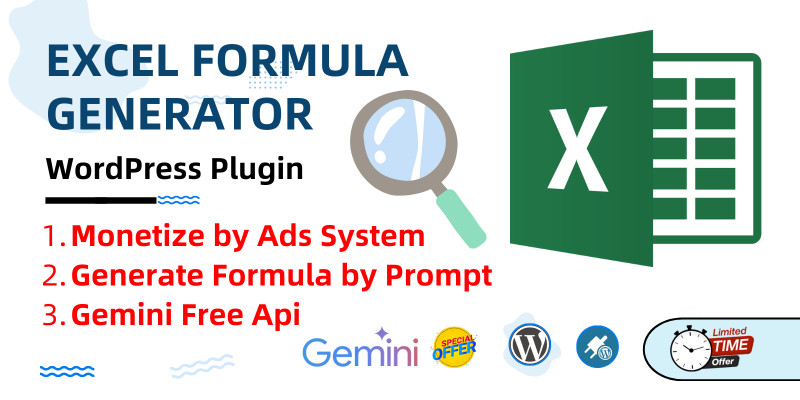
Elevate your WordPress site with the WebsitesIdea AI Excel Formula Generator, an innovative plugin powered by the Gemini AI API. Designed for seamless integration and maximum user convenience, this tool transforms how users create Excel formulas while offering admins a way to boost revenue. Here’s how it benefits users and site owners:
How It Helps Users:
- Instant AI-Powered Formulas: Simply input a prompt (e.g., "Average sales in column B"), and the plugin generates accurate Excel formulas in seconds, perfect for beginners and pros alike.
- Responsive & User-Friendly Design: Works flawlessly on desktops, tablets, and mobiles, ensuring accessibility for all users in 2025’s mobile-first world.
- One-Click Copy Feature: A built-in "Copy" button lets users instantly copy formulas to their clipboard, streamlining workflows.
- Easy Integration: Add the shortcode to any page or post—no coding skills needed.
How Admins Earn Revenue:
- Monetization with Ads: Configure ad spaces in the header, middle, and footer areas to earn passive income from site traffic.
- Boost Site Engagement: Attract Excel users and productivity enthusiasts, increasing page views and ad impressions.
- Customizable Branding: Adjust the frontend title and ad settings to align with your site’s look and revenue goals.
This plugin combines cutting-edge AI technology with practical features, making it a must-have for WordPress sites in 2025. Whether you’re helping users simplify Excel tasks or monetizing your platform, it’s a win-win solution. Get started by uploading it to your WordPress site, configuring your Gemini API key, and embedding it wherever you want!
Features
Features of "AI Excel Formula Generator WordPress Plugin"
AI-Driven Formula Generation: Creates precise Excel formulas using the Gemini AI API based on user prompts.
Fully Responsive Design: Adapts to all devices for a seamless user experience.
Shortcode Support: Embed with for effortless placement.
Ad Monetization Areas: Add ads in header, middle, and footer sections for revenue.
Copy to Clipboard: One-click copying of generated formulas enhances usability.
Gemini API Integration: Supports free or paid API keys for flexibility.
Requirements
- WordPress: Version 5.0 or higher for compatibility with modern installations.
- PHP: Version 7.0 or later, ensuring optimal performance.
- Gemini API Key: Obtainable from Google AI Studio (free or paid plan required).
Instructions
Instructions
- Upload: Extract and upload the websitesidea-ai-excel-formula-generator folder to /wp-content/plugins/.
- Activate: Go to Plugins in your WordPress admin panel and activate the plugin.
- Configure: Navigate to Settings > AI Excel Formula, enter your Gemini API key, set a custom title (optional), and add ad codes for monetization.
- Embed: Use the shortcode on any page or post to display the tool.
- Test: Input a prompt like "Sum values in column A," generate a formula, and copy it to your clipboard!
| Author | singhashwani |
|---|---|
| Category | Plugins / WordPress / AI |
| Price | $25 |
| Extended License | $75 |
| Likes | 1 |
| First Release | Feb 28, 2025 |
| Last Update | Feb 28, 2025 |
| Supported cms | WordPress 5.0, WordPress 5.8, WordPress 5.9, WordPress 6.0, WordPress 6.1, WordPress 6.2, WordPress 6.3, WordPress 6.4, WordPress 6.5, WordPress 6.6 |
| Files included | .php, .css, JavaScript .js |
Categories
Tags
External listing. code.market does not sell this product and does not process payment for it. Pricing, payment, delivery, licensing, refunds, and support are handled by the third-party merchant on its own website. We may earn an affiliate commission from a referral. Details.
Products of the Week.
Submit🥇

Perceptle
Perceptle is a daily browser-based game that challenges you to test your sensory intuition through five quick estimation and rhythm-based rounds.
Other · 1,489 views · 9 clicksOther · Week 47 · 1,489 views · 9 clicks
🥈

Free LinkedIn Likes From Real
Get free LinkedIn likes on your posts from real members who react by hand. No
SaaS · 1,632 views · 10 clicksSaaS · Week 47 · 1,632 views · 10 clicks
🥉

STOP GUESSING WHAT TO POST
AI that learns your brand voice and builds a month of consistent, on-brand social content: carousels, posts and hooks that sound like you, not like everyone else's AI.
SaaS · 9,176 views · 75 clicksSaaS · Week 47 · 9,176 views · 75 clicks
#4

aaas.market
407 reliable micro tools for solo founders, marketers and creators. They work in your browser
SaaS · 1,597 views · 5 clicksSaaS · Week 47 · 1,597 views · 5 clicks