
AI Context Assistant | A universal AI-Hub that saves you time
Description
AI CONTEXT ASSISTANT — Use ChatGPT, DeepSeek, and Llama inside any Windows application
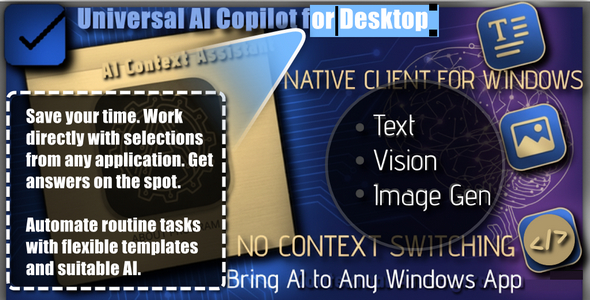
The ultimate native AI utility. No context switching, no monthly subscriptions, no “bloatware.” Embed the power of neural networks directly into Word, IDEs, browsers, messengers, and generally any Windows application you work with.
Description
Stop killing your productivity with copy-paste. Every time you switch to the browser to ask ChatGPT a question, you lose focus. You copy text, switch windows, paste, wait, copy the answer, switch back, and paste again. It’s time to stop this.
Meet AI Context Assistant — a lightweight native utility for Windows that delivers Artificial Intelligence right to your text cursor. Whether you’re coding in VS Code, writing an email in Outlook, or drafting in Word — AI is always just one hotkey away.
How It Works
- Highlight any text in ANY application.
- Press the global hotkey.
- Select a command (“Fix errors”, “Translate”, “Explain code” + 1000 more templates you can add for your specific tasks).
- Watch the magic: The AI response prints instantly right where your cursor is, replacing the selection.
Killer Features
- Work where you are: Works seamlessly in Notepad, browser address bar, Slack, Telegram, IDEs, and Office apps. Forget about Alt+Tab fatigue.
- Includes 500+ advanced models: The program is ready to work with the best models on the market in just a couple of clicks: OpenAI (GPT-4o), Anthropic, Google (Gemini), Meta (Llama 3.3), Mistral, and DeepSeek.
- Free AI Access: Also optimized for free tiers of Groq and OpenRouter. We included 40+ powerful models that can be used for FREE immediately after obtaining an API key. Daily limits even for a single model are enough for 99% of users.
- Absolute Privacy (Ollama): Worried about data? Connect your local Ollama server in one click. Use AI completely offline. Your data never leaves the PC.
- Smart Context Menu: Create an unlimited number of your own presets (Prompts). Need to convert JSON to XML? Write the prompt once and use it forever.
- Model-to-Task Binding: Assign specific models to specific tasks. Use DeepSeek R1 for coding tasks and GPT-4o for creative writing — automatically.
- Global and Personal Hotkeys: Save time, open the general menu with one key, or trigger a specific action (e.g., “Fix Grammar”) instantly with another combination.
⚡ Why This App Is Unique
Unlike 99% of modern AI apps that are slow, memory-hogging Electron wrappers (Chrome browser in disguise), AI Context Assistant is a tiny, fast application requiring no external dependencies.
- Made with Delphi: Pure, native machine code.
- Ultra-lightweight: The executable weighs only ~2 MB.
- Zero dependencies: Does not require .NET Framework, Java, or Node.js. Just run and use.
- Lightning fast: As a result, instant start and minimal RAM consumption. Works quietly in the tray without slowing down your PC.
What’s Inside?
- 30+ Built-in presets: “Fix errors”, “Summarize”, “Translate to EN/RU”, “Explain code”, “Find bugs”, “Reply to email”, and many others.
- Drag & Drop Sorting: Organize the menu exactly how you like it by simply dragging items.
- Smart API Management: Insert the key once and apply it to all compatible provider models.
- Focus Tracking: Automation; the AI response is pasted back into the target window.
Transform and optimize your Windows workflow today.
Model availability depends on providers. An API Key is required for Text and Vision functions (many are available for free).
ADVANCED CAPABILITIES & V2.0 FEATURES
Three Modes — One Hotkey
AI Context Assistant is not just about text anymore. It is an all-in-one AI powerhouse for your desktop.
- Text-to-Text (Text ➔ Text): Highlight text ➔ Press F2 ➔ AI replaces the selection with translation, fixed code, or email reply.
- Vision-to-Text (Screen ➔ Text): Press F2 without selection ➔ Select any screen area with the built-in snipping tool ➔ AI (Llama 4 Scout / Gemini) explains the image, finds UI errors, or recognizes text (OCR).
- Text-to-Image (Text ➔ Image): Type “Cyberpunk cat in neon style” ➔ Select generation mode ➔ The finished image (Flux/SDXL) instantly appears in your clipboard, ready to paste (Ctrl+V).
New Killer Features (v2.0)
- Built-in Vision AI: The program now “sees.” Use Llama 4 Scout or Gemini 2.0 Flash to analyze charts, error screenshots, or translate text from images. Includes a native screen capture tool — no third-party software needed.
- Image Generation (Free): Create stunning images using the Flux.1 model. Absolutely free, no registration or keys required. Just type a description and paste the image into a chat or document.
- Smart Model Auto-Sync: Aggregators (Groq, OpenRouter) update model lists daily. Our utility is now able to download fresh model lists and tag outdated ones. You will always be able to work with actual SOTA neural networks.
- Mode Auto-Detection: The app understands the model’s capabilities. Selected Llama Scout? “Vision” mode activates. Selected Flux? “Generation” mode activates.
- Themes (VCL Styles): Full skin support. Windows 10 Dark, Carbon, Material Design — choose the look to match your mood. Themes are loaded from external files and do not bloat the program size.
- Query Refinement (Ctrl+Click): Want to change a standard prompt “on the fly”? Hold Ctrl while selecting a command to open a window where you can add instructions for this specific run.
- Soft-Cleanup: Smart model list cleaning — outdated models are softly disabled but not removed without your knowledge.
Need Help or Want to Stay Updated?
Join our official channel for the latest updates, fast community support, and more software tools.


| Type | Windows App |
|---|---|
| Author | HIGH_SOFT |
| Price | $39 |
| Sales | 1 |
| Rating | 0 (0) |
| Published | Jan 5, 2026 |
| Last Update | Jan 5, 2026 |
| Application Runtime | Native |
| High Resolution | Yes |
| Operating System Versions | Windows 11, Windows 10 |
Categories
Tags
External listing. code.market does not sell this product and does not process payment for it. Pricing, payment, delivery, licensing, refunds, and support are handled by the third-party merchant on its own website. We may earn an affiliate commission from a referral. Details.
Products of the Week.
Submit🥇

STOP GUESSING WHAT TO POST
AI that learns your brand voice and builds a month of consistent, on-brand social content: carousels, posts and hooks that sound like you, not like everyone else's AI.
SaaS · 7,354 views · 67 clicksSaaS · Week 46 · 7,354 views · 67 clicks
🥈

Conversational Backlinks for Busy Founders
Place Backlink Relevant Conversation for your domain across Forums and Conversations
Website · 46,636 views · 232 clicksWebsite · Week 46 · 46,636 views · 232 clicks
🥉

upvote.club
Free Social Media Engagement that Helps Boost Your Content. Upvote Club supports 19 social networks with 100+ engagement actions in one dashboard. Add links to your posts and get free engagement from real users.
SaaS · 44,576 views · 127 clicksSaaS · Week 46 · 44,576 views · 127 clicks
#4

Substack Posting API
Onboard your Agent to Substack. Write Publish on Substack via API
SaaS · 63,464 views · 206 clicksSaaS · Week 46 · 63,464 views · 206 clicks
#5

Seenshot App
Free, Fast, MacOS Screenshot app. Make Screenshot cmd+shift+2 and send it via link
Desktop App · 32,713 views · 127 clicksDesktop App · Week 46 · 32,713 views · 127 clicks
#6

Hand-Placed Backlinks $9.99 per link. Flat rate.
Buy hand-placed forum, Q-A and directory backlinks. Flat $9.99 per link, no subscriptions — you only pay for approved listings.
Website · 8,334 views · 19 clicksWebsite · Week 46 · 8,334 views · 19 clicks
#7

Free Invoice Generator - PDF Invoices in Your Browser, No Sign-Up
A free invoice maker for freelancers and small businesses: fill in the invoice, check the live preview, and download a PDF that looks exactly like it. Any currency, tax per item, three templates, no sign-up, and nothing leaves your device.
6,960 views · 29 clicksWeek 46 · 6,960 views · 29 clicks
#8

Merge PDF Files Free - Combine PDFs in Your Browser, No Upload
A free PDF merger for office workers, students, and freelancers: combine PDFs and images into one file in the browser, reorder files and pages, pick page ranges, keep bookmarks, and open password-protected PDFs. Nothing is uploaded, no sign-up, no watermark.
6,441 views · 18 clicksWeek 46 · 6,441 views · 18 clicks