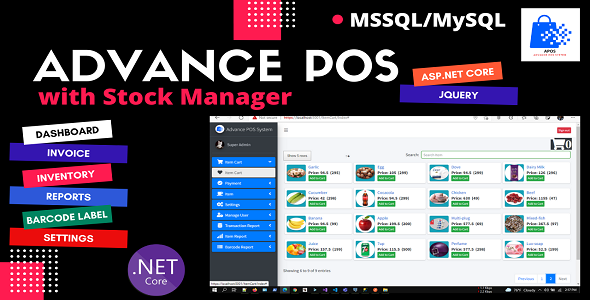
Advance POS System with Stock Manager | ASP.NET Core | EF Core | .NET Core 6.0
Description
Advance POS System with Stock Manager | ASP.NET Core | EF Core | .NET Core 6.0
Advance POS System with Stock Manager (APOS) is a multi-functional complete web application developed using ASP.NET Core and EF Core code first technology. This web application enables you to manage all kinds of retail shops and small businesses through proper monitoring and a dynamic reporting system. APOS is a .NET Core/jQuery-based web application that allows you to manage your sales and inventory from anywhere. It has a built-in Invoice and Inventory System with taxes and discounts. These will be really helpful to apply taxes and discounts automatically and the ability to generate invoices. Update your stock information, make purchases and view sales data from anywhere whether in the office, at home, in the warehouse, or on the go. All you need to access this is a device with an internet connection.
Live Demo:
User Name: admin@gmail.com Password: 123 Web:

Core Feature
Dashboard
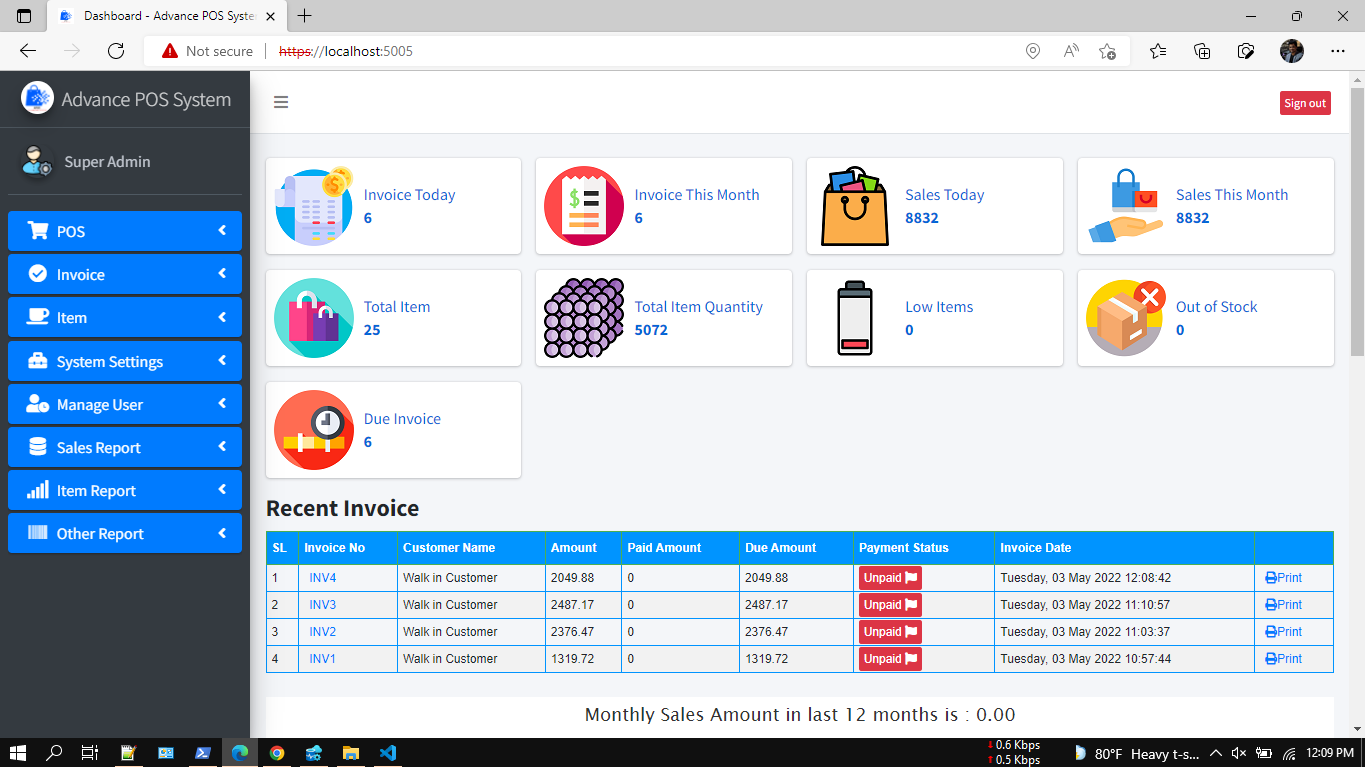
With Overview & Best Seller Pie Chart, Latest Eight (Invoice Today, Invoice Monthly, Sales Today, Sales Monthly, Customers & Suppliers) items summary.
Invoice Management
Easily track invoice that is in the register and manage additions and removals from the register. Reporting is also available for this to easily track shortages and overages.
Inventory Management
Do whole or partial inventory counts and stay up to date with history and proper reporting.
Item Variations
Create different sizes, categories, or any attributes you define for your items. You can track inventory down to the variation and even have different prices per variation.
Item modifiers
Modify inventory items, and customer invoices easily. Choose add-ons to dishes or how they’re prepared in one click.
Reports
Get comprehensive insights into your business with 10+ detailed reports designed for you. Overview & item stock, product quantity and damage item, general profit and/or loss report, sales, purchases, customer, suppliers, and staff user reports.
Currency Exchange
Easily accept any Currency Denomination While making a Sale or Return.
Barcode Label Printing
Easily create barcode labels for your products when they arrive in your store or on-demand.
Payment Type
Credit Card, EBT/EBT Processing, Cash, Check, Gift cards you can define your own custom payment methods.
Serial Numbers
You can now manage items with serial numbers, relation with barcode and optionally you can also assign different prices depending on the serial number.
Custom Receipts
Easily customize your receipts to match what you need for your business. There are 5 different configuration options for making your receipts how you want them.
Inventory history
Gain insights into the flow of your inventory by viewing the adjustment log.
Admin LTE Theme
Use the excellent and responsive theme in a low ambient light environment to reduce eyestrain. It provides a range of responsive, reusable, and commonly used components.
People
Manager, staff users, billers (selling companies), customers, and suppliers.
Settings
Easily manage the app with settings for logo, categories, variants, currencies, custom page access, and identity option.
Much more
User login history, user management, email configuration, nice UI.
Technologies
Microsoft Visual Studio Community 2019, ASP.NET Core 6.0, IdentityCore, Entity Framework Code First, MS SQL SERVER 2017/MySQL, AdminLTE 3.0.5, JavaScript, jQuery data table, bootstrap 4, sweetalert, toastr, Fontawesome etc.
Prerequisite Application
Microsoft Visual Studio Community 2019, Dot Net Core 6.0, MS SQL SERVER 2017/MySQL, IIS, Chrome/Edge Browser.
FAQ
Full Source Code and code first project running guideline.
Version 2, Demo Video Preview
Demo Video Preview
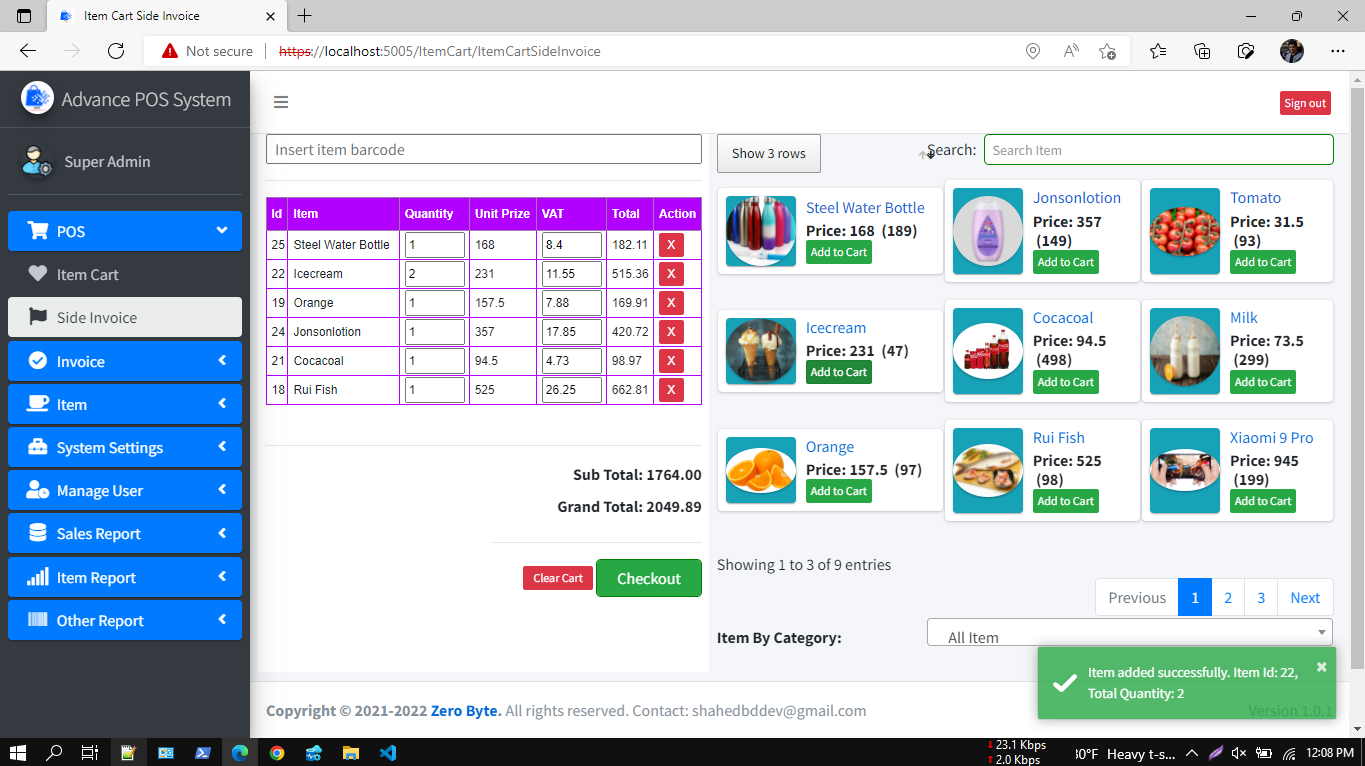
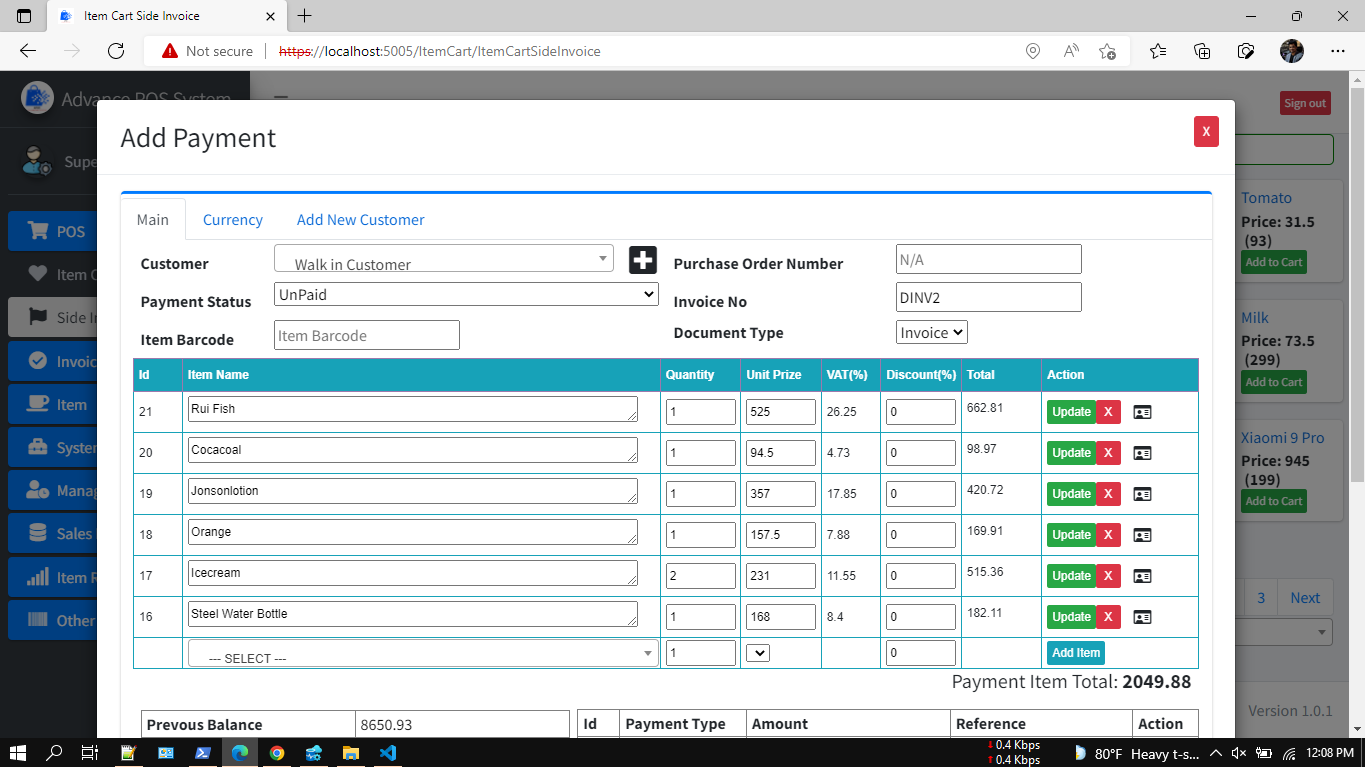
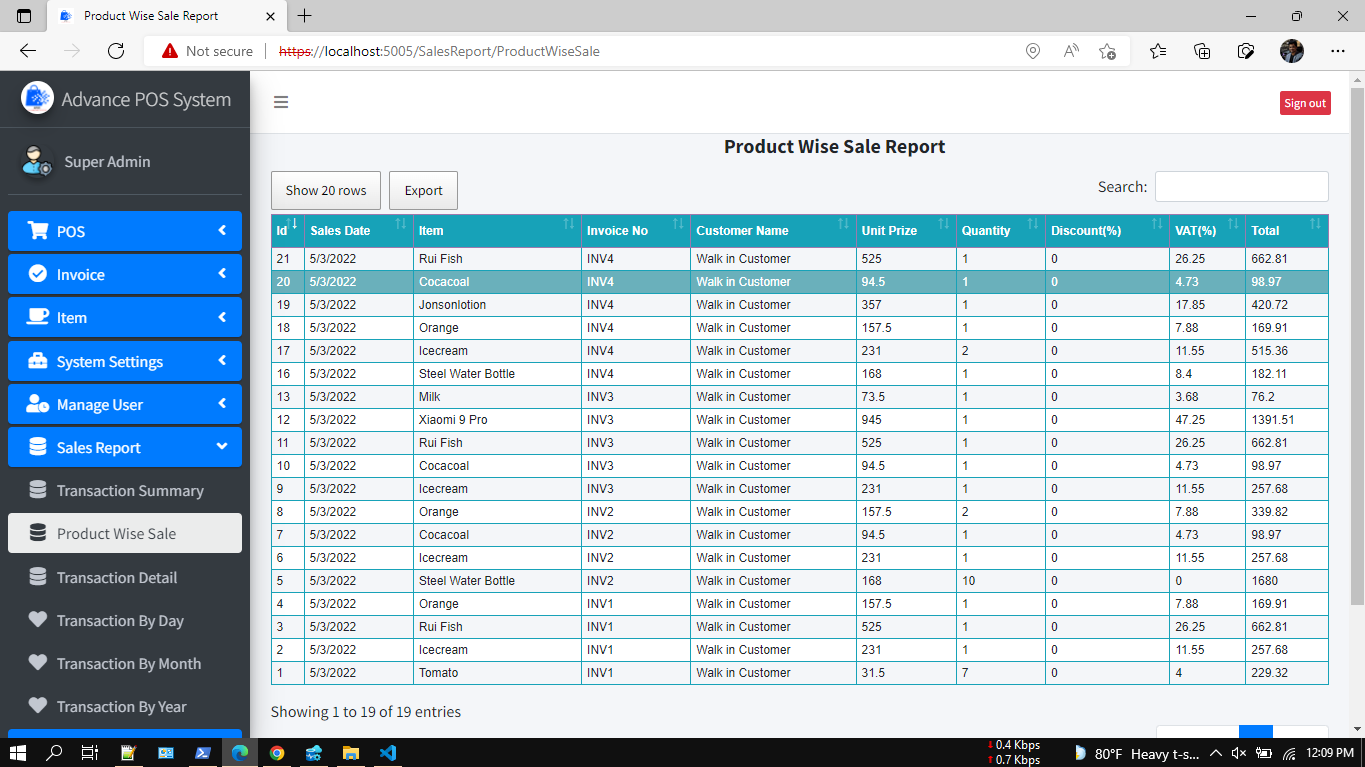
App Screenshot
Technical Features
- ASP.NET Core 6.0
- EF Core code first
- MSSQL/MySQL
- Partial page update CRUD operation
- Razor and jQuery for FE
- jQuery DataTable for faster data load
- Sweet Alert2 and Toaster notification
- select2 dropdown
- ASP.NET Core MVC Architecture
- Uses Swagger for API documentation
- Dependency Injection
- Standard Naming conventions
- JWT Token Based Authentication and Claim Based Authorization
- All Methods are Async/Await
- CORS Settings
How to Run Project
Step 1: Unzip the downloaded folder(AdvPOS.zip)
Step 2: Open AdvPOS.sln file with Visual Studio 2019
Step 3: Update database connection: appsettings.json “DefaultConnection”: “Server=DEVSTATION\MSSQLSERVER2017;Database=AdvPOSDev;User ID=sa;Password=dev123456”- Server=Your MS SQL Server Name
- User ID= Your MS SQL Server User Name
- Password= Your MS SQL Server User Password
Swagger
- No need to create migration rules and update the database. You just need to build and run the application. Already initial migration rule is included with the project. Please make sure the MS SQL server running properly.
Supports:
If you want to modify or add new features, you can always contact us at, WhatsApp: 8801674411603 Telegram: shahed71bd Skype: shahedatomap Email: shahedbddev@gmail.com Youtube:Version 1.0.3
- Updated to dotnet 6.0 LTS
- added multi-language module
- added audit trail module
- added branch module
- refactor and optimized
Version 1.0.2
- Return Item Module Added:
- Single item return
- Full invoice item returned
- Return item separate list
Version 1.0.1
- update invoice module: dynamic and interactive
- item module updated
- barcode module updated
- added sidebar invoice with faster item cart
- added pdf invoice share with email option
- added new report: Product Wise Sale Report
- update dashboard
- bug fixed and optimized
Version 1.0.0
Initial Release
Categories
Tags
External listing. code.market does not sell this product and does not process payment for it. Pricing, payment, delivery, licensing, refunds, and support are handled by the third-party merchant on its own website. We may earn an affiliate commission from a referral. Details.
Products of the Week.
Submit#1

wanapi.app
Wan API is a developer platform for the Wan video model family. Compare Wan 3.0, Prime and Pro specifications and prices, then prepare a request in the preview playground.
Other · 8,751 views · 23 clicksOther · Week 42 · 8,751 views · 23 clicks
#2

wanapi.ai
Wan API is a developer platform for the Wan video model family. Compare Wan 3.0, Prime and Pro specifications and prices, then prepare a request in the preview playground.
Other · 8,099 views · 14 clicksOther · Week 42 · 8,099 views · 14 clicks
#3

yee.site
Your link in bio, but a real website. Start from beautiful templates and ready-made sections, then add a shop, bookings, a blog and as many pages as you need. Perfect for your link in bio, portfolio or personal site.
Other · 14,245 views · 24 clicksOther · Week 42 · 14,245 views · 24 clicks
#4

upvote.club
Free Social Media Engagement that Helps Boost Your Content. Upvote Club supports 19 social networks with 100+ engagement actions in one dashboard. Add links to your posts and get free engagement from real users.
SaaS · 35,137 views · 104 clicksSaaS · Week 42 · 35,137 views · 104 clicks
#5

Seenshot App
Free, Fast, MacOS Screenshot app. Make Screenshot cmd+shift+2 and send it via link
Desktop App · 23,623 views · 115 clicksDesktop App · Week 42 · 23,623 views · 115 clicks
#6

Conversational Backlinks for Busy Founders
Place Backlink Relevant Conversation for your domain across Forums and Conversations
Website · 35,388 views · 206 clicksWebsite · Week 42 · 35,388 views · 206 clicks
#7

Substack Posting API
Onboard your Agent to Substack. Write Publish on Substack via API
SaaS · 54,241 views · 190 clicksSaaS · Week 42 · 54,241 views · 190 clicks
#8

codester.com
SocialDesk+: Omnichannel Social Commerce & Business Management Platform This is stronger than simply “Social Commerce and Messaging” because it tells buyers this is a complete business platform, not just a messaging script. Turn Social Conversations Into Sales SocialDesk+ is a complete omnichannel social commerce and business management platform built for businesses that sell and communicate with customers through social media. Instead of switching between WhatsApp, Facebook, Instagram and TikTok, businesses can manage customer conversations, comments, products, leads, follow-ups, automation, teams and business reports from one professional workspace. And because the full source code is included, developers, agencies and entrepreneurs can customize, rebrand and launch SocialDesk+ as their own business solution or SaaS platform. 🚀 Build Your Own Social Commerce Business SocialDesk+ gives you the foundation to launch: - Your own SaaS platform - A white-label social CRM - A social-commerce management system - A customer communication platform - A business messaging solution - A custom solution for clients - A multi-business subscription platform 💬 Connect Your Customers Supported social channels include: WhatsApp • Facebook • Instagram • TikTok Bring supported conversations into one centralized workspace and help businesses respond faster without constantly switching between platforms. 🛍️ More Than a Messaging Platform SocialDesk+ combines communication with the tools businesses need to manage customer opportunities: Inbox Manage customer conversations from connected channels. Comments Monitor and respond to social-media comments. Customers & Leads Organize customer information and potential buyers. Products & Catalog Manage products and give your team quick access to product information. Follow-Ups Make sure potential customers don't get forgotten. Automation Automate repetitive customer questions and responses. AI Assistant Provide AI-assisted communication when configured. Team Management Give managers and staff access to the business workspace. Reports & Analytics Track activity using business reports and analytics. The current product listing already includes these capabilities. 🔥 Why Buyers Will Want It Launch Faster Start with an already-built business platform instead of developing the entire system from zero. Customize Everything The full source code is included, allowing developers to change branding, features, workflows and integrations. Build a SaaS Create multiple business workspaces and offer SocialDesk+ as a subscription-based service. Sell to Businesses Offer it to retailers, restaurants, service businesses, online sellers, agencies and other businesses that communicate with customers through social media. Mobile + Web + Backend This isn't just a mobile UI template. It includes: - Flutter mobile application - Python / FastAPI backend - Web interface - Administration tools - Database infrastructure - API-based architecture - SQLite / PostgreSQL support - Android and iOS project structure 💼 One Platform. Multiple Business Opportunities. For SaaS Entrepreneurs Launch your own subscription platform and allow multiple businesses to operate inside separate workspaces. For Software Agencies Customize and rebrand the platform for clients instead of building an omnichannel business system from scratch. For Developers Use the complete source code as a foundation for your own social-commerce or customer-management product. For Businesses Deploy a dedicated version for your own customer-service and social-commerce operations. 🧩 What's Included Mobile - Flutter / Dart - Android - iOS project Backend - Python - FastAPI - SQLAlchemy - Alembic Database - SQLite - PostgreSQL Web - HTML5 - CSS3 - JavaScript Deployment - Docker - Docker Compose - Production configuration Business Platform - Multi-workspace architecture - Authentication - Teams - Customers - Products - Messaging - Comments - Automation - Reports - Subscriptions - Administration The current listing also documents third-party integrations such as Meta, TikTok, Stripe, Firebase, SMTP and optional OpenAI configuration. ⚡ What Makes SocialDesk+ Different? You're not buying a simple: ❌ Chat UI ❌ WhatsApp clone ❌ Flutter template ❌ Admin dashboard ❌ Basic CRM You're getting a complete business platform foundation that can be customized, branded and commercialized. Connect. Automate. Manage. Grow. SocialDesk+ Omnichannel Social Commerce & Business Management Platform One important change I'd make to the current listing The current page starts with: “A simple guide to managing your social conversations, customers, products and business activity.”
Other · 21,599 views · 35 clicksOther · Week 42 · 21,599 views · 35 clicks
#9

sandbook.app
Sandbook reads EPUB, PDF, web pages and scanned pages aloud with Kokoro TTS, an open neural voice model that runs on your iPhone, free and offline. Choose from 41 natural voices in English, Spanish, French, Italian, Brazilian Portuguese and Hindi and follow each word as it is spoken. Try the same voices in your browser first with the free Kokoro TTS online demo.
Other · 21,491 views · 18 clicksOther · Week 42 · 21,491 views · 18 clicks