
Accounting and Bookkeeping plugin for RISE CRM

Description
Note: This is a plugin for RISE – Ultimate Project Manager & CRM. Not a standalone script.
Brief description
Accounting is the process of recording and tracking financial statements to see the financial health of an entity. This is done by inputting, sorting, measuring, and then communicating transactions in various formats. Accounting consists of bookkeeping and analysis. Bookkeeping, or financial accounting, consists of recording transactions, which can include purchases, sales, and receipts of an individual or an organization. Once the bookkeeper records and organizes all of the transactions, the next step of accounting is to analyze these transactions into helpful reports which will show the state of one’s finances. These reports can include profit/loss statements, cash flow reports, and can track sales tax to keep a close eye on what is owed come tax time. With small business accounting done right, small business owner will be able to have a clear understanding of the state of your finances so you can make better decisions based on what you have available.
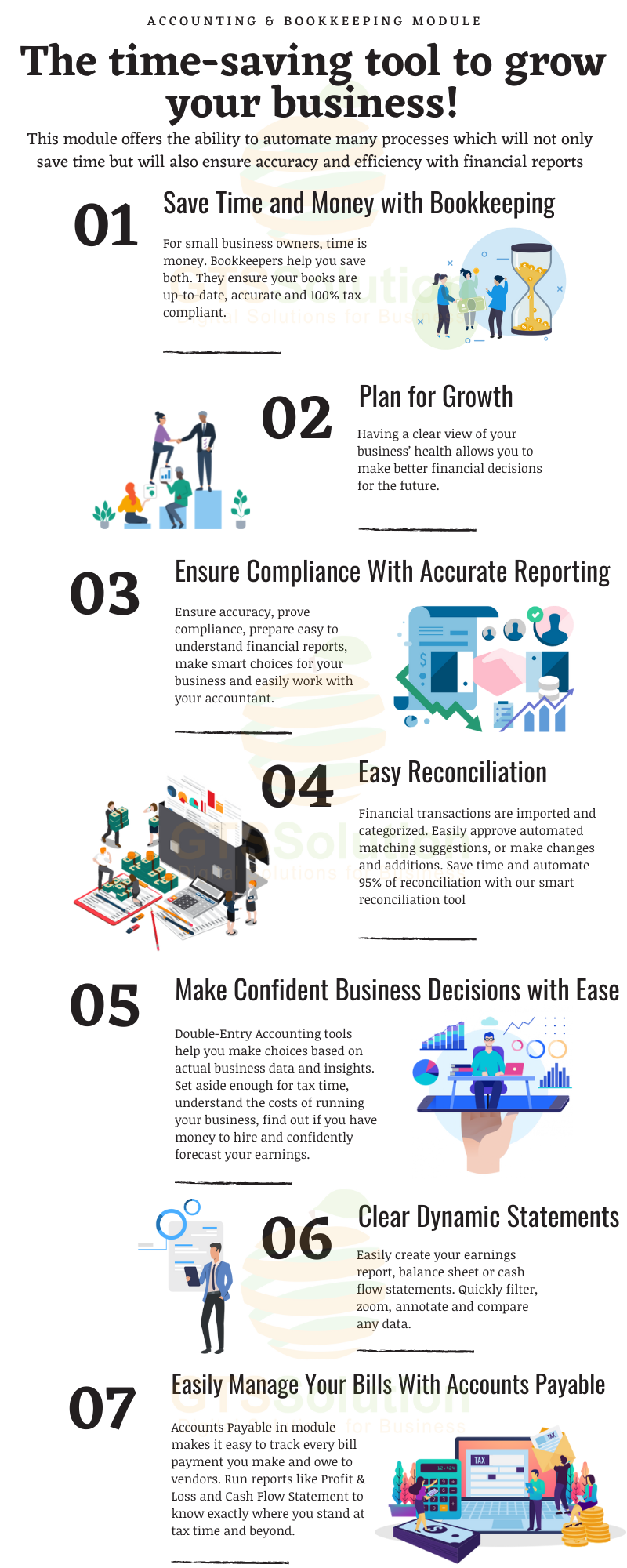

The benefits of a Accounting & Bookkeeping module
Using this module helps in relieving the burden of manual data entry, prevents common human errors, helps businesses and accountants when tax time comes around and allows the user to look at in-depth reports of how their business’ finances are faring. Perhaps the biggest advantage of this module is all of the time it will save. With this module, all of their financial reports will be consolidated into one online system, making it easier to keep track of their records. An accounting module for businesses offers the ability to automate many processes which will not only save time but will also ensure accuracy and efficiency with one’s financial reports.
Module Features
- Dashboard: Profit & Loss Chart, Income Chart, Expense Chart, Cashflow Chart and Bank Accounts Overview
- Banking:
- Banking Register
- Posted Bank Transaction
- Reconcile Bank Account
- Import Bank Transacions
- Transactions:
- Mapping Bank Statements to Accounting
- Mapping Invoices to Accounting
- Mapping Payments to Accounting
- Mapping Expenses to Accounting
- Item Mapping Setup
- Expense Category Mapping Setup
- Tax Mapping Setup
- Purchasing Mapping Setup
- Inventory Mapping Setup
- Banking Rules: to automatically categorize transactions
- Journal Entry: to record transactions in the general ledger
- Transfer: to transfers of amounts between accounts
- Chart of Accounts: is a list of the account numbers and names relevant to your company. Typically, a chart of accounts will have four categories (Asset accounts, Liability accounts, Income accounts and Expense accounts).
- Reconcile: is the process of matching transactions entered into module against your bank or credit card statements
- Budgets Management: supports preparing budgets, which help you monitor, track, and compare expected income and expenses with actual income and expenses. When you prepare a budget, you typically prepare it for a fiscal year, and you can opt to supply budget amounts or use historical amounts
- Business Overview Reports:
- Balance Sheet Comparison: what you own (assets), what you owe (liabilities), and what you invested (equity) compared to last year.
- Balance Sheet Detail: a detailed view of what you own (assets), what you owe (liabilities), and what you invested (equity).
- Balance Sheet Summary: a summary of what you own (assets), what you owe (liabilities), and what you invested (equity).
- Balance Sheet: what you own (assets), what you owe (liabilities), and what you invested (equity).
- Custom Summary Report: a report you build from scratch. With more options to customise.
- Profit and Loss as % of total income: your expenses as a percentage of your total income.
- Profit and Loss Comparison: your income, expenses, and net income (profit or loss) compared to last year.
- Profit and Loss Detail: profit and Loss Detail
- Profit and Loss year-to-date comparison: your income, expenses, and net income (profit or loss) compared to this year so far.
- Profit and Loss: your income, expenses, and net income (profit or loss). Also called an income statement.
- Statement of Cash Flows: cash flowing in and out from sales and expenses (operating activities), investments, and financing.
- Statement of Changes in Equity: statement of changes in equity.
- Bookkeeping Reports:
- Account list: the name, type, and balance for each account in your chart of accounts.
- Balance Sheet Comparison: what you own (assets), what you owe (liabilities), and what you invested (equity) compared to last year.
- Balance Sheet: what you own (assets), what you owe (liabilities), and what you invested (equity).
- General Ledger: the beginning balance, transactions, and total for each account in your chart of accounts.
- Journal: the debits and credits for each transaction, listed by date.
- Profit and Loss Comparison: your income, expenses, and net income (profit or loss) compared to last year.
- Profit and Loss: your income, expenses, and net income (profit or loss). Also called an income statement.
- Account history: account history
- Recent Transactions: Transactions you created or edited in the last 4 days.
- Statement of Cash Flows: cash flowing in and out from sales and expenses (operating activities), investments, and financing.
- Transaction Detail by Account: transactions and total for each account in your chart of accounts.
- Transaction List by Date: A list of all your transactions, ordered by date.
- Trial Balance: this report summarises the debit and credit balances of each account on your chart of accounts during a period of time.
- Sales Tax Reports:
- Tax Detail Report: This report lists the transactions that are included in each box on the tax return. The report is based on accrual accounting unless you changed your tax reporting preference to cash basis.
- Tax Liability Report: How much sales tax you’ve collected and how much you owe to tax agencies.
- Tax Summary Report: This report shows you the summary information for each box of the tax return. The report is based on accrual accounting unless you changed your tax reporting preference to cash basis.
- Sales and Customers Reports:
- Deposit Detail: your deposits, with the date, customer or supplier, and amount.
- Income by Customer Summary: your income minus your expenses (net income) for each customer.
- Expenses and Suppliers Reports:
- Cheque Detail: The checks you’ve written, with the date, payee, and amount.
- Budgets Reports:
- Budget overview: this report summarises your budgeted account balances.
- Profit and Loss Budget vs Actual: this report shows how well you are meeting your budget. For each type of account, the report compares your budgeted amounts to your actual amounts.
- Profit and loss budget performance: this report compares actual amounts to budgeted amounts for the month, the fiscal year to date, and the annual budget.
- Accounts Aging Reports:
- Accounts Receivable Aging Summary: unpaid balances for each customer, grouped by days past due.
- Accounts Receivable Aging Detail: unpaid invoices, grouped by days past due.
- Accounts Payable Aging Summary: the total amount of your unpaid bills, grouped by days past due.
- Accounts Payable Aging Detail: your unpaid bills, grouped by days past due.
- Banking Reports:
- Bank Reconciliation Summary
- Bank Reconciliation Detail
- Settings:
- General
- Account Detail Types Management
- Plaid API Setup
Demo
Set-up
Included documentation will help you upload and activate the plugin inside RISE – Ultimate Project Manager & CRM, if you are not aware on how to do it.
Support
Our support team is always around to help. Feel free to raise a support ticket. Guys from support department will get back to you as soon as possible with a reply, guiding you through any issues.
Changelog
Version 1.0.0 / 2022-09-09
Initial version
| Type | PHP Script |
|---|---|
| Author | GreenTech_Solutions |
| Category | Php Scripts / Add Ons |
| Price | $109 |
| Sales | 146 |
| Rating | 4.00 from 8 ratings |
| Published | Sep 9, 2022 |
| Last Update | Sep 9, 2022 |
| Compatible Software | PHP 8.x, PHP 7.x |
| Software Framework | CodeIgniter |
| Source Files Included | JavaScript JS, HTML, CSS, PHP, SQL |
Categories
Tags
External listing. code.market does not sell this product and does not process payment for it. Pricing, payment, delivery, licensing, refunds, and support are handled by the third-party merchant on its own website. We may earn an affiliate commission from a referral. Details.
Products of the Week.
Submit🥇

STOP GUESSING WHAT TO POST
AI that learns your brand voice and builds a month of consistent, on-brand social content: carousels, posts and hooks that sound like you, not like everyone else's AI.
SaaS · 4,287 views · 38 clicksSaaS · Week 45 · 4,287 views · 38 clicks
🥈

Conversational Backlinks for Busy Founders
Place Backlink Relevant Conversation for your domain across Forums and Conversations
Website · 41,998 views · 223 clicksWebsite · Week 45 · 41,998 views · 223 clicks
🥉

upvote.club
Free Social Media Engagement that Helps Boost Your Content. Upvote Club supports 19 social networks with 100+ engagement actions in one dashboard. Add links to your posts and get free engagement from real users.
SaaS · 40,039 views · 117 clicksSaaS · Week 45 · 40,039 views · 117 clicks
#4

Substack Posting API
Onboard your Agent to Substack. Write Publish on Substack via API
SaaS · 59,049 views · 198 clicksSaaS · Week 45 · 59,049 views · 198 clicks
#5

Seenshot App
Free, Fast, MacOS Screenshot app. Make Screenshot cmd+shift+2 and send it via link
Desktop App · 28,423 views · 122 clicksDesktop App · Week 45 · 28,423 views · 122 clicks
#6

Hand-Placed Backlinks $9.99 per link. Flat rate.
Buy hand-placed forum, Q-A and directory backlinks. Flat $9.99 per link, no subscriptions — you only pay for approved listings.
Website · 4,258 views · 19 clicksWebsite · Week 45 · 4,258 views · 19 clicks
#7

Free Invoice Generator - PDF Invoices in Your Browser, No Sign-Up
A free invoice maker for freelancers and small businesses: fill in the invoice, check the live preview, and download a PDF that looks exactly like it. Any currency, tax per item, three templates, no sign-up, and nothing leaves your device.
2,935 views · 17 clicksWeek 45 · 2,935 views · 17 clicks
#8

Merge PDF Files Free - Combine PDFs in Your Browser, No Upload
A free PDF merger for office workers, students, and freelancers: combine PDFs and images into one file in the browser, reorder files and pages, pick page ranges, keep bookmarks, and open password-protected PDFs. Nothing is uploaded, no sign-up, no watermark.
2,711 views · 13 clicksWeek 45 · 2,711 views · 13 clicks