
2FA Authenticator - 2FAS - Password Manager - 2FA
Description



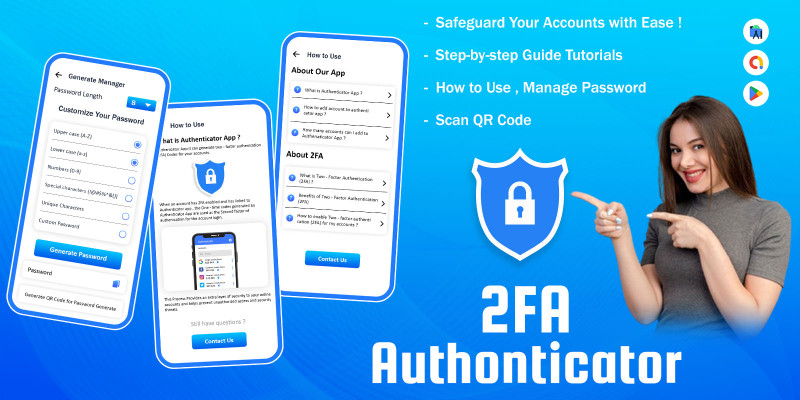
Enhance your digital security with Authenticator App, the all-in-one app designed to safeguard your online accounts. Offering a comprehensive suite of features, this app goes beyond traditional two-factor authentication (2FA) to provide you with a robust defense against unauthorized access. Download Authenticator App now to fortify your online presence!
Features
1. Two-Factor Authentication (2FA): Strengthen your account security with the power of two-factor authentication. Authenticator App supports both Time-based One-Time Passwords (TOTP) and HMAC-based One-Time Passwords (HOTP), ensuring compatibility with a wide range of services.
2. TOTP & HOTP: Choose the method that suits you best! Generate secure and time-sensitive TOTP codes or utilize HMAC-based HOTP for added flexibility in your authentication process.
3. Backup & Restore: Never worry about losing access again! Authenticator App provides a seamless Backup & Restore feature, allowing you to safeguard your authentication data. Your codes and configurations are securely stored, ready to be restored whenever needed.
4. 2FA Guide: New to two-factor authentication? No problem! Authenticator App includes a comprehensive 2FA Guide to assist you in setting up and understanding two-factor authentication for all your digital accounts. Empower yourself with knowledge and take control of your online security.
5. Password Manager: Simplify your online experience by consolidating your passwords in one secure place. Authenticator App's Password Manager ensures that your credentials are encrypted and easily accessible when you need them. Say goodbye to password-related stress and hello to streamlined security.
Secure all your accounts! Authenticator 2FA tokens work seamlessly with Google, Instagram, Facebook, Twitter, and more, even your Bitcoin wallet and other wallet.

Requirements
- Android Studio - Android - SDK JDK/JRE - AdMob Account - Play Store Account
Instructions
- Unzip Project File - Open Project File On Android Studio - Run Project - Change UI Design Colors, App Logo And Splash Screen Image For Reskin
| Author | CodeMaxInfotech |
|---|---|
| Category | App Templates / Android / Applications / Utility |
| Price | $25 |
| Extended License | $75 |
| Likes | 1 |
| First Release | Jul 3, 2024 |
| Last Update | Jul 3, 2024 |
| Files included | .sql, Layered .psd, Layered .png, .apk, .dex, .db, .java, .xml, build.settings |
| Operating systems | Android 7.0, Android 8.0, Android 9.0, Android 10.0, Android 11.0, Android 12.0, Android 4.0, Android 5.0, Android 6.0 |
Categories
Tags
External listing. code.market does not sell this product and does not process payment for it. Pricing, payment, delivery, licensing, refunds, and support are handled by the third-party merchant on its own website. We may earn an affiliate commission from a referral. Details.
Products of the Week.
Submit🥇

Perceptle
Perceptle is a daily browser-based game that challenges you to test your sensory intuition through five quick estimation and rhythm-based rounds.
Other · 1,800 views · 11 clicksOther · Week 47 · 1,800 views · 11 clicks
🥈

Free LinkedIn Likes From Real
Get free LinkedIn likes on your posts from real members who react by hand. No
SaaS · 1,935 views · 11 clicksSaaS · Week 47 · 1,935 views · 11 clicks
🥉

STOP GUESSING WHAT TO POST
AI that learns your brand voice and builds a month of consistent, on-brand social content: carousels, posts and hooks that sound like you, not like everyone else's AI.
SaaS · 9,478 views · 76 clicksSaaS · Week 47 · 9,478 views · 76 clicks
#4

aaas.market
407 reliable micro tools for solo founders, marketers and creators. They work in your browser
SaaS · 1,899 views · 5 clicksSaaS · Week 47 · 1,899 views · 5 clicks