🥇

Smart Owl Artificial Intelligence Technology Logo
AI startups, software platforms, cybersecurity firms, data science companies, educational technology brands, cloud services.
Created Jul 27, 2026
🥇
Smart Owl Artificial Intelligence Technology Logo
AI startups, software platforms, cybersecurity firms, data science companies, educational technology brands, cloud services.
Created Jul 27, 2026
🥈

Letter S AI Network Logo
Artificial intelligence, networking, and digital innovation brands. The flowing “S” symbol combined with circuit-inspired line
Created Jul 27, 2026
🥉

Astro Planet Logo Template
Professional Astro Planet Logo Template for your company. Logo in a vector format, fully editable with no loss of quality.
Created Jun 5, 2026
#4

70 Cyber Security with Shield Icons
websites, dashboards, SaaS platforms, presentations, fintech products, hosting services, cybersecurity agencies, and software
Created May 13, 2026
#5

Society Wifi Logo Template
An outstanding logo template for your business is the Society Wifi Logo Template. Many different types of businesses can use the logo. Every element is fully editable and vector, making resizing and customization simple. Editing text and colors is simple.
Created Mar 8, 2026
#6
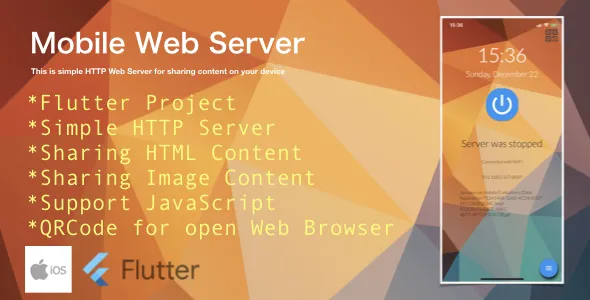
Mobile Web Server (HTTP server on Device) for iOS
Mobile Web Server is a lightweight and fast Web Server especially designed for iOS mobile devices. It can be used to host websites and to serve files over HTTP. A HTML file MUST be selected as the startup page by browsing the device directory. Once the Mobile Web Server is started, a web page should be able to open according to the WIFI IP address. The Port is fixed as 8089. Thus, the URL should be in this format “https://<wifi-ip-address>:8089”. To make Mobile Web Server as a public server, a dynamic DNS server should be subscribed from Internet in order to get a valid public domain name. If low cost Internet service is available and every mobile phone is assigned with a dedicated IP address, why not mobile phone as your simple web hosting server? This is not an imagination picture in mind, it can be realized on coming future such as IoT on 5G. Guide to use 1. Install the APP 2. Connect to WIFI 3. Start the Mobile Web Server 4. Select a HTML file, video or image from mobile device 5. Open the URL on the browser iOS Demo: AppStore
Created Dec 24, 2025
#7
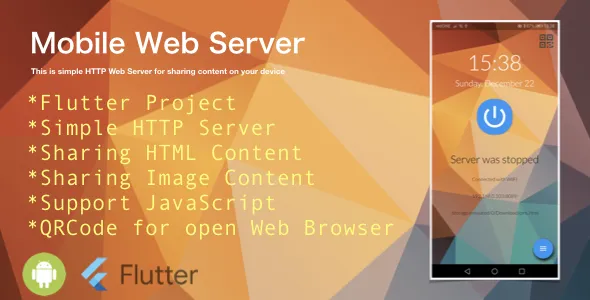
Mobile Web Server (HTTP server on Device) for Android
Mobile Web Server is a lightweight and fast Web Server especially designed for android mobile devices. It can be used to host websites and to serve files over HTTP. A HTML file MUST be selected as the startup page by browsing the device directory. Once the Mobile Web Server is started, a web page should be able to open according to the WIFI IP address. The Port is fixed as 8089. Thus, the URL should be in this format “https://<wifi-ip-address>:8089”. To make Mobile Web Server as a public server, a dynamic DNS server should be subscribed from Internet in order to get a valid public domain name. Besides, user can share his/her mobile content with the QRCode either HTML file or Image file to his/her friends or teacher to students. If low cost Internet service is available and every mobile phone is assigned with a dedicated IP address, why not mobile phone as your simple web hosting server? This is not an imagination picture in mind, it can be realized on coming future such as IoT on 5G.
Created Dec 24, 2025
#8
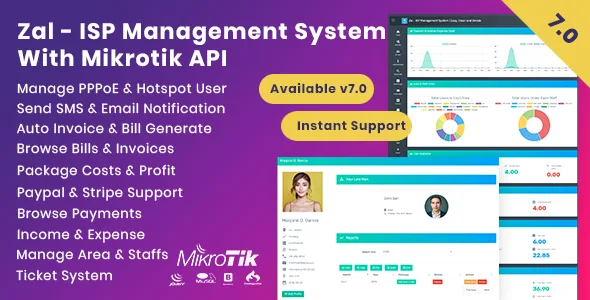
Zal - ISP Management System With Mikrotik API
Zal is an ISP management system with Mikrotik API which helps you to manage your ISP business smoothly. ISP business owners can manage their PPPoE and Hotspot Users. Create new PPPoE and Hotspot users from Zal dashboard. No need to login into your router to create PPPoE/Hotspot user. Enable or Disable your PPPoE/Hotspot user easily from the dashboard. Connect PPPoE/Hotspot user secret with the portal user and manage to bill, send SMS/Email, generate the auto invoice and many more.
Created Dec 23, 2025